



This is one of our top picks in the category so we recommend it over others (you're on the right page), read below to learn why we love and recommend it! ⤵
This is one of the better tools in its category, see below if this tool is right for you! ⤵
Comet Browser is the first truly agentic browser to release, meaning that you can not only talk to the baked in Assistant (Perplexity), but you can have it interact with your tabs, emails, calendar, and even navigate the web for you (as if an assistant took over your screen). Its also the only free agentic browser (with ChatGPT Atlas, you need to be on the paid tier to access agent mode, while Comet gives it away for free).
Our of all the AI Browers we've tested, Comet has been the best for researching and shopping, so it's definitely worth downloading.
We believe there are better options available in this category, read below to learn what they do well, and what they could do better. ⤵

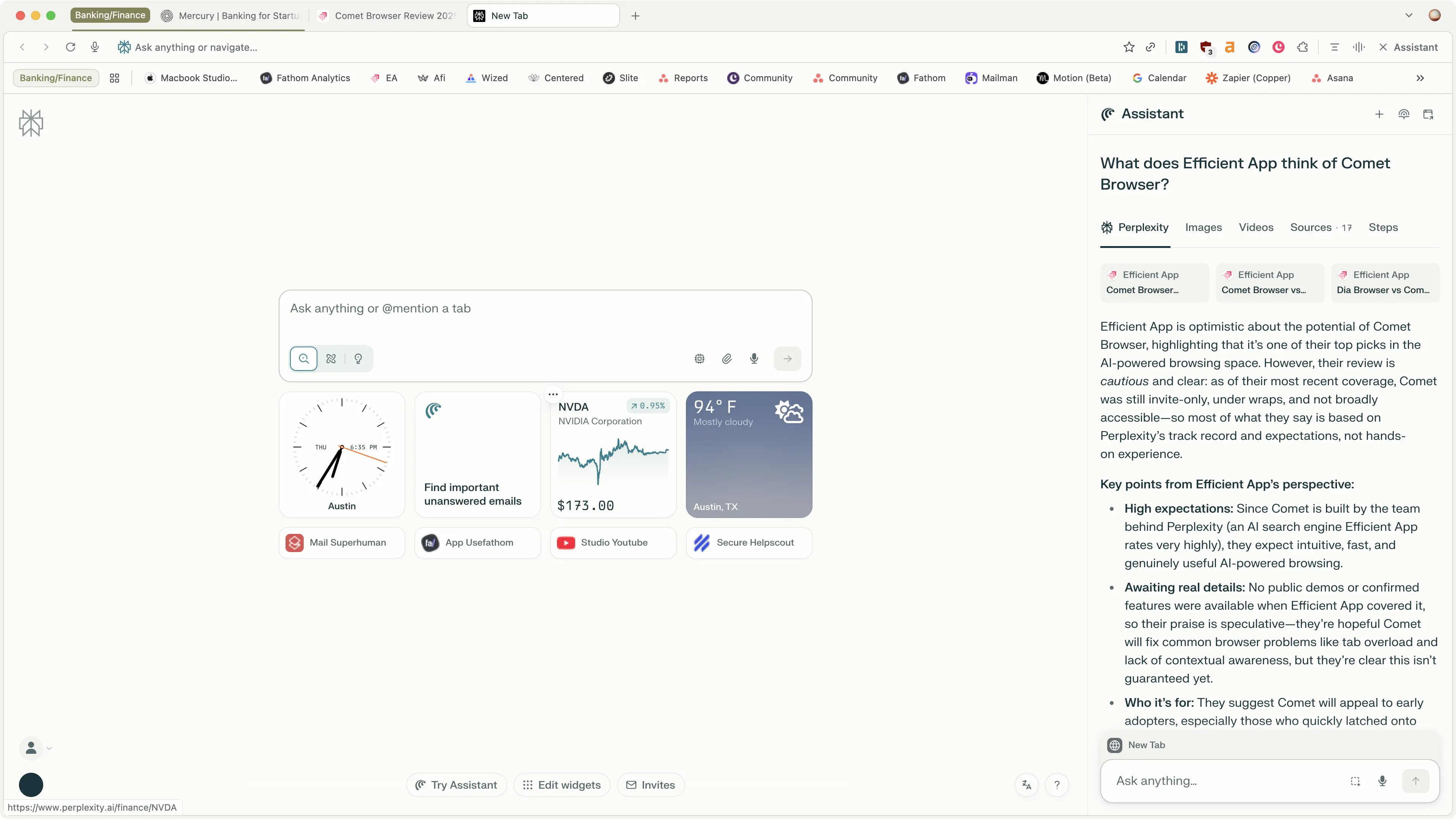
A browser for agentic search by Perplexity.
Comet Browser is an new Browser built by the team behind Perplexity (one of the most promising search-focused AI teams right now). What they realized is that web browsers are at the core of search, so what if they built a browser that has their AI search at the core?
Comet Browser is the first browser that shows you a peek into the future of what browsing will look like.
Out of all the AI browsers, I trust Comet the most for deep research where I actually need factual information. The reason is because Comet is the most connected to the internet and it gives you clear citations of where it gets it's information from (while ChatGPT can make things up sometimes). So if I am looking for facts, data, sources, I always open up Comet now.
Not to mention, I love Comet's Android browser. It immediately became my main driver because I get the full AI assistant on my phone. Full agent mode even works on the phone. It's not available for iOS yet, only Android.

Finally, Comet Browser’s agent mode is completely free, unlike other AI browsers where you need to be on a paid plan to unlock agent capabilities so even if it doesn't become your one and only browser, it's incredibly handy to have on your devices (click here to grab it).
If you’re the kind of person who jumped on Perplexity before it blew up, you’re the target market. Comet will likely appeal to:
Basically, early adopters, who are fine with a product being rough around the edges, but power-user features that not many people have seen before.
Comet's built-in assistant is what sets it apart from all the best browsers we've covered. It handles the new table-stakes well, with Perplexity at the core, so all the usual search and research functionality is handled.
It can also interact with open tabs, allowing you to essentially target your search and research to a more specific dataset to what you're looking into. But Dia can do this as well, so it's not particularly standout in a browser.
But what does set it apart is Comet gives us the first actual glance at what this coveted "Agentic Browsing" experience actually is, in a non-technical, actually user-friendly way.
What does this mean? Well it can connect into your calendar and email to tell you about important emails (cool, like Google Assistant, right?), but most impressively it can even navigate the web for you.
I'm saying that you can ask it to do things, and it will actually navigate around the page your on, open new pages when needed, and take action as if it's a human you're asking to do something for you.
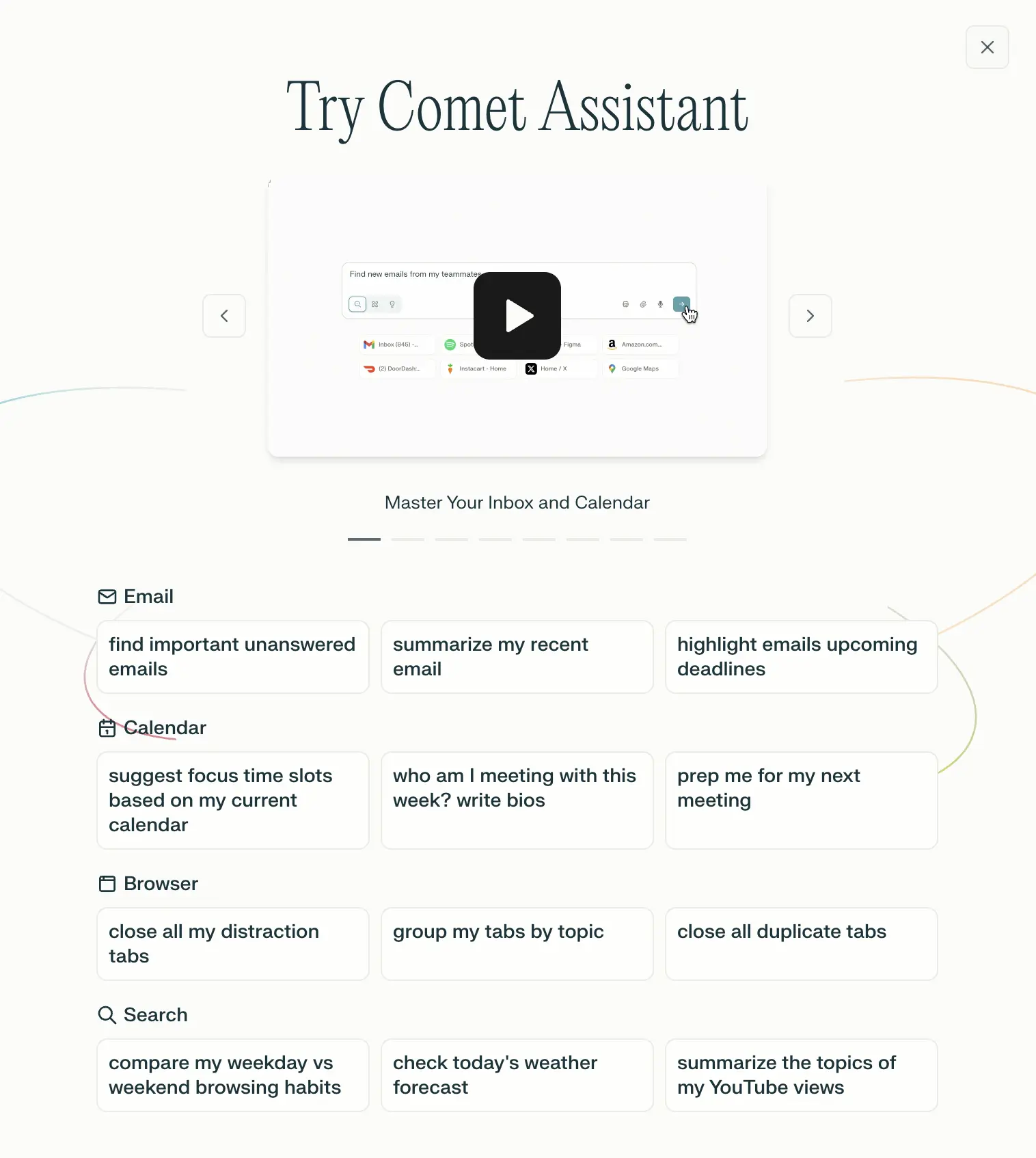
If you've ever used ChatGPT's voice mode, imagine that, but being able to dive into a conversation with the website you're on, tabs you have open, and the wider internet. Searching for deals, what the main points are of a YouTube video, or want it to book a reservation for you? All of that is possible with the assistant on the sidebar:
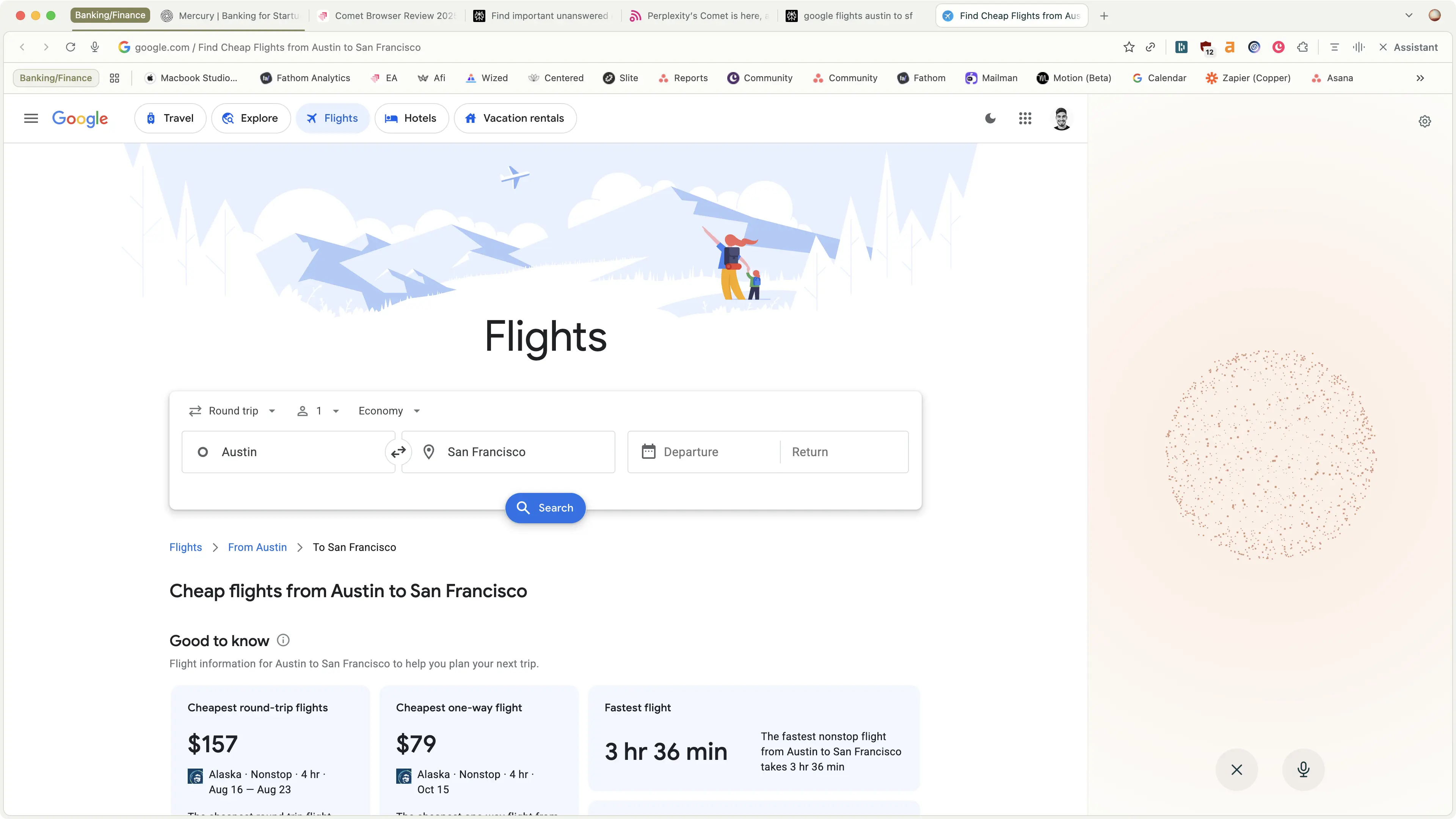
While this is super promising, it can't yet seem to take action on the page that I'm on just yet. While they've shown some demos of this in action on X, it's not quite functional to that degree yet.
That said, being able to talk to a page is away more enjoyable experience than reading it. Heck, you might be chatting with this review right now for all I know. It feels like the future.
What's an assistant (and now browser) without connection to your email and calendar? If you want it to book a flight for you, doesn't it need to know what your availability is?
That's where it asks you for full read/write access to your Gmail and Google Calendar, and you can ask the browser questions about your email, upcoming events, and more.
This one feels like Chrome should have had this for ages, but with Google's upcoming Gemini integration with Chrome, we're likely to see something similar.
The team has said it'll be similar to the freemium model of Perplexity:
Is Comet Browser worth it? It's still too early to say, but they are definitely shaking up the space, and giving Dia by the Browser Company a run for their money.
It's the first time we've ever seen a way to explore the web and browse (keyboard and voice), to this degree. It feels like the first true AI browser that we've seen.
With all of that said... There are rumors that OpenAI is working on an AI browser as well, so it feels like Comet vs OpenAI vs Dia is going to be what everyone is paying attention to over the coming months. The competition is great for the end-user (you, and us), so we're quite excited. I wouldn't want to be in their shoes though, it sounds incredibly stressful.
.svg)

.webp)


Yes, Comet Browser by Perplexity is available to everyone now on MacOS, Windows and Android (iOS coming soon).
Comet Browser was created by Perplexity, an AI search engine that has been taking on Google, ChatGPT, and others.
We've tracked and verified the above companies are using this software in their team's stack.


%20YouTube.webp)


.svg)

.svg)

.svg)


.svg)













.png)


.webp)
.svg)
.svg)


