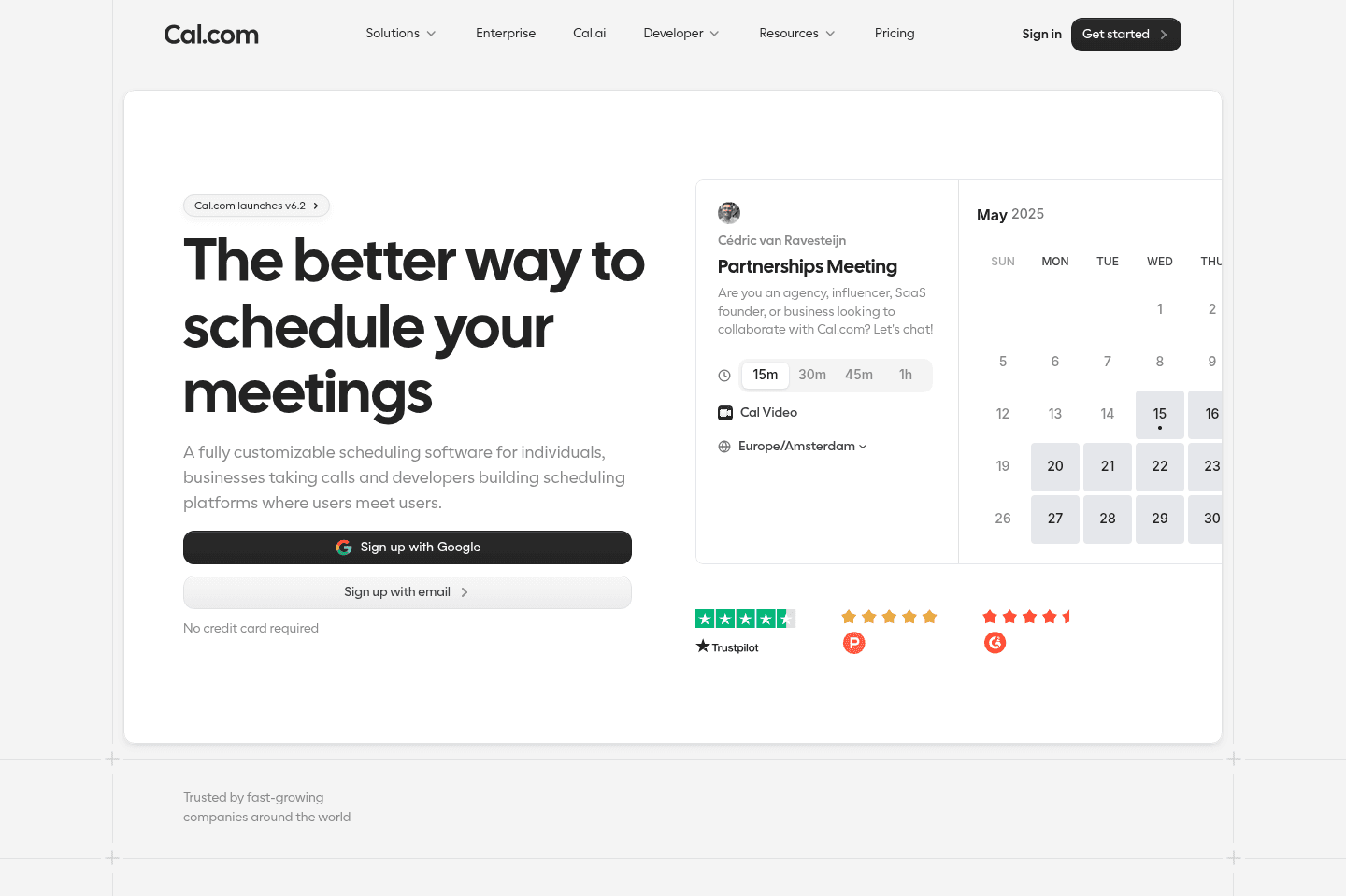
Review Summary
Review SummaryCal is the most flexible and modern scheduling software on the market when it comes to complex scheduling needs (e.g. taking payments upon booking, round robin scheduling, automated follow-ups). Think of it as a way more modern version of Calendly.
That said, if you're just looking for a meeting scheduler, and only have a couple of meetings per week, check your existing subscriptions as most tools have a scheduler bundled in by now.
Best Scheduling Software? (Calendly vs Cal.com vs SavvyCal vs Chili Piper vs TidyCal)
Best Scheduling Software? (Calendly vs Cal.com vs SavvyCal vs Chili Piper vs TidyCal)Cal.com Alternatives
Cal.com AlternativesNot sure if Cal.com is the right fit for you? Check out these alternatives:
 Superhuman MailRecommended
Best for fast meeting scheduling from email
Best for fast meeting scheduling from email MotionRecommended
Busy professionals looking for a scheduler + task manager
Busy professionals looking for a scheduler + task manager
What is Cal?
What is Cal?Cal.com is a modern meeting scheduling software that is incredibly flexible. While Calendly was the leader the meeting scheduling space for the past decade, over the past few years Cal.com has given them a run for their money, and in our opinion, has overtaken them.
Who is Cal for?
Who is Cal for?What you get with Cal.com is an incredibly modern software interface that is easy to use whether you're a small business who has never used a scheduler before or you're a company who wants to customize your meeting scheduling experience end-to-end.
Small-Medium Businesses
Small-Medium BusinessesWhat's most impressive about Cal.com is that it seems to suit any business, no matter what industry, due to how deeply customizable it is. Let's go through some common examples:
- You're able to ask a series of customized questions prior to users scheduling with you.
- Send automated emails/SMS prior to/after calls. For example, if you're a financial planner, lawyer, or in the type of profession that requires your clients to be sent a disclaimer prior to your calls you can send an automated email prior to the call with this information. Even automatically follow-up with leads after a call.
- Distribute leads among your team automatically via round robin. Cal.com has the best implementation we've seen.
- Want repeat appointments scheduled? For example, every Tuesday for the next 4 weeks? Done with Cal.com!
- Cal.com is built with an API first approach, so it will be the easiest tool to integrate with other software such as your CRM, project management software, email marketing platforms or a database like Airtable.
Given that Cal.com has only been around since 2021, they are building super fast and we're quite certain they will slowly win over Calendly customers one-by-one because of the infinitely better experience. So if you're in-between the two tools, don't hesitate, Cal.com is the better option here.
Privacy Focused Businesses
Privacy Focused BusinessesCal.com is an open source (meaning the code is publicly accessible and can be fully customized) making it the best scheduling tool for data privacy (e.g. doctors, teachers, and school friendly!). Genuinely cannot even imagine how incredibly it would be to have a teacher use Cal.com — fingers crossed that by the time our future children are in school, that's the standard! 😄
What is Open Source Software?
Think about when you go to a restaurant and they have an open concept kitchen. You immediately feel like they have nothing to hide and there is more transparency around how the food is being cooked. The kitchen is usually kept super clean and you know the cooks are more likely to follow sanitary protocols as they can be seen by anyone at anytime.
You get the same benefits with Open Source software. Anyone can audit the code and see if it was poorly written, or if there are any security vulnerabilities. Because of this transparency you can trust that the software is more secure and reliable, as it is constantly being reviewed and improved by a community of developers. This openness also encourages innovation, as anyone can contribute to the software, suggest improvements, or even tailor it to meet specific needs.
Developers
DevelopersIf you are an engineer and want to deeply customize your scheduling experience, then using Cal.com's scheduling infrastructure is your best bet. Cal.com is designed with an API-first approach, so you can easily integrate Cal.com's scheduling features into your own application or website.
Enterprises
EnterprisesCal.com is the best meeting scheduler for large organizations with more complex scheduling needs. Why? Well first, Cal.com is fully customizable, you can white-label it with your own brand identity and modify the workflows to fit into your operational requirements. Also, Cal.com's modular architecture and API-first design make it easy to scale up as needs become more complex with growth.
Being open source, enterprises can self-host the software and therefore have full control over their data ensuring it meets stringent security standards, not to mention it's one of the most cost effective scheduling solutions on the market.
Key Features
Key FeaturesCal has all of the meeting scheduler features you'd generally expect like:
Scheduler
SchedulerThe main feature of Cal is being able to easily schedule meetings with others, that said, it's only just scratching the surface into everything it can do. When we say that Cal.com can cover all your scheduling needs, we mean it 😄
- Professionals & Serviced Based Businesses: Use it to book meetings, consultations, or service based appointments. Even set up recurring events if you want to meet with a client ongoing.
- Teams: Coordinate internal meetings with multi-user scheduling (aka Cal.com will check availability among multiple team members calendars).
- Events: Have webinars or workshops? Yeah Cal.com can handle that too.
- Sales & Customer Support: Schedule demos, new client calls, or support calls automatically routed to the ideal team member each time.
Payments
PaymentsYes! You can take payments with Cal.com. It integrates with payment processors like Stripe so you can collect payment during the booking process.
Video Meeting Software & Recorder
Video Meeting Software & RecorderWhile you can still use Google Meet or Zoom with Cal, they also have their own baked in video meeting software that is pretty slick, although we still prefer to use Google Meet with Granola AI for our calls.
Round Robin
Round Robin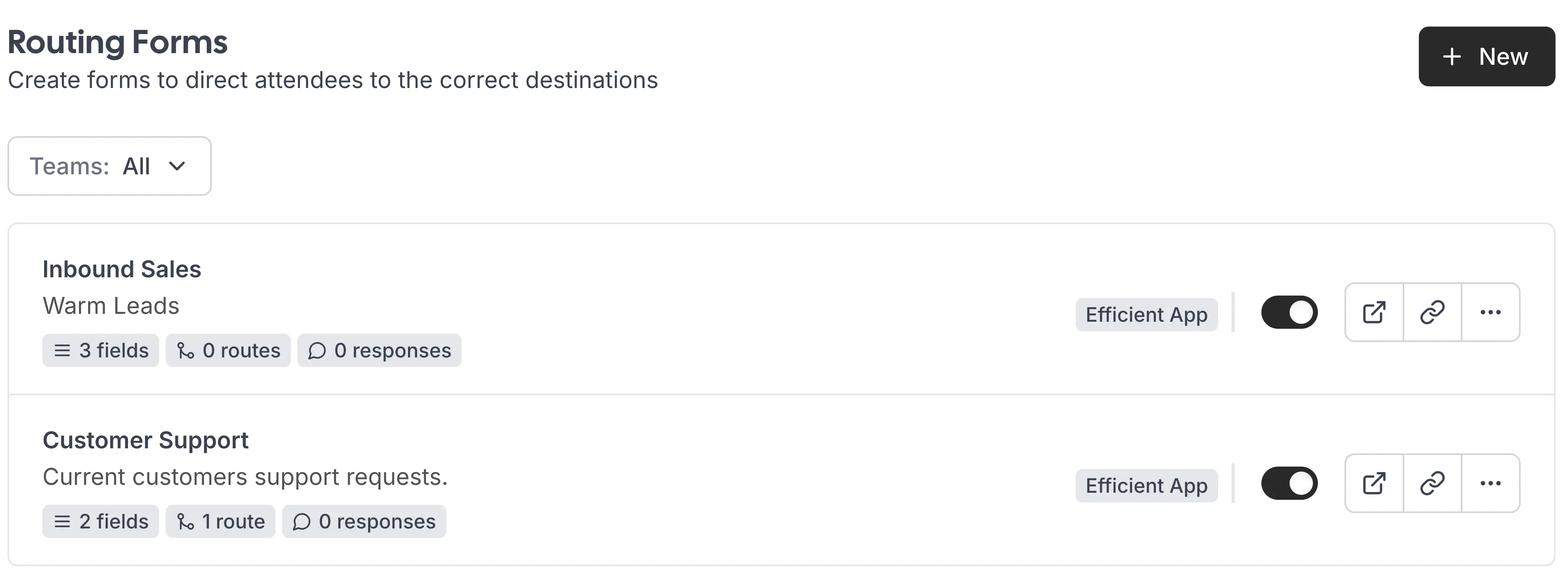
Cal.com Routing Forms Are Extremely Customizable
When we ran our integration/automation business, I cannot tell you HOW MANY REQUESTS we got for round robin scheduling. The problem at the time (pre-Cal.com days) was that round robin required a custom integration usually that was quite a kludgy and expensive solution (btw - despite Calendly being around since 2012, their round robin feature only came out in 2023 💀).
Cal.com is solving a HUGE need with round robin scheduling. If you have the need to cycle through calls to different team members and you want it to be done automatically, Cal.com is your best bet.
Weighted Round Robin
What's different is that Cal does weighted round robin. If you have 3 sales reps, and one of them works one day a week while the others work 4 days a week. Ideally, if they are being assigned sales calls, it would make sense you'd want your booking software to not equally assign calls to each rep, as one clearly has less availability.
With Cal, you can assign weight to different team members depending on the situation, so your scheduling actually reflects how your team works.
Another example, say you have a sales rep and 5 different engineers. You can set up Round Robin so that the one sales rep is always on the call, but the system takes turns scheduling with the different engineers on your team. Cal can handle that kind of deep complexity.
Routing Forms
Routing FormsCal is also awesome if you need routing forms. E.g. if your business offers multiple services like bathroom, kitchen, or outdoor remodeling. Based on what a customer selects via a form, they can be routed to the right specialist automatically.
You can even layer in additional inputs like budget, project phase, or specific needs, and route leads dynamically based on multiple factors. So instead of a one-size-fits-all booking flow, you're creating a system that actually understands your business and sends people to the right person on your team every time.
Automated Workflows
Automated WorkflowsFriends, this is where it gets nuts. We keep saying, Cal.com is super customizable. Here are just some of the workflows you can set up:
- Email & SMS Notifications/Reminders (OK, everyone does this, but we had to mention it)
- Pre-Meeting Forms & Questionnaires (Wait it's about to get nuts)
- Conditional Workflows: Depending on responses to pre-meeting forms, different actions can be triggered. AKA If the person scheduling answers questions in a specific way, they can get routed to a specific team member 🤯 or the meeting duration can be adjusted. C'mon this is amazing!
- Multi-Step Workflows: Set up workflows that trigger multiple actions in sequence. For example, after a booking is made, you could automatically send a confirmation email, notify the appropriate team member, and update your CRM with the new client information in one step 🚀
API & Scheduling Infrastructure
API & Scheduling InfrastructureYou can white-label Cal.com to be a scheduling feature baked right inside of your own product, or interact with it via their API directly or any of the best automation tools on the market. They even offer their core scheduler infrastructure as a service, unlike any other meeting scheduler tool on the market.
Open Source
Open SourceUnlike most of the meeting scheduler options on the market, Cal is open source, meaning it's free to self-host, and you can view all of their code on GitHub.
Pricing
Pricing- Free: Best for individuals who need simple scheduling with no usage limits.
- Teams: $12/mo per user (billed yearly). Best for small teams and startups that need collaborative scheduling features.
- Organizations: $28/mo per user (billed yearly). Best for larger teams that need more control, security, and advanced routing.
- Enterprise: Custom pricing. Includes dedicated support, SLAs, advanced integrations, and enterprise-grade infrastructure.
Cal.com has different pricing options for those who want to white-label/build with Cal (head over to their website to see those).
Final Verdict
Final VerdictSo is Cal.com worth it? If you are looking for a new scheduler that is flexible, then yes absolutely it is.
We personally use Motion (and even Superhuman Mail's scheduling feature) for our scheduling needs, however the caveat is that we really don't have many scheduling needs in our business (we have maybe 1-3 calls per week, many of which are just internal meetings aka extremely basic). With that, it doesn't make sense for us to have a stand-alone scheduling software.
BUT we'd recommend Cal.com over Motion for any business who has scheduling needs that are more robust, especially serviced based businesses or any business that does sales + customer support calls.
Categories
CategoriesCal.com fits into multiple categories based on what it actually helps you do. Each category highlights a different strength and the efficiency points it earned, helping you compare tools not just by features, but by how well they actually perform.
Keep exploring the best software across categories, or explore Cal.com alternatives