
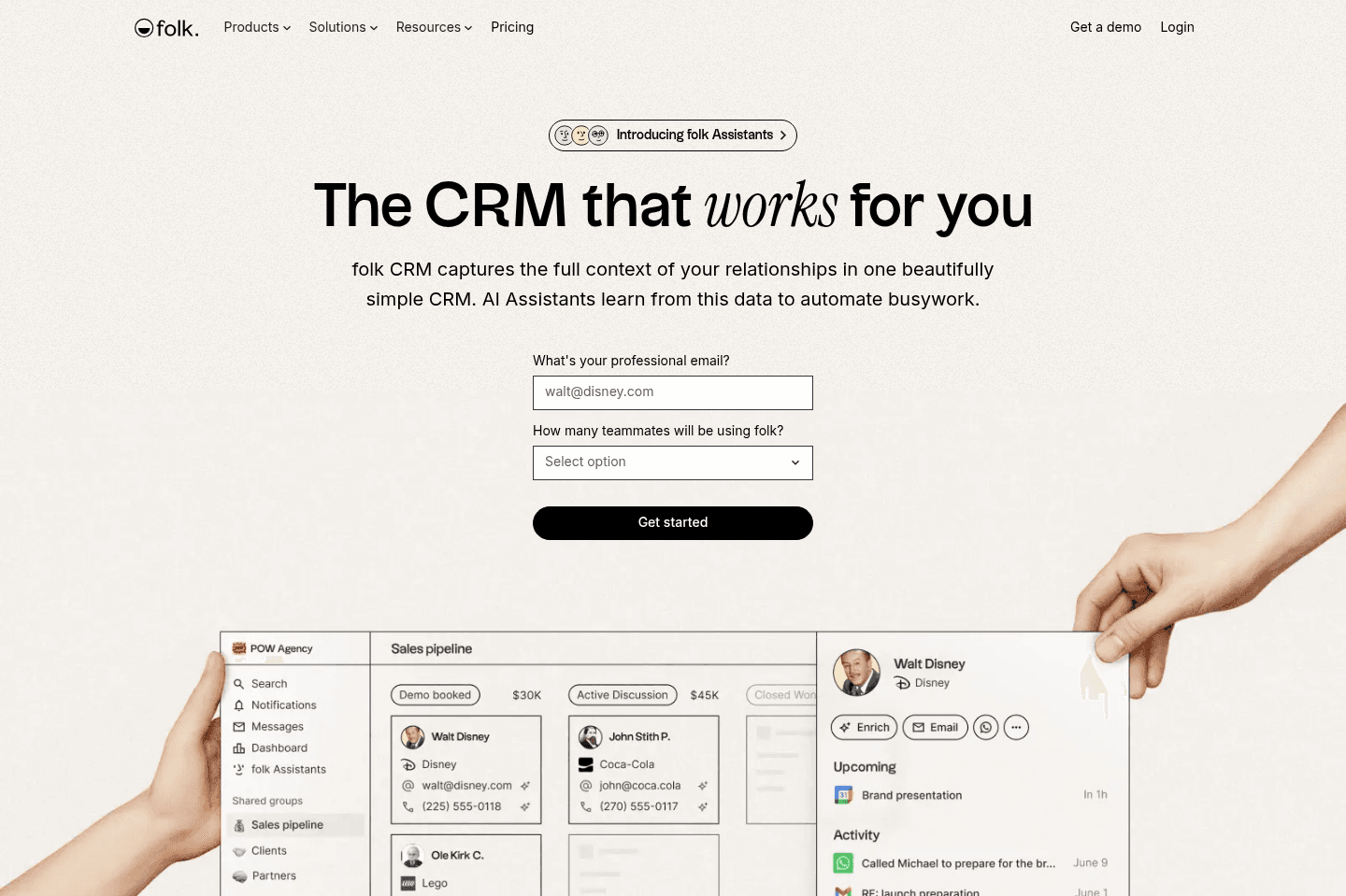
Review Summary
Review Summaryfolk is one of the best CRMs on the market you are an individual or small team who is heavily focused on relationships and contact management. If you have never used a CRM before or you've used Notion, Airtable, or Google Sheets in the past, folk is a perfect introduction into using a specialized CRM too.
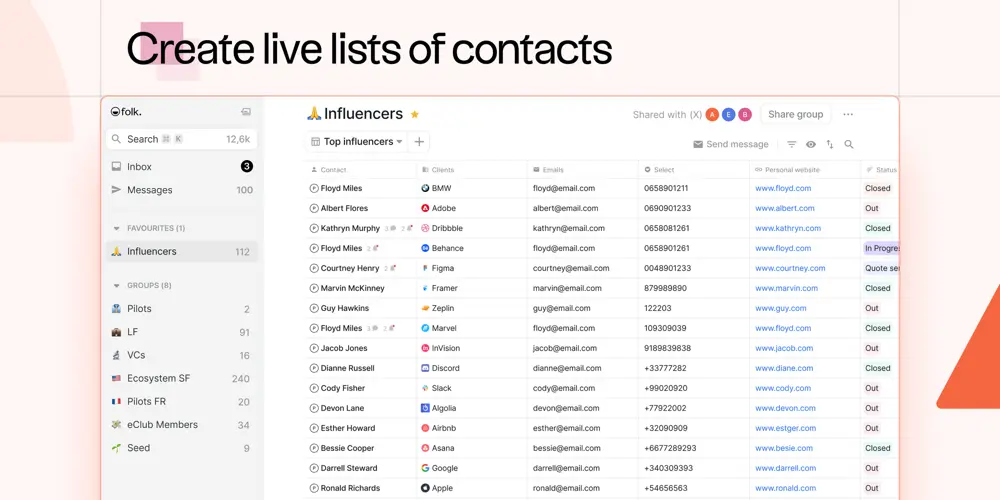
It will feel familiar to how you might use a spreadsheet to manage your contacts and information. For example, you can edit data in-line and even bulk update fields like you would in a spreadsheet.
Best Small Business CRM?
Best Small Business CRM?folk Alternatives
folk AlternativesNot sure if folk is the right fit for you? Check out these alternatives:
 LightfieldBest
Best AI CRM
Best AI CRM WonderlyRecommended
Best for trade-services businesses with $250K+ revenue
Best for trade-services businesses with $250K+ revenue
What is folk?
What is folk?Most founders I talk to hit the same wall...They're managing relationships across LinkedIn DMs, their email client, and maybe a Notion doc they set up six months ago and half-abandoned, and nothing talks to anything else.
Leads fall through, follow-ups get forgotten, and sales feels reactive and stressful. folk is the CRM built for when you know you need something, but you're not ready to commit to a full robust CRM implementation that can take a week to configure.
We've evaluated around folk ourselves, and a friend used it for B2B sales at his startup. It felt a lot like Notion in terms of how easy it is to get started, but with actual CRM features baked in rather than having to build everything yourself (read our Notion review to learn why we don't recommend it as a CRM).
The Chrome extension is the most immediately useful part. You can pull a LinkedIn contact into folk in one click, and it auto-fills their details. If you've ever spent time manually copying someone's job title and email from LinkedIn into a spreadsheet, you'll feel that friction disappear pretty fast.
So folk is a great CRM if you're an individual or super small team trying to use something like Google Sheets, Airtable, or Notion as your CRM.
They built it in a way to feel familiar to how you might use a spreadsheet to manage your contacts and important information:
Who is folk for?
Who is folk for?folk is a fantastic CRM if you are an individual or a small team who is heavily focused on relationships and contact management. If you have never used a CRM before or are looking for a super low-friction, easy to use tool, folk is a great 🙌
If you're running early sales and your current "CRM" is a combination of memory, inbox search, and a spreadsheet you update when you remember to, folk is a great first CRM. It's not a big commitment, you can get up and running in under an hour, and you don't need to map out a complex pipeline architecture before you start (although they do have pipelines).
An example of when I've recommended folk to a friend is when they brought up to me all the business concerns they had, which a CRM would traditionally solve, but they are currently a solopreneur (or have a 2-3 person team), or are price sensitive.
Hearing things like "I'm wondering if I could just use Notion to manage all of this" is a great indicator that something like folk is right for you.
Who should not use folk?
Who should not use folk?Where folk starts to feel limited is when your operations grow and you need your CRM to actually talk to your other tools in any meaningful way. Their API is fairly light, so if you're planning to build integrations with your accounting software or automate workflows beyond basic email sequences, you will likely feel limited.
It's not the CRM to choose if you're thinking ten years out and are trying to set up a serious foundation. For that, we'd point you toward Copper CRM if you're in Google Workspace, or Pipedrive if you're in the Microsoft ecosystem.
Key Features
Key Featuresfolk is one of the easiest CRMs on the market to use.
Adding Contacts & Sending Emails
Adding Contacts & Sending Emailsfolk is one of the friendliest CRMs on the the market when it comes to adding contacts. They have a chrome extension that will allow you to add contacts to folk with one click from Gmail, Linkedin, and X.
And once you've added contacts from to folk, you can use their enrich feature to help fill in gaps like finding correct email addresses, phone numbers, job titles, addresses, and onwards.
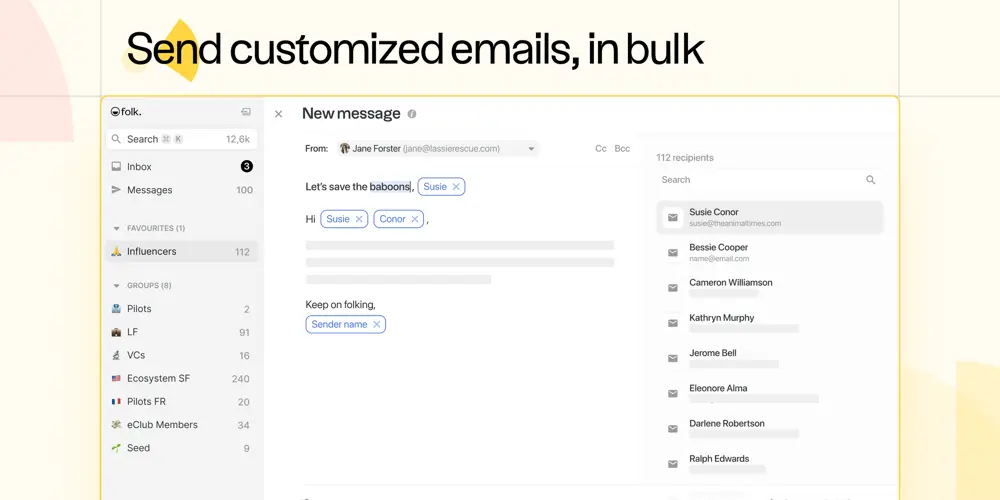
You can then bulk email a group of contacts or set reminders to follow-up one-on-one. And of course, like any good CRM, folk will ingest all of your teams emails and calendar events so you can avoid contacting the same person twice.
Pipeline Templates
Pipeline TemplatesSetting up folk is incredibly easy, they have dozens of templates that you can chose from that already give you suggested pipeline processes that other companies use, so you already have a foundation to work with out of the gate.
Sending Emails
Sending EmailsThey have some cool CRM features baked in like mail merge (for sending out personalized templated emails in bulk), as well as quick access via a Chrome extension when on Gmail and LinkedIn.
Magic Fields
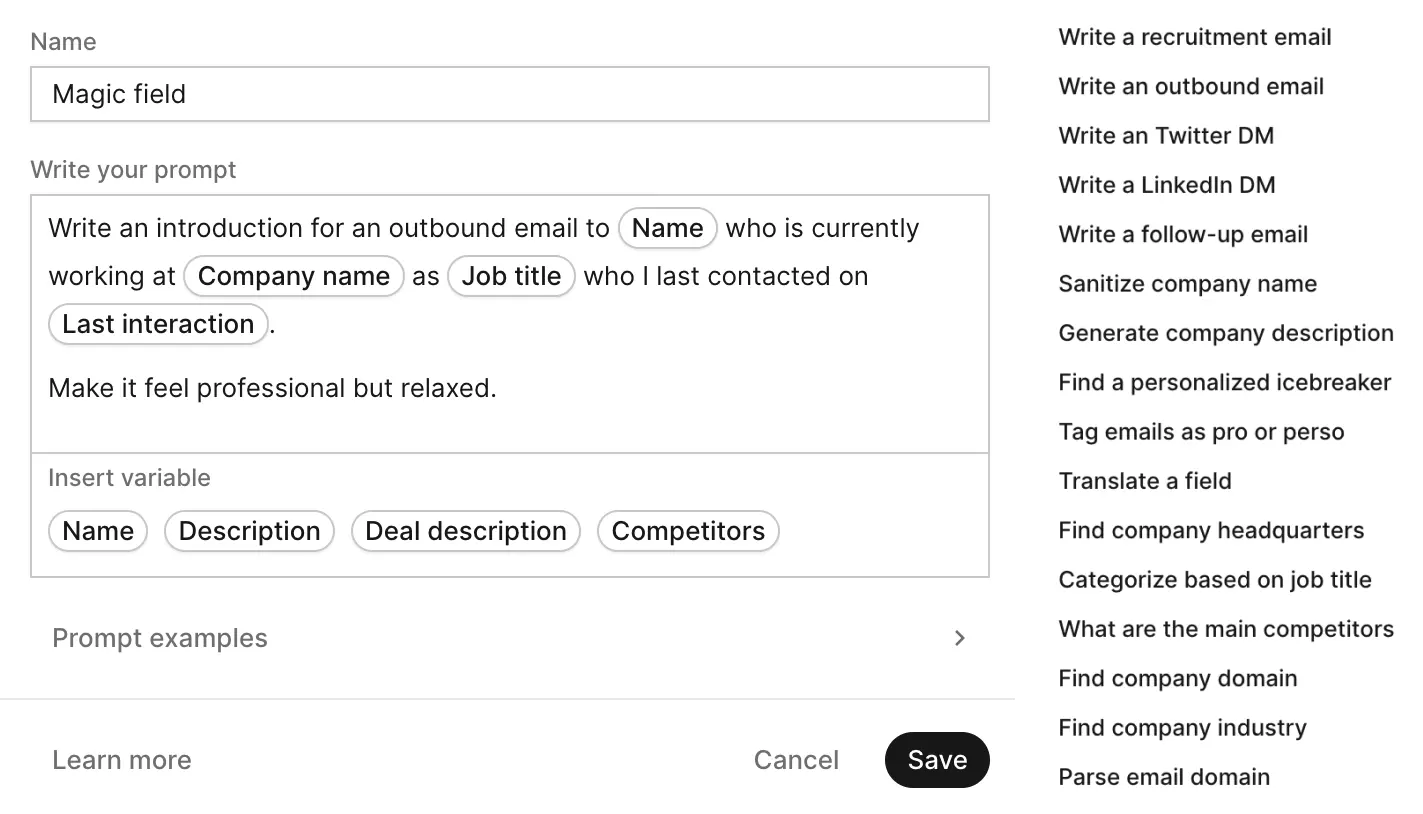
Magic Fieldsfolk has built a new custom field type called "Magic Fields" which allows for an AI prompt to do a bit of legwork, whether it be generating a personalized email across groups of contacts, or even more complex data sanitizing functionality. Of all the CRM's we've seen on the market, folk has taken an incredibly unique approach to how their choosing to implement AI to improve their tool:
folk's Magic Field AI Functionality
The idea with Magic Fields is that you create an AI column in your contact database, write a prompt using your contact's data as variables, and it generates a value for every record. One popular example is an icebreaker, you ask folk to write a personalized one-liner for each lead based on their name, company, and role, and then you drop that into your outreach emails.
But honestly, I'd be careful here! Since AI became mainstream, I've been on the receiving end of so many cold emails that say something like "I really loved your recent video" or "great review on X" and you can immediately tell it was AI generated and they don't even know who I am.
That said, where I believe magic fields are the most useful are for things like cleaning up messy data across contacts, auto-categorizing leads by industry, or flagging deals that have gone quiet. Those use cases make a lot more sense than leaning on it for outreach personalization. With that, folk is one of the more AI-forward CRMs out there and for that we applaud them. They were early to the AI game.
API
APIfolk recently released a developer REST API (alongside their longstanding Zapier connector), although it's fairly basic compared to other, more mature CRMs we've covered. That said, for most small businesses we recommend folk to, the existing integration capabilities should be sufficient, especially since you'll likely rely heavily on their Zapier connector anyway.
Just be mindful that the Zapier connector currently has some limitations, with certain field types not yet supported. While the direct developer API offers broader support, utilizing it requires more technical skill (even when leveraging Zapier webhooks).
As a former CRM implementation and integration company, though, we definitely want to point out that more technical users might find folk's API capabilities still quite early-stage for now.
Pricing
Pricing- Standard: $30/mo per member ($24/mo billed yearly). Best for small teams that want a simple CRM to manage contacts and run basic outreach.
- Premium: $60/mo per member ($48/mo billed yearly). Best for growing teams that need stronger collaboration and automation tools.
- Custom: From $100/mo per member ($80/mo billed yearly). Best for larger businesses that need deeper control and scalability.
Final Verdict
Final Verdictfolk is a genuinely good starting point if you've never used a CRM before and the idea of setting one up has felt overwhelming. It removes most of the setup friction and gives you something you can actually use on day one.
If you're an individual using Google Workspace or Microsoft 365 and you're looking to make the upgrade to the CRM world from that of a basic Spreadsheet, folk will be your best option. It's like a more opinionated version of Airtable and Notion, that is actually built with proper CRM features like Email and Calendar activity tracking.
On the other hand, if you're working on a team or looking to scale your company behind a handful of team members, we highly recommending a more powerful CRM like Copper, Pipedrive, or HubSpot, if nothing more than just to have a properly fully-featured API as you scale (you're going to need this). That said, if you're in any way considering Airtable or Notion as your CRM, we highly recommend you use folk instead.
(Use code FOLKXEFFICIENT for 10% folk discount off your first year)
Categories
Categoriesfolk fits into multiple categories based on what it actually helps you do. Each category highlights a different strength and the efficiency points it earned, helping you compare tools not just by features, but by how well they actually perform.
Keep exploring the best software across categories, or explore folk alternatives
FAQ
FAQDoes folk Have Email Automation?
Does folk Have Email Automation?Yes, folk has basic email automation, allowing you to bulk send emails to a group of people or automatically when people hit certain criteria.
Just note that the email will send from your email account, so if you're doing bulk cold emails, you'll want to avoid it in-case of being marked as spam which can destroy your domain and deliverability.