Review Summary
Review SummaryMonday is trying to be everything to everyone, and becomes nothing to many. It's the core problem we see with all-in-one software.
Best Project Management Software? Motion vs Asana vs ClickUp vs Monday vs Notion
Best Project Management Software? Motion vs Asana vs ClickUp vs Monday vs NotionMonday Alternatives
Monday AlternativesNot sure if Monday is the right fit for you? Check out these alternatives:
 MotionBest
Best AI project management for small-mid-size teams
Best AI project management for small-mid-size teams
What is monday.com?
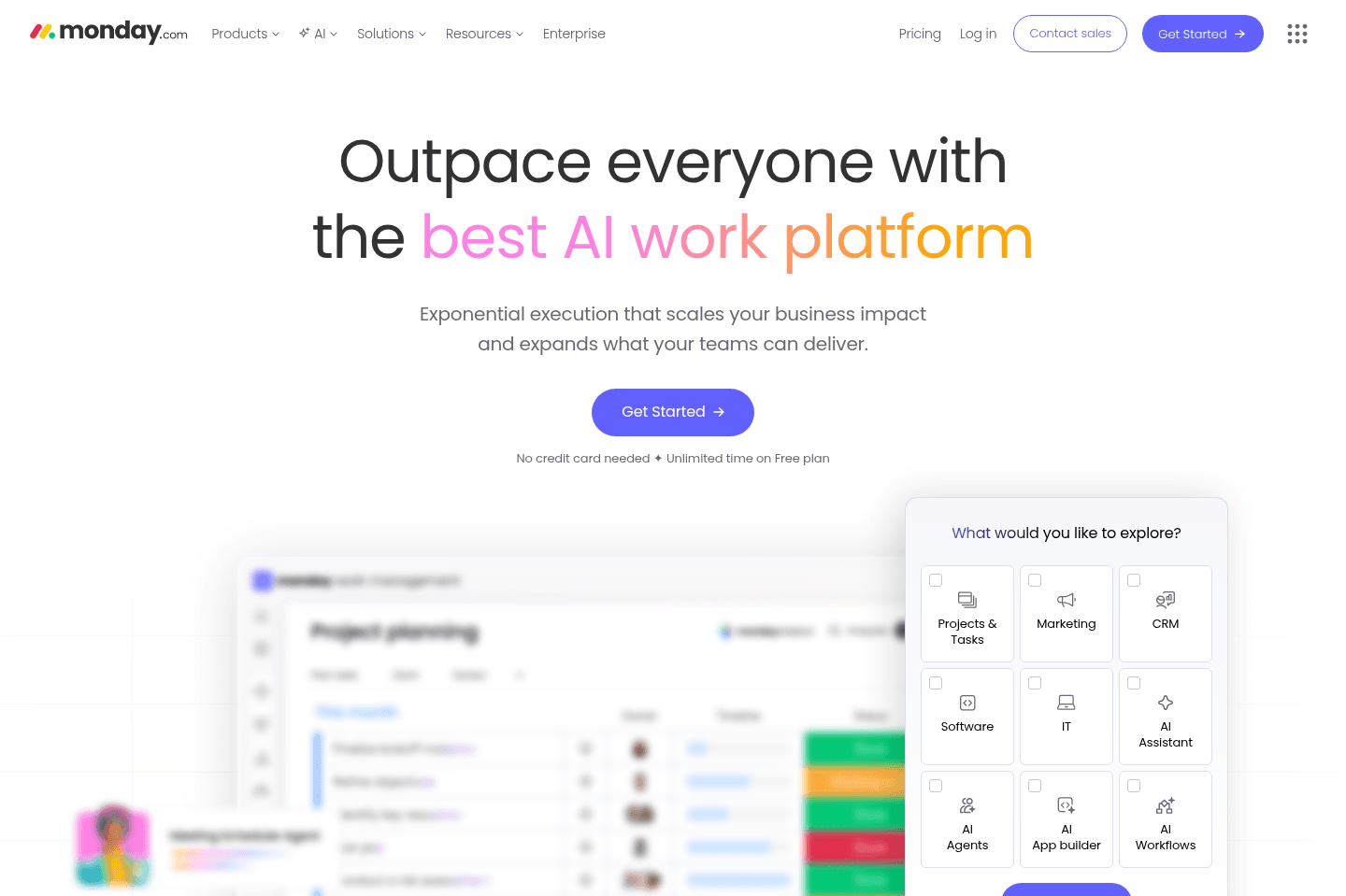
What is monday.com?monday.com is a project management tool that’s expanded into what they call a "Work OS." The idea is you can manage projects, workflows, CRM, dashboards, and now AI, all in one place instead of juggling multiple tools.
We used it for about six months before we eventually abandoned it, so we’ve seen what it looks like both at the start and once the novelty wears off. I actually used monday.com at a ~20-person team in San Francisco, and it fell apart pretty quickly. Team members felt either overwhelmed by notifications, things weren't getting updated, and it took a person having 1:1s with everyone to actually properly update monday.com. Within 6 months it was abandoned.
It has done a really good job giving tools like Asana a run for their money, at least pre-AI days. They've built a product that looks powerful and paired it with incredible marketing that made it seem like monday.com is a tool any business owner can pick up and use.
And we do have to give it to them: they make a good first impression. The interface is colorful and clean, and it can even feel more approachable than other project management tools. So you almost start to think, "this might actually make project management enjoyable."
It’s not very opinionated, so you can set it up however you want. Sounds great until you realize you’re the one responsible for building the entire system. If you don't have a dedicated project manager, that flexibility starts to get confusing and actually slows down work instead of keeping things efficient.
Highly customizable is not actually a good thing in this context. You end up spending hours trying to figure out how to structure your workflows, your boards, your automations. Larger companies often hire consultants to set this up for them, sometimes spending thousands of dollars, and even then it doesn’t always go smoothly. (Also, just the fact that there's an entire market for monday.com consultants should tell you a lot. Needing to hire someone just to be able to use a tool isn't starting point for an SMB.)
Over time, monday.com has also expanded way beyond project management. They now position themselves as a full "Work OS" with projects, CRM, workflows, dashboards, AI, all rolled into one tool. This ends up feeling like they’re trying to do everything, and not quite finishing the last 10–15% of anything.
Future of monday.com
Future of monday.comMonday.com is not in a good place right now. Their stock has dropped dramatically with the rise of AI, and vibe coders even proved they can build a barebones version of monday.com themselves (with no coding experience).
In a podcast interview with Harry Stebbings, monday.com’s co-CEO Eran Zinman openly admitted that many of their early AI initiatives fell short of expectations. As a result, the company is now rethinking the product around the idea that software that doesn’t just help organize work, but actually completes work on your behalf.
Their vision is to create a platform where humans and AI agents work together, with AI taking on more of the execution rather than simply managing tasks and workflows. The problem is that it’s also the same direction nearly every major software company is pursuing right now.
The challenge for monday.com is that this vision is no longer unique. Project management tools, CRMs, and productivity platforms across the industry are all racing toward the same AI-powered future.
What does this mean for you? Right now isn't the time to hire a monday.com consultant and try to set it up for your business. Using a more opinionated tool in the short term is better, until the "new" version of project management reveals itself. Bookmark the best project management tools on our site for what's new and coming.
Who is monday.com for?
Who is monday.com for?monday.com really only works best for a very specific type of team: larger organizations with complex workflows and the resources to set things up properly.
Teams running complex, structured projects
Teams running complex, structured projectsIf you’re managing things like risk registers, RACI charts, retro logs, or PMO-level dashboards, monday.com can handle it and the customization actually becomes useful. If that list made no sense to you, that’s a good sign you should skip monday.com and go with something simpler.
Teams with the resources to support it
Teams with the resources to support itThis is really the common thread across a lot of monday.com’s ideal users. If you have the budget to bring in a consultant, a dedicated project manager to run things day-to-day, and you’re already operating as part of a larger team (think 300+ employees using tools like Jira or Salesforce), it starts to make more sense.
But that’s because you’re not expecting the tool to just work out of the box. You’re investing time and money into building a system, then maintaining it and making sure your team actually follows it. A lot of smaller teams just don’t or can't operate this way.
Teams that collaborate heavily with external partners
Teams that collaborate heavily with external partnersIf you regularly work with freelancers, contractors, or external stakeholders, monday can support that kind of collaboration well. That said, this isn’t unique to monday.com. Tools like Asana handle this just as well with less overhead.
Skip monday.com if...
Skip monday.com if...It's also hard to talk about who this works for without touching on who it's not for. monday.com isn't a solution I’d put in front of a typical SMB founder who just wants to get organized fast. There are better tools for teams with under 300 employees (like Asana or Motion, our top pick). That's not to say that smaller teams don't use monday.com (they do), it's just going to take quite a bit of work to set it up for success.
It's also worth calling out: if you're excited about AI, this probably isn’t the tool to bet on right now. The current experience is still very limited (much more detail on this below), and even monday.com has acknowledged they're rethinking their approach after early experiments didn't land.
Key Features
Key FeaturesAsana was the first project management software that helped improve team collaboration that just about any business could use (large or small). Monday.com came to the market later, and while they are giving Asana a good run for their money, they are lacking in differentiation.
Project Management
Project ManagementThis is the heart of monday.com, and to be fair, it is powerful. You can manage work across boards, use Kanban, timeline, Gantt, calendar, chart, and workload views, and build dashboards that roll up data across multiple boards depending on plan.
The appeal with monday.com is that it's "pretty and colorful" interface that looks super simple to use. Upon setting it up, you're given endless options of columns you can add to your projects like status by the way of colorful buttons, priority by way of a star rating.
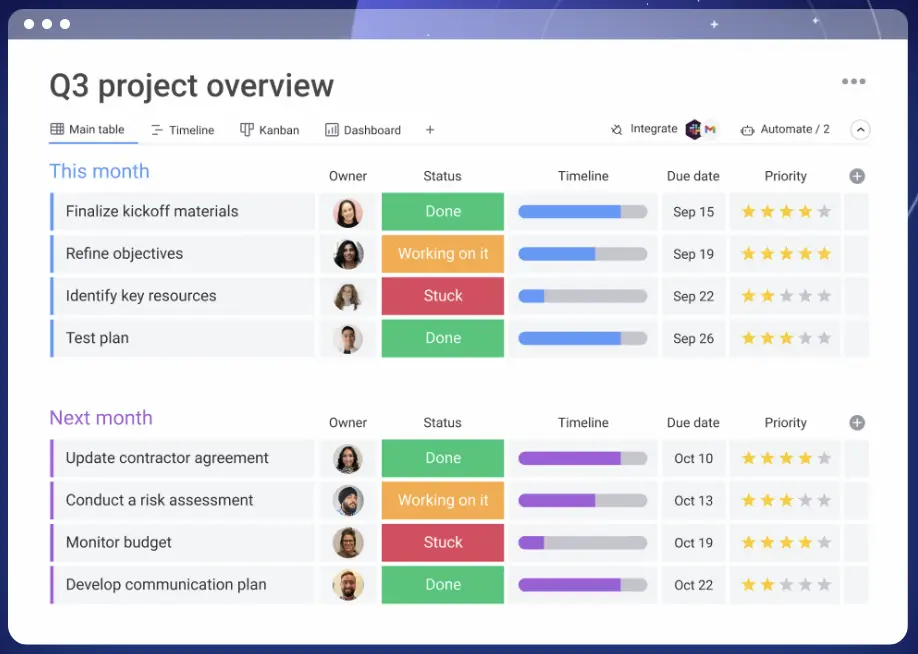
The first time you enter a task, it's like "cool, that was kind fun!" but when you actually start using it on a daily basis, you quickly find out that all these buttons are needy for your attention and you start wondering if they are are even needed, since now you're spending more time filling in the monday.com task than getting work done. The best way I can describe it is a glorified database where you’re not really tracking work, you’re constantly structuring and maintaining the system behind the work.
Even those that like monday.com's interface, still prefer using an alternative like Asana. There's a chrome extension tab management company that actually built an internal Chrome extension for their team who's sole purpose is to make Asana's list view look like monday.com. 😂
When I asked them why they didn't just use monday.com at that point, they replied with: "Oh, yeah, Monday sucks, we just prefer how it looks!"
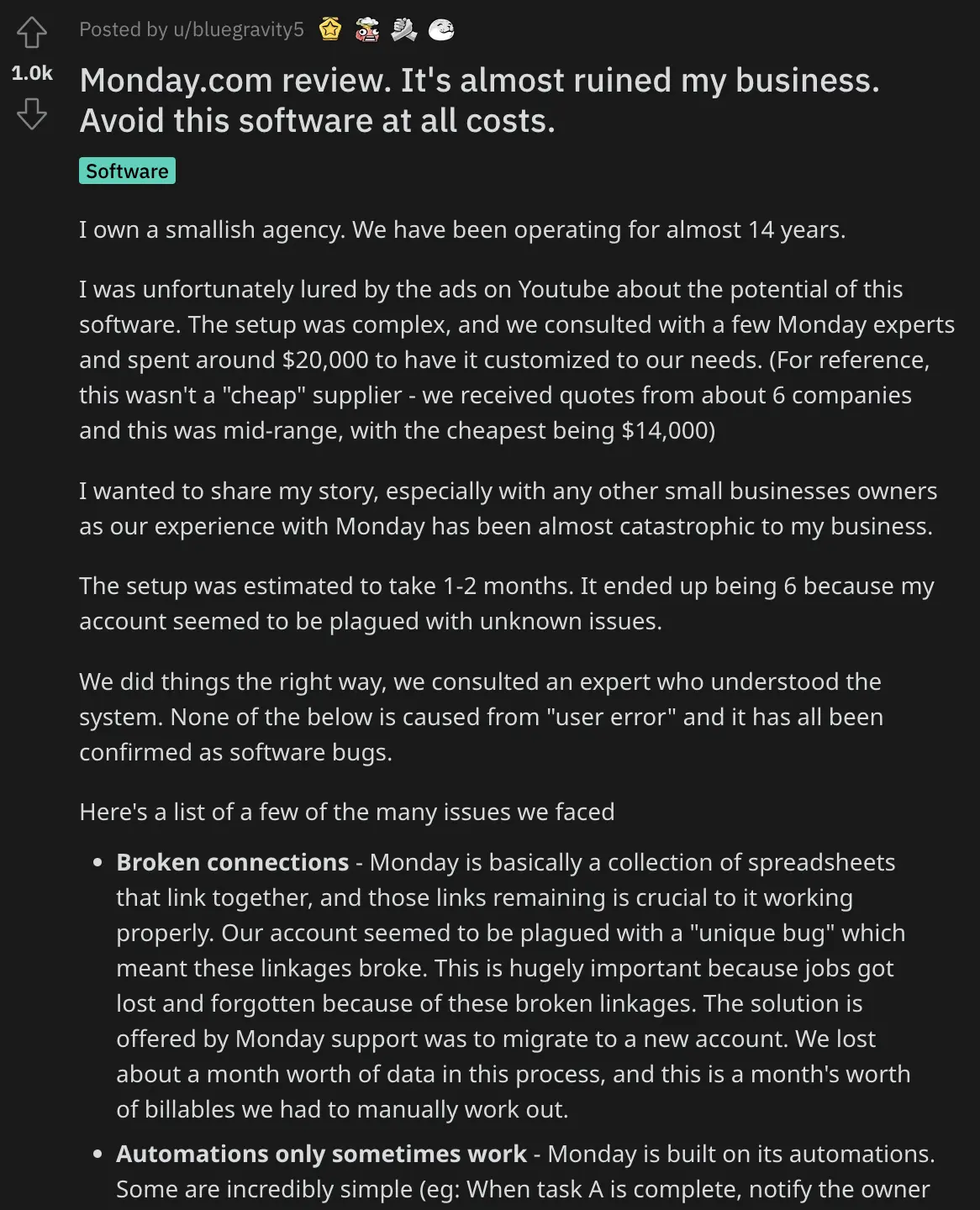
In the below reddit post (that has over 1,000 upvotes), a business owner discusses their experience with monday.com, even after investing in an agency to help them set it up.
(tl;dr If you are willing to spend the money to hire an agency to setup a tool, go with something more reliable like Asana):
Customization & Flexibility
Customization & FlexibilityThis is one of their biggest strengths, and also one of the reasons it can become exhausting. monday.com lets you customize boards, columns, workflows, automations, dashboards, and use cases across departments. They've also done an amazing job marketing this. When you see those pretty, color coded boards it's easy to imagine yourself building the perfect board and organizing your entire business. 💭
But that flexibility is not automatically a win. In fact, we've seen this become a frequent pain point rather than a strength. When there are so many things you can customize, it takes a lot of work to set up a system, teach that system to your team, make sure everyone is following the system, maintain the system, etc.
When I used monday.com at a previous company we had to spend a lot of time setting up the right notifications for everyone as team members were left confused as to where they were actually needed or not. We ended up having a dedicated project manager (person) that we decided should just solely update monday.com on his own as there was too much confusion otherwise. There was a steep learning curve and ultimately monday.com was phased out of the business.
You also run into the issue of opinions. A friend of mine put it this way: "It seemed like a great solution but ended up being a nightmare because everyone wanted to change the system to match how their brain worked. And fortunately/unfortunately, monday.com had the tools to let them do that. We hired an outside consultant who charged a fortune, built a ton of boards that didn't make any sense for our industry, and then left us with a new system to figure out that still didn't work. We even hired an ops person to 'run' monday but he couldn't figure out how to rein it in lol."
Final note: instead of tightening things up and making their platform a little more structured for users, monday.com is now pushing the flexibility even further with AI tools like Vibe, which promises you can "build any business software in minutes." The idea sounds great, right? I mean who doesn't want custom apps tailored exactly to how your business works. But again, this where things start to break down. Most teams don’t need to vibe code and build their own software. They need something that works out of the box.
Giving teams too much flexibility just pushes them deeper into setup mode instead of actually getting work done.
AI Capabilities
AI CapabilitiesThis is where things get interesting, but also confusing. monday.com now has a full lineup of AI features: AI blocks, AI-powered columns, workflows, summaries, Notetaker, and newer additions like monday Magic, monday Vibe, monday Sidekick, and AI agents. They're clearly pushing towards AI playing a central role in their product.
Magic generates entire boards and workflows from a single prompt, Vibe lets you build custom apps without writing any code, and Sidekick is their context-aware AI assistant that lives inside your workspace. But they still feel more like extensions of the system rather than something that meaningfully changes how you work day-to-day.
It's also not easy to use yet. When I got into the AI features, I was immediately hit with a wall of options and automations with no clear starting point:
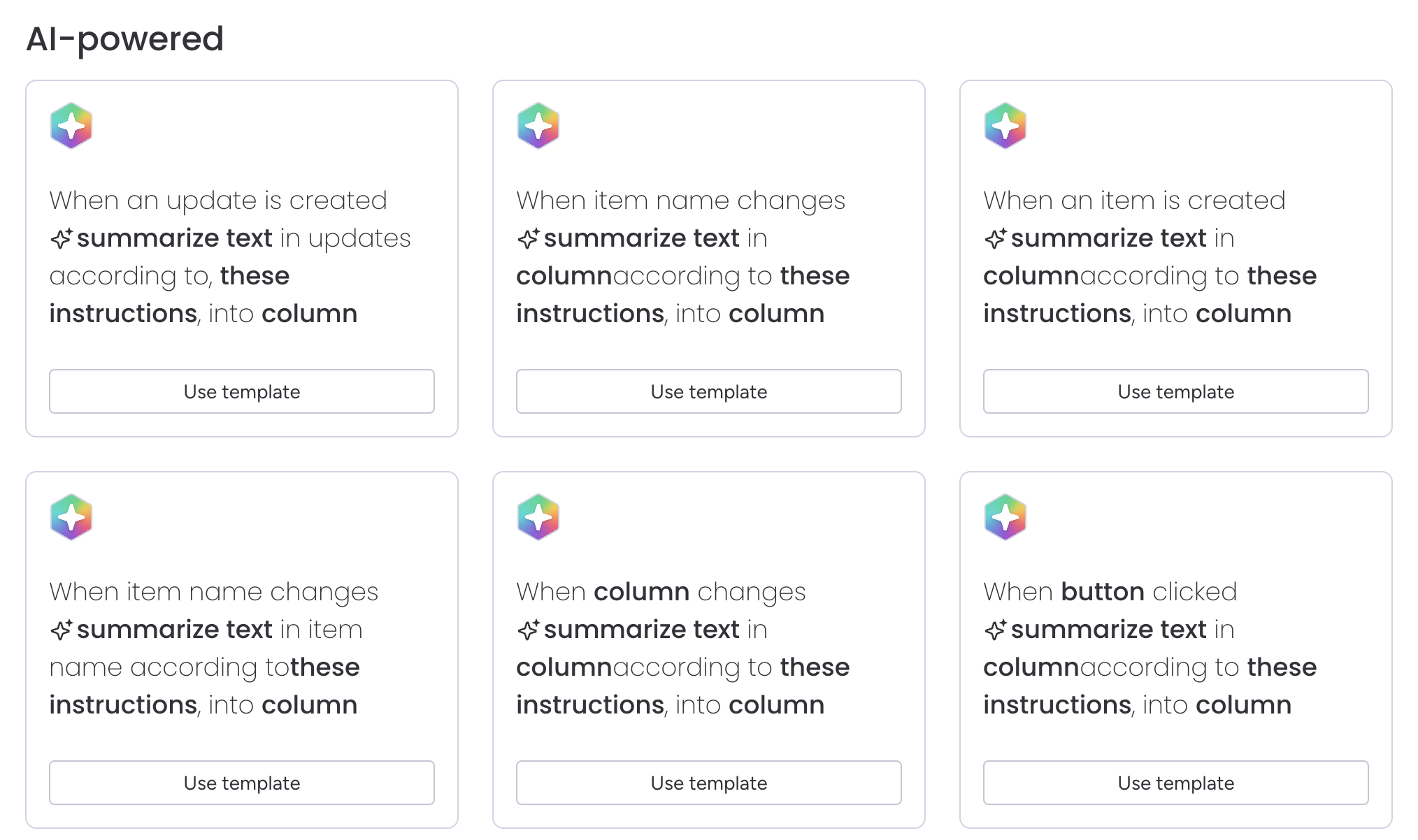
I can't be alone in thinking this is incredibly overwhelming. If you're not sure exactly what you're looking for, there's not really a way use these. So I sincerely had a hard time even choosing ONE that I'd find useful to test with. I so desperately wanted some kind of hint to tell me which one to use, what is the most helpful or popular, give me an example, a "see it in action" button, ANYTHING.
The outputs themselves also feel limited. Most of what the AI does today is structured (summarizing updates, extracting fields from PDFs, categorizing inputs, generating basic task suggestions) and feels like AI layered on top of a system, not deeply integrated.
One last thing worth calling out is pricing. monday.com does include some AI features for free, things like the Formula Builder and Docs Assistant don't touch your credits at all. But the more powerful stuff, AI blocks in automations, Sidekick, agents, Notetaker, that's all usage-based, and it adds up fast.
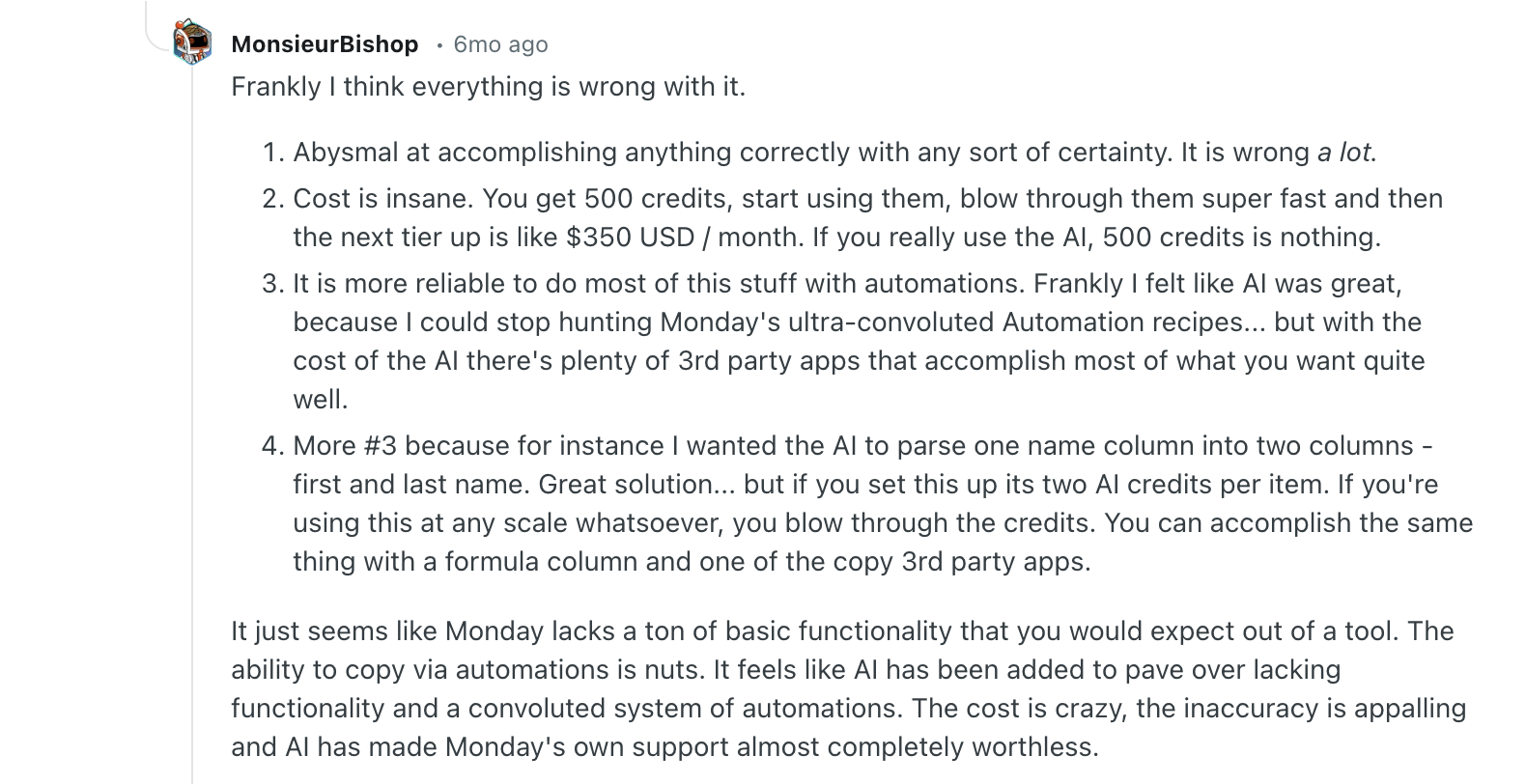
Standard actions run 8 credits each, and more complex ones like agent calls can hit 150. monday.com also moved to requiring AI credits to be purchased alongside your seat plan, so there's no longer a free monthly allowance to start with.
When the outputs already feel limited, it makes the whole experience harder to justify. Now you're not just figuring out how to use the AI, you're also thinking "do I really want to run this?" That's not a great feeling when the whole pitch is supposed to be saving you time, not making you think about usage.
I understand why the credit system "works" for companies (Viktor, our Slack AI hire, one of the best AI tools we've used uses a credit based system, but we find the value we get from using him is undeniable). It's a lot harder to understand what you're actually spending when it's your project management tool. Automations can be running in the background without you realizing it, and you may not even know yet whether they're delivering enough value to justify the cost. Yet the credits keep getting used either way.
Dashboards & Reporting
Dashboards & Reportingmonday.com does dashboards well enough that I can understand why bigger organizations like it. The reporting layer is one of the parts that helps justify the platform's breadth. Being able to roll up project status, KPI trends, risks, and workload views into one place is useful, especially once multiple teams are involved. Higher plans also expand how many boards each dashboard can combine.
That said, dashboards are one of those features that sound more universally useful than they really are. They're also another feature that really needs expert setup to make them worthwhile. If you're a lean SMB, you will spend more time than you want setting up reporting in monday.com.
Resource Management
Resource ManagementMonday.com supports workload and resource views, and its current AI catalog also mentions AI-suggested resources in the resource planner. If you find yourself juggling capacity across departments, this is meant to help distribute work more evenly across team members.
Goals & OKR Tracking
Goals & OKR TrackingThe appeal here is obvious: tie work to larger company priorities so teams are not just shipping tasks in a vacuum. For leadership teams or PMOs this is useful. monday.com’s dsashboards and cross-board visibility make this more plausible than in simpler project management tools. But again, this is an enterprise feature. Not one for small teams.
Integrations
IntegrationsMonday.com connects with 200+ apps, and integrations are built into the paid plans with action limits depending on tier.
Just a heads up before you dive in thinking it will seamlessly integrate into your stack: it’s worth asking what those integrations actually do. A lot of times, "integration" sounds more powerful than it really is. You might expect deep, two-way syncing or automation, but it ends up being something pretty basic that exists more so it can be listed on a landing page.
Yes, monday.com can definitely connect to a lot of tools. But depending on what you're connecting, it's worth considering if they'll actually replace work or just add another layer to manage.
Additional Features
Additional FeaturesCRM
CRMWhere monday.com has tried to differentiate themselves from tools like Asana is with building more tools atop their platform: a sales CRM, lead capturing, docs and more. But monday.com is not a tool we'd recommend for this case, it's built more as an after thought to expand market share (not to be an ACTUAL good CRM).
Instead, you should use one of these best CRM tools that were built specifically for managing relationships (not a project manager turned CRM).
Pricing
Pricingmonday.com's pricing looks reasonable at first glance, but it gets expensive quickly once you actually need the features they advertise, especially anything AI-related. Once you start unlocking features or adding tools to fill gaps, the price climbs quickly and you may end up paying close to what more complete tools cost anyway:
- Free: $0. While monday.com has a free forever tier, it's extremely limited so we wouldn't consider it a "free project management tool". The free tier is really for individuals or hobbyists at best.
- Basic: $9/user/month (billed annually). Good for simple task tracking, but still missing key features like timeline views and most automation value.
- Standard: $12/user/month. This is where it starts to feel usable. You add timeline, calendar, and limited AI (Sidekick Lite). Probably the minimum tier most teams would need.
- Pro: $19/user/month. Unlocks more advanced features like time tracking, private boards, and more automation.
- Enterprise: Custom pricing. Adds advanced security, governance, and full AI access depending on setup.
AI Pricing:
AI Pricing:- AI actions are usage-based (~8 credits per action)
- Credits cost about $0.01 each on annual plans
- AI is only available on paid plans
Final Verdict
Final VerdictIs monday.com worth it? Honestly, I wouldn't go down this path. I did use it for 6 months and it felt like the tool just needed a babysitter to be useful. We're a small team and I just need a tool thats going to tell me what to do next (we use Motion). If you're in the home services business, we'd recommend a newer AI-first tool like Wonderly that is more of an "all-in-one" but also has project management capabilities.
That said, monday.com is clearly trying to reinvent itself just like any software right now. So we'll see what they come up with. It's day 0 for everyone right now.
Screenshots
Screenshots
Monday
Categories
CategoriesMonday fits into multiple categories based on what it actually helps you do. Each category highlights a different strength and the efficiency points it earned, helping you compare tools not just by features, but by how well they actually perform.
Keep exploring the best software across categories, or explore Monday alternatives

