
Review Summary
Review SummaryHarvest tracks categorized chunks of time for client and project work without overwhelming you with timeline details, making it easy to log hours and manage budgets, then instantly handle invoicing and billing all in one place. We used to use Harvest back when we were consulting, and loved it.
What is Harvest?
What is Harvest?Harvest is a time tracking and invoicing tool built primarily for teams that bill clients for their work. It lets you track time across projects and tasks, monitor budgets in real time, and turn logged hours into professional invoices without needing a separate billing system.
Who is Harvest For?
Who is Harvest For?Because everything from time entries to payments lives in one place, Harvest is popular with agencies, consultants, and service-based teams that need a simple way to understand where time is going and how profitable their projects are.
Key Features
Key FeaturesTime Tracking
Time TrackingHarvest has a super nifty desktop app for MacOS and Windows which allows you to see when your timer is running, and even allows you to remove the AFK (away from keyboard) time from your timer when you leave the computer and come back after forgetting to turn off your timer:
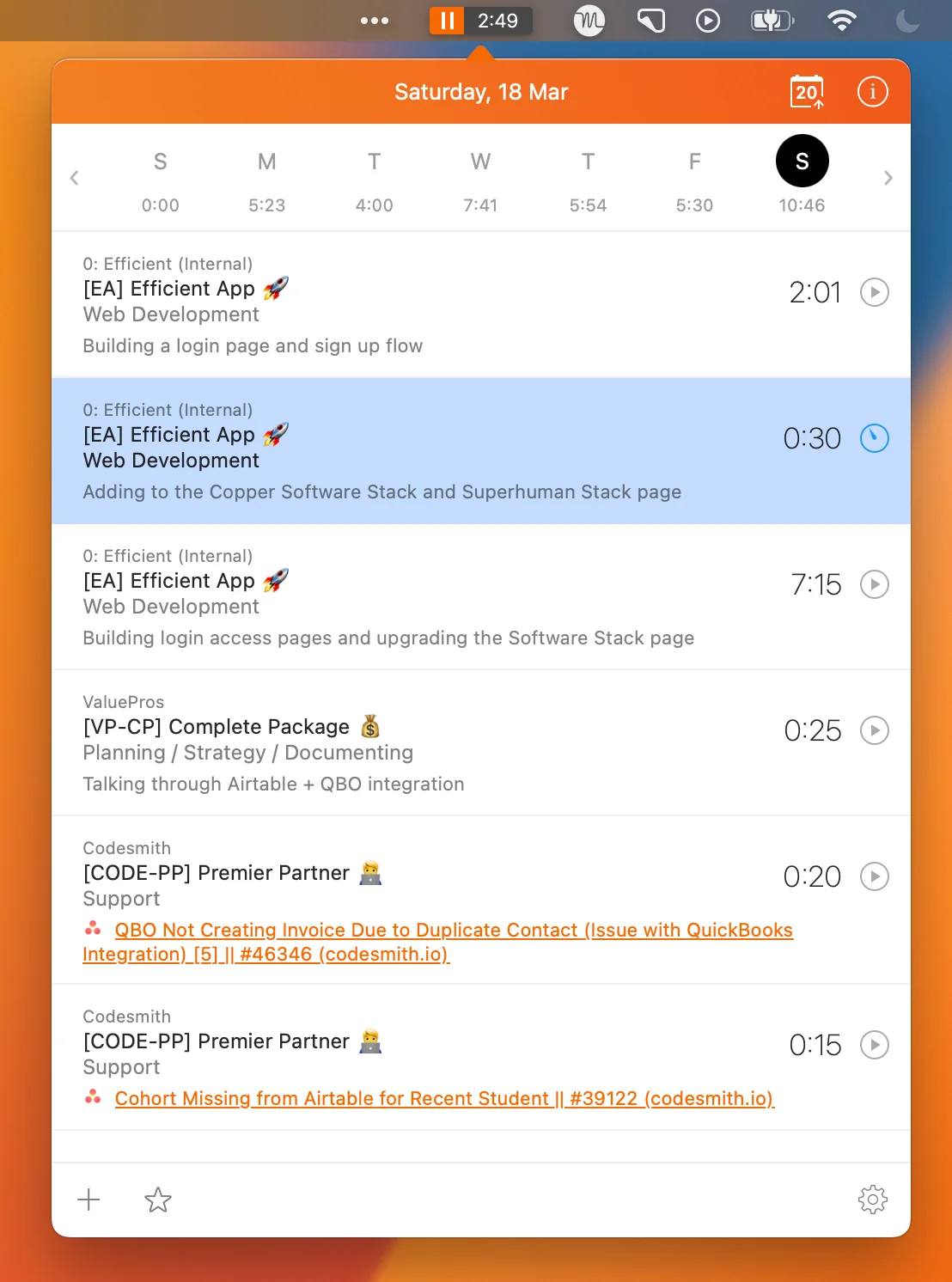
MacOS Harvest App actively tracking time in the computer dock.
Harvest has a much more minimal approach to time blocking than that of Toggl and Timely. Now this is actually a good thing... Let me explain:
Harvest focuses less on the timeline/calendar view of time tracking (e.g. what did you get done at each time of the day), and is more focused on simply tracking categorized chunks of time (tasks) across clients/projects.
Their approach is more minimal in a way—versus throwing sometimes an overwhelming amount of data at you (which is intending to help you figure out what you did), actually results in a bit of overwhelm.
Most people we know that use Timely for example actually disable any auto-time categorization because as explained on the Timely + Toggl pages, it's nearly impossible to attribute the auto-tracked time to actual collaborative client/project work.
Projects
ProjectsIn the project view, you'll see every client, their projects, and detailed budget, spend, and costs all in one convenient place:
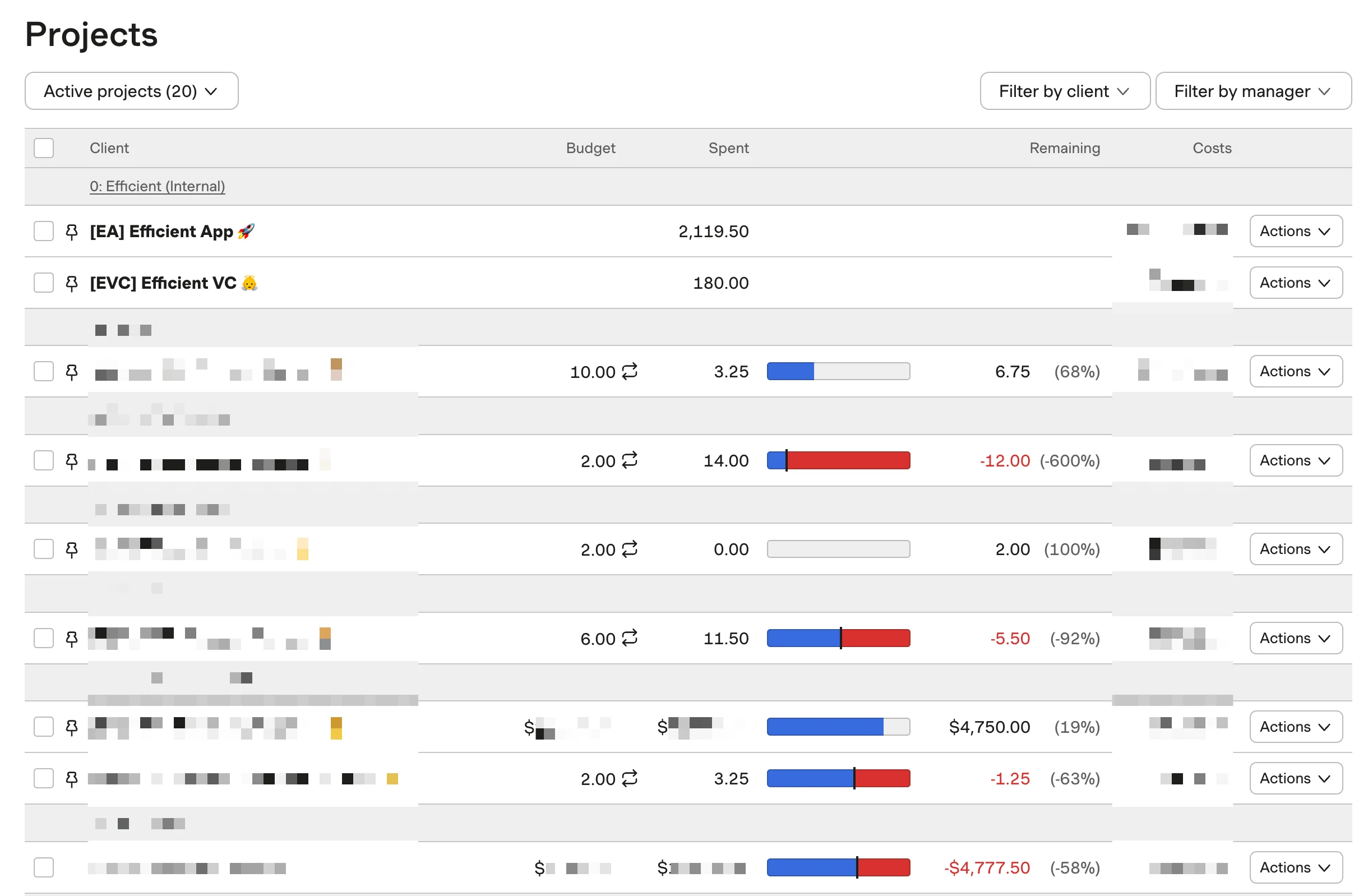
Set up recurring hours or budgets that automatically reset each month.
Dive in deeper to know exactly where and how your team has spent the budget and on what tasks.
Harvest still integrates with your calendar like the other tools, pulling up your meetings for the day (and tasks if you're using a time-blocking tool like Motion). But the "what time of the day" is not important with Harvest, making it easier to just get in and out without obsessing over the details:
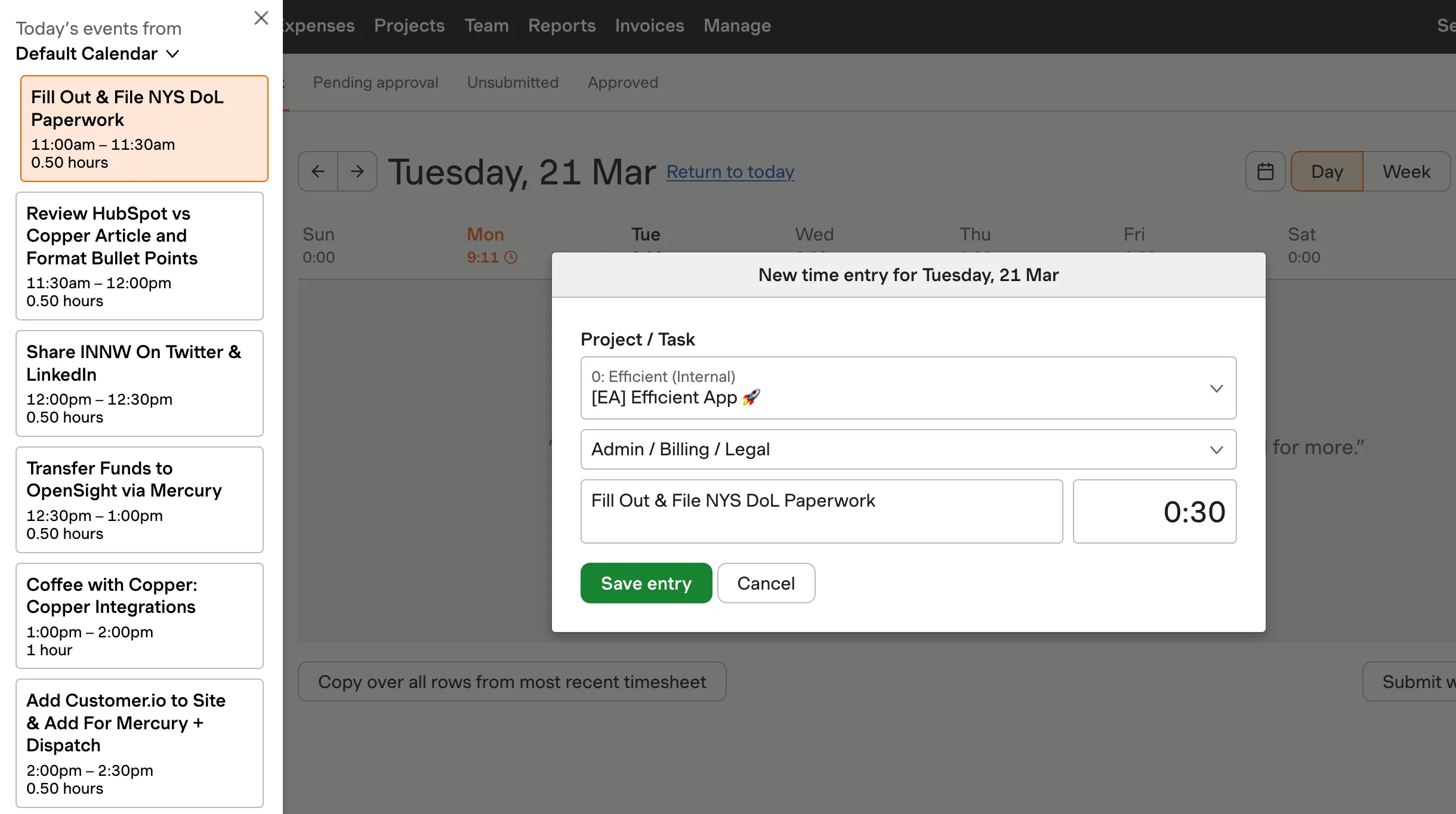
Easily add events/tasks from your calendar into Harvest + auto-fill the project/task for recurring calendar events/tasks.
Billing and Invoicing
Billing and InvoicingThe biggest difference between Harvest and Toggl + Timely is that Harvest allows you to track time, and then spin up invoices based on the time tracked without ever leaving Harvest (with powerful invoicing/billing features).
Reporting
ReportingHarvest was actually built initially as internal tool for a marketing agency to track all of their client work which has since evolved to support hundreds of thousands of users at over 70,000 companies—so with Harvest, client reporting is deeply at the core.
Figuring out who is profitable, who is trending toward being over budget, and all the convenient billing/invoicing features to handle it all are all baked right in. (It even allows for recurring custom invoices and payment via PayPal + Stripe, along with a powerful native QuickBooks Online integration).
Pricing
Pricing- Free: $0 forever. Best for individual freelancers who need basic time tracking, reporting, and invoicing for up to 1 seat and 2 projects.
- Teams: $11/mo per user ($108/yr). Best for teams that need unlimited seats, team reporting, capacity tracking, invoicing, and accounting integrations.
- Enterprise: Custom pricing. Best for organizations that need advanced controls like profitability reporting, timesheet approvals, activity logs, custom reports, SAML SSO, and dedicated onboarding support.
Final Verdict
Final VerdictIs Harvest worth it? Definitely. Here at Efficient App, we use and love Harvest. Have actually been using it for nearly a decade when we were consulting. Their powerful API has allowed us to also integrate Harvest deeply into many of our internal processes.
Categories
CategoriesHarvest fits into multiple categories based on what it actually helps you do. Each category highlights a different strength and the efficiency points it earned, helping you compare tools not just by features, but by how well they actually perform.
Keep exploring the best software across categories