Review Summary
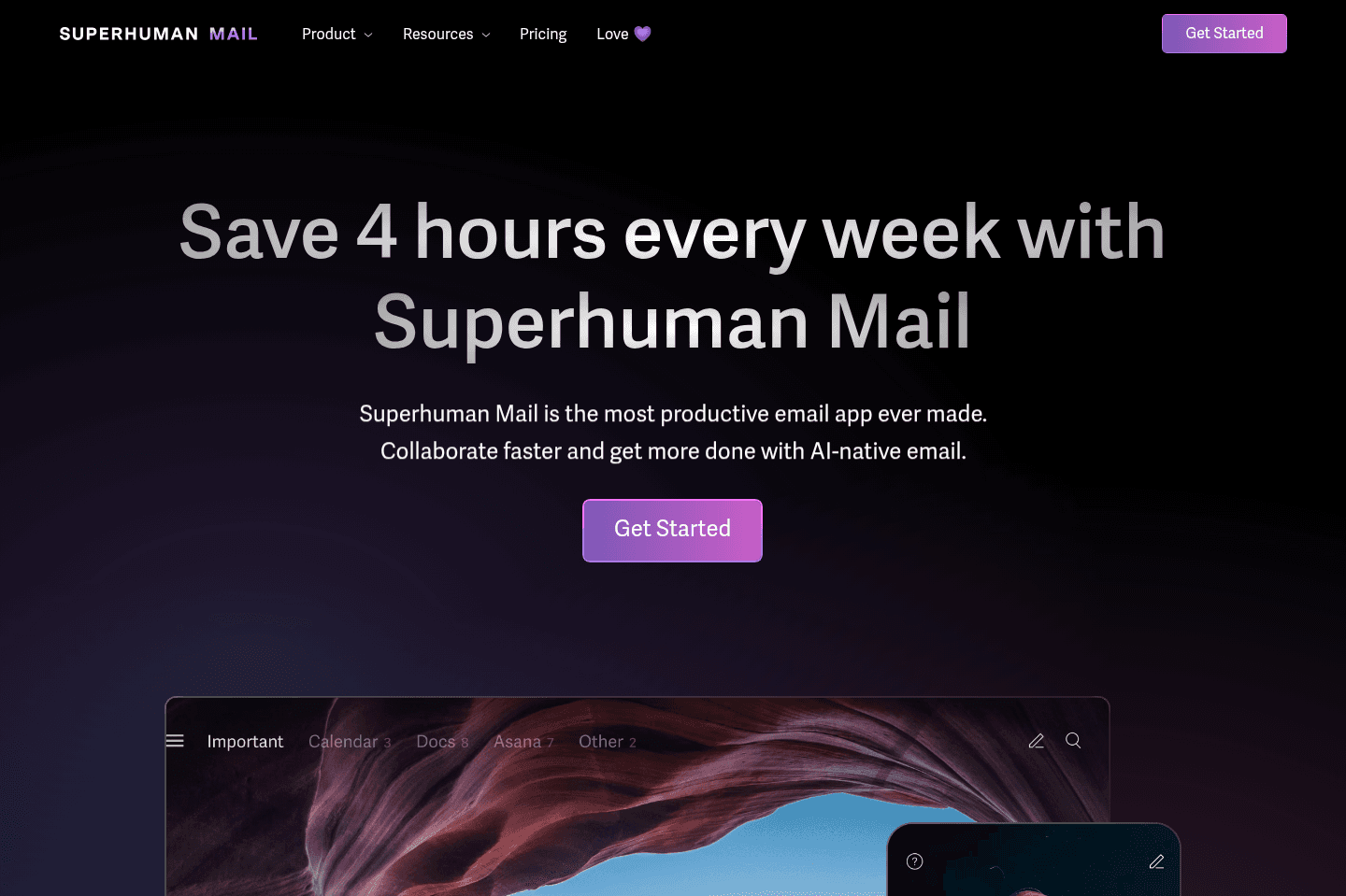
Review SummarySuperhuman Mail is the best email client on the market. It's wildly fast, minimal (not bloated with features), and helps individuals and teams triage through emails most efficiently. We've been using it for 6+ years and can't ever imagine going back to regular email.
Claim the Superhuman free trial for an limited time 2 months free, which is more than enough time to see if it fits your workflow.
Is Superhuman Mail Still Worth it? Honest 2026 Review
Is Superhuman Mail Still Worth it? Honest 2026 ReviewWhat is Superhuman Mail?
What is Superhuman Mail?Superhuman Mail is the best email client on the market for professionals.
If you get more than 10 emails per week and you enjoy beautiful software, you'll want to seriously consider Superhuman Mail. Superhuman Mail claims to be the fastest email experience, and we tend to agree. I'm not kidding, I'm talking like those 3-5 seconds you often need to wait for Gmail to load—yeah, Superhuman Mail is literally instant. Want to write an email? Open Superhuman Mail and press [c] and you'll be in a compose window a solid 2 seconds before Gmail loads.
You might be thinking "why pay for email management when you can use any email client for free?" 🤔
While I've spoken to many about the sheer simplicity and power, I find that either someone "gets it" or "doesn't", and if you don't, it's not for you.
Heads up, Efficient App readers, you can get 2 free months of Superhuman Mail. This is exclusive to our website.
Superhuman (Grammarly) Acquisition
Superhuman (Grammarly) AcquisitionAs a heads up, on July 1st, 2025, Grammarly acquired Superhuman. Previously, Grammarly had acquired Coda and brought in their CEO, Shishir Mehrotra, to run the entire company. We’ve had the pleasure of meeting Shishir a handful of times over the years while he was at Coda and have always thought highly of his leadership and product vision.

Alex presenting to Shishir (CEO of Superhuman) & Coda's team, he was showing his Coda account at their SF HQ in 2020.
In October 2025, Grammarly announced that they are changing their name to Superhuman. As a result, Superhuman the email client became Superhuman Mail. And Coda became Superhuman Docs.
Rahul Vohra, the founder of the original Superhuman, still serves as the Head of Superhuman Mail. He's one of the best product builders out there (imagine how many other startups have tried to re-imagine email and failed). When he was in Austin, we got to ask him for his feedback on our very website.

Rahul Vohra (Founder & Head of Superhuman Mail) giving us feedback on our site prior to launch.
My Experience with Superhuman Mail
My Experience with Superhuman MailLike many of us, I used Gmail for 10+ years, and was blissfully ignorant to other options. Then I met Alex, my Cofounder and (now) husband. We were under COVID lockdown and constantly working side-by-side, and I noticed that when he triaged his inbox, it looked like he was playing a video game. He was only navigating with keyboard shortcuts, and flying through his emails, snoozing some for later, setting reminders on others.
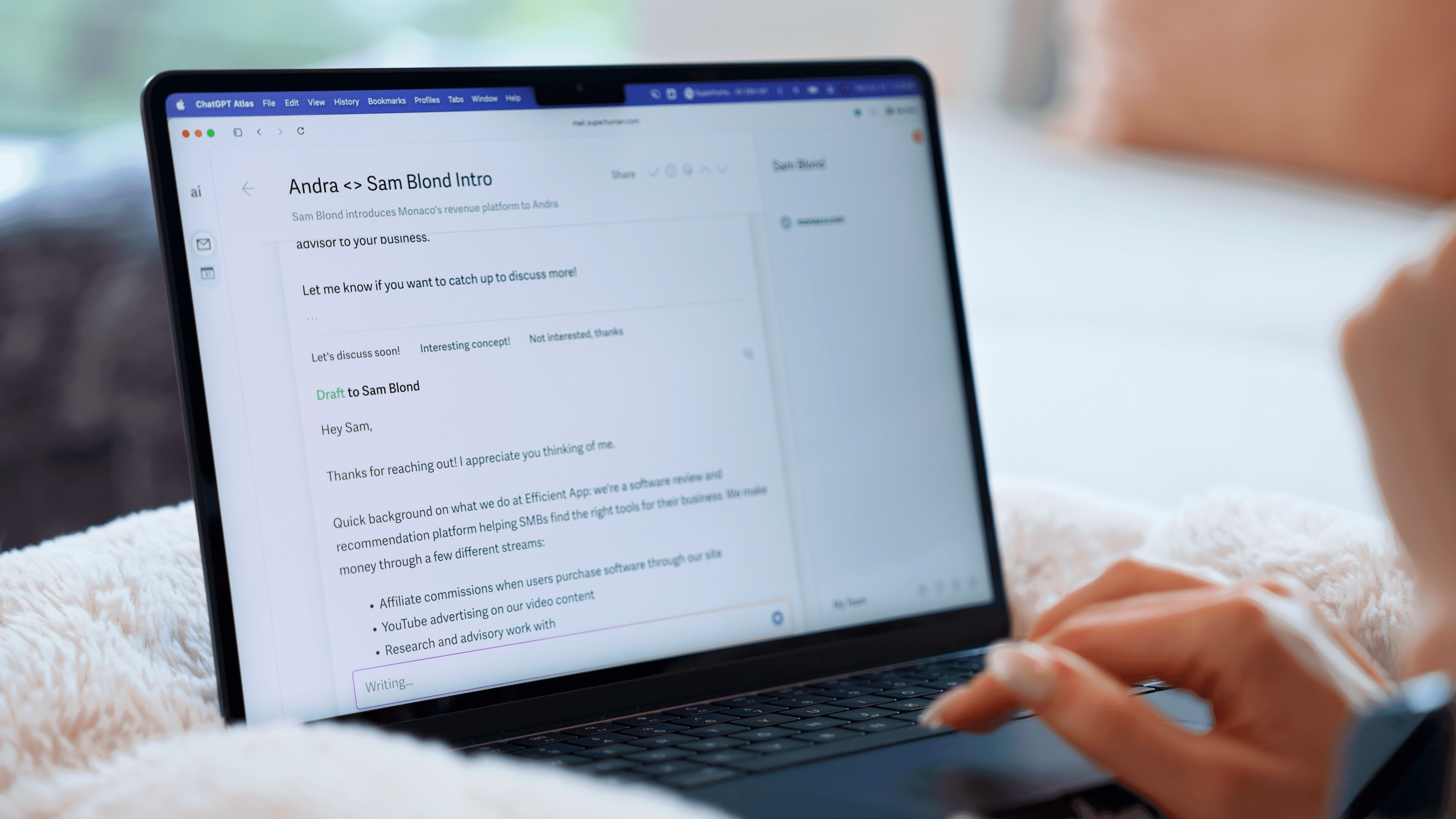
One day he suggested that I try Superhuman Mail, and I told him, "There is no way I'd pay for email, so you can forget about it!" After more debating and demos, he said "Look, try it for a month, if you hate it, I'll pay for your subscription" (back then there was no free trial, if you wanted to try it, you had to pay upfront).
I reluctantly agreed. But the first week of setting it up, I had a realization "I used to hate opening Gmail and checking emails. Now I don't". I started to stay on top of my emails and got inbox zero more often.
By the end of the month, I subscribed to the annual tier. That was 6+ years ago, and here I am today, still paying for, and using Superhuman Mail.
If you highly value your time, and are willing to pay a bit extra for enjoyment, Superhuman Mail is the tool that will do just that, while get you through your email inbox 2x as fast.
Why I still use Superhuman Mail After 6 Years
Why I still use Superhuman Mail After 6 YearsI've reflected a lot on this recently with the rise of every AI tool out there claiming they can now manage your inbox for you. There are three main reasons I continue to use Superhuman Mail:
- Incredible user interface: I've tried every major email client out there, and at the end of the day Superhuman's user interface is the most thoughtful and modern. It makes checking email more enjoyable.
- Thoughtful AI features: You can toggle on AI email drafts so that replies are drafted for you. I don't want AI sending emails for me, I still want to review them and this is a good balance.
- Team features: We recently brought on a Head of Partnerships. Using threads to discuss deals underneath each email makes collaborating on email so much easier.
We cover all of these key features below.
Who is Superhuman Mail for?
Who is Superhuman Mail for?Superhuman Mail is for those who want a better email experience.
- Busy Professionals. If you check your email multiple times a day and want a smarter inbox that can help you quickly identify what is important, Superhuman Mail will be a huge help.
- Productivity Enthusiasts: If you want the fastest, more productive way to check email, it's Superhuman Mail.
- Sales Teams. Collaborating on sales emails via team features has allowed us to close more deals.
Availability
AvailabilityMacOS | Yes |
Windows | Yes |
Browser | Yes |
MacOS | Yes |
Android | Yes |
Key Features
Key FeaturesSuperhuman Mail works with Google Workspace (G Suite) or your Outlook account.
Minimal Interface
Minimal InterfaceIf you hate clutter and get easily distracted, you'll love Superhuman Mail. You get a refreshingly simple interface to triage through your inbox. And not to mention, when you hit inbox zero you're award with a new stunning image everyday.

Split Inbox & Auto Labels
Split Inbox & Auto LabelsSet filters so that you can have different inbox splits (for example, filters for emails that are Important, Newsletters, Team Emails, Tax Emails, Calendar Alerts, and Notifications). It keeps you in flow when triaging your inbox and reduces context switching.
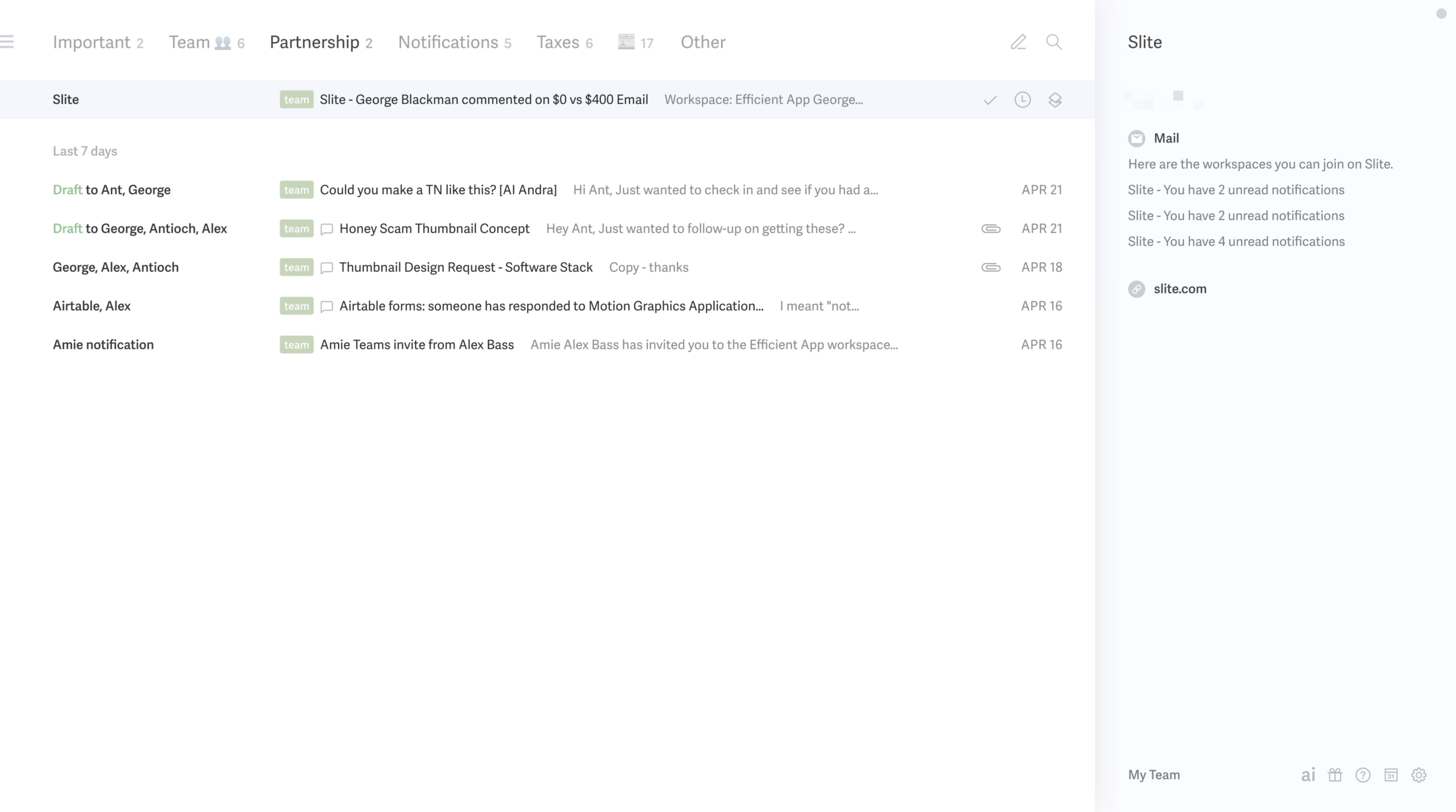
You can also use AI auto-labels to create Inbox Splits. For example, I have an auto-label and Inbox Split for “emails about taxes” or “partnership emails.” When an Inbox Split is empty, it disappears from your view.
Reminders & Auto-Follow Up
Reminders & Auto-Follow UpSet reminders to be returned on your emails if someone hasn't responded, mark messages as done with hitting a button and label messages with ease. Since we started using Superhuman Mail, we see inbox zero way more often.
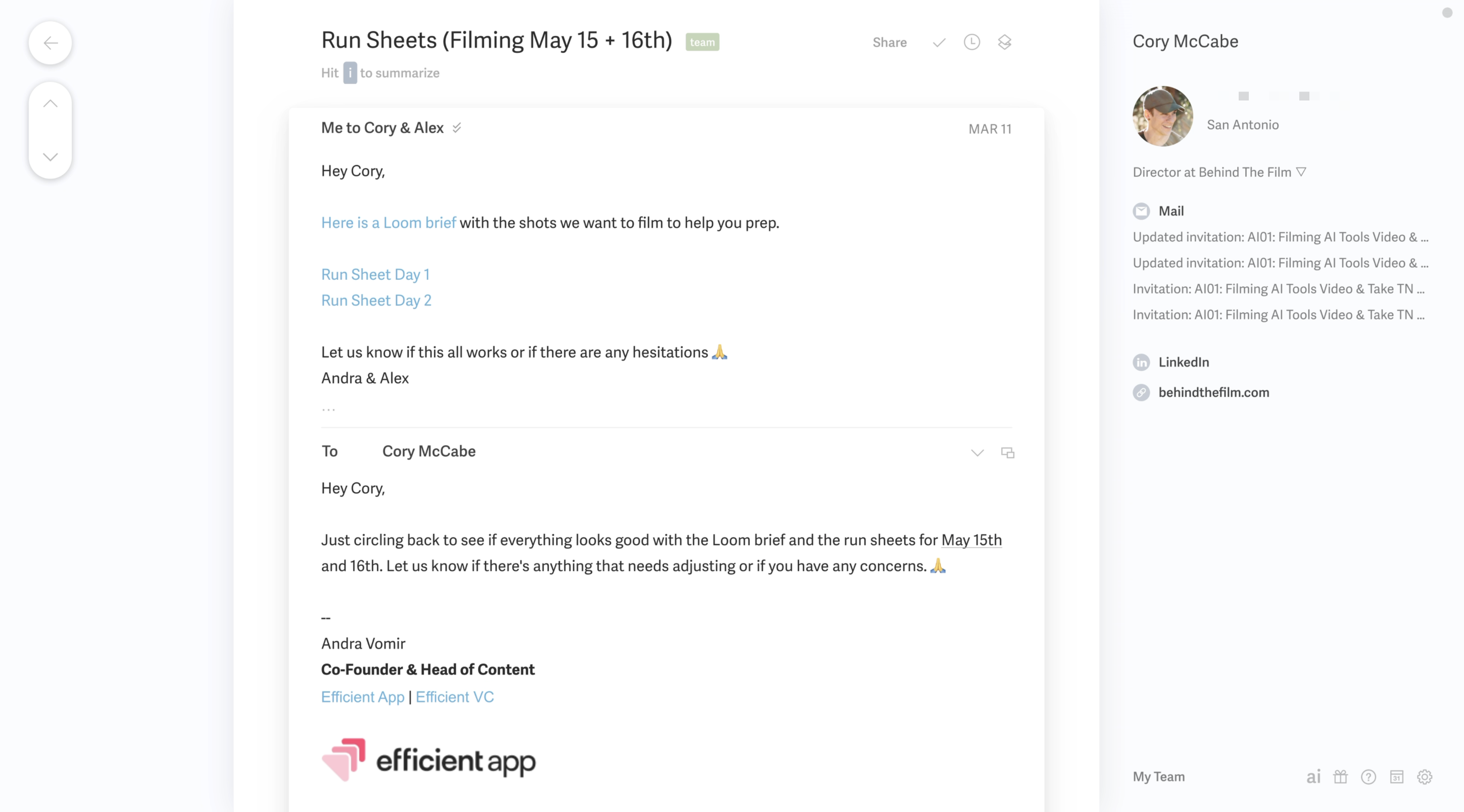
More than that, Superhuman Mail uses AI to help you follow-up on emails that need a response. If you don't get a response in a few days, Superhuman Mail will automatically return the email to your inbox, draft a reply for you, so all you have to do is hit send.
Read Statuses
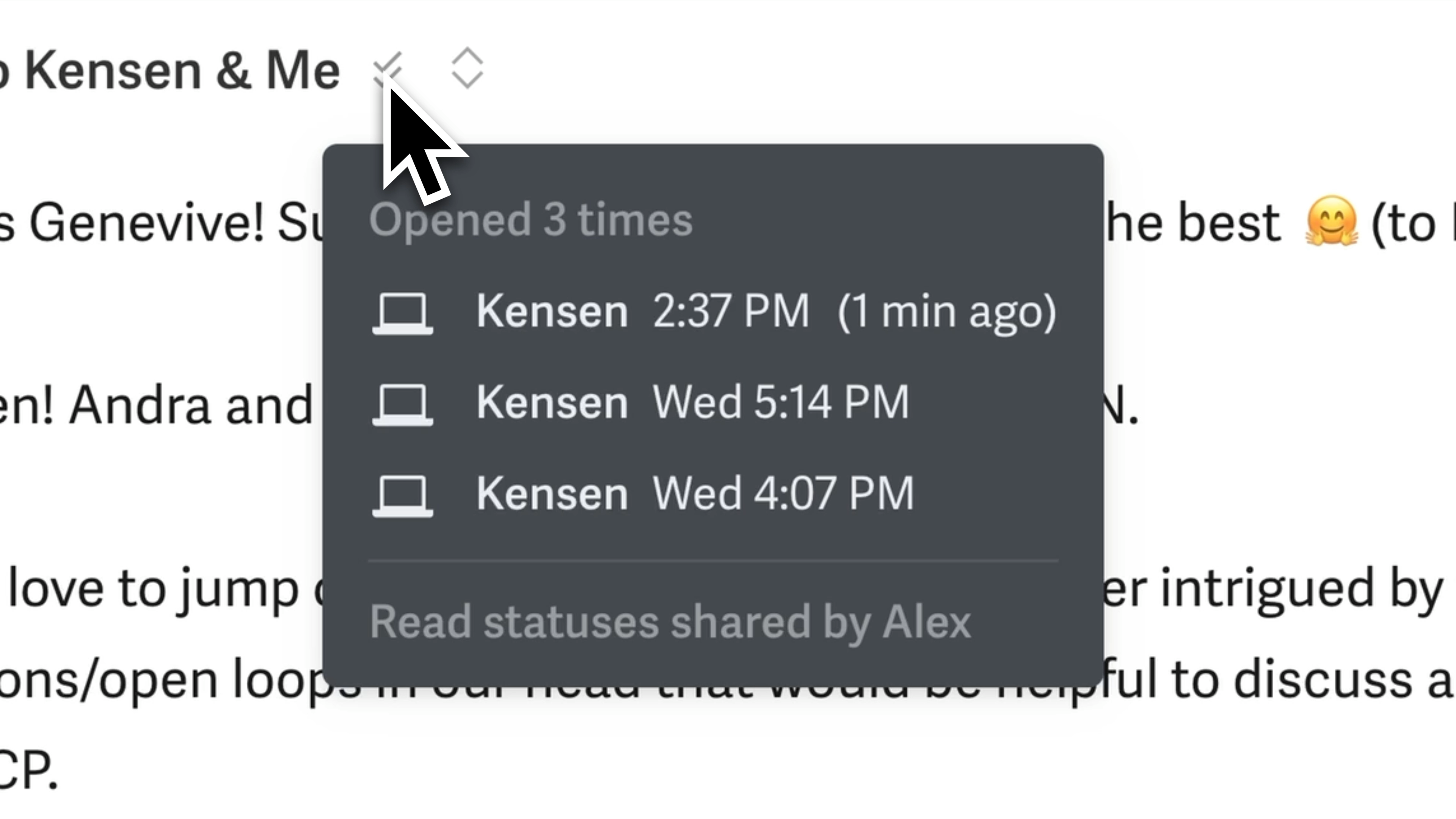
Read StatusesRead statuses are super helpful for our team too (if I send an email and Andra (my Co founder) is cc'd, she can also see if the recipient opened the email or if I am in the middle of typing a reply. This has been so helpful for collaboration 🤜 🤛).
AI Auto Drafts
AI Auto Drafts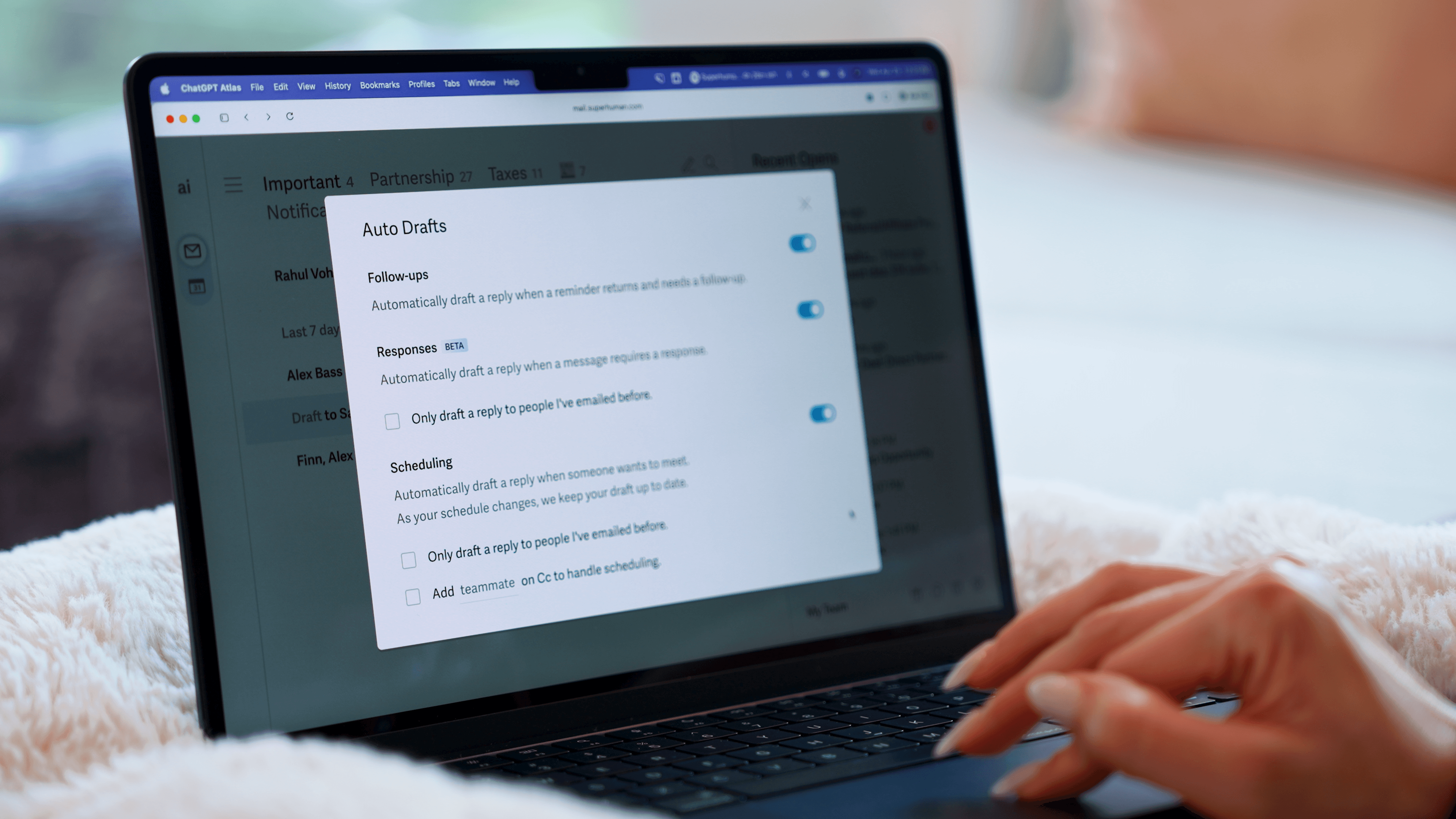
Imagine this: you just hired an assistant. As part of their training, they read through thousands of your emails to learn how you talk to customers versus teammates versus vendors.
Then she starts drafting replies for you. You get an email, she writes a reply. You send something and never hear back, she writes the follow-up. All you do is check her work before hitting send. That's exactly the experience we've had with Superhuman Mail's AI drafts. And it's $30 per month rather than $30 per hour!
This is why we named it the best AI tool for email.
If you want to tweak what was written, then you can ask AI to re-write with commands like "shorten", "lengthen", "simplify" or "improve writing".
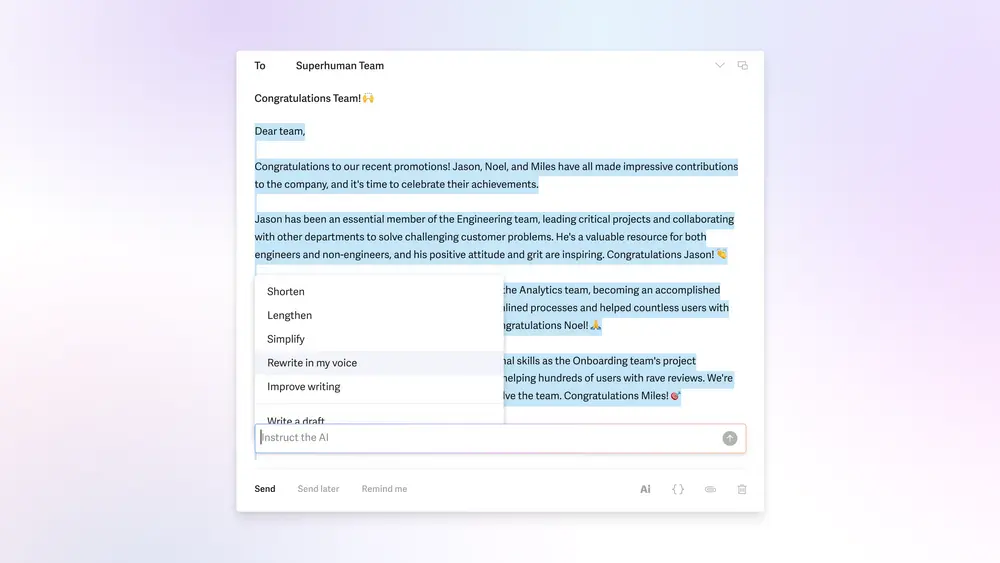
Superhuman Mail's new AI features are impressive.
AI Write with Voice
AI Write with VoiceYou can prompt Superhuman Mail to write an email for you from your mobile app. For example, when I was in London I said "Write an email to Jon and ask him if he can grab coffee while we're in London in May". So this isn't dictation, it's giving instructions like you would to an assistant and Superhuman Mail will write the email and even do its best to find the contact and populate the email field.
AI Search
AI SearchAI search allows you to ask any question about your inbox in natural language, and Superhuman Mail will return with an answer based on your inbox and provide the emails that it is referencing.
I can't tell you how much time I used to spend searching my inbox with "exact keywords". This is now totally eliminated with the AI search feature.
AI Workflows
AI WorkflowsYou can set up rules for how you'd like emails to be handled helping certain types of emails totally skip your inbox 🤯 For example, use AI to auto-respond to job applications thanking them for applying, then auto-forward their email to your hiring manager, AND mark the email as done in your inbox.
Team Collaboration
Team CollaborationSuperhuman Mail allows you to fully collaborate with team members regardless of whether or not they are even using Superhuman Mail.
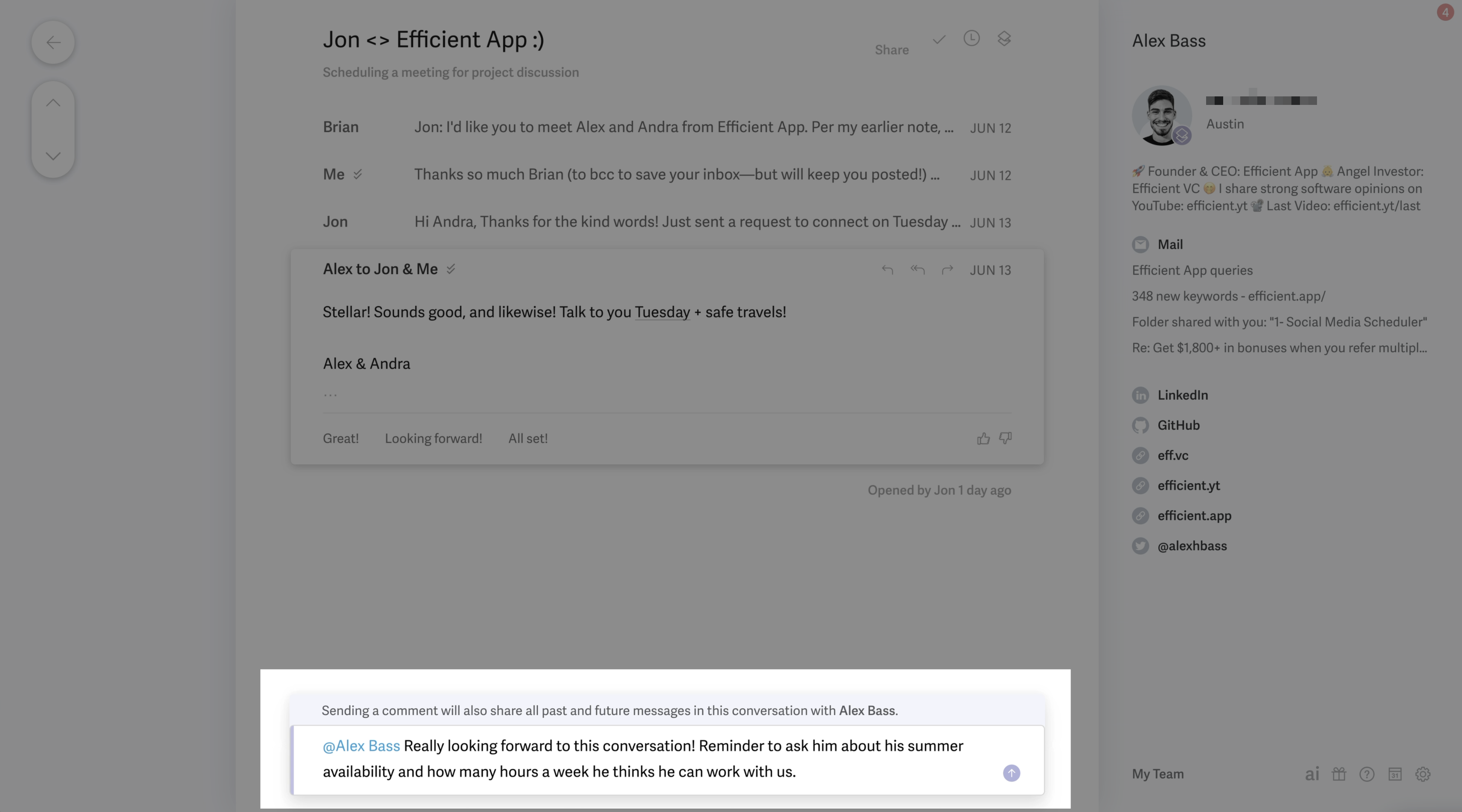
With their new team collaboration and shared comments functionality, you can easily share existing email threads and move your private Slack chats into Superhuman email threads (right where they belong).
This has come super handy for us when we've had sales negotiations (very helpful to @mention each other and check-in if what is proposed makes sense), or to more thoughtfully respond to a customer.
You can also share drafts with your team members and collaborate in the comments to refine your message.
MCP
MCPSuperhuman Mail also has an MCP connector with Claude and ChatGPT, allowing you to build workflows around your inbox.
For example, you can ask Claude to find all emails that were opened that day but never received a response, then send a follow-up email.
Or, if you use something like Granola as your AI note taker, you can ask Claude to check all your notes from the day and draft follow-up emails for each call.
Technically you can just use the chatbot interface to triage through your entire email, but personally I still prefer having an interface to go through my emails.
Additional Features
Additional FeaturesSuperhuman Mail Calendar
Superhuman Mail CalendarAs you're typing "Hey, do you want to meet Wednesday?" Superhuman Mail's calendar will automatically pop open on the right hand side so you can see your availability. You can also hit a keyboard shortcut [0] to see and manage your full calendar.
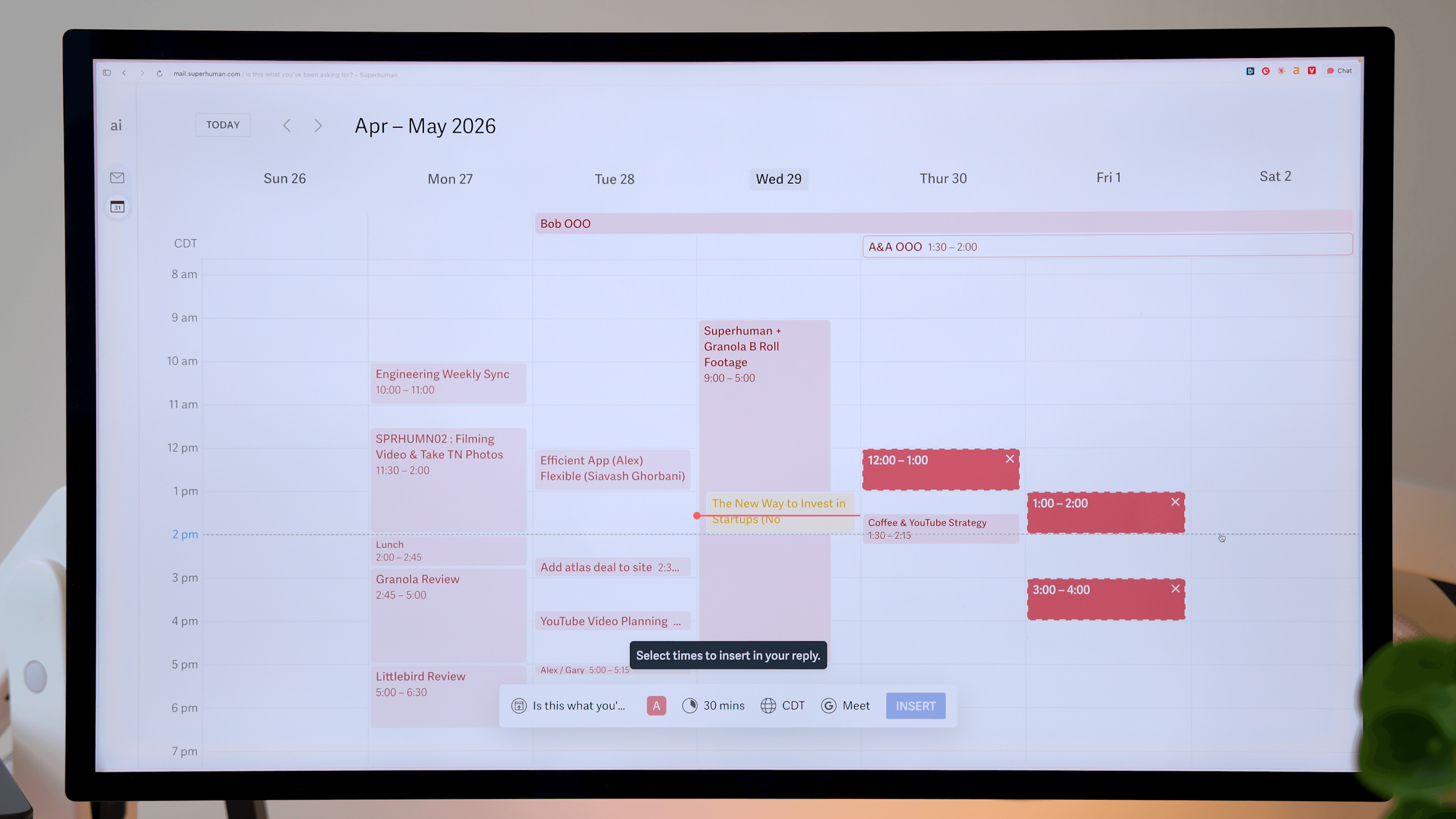
You can even ask Superhuman Mail's AI Assistant to create calendar events on your behalf in natural language.
Superhuman Mail Booking Links
Superhuman Mail Booking Links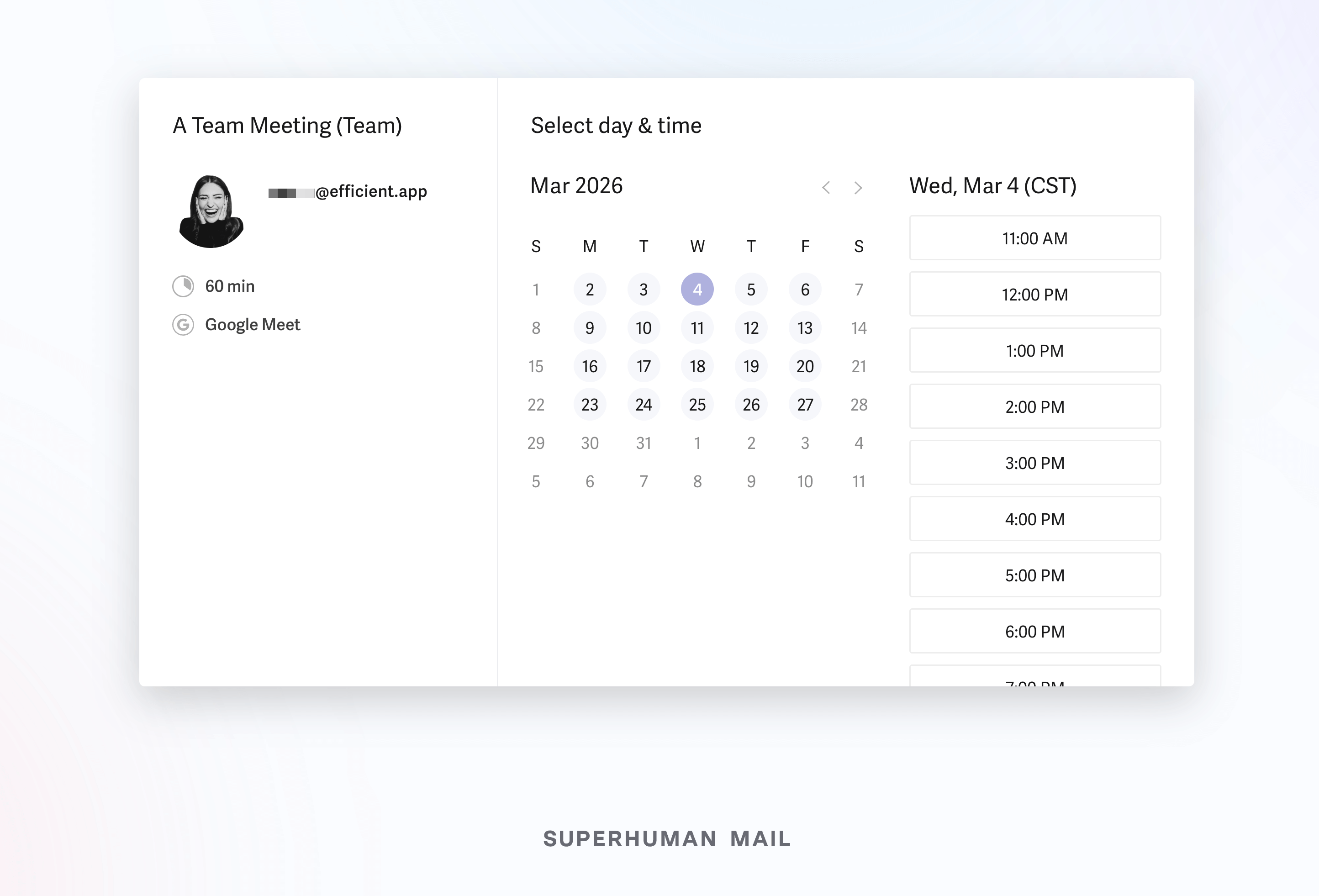
Use the keyboard shortcut [CMD] + [shift] + [a] and Superhuman Mail will automatically let you share your calendar availability with someone. You can either share one-off availability, or even create an entire booking page. We loved the user experience!
Keyboard Shortcuts
Keyboard ShortcutsSuperhuman Mail also allows you to triage through your inbox using only keyboard shortcuts.
I was a skeptic for years, until I finally gave it a shot. Learned some of the simple keyboard shortcuts like [e] for archive and [h] for snooze + some additional fun shortcuts like [#] for delete, and [!] for spam.
Don't like memorizing keyboard shortcuts to get through your email more quickly? Great, then just press [CMD] + [k] for the command bar → the Superhuman Mail key, which allows you to do absolutely anything from anywhere just by typing.
Mobile App
Mobile AppOh, and the mobile Superhuman Mail app. You can mark messages as done in literally one second on the go via the Superhuman Mail mobile app. Triaging your inbox on the go has literally never been easier. You can also go ahead and "snooze an email for when you're on your computer", because sometimes you just want your full keyboard.
Pricing
Pricing- Business: $33/member/month (billed annually), or $40 when billed monthly.
Heads up, since Superhuman Mail is a part of the Superhuman Suite of products, you can now get access to Grammarly, Superhuman Go, and Superhuman Docs under one subscription.
So the best thing to do is grab a Superhuman free trial to get two free months (you won’t get this if you sign up directly through their main website).
Is Superhuman Mail worth it?
Is Superhuman Mail worth it?Yes, Superhuman Mail is absolutely worth it if you get a lot of emails. At the end of the day, I'll never leave Superhuman Mail, because it makes me dread email less. It's the best email client I've ever used. I first resisted the idea of paying for email but after a month of using it, I couldn't see myself not using Superhuman Mail again.
We've personally been using Superhuman Mail for over 6 years as our email app and couldn't see life without it.
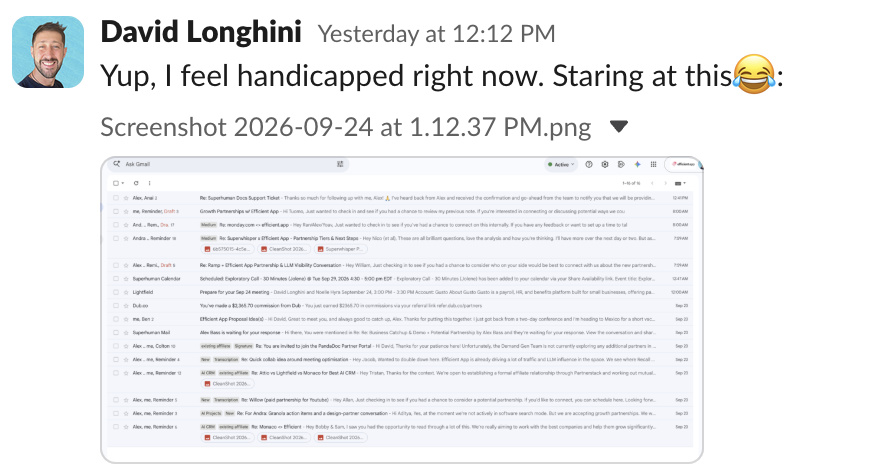
Our team member lost access to Superhuman Mail for a few days and couldn't wait to get back to it. Just saying!
My advice? Try it and you'll be unable to see yourself using Gmail ever again too.
Superhuman Mail used to have a waiting listing, but not anymore. Get a Superhuman Mail free trial (2 free months, exclusive to Efficient App readers!).
Screenshots
Screenshots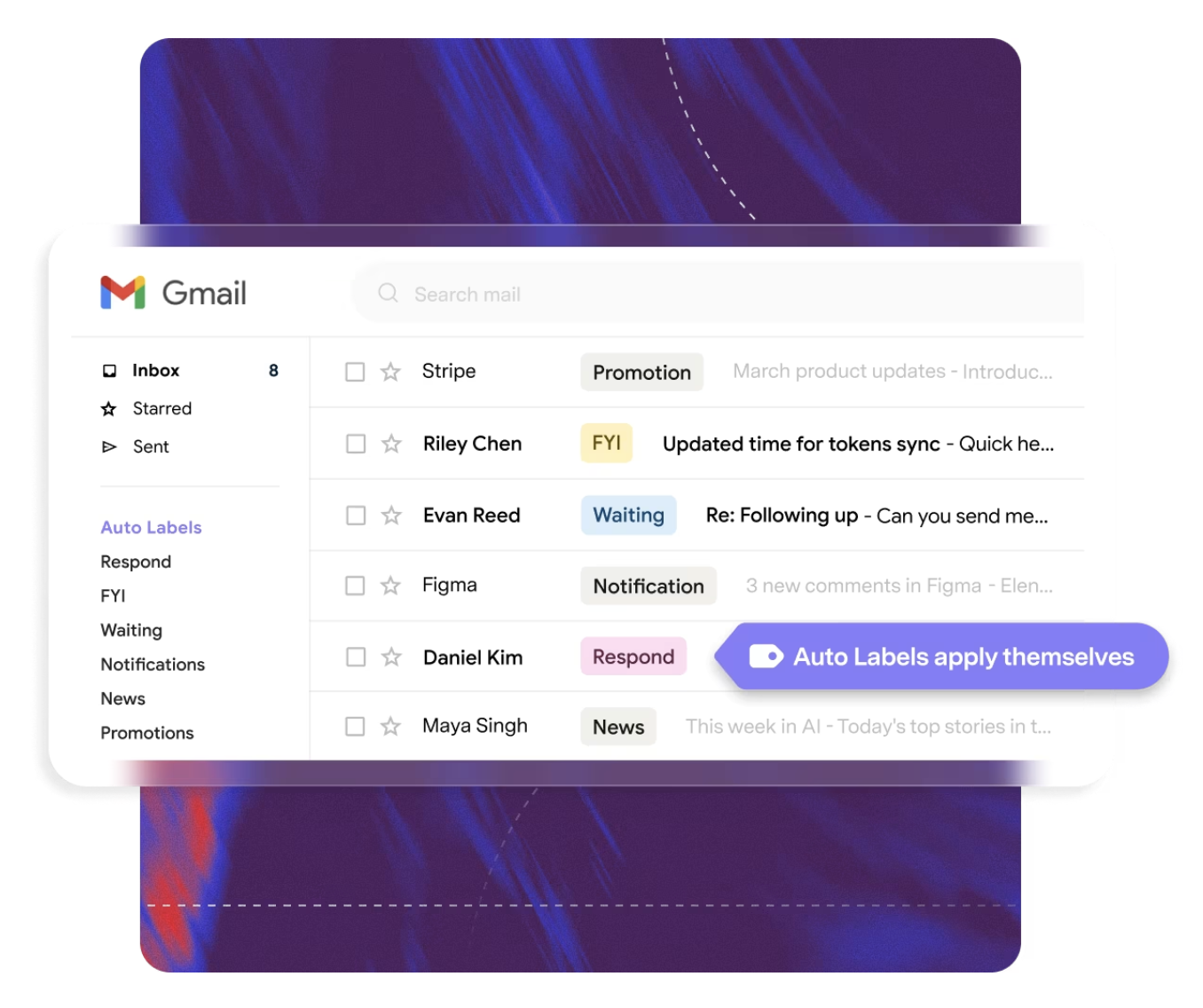

Superhuman Mail
Categories
CategoriesSuperhuman Mail fits into multiple categories based on what it actually helps you do. Each category highlights a different strength and the efficiency points it earned, helping you compare tools not just by features, but by how well they actually perform.
Keep exploring the best software across categories, or explore Superhuman Mail alternatives
FAQ
FAQDoes Superhuman Mail have a free trial?
Does Superhuman Mail have a free trial?Yes. Superhuman Mail offers a 30-day free trial when claim your exclusive Superhuman Mail Discount through Efficient App. If you sign up directly on their website, the free trial is not available.
If you plan to invite your team, make sure they use the same link so everyone receives a free month to test Superhuman together and see if it fits your workflow before committing to a paid plan.