Review Summary
Review SummarySuperhuman is a combination of really incredible products that have come together under one roof. You get four tools (Superhuman Mail, Coda, Superhuman Go, and Grammarly) all under one subscription. Apparently more are coming too 👀
The vision is really exciting, and the team behind it is quite incredible, we're excited to see how they bring all the tools together this year.
Superhuman Rebrand
Superhuman RebrandSuperhuman (the email client) actually rebranded, so if you're looking for that, you'll want to read the Superhuman Mail review instead.
What is the Superhuman Suite?
What is the Superhuman Suite?Superhuman is a combination of really incredible products that have come together under one roof.
The suite has five products:
- Grammarly: the AI writing assistant you've probably used at one point
- Coda: a flexible doc-and-database workspace for teams (think Notion but more powerful)
- Superhuman Mail: the fastest, most minimal email client around (we 🫶 it)
- Go: a proactive AI assistant that works across all your apps (an evolution of Grammarly).
The individual products are genuinely best-in-class, which is rare for any company building a workspace suite. Typically companies build features and call themselves an all-in-one tool to just check off a marketing landing page so they can say "they do it all". But this is what makes Superhuman quite rare, all the products are truly incredible on their own.
Think of Superhuman as a modern alternative to some of your most used Google Workspace tools. Not to replace it as a foundation, but to replace everything that sits on top of it. You'd still use Google or Microsoft for your underlying email and file storage, but all the tools you actually spend your day in (email, writing, docs, etc) would live inside the Superhuman suite.
Typically, we'd be super skeptical of such a big undertaking, but we've had a chance to meet some of the team members behind Superhuman ourselves (including their CEO Shishir Mehrotra who was formerly at the Cheif Product Officer at YouTube) and we have to say, if there is a team to do it, this is it.
Heads up on billing: they're still integrating everything under one subscription. If you're an individual trying to get access to everything, you may need to email their team to get your accounts connected. As of right now, we don't even have full access to all the tools in one place ourselves.
Who is the Superhuman Suite for?
Who is the Superhuman Suite for?Knowledge workers and teams who spend most of their day in a browser, writing, communicating, managing projects, wrangling information. Their vision to to make us all, quite literally, Superhuman.
Key Features
Key FeaturesGrammarly
GrammarlyGrammarly is remaining very much in its current form as far as we know. It has 40+ million daily users, deep integration into basically every writing surface you use. It's the foundation that makes Go possible. Those 16 years of engineering work to follow you around your computer and offer writing suggestions wherever you type? That same infrastructure is what powers Go's ability to show up wherever you're working.
Superhuman Go
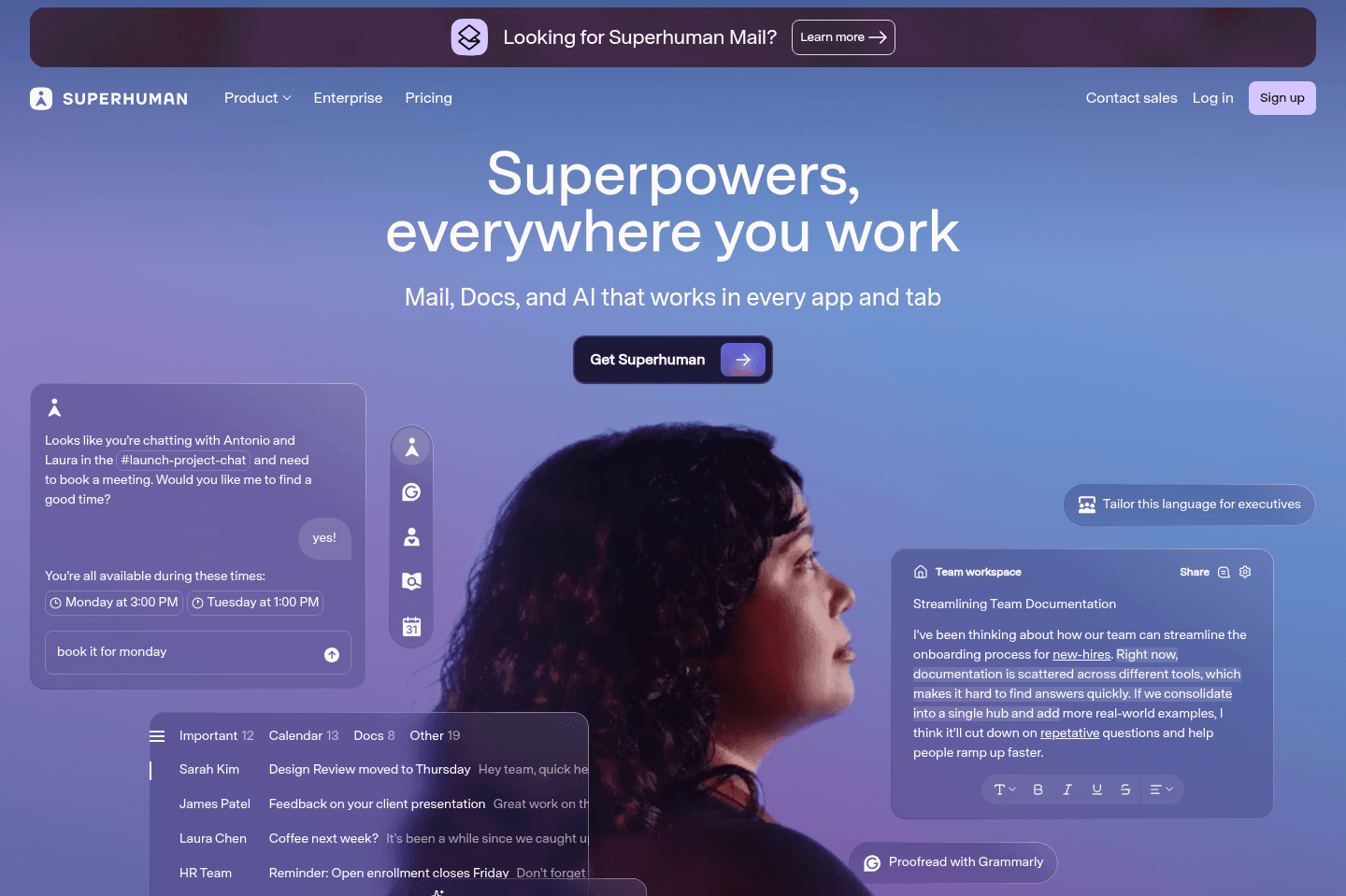
Superhuman GoIf you've ever used an AI browser extension or something like ChatGPT Atlas, Go is a similar AI companion but works with Chrome, so you don't need to switch browsers.
With Go you can connect your calendar, email, connected project management apps like Jira or Linear that you can talk to and get it to take actions. For example, you can report a bug and get it to create a Linear ticket for you.
But here's what's different, and where we're seeing inspiration from Grammarly. Most AI tools are waiting for you to ask them a question, while Go can proactively make suggestions as you go.
Imagine you're writing a proposal in Google Docs and you reference a client's pricing. Go can notice that, pull the latest number from your CRM, and flag it right there without you asking. Or someone sends you a Slack message saying "can we meet tomorrow?" and Go underlines it and shows you a bubble: "you're both free at 3pm, want me to book it?" You just say yes.
The biggest challenge for the team will be to help train Go on what are genuinely helpful suggestions vs it trying to be overly helpful, which then becomes more disruptive. We're going to be testing Go as an alternative to how we've been using ChatGPT Atlas and Dia browser.
Coda
CodaAlex was a super heavy Coda power users back in the early beta days and actually went to their headquarters in San Francisco to show the team how he was using it, so he's been watching the product evolution up close.
Coda's (a doc back words) superpower is that a document can be so much more than a doc. You can build live databases, meeting hubs, decision logs, client portals, all inside one "document" that actually behaves more like an app. Similar to Notion, but way better 😅
What we're most excited about right now is that Coda is expected to get an interface refresh and tighter integration with the rest of the Superhuman suite.
Superhuman Mail
Superhuman MailSuperhuman Mail is an email client, basically a faster, smarter alternative to Gmail or Outlook. It has a place near and dear to our hearts, we've been using Superhuman Mail for 6-7+ years now.
Honestly, it was one of those tools I thought I'd never pay for. Why would you pay for email when Gmail is free? And then I actually tried it, and yeah, still paying for it. It's that good! The idea of going back to anything like Gmail at this point sounds like a personal nightmare. Once you experience what email can actually feel like (fast, clean, no visual noise, keyboard shortcuts for everything) you just can't go back.
If you're the type of person who appreciates the finer things and wants to stop banging your head against a wall every time you open your inbox, Superhuman Mail is absolutely for you. It's a quality of life upgrade.
They've also added a ton of AI features like Auto Drafts that write follow-ups in your voice before you even open them, and Auto Labels that sort everything automatically. We have a full Superhuman Mail review if you want to go deeper on the features.
Pricing
Pricing- Free: Grammarly, Coda, and Go. No Mail.
- Pro ($12/month billed annually): More advanced Grammarly. Still no Mail.
- Business ($33/month billed annually): Everything. Grammarly, Coda, Go, and Superhuman Mail all in one. This is the one to get.
- Enterprise: Custom pricing. Advanced security, SSO, admin controls, dedicated support.
Here's the hack though: This Superhuman Mail Discount will get you a free month of the business tier. Once you've signed up, email support, tell them Efficient App sent you, and ask them to get all the Superhuman Suite tools connected under one account.
Right now, that's the best way to do it, it's a bit messy but this is what happens when 3 companies merge into one.
Final Verdict
Final VerdictWe're really bullish on where this is going. We've watched a lot of companies try to build productivity suites and they usually end up as a collection of mediocre tools with a unified billing page.
This is different as Grammarly, Coda, and Superhuman Mail were all category leaders before they came together. That's rare. So is it worth trying? We think so, and we'll be using more and more of their tools in our business too.
Categories
CategoriesSuperhuman Suite fits into multiple categories based on what it actually helps you do. Each category highlights a different strength and the efficiency points it earned, helping you compare tools not just by features, but by how well they actually perform.
Keep exploring the best software across categories