Review Summary
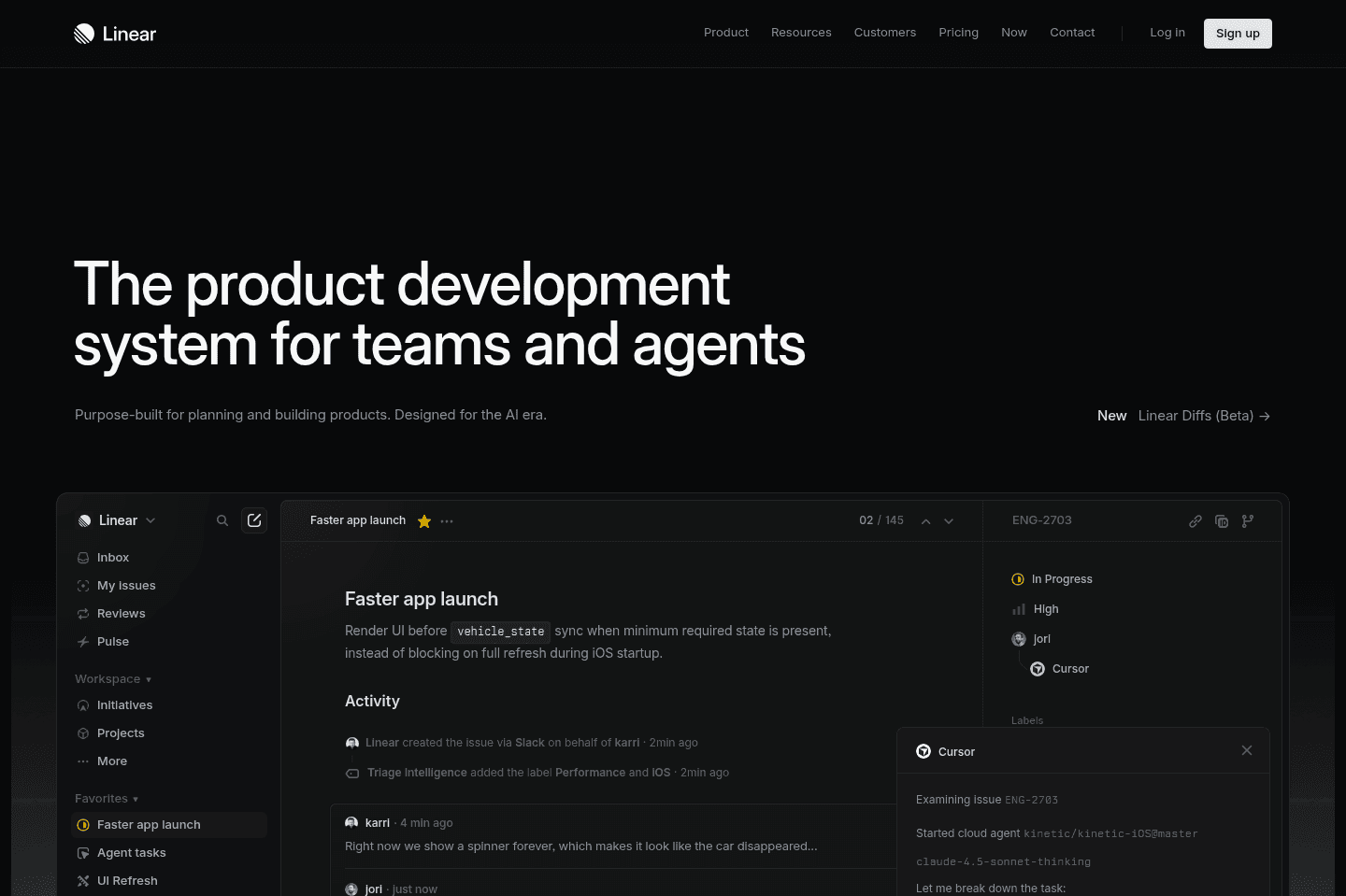
Review SummaryLinear is the best and most modern project management too for engineers. It's specifically designed for engineering workflows, and you won't find anything better.
The Startup Stack I Use as a Founder
The Startup Stack I Use as a FounderLinear Alternatives
Linear AlternativesNot sure if Linear is the right fit for you? Check out these alternatives:
 MotionBest
Best AI project management for small-mid-size teams
Best AI project management for small-mid-size teams
What is Linear?
What is Linear?Linear's a project management tool for engineering and design teams. We have always used Motion, but as our team grew to expand engineers it became clear that we needed something that would integrate with their codebase. Enter Linear.
Setup took minutes, and the biggest win was that our engineers adopted it quickly (like 5 minutes kinda quick) and that's because it was designed in "their language". They loved that they could work right from their terminal without constantly context switching and even opening Linear.
Most people compare Linear vs Jira. Linear is much faster and much more modern especially for startups. Our team would never in a million years use Jira.
That said, Linear isn't the tool I would roll out across the entire company. Marketing, sales, ops, and most non-product teams will feel boxed in and should look at Motion (what we use) or Asana, or monday.com.
Who is Linear for?
Who is Linear for?Point blank: engineering, product, and design teams. If you've been keeping your to-do list in Slack or Vercel comments and it feels like things are exploding and you can't really see a bigger picture of what needs to get done, then it's time to get Linear.
If you want to keep your engineering team focused, Linear will help keep them on track. If you're managing an engineering team, you're probably the one that wants to know what's happening (that's me). I will often ask Linear's chat (or Claude via their MCP), give me a high-level update of what happened in Engineering, in normal marketing language.
It is great for startups and SMBs where engineering, product, and design are working closely together and need a shared system that doesn't feel like overhead. It's not the tool I would give to a general ops team since they will probably find the terminology and structure limiting, but that's not to say it's unusable. In fact, we use it to manage our content, and it gets the job done, and pretty well.
Team Adoption
Team AdoptionLinear adoption for engineering teams is incredibly easy. We were able to fully onboard our team within literally 5 minutes. Since Linear integrates in with coding tools and Slack so well, and built specifically for engineers, our team intuitively picked it up with zero training or hand holding. More than that, we got messages by the end of the day saying how much they loved it (super rare when it comes to implementing new software!).
Key Features
Key FeaturesIssue Tracking
Issue TrackingYou can track bugs, features, fixes, and internal tasks, but the important part is that it doesn't feel like a giant admin exercise.
Linear doesn't make engineers feel like they are updating a dashboard just so someone else can make a prettier status report. Instead, it gives them a clean list of what needs to be done next, which sounds boring until you've used tools that make that weirdly difficult.
Bob, our head engineer, said, "Right now, I have a list of all the tasks that I need to do, and it's nice and simple. That's what I like about it." Which pretty much sums up the whole argument for Linear. Managers still get visibility, but the engineer doesn't have to lose their day to the tool.
There are still parts that can start to feel project management-y, especially when you go into all the blockers and dependencies.
Bob felt like it was pretty simple: give him a list, sort it by urgency and importance, and leave him alone. Anything beyond that is just adding more mental bandwidth.
Cycles and Sprint Planning
Cycles and Sprint PlanningCycle is Linear's version of sprints, so your team can plan work around whatever cadence you're already using. You can set up cycles to be any amount of time you want. When we were in launch mode, it was 1 week cycles. Now it's every 2 weeks.
Projects, Milestones, and Roadmaps
Projects, Milestones, and RoadmapsLinear gives a great way to view the actual progress of a project, with all the scope (all the issues), how many are started, and how many are completed, and by who on the team. It gives you a useful graph to show the likelihood of actually making it to the given project deadline.
So, instead of one giant bucket of tasks, milestones give the team sequencing. Launch tasks come first. Post-launch refinements come later. Nobody has to debate that in Slack every day.
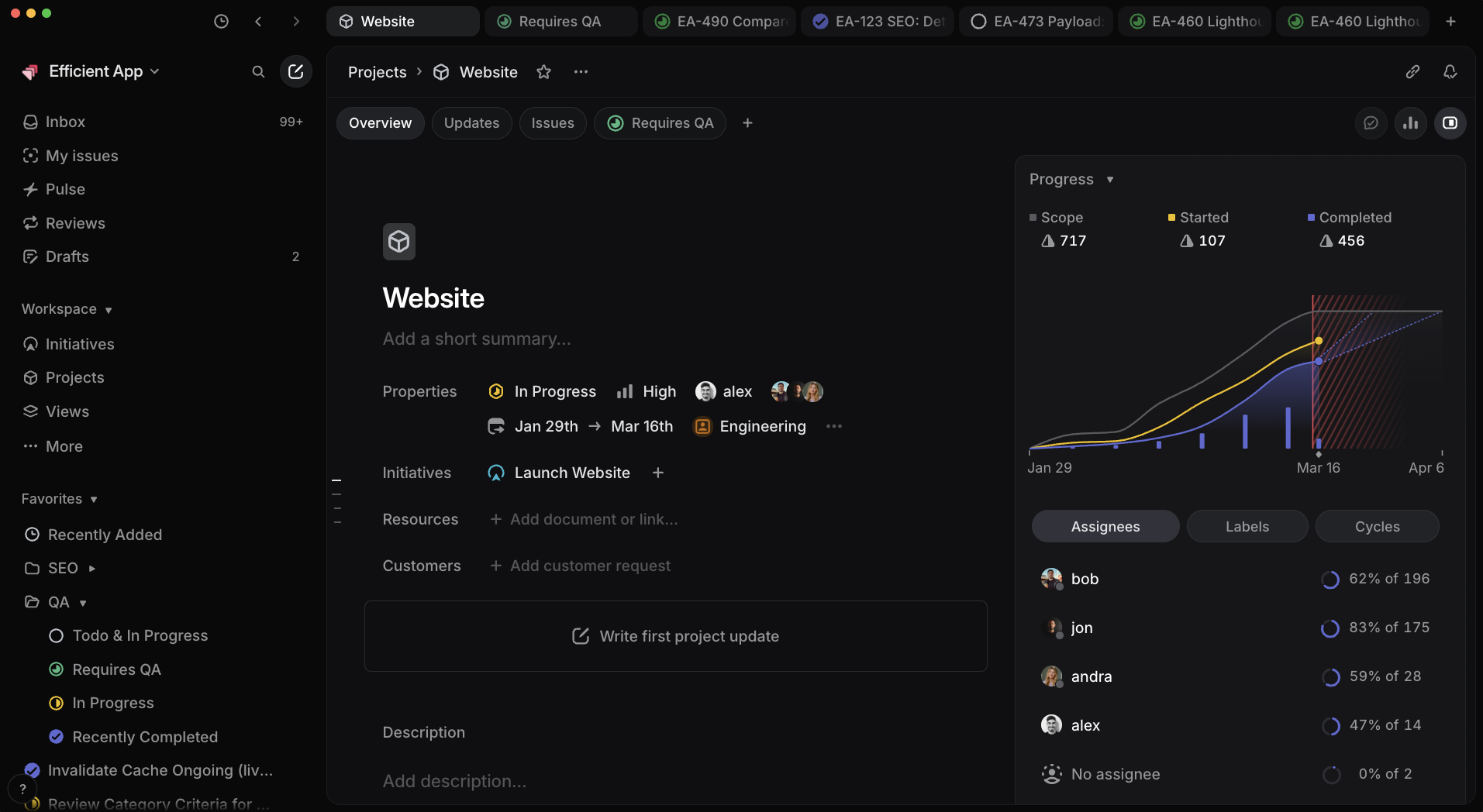
Linear also gives you a clear project view, so you get to see what's scoped, started, completed, and still hanging out there. From our own project view, seeing the website launch milestone at 75% complete was useful and also a little painful because I absolutely thought we were further along. 🫣 But we made it!
AI Features
AI FeaturesLinear’s standalone AI features are "fine", honestly nothing mind blowing. Suggested labels, assignees, and similar automations are what you'd expect. The AI integrates are what are most helpful for our team. I use their chat to ask questions like "When was XYZ bug first reported?" and it's helpful for things like that.
Developer Workflow + AI Integrations
Developer Workflow + AI IntegrationsLinear connects into the tools engineers already use, like GitHub, Slack, Claude, Cursor, Codex, and terminal-based workflows, which is what matters most for our team.
Bob's favorite part was that he could deal with Linear straight from the terminal instead of constantly jumping back into another project management app. He was able to ask what changed since he last checked, which tickets were urgent, or even what someone on the team seemed worried about.
The Linear and Slack integration is super practical too. A bug gets dropped in Slack, someone shares a screenshot, or someone says, "Hey, this thing broke," then you can just turn that into a Linear issue by mentioning @Linear.
Additional Features
Additional FeaturesKeyboard Shortcuts + Speed
Keyboard Shortcuts + SpeedThe longer you're in Linear, the more you notice that it's pretty fast. Command-K is one of those tiny little things that's an exciting, nice to have as you're moving through the app all day.
You can pull up the command menu, jump around, create issues, move between projects, and navigate pretty much anywhere, fast.
Notifications
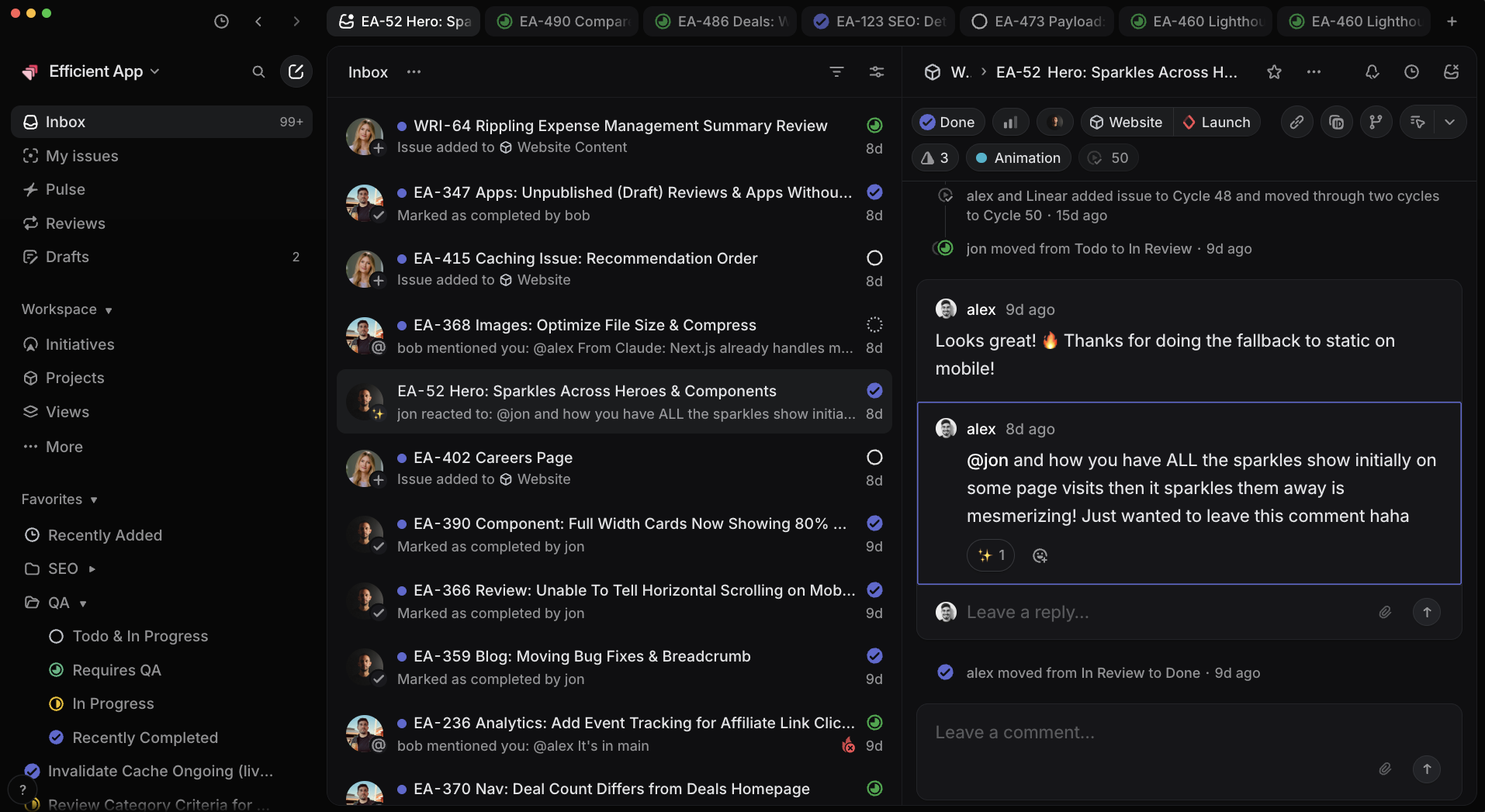
NotificationsLinear has a super robust notification area. You're able to filter what you care about, subscribe to relevant issues, and still avoid getting pinged on every tiny status change.
I typically just jump into my Linear inbox and triage through what's important, archiving with the keyboard shortcut "e" just like I triage my inbox in Superhuman Mail. It's a simple and fast user experience made for power users 👌
Views and Filtering
Views and FilteringSure, sometimes it's nice to see everything on your list of to-dos, but it also can get overwhelming pretty quick. So it's nice to use the views and filtering so you can ignore what doesn't matter yet.
During our website launch, we filtered out post-launch refinements so the team wasn't staring at a bunch of nice-to-have tasks while trying to finish the deadline-critical work.
That way, engineers are able to stay focused on assigned issues. Founders are still able to check whether projects are moving. And a product person can look at what's blocked, what's started, and what has slipped. Everyone's able to clearly delineate what belonged where at any given time during a project.
Pricing
Pricing- Free: Best for individual developers or small teams testing Linear who want a clean task list without needing advanced workflows.
- Basic: $12/per user monthly ($120 if billed annually). Best for small engineering teams that want a fast, streamlined way to manage tasks and cycles.
- Business: $18/per user monthly ($192 if billed annually). Best for growing teams that need more control, integrations, and visibility across multiple projects and workflows.
- Enterprise: Custom (contact for pricing). Best for larger organizations that need advanced security, permissions, and deeper customization across engineering teams.
Final Verdict
Final VerdictIs Linear worth it? If you're using it for your engineering or product development team, there is no better option.
That's because Linear's respects the work that engineers are actually doing. When Bob (our Head Engineer), who normally HATES normal project management tools, actually liked it, we were like, okay, cool, we found a solid fit.
This isn't going to be the tool you roll out to your entire company (not for marketing or sales teams), but it's cleaner than Jira and less bloated than general PM tools. So go for it!
Screenshots
Screenshots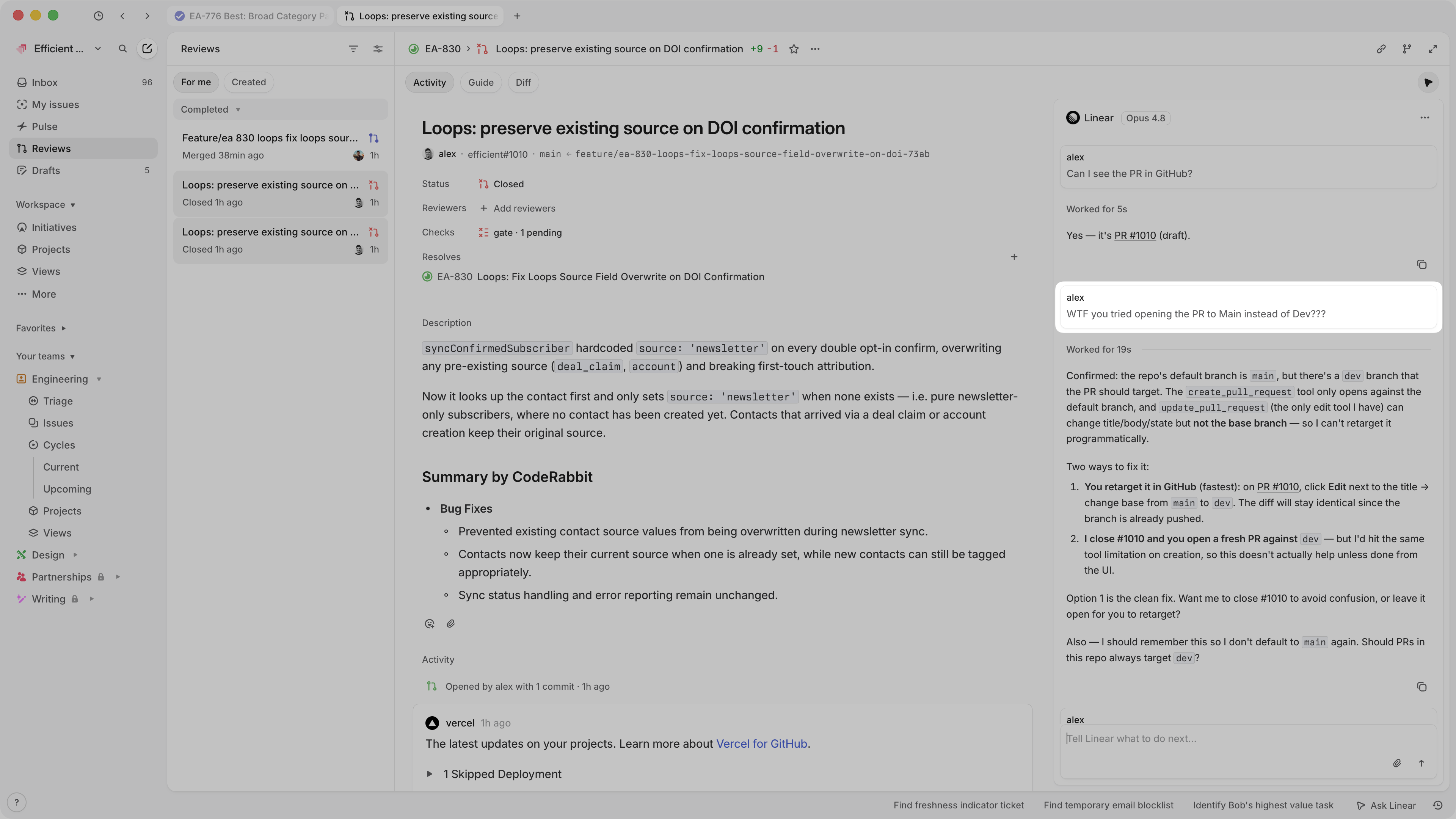

Linear
Linear Project Progress Reporting
Categories
CategoriesLinear fits into multiple categories based on what it actually helps you do. Each category highlights a different strength and the efficiency points it earned, helping you compare tools not just by features, but by how well they actually perform.
Keep exploring the best software across categories, or explore Linear alternatives

