
Review Summary
Review SummaryChatGPT Atlas has been shut down and rolled into their ChatGPT Chrome extension which brings ChatGPT to any Chromium browser.
If you want to experience what ChatGPT Atlas was, in any chromium browser, install their Chrome extension in one of the best browsers, and grab our free ChatGPT business promo code offer.
Best AI Browser? Comet vs ChatGPT Atlas vs Dia (Honest Review)
Best AI Browser? Comet vs ChatGPT Atlas vs Dia (Honest Review)What is ChatGPT Atlas?
What is ChatGPT Atlas?Update: ChatGPT Atlas has been shut down and rolled into their ChatGPT Chrome extension which brings ChatGPT to any Chromium browser.
If you want to experience what ChatGPT Atlas was, in any chromium browser, install their Chrome extension in one of the best browsers, and grab our free ChatGPT business promo code offer.
ChatGPT Atlas was a Chromium-based browser built by OpenAI that felt a lot like Google Chrome, but instead of Google Search, you had the full power of ChatGPT available everywhere you go. It's now available as a Chrome extension within other browsers, and as a headless browser within ChatGPT.
Why Use ChatGPT Atlas?
Why Use ChatGPT Atlas?Think of ChatGPT Atlas as more of an upgraded experience for the ChatGPT desktop app. Through that lens, it's a no-brainer to install and use.
For example, clicking on a link mid-chat expands the site to the left-hand-side, with chat sitting on the right. It's just a better user-experience than it popping you out to whatever default browser you have set:
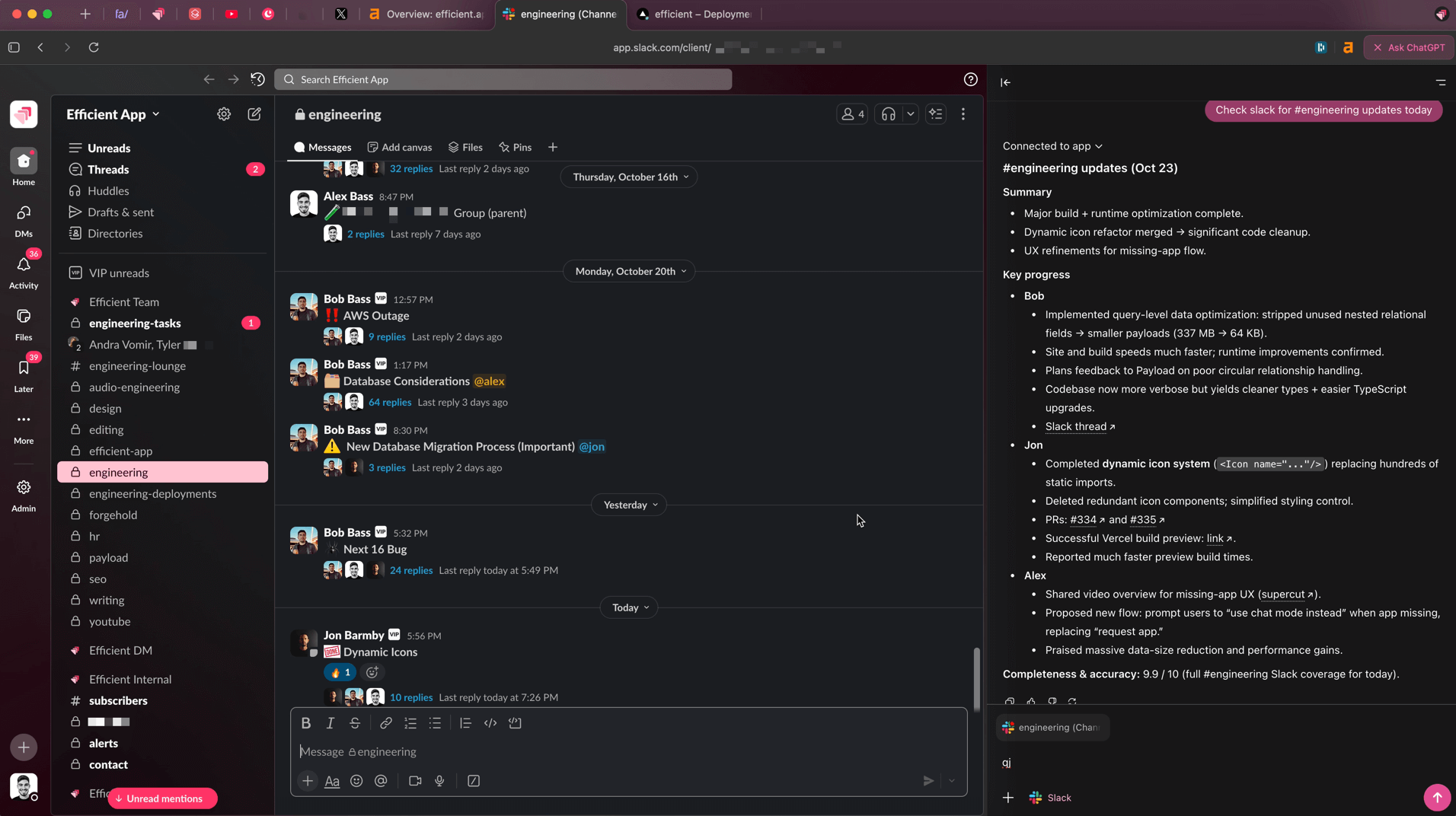
Jump into ChatGPT links without leaving ChatGPT
From there you can easily ask additional questions about the site you're on, or even reference other open tabs along with browser history. And depending on how complex of a question you ask, their built-in AI agent mode can even pop in and start navigating and completing tasks for you.
We experienced a ton of efficiency gains at work once we started using ChatGPT Atlas. It's a constant thinking partner, we probably use the side chat 20-40 times per day at work.
It even has voice mode built in, which allows you to interact even faster and skip writing. It can be a little buggy at times (when it acts up we switch to Wispr Flow) but you can literally think out loud about whatever page you’re on and go deeper with AI right there.
We’re now getting work done faster and require all team members and freelancers to work within ChatGPT Atlas as part of their role with us. If you’re running a business, especially a small team, I think you’ll see output increase just by giving them this browser. Just make sure they’re on a paid account so they don’t hit limits.
Who Shouldn't Use ChatGPT Atlas?
Who Shouldn't Use ChatGPT Atlas?If you aren't actively using ChatGPT regularly, or don't have a paid tier of ChatGPT won't get the most out of it. You'll hit limits, plus on the free tier of ChatGPT you don't have access to the best models.
They also don't have much going on with keyboard shortcuts, nor do they have any customization, so as someone coming from a highly customizable productivity browser like Arc Browser over to Atlas, I definitely feel the frustration at times.
Key Features
Key FeaturesChatGPT Atlas has the same core features as ChatGPT, so I'm just going to cover the features specific to Atlas. If you want to learn more about ChatGPT's features you can check out the full ChatGPT review.
AI Agent Mode
AI Agent ModeThe coolest feature is the ability to just tell Atlas what you'd like to do and it just takes control and does it. Tell it to add groceries from a recipe site you're on to your Amazon Fresh shopping cart and it'll just do it (very slowly, but you can do other thinks while it does that):
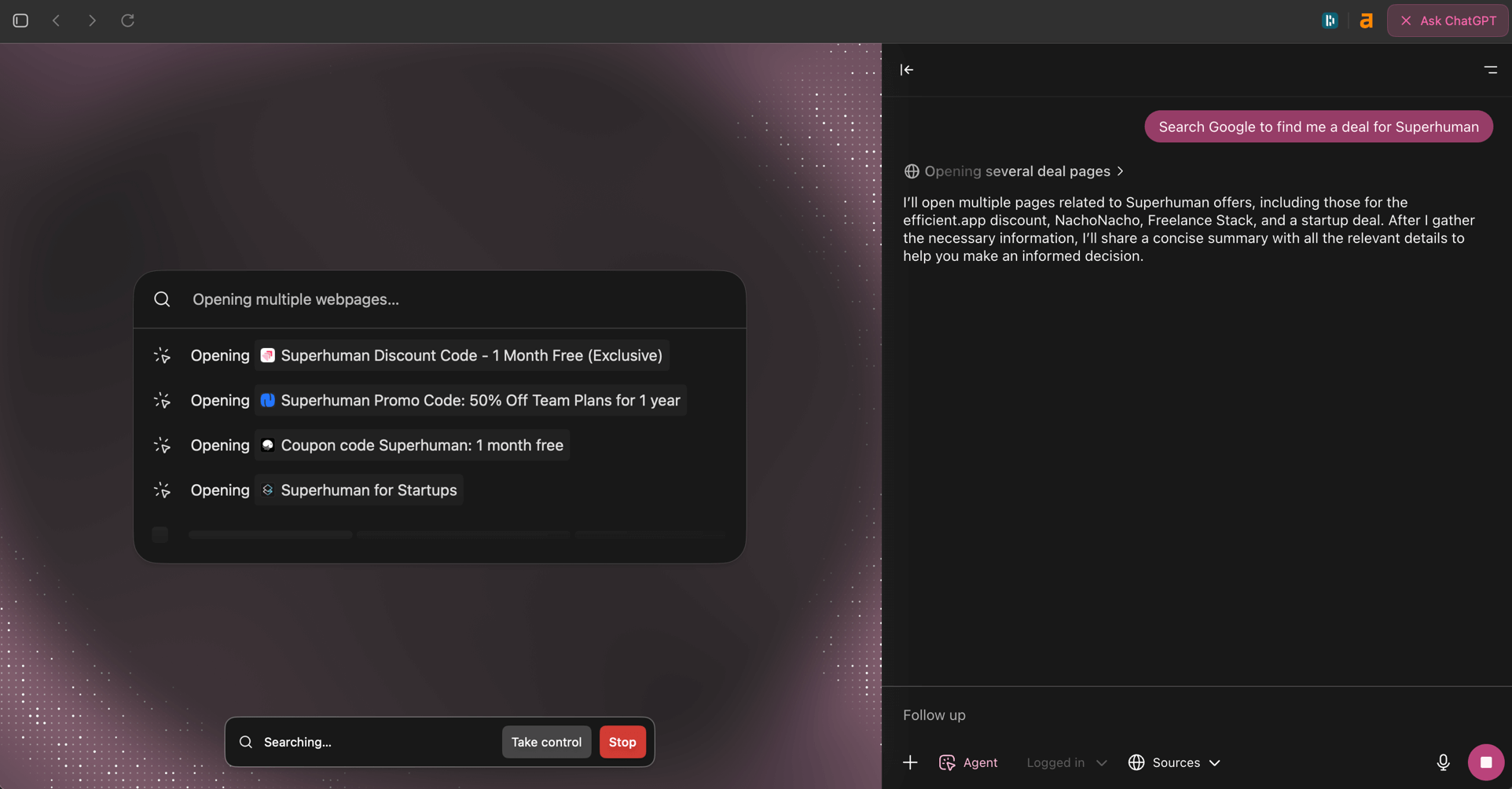
ChatGPT Atlas Agent Mode
Now, will you use it a lot? Probably not, but when you come up with a use-case for it and it works, you actually see the "magic", and a peek into the future of how AI will improve our lives, from the area that we all live and breath within for many hours per day, our browser.
It makes searching and completing tasks feel more like a multi-player/collaborative experience. It's weird to get used to, but when you do, you start thinking of tons of different ways it can help out.
AI Chat
AI ChatThis is the most core feature of the browser that you can tell
In-fact, you can even highlight text in any input while writing (whether that be via email or in your website backend updating an article), and you can just tell it to rewrite that line or section. No more copy/pasting between the site you're on and ChatGPT and back:

ChatGPT highlight text to change feature
Memory (Browser History)
Memory (Browser History)With Atlas, all of your searches actually turn into ChatGPT history (alongside your normal chat threads), along with the sites you visit via the browser history.
This mixed with the memory that ChatGPT already has about you is what makes this feel more powerful than any other browser or AI Chatbot on the market.
Chat With Tabs
Chat With TabsInstead of taking screenshots of the site you're on and asking ChatGPT for help one image at a time (yes, we all do that), you can simply pop open ChatGPT on any site and it has full visibility into the site. That, and you can even @ mention other tabs to add additional context to your query. It's tough to go back to the normal ChatGPT desktop app after using this.
Pricing
PricingWhile Atlas is technically free, the features that you're probably seeing teased all over social media and the marketing videos are actually primarily paid (at least for now).
To unlock their AI agent functionality, you must be on ChatGPT Plus ($20/mo) or higher. The same goes for memory and file recall (prior uploaded documents) as well.
So while Atlas is free, it's a pretty restricted version of it. That said, my wife and I pay for 2 ChatGPT accounts each (one personal account each, and one work account each), and we pay for accounts for our team too (including the $200/mo tier for our engineer) and get way more value out of it than we're paying.
Final Verdict
Final VerdictDo you use ChatGPT? If yes, absolutely install Atlas browser, and just treat it as more of a replacement for the ChatGPT desktop app.
In-fact, use ChatGPT for work and personal, and have 2 separate accounts? Use Atlas to login to one of them, and the ChatGPT desktop app to login to the other one, and boom! You've now got built-in account switching (sorta).
Categories
CategoriesChatGPT Atlas fits into multiple categories based on what it actually helps you do. Each category highlights a different strength and the efficiency points it earned, helping you compare tools not just by features, but by how well they actually perform.
Keep exploring the best software across categories, or explore ChatGPT Atlas alternatives
FAQ
FAQIs ChatGPT Atlas Browser available on Windows?
Is ChatGPT Atlas Browser available on Windows?No, Atlas Browser is currently only available on MacOS. They've said Windows is coming soon.