Review Summary
Review SummaryKick is a new AI-powered bookkeeping and accounting platform that we are super bullish on. We've been using QuickBooks Online (QBO) since 2010 because for a long time it was one of the only options available, but it has been absolutely dreadful software to use. If you're a new business, we strongly urge you to consider using Kick from the get-go; it's about 500 times more user-friendly than QBO.
That said, if you need full accrual accounting, or have heavy inventory, fixed assets, or a complex e-commerce business, Kick is not ready for you (yet)—but they're catching up quickly.
The Startup Finance Stack I Use as a Founder
The Startup Finance Stack I Use as a FounderWhat is Kick?
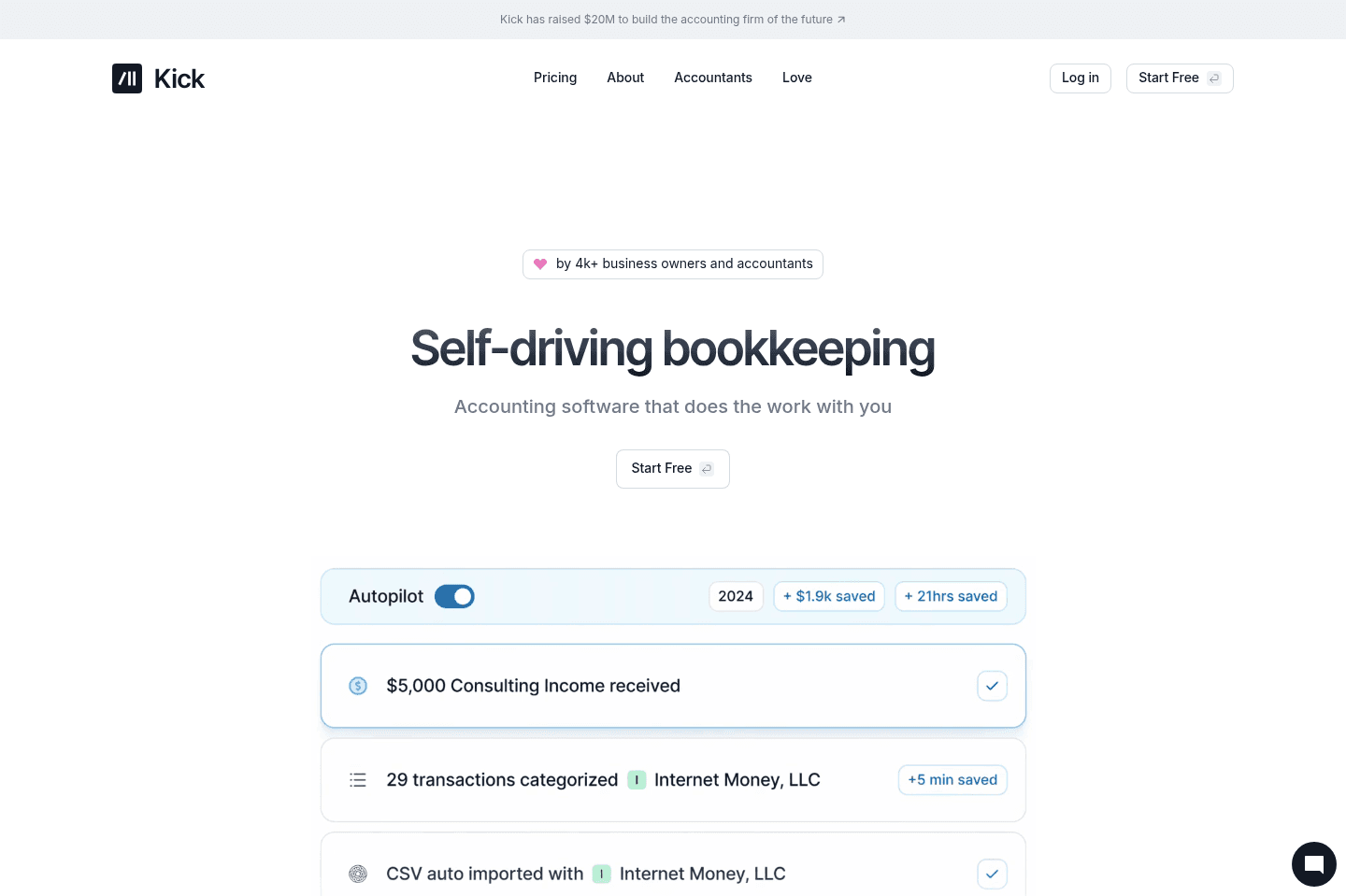
What is Kick?Kick is an AI-driven bookkeeping and accounting platform designed for businesses that want automation in their accounting workflow. It’s designed to eliminate the need for manual bookkeeping by handling transaction categorization, reconciliation, and reporting with AI.
The idea with Kick is that you should never have to think about bookkeeping again. We started using Kick as early adopters and ran it alongside Quickbooks for a year before fully making the jump over. Now we're 100% using Kick and the idea of going back to QBO is an actual nightmare.
To explain why, I'll share this about myself: I'm the CEO of Efficient App, and for better or worse the one who is the most familiar with accounting which means making sure everything is working as expected falls on me (we do have a bookkeeper and accountant, but this doesn't eliminate the need for me totally).
When I used QBO, I would spend probably 12 hours a month reconciling our books (with Kick it's more or less down to 0).
Reconciliation day in QBO was the worst day of the month for me. I could never trust the numbers in QBO and nothing worked as seamlessly as you would hope. We had Stripe, PayPal, different systems pushing data in, and things would constantly break. Sometimes the same transaction would show up twice depending on what synced first. Even though we had a bookkeeper helping, it still created it's own problems because I'd come in, realize things weren't done in the right order, and have to undo 50 transactions just to fix it.
It felt like I was starting from square one every single month just to prove that the data was accurate. By the end of it, I was completely drained. Just ask Andra, she knew by the look on my face when I had to spend hours in QBO. And this was every month 🥲
That's the context for Kick. It's AI-driven bookkeeping software that connects to your bank accounts, Stripe, PayPal, etc., pulls in transactions, and categorizes everything automatically. It feels more like a living stream of transactions instead of something you have to go in and rebuild every month.
Is Kick safe?
Is Kick safe?I know what you're thinking (because I thought it too): Can I trust Kick? What helped me make the leap from QBO was learning that the founder, Conrad Wadowski was previously the founder of Teachable that got acquired for $250M.
I spoke to him about why he's building Kick (a 30 minute call turned into several hours) and learned that his mother owns a small business and he watched her struggle with keeping her books up to date with QBO. "I'm building this for small business owners" he told me. There was no better solution, so he took it on as his next venture.
This isn't someone who needs to work, this is someone with a strong reputation trying to solve a real problem that we've all been feeling.
Who is Kick for?
Who is Kick for?Kick is available only in the US at the moment 🇺🇸
If you hate keeping your books up to date and want AI driven bookkeeping and accounting, Kick is for you. If you're a new business, don't even think twice and jump onto Kick.
Small businesses
Small businessesIf you’re just starting a business, we strongly encourage you to consider Kick instead of QuickBooks Online as its much more user friendly. It’s built for business owners while QuickBooks was built for accountants (which is why it’s so overwhelming to use). Kick's UI is minimal and intuitive to use, the team put a lot of thought into "how can we save the business owner time with this tool?"
If you're an established business, we understand this is a big leap but take from someone who transitioned super slowly, I wish I did it sooner.
Owners stuck doing their own books
Owners stuck doing their own booksAs the CEO of a small company, I ended up being the one handling our accounting, mostly because I was the only one who understood how everything was set up. We talked about handing it off, but it never really made sense.
Realistically, it was just for the one day each month and it felt too exhausting to try to actually train somebody on our setup, so hiring outside help didn't feel worth it. And even if we did, I kept wondering if I would just end up having to correct it anyway.
So it just stayed on me. That's where a lot of the frustration came from. It wasn't just that accounting took time, but more than that, it was this recurring responsibility that I couldn't really escape. Every month, I knew I'd have to go back in and deal with it... until Kick came along. Now I'm pretty much in and out within an hour a month?
Solopreneurs & Multipreneurs
Solopreneurs & Multipreneurs"Multipreneurs," aka those running multiple businesses, love Kick. This is because with Kick you can use one account to manage multiple businesses (and even connect your personal account). Want to do that in QuickBooks Online? Sorry, you can’t — you’ll need a subscription for each business 😅
Kick isn’t (yet) ideal for:
Kick isn’t (yet) ideal for:As of right now, Kick is not really built for international businesses, nonprofits, complex revenue recognition, or heavy inventory or fixed asset accounting.
Kick is built for owner-operated simplicity. If you're running deep accrual models, long-term contracts, or complex e-commerce accounting, QuickBooks Online or Xero is still safer.
Key Features
Key FeaturesAI-Driven Bookkeeping
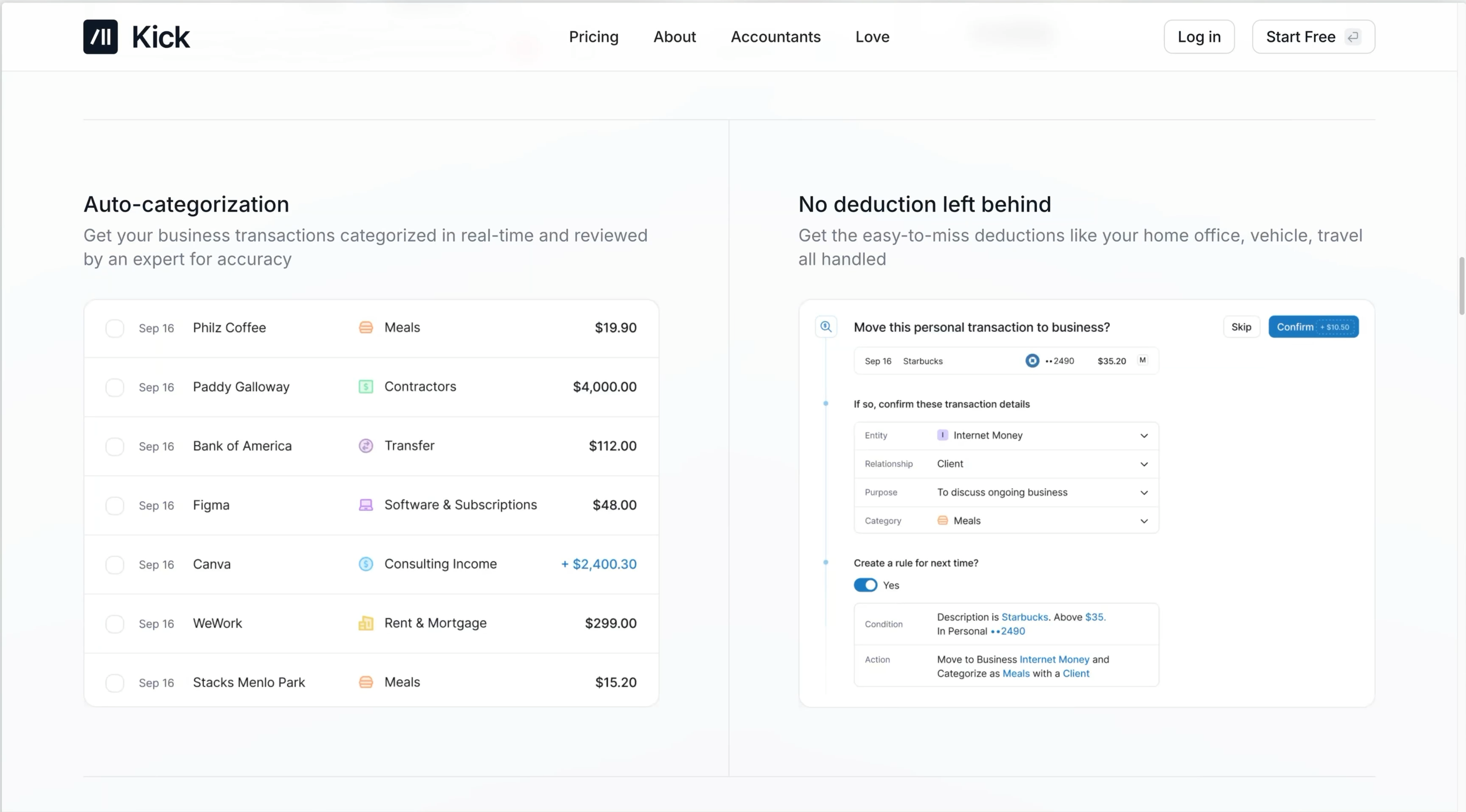
AI-Driven BookkeepingKick auto-categorizes approximately 95% of transactions, reducing manual bookkeeping. It's an area where AI feels useful for admin work, which is why we included Kick in our guide to the best AI tools.
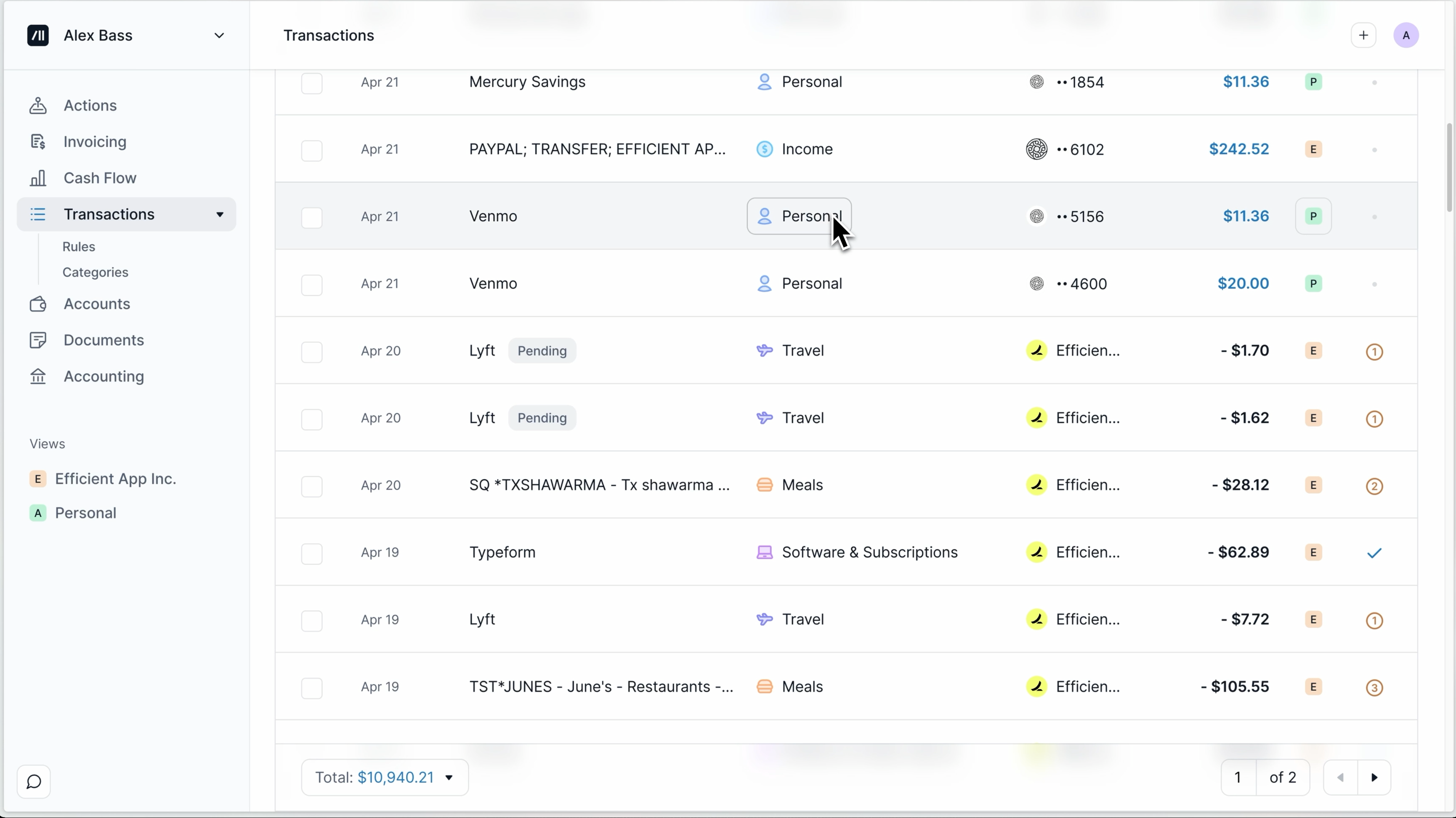
With tools like QuickBooks, there are always going to be small things to stay on top of. When we were still using QBO, I still needed to approve transactions, create rules, or go back and fix how something was categorized. It never felt like it was fully handling things, so I was always checking it.
With Kick, most of that just happens in the background. It pulls in transactions from the bank, Stripe, and everything else, and categorizes them in a way that's usually pretty spot-on. If something new shows up, I'll set a rule once, and from that point on it's handled.
If I want to change how something is categorized, I can update it and have that apply across everything, instead of going back and fixing transactions one by one.
At this point, there are really just a few new things to deal with each month instead of reworking everything from scratch.
Vendor & Customer Management
Vendor & Customer ManagementKick uses AI to auto-generate clean vendor names, fixing messy bank descriptions, which is super helpful. It also allows you to bulk edit transaction names.
Reporting
ReportingCurrently, Kick prioritizes giving business owners a simple cash flow review. While you can also get your Profit & Loss statement, one thing we wish to see is a breakdown of each category of business revenue (you can see this on the Cash Flow Report, but we are more accustomed to checking this on our P&L).
Integrations
IntegrationsOne of the biggest reasons QuickBooks kept breaking down for us was because of how everything connected.
We had Stripe, PayPal, Harvest, and a few other systems feeding data in different ways. Some things pushed automatically, some had to be manually synced, and if you didn't do it in the right order, things got messy pretty quickly (duplicates would pop up, or things just didn't match.) I ended up spending more time trying to validate that everything synced correctly than actually understanding what was going on in the business.
Kick built proper integrations and it's just pulling everything in directly, which is why you don't run into the same edge cases.
Stripe
Stripe is probably the clearest example of that difference. When I was using QuickBooks, Stripe was always a headache. Every Stripe payment actually creates multiple records (revenue, fees, refunds, and the payout to your bank).
In QuickBooks, I had to manage those separately and try to tie them together. We actually spent 50-60 hours alone building a custom integration with QBO + Stripe via Zapier. And it still never quite felt like a system I could trust without checking it. Side note: can you friggin believe that Stripe and QBO don't have a native integration???
Everything shows up already the way you'd expect it to in Kick. Revenue, fees, refunds, and taxes are all separated properly, and then payouts match directly to your bank deposits without you having to stitch things together or trying to reverse-engineer what happened.
Mercury & Ramp
That same pattern carries across the rest of the integrations. We're using it with Mercury bank and Ramp, and everything flows in without needing to think about it. It also supports tools like PayPal and Gusto. And if something isn't directly supported, you can still connect it through Plaid, which covers most banks and credit cards, or just import transactions manually.
The only gap right now is things like brokerage accounts, which aren't directly supported yet. It hasn't been an issue for us, but it's something to be aware of depending on how your finances are set up.
Bottom line: I'm not really thinking about integrations anymore. I'm able to take a step back and trust that the tool is doing the work for me.
P.S. Heads up it does not integrate with BILL Spend & Expense (yet).
Auto Reconciliation
Auto ReconciliationReconciling used to mean sitting down at the end of the month and going line by line. Even when it worked, it still felt like a process I had to go through every time.
With Kick, it's just happening in the background. For the accounts it supports, it's pulling everything in and reconciling it against what's already there. So instead of blocking off time to match transactions, I can open it and assume it's already been handled, with maybe a couple edge cases to clean up.
It just removes that end-of-month step entirely.
Real-Time Reporting
Real-Time ReportingOne of the bigger differences for me is just how quickly Kick lets me understand what's going on in the business without having to dig for it.
QuickBooks has so many menus, and reports, and tabs. Tracking down what I was looking for became a game of constantly clicking into something, opening a new view, and then trying to get back to where you were. It honestly felt like stepping into a cockpit about to fly a plane 😅
Kick is SO much more straightforward. When I open it, I just have a much better idea of where our money is coming in and where it's going. It gives me a better pulse on what's actually happening in the business without needing to dig through reports.
Everything is very glanceable. If I see a number that looks off or just bigger than expected, I can click into it and immediately see where it came from, what the transactions were, and how it all ties together. Bonus: You never really lose your place either. You can click into something, check it, and go right back to where you were.
Because I'm not jumping between tabs or trying to piece things together, I just have a much better pulse on the business without needing to dig for it.
Multi-Entity Management
Multi-Entity ManagementWe have Efficient App, Efficient VC, and a holding company, and guess what? We can use Kick for all of it 🙌 So if you run multiple businesses, Kick is for you. You get to manage all the businesses under one subscription and login. Oh and you can also add your personal accounts too.
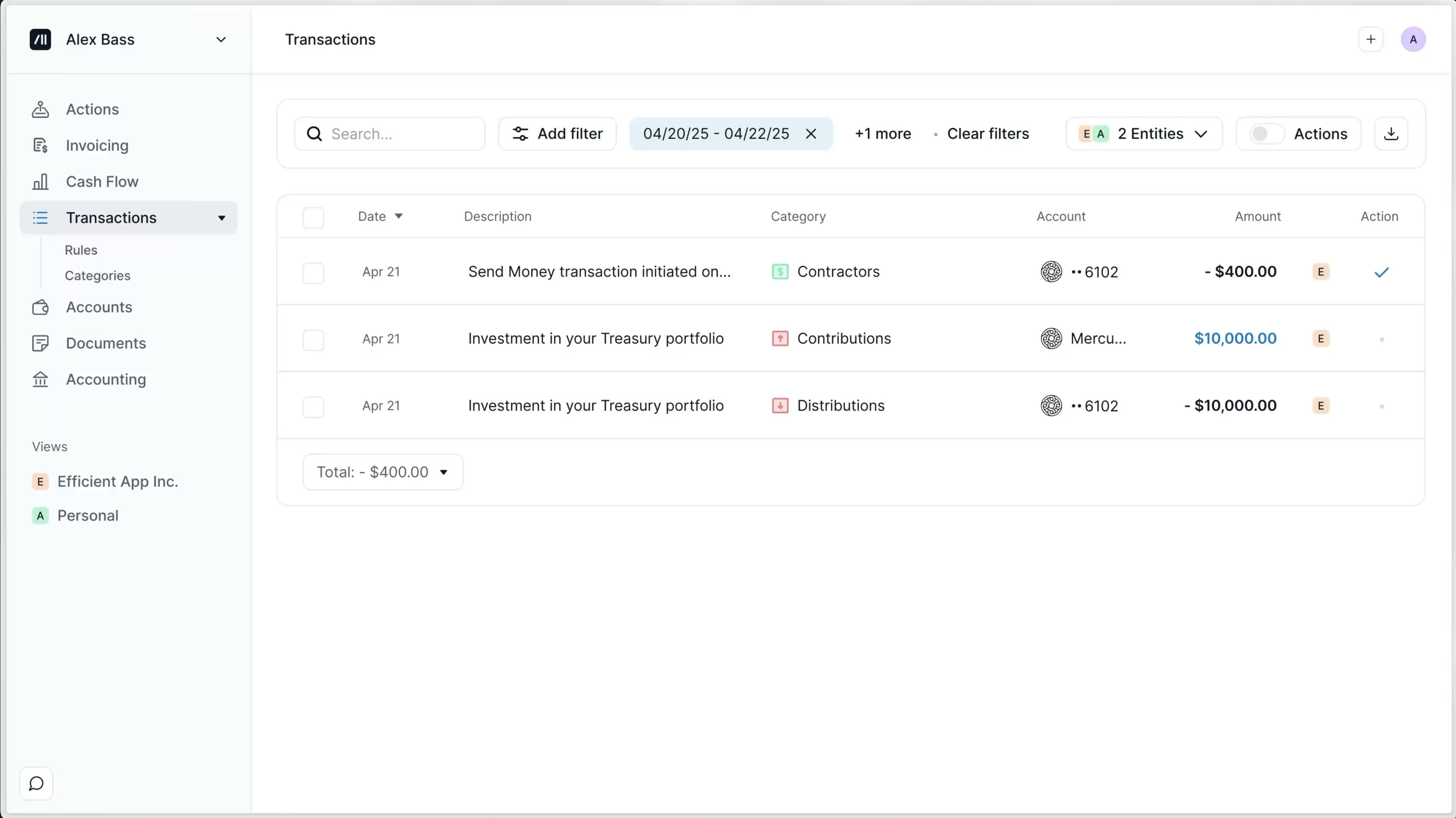
What's cool is you can even take a single account inside your bank and treat it as its own entity in Kick. It has its own transactions, its own reporting, and its own view of what's going on, even if it's not technically a standalone company.
When it comes to tax time then, you don't need to untangle everything after the fact since it's already segmented properly from the start.
Additional Features
Additional FeaturesAccountant Collaboration
Accountant CollaborationWorking with an accountant usually turns into a lot of back-and-forth, especially around tax time. You're sending receipts, answering questions, figuring out what a transaction was months later..it's all reactive.
With Kick, most of that context is already there. Transactions, documents, and notes all live in the same place, so instead of trying to track things down later, it's already attached to what it belongs to. I can also see what's been reconciled and what hasn't, so I know exactly where things stand without needing to ask.
It doesn't replace an accountant, but it removes a lot of the friction in working with one. Instead of re-auditing everything or answering the same questions over and over, it's already organized in a way that makes sense. I actually trust the accountant more in here because it's harder for things to go wrong in the first place.
Classes & Subclasses (Unlimited)
Classes & Subclasses (Unlimited)This is something we don't use heavily, but it's worth mentioning because it becomes important as things get more complex.
If you want to break things down further, like by product, service, project, or anything else, you can layer that into Kick without changing how everything else works.
What I like is that it doesn't force you into that structure from the beginning. You can keep things simple while you're small, and then add more detail later if you actually need it.
That's a better way to grow into it instead of overbuilding your setup upfront and then spending time maintaining something you don't really use.
Pricing
Pricing- Free: $0/mo. Best for businesses just starting out or evaluating the product (up to $25k in annual expenses). This is a genuinely useful free tier, not just a trial.
- Basic: $35/mo ($420/yr). Best for small businesses that want more customization and automation beyond the basics.
- Plus: $125/mo (billed quarterly). Best for growing businesses that need deeper financial reporting and more control.
- Custom: Starts at $200/mo. Best for larger or more complex businesses that need dedicated support, tax services, and advanced accounting.
You can manage multiple businesses within Kick, so keep that in mind too (as you'd normally need to pay for separate subscriptions per business).
Final Verdict
Final VerdictIs Kick worth it? If you're a US-based service business owner and you've ever had that recurring "I need to do my books" day hanging over you every month, then yeah, it's absolutely worth trying. I went from blocking off time every month to deal with accounting to barely thinking about it at all.
If you're running something more complex (heavy inventory, accrual accounting, international operations) you're still going to need a more traditional setup and a hands-on accountant.
But for owner-operated businesses, especially service-based ones, make the switch. The easiest way to approach this isn't to think of it as a big migration. Just sign up for Kick, connect your accounts, and let it run and do it's thing. Pretty quickly you'll realize it's doing a better job than any other traditional accounting tool.
By the time you're ready to rely on it, you'll already have historical data built up, and the switch feels a lot less dramatic. Oh, and by the way, don't forget to grab your Kick Discount before you sign up.
Screenshots
Screenshots
Kick
Categories
CategoriesKick fits into multiple categories based on what it actually helps you do. Each category highlights a different strength and the efficiency points it earned, helping you compare tools not just by features, but by how well they actually perform.
Keep exploring the best software across categories, or explore Kick alternatives