

Review Summary
Review SummaryBILL Spend & Expense is the best expense management software for small-medium sized businesses. They are extremely accessible and do not require bank minimums like other expense management tools do.
Plus, it's totally free! We used it for 5+ years and it's the tool Alex's step-father uses in his construction business.
THE Complete Software Stack Every Small Business Needs 🤫
THE Complete Software Stack Every Small Business Needs 🤫What is BILL Spend & Expense?
What is BILL Spend & Expense?I'm sure you've heard of a business credit card? BILL Spend & Expense is a replacement for your typical corporate card. It's totally free to use (no annual fee), you get rewards and it has a much more comprehensive feature set, giving you the ability to create virtual credit cards for each vendor with spending limits. Further, BILL Spend & Expense is an expense management solution. Bought a new marketing software? Categorize it and when integrated with Quickbooks Online, it will automatically reconcile your books for you.
Simply put, if you are a business owner living in the United States, you are missing out if you're not using an expense management solution + a BILL Spend & Expense business credit card.
There are other players in the market, and we've used all of the core competitors (Ramp, Brex, Expensify, and Airbase), and we're here to tell you to look no further than BILL Spend & Expense if you want a expense management solution that won't ask you for a bank minimum. (Did we mention it's totally free? 👀)
Eligibility Requirements
Eligibility RequirementsThe BILL Spend & Expense eligibility requirements are way more accessible than that of Ramp and Brex (who both make their account criteria high). BILL Spend & Expense is great for teams of all sizes, even if you're just getting your business started.
BILL Spend & Expense is one of the best tools in the spend management, business credit cards, budgeting, and basic accounting automation suite for most businesses of all sizes.
Who is BILL Spend & Expense for?
Who is BILL Spend & Expense for?If you have receipts in every pocket, a stack of them on your desk, and a spreadsheet you update when you remember to and you want an automated way to manage expenses, then BILL Spend & Expense is for you.
Or maybe the problem is even worse, your team grabbed lunch with a client, or picked up supplies and they are dumping their receipts on your desk and you're managing reimbursements, then we have two hands in the air saying BILL S&E is for you.
We actually found BILL S&E by accident, a customer asked if they could pay us via a BILL S&E card and we had no idea the product even existed (this was 5 or so years ago). Once we looked into it, we couldn't believe there was a free tool that would handle all expenses and integrate directly with our accounting software.
It worked so well that we got a family member on it too (Alex's step-father). He runs a construction business and Alex recommended it to him.
Before BILL S&E, sending someone to pick up materials for a job meant handing over the business card and finding out after the fact what they spent. With BILL S&E, they get their own card with a budget attached, they can't go over it. More than that, the cash back rewards get pooled and he decided to use them for team bonuses at the end of the year.
If you've never used an expense management tool before, this is the one to start with. It's easy to get approved for, no bank minimum, and for most small businesses it's everything you need.
Key Features
Key FeaturesUser Experience
User ExperienceOut of all the competitors, BILL Spend & Expense has the best UI/UX and does a fantastic job at natively integrating with QuickBooks Online (for automating your expense reconciling process), and handles team budgeting like a dream:
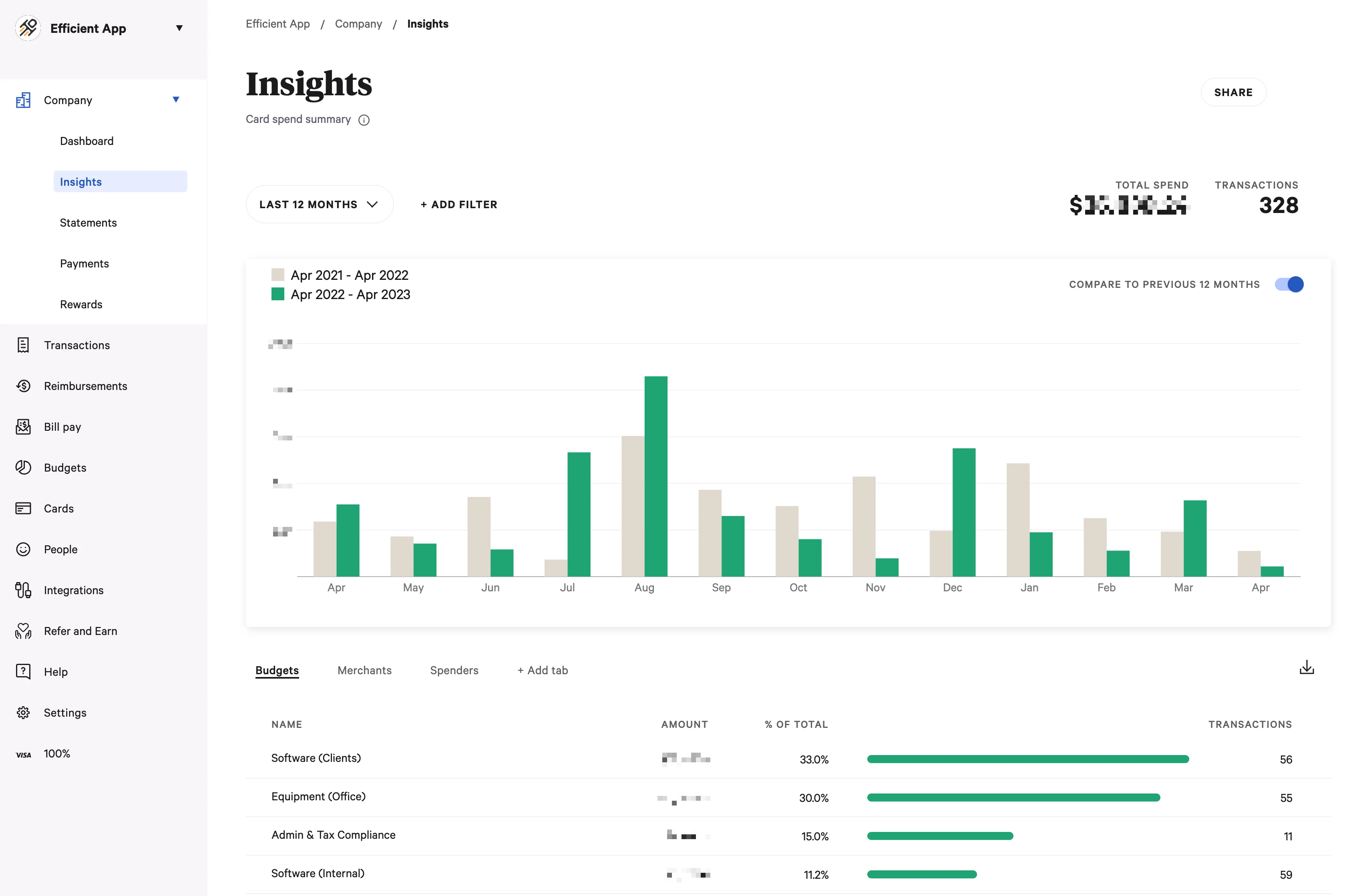
BILL Spend & Expense allows you to create a virtual credit card and map it to the respective category + set up an email forwarding filter within your email once, and every single time the card is charged, your QuickBooks Online is already reconciled and up-to-date with a PDF of the receipt.
Virtual Credit Cards & Budgets
Virtual Credit Cards & BudgetsThis is the feature we care most about, and we have a story to prove why
A while back, Alex caught two charges on our statement that didn't add up, one at Home Depot, one at Walmart. The card was only on file with our accountant at the time, and only with them, so we knew immediately something was off. We froze it, called the office, and it turned out an employee who had been there for 15 years had been stealing card numbers. The accountant launched an investigation, called the police, and she was eventually caught.
The reason we were able to isolate it so quickly is because that card existed for one purpose and one vendor. If we'd been running everything through a single shared corporate card, that charge would have been buried in a list of fifty others and we might not have caught it for weeks. Not to mention, we'd have to spend at least 1-2 full days updating our credit card on file with every single subscription (oh gosh, what a nightmare and waste of time).
That's the case for virtual cards. You create a dedicated card for each vendor or employee, set a limit, and if anything ever looks wrong it takes about five seconds to freeze or cancel that one card without touching anything else. We set a hard limit on every subscription we run and if a vendor decides to raise their price and charge us more, the card declines. We find out, we decide if we want to approve it. It's incredible.
As your team grows you can layer in approval flows, employee cards with individual budgets, and spend policies but even at its most basic, the vendor-specific card setup alone is worth switching for.
Expense Tracking and Approvals
Expense Tracking and ApprovalsExpenses show up immediately after a card is used, and they're already tied to the correct budget or vendor. There's no waiting for statements or manually compiling reports at the end of the month. You can also set up approval flows so employees request funds before spending, so everything is predictable.
This removes so much back-and-forth. Instead of chasing people for explanations after the fact, you're approving spend before it happens and seeing it in real time as it comes through.
Integrations and Auto-Reconciliation
Integrations and Auto-ReconciliationEach card can be mapped to a category, and then its transactions flow directly into QuickBooks with the right classification. If you route receipts correctly, they attach automatically as well.
The flow is a charge happens, it gets categorized, and then it's correctly in QuickBooks without anyone touching it. Month-end close gets a lot faster when most of your expenses are already clean!
BILL S&E integrates with most popular accounting tools, but if for whatever reason it's not supported, you can export everything as a CSV and import it into your system. It's not as seamless as a native integration, but it still saves a lot of time and keeps you from being locked out of automation.
Employee Cards
Employee CardsHave multiple employees that need their own corporate card? Create a card for them and set a spending limit, that's all you need to do. You can change the spending limit for each employee, make it $50 or $500, BILL Spend & Expense cards allow you to be flexible.
If they leave the company, simply freeze the card (you have total control, just think of what the process is like with a typically corporate card. Issuing a new card for an employee is an annoying process, as is cancelling it).
All of this also benefits your employees as they don't need to front expenses or submit reimbursements as often, and they have a clear boundary for what they can spend. It feels more controlled, but also more empowering. We love giving cards to our employees to make them truly feel like a part of the team, and we don't lose sleep over any unexpected charges happening as we have full control.
Reimbursements
ReimbursementsWhile virtual cards will cover most spend, BILL S&E also handles out-of-pocket employee expenses. Employees can submit expenses, attach receipts, and get reimbursed quickly.
Everything shows up alongside card transactions, so you don't have to juggle separate systems or track down missing receipts. That said, we recommend issuing credit cards to your team instead as a best practice so they don't even need to pay for anything upfront with their own cash.
Additional Features
Additional FeaturesRewards & Perks
Rewards & PerksThe rewards are pretty standard with others in the business credit card space, getting somewhere around 1–1.5% on all categories, with a bit more in certain categories (higher % when making payments weekly—less if made bi-weekly or monthly).
One customer that we recommended BILL Spend & Expense to started using it and quickly saw his reward balance grow. He decided to use the reward funds as Christmas bonuses for his employees. He said, "it's money that's just sitting there, and if I can give them a little extra to take home at the end of the year, it's something cool I get to do."
Travel rewards are also a perk with BILL Spend & Expense as they are partnered with TravelPerk. While we haven't cashed in our travel rewards yet, it's a great option for our next company retreat!
Pricing
Pricing- Free: $0/month. This covers everything: expense management software, corporate cards, budgeting + controls, and accounting integrations.
Honestly, I thought we were paying a subscription when I first used BILL S&E, I couldn't believe the software was free since it was that good 😅 (If you're wondering how they're able to do that, they make money on interchange).
Final Verdict
Final VerdictIs BILL Spend & Expense worth it? One thousand percent. I wish more people knew about this category. I've worked in start-ups and small businesses where I'd pay for everything out of pocket, have to put together a spreadsheet with receipts, and dump it on someones desk. I can just imagine how handy a tool like this would have come in then both for myself, and for my employer.
If you're ready to give it a shot, don't forget to grab your BILL Spend & Expense referral bonus.
Categories
CategoriesBILL Spend & Expense fits into multiple categories based on what it actually helps you do. Each category highlights a different strength and the efficiency points it earned, helping you compare tools not just by features, but by how well they actually perform.
Keep exploring the best software across categories, or explore BILL Spend & Expense alternatives
FAQ
FAQWhat credit score do you need for the BILL Spend & Expense card?
What credit score do you need for the BILL Spend & Expense card?BILL Spend & Expense looks at a few different factors when deciding whether to approve your application. Each application gets reviewed individually.
One key point is credit: both business and personal credit usually need to be in the "good-to-very-good range". We recommend giving it a shot and applying, the application is quick and you don't have anything to lose and much to gain by using their platform (P.S. grab your BILL Spend & Expense referral bonus before you apply).