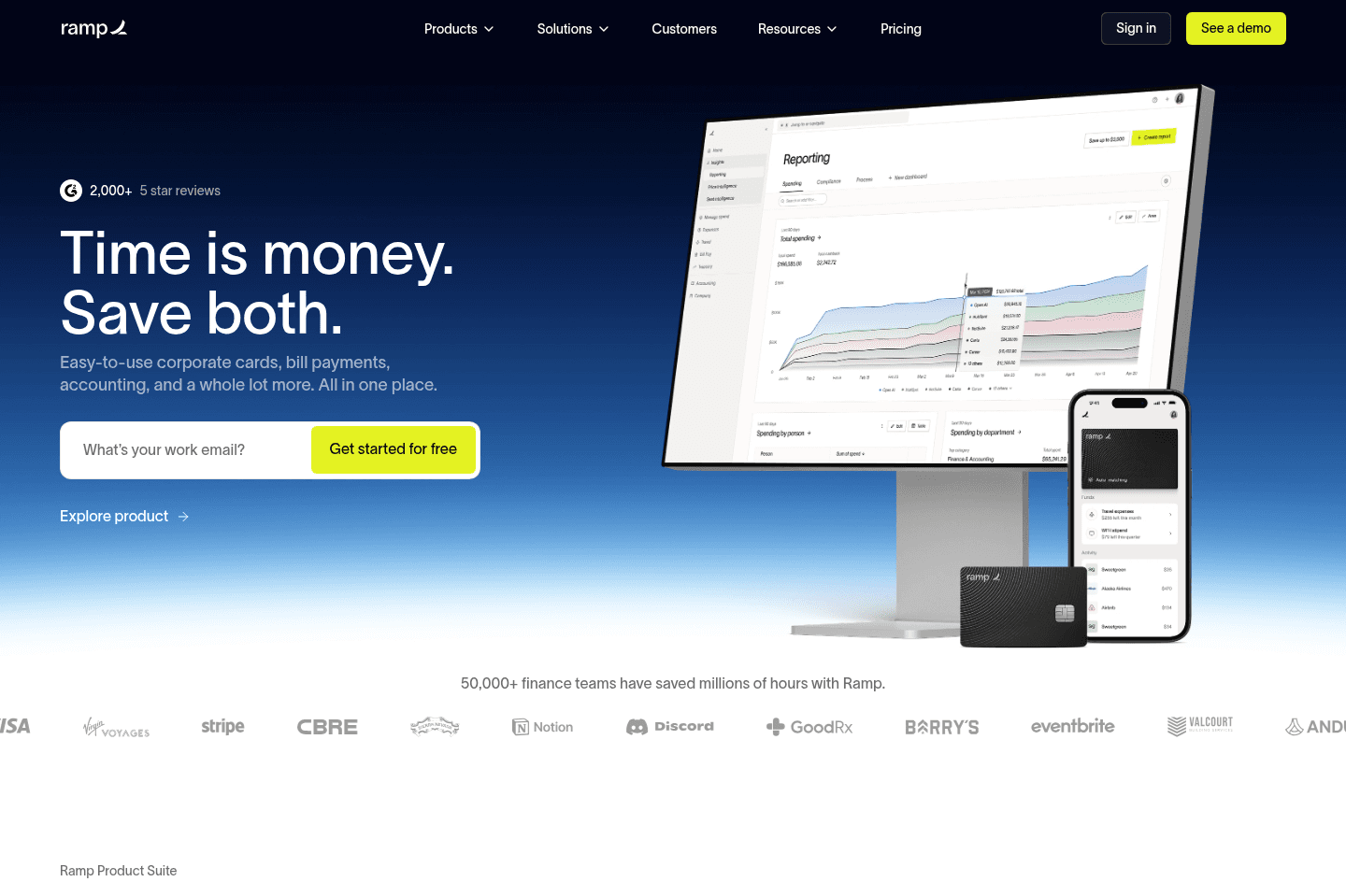
Review Summary
Review SummaryRamp is our top pick in the expense management category for businesses that consistently hold at least $25K in their bank account.
If you're tired of clunky expense reporting, slow corporate card processes, and feeling like your "finance stack" is duct-taped together, Ramp is awesome. We'd absolutely recommend it for modern companies, especially over traditional options like Amex or slow-moving legacy systems. (Oh, and it's totally free 👀)
The Startup Finance Stack I Use as a Founder
The Startup Finance Stack I Use as a FounderWhat is Ramp?
What is Ramp?Ramp is a corporate card and expense management platform designed to help companies control spend, automate finance tasks, and gain visibility into expenses. It is one of the best expense management apps available and the one we use.
We switched to Ramp after using BILL Spend & Expense for over five years (and did love using it), but ended up switching because we became more of a start-up (we were using BILL S&E when we were a consultancy).
Oh, we also used Brex once upon a time, but it was no where near as modern or user friendly, and they randomly shut our account down so, there's that.
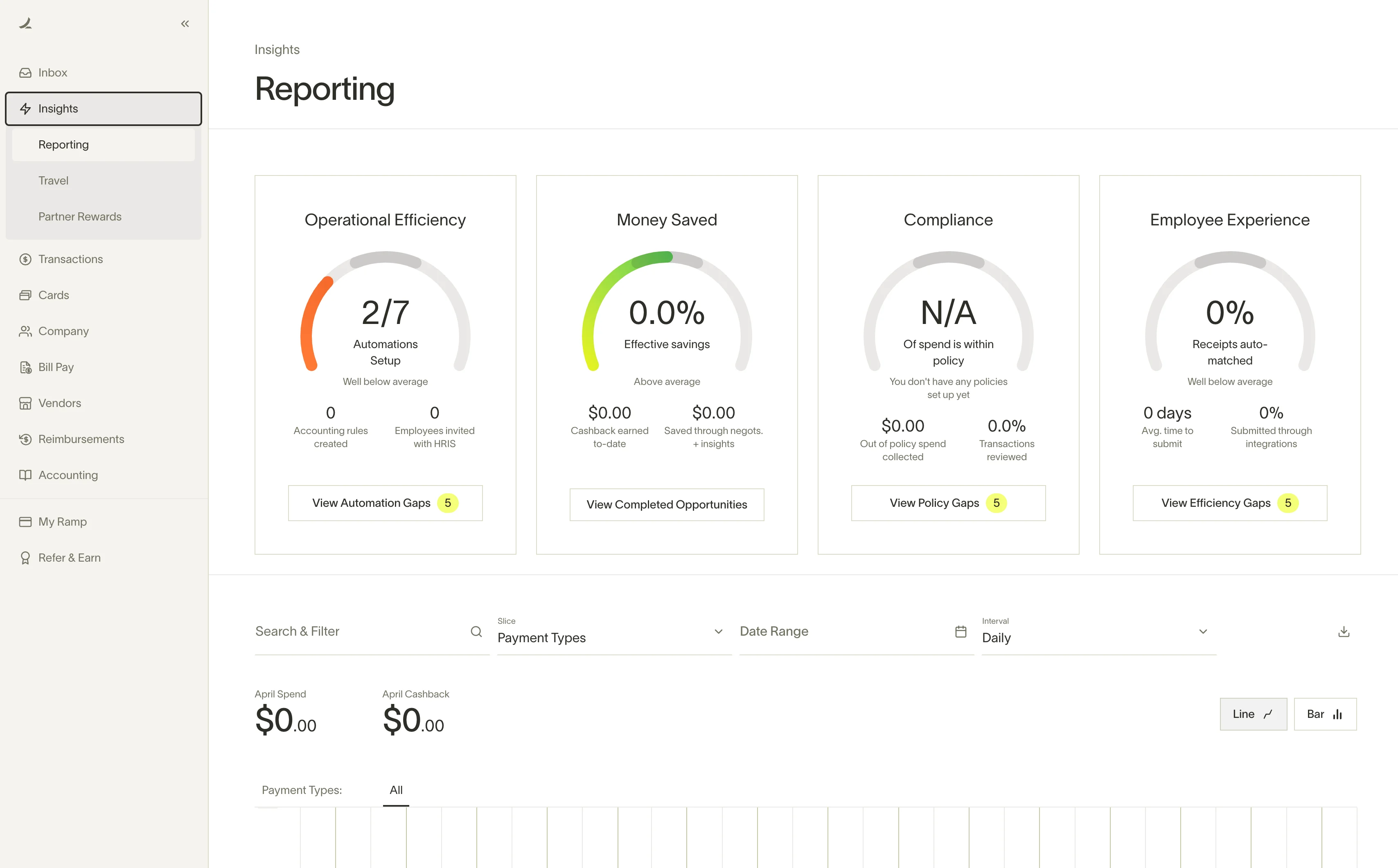
All that being said, Ramp is one of the clear leaders in the spend/expense management, budgeting space, and accounting automation space. They have a great UI/UX, tons of reporting/insights features, and a super clean and fast search functionality to find exactly what you're looking for:
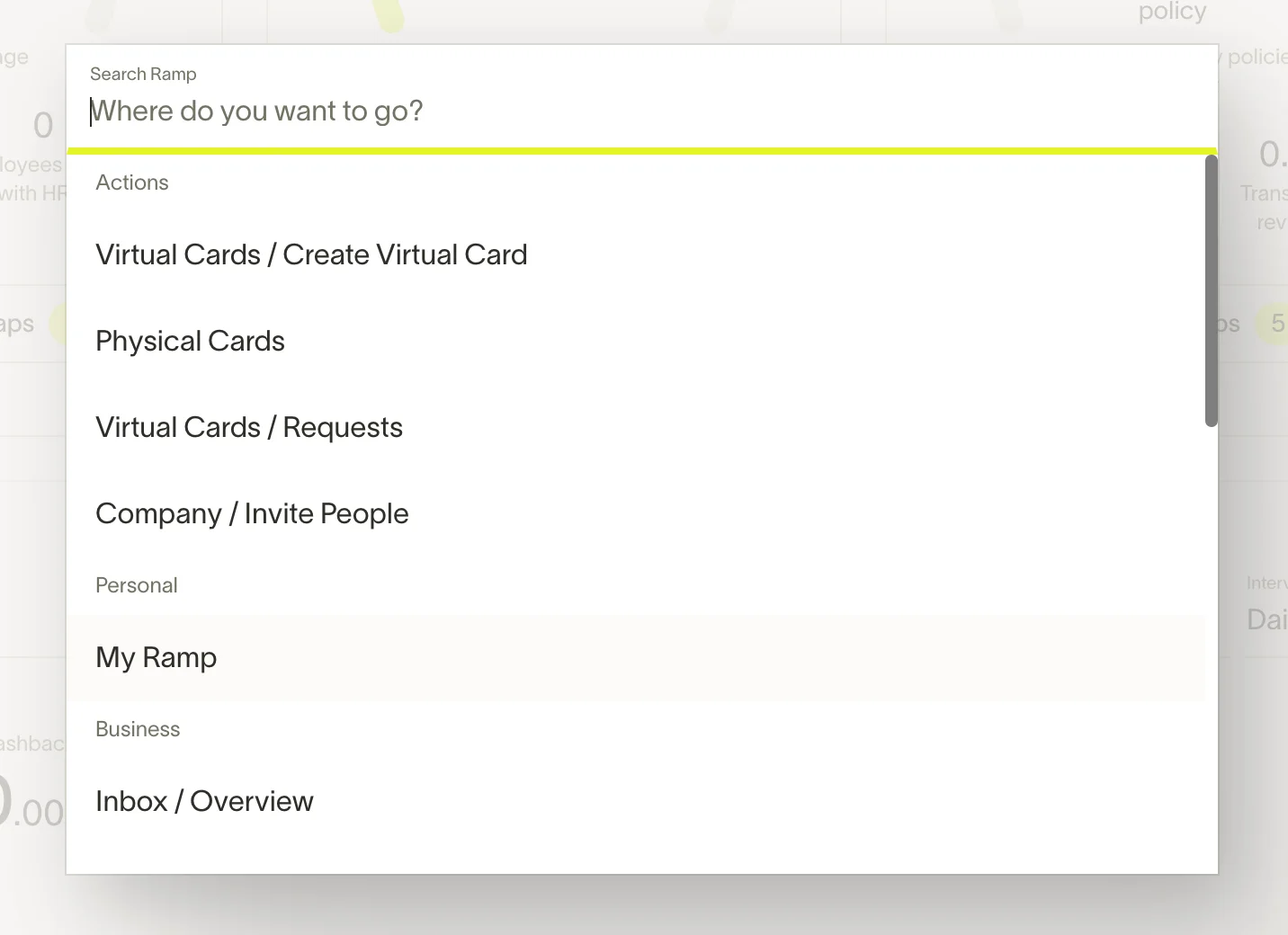
Once you discover their command search (CMD + K), finding anything (a transaction, a card, a setting) is super quick and intuitive instead of digging through menus.
Who is Ramp for?
Who is Ramp for?There are really two types of people who land on Ramp.
First, if you're already on an expense management tool and it's not keeping up - whether that's Expensify getting clunky as your team grows, hidden fees catching you off guard, or Brex's recent acquisition by Capital One making you rethink things, Ramp is an easy switch. We named it the best expense management software in the category for a reason.
The second is someone who's never had a proper system at all.
So for example, say you've got a contractor who needs to pick up materials, so you hand them the company card and hope for the best. They come back and you find out they spent $3,000 when you needed $1,500 worth of stuff. Or you've got a team that travels for work, and every time they come back, someone's sitting down with a pile of receipts, entering them into a spreadsheet, emailing it to finance, and waiting to get reimbursed. It's a bunch of admin for everyone involved, and none of it is actually running your business.
With Ramp, you issue a card with a specific limit for a specific purpose. Your guy picking up materials gets a card with a $1,500 limit and that's what he can spend. Your sales rep on a work trip gets a card with a $60 daily limit for meals and transport, texts their receipts as they go, and there's basically nothing to reconcile when they get back.
Opening Requirements
Opening RequirementsKeep in mind that Ramp does require businesses to maintain at least $25K in a business bank account to get approved, so it's built for companies that are already operating with some real cash flow (if you don't have that, use BILL Spend & Expense, that's where we started).
Key Features
Key FeaturesOnboarding
OnboardingWe found the onboarding experience was quick and easy, taking just a few minutes to set up cards and accounts. Compared to traditional banks where onboarding can take days or even weeks, Ramp made it feel like signing up for a consumer app. Ramp does have a nice AI chatbot that you can ask questions to and it's actually helped us understand the tool better as we set it up.
Migrating from BILL Spend & Expense was easy, we uploaded historical data from BILL S&E and it Ramp recommended the cards we should create.
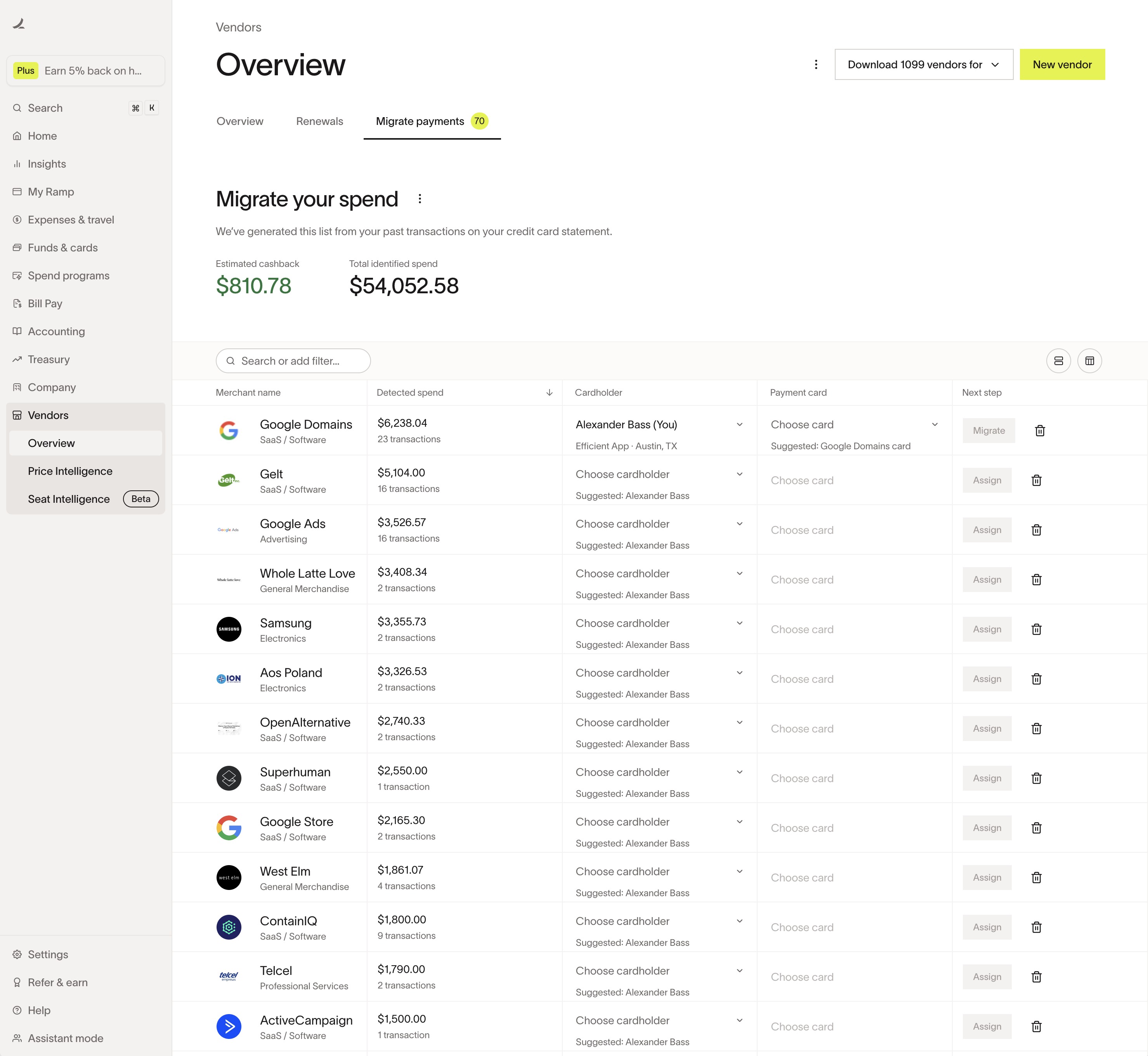
We uploaded a historical CSV from our prior expense management tool and Ramp recommended which cards we should create.
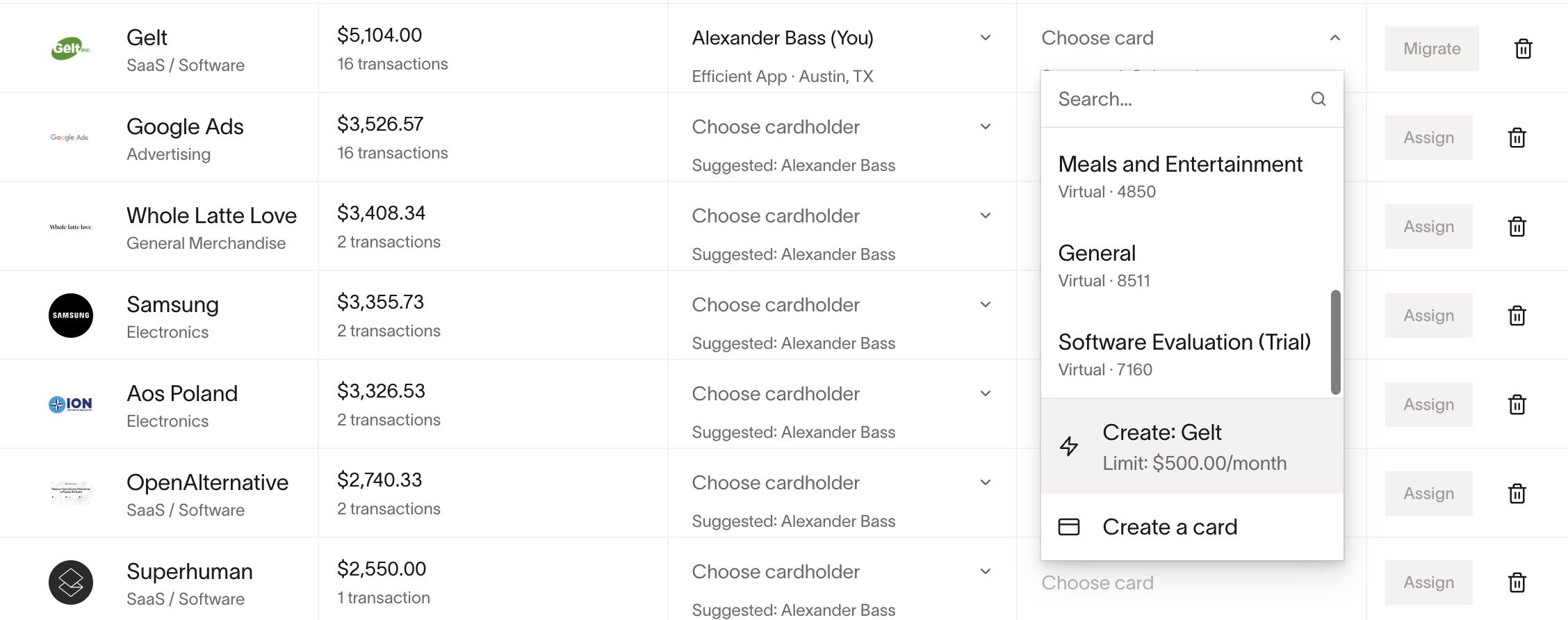
Ramp knew to recommend a $500/mo limit based on historical charges.
Virtual Cards & Spend Controls
Virtual Cards & Spend ControlsRamp has virtual card functionality (and physical cards for employees). You'll want to spin up a virtual card for each vendor you use with Ramp, and you can even restrict (lock) these cards to a specific merchant.
This is core to what makes Ramp powerful, and honestly the reason we care so much about expense management even as a small team.
A while back, Alex caught two charges on a statement that didn't make sense, one at Home Depot, one at Walmart. The card was only on file with our accountant, so we knew immediately something was wrong. We froze it, called the office, and it turned out an employee who'd been there 15 years had been stealing card numbers. She was caught, but the whole thing stuck with us.
If you take one thing away from this review, it's this: when you run everything through one shared card, a problem anywhere becomes a problem everywhere.
With Ramp, our engineer has a dedicated card for his OpenAI subscription. If that ever gets compromised, we cancel one card, we don't spend a weekend updating payment details across every tool in the stack.
You can also lock cards to specific merchants, set daily/weekly/monthly/one-time limits, and cap free trials so you never "accidentally" get charged when a subscription renews. Or spin up a one-off vendor card and close it immediately after.
As your team grows, you can layer in approval workflows, assign roles, and build policies around spend. It's flexible enough for a finance team, but simple enough that as a small team, you won't feel buried in configuration.
Automated Expense Management
Automated Expense ManagementThis is a feature that truly feels like magic is happening behind the scenes. With Ramp, you or an employee tap a corporate card, and a text arrives within seconds asking for the receipt. Just reply with a photo and it's done and dusted right then and there.
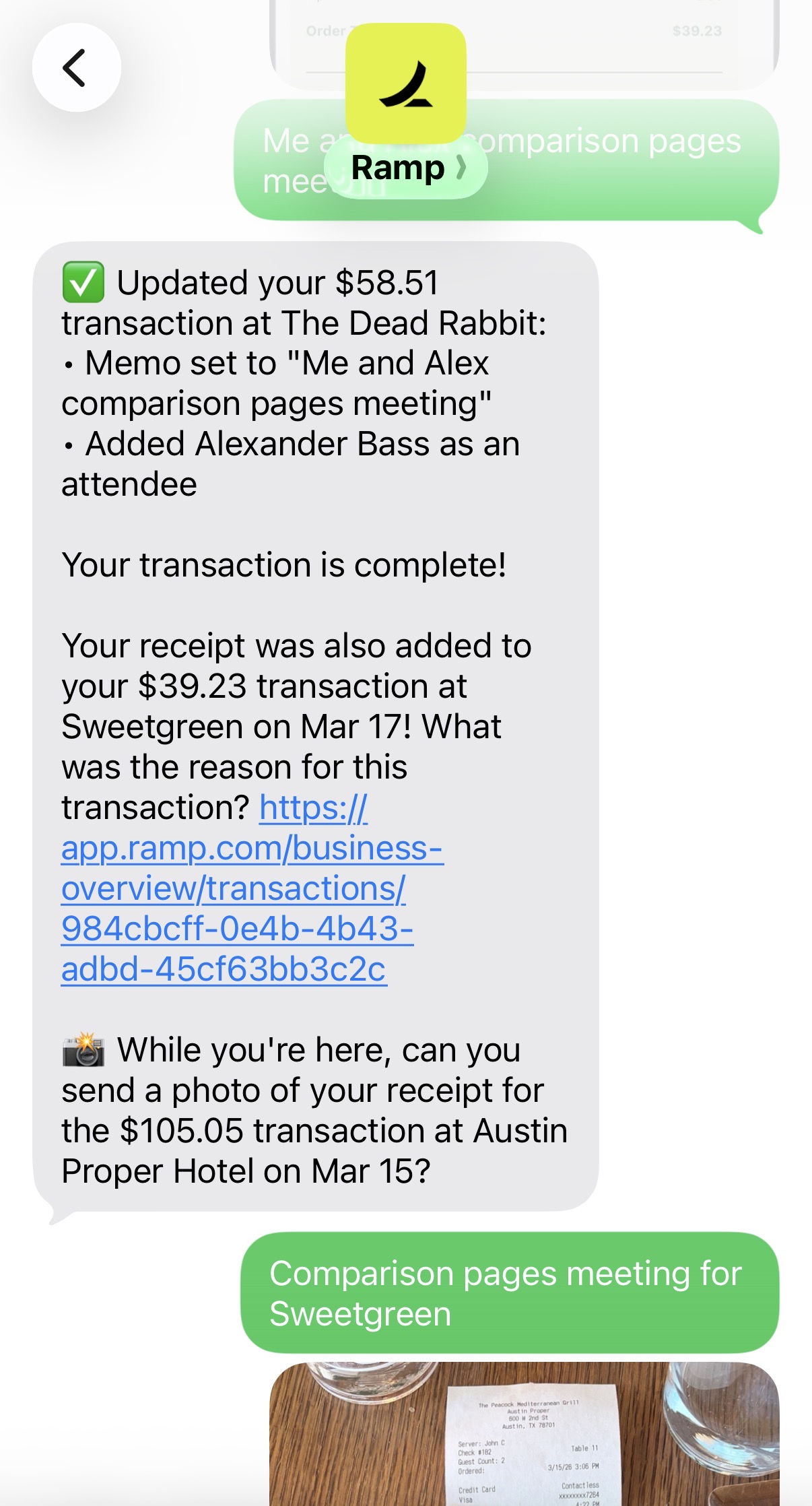
You can also forward receipts or connect a Gmail account (read-only) and let Ramp scan for them.
Once you send your receipt, Ramp automatically fills in memos, categorizes transactions, and matches receipts to purchases. If a receipt isn't found right away, it will keep trying to match it for several days. It will also flag anything missing so finance teams don't have to chase people down.
The benefit comes down to how much manual work disappears. Employees don't need to think about expense reports, managers don't have to review every tiny purchase, and finance teams get clean data automatically synced into their accounting system. Expense reporting is just taken care of, we hardly think about it at all.
The overall experience feels consumer-grade for finance software (as in super user friendly). And for employees who aren't tech-savvy, texting a receipt is way easier than asking them to learn create an spreadsheet (what I used to do when working at a startup).
Budgets
BudgetsInstead of creating rigid "parent budgets" that constantly need updating (which we found annoying in other tools), Ramp lets you set spend limits at the card level, which is how we actually budget in real life.
Software subscription? Set the monthly limit. One-time purchase? One-time card. Vendor raises price unexpectedly? Declined automatically. It takes about 10 seconds to set these rules, and those 10 seconds save you tons of time in the long run.
Real-Time Visibility & Approvals
Real-Time Visibility & ApprovalsTransactions show up almost immediately after a purchase. For most vendors, it's more or less real-time, which makes it easy to keep a pulse on company spend as it happens instead of waiting for statements to catch up.
Approvals are also handled in a way that doesn't slow things down. When an employee requests spend, Ramp sends us a notification with the request along with "traffic signal" recommendations (green = approval recommended, yellow = review recommended, red = Repayment request recommended) plus the relevant policy, budget, and available funds. With that info on hand, you can filter through requests almost instantly instead of digging around to figure out if something is allowed or not.
As a small team, it takes literally seconds to approve spend.
Cashback Rewards
Cashback RewardsThe rewards are pretty standard with others in the space, getting around up-to 1.5% on most categories, with a bit more in certain categories. What we like about Ramp is that it gives cashback without requiring frequent payments or worrying about credit utilization.
You pay off your balance monthly, which means fewer statements, less reconciliation, and less stress overall than with other expense management apps.
Insights & Spend Intelligence
Insights & Spend IntelligenceVisibility into company spending becomes more important as your team grows. What starts as a handful of transactions can quickly turn into dozens of subscriptions, vendor payments, and employee expenses spread across the company (especially with all the new AI productivity tools that are constantly popping up).
Ramp helps keep things under control by surfacing patterns we might otherwise miss. It can flag duplicate subscriptions, highlight unexpected increases in spending, suggest when a vendor might have a cheaper pricing tier available, and break down spending across teams or categories so you can see where money is actually going.
For a small team of two or three people, this is nice to have. But once you're managing a larger or distributed team (especially if you're running dozens of SaaS tools) these insights become far more valuable.
Additional Features
Additional FeaturesReimbursements
ReimbursementsWe don't use the reimbursement feature ourselves, we'd rather issue a card than have someone pay out of pocket. But it's there if you need it, and from what we can tell, the flow is simple.
Vendor & Contract Tracking
Vendor & Contract Tracking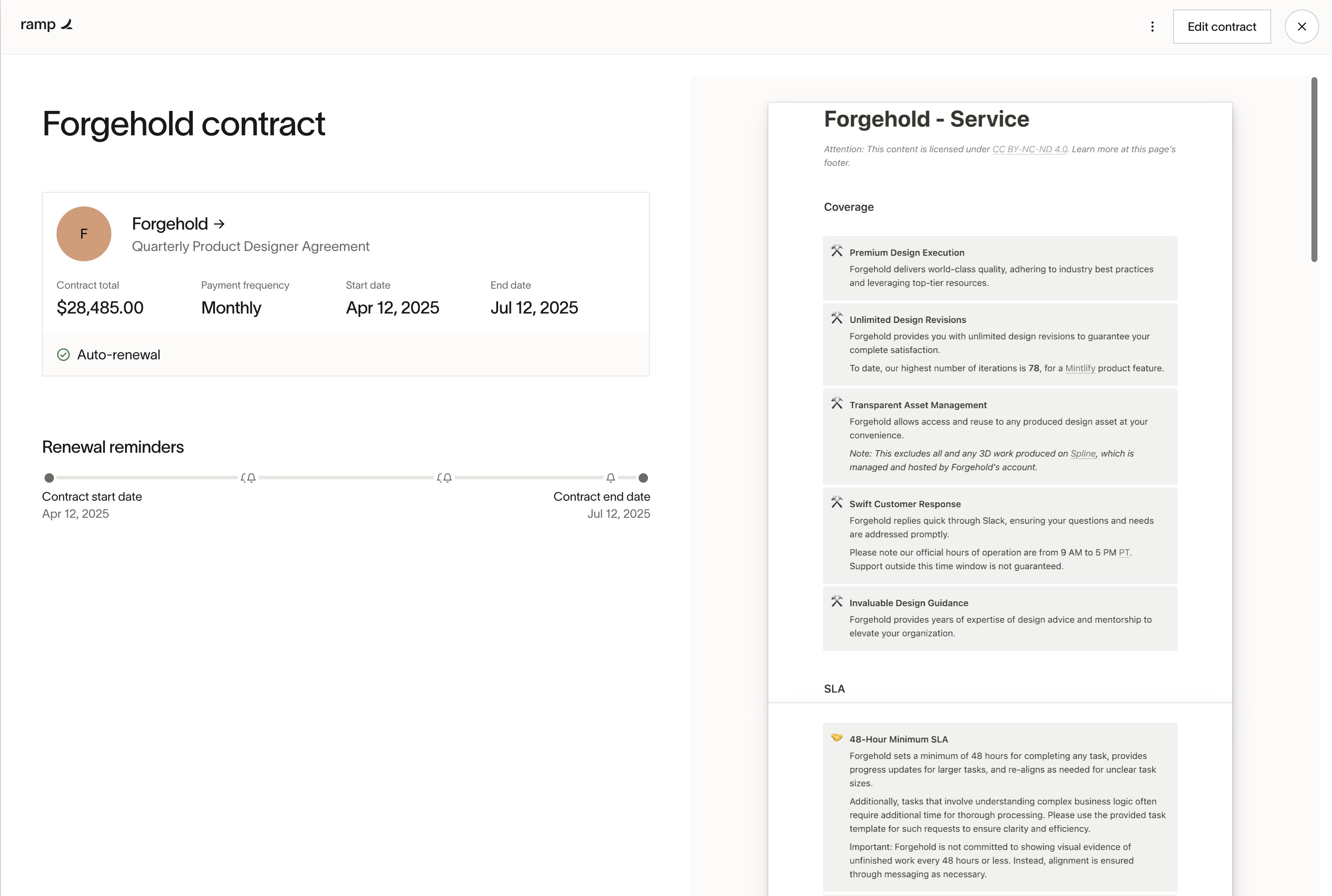
You can upload contracts and set renewal alerts.
This isn't groundbreaking, but it's useful. Especially if you're juggling 20–50 SaaS subscriptions and don't want surprise renewals.
Accountant Access & Reconciliation
Accountant Access & ReconciliationRamp has a dedicated accountant access mode, which makes reconciliation easier.
Intgreations
IntgreationsRamp’s QuickBooks integration was smooth to use. Ramp automatically mapped expense categories, reducing manual reconciliation. It auto-tagged most of the expenses correctly without us doing anything...which as a small business we greatly appreciate.
Ramp is also expanding deeper into the accounting automation side of things, integrating with more accounting tools natively compared to others. For example, Ramp integrates in with Kick, the accounting software we switched to (moving away from QBO after a decade).
Pricing
Pricing- Free: $0/mo per user. Best for startups and small businesses that want unlimited corporate cards, automated expense tracking, receipt collection via SMS/email/Slack, bill pay (ACH, card, check, wire), and accounting integrations with tools like QuickBooks Online and Xero.
- Plus: $15/mo per user + platform fee based on team size (20% discount with annual billing). Best for growing companies that want AI-powered expense reviews, advanced approval workflows, multi-entity support, deeper ERP integrations (NetSuite, Sage Intacct, etc.), and real-time budget vs. actual reporting.
- Enterprise: Custom pricing (annual contracts). Best for large or global companies that need advanced ERP integrations (Workday, Oracle Fusion), dedicated onboarding and support, custom implementation, procurement workflows, and global card issuing.
The "free" model feels almost too good to be true. Ramp's value-to-cost ratio is ridiculous, especially compared to clunky, fee-heavy options like Brex or Amex.
Ramp does make money on interchange, but it also has a per-user/mo tier that unlocks additional features. For a smaller team, these features are not at all needed, so you're totally fine on the free tier, but we believe this allows for Ramp to be a bit more generous with their rewards rates, because they make much of their revenue from larger paying customers (we are on the free tier btw).
Final Verdict
Final VerdictIs Ramp worth it? We love it. Absolutely. If you want better financial control without burying your team in spreadsheets and paperwork, Ramp is a no-brainer.
Of course, if you're a massive enterprise needing ultra-complex workflows and compliance certifications, you might outgrow it eventually. But for 99% of growing companies? Ramp is incredible.
If you're ready to apply, don't forget to grab your Ramp referral bonus.
Screenshots
Screenshots

Ramp
Categories
CategoriesRamp fits into multiple categories based on what it actually helps you do. Each category highlights a different strength and the efficiency points it earned, helping you compare tools not just by features, but by how well they actually perform.
Keep exploring the best software across categories, or explore Ramp alternatives
FAQ
FAQWhat is the credit score requirement for the Ramp card?
What is the credit score requirement for the Ramp card?Since Ramp is a corporate card, your personal credit score isn't taken into account and no credit check is required. Their underwriter is making the approval decision based on funds available in your company bank account (like Mercury Bank). You must have at-least $25,000 in your bank account in order to be approved for Ramp.