ViktorBest
Best overall AI agent
Best overall AI agent Grok BotRecommended
Best for automating personal tasks
Best for automating personal tasks ChatGPTRecommended
Best if you're already paying for ChatGPT
Best if you're already paying for ChatGPT Marblism
Best for solopreneurs, creators, new businesses
Best for solopreneurs, creators, new businesses Claude Tag
Best AI agent for existing Claude team & enterprise accounts
Best AI agent for existing Claude team & enterprise accounts Sintra AI
Best for non-technical business owners
Best for non-technical business owners Stilla
Acquired by Meta in Sept 2026
Acquired by Meta in Sept 2026 Hermes
Best free and open source agent
Best free and open source agent OpenClaw
Insecure general AI assistant
Insecure general AI assistant
Best AI Agents at a Glance

AI Agent Overview
What is an AI Agent?
What is an AI Agent?An AI agent is an AI that doesn't just answer questions. It actually goes and does work for you.
When you use an AI chatbot like ChatGPT or Claude, you ask it something:
- It gives you an answer → you have to do something with that answer
But with an AI agent:
- You tell it what you want done → it goes and actually does it → comes back with finished work
It's like delegating to an employee, but that employee is AI.
Best AI Agent: Who Wins?
Best AI Agent: Who Wins?For a long time, I kept hearing about AI agents and I was always excited to give them a shot.
But every single time I tried one though, I'd end up in this rabbit hole opening Claude or ChatGPT, which would ask me to open up my terminal, messing with settings, and then two hours later I'd have nothing to show for it. Just wasted time.
Then I tried AI agents like Sintra, and it was the opposite problem. They'd suggest a million things they could help with, but the moment you asked them to actually execute? Nothing. They couldn't pull it off.
So I was left with a bunch of suggestions of ways to improve, with no time to actually get to them all.
Then, finally, I tried Viktor. And it just worked...like, immediately.
The second we added him to our Slack, he showed up and was like, "Hey, I read your channels, I see what you're all working on, here are the things I can take off your plate." And he wasn't asking in some generic way, he was specific!
Within the first hour he was like, "I see you're about to publish a YouTube video, want me to write the description and timestamps and handle the links?"
For our engineer, he jumped into the chat and suggested a way he could fix a problem he was working on.
That's the moment I went from "yeah, AI is getting better" to "okay, this is actually insane. It's here. It's real."
With that, Viktor is hands down the best AI tool and agent I've ever used.
How We Evaluate These AI Agents
We score each AI agent across multiple criteria, and hands-on expert evaluation
- Ease of UseQuick to set up and intuitive to use without a steep learning curve.
- Feature DepthCore features that work well, not surface-level checkboxes.
- Reliability & PerformanceConsistent, fast, and dependable with minimal bugs.
- Value for MoneyPricing that's fair relative to what you actually get.
- Integrations & EcosystemWorks well with other tools in your stack.
- Expert EvaluationCurated by, our rankings reflect in-depth testing, industry insights, and hands-on experience.AlexandAndra
Viktor
Best overall AI agent
Best overall AI agentWith all the AI tools that come our way, it's getting harder to get genuinely excited about anything. But when we tried Viktor, we immediately looked at each other and said, "We need Viktor in our business. This is amazing!"
Our entire team adopted Viktor faster than any other tool we've ever introduced, and honestly, I've never seen anything quite like it.
What is Viktor?
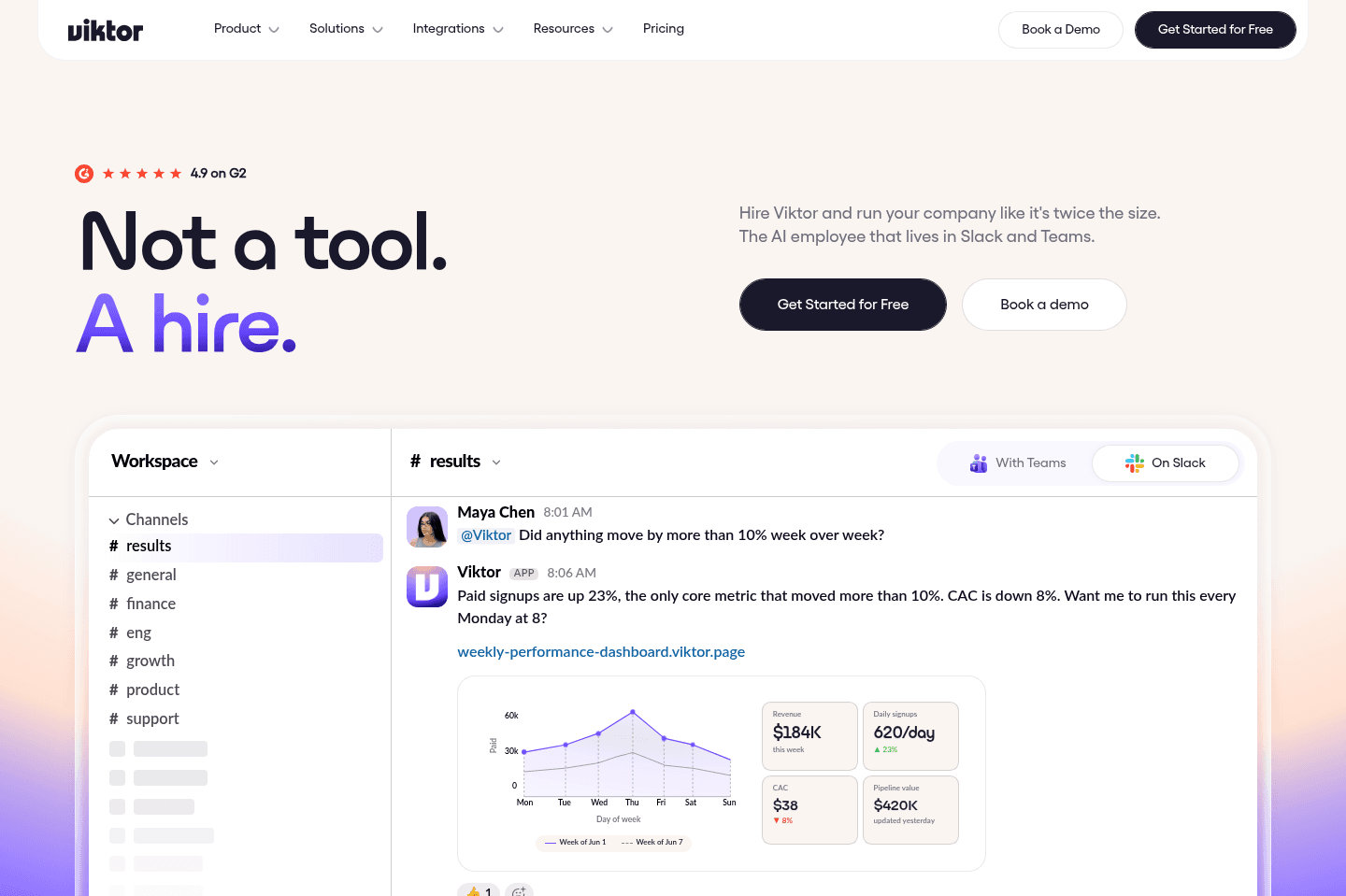
What is Viktor?Viktor is an AI agent that lives in your Slack workspace and actually helps your team get work done. He's not like other AI tools that just answer questions or suggest things.
He goes out and does the actual work. He writes things, finds information, runs code, fixes problems...all without you having to babysit him or figure out how to use some complicated tool.
Who can benefit the most from it
Who can benefit the most from itIf you're running a small team with people doing different things (engineering, marketing, operations, finance, etc) Viktor helps all of them.
You need a Slack workspace and a team for this to work. If you're solo, this isn't for you. But if you have a team of at least 2+ people, you need Viktor in your life.
Pros and Cons
Pros and ConsPros
- He onboards himself. No setup, no learning curve
- He actually does the work, not just suggestions
- He owns entire processes, not just single tasks
- You can build skills by just telling him what to do in plain language (across multiple tools)
- He remembers everything and gets better over time
- You control what he can and can't do (security is great)
- Works with over 3,000 tools and apps
Cons
Cons- You need a Slack workspace (not for solo users)
- Credit-based pricing means costs add up if you use it a lot
Key Features
Key FeaturesProactivity
ProactivityThe thing that feels genuinely different about Viktor is the proactive side of it. It’s not just waiting around for me to remember what to ask.
We’ll be talking about something in Slack, some time will go by, nobody’s responded, and Viktor will jump in like, “Hey, I can do that thing if you want me to.”
That part is kind of amazing because it feels like having this extra employee in the background who actually follows through, reminds people at the right moment, and catches things in the flow of work without me having to constantly manage it.
Security
SecuritySecurity was honestly my main concern at first, because with a tool like this my immediate reaction is: okay, this is incredible, but how does this end badly?
What made me feel better is that we could be really specific about permissions.
We only give it read access to GitHub right now, I can control who on the team has access to what, and if someone asks it for something they shouldn’t see, it respects that boundary (I've tried asking it about my co-workers DM's just to test the limits 😏).
That made it feel much more usable to me because it’s not just powerful, it actually has the restrictions you need.
Context / Integrations
Context / IntegrationsViktor works with 3000+ tools. So if you've been feeling limited by tools that don't have a Claude or ChatGPT MCP connector, Viktor will be your best friend.
You can not only get it to search across all tools you can get it to take action in different tools.
Pricing
Pricing- Free: $100 in credits to test it out. That's enough to really try it.
- Team: $50 a month per workspace with 20,000 credits. Most teams use around $200-$300 a month, which is less than paying someone for a day of work.
- Enterprise: Custom pricing with more powerful features and dedicated help.
Get the latest rankings and insights on top AI Agent apps—delivered to your inbox. Stay ahead with our expert picks and updates.
Grok Bot
Best for automating personal tasks
Best for automating personal tasksIf you have loved tinkering with Zapier, N8N, or IFTTT back in the day, to build automations that have simplified your life, Grok Bot is the next generation of those tools.
The biggest difference between Grok Bot and ChatGPT/Claude is that Grok Bot has its own cloud computer and it can actually execute tasks for you (e.g. do your grocery shopping for you).
What is Grok Bot?
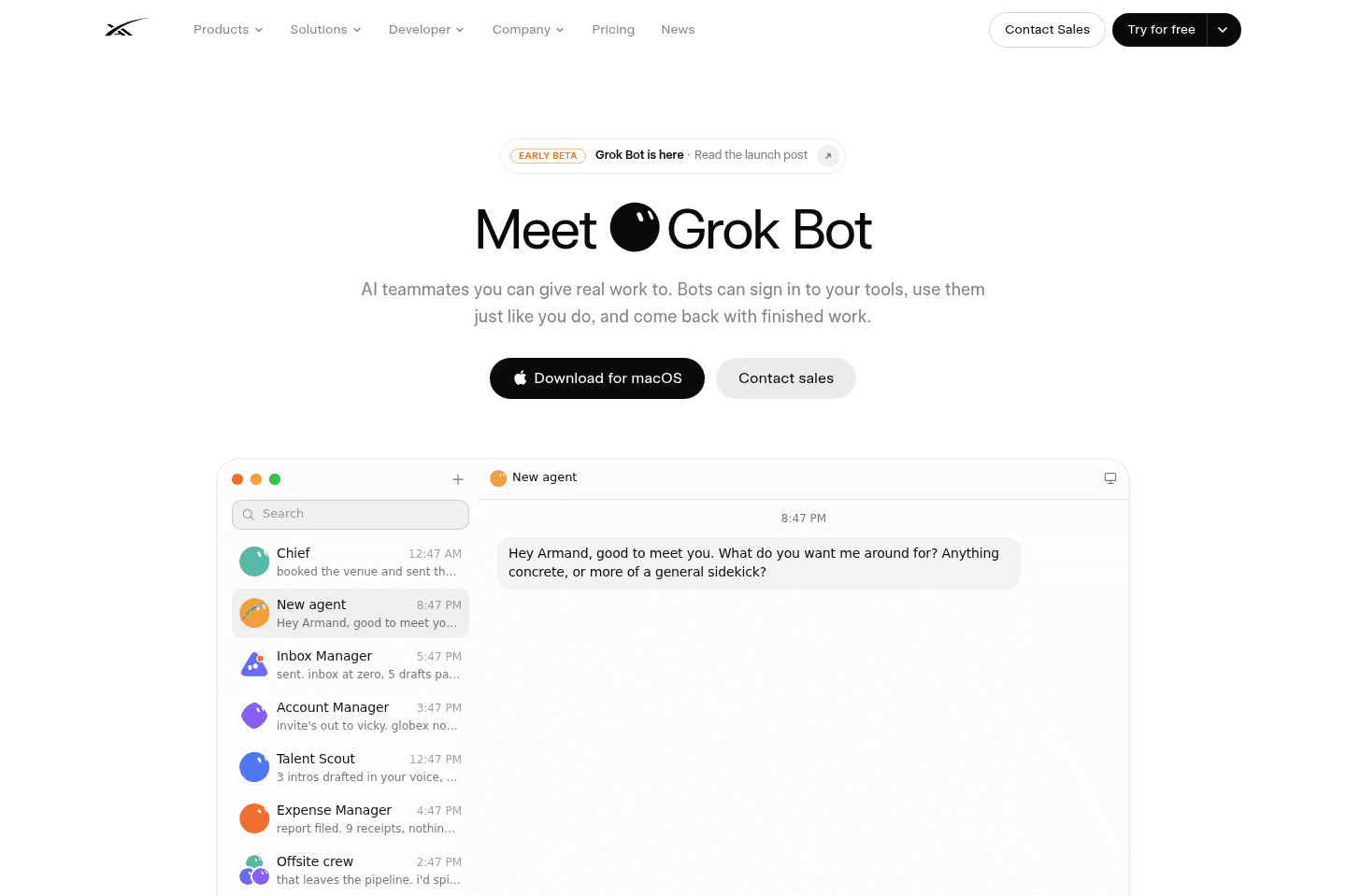
What is Grok Bot?Grok Bot is an AI agent that gets its own computer in the cloud. You can create different bots for different jobs. One could be your personal assistant, another could be a researcher, shopper, copywriter, whatever.
If you were the type of person who got weirdly excited about Zapier, n8n, or even IFTTT back in the day, I think you're going to have a lot of fun with this!
Pros and Cons
Pros and ConsPros
Pros- Has own cloud computer, so you can close your laptop and it just keeps working
- Actually does things inside websites
- You don't need to be technical at all to set it up and use it
- Can run recurring tasks without you remembering to ask again
- Works across desktop and mobile
- Has way more guardrails than something like OpenClaw
Cons
Cons- Logging your real accounts into an AI's computer feels WEIRD at first
- Better for personal automation than serious business workflows
- Coding is not as advanced as Codex or Claude Code
Key Features
Key FeaturesCloud Computer
Cloud ComputerEvery Bot gets its own computer in the cloud, so you can give it something to do, it will keep working even when your laptop is off. Grok Bot works across both mobile and desktop so you can keep checking in.
Scheduled Tasks
Scheduled TasksYou can tell Grok Bot to do something every day or every week and then... you don't need to remember to ask it again!
For example, our Head of Engineering, Bob, asked Grok Bot to monitor Facebook Marketplace for a guitar and let him know when one in his budget was available.
I'm most excited to figure out more use cases I can hand off.
Account Access and Guardrails
Account Access and GuardrailsThis part was the biggest mental hurdle for me at first.
The first time Grok Bot asked me to log into Whole Foods on its cloud computer, I was immediately like... "wait, what? Is this ok?"
Because yes, you're entering your login into a computer being controlled by an AI agent.
The reason I eventually felt okay trying it is that Grok Bot has a lot more permission controls than something like OpenClaw. You can give it rules in plain English, and it'll stop to ask before doing things like making purchases, sending something, deleting things, or taking another sensitive action.
Our Head of Engineering has logged his Bot into Facebook, email, Amazon, X, and Ramp.
Would I give it access to my bank account? Absolutely not lol. Maybe one day. We are not there yet.
Pricing
PricingIf you're already paying for Grok or Cursor, trying Grok Bot feels like kind of a no-brainer.
- Cursor Pro: $20/month and includes Grok Bot
- SuperGrok: $30/month and includes Grok Bot alongside Grok
- SuperGrok Plus: $100/month with higher usage limits and priority access
- Teams and Enterprise: Available through eligible team plans, with pricing depending on the account

Get through your inbox 2x as fast (for teams of all sizes).
ChatGPT
Best if you're already paying for ChatGPT
Best if you're already paying for ChatGPTCan one really live without ChatGPT these days? It's undeniably one of the best AI tools available. We have four subscriptions in our household alone: one each for personal use and one each for work. At this point, it's more of a family member whose available 24/7.
What is ChatGPT Agent?
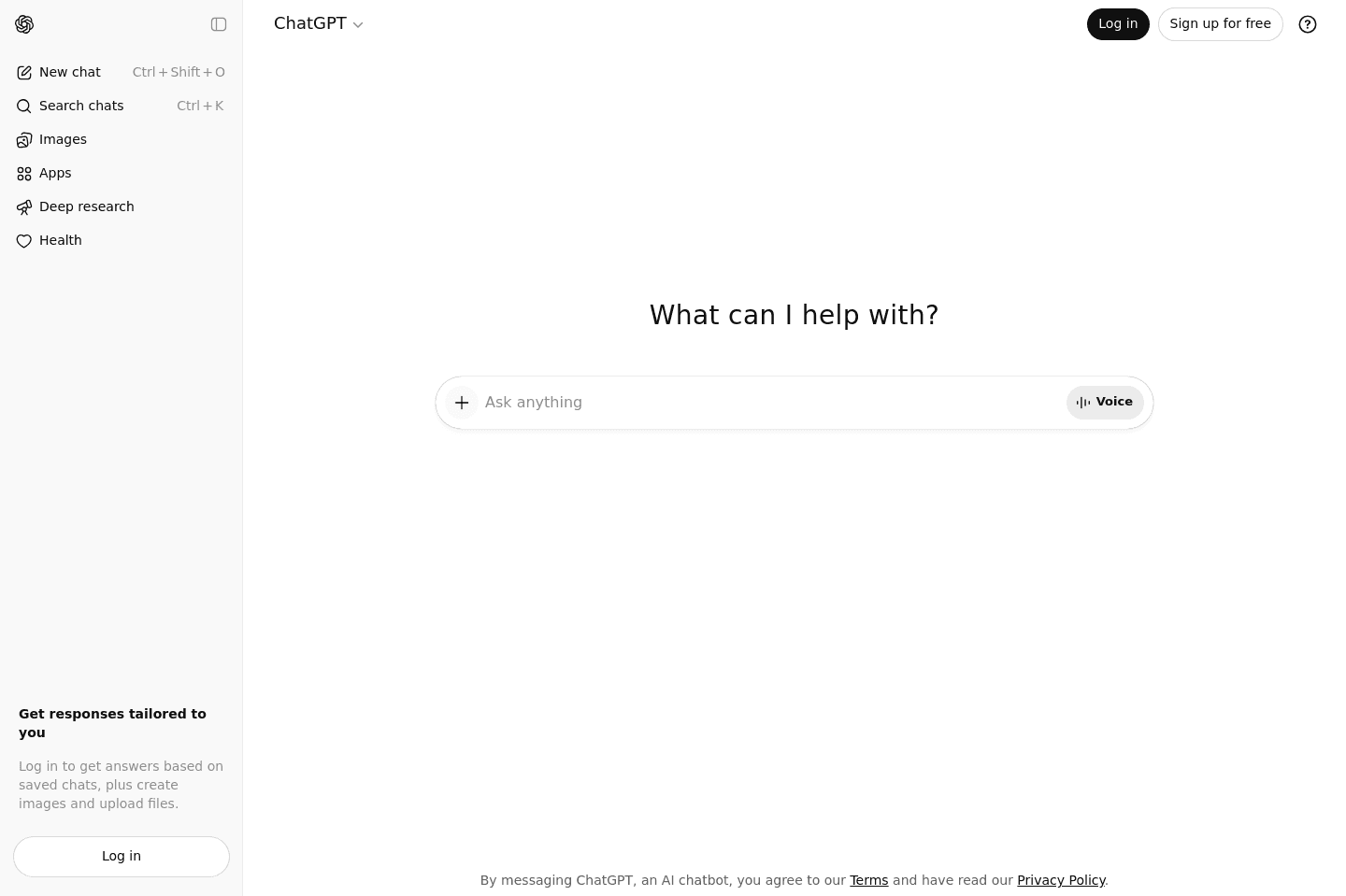
What is ChatGPT Agent?ChatGPT Agent is a mode inside ChatGPT that can reason, research, and take actions for you.
Instead of only answering questions, it can use tools like the browser, uploaded files, connected apps, and spreadsheets to complete more complex tasks.
When I tested agent mode, I was honestly quite disappointed. When I compare it to something like Viktor where there's absolutely no setup, no prompting, no procedure to write (it just KNOWS what it needs to do), ChatGPT Agent felt like what I used 1-2 years ago with other AI employee tools.
The result? I haven't continued to use it after the first day.
That said, if you're already paying for ChatGPT Plus or Pro, it doesn't hurt to experiment. You can build something useful for a narrow, repetitive task.
But if you're looking for an AI agent that actually joins your team, takes proactive action, and doesn't need you to hold its hand? You'll want something purpose-built for that.
Pros and Cons
Pros and ConsPros
Pros- Chat interface makes it easy to use
- Agent templates give you a starting point without building from scratch
- If you're already paying for ChatGPT, agents are included, no extra cost to experiment
Cons
Cons- Not proactive. You always have to go to it and prompt it, which defeats the purpose of an "agent"
- Setup is clunky: you have to write SOPs, connect apps, configure everything manually
- Everything lives inside a chat interface, which limits how agents can interact with your actual workflow
- The whole experience felt like where the AI agent space was a year or two ago — not the future
Key Features
Key FeaturesCustom Agent Builder
Custom Agent BuilderChatGPT now lets you create agents by chatting with it. You describe the role, connect apps (Slack, Google Drive, Gmail, Linear, and more), upload reference files, and define how the agent should behave.
It's essentially giving ChatGPT a job description and standard operating procedure.
While you have templates as a starting point, we found the actual outcomes a lackluster and did not end up incorporating it into our workflow.
Codex for Engineering Teams
Codex for Engineering TeamsCodex is where things get more interesting from an agent perspective, specifically for engineering teams. It can work through coding tasks autonomously and return pull requests.
But it's built entirely to code. It's not going to help your marketing team draft content, give your CEO a cross-department report, or manage follow-ups across your business.
Pricing
Pricing- Free: $0. Limited access to GPT-5.5, no agent mode. Fine for trying ChatGPT as a chatbot, but you won't get agent capabilities here.
- Plus: $20/mo. Includes agent mode, Deep Research (10/mo), Codex, and Sora. This is where most people should start if they want to experiment with ChatGPT agents. The 40-message agent limit can feel restrictive if you're a heavy user.
- Pro: $100/mo or $200/mo. Higher usage limits (5x or 20x Plus), GPT-5.5 Pro, and up to 1M-token context at the $200 tier. Worth it if you're hitting Plus limits daily, but that's a steep price for agent capabilities that still require manual setup.
- Business: $20–$25/seat/mo. Team workspace with admin controls, SSO, and no training on your data. Agent mode included. Makes sense for teams already using ChatGPT who want to standardize across the company.
- Enterprise: Custom pricing, 150-seat minimum. Full governance, HIPAA, audit logs. If you're at this scale, you're likely evaluating dedicated AI agent platforms alongside ChatGPT anyway.
Marblism
Best for solopreneurs, creators, new businesses
Best for solopreneurs, creators, new businessesMarblism is an an AI employee built for small businesses to help them with various tasks ranging from managing your email to marketing.
We use Viktor when it comes to our AI employee, but he only works in Slack or Teams, so if that's not you, then Marbilism could be a good fit.
What is Marblism?
What is Marblism?Marblism gives you a team of AI employees that can manage email, research social content, write SEO articles, find leads, answer phone calls, review basic contracts, and build a website.
You are given employees that have names, cartoon characters, and they are pre-trained to help you run your business.
Marbilism is for soloprenuers or those running very small businesses.
For example say you're a home bakery, chiropractor, consulting service, photography business, online shop, or little design studio and you need help creating a website and social content, answering customer calls, writing blog posts, reviewing basic contracts, and following up with potential clients. Then Marbilism would be suited.
Pros and Cons
Pros and ConsPros
Pros- Beginner-friendly way to experiment with AI employees
- Includes seven AI employees for a reasonable monthly price
- Company Brain gives each employee context about your business
- Scheduled tasks can automate recurring work such as weekly trend reports
- Useful for solopreneurs who are considering hiring a VA
Cons
Cons- Generated social media graphics didn't follow our brand guidelines very well
- Separate employee chats can feel siloed compared with a company-wide assistant
- No dedicated Mac or Windows desktop app
Key Features
Key FeaturesCompany Brain
Company BrainMarblism pulled in information about our company and target customers during onboarding. You can also add documents, images, audio, and video or connect sources such as Google Drive. This gives each AI employee more context about your business.
AI Employees
AI Employees7 total AI employees that can manage email, research social content, write SEO articles, find leads, answer phone calls, review basic contracts, and build a website.
Pricing
PricingEvery plan includes Marblism's full team of AI employees, unlimited team members, unlimited workspaces, and 50 shared hours of AI work per month.
- Monthly: $44 per month
- Quarterly: $33 per month
- Yearly: $24 per month
Get through your inbox 2x as fast (for teams of all sizes).
Claude Tag
Best AI agent for existing Claude team & enterprise accounts
Best AI agent for existing Claude team & enterprise accountsClaude Tag is useful if you're an engineering team that is already on a team or enterprise Claude subscription (you need 2 seats or more). While it's useful for coding, we don't love that it only has memory per-channel.
That said, we prefer to use Viktor as our Slack AI hire (he works in Microsoft teams too).
What is Claude Tag?
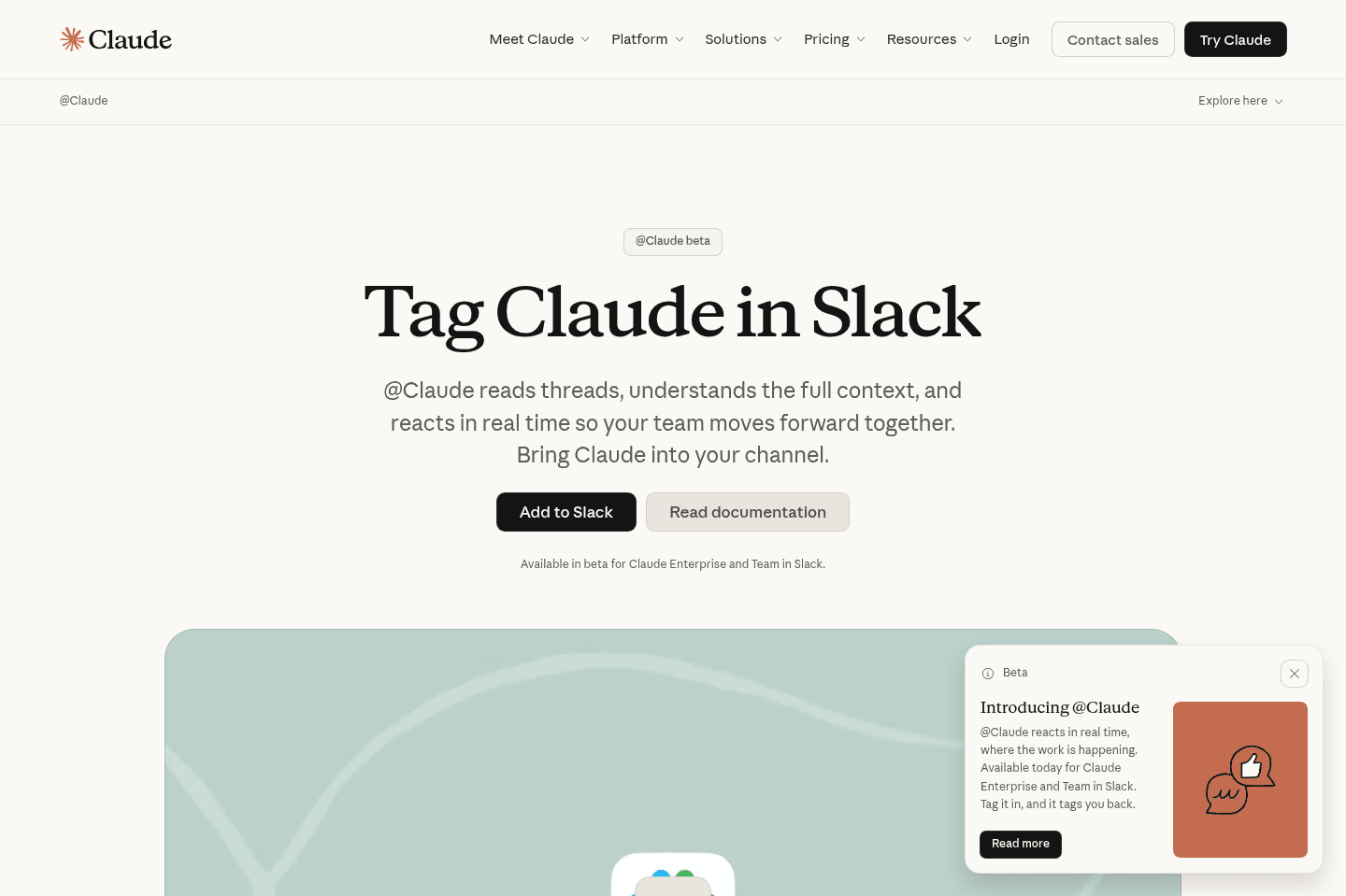
What is Claude Tag?Claude Tag is Anthropic's AI teammate that lives in Slack. You can tag @Claude directly in a Slack thread and delegate work where the rest of my team can see the context and output.
Our team has been using Viktor, so when Claude Tag came out we were curious to see how it compared, but were hit with quite a bit of friction just to try it out.
To use Claude Tag you need at least a 5-team seat of Claude. We have 3 Claude seats that the team signed up for individually, so instead of jumping into using Claude Tag, we had to first untangle our admin and billing logistics (not to mention pay for extra seats we don't need at the moment).
Once we got in, we noticed that Claude Tag doesn't have persistent memory across channels. You get one Claude Tag per channel. Likely makes sense for enterprises, but for our team this is a bit of a bummer.
For example, what we discuss in our SEO channel, often impacts Engineering and vice versa. Viktor sees both, so can answer engineering questions with much more context. But with Claude Tag, we end up needing to re-explain things twice which is exactly the kind of burnout that we're trying to avoid by bringing an AI tool right within Slack.
Right now, I'd mainly recommend Claude Tag for engineering teams or enterprises already using Claude and want help with collaborative coding and problem solving.
Pros and Cons
Pros and ConsPros
Pros- Powerful for coding
- Easy setup if already on Team/Enterprise subscriptions with Claude
Cons
Cons- Minimum 2 seats means $50/month baseline
- One Claude instance per channel, so no cross-channel memory
- Minimal integrations with third party tools
- Doesn't work as well as Viktor for work outside of coding
- Requires Slack
Key Features
Key FeaturesCoding and Code Review
Coding and Code ReviewAnthropic's own team says they use Claude Tag to write 65% of their code.
The AI can inspect your codebase, pull in deploy context, compare what changed, and identify the root cause when something breaks.
Channel-Specific Context
Channel-Specific ContextYou get one Claude Tag per channel. It doesn't hop across channels, which is intentional for privacy but we find this loses the connective context across all channels. With more privacy, it becomes less helpful.
Pricing
PricingThe actual pricing/cost comes from the credit usage with Claude Tag, as you get an incredibly low limit with just the base plans. But technically, you can get started with the following:
- Team Plan: $20/seat/month (billed annually) or $25/seat/month (billed monthly). Minimum 2 seats, designed for teams of 2-150 people.
- Enterprise: Starts at $20/seat plus usage-based charges at API rates. Best for large organizations needing custom security and controls.
Sintra AI
Best for non-technical business owners
Best for non-technical business ownersSintra is built for non-technical business owners who have very little knowledge of how to use AI and want a very easy introduction. Sintra's AI "helpers" are like digital consultants that give you ideas fast, without needing any prompting making it super easy to use.
Would we recommend it to more serious business owner who already uses tools like ChatGPT? No. For serious operators, it more so feels like playing a business-themed video game.

What is Sintra AI?
What is Sintra AI?Sintra is an AI-powered business assistant for people who have very little experience using AI but want to dabble more with it. Instead of you prompting the AI, Sintra's "helpers" ask you simple questions, review your website, and proactively suggest business tasks like improving web copy, writing email sequences, or creating content calendars. It’s designed to make AI feel fun and easy for overwhelmed business owners.
Pros and Cons
Pros and ConsPros
Pros- Extremely easy to use, no prompt engineering needed
- Gamified onboarding, feels more like a game than a tool
- AI Helpers are proactive, they suggest work rather than wait for your input
- Gets better the more it learns about your business
Cons
Cons- Underwhelming execution, the work it "does" is 20–30% usable at best
- Not for serious users, feels very “kiddish”
- Data sensitivity concerns, it asked deeply personal business questions that we did not feel comfortable answering
- Short-lived value, after the first day of using Sintra the novelty wore off
- No free tier, you pay upfront to try it (although you can request a refund within the first 2 weeks if you're not impressed)
Pricing
Pricing- $97/month with an ongoing 60% off discount
- We signed up with the monthly tier and upon creating an account, we were immediately offered a 70% off annual discount
Get through your inbox 2x as fast (for teams of all sizes).
Stilla
Acquired by Meta in Sept 2026
Acquired by Meta in Sept 2026Stilla seemed like a promising AI agent, but as of September 2026 they were acquired by Meta. With that, it's uncertain how long they'll be around for as the main focus of the acquisition is to strengthen Meta's AI products for business.
What is Stilla?
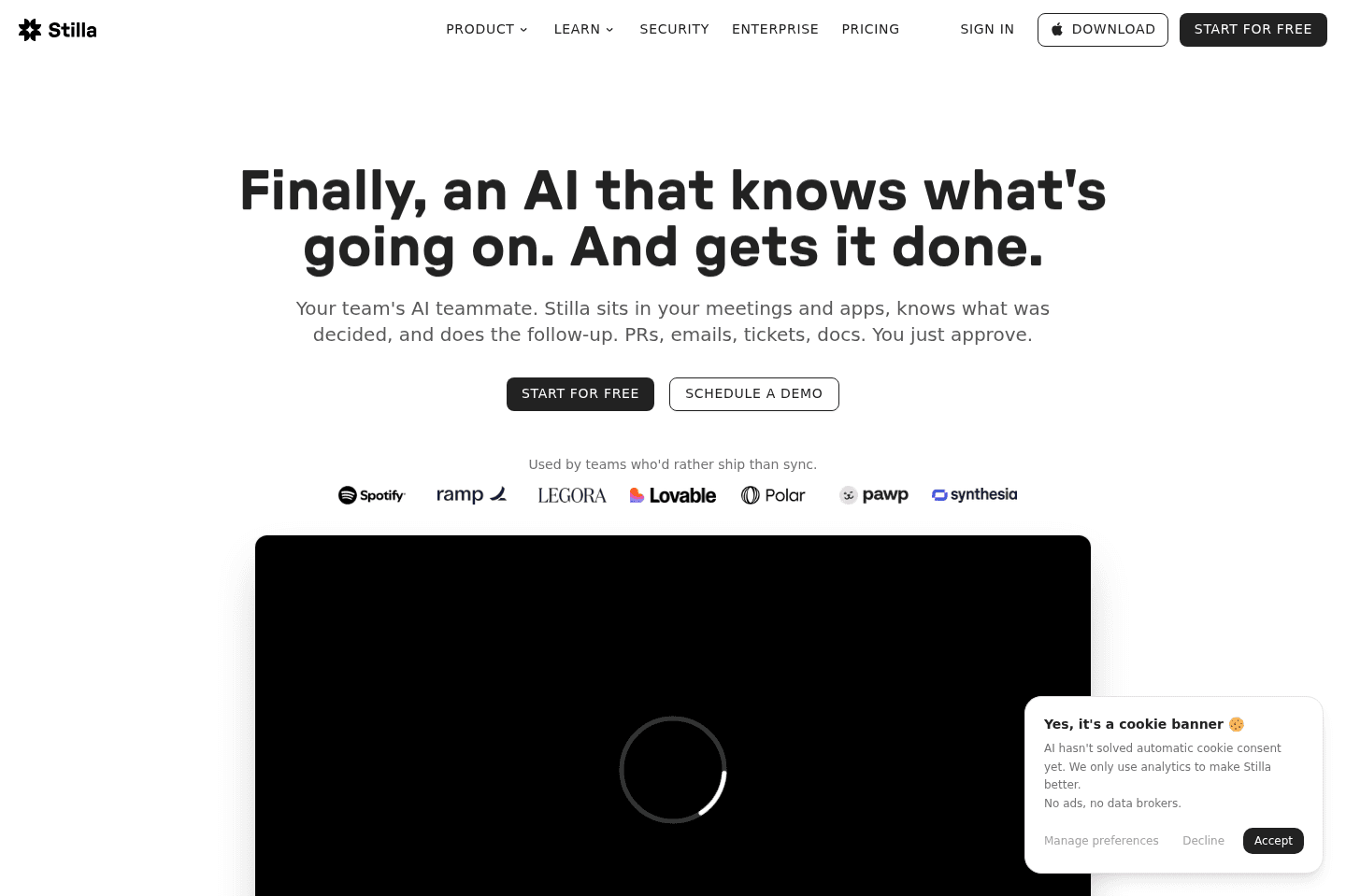
What is Stilla?Stilla is an AI assistant that lives across Slack, Linear, GitHub, your CRM, meetings, and the other tools your company already uses. Instead of stopping at "here's what happened," it helps answer, "Okay, what needs to happen next, and where does it need to happen?"
In September 2026, Stilla announced they were acquired by Meta. While they claim the product will still continue to serve it's users, the main focus will be to strengthen Meta's AI products for business.
Pros and Cons
Pros and ConsPros
Pros- Turns meeting context into actual follow-up across Linear, Slack, GitHub, your CRM, and other tools
- Lets operators create recurring automations using plain English
- Gives admins granular control over what Stilla can read, write, or connect to
Cons
Cons- Uncertain future, acquired by Meta, focus will be on improving Meta's AI products
- Interface feels busy and slightly overwhelming at first
- Setup requires a clear idea of what you want Stilla to do
- It becomes less useful when you aren't comfortable granting access to company tools
Key Features
Key FeaturesPlain-English Automations
Plain-English AutomationsTraditional automation tools like Zapier and Make require you to know the trigger, action, fields, and exact workflow structure upfront. With Stilla, you can describe what you want in normal language, select which tools it can access, and define what it is allowed to change.
I set up an automation that checks my email and tools every morning and tells me what to focus on. Other teams could use it to monitor a support channel, prepare CRM updates after calls, or summarize merged pull requests every Friday.
The hard part isn't necessarily building the automation. It's deciding what should be automated in the first place. After about 28 days, the workflows that stuck for me were the obvious recurring ones: a morning email brief, call notes, and Linear updates after engineering syncs.
I'd love Stilla to become more proactive here. Something like, "Hey, you do this every Monday. Want me to automate it?" would make the product much easier to adopt.
That's why our team prefers Viktor over Stilla, it's just a lot more proactive.
Meeting Notes
Meeting NotesStilla records meetings without adding a visible bot to the call. It creates notes, identifies action items, connects the conversation to your other tools, and prepares follow-up actions for approval.
During an engineering conversation, it can surface relevant Linear tickets, suggest comments, change priorities, or move work forward based on what the team discussed. In our usage, around 80% to 90% of those Linear suggestions were useful enough to approve.
That said, Stilla only knows what it was present for or can access. If it missed the meeting or doesn't have permission to read the relevant tool, its understanding will be incomplete.
We also had a browser crash end a note-taking session early and generate incomplete notes. We had to restart from zero. That might sound small, but reliability matters when a product wants to become part of your company's operating system.
Pricing
Pricing- 14-day Free Trial: $100 in credits (no credit card required). Best for testing how Stilla actually works and how far the "agent" workflows can go.
- Team: $50/mo ($40/mo annual). Best for technical teams looking to automate workflows and take action across their systems.
- Enterprise: Custom. Best for larger organizations that need unlimited members, advanced security, and tighter control.
What is Hermes?
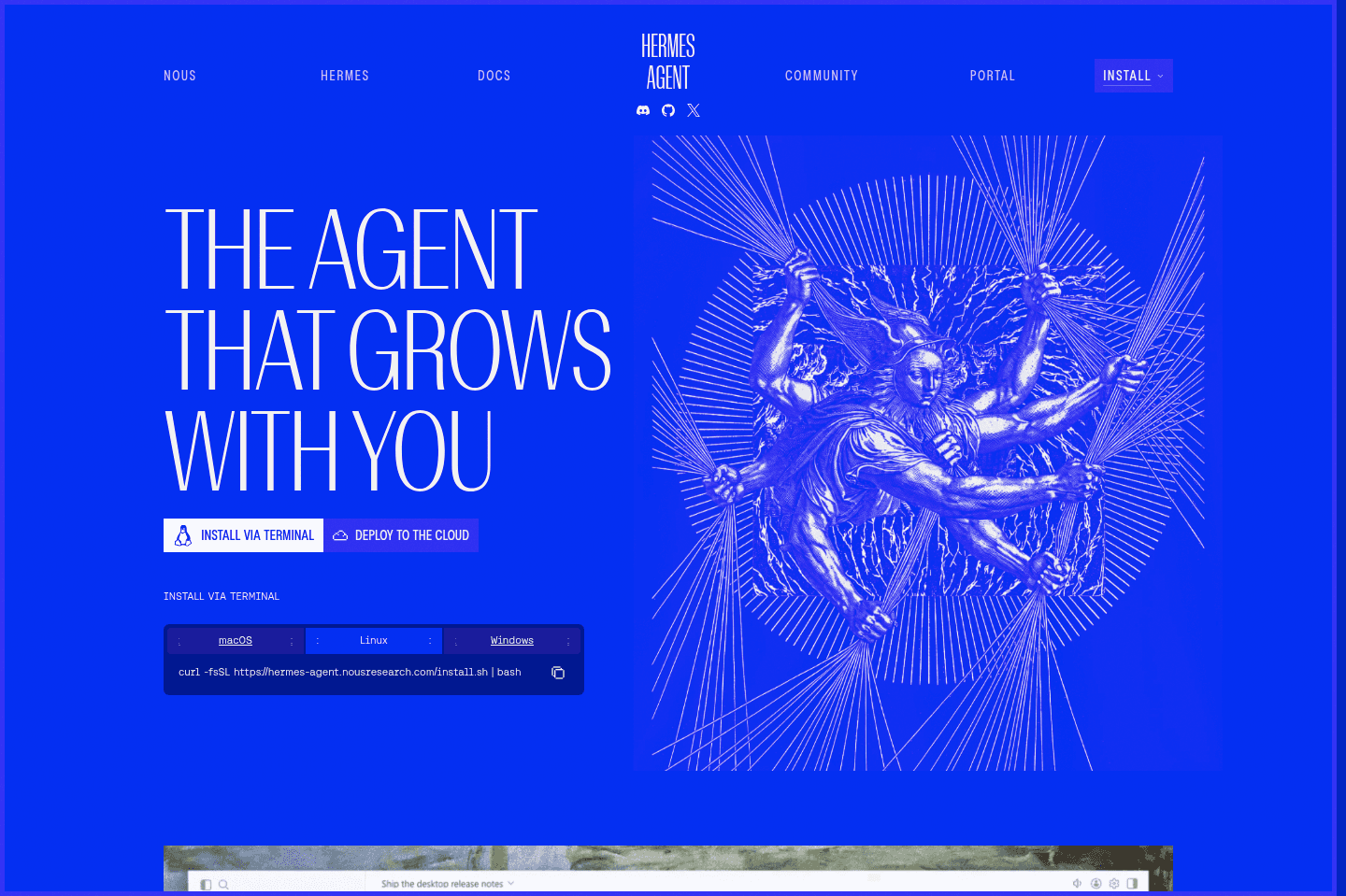
What is Hermes?Hermes is an open-source AI agent that you host yourself. You install the software, connect an AI model and your chat apps, and configure it to perform tasks for you. Hermes is NOT FOR YOU if you are not technical. Do not buy into the propaganda that using Hermes is "cheaper" because the software is free. You need to pay for hosting, model usage, not to mention your time to maintain it and ensure it has proper secure guardrails in place.
Hermes is best for technical users who enjoy self-hosting and experimenting with open-source software. But if you're a business looking for an AI employee, you should not choose Hermes.
Our team employs two full-time engineers who could set up and manage Hermes, but it still wouldn't be a good use of their time.
Pros and Cons
Pros and ConsPros
Pros- Free and open source
- Gives you control over the software and configuration
- Can run on your own hardware or server
- Works with chat apps such as Slack, Telegram, Discord, and WhatsApp
- Highly customizable for technical users
Cons
Cons- Complicated to install and configure
- Requires ongoing maintenance and troubleshooting
- Makes you responsible for security and reliability
- Sessions may stall, freeze, or need to be reset
- Server and AI model costs can add up
- Not practical for most nontechnical users or busy teams
Key Features
Key FeaturesOpen-Source and Self-Hosted
Open-Source and Self-HostedHermes is free, open source, and runs on your own hardware or server. This gives you more control over the software, data, and configuration than you would get from a managed AI assistant.
Sounds good right? Well be prepared to handle the setup, updates, security, reliability, and maintenance yourself. If you have no idea what this all means, skip Hermes.
Chat App Integrations
Chat App IntegrationsHermes can communicate through apps such as Slack, Telegram, Discord, and WhatsApp. This allows you to interact with it inside the tools you already use instead of opening a separate AI app.
However, it isn't as comprehensive out of the box as a managed AI teammate. Most AI agents have already built thousands of integrations with third party apps so you're behind if you're using Hermes.
Pricing
Pricing- Hermes software: Free and open source.
- AI model usage: Varies depending on the model and provider you connect.
- Hosting: Varies depending on whether you use your own hardware or rent a server.
- Setup and maintenance: The largest hidden cost, especially if you need an engineer or consultant to manage it.
Get through your inbox 2x as fast (for teams of all sizes).
OpenClaw
Insecure general AI assistant
Insecure general AI assistantOpenClaw lets you run an AI agent on your own computer that can control your apps and files, but everyone with security experience says it's a huge risk and not safe for anything important. If you're a builder or hobbyist who wants to experiment on a spare device and don't care about privacy or security, it could be a fun project.
If you run a real business or have anything to lose, you should absolutely avoid it until a secure version exists.
What is OpenClaw?
What is OpenClaw?OpenClaw is an experimental AI agent that can do tasks for you. Unlike ChatGPT or Claude, it can take actions across anything on your device. Your folders, your browsers, tools, etc.
However, it coms with serious security risks. Being upfront, I have not personally installed OpenClaw on any of my own devices. I’ve spoken to a lot of people who have used it, including my father, who has worked in cybersecurity for over two decades and has installed it 6 or so times by now (more about his experience in our full OpenClaw Review).
The consistent theme from everyone I trust is this: no one feels fully confident that their setup is actually secure.
Right now, the risk just doesn’t match the reward.

Claude
Best for coding, good for specific automation tasks
Best for coding, good for specific automation tasksThere is a reason Claude is getting a ton of attention right now. It's genuinely one of the best AI tools for getting work done, coding, and writing. But as a small business, be careful how deep down the rabbit hole you go.
Don't try to use Claude to vibe code your own software (I promise you, your team will be frustrated and you'll abandon it within 30 days 🫠).
What is Claude?
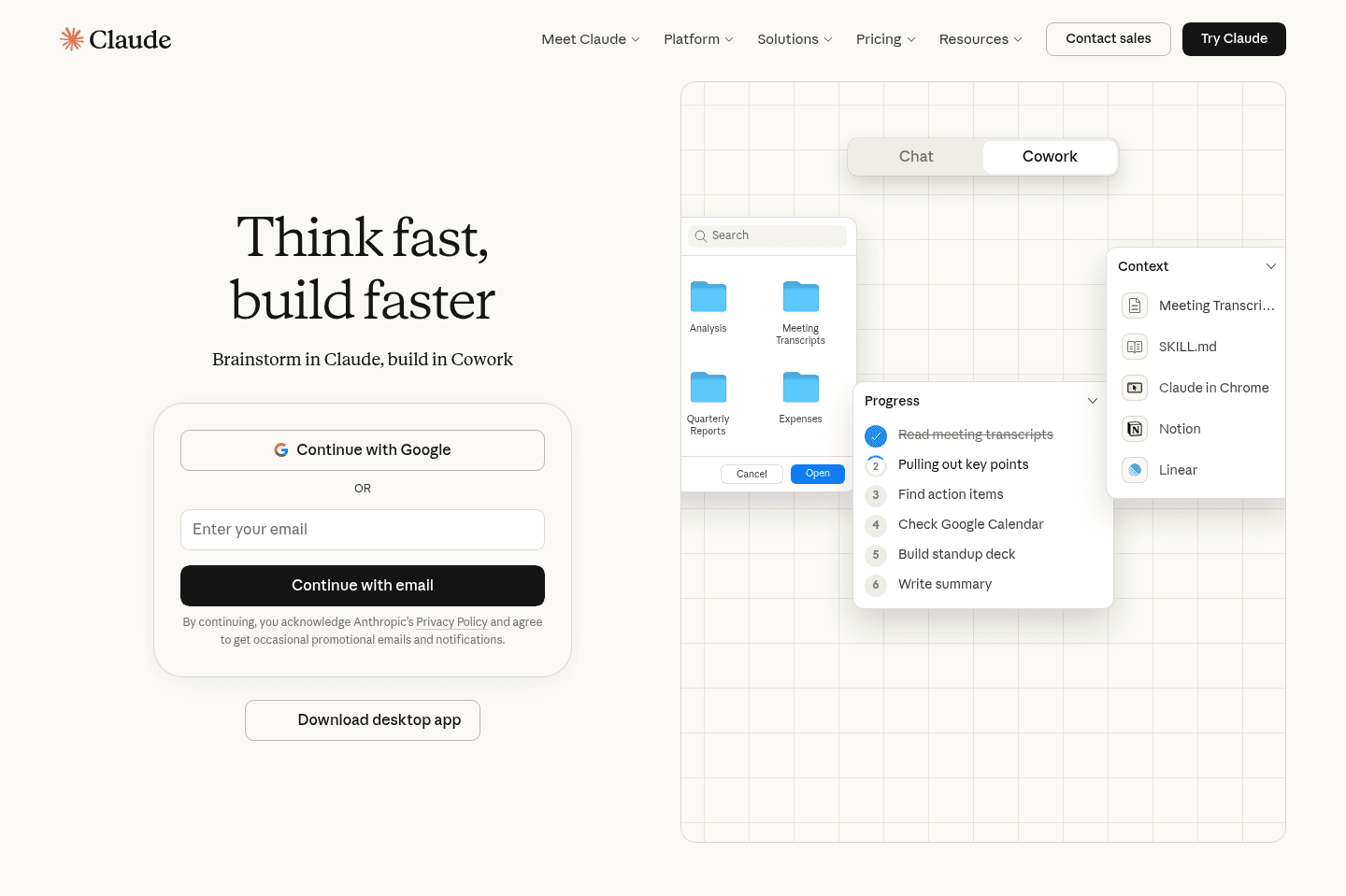
What is Claude?Claude has a few different versions of AI Agents.
- Claude Code is for developers and can help with coding.
- Claude Cowork is a desktop agent that can work with files on your computer.
Pros and Cons
Pros and ConsPros
Pros- Claude Code is one of the best coding agents available
- Cowork can handle specific tasks like applying brand styles to documents
- Claude holds onto way more context than other AI tools
Cons
Cons- Claude Cowork computer use is slow for most tasks
- You have to go to Claude and ask it to do things (not proactive)
- Usage limits are annoying if you use it a lot
Key Features
Key FeaturesClaude Cowork
Claude CoworkClaude Cowork works if you have very specific tasks where you want AI to have some access to your computer.
I use it when I'm creating contracts or pitch decks and I need our exact brand style. I give it access to a folder with our fonts and brand guides, and Claude Cowork applies everything automatically.
Then you can also turn on Claude Computer Use which gives Claude the capability to take over your device and use any app.
But when we tested it, it was incredibly, painfully, slow.
I tried using it to paste a video script from one tool (Motion) into another (teleprompter). Claude took over my computer but it was way too slow to actually be useful. I gave up waiting after 10 minutes as I could have done the task by hand by that point.
Claude Code for Coding
Claude Code for CodingOur engineer's favorite AI coding agent is Claude Code.
It can work through code problems, make changes on its own, and help with big refactors.
It's one of the best coding agents you can get. But you need to be on the $200 a month tier, otherwise you'll run out of credits really fast.
Pricing
Pricing- Free: Limited access. Good for trying it out.
- Pro: $20 a month. This is what most people should get. You get the full version and everything that actually matters for daily work.
- Max: $100 a month. Higher limits if you're using Claude a ton and hitting caps constantly.
- Team: $30 per person per month (minimum 5 people). Adds team features and controls.
- Enterprise: Custom pricing for bigger companies with security and compliance needs.
Get through your inbox 2x as fast (for teams of all sizes).