Review Summary
Review SummaryWith all the AI tools that come our way, it's getting harder to get genuinely excited about anything. But when we tried Viktor, we immediately looked at each other and said, "We need Viktor in our business. This is amazing!"
Our entire team adopted Viktor faster than any other tool we've ever introduced, and honestly, I've never seen anything quite like it.
I Refuse To Work Without Viktor 🤫 *not sponsored*
I Refuse To Work Without Viktor 🤫 *not sponsored*What is Viktor?
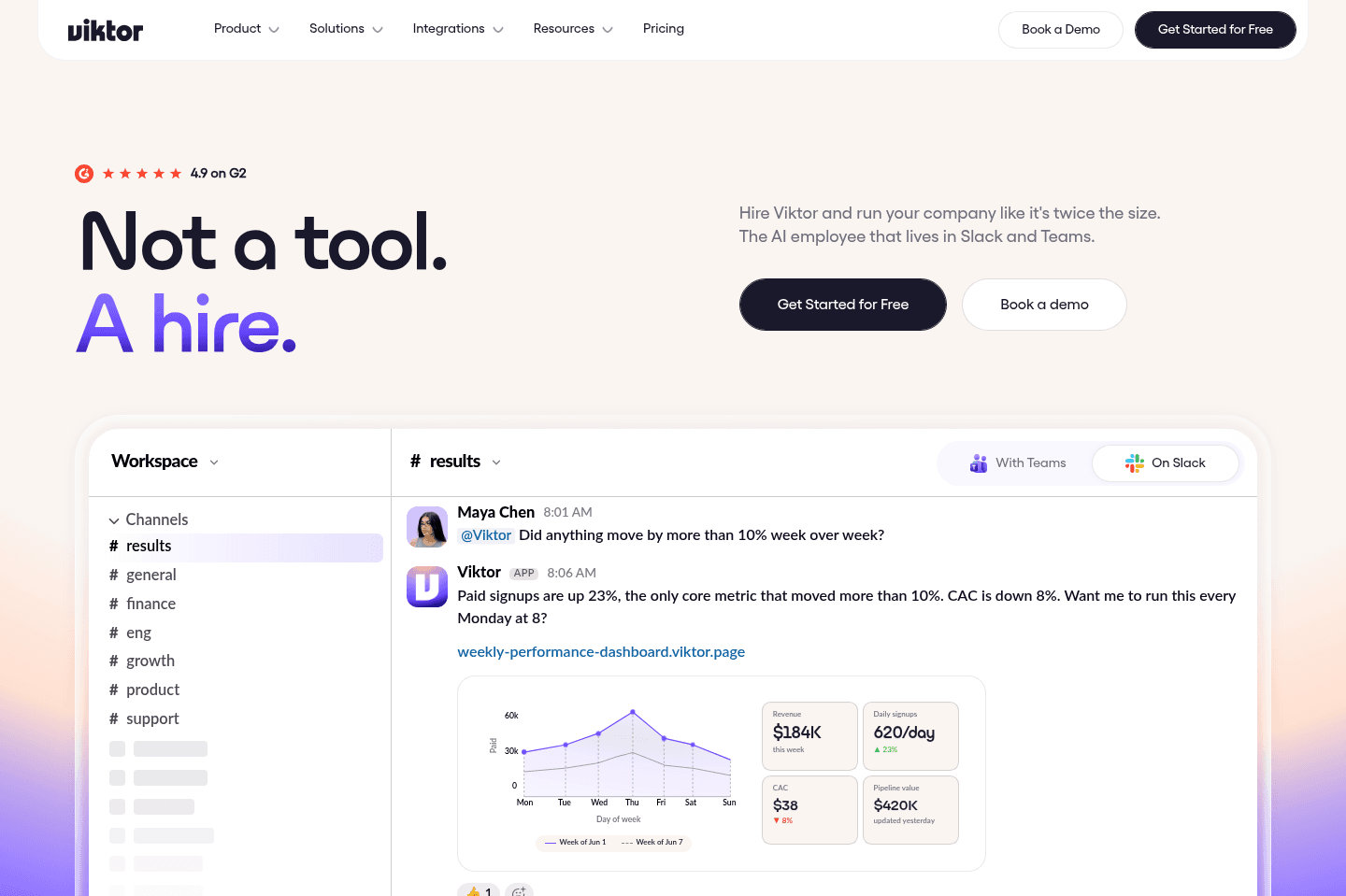
What is Viktor?Viktor is an AI employee that lives in Slack or Microsoft Teams.

Not a chatbot, not a workflow builder, he reads your channels, understands the context, and starts suggesting ways he can help.
I'll be honest, I was skeptical. I've tried more AI agent tools than I can actually remember at this point.
Most of them were impressive for an hour, then I forgot about them after that.
The marketing was always the same: meet your AI employee, delegate everything, get your life back.
The reality was usually a tool that sat there waiting for you to prompt it, and then gave you output that needed so much editing you'd have been faster doing it yourself.
Viktor came across my radar through a newsletter I follow and some Instagram ads, and what genuinely caught my attention was the comments I saw.
People seemed to genuinely love this tool...and when I see that I can't ignore it. So I decided to actually give him a shot.
First Impressions
First ImpressionsWhen you first add Viktor to Slack or Teams, within an hour or so, he introduces himself. Not with a generic "Hi I'm your AI assistant, how can I help?"... he came in having actually read the channel, understood the work we do, and laid out specific things he could take on, including how he'd approach each one.
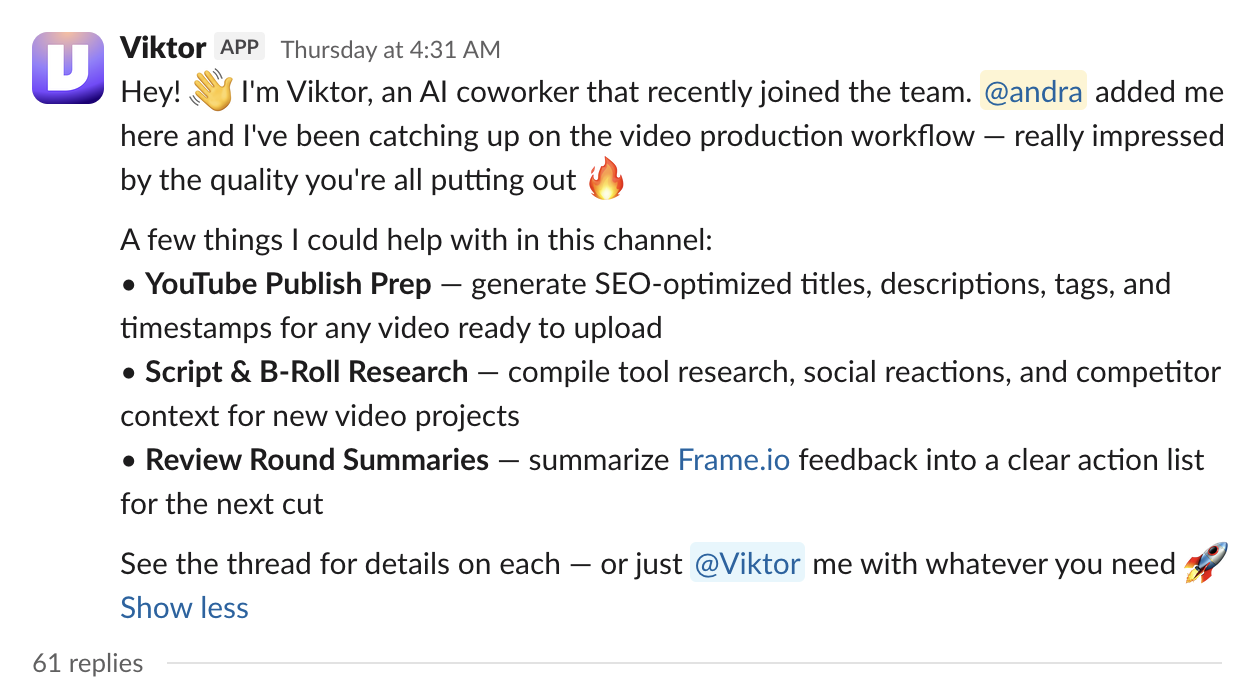
My first aha moment was in our video production workflow channel.
He noticed we were about to publish a YouTube video and offered to take over the entire YouTube publish prep including formatting our description, timestamp, etc.
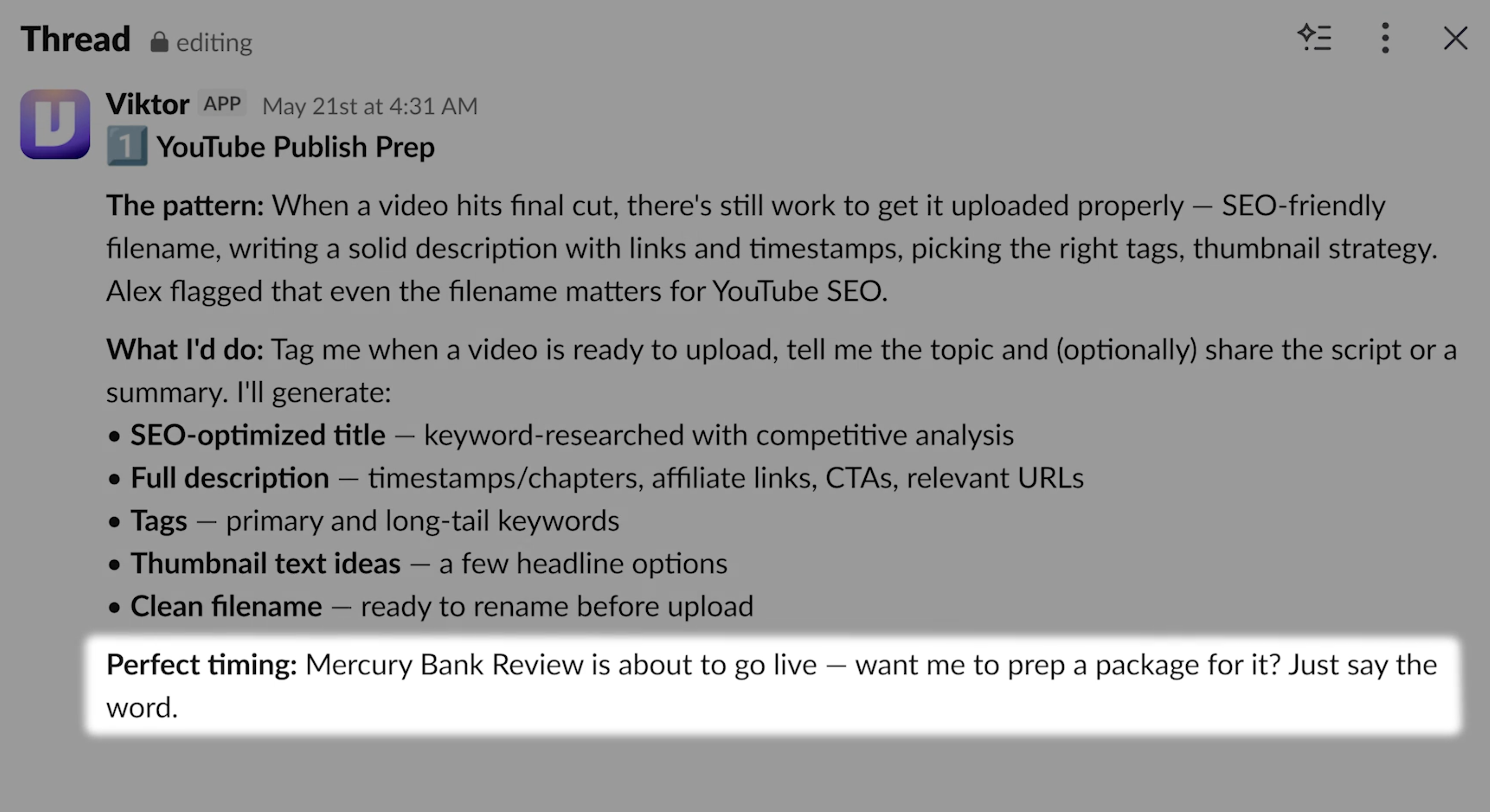
While this sounds like a simple task, we have an entire process around how we structure our descriptions with UTM tracking on all of our links with different formatting for affiliate vs website links.
It's a task I'd been meaning to delegate for over a year and never had because it just felt dreadful to hand off, especially to a human where the room for error was high and costly.
Of course, I'd considered delegating it to Claude or ChatGPT before, but even that seemed like a chore.
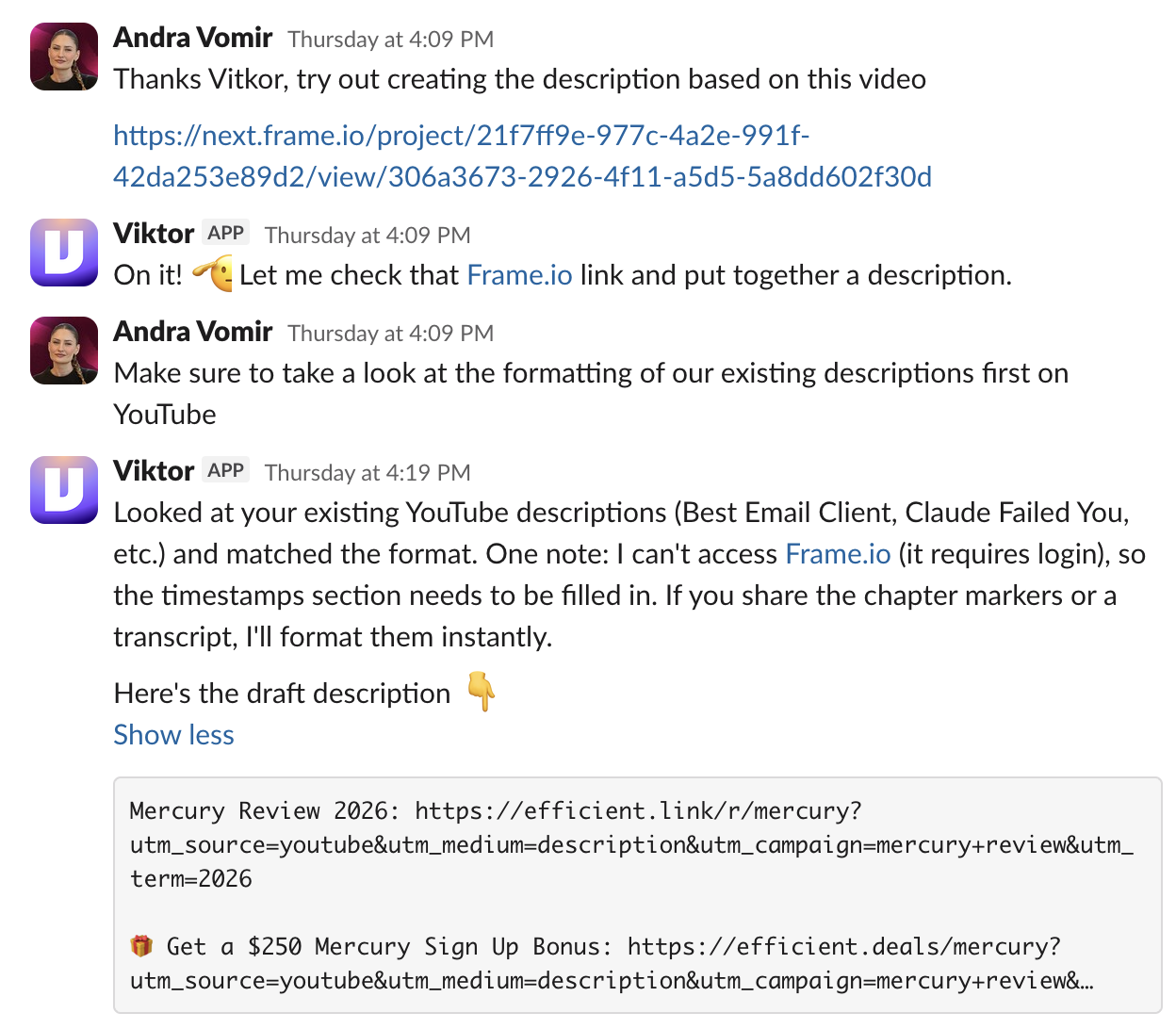
I gave Viktor a pretty lazy answer, telling him to go check our previous YouTube video formatting. I didn't even include example links. And if I'm honest, I expected him to fail.
But Viktor didn't need anymore instructions, he just told me what he needed to get the work done.
He told me to give him the video (or transcript) and he'd handle the rest.
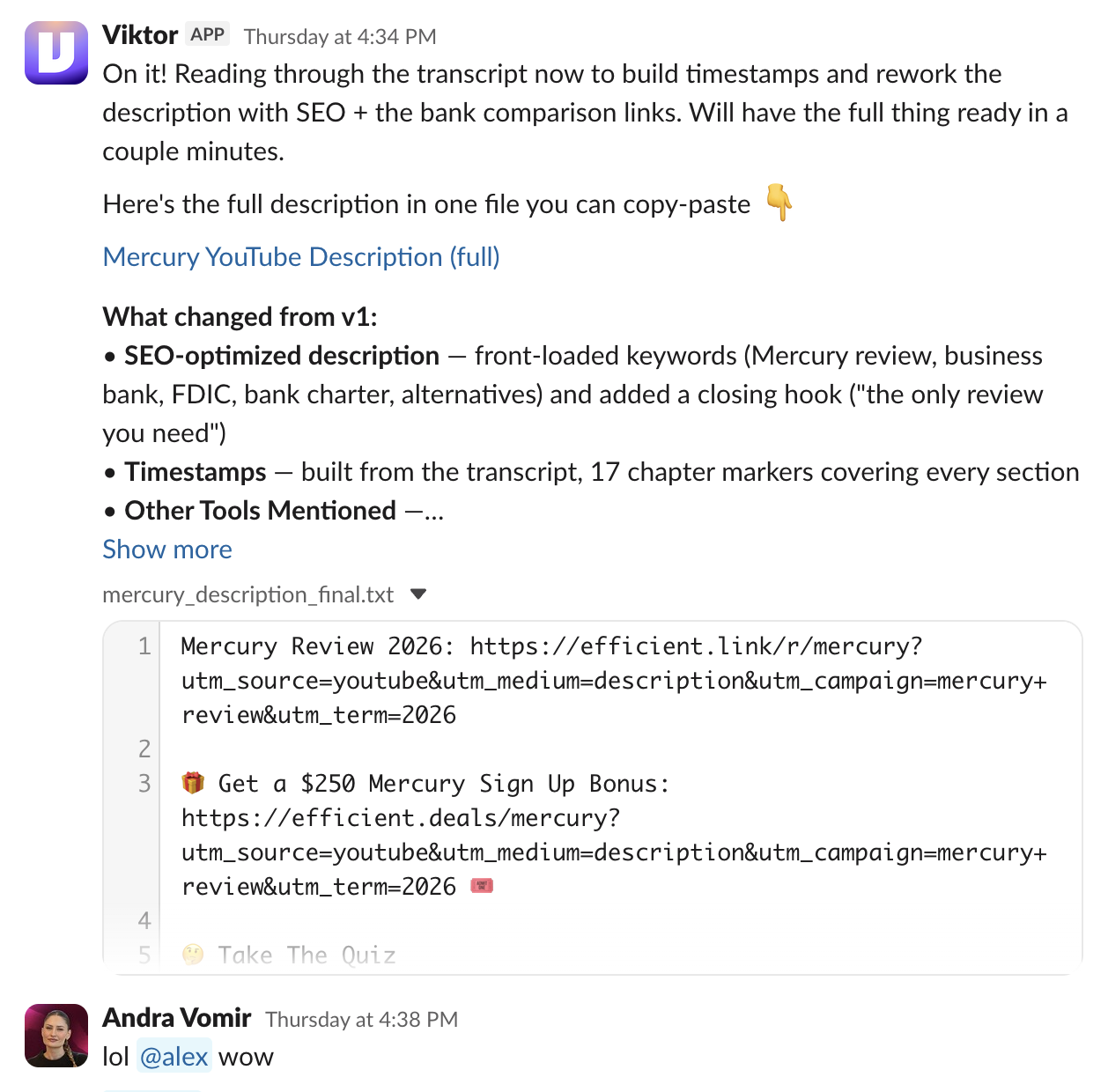
I genuinely expected maybe 60% to be usable. But Viktor came back with something that was 90% right.
"ARE YOU KIDDING ME?" was my first thought. Then it was "F*** YES" because this means I'll never have to explain this task to a human ever 😅
The timestamps were more accurate than when I was doing them myself. There were a few formatting preferences I wanted to change to the UTM structure he created, and we went back and forth 4-5 times, but it didn't feel dreadful. It felt like he was keeping up without me explaining context.
Viktor already knew what UTMs were, you're not starting from zero. You're just filling him in on your specific processes, which is a completely different kind of conversation. He saved the rules and moved on. He even caught a link formatting error we'd had for a long time that nobody had flagged.
And more than that, Alex (CEO) was in that thread too, and he was able to jump in mid-convo and issue a few corrections too.
And that's when another thing clicked...Viktor is the first time we've been able to truly collaborate with AI as a team, not just each of us in our own private threads on our own devices.
Who is Viktor for?
Who is Viktor for?Viktor is built for any business who wants an actual AI hire. This can mean a solo plumber to a mom & pop small business to a startup to a Fortune 500 company.
You just need to be using Slack of Microsoft Teams (which as a business you should be anyway).
What makes Viktor different is that he operates like a generalist employee who already knows how to do the work and he will adapt to your workspace and company.
Viktor is an A star employee that not only speaks my language (marketing) but also SEO, engineering, and product, so he's helpful to everyone on the team. That combination is honestly impossible to hire for in one person. The adoption across our team is nothing like I'd ever seen before.
I think that's the real allure of Viktor: what's helpful for me is going to be completely different from what's helpful for your business.
It doesn't matter whether you're a financial planner, a lawyer, or running a construction company, or a tech startup. Viktor adapts to your world.
He learns your language, understands your workflows, and becomes the kind of employee that's almost impossible to hire because you'd normally need someone with deep context in your industry plus expertise across marketing, sales, operations, and everything else involved in running a business.
That combination basically doesn't exist... until now my friends. AI is getting good 👀
Key Features
Key FeaturesWe’re a small team: Alex is our CEO, Bob and Jon are our engineers, Garrett is our video editor, and I run content and marketing. From day one, all of us ended up using Viktor completely differently.
Proactive Help
Proactive HelpMost AI tools wait for you to come to them, or if they're proactive their recommendations are not that useful, or even a distraction in some cases. But Viktor is different.
Viktor requires no training, no adding documents to a knowledge base, no multi-page prompts...(can you tell I'm fatigued by prompting AI tools? lol).
Within an hour of joining your Slack or Teams workspace, Viktor reads your channels and comes to you with specific suggestions for what he can take off your plate, including how he would approach each task.
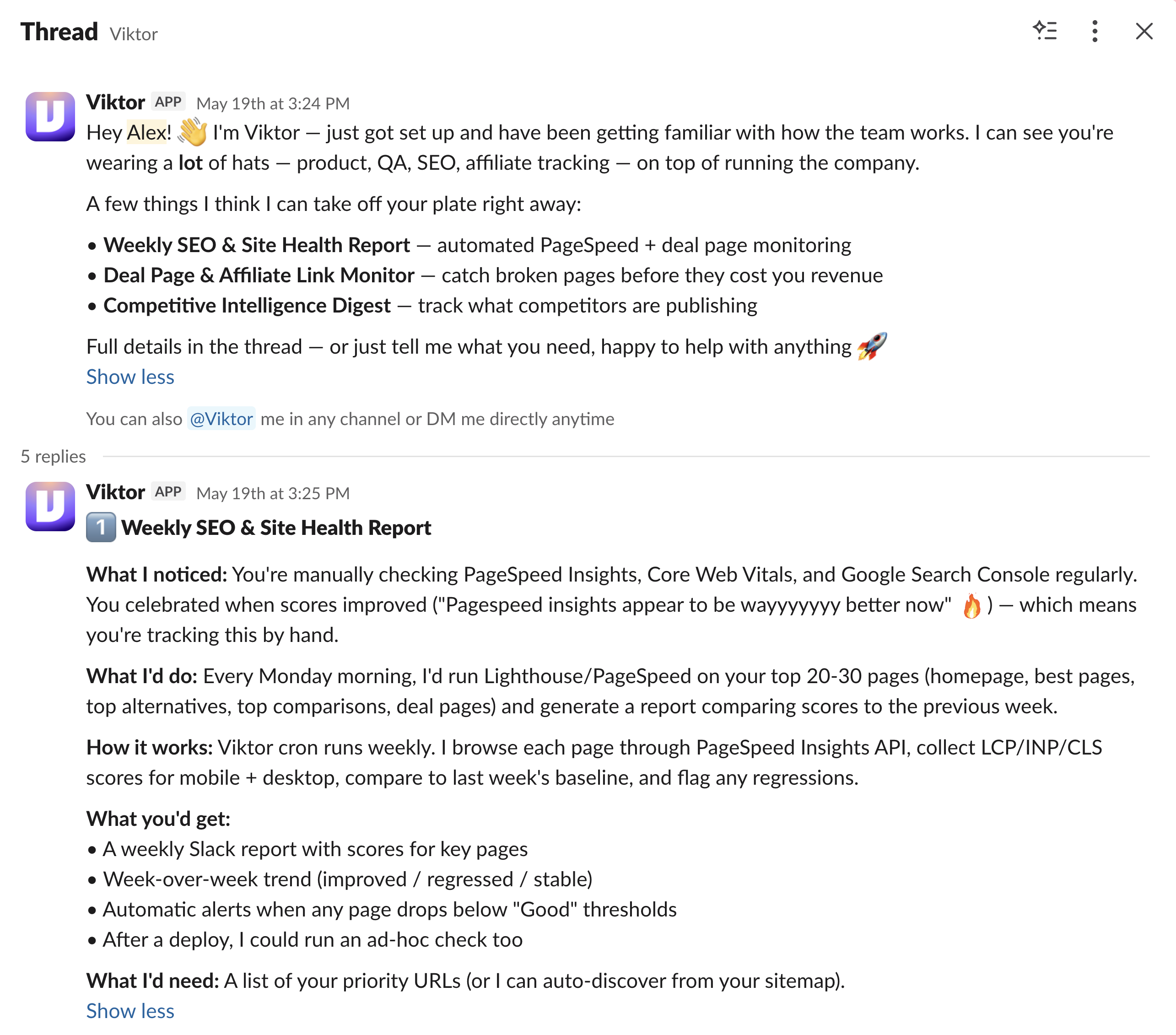
He also volunteers to complete certain tasks right as you're talking to the team about what needs to get done within a Slack or Teams thread. And he will tell you what he needs from you to complete the task.
This has resulted us in handing off a lot more work to Viktor than we imagined at the start. It's like "I can spend the next hour doing this... or Viktor can take a stab at it?". And when he comes back with the completed task, it's often shocked me at how well he executed it.
Autonomous Task Execution
Autonomous Task ExecutionWhen you give Viktor a task, he actually goes and executes it. He can fetch pages from your website, pull data from connected tools, cross-reference sources, and then come back with a finished output.
For us, Viktor helps with a myriad of tasks, including:
- SEO audits & checks
- Content drafts
- YouTube production
- Automated release notes
- Drafting replies
- PR reviews & code analysis (Engineering)
Viktor is like a real engineer who can actually ship work. Viktor has its own cloud computer, which means it can write code, run it, and deliver the result without any infrastructure on your end.
For example, our team is now tagging Viktor before our engineers when there's an issue. Viktor can quickly find the problem in our codebase and suggest a fix. We've only given him read access to our GitHub, but if he had write access, he could commit the fix and open a pull request.
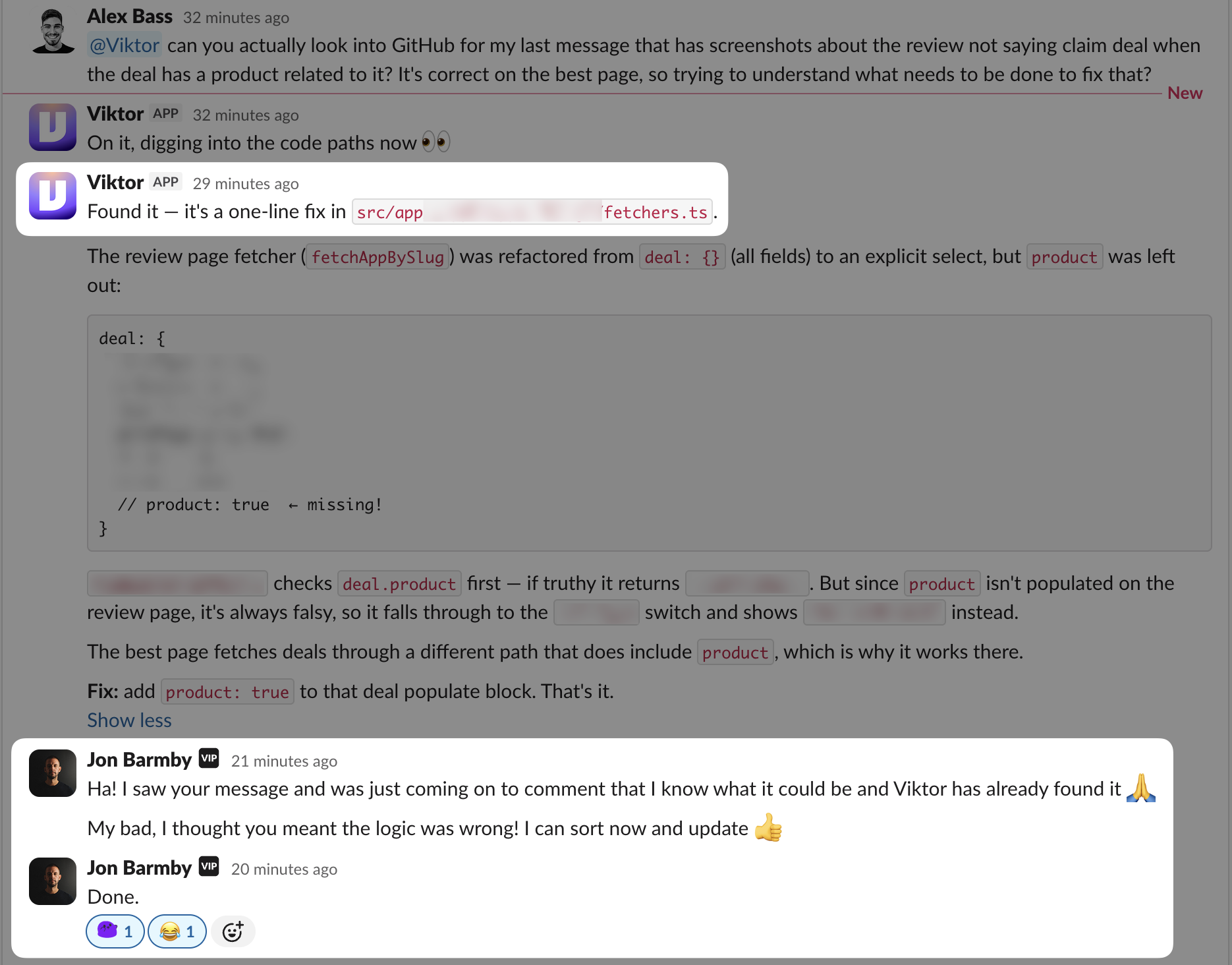
In other cases, less technical team members (aka ME) can tag Viktor to help me understand the backend and when I actually need to pull an engineer in.
Coding
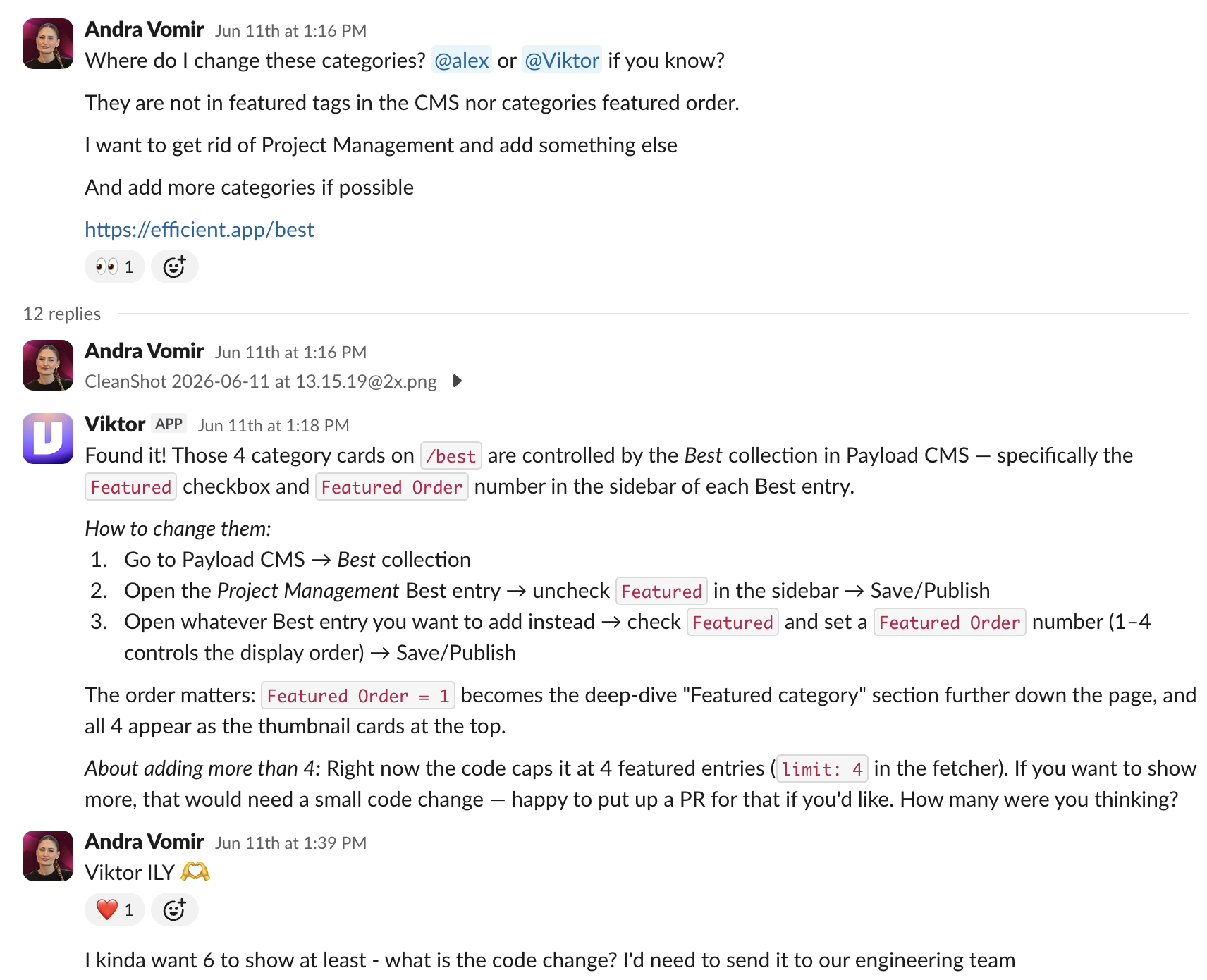
CodingThis means my team members need to spend less time helping me with these small tweaks and I can actually just tell them exactly what I need.
Skills (Automations)
Skills (Automations)You can just tell Viktor the automation you want to build in plain language within Slack or Teams. No crazy workflow builder needed!
You just say:
Do Y in X tool, then check this, create that, update the status here, and send the follow-up there.
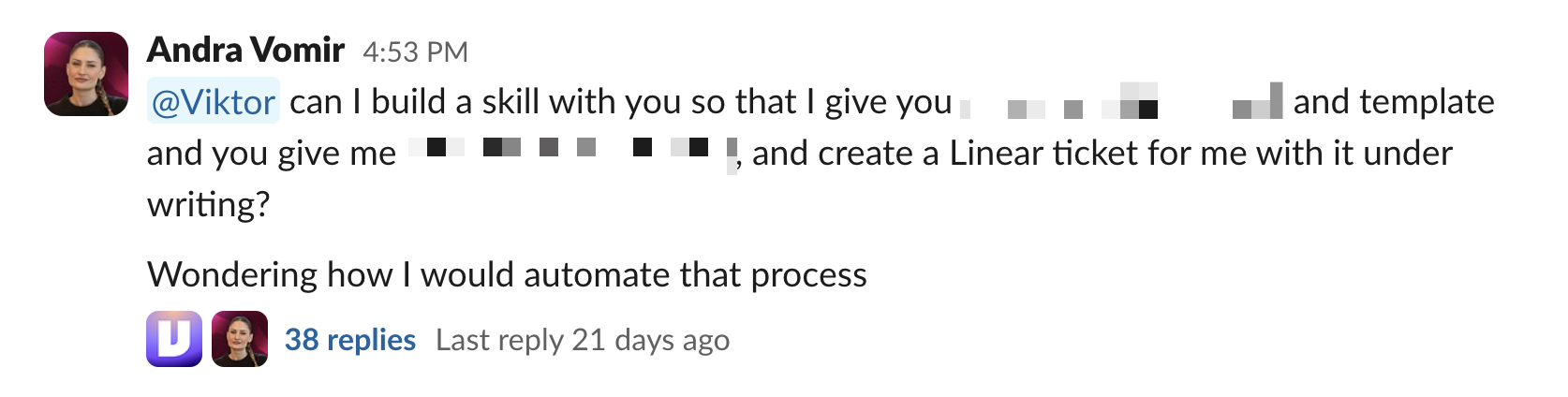
An example, a friend wanted an automation so that when a lead came in her CRM, the lead would automatically get an email directly from her. I asked Viktor if he can build it for her. He said "Yes, send her to me and consider it done."
I can't tell you the amount of times that I've said to Viktor "this is probably to big of an ask but trying anyway..." And he's come back with a completed task that spanned multiple tools.
People Management
People ManagementOne of the less obvious wins with Viktor is being able to delegate the follow-up layer of managing a team, which happens to be one of my favorite ways to use him.
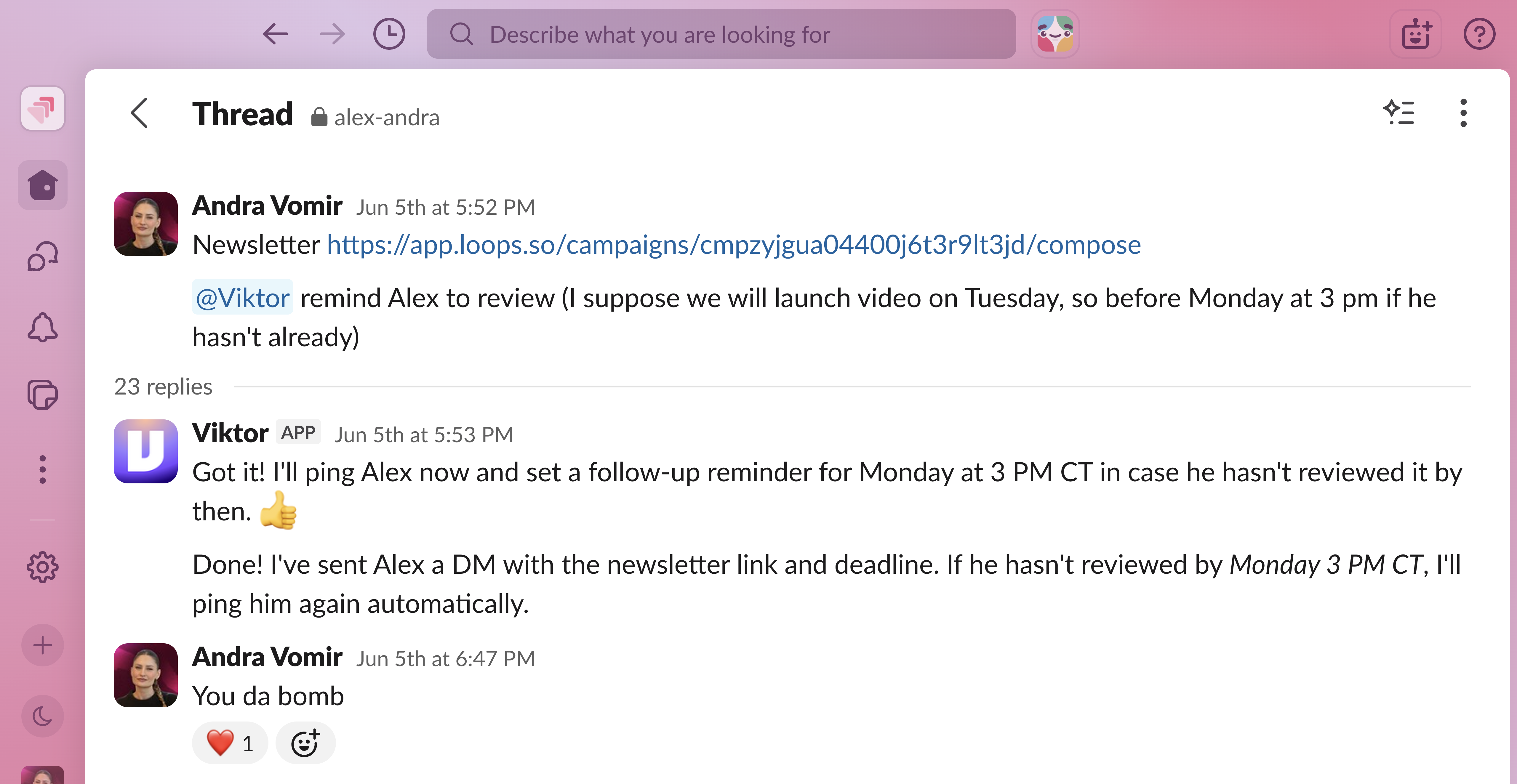
If someone needs to get something done by Friday, you tell Viktor: if it's not done by then, ping them. When a human sends that reminder, it can feel like nagging or micromanaging. When Viktor sends it, it just feels helpful.
If my team sends me a task, I often tell Viktor to remind me if I haven't answered. It's been awesome.

Memory
MemoryOne of the things that makes Viktor feel different is that the context doesn't reset every time you talk to him. He saves preferences as you go, so you're not constantly re-explaining how your business works.
For example, Bob, our head engineer, told Viktor to hold onto a QA checklist for future reference, and he did. I corrected a UTM formatting rule once, and Viktor applied it going forward without being reminded.
This is where Viktor starts becoming more than just a helpful Slack or Teams assistant. He's becoming the "process" layer for our business.
If I tell Viktor, "when we're done with the audio sync, remind our editor to do XYZ," that reminder now happens at the right moment, in the same place the work is happening. We don't have to rely on someone remembering to check a separate doc, follow a checklist, or manually manage every little handoff.
One Viktor Per Workspace
One Viktor Per WorkspaceViktor also builds up context from the conversations, decisions, and back-and-forth happening across all of your channels. When comparing Viktor vs Claude Tag, Claude Tag only has memory across one channel at a time. After experiencing Viktor having context across all of our channels, it feels too restrictive and limiting to have an different AI per channel.
For example, we have both SEO and engineering channels, and Viktor being able to read all the SEO context when troubleshooting with our engineers makes a huge difference.
In fact, our engineer says sometimes he talks to Viktor more than Claude when trying to problem solve because Viktor has a lot more context as to why we're doing what we're doing, and often offers better solutions.
Additional Features
Additional FeaturesPermission and Safety Controls
Permission and Safety ControlsViktor gives you control over what it can and can't do. You can set it to ask before taking any action, restrict its access to specific channels, and limit what it can do across connected tools.
For example, Our GitHub connection is read-only. Viktor can read pull requests, diffs, and file contents, but it can't push code or open PRs. That was a deliberate choice on our end, and Viktor made it easy to set that boundary.
Viktor is also SOC 2 compliant, which is worth noting if you're handling sensitive business data or operating in a context where security review is part of how you evaluate new tools.
Integrations
IntegrationsViktor connects to the tools your team already uses through native APIs and browser automation, over 3,200+ in total.
If Viktor doesn't connect with a tool, you can also add a custom MCP.
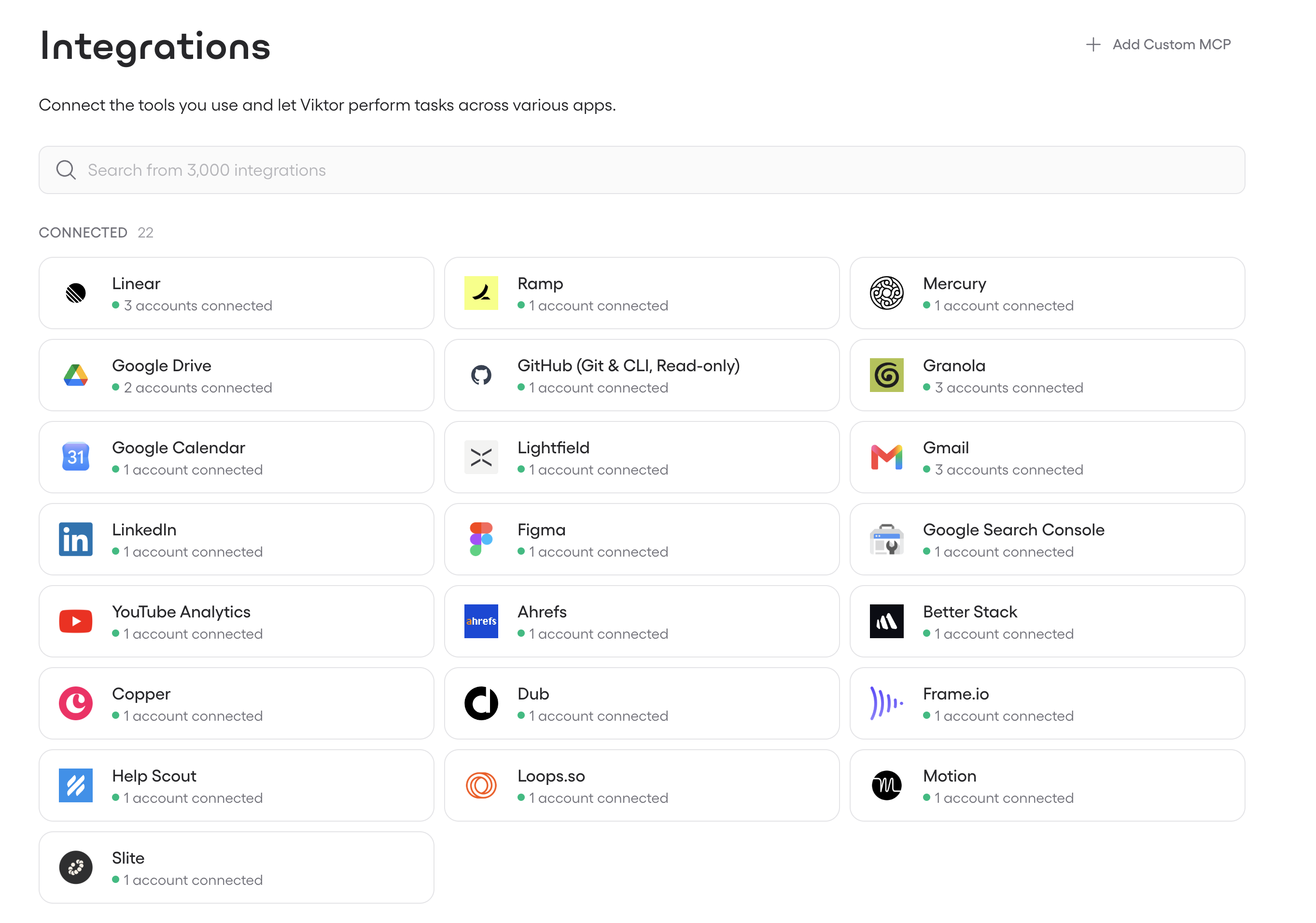
The integration depth means Viktor isn't just reading your Slack or Teams conversations in isolation. It's pulling context from across your stack to do the work properly.
Usage
UsageWhat should you expect when it comes to using Viktor credits? At this stage, we're averaging around 1000 credits daily, so our bill for Viktor is around $750-$1000/month.

It may sound like a lot for software, but when I think about it, would I hire a human for $1000 a month that was well versed in everything from coding to SEO to general marketing tasks?
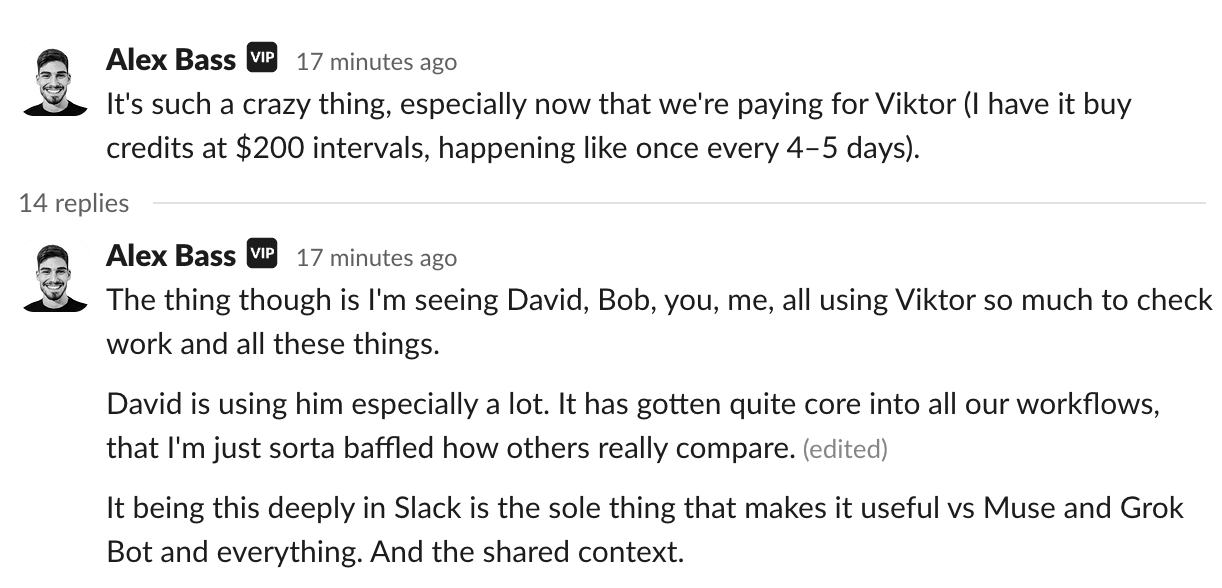
That helped us stay on top of team members and ensure everyone got follow-up messages to keep them on track? I wouldn’t think twice about it 😅 I’d be counting my lucky stars I found them. So with that, Viktor won’t be going anywhere.

Viktor pays for himself.
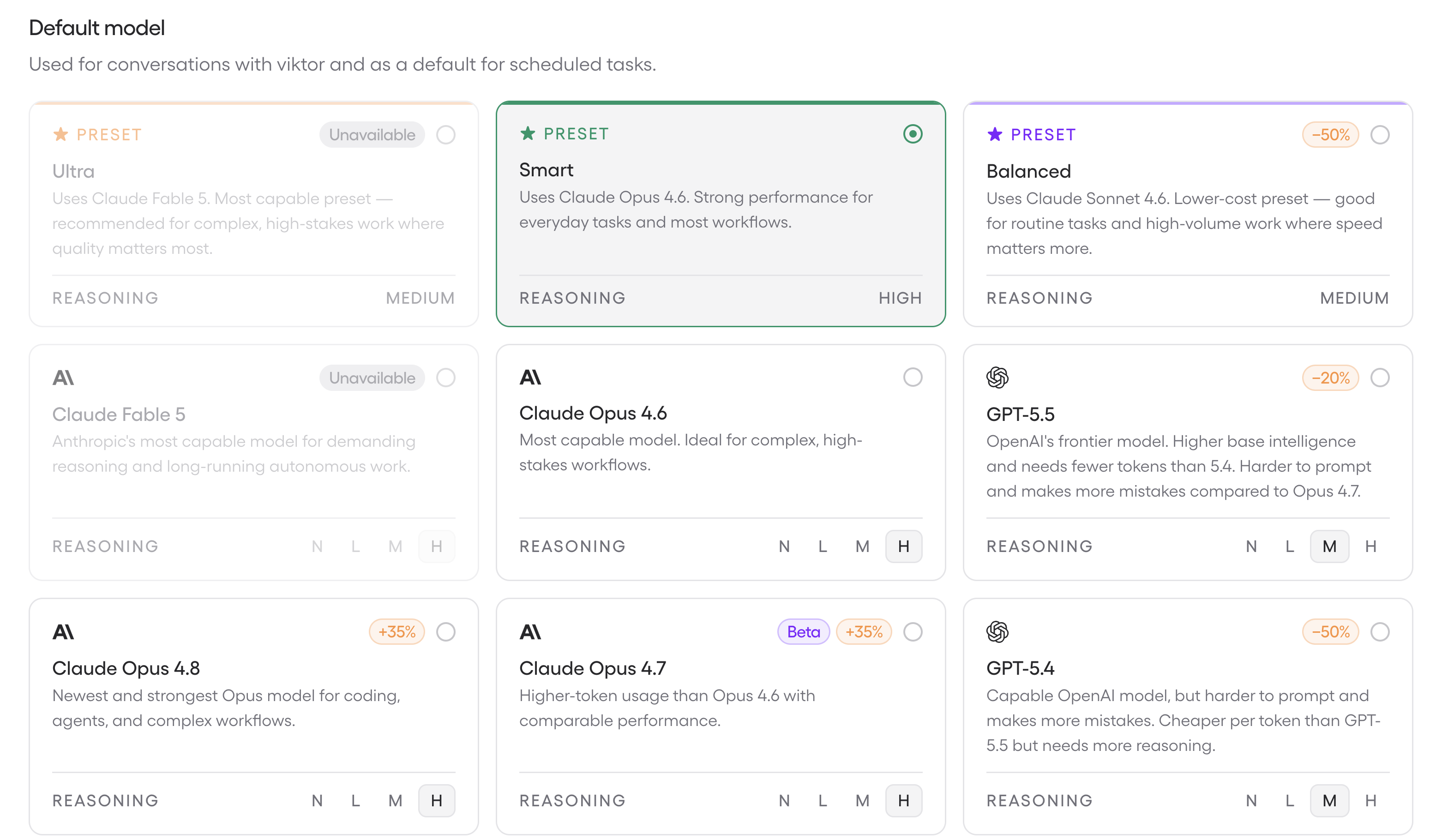
That said, you can modify the model Viktor uses if you do want to save on credits.
Pricing
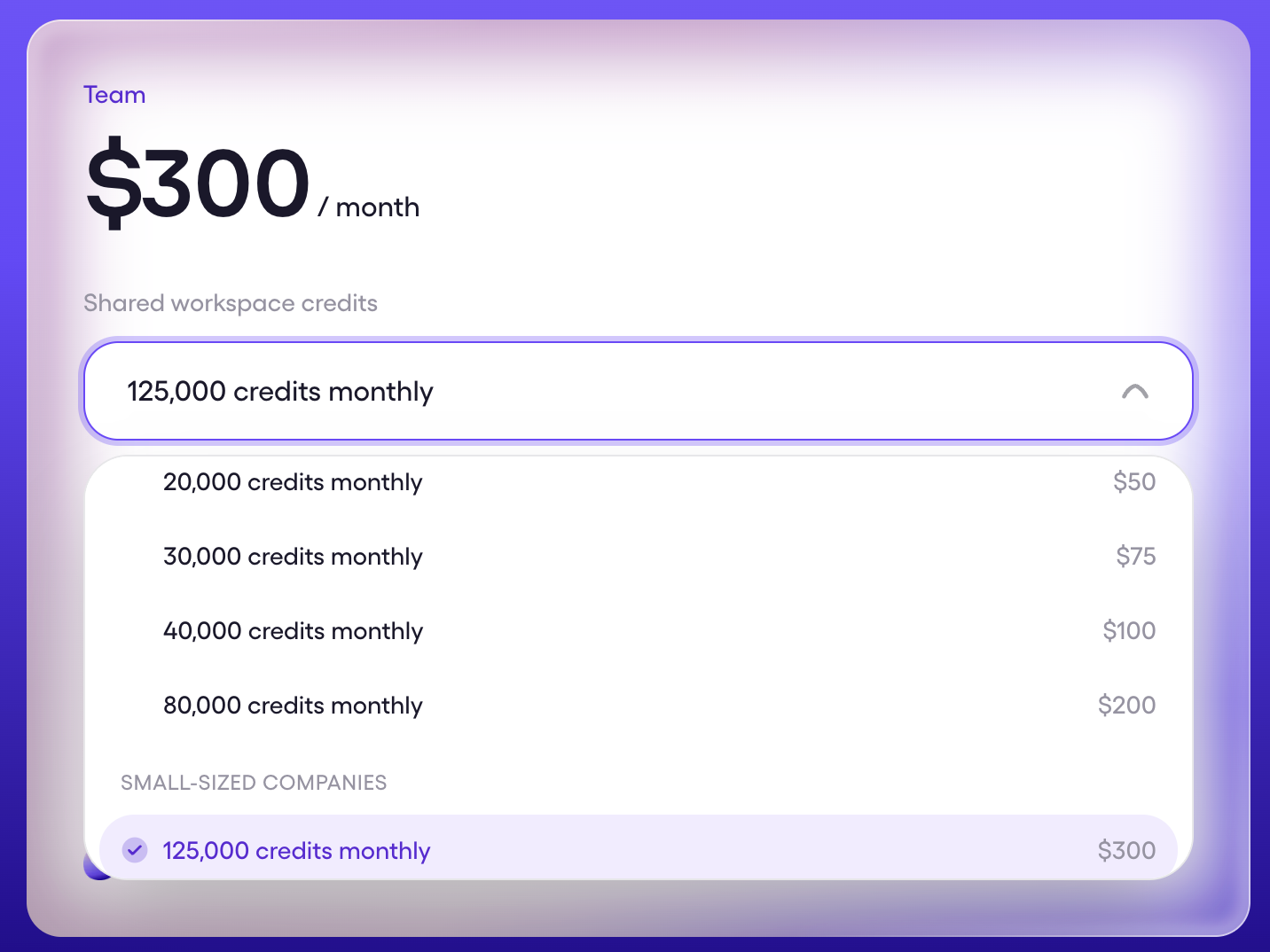
PricingViktor pricing is based on credits.
- Free: $100 off + $100 additional credits if you use our Viktor discount code (exclusive to Efficient App readers). Enough to meaningfully test whether it fits before committing.
- Team: $50 per workspace per month. Includes 20,000 monthly credits that refresh automatically.
- Enterprise: Custom pricing. Adds a more powerful underlying model, invoicing, security review support, SLA guarantees, priority support, and dedicated onboarding.
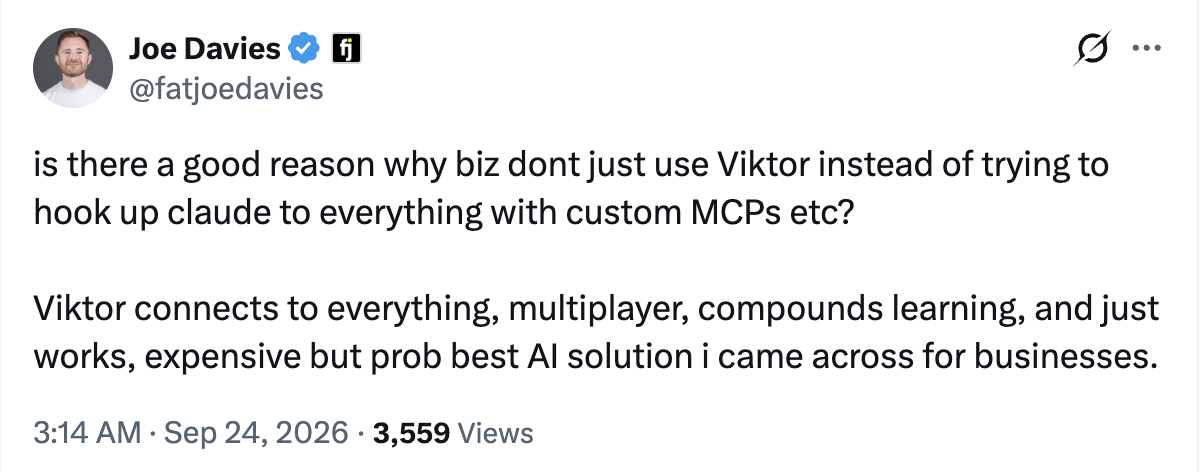
As compared to other AI employees like Claude Tag, Viktor is the best option when it comes to pricing, because they're model agnostic.
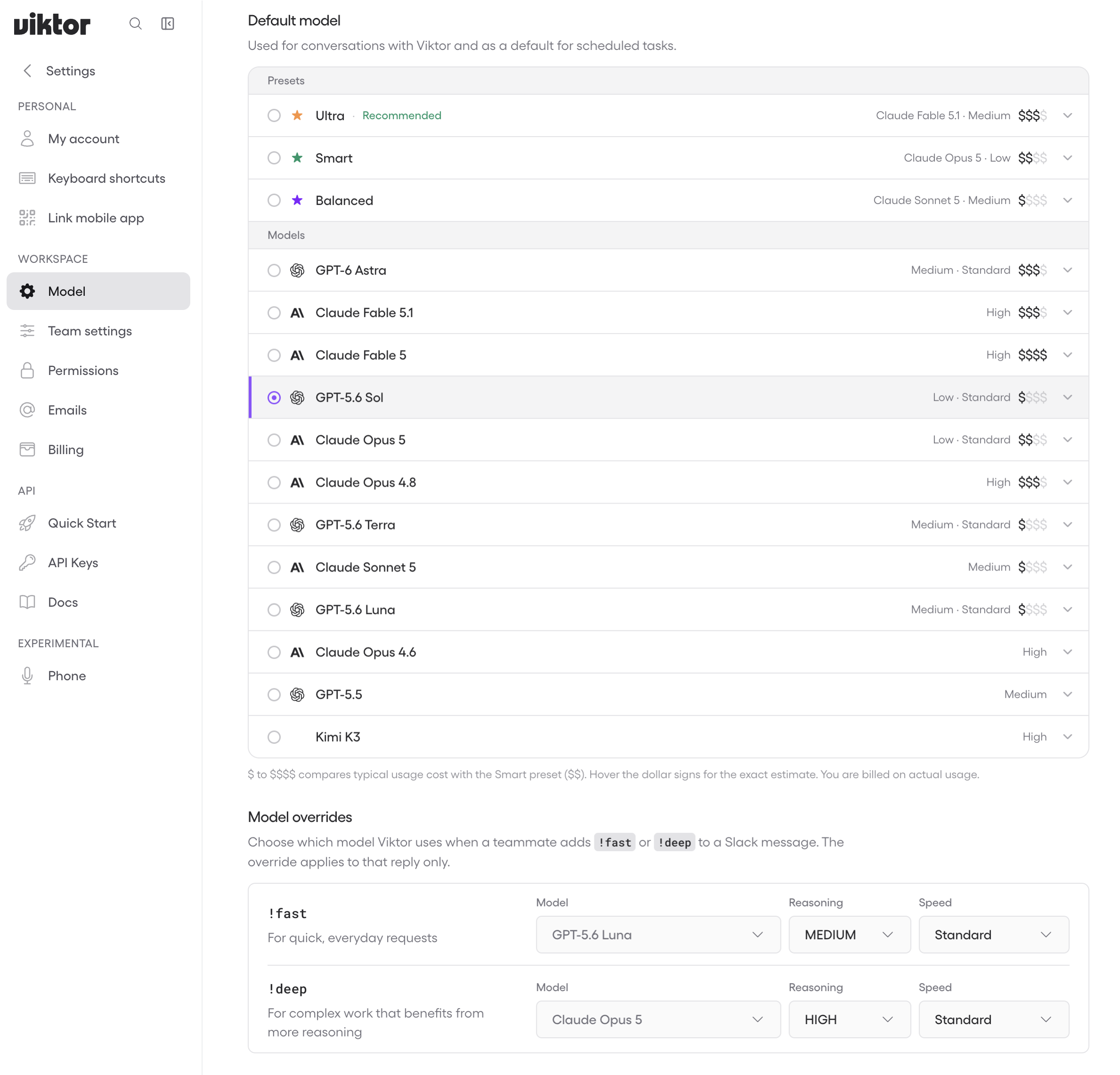
With Viktor, you have so much flexibility, from the default model you select, to the ability to change the model on a one-off message to a different model using !deep or !fast in the message.
Realizing most here that the moat that Viktor has that Claude Tag will never be able to have, as they'll never allow you to use models outside of Anthropic models, which are all very expensive models, and we'd completely blow through our credits if we were forced to do that.
You can choose to use ChatGPT/Kimi K3 or Claude depending on what you're working on, so your credits go a lot further than with Claude Tag:
Final Verdict
Final VerdictIs Viktor worth it? Heck yes.
It's a totally unfair advantage right now. While the world is trying to build their own Claude agent this, and AI tool that, I truly feel like our team is moving faster by just using Viktor and focusing on the business 🔥
I've told all my business friends about it and the ones have tried it have texted me sharing how blown away they are.
I'd just say, give Viktor a shot and you'll see for yourself. You don't even need to put a credit card on file to try it. But first, grab your Viktor Discount (exclusive to Efficient App readers) that will get you double the credits for free.
With that, what surprised us most is that Viktor didn't just make us more productive, he made working together more fun. There's something about being able to throw a task at Viktor mid-conversation and have it handled.
It's also worth knowing who is behind the tool. Viktor was built by former Meta engineers, has over 40,000 organizations using it, and recently raised a $75 million Series A led by Accel with Slack's own co-founders as angel investors (among many others).
Screenshots
Screenshots
Viktor
Categories
CategoriesViktor fits into multiple categories based on what it actually helps you do. Each category highlights a different strength and the efficiency points it earned, helping you compare tools not just by features, but by how well they actually perform.
Keep exploring the best software across categories, or explore Viktor alternatives
FAQ
FAQWhy can't I just build my own version of Viktor? Can't I just use Claude?
Why can't I just build my own version of Viktor? Can't I just use Claude?lol gosh, we wouldn't even know where to begin building something like Viktor. I think this is the trap going on with vibe coding right now, people see a simple product and assume they can build it themselves.
Viktor raised $75M to build this product, it connects in with over 3000+ apps. It's simple in how it's used, but not simple in how it's built.
Building it with all the integrations, security, while maintaining it and fixing bugs is a full-time job. The trade-off of "owning it" is that you inherit all the management overhead.
Even Claude's own attempt at an AI employee (Claude Tag) has more or less flopped. When we tried it, it was so technical and difficult to set up, we abandoned using it in Slack.
And even if we wanted to build it ourselves, it would not be worth it for us as a business to allocate engineering resources to this. It's makes more sense to just pay for the product. I would not let this be a distraction.