
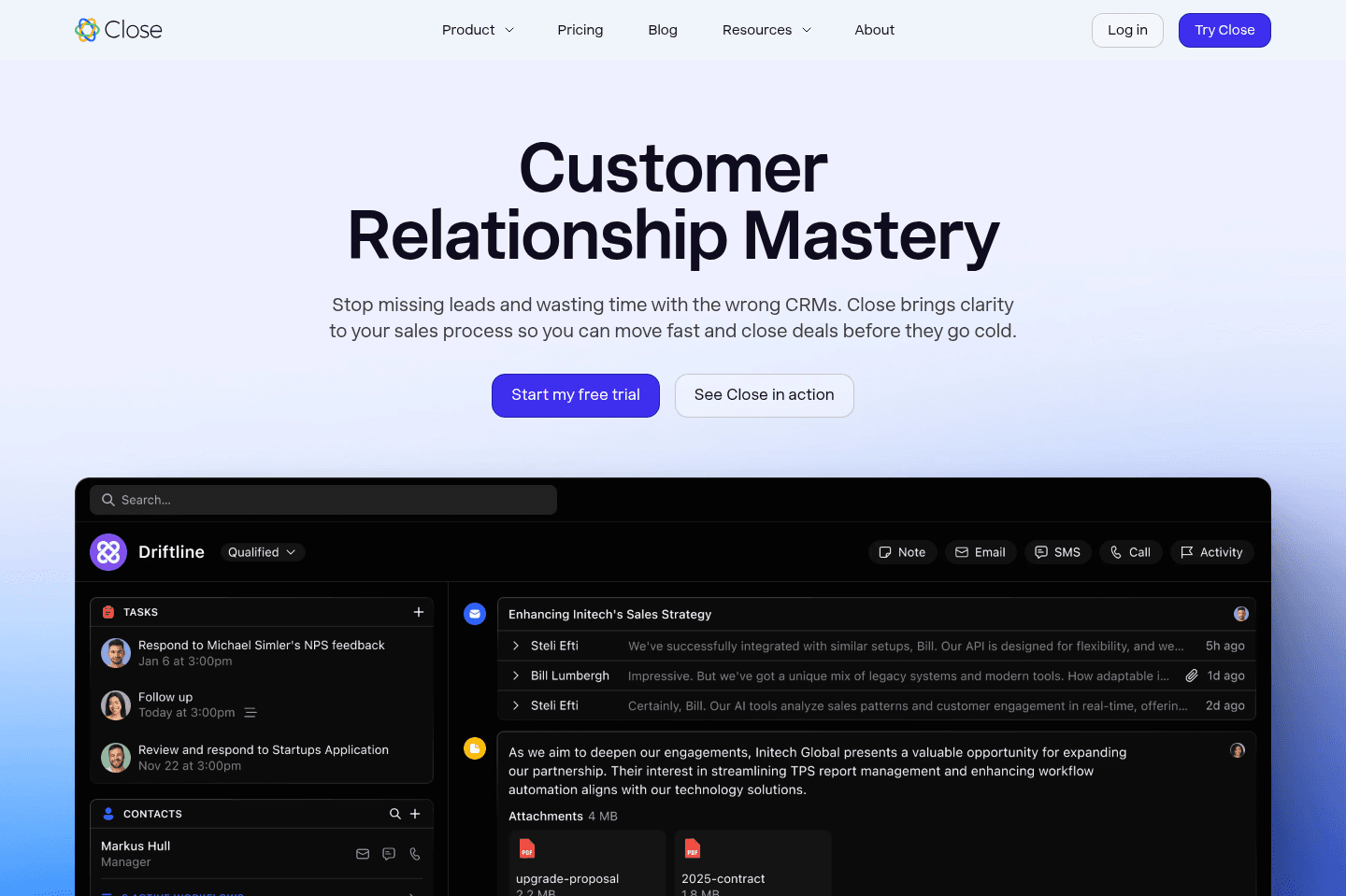
Review Summary
Review SummaryClose locks you into its built-in VoIP and autodialer, so unless your sales team lives and breathes high-volume phone outreach and is willing to pay a steep premium for that one feature, it's not worth it.
For anyone else, especially small teams or those needing flexibility, better integration, or more than basic CRM features, you'll hit frustrating limits fast, skip it unless you're chasing that autodialer above all else.
Close Alternatives
Close AlternativesNot sure if Close is the right fit for you? Check out these alternatives:
 LightfieldBest
Best AI CRM
Best AI CRM WonderlyRecommended
Best for trade-services businesses with $250K+ revenue
Best for trade-services businesses with $250K+ revenue
What is Close?
What is Close?Differentiation in the CRM space is difficult, and that's where Close has decided to be known as the CRM with deep native call/SMS functionality.
While this may sound great out of the gate (especially if you're interested in VoIP integration), let's take a moment to discuss this, because you're most definitely paying the price for this.
They also built Close in a way where they really want you to spend most of your time in Close all day. Syncing in your emails and hoping you'll use their sub-par email client to triage through, versus using a more modern tool like Superhuman, or even Gmail.
This is where competitors like Copper have come in with a super unique approach, building out an exceptional Chromium extension which allows you to access your entire CRM from right within Gmail and Google Calendar.
Who is Close for?
Who is Close for?Close is for high-volume outbound sales teams who want everything in one place (even if that means tradeoffs).
It's built for teams that spend most of their day dialing leads, sending follow-ups, and working through call lists. If your workflow revolves around cold calls, SMS outreach, and aggressive prospecting, it fits well. For anything more relationship-driven or flexible, it’s overkill and restrictive.
Key Features
Key FeaturesEmail Syncing
Email SyncingWe have to give it to Close, they, unlike HubSpot, actually have decent email syncing functionality (which feels table-stakes for a CRM, but sadly, it's not).
For example, if you add an email address into the system (and you're using Google Workspace or Microsoft 365), it'll actually retroactively sync the emails into the CRM.
While it's not as deep or impressive as what Copper does for Google Workspace accounts (going an entire year back across everyone on your team + pulling in and organizing file attachments and calendar events), it's at least something, which we appreciate as compared to HubSpot.
That said, they clearly want you to use Close as your main communication hub, which includes their own email interface. Which is a bit frustrating because most teams already have strong opinions about their email tools (Gmail, Superhuman Mail, Outlook), and Close's email experience is clearly not nearly as polished. So while the syncing is solid, the push to "live inside Close" starts to feel really forced.
Auto-dialer
Auto-dialerThis brings us to their auto-dialer. You can have it call through numbers in bulk, connect you when it hears something on the other end, and pause the dialer while you take notes. It's impressive in that regard, and we don't really have another tool/solution that we'd recommend for that which integrates in well to a CRM.
VoIP
VoIPThat said, you're very much committing to their baked in VoIP solution at that point (which brings with it it's own limitations, like no separate app or mobile VoIP access).
So if you considering something like Dialpad, JustCall, or Aircall alongside your CRM (like many should), think again—you're not getting that with Close.
Because they have their internal VoIP baked in at the core though, it does allow for some cool sequence features which allow you to automatically send out emails, then SMS messages on a cadence. While it can't auto-call in a sequence, it will create a task for you to call:
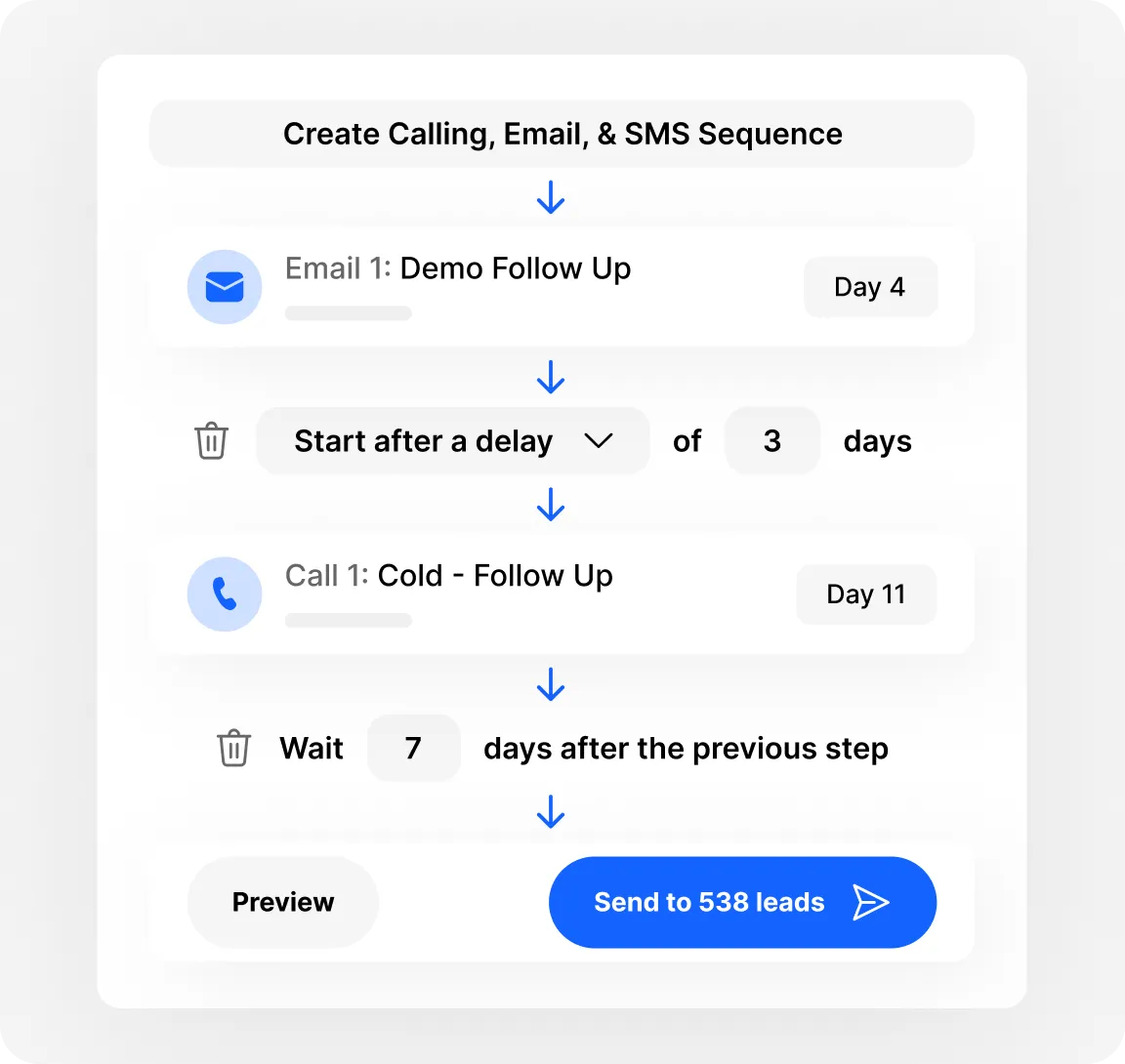
Email, Call, & SMS Sequences
This is a more complex feature that not many CRM's allow for, because it's getting more into the sales enablement email marketing automation side of things that we've seen more reserved for tools like Reply.
Communication Workflows
Communication WorkflowsBecause Close has its own VoIP and SMS tools built directly into the platform, it can create automated outreach sequences that combine multiple channels.
A lot of users seem to love Close's communication workflows. The thing is, it's always a specific group of salespeople who are all selling the exact same way. Which makes sense for them, because since Close owns email, calling, and SMS, it can run true multi-channel sequences in one place, meaning reps don't have to juggle tools or remember follow-ups since the system tells them exactly what to do next.
It's great for high-volume outbound, but isn't great for anyone trying to create a relationship-driven, flexible sales process.
Additional Features
Additional FeaturesAI Transcription
AI TranscriptionJust about every SaaS company and tech-related tool has the ability to generate summaries, Close included.
Say an SDR completely spaced at the end of an important call, since everything is integrated, Close automatically transcribes the conversation and generates a summary. That's great, but again nothing stand out (and our favorite AI note taker, Granola can do all of this with any CRM).
AI Data Enrichment
Close's data enrichment feature is actually practical and actually does some of the heavy lifting for you. Your team doesn't have to fill out all the company details or do much to get context prior to their call, it's just loaded in.
Something that not many people think about is data decay, which causes messy CRMs after your team has skipped fields here and there for the sake of time. With that being said, the AI features alone aren't Close's primary differentiator, just more of a nice-to-have.
Mobile App
Mobile AppClose was very late to mobile. Most competitors have had both iOS and Android apps for years, and Close only launched their iOS app in June 2023. Android followed shortly after, but it's not great. The Google Play app sits at 2.4 stars, with users reporting crashes, sluggish performance, and calling features that don't work reliably.
For a CRM that's built its entire identity around communication, providing a mobile experience that feels like an afterthought is a real gap.
If your team is frequently on the go and expects to make calls or log activity from their phone, this is worth factoring in before you commit.
Pricing
Pricing- Essentials: $49/mo per user. Best for small sales teams that want a CRM with additional communication capabilities.
- Growth: $109/mo per user. Best for teams that want to automate parts of their sales workflow.
- Scale: $149/mo per user. Best for larger teams that need more advanced control and dialing capabilities.
- Enterprise: Custom pricing. Designed for large organizations with complex CRM needs.
Final Verdict
Final VerdictIf you hear the words "autodialer" and get super excited, this is probably the CRM for you. If you have a heavy sales motion that requires mass-phone calls, that's where Close really shines.
Otherwise, it's trying to be too many things baked into one, which might sound good at first, but upon diving in, you'll see that they don't integrate as well with other tools:
The features they have feel more like a v1, more-so to check the marketing box, versus them being more thoughtful and well-iterated.
If you're using Google Workspace and considering Close (or HubSpot for that matter), we highly recommend checking out Copper instead.
Categories
CategoriesClose fits into multiple categories based on what it actually helps you do. Each category highlights a different strength and the efficiency points it earned, helping you compare tools not just by features, but by how well they actually perform.
Keep exploring the best software across categories, or explore Close alternatives