Comparison Summary
Comparison SummaryCopper lets you work entirely inside Gmail and Google Calendar with deep integration, while Close forces you into its own system and restricts you to its built-in VoIP and autodialer.
Only use Close if your team absolutely needs high-volume autodialing; choose Copper for everything else, especially if you use Google Workspace.
CRM
CRM Copper
Traditional CRM for Google Workspace
Traditional CRM for Google Workspace Close
CloseFor sales-focused cold outreach via VoIP
For sales-focused cold outreach via VoIP
Sales
SalesRecommended Alternatives
Recommended Alternatives LightfieldBest
Best AI CRM
Best AI CRM WonderlyRecommended
Best for trade-services businesses with $250K+ revenue
Best for trade-services businesses with $250K+ revenue
Editor's Verdict
Editor's VerdictEase of Learning
Ease of LearningCopper is way easier to pick up, especially if your team already lives in Gmail or Google Calendar. You just see Copper's tools right inside your inbox, so there's almost nothing new to learn and people can start actually using it right away.
Close is fine if you're a hardcore outbound sales team and don't mind sticking to their built-in tools, but anyone outside that niche will hit a steeper learning curve. Some features feel half-baked, and the push to use their email and calling instead of your usual setup can slow things down, making onboarding bumpier.
If you want your team up and running in less than a day with as little hassle as possible, Copper is the obvious pick. Only go with Close if you're already a perfect fit for their outbound sales workflow and don't mind a bit of friction. For most teams, Copper is just faster and easier to learn.
Workflow Presence
Workflow PresenceCopper is built to keep your team working right inside Gmail or Google Calendar, so you barely have to touch the CRM at all. You can handle tasks, add contacts, and track activity without breaking your flow or switching tabs, and even automated emails come straight from your Gmail, making follow-ups seamless and personal.
Close forces you to live entirely inside its own platform, with no real support for integrating the outside calling or email tools your team already uses. If you prefer Gmail or other communication apps, you'll be constantly switching back and forth, which adds more admin work and disrupts your workflow.
If your team wants a CRM that actually shows up where you already work and cuts out context switching, Copper is the clear choice. Close just adds more friction unless you're fine being locked into its ecosystem.
Team Adoption
Team AdoptionCopper makes adoption a breeze because it lives right inside Gmail and Google Calendar, so your team never has to change their habits or juggle tabs. Even the people who usually avoid new tools end up actually using it, since it just blends into what they're already doing. There's no friction or learning curve, and nobody drops off because of annoying extra steps.
Close, on the other hand, forces your team to adapt to its all-in-one workflow, which works only if everyone is ready to go all-in on Close's way of selling. If your team prefers flexibility, already uses other calling or email tools, or needs a solid mobile experience, Close quickly feels rigid and awkward. Most teams end up fighting the tool or working around its gaps, so adoption falls apart unless you have a very specific outbound sales process and everyone buys in.
If you want your team to actually use the CRM and keep using it, Copper is the obvious pick. It fits right into your daily routine, while Close makes you bend to its rules.
AI Assistance
AI AssistanceBoth Close and Copper only offer basic AI features that don't go far beyond saving you a bit of time. Close covers call transcription, summaries, and some data enrichment, but these feel half-baked and aren't a real differentiator. The AI helps with notes and context, but you'll still need outside tools for anything advanced.
Copper is even lighter on AI, mainly offering AI-written emails and a separate GPT app for simple queries, but nothing that actually acts as an assistant or meaningfully automates your workflow.
Honestly, neither app stands out for AI Assistance. If you really need AI to make your CRM smarter or take work off your plate, you won't find it here. Both are limited, but Close squeezes out a tiny edge with its data enrichment and call summaries, just don't expect anything game-changing from either.
Integrations
IntegrationsCopper blows Close out of the water when it comes to integrations. Copper's Google Workspace sync is in a different league, pulling in a full year of emails right away and keeping everything current without hassle. Plus, Copper's open API and Zapier support mean you can actually connect it to the rest of your stack however you want.
Close, on the other hand, locks you into its own built-in tools for calling and SMS with no real option to use popular third-party platforms. Even its email sync, while functional, feels basic and can't match the depth or flexibility you get with Copper. If you need anything beyond the basics or want your CRM to play nicely with the rest of your tools, Close just doesn't keep up.
If integrations matter at all to you, Copper is the obvious pick.
Screenshots
Screenshots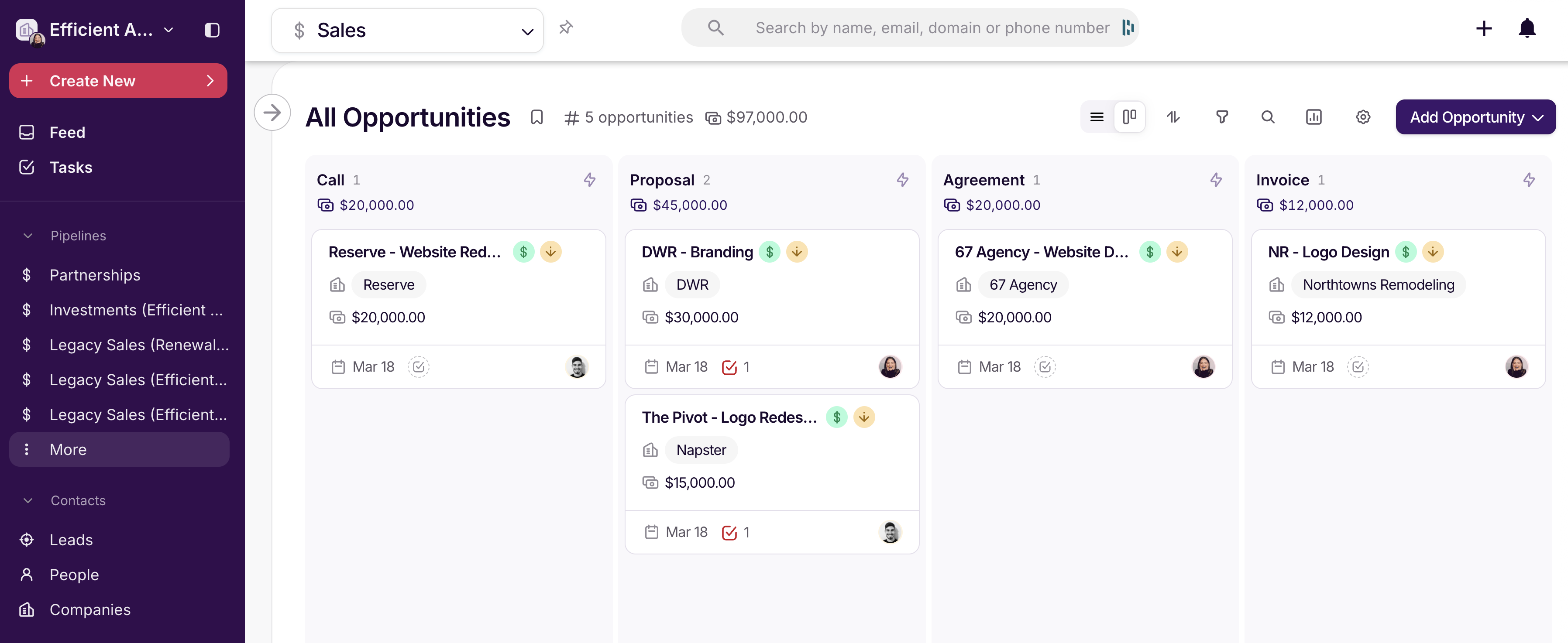
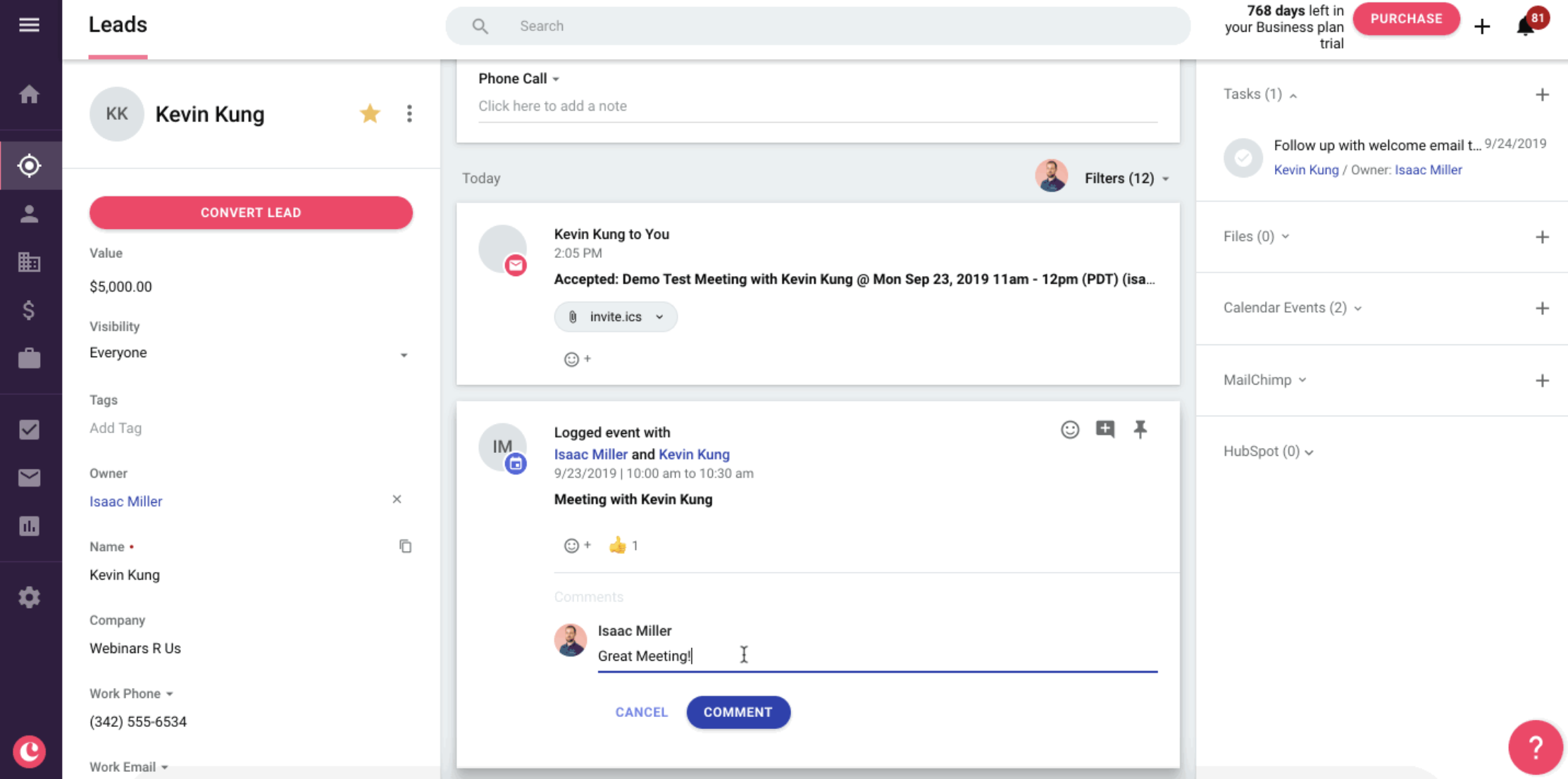
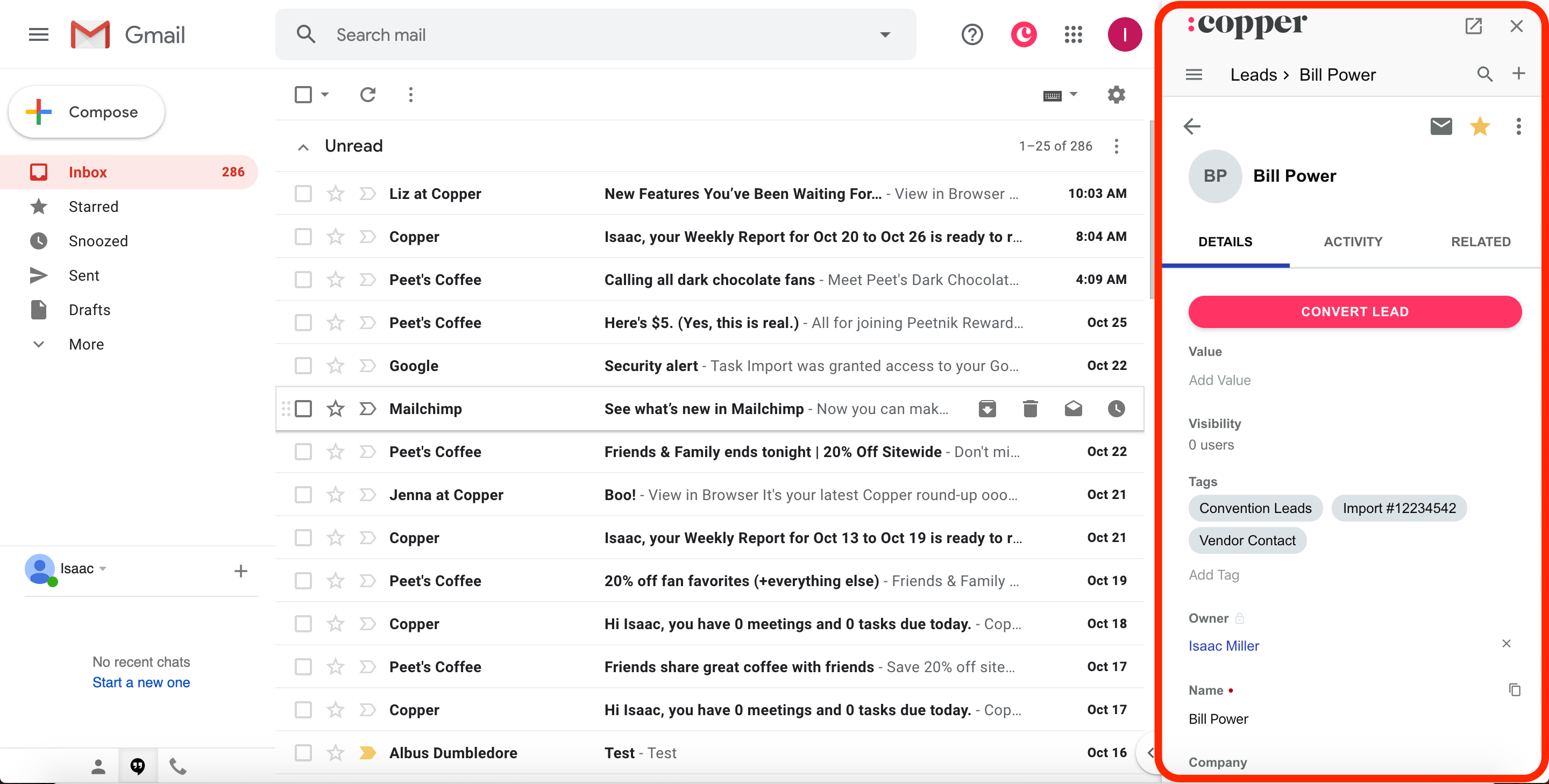
Copper