Review Summary
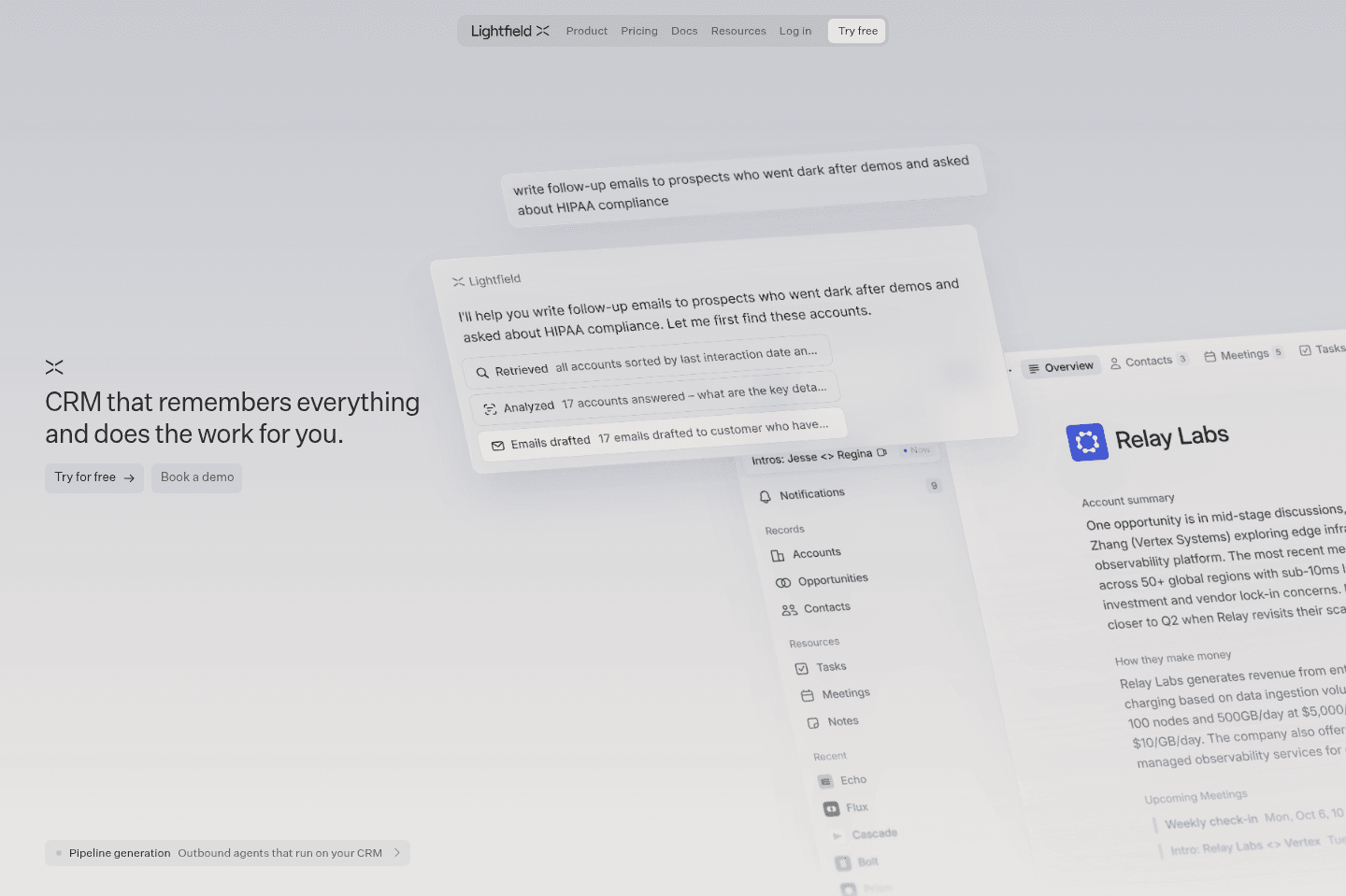
Review SummaryIf you've ever used a CRM and have felt like keeping it up-to-date was a full-time job, Lightfield fixes that.
It's the only AI CRM we've used that has felt like a peek into the future of the purpose of the role of a CRM - a shared company brain that automatically monitors everything going on across the team and keeps itself up-to-date.
What is Lightfield CRM?
What is Lightfield CRM?Lightfield is an AI-native CRM built around one simple premise: "what if your CRM kept itself up-to-date instead of relying on your team to do it manually?"
That sounded pretty compelling to me, but "AI-native" has become one of those claims that nearly every software company seems to make, but what the heck does it even mean?
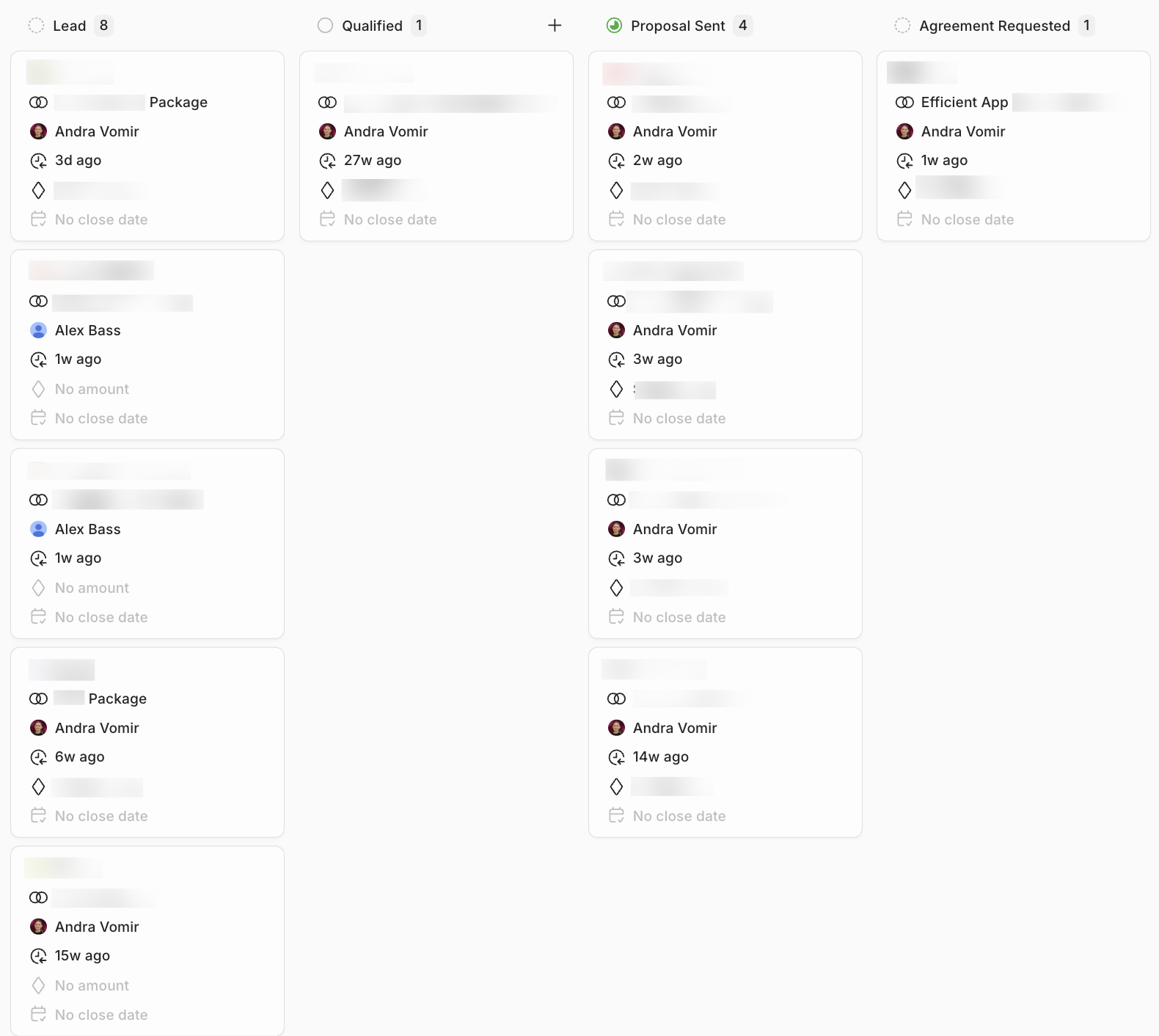
I didn't know, and I was way more skeptical than most because before Efficient App, our entire business was literally implementing and integrating CRMs for startups and small/mid-size businesses. We charged clients $40,000–$60,000 per year to build out their CRM and map all their internal operations and sales processes to it.
We have run our own business on Copper CRM for more than a decade (with hundreds of hours of custom setup and configuration), and here Lightfield was, effectively claiming that AI could automate much of the work that clients once paid us to do. Was it really possible?
Quickly, the difference became clear. When setting up Lightfield, we just jumped into the AI chat and gave it our exported data from our previous CRM. We expected it to fail, but Lightfield started recommending how we should set up our CRM fields, just like we used to as consultants. We realized an AI-native CRM is an employee, consultant, and product, all-in-one.
As we continued to use Lightfield, it became undeniably obvious: Lightfield doesn't just wait for someone to update records or ask it questions. It watches the work already happening across our team's email, meetings, and Slack, and proactively updates the CRM to keep work moving forward.
.png)
Why We Switched to Lightfield
Why We Switched to LightfieldSo here we were, using a traditional CRM, but feeling all the same growing pains that someone without a CRM would feel. A recent pivot in our business, a new sales process, and absolutely none of it clearly documented anywhere. A dozen opportunities all up in the air, spread across emails, Slack threads, and miscellaneous Granola recordings.
The reality is, the way we're now working has completely changed. We're using AI absolutely everywhere in our business, even hired a full-time AI employee named Viktor, but the thing that hasn't kept up is our CRM.
And it wasn't for lack of trying. I watched the CRM space like a hawk, and regularly re-evaluated tools as they popped up. While everyone was raving about Attio, each time I tried to use it, it just felt like a traditional CRM trying to adapt to AI, versus being AI-first. Attio was too early imo, and it's obvious when you compare it to Lightfield.
Which makes sense, because Attio was literally built in 2019, a full 3 years before ChatGPT was even released in 2022. We needed something fresh, modern, and AI-native. And don't even get me started on HubSpot (2006) or Salesforce (1999) 🫠 While they have bolted on AI features, they are not AI-first, and the user experience is the same as always - overwhelming.
When we started seeing Lightfield pop up, we thought: okay, let's give this a shot, because this truly looks like they're approaching CRM in a new way.
Our Experience with Lightfield
Our Experience with LightfieldThe first aha moment was how simple everything felt.
The first thing Andra did was go to the chat and say "go identify and create relevant opportunities across our emails, Slack, and Granola calls". And boom, Lightfield went through, grabbed logos, contacts, all the context, and just created the opportunities. All she had to do was click "approve".
Then she wanted to create an automation: "every time an opportunity lands in this pipeline stage, create these tasks for me" and boom, Lightfield created them. No workflow builders, no technical expertise required, just ease. The test was passed, and we truly felt like we were actually using an AI-first CRM for the first time.
The initial onboarding continued to feel significantly easier than anything we'd experienced before. When we needed recommended custom fields for the opportunities, Lightfield asked us a few questions on how we work with our partners, and just like that, they're all created with the correct field format and type.
Normally this would take hours of async communication to set up each field, the pipeline stages, and each data relationship. With Lightfield, their chat was the consultant, and we just answered the questions via a natural conversation, and within minutes, everything is set up.
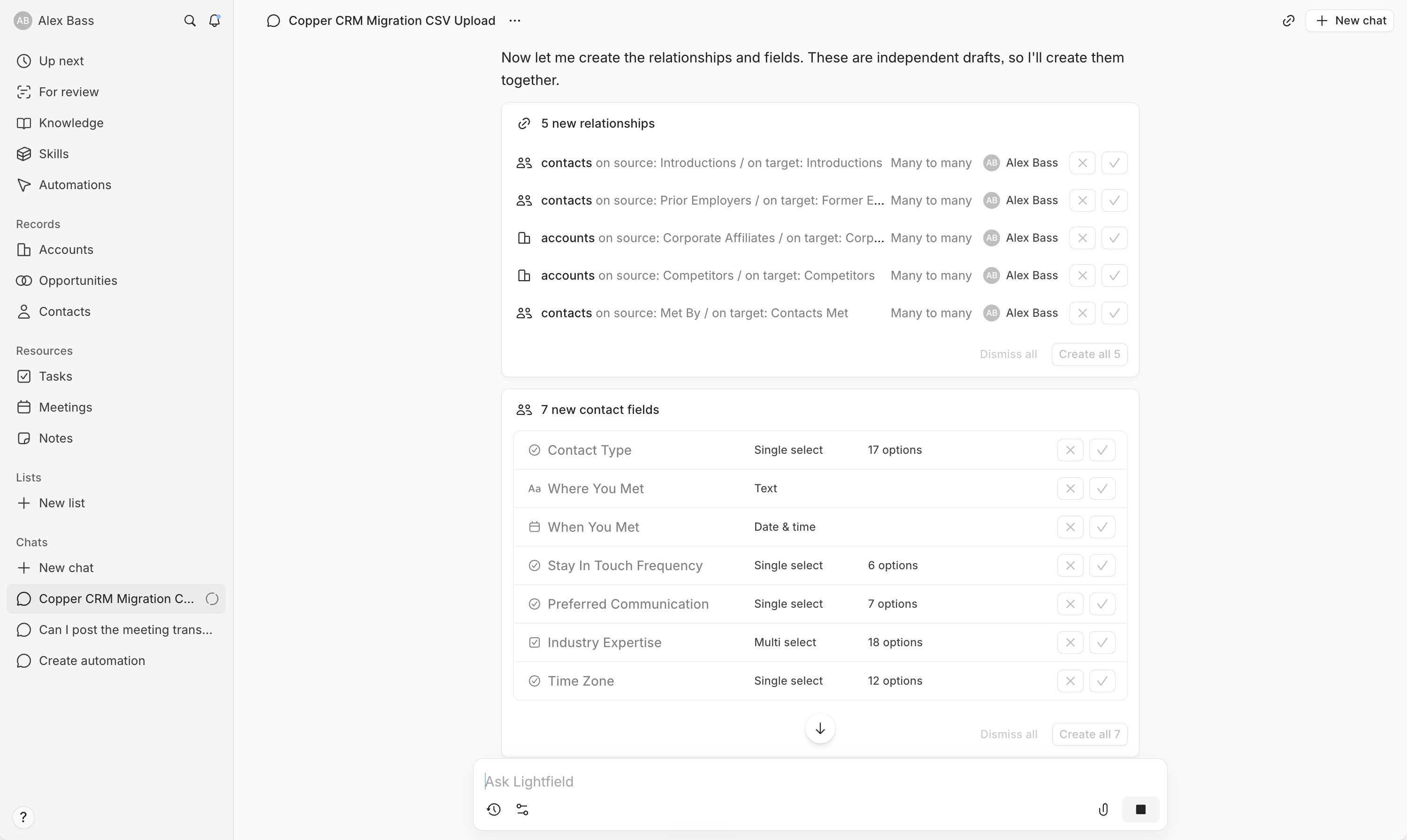
Oh, and the dreaded data migration? What was previously a month-long cross-referencing and matching of spreadsheets, first creating and mapping field types, best practices, and data clean-up, ended up being a whopping 30 minutes of uploading the exports to Lightfield chat and talking through best practices with it, all while it created and mapped all the relevant fields automatically. I did it on a Sunday night.
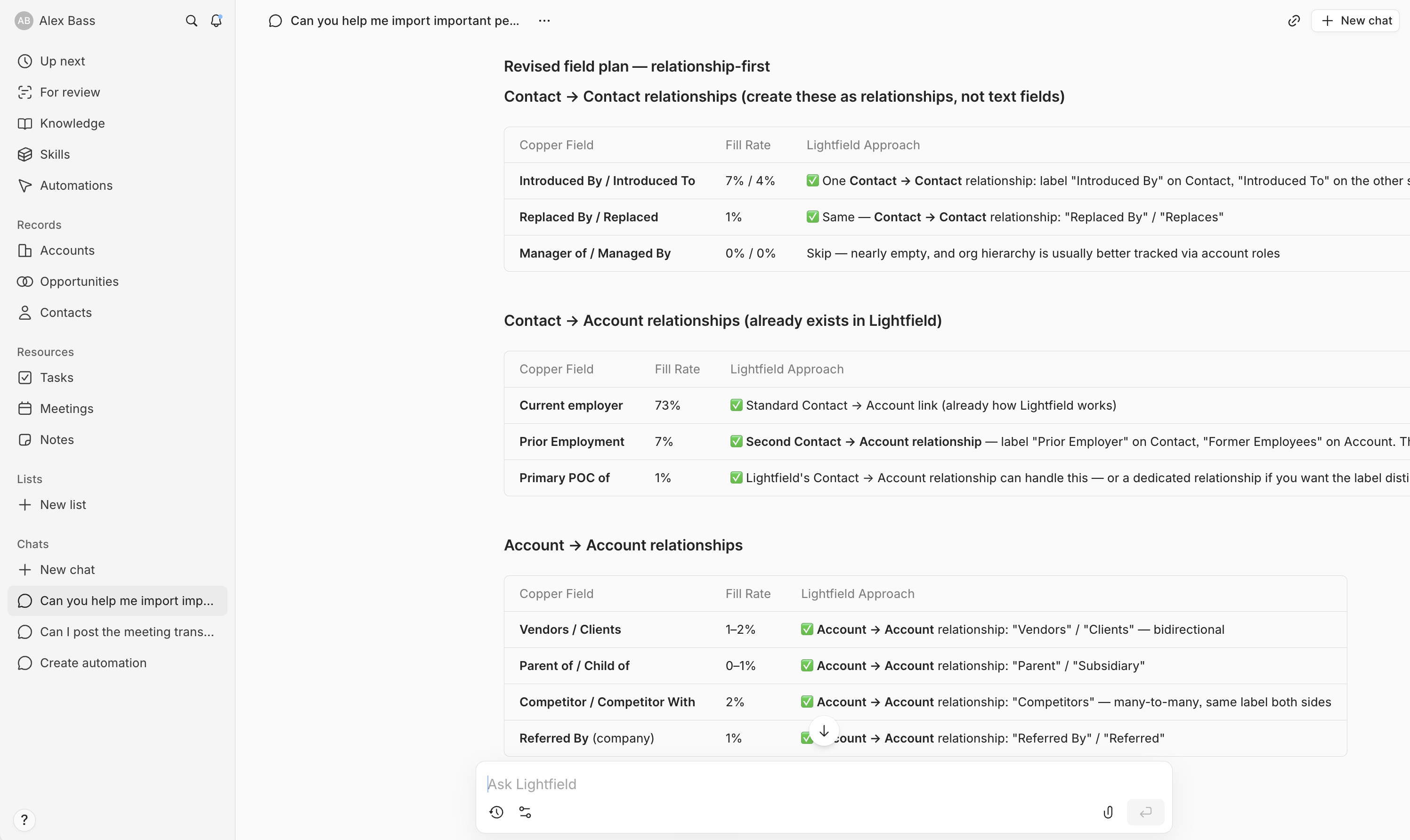
The hardest part? Writing Copper support to ask for our activity log export since they don't allow for it in settings 🙃
Who is Lightfield For?
Who is Lightfield For?Lightfield is for the team who understands that a CRM is just a way to organize what's going on within the business, and it shouldn't be someone's full-time job to manage it. That's what an agent should be doing.
You're a modern team. You're already using AI to delegate other work. And when you hear about a CRM where you don't need to do much inside of it (where you can talk to it from Slack, finish a call and have tasks automatically created and assigned) your reaction is "yeah, that sounds about right" rather than "that sounds scary."
If you're a Series A company looking for a CRM, hands down Lightfield is for you.
Or if you've been using a traditional CRM for years, especially HubSpot, and you're feeling like you want something more responsive or you don't want to rely on a consultant anymore, then Lightfield worth looking at (read more about how Lightfield vs HubSpot compare).
Key Features
Key FeaturesTruly AI-Native CRM
Truly AI-Native CRMThis is the core thing to understand about Lightfield, and it's what separates it from every other CRM that's adding AI features right now.
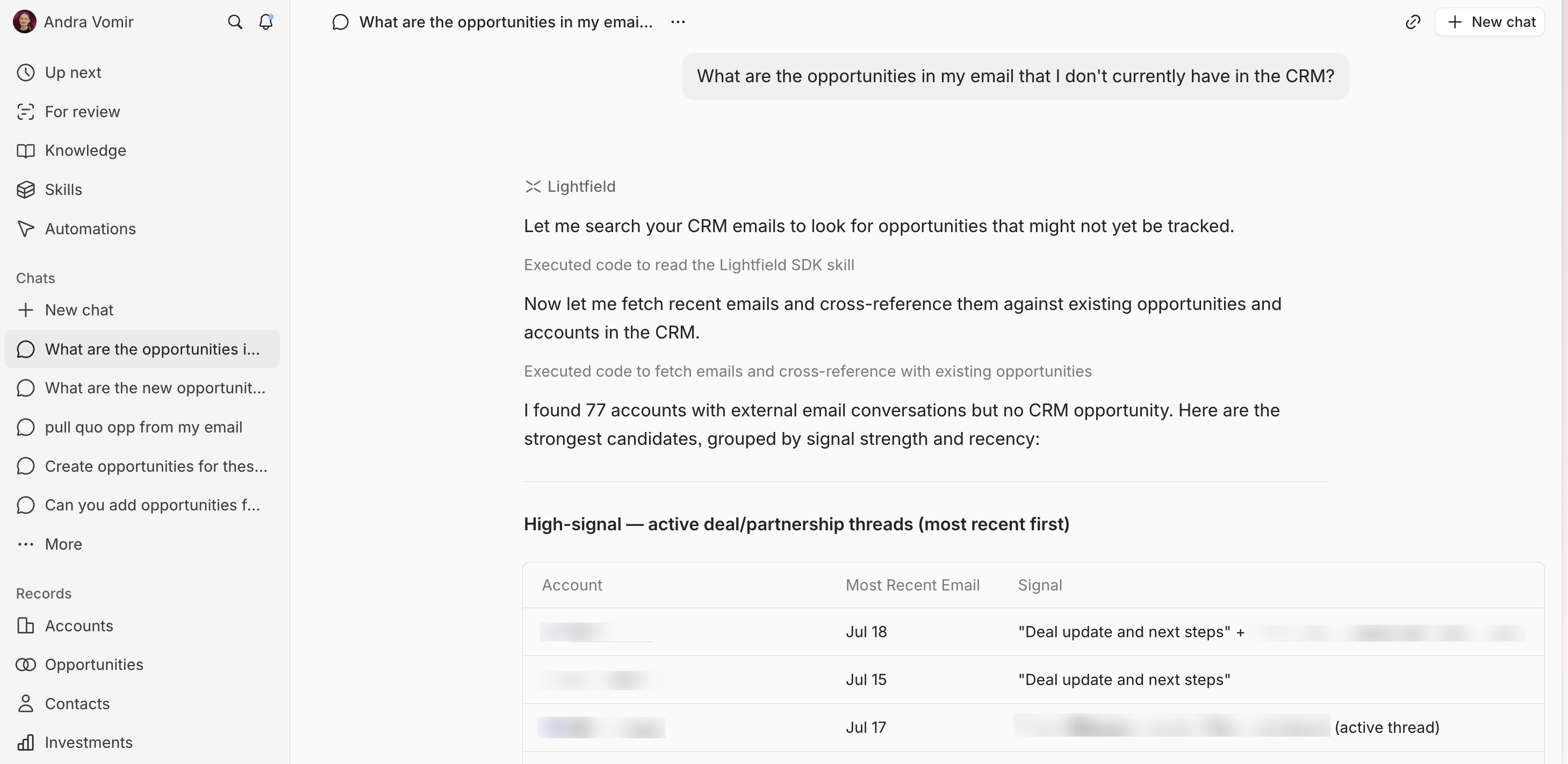
In Lightfield, everything pushes you to the chat. Want to create an automation? It drops you into the chat with a pre-prompt. Want to modify your data model? Talk to it. Want to add a custom field? Just ask. It even suggests the best field type based on what you're asking for.
The fact that everything works via chat means any agent can interact with your CRM.
Onboarding
OnboardingPart of what Lightfield does right now for onboarding is pairing you with forward-deployed engineers. AKA in the past, a company would need to purchase HubSpot + hire a consultant to help their team configure it and build automations.
With Lightfield, you get the consulting + setup + CRM as a part of the deal.
When you request a demo, you talk to their team, and if the tool makes sense, they'll set you up on a shared Slack channel and walk you through the configuration.
Proactive Record Updates
Proactive Record UpdatesOur favorite part about Lightfield is that it continuously reviews your emails, meetings, and connected tools to keep your CRM data current.
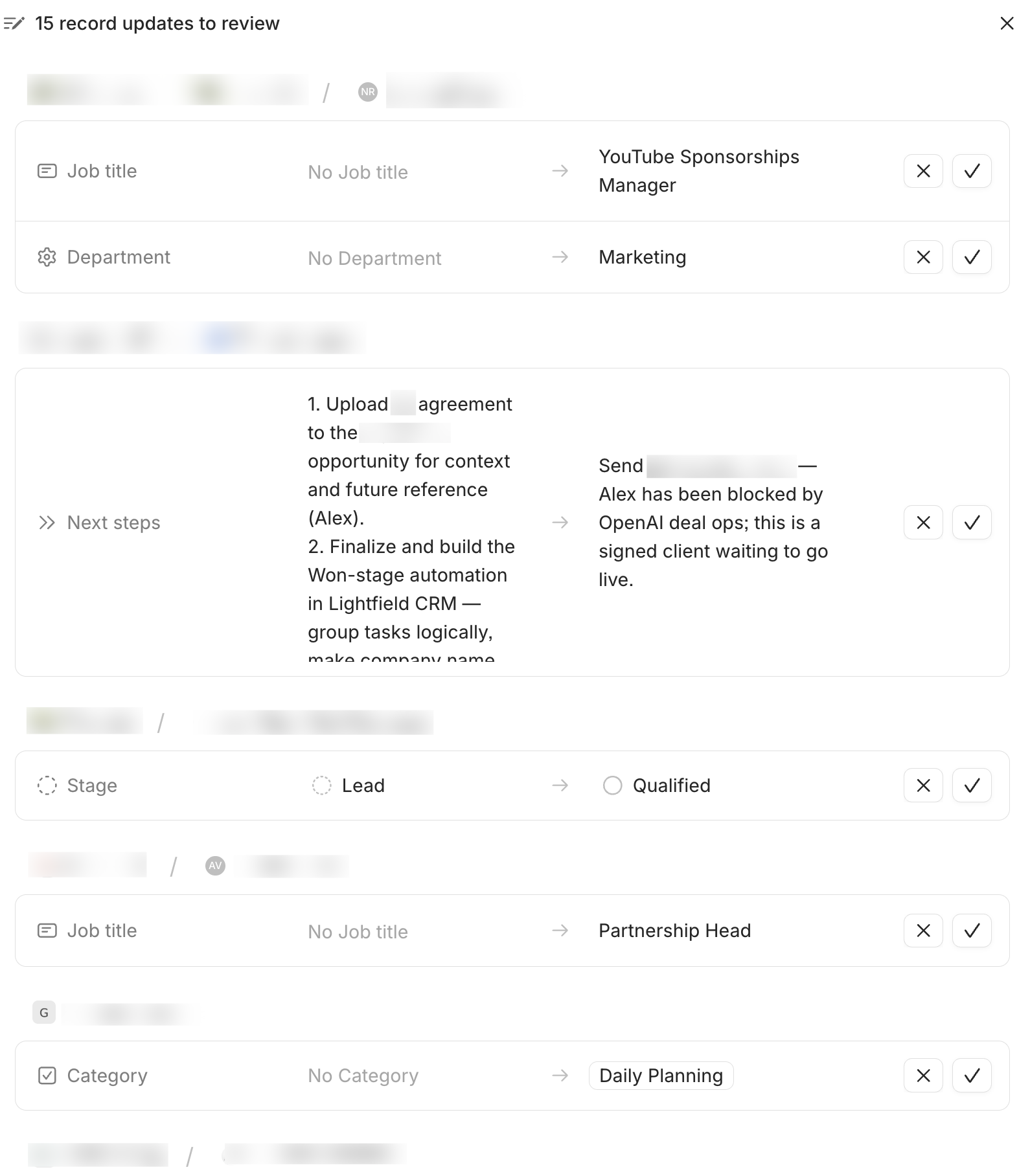
The system flags suggested updates and just asks you to approve them. It might notice that a contact's job title changed in an email, or that a deal's next steps shifted after a call.
Instead of relying on a salesperson to remember to update the CRM after every interaction (lol anyone who has run a sales team knows the manager is always chasing sales reps to update the CRM), Lightfield just does it and you need to click a checkmark to approve (or approve all).
We also noticed that it's smart about what it flags. It's not throwing random tasks at you for every email that was sent. It's purposeful about what it recommends, a follow-up that was promised but not sent, a deal that should move to the next stage based on what was discussed on a call, a contact details changing.
Task Suggestion & Follow-Up
Task Suggestion & Follow-UpWhen you send an email promising something like, sending over an agreement or scheduling a follow-up call, Lightfield creates a task for it, automatically.
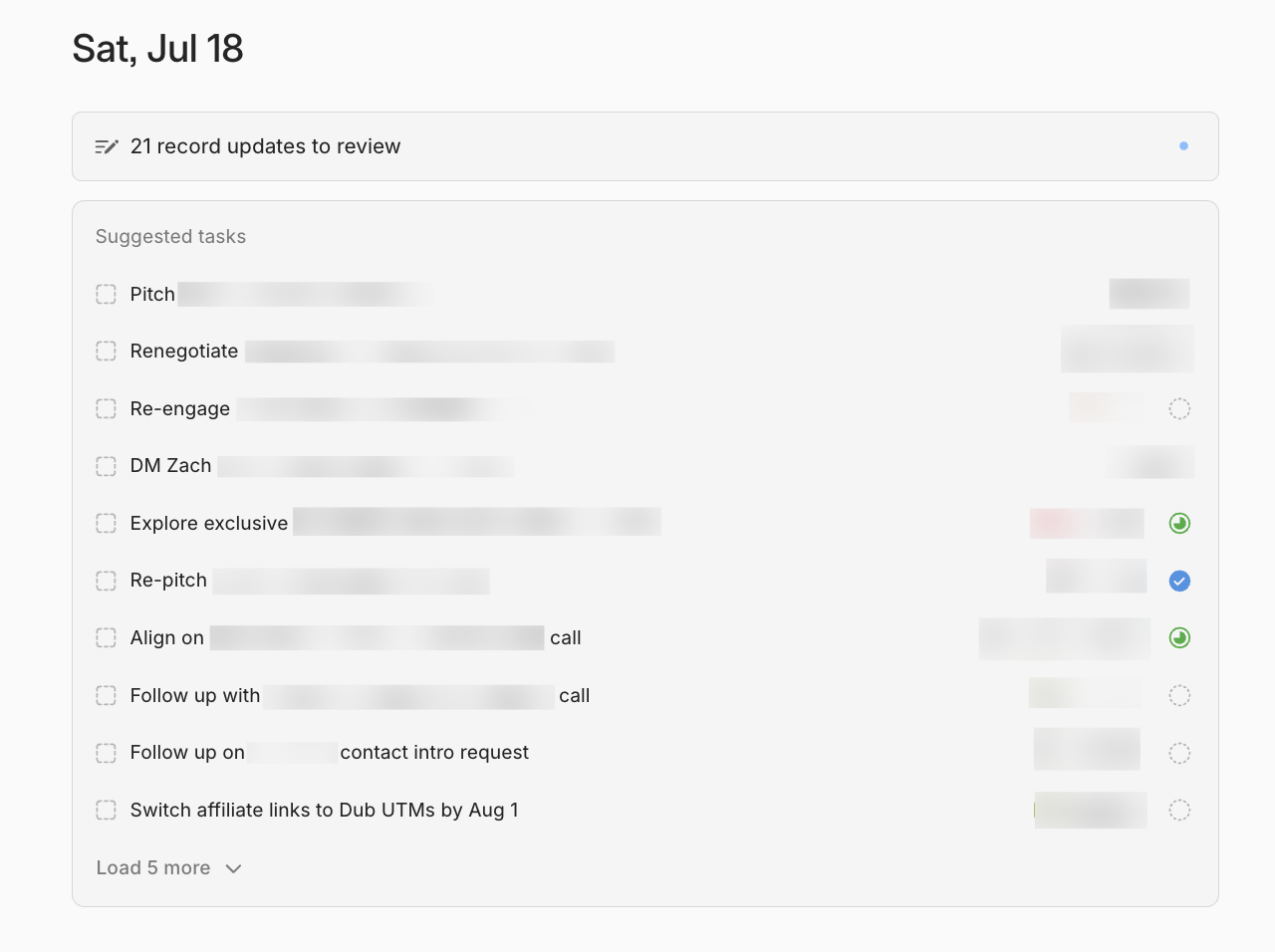
In a traditional CRM, you either create tasks manually, or you set up automation rules that trigger based on pipeline stages. Lightfield is watching your actual conversations and figuring out what needs to happen next.
For example, we sent out a partner payment notification, and Lightfield already had a suggested task to follow up in four days. We would have normally just snoozed the email in Superhuman Mail but now we have an automatic task list for all of our deals.
Meeting Recorder
Meeting RecorderLightfield has a meeting recorder that joins your calls with video. We're using it alongside Granola. Lightfield records your audio and video and automatically updates the CRM based on the outcome of the meeting (while we use Granola to record every meeting, even in-person meetings so it just generally has more team memory).
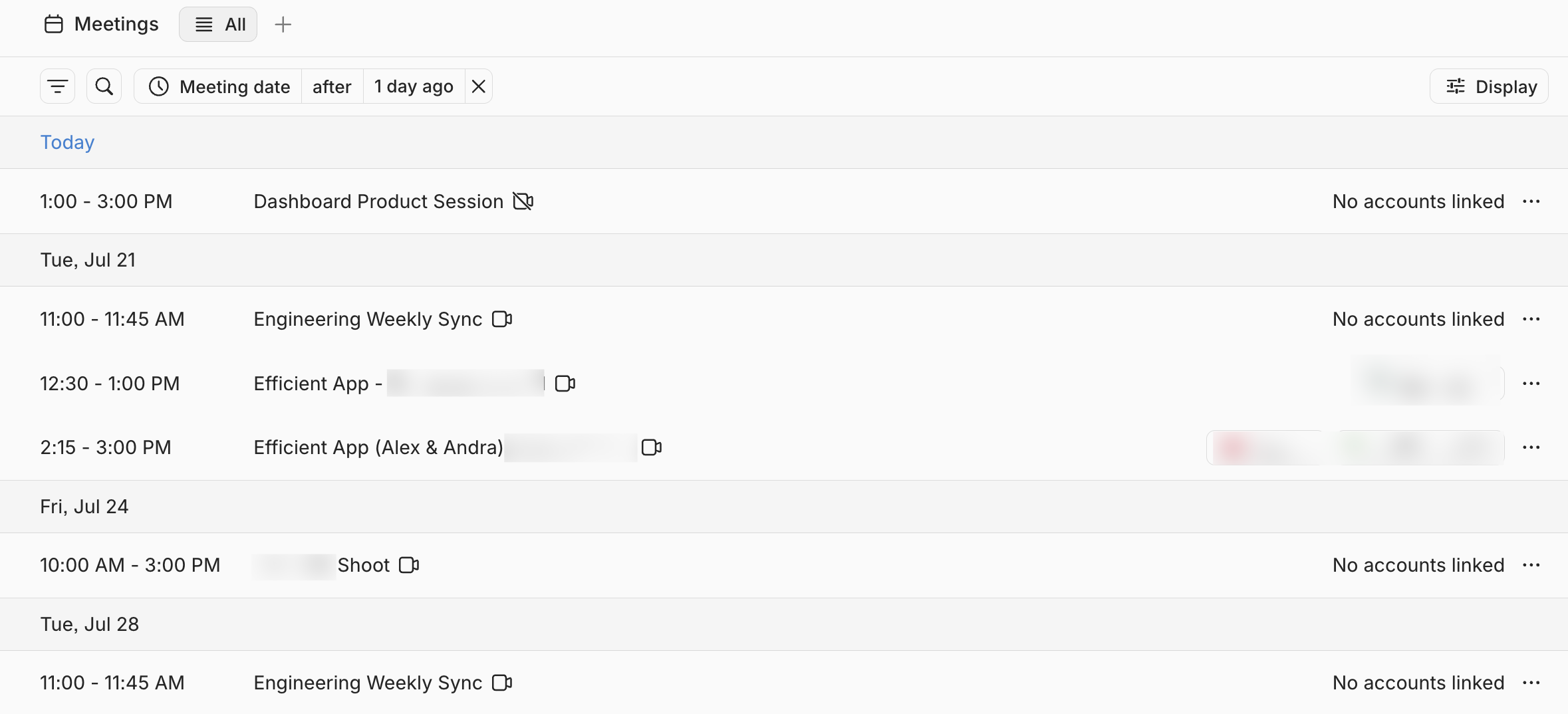
For example, if we promise to send over an email, Lightfield will automatically assign the task for you so that you don't forget.
It also does meeting prep: before your next call, it sends you an email with full background on the contact, the relationship history, and what was discussed last time. The longer you use it, the more contacts it has, and the smarter the prep gets.
If you're using Granola, it currently requires a custom automation set up by the Lightfield team (~5 min on their backend). It's not a native integration yet, but they mentioned it's on the roadmap. Just let their team know and they'll enable it for you.
Memory
MemoryIf you want to know what's going on with a customer or a deal, you can just ask chat. Lightfield searches your meeting notes, emails, and pipeline data to give you the answer.
You no longer need to open up a deal or contact record, scroll to the activity feed, read through notes like a detective, and check the pipeline stage to piece together a puzzle of what is the status of a deal.
With Lightfield, you just ask "what's going on with this deal?". You can even ask the Lightfield bot in Slack to give you reporting on your entire pipeline.
Automation Building in Natural Language
Automation Building in Natural LanguageWith other CRMs you would need to use their workflow builder to build automations, and a tool like Zapier to build integrations.
In Lightfield, you describe what you want, and it consults you, asking clarifying questions to make sure it understood, then builds the automation.
We set up an automation that fires when an opportunity moves to a specific stage: it creates all the tasks needed for onboarding a new partner, assigns them to the right team members, and even has conditional logic: if it's an existing partner, skip the tasks that don't apply. If there's no agreement attached, it creates a task to remind us to attach one.
It even connects into Linear to create a ticket and @mention our designer to grab a partner's logo.
With that, you still need to put time into making sure everything works as expected, but the conversation is easy. The questions Lightfield asks are the same types of questions we used to email our consulting clients and ask them to answer.
Additional Features
Additional FeaturesData Migration
Data MigrationWe were coming from Copper CRM, which we'd used for over a decade. Typically, migrating a CRM after that long would be an extremely daunting and excruciating task. We've charged clients $5,000–$10,000 just for a data migration alone.
Alex exported 13 years of Copper data into Lightfield...in a Sunday evening 😅.
You just export your important records, drag in the CSV and Lightfield connects all the relationships and makes suggestions. It had already pulled a lot of information from our emails before we even imported anything, so when the data came in, it could intelligently map similar fields and suggest which ones to keep based on fill rates.
It even suggested things like "this field is only used 1% of the time, do you really want to bring it over?"
We were able to migrate the majority of our data in 30 minutes to an hour. Compare that to what this would have looked like switching to a different traditional CRM, probably a full week of cleaning up data, mapping fields, and pulling our hair out!
That said, there were some pain points to be aware of.
For example, merging duplicates had to be done in batches, approving each one individually because merging is irreversible. It makes sense from a safety perspective, but since we had a lot of duplicates from a decade of data, it became tedious.
We also couldn't bulk update records from a table view, everything goes through the chat, which for some operations just felt slower than clicking through a spreadsheet would have been.
Slack Bot
Slack BotYou can interact with Lightfield directly from Slack. We've used it to update contact records (e.g. we told it to update our main representative for this partner to this email address), pull pipeline reports (e.g. "show me all deals supposed to close this week"), and get notified when automations need input.
Right now the Slack bot is relatively basic, you DM it directly, and it can pull info or take simple actions. You can't yet @mention it in a shared channel to take action.
But it's useful for quick CRM actions without switching context. In the future, it would be cool to see the Slack bot act more like an employee in shared channels, but for now, it works well as a direct chat to your CRM data.
Knowledge Base & Skills
Knowledge Base & SkillsLightfield has a knowledge base that stores context from your conversations and structured information about your business. Think of it like workspace-level context (policies, procedures, product info) and personal-level context (your writing style, meeting prep preferences).
There's also a skills system, structured processes that give your agents instructions on how to work.
For example, a skill might define how your team handles data deduplication.
Pipeline Generation & Outbound Sequencing
Pipeline Generation & Outbound SequencingOn the highest tier of Lightfield, it can find leads based on your niche, pull them into the CRM, qualify them with a score, and run multi-step outbound email campaigns.
We haven't used this feature extensively ourselves since our business model is content-driven rather than outbound sales, but for B2B teams doing active prospecting, this is super helpful.
Integrations & MCP
Integrations & MCPLightfield exposes everything via both a REST API and an MCP server. Any agent that can connect to MCP (Claude, Viktor, ChatGPT) can interact with your CRM data.
As a heads up, API keys are in beta.
We connected Viktor to Lightfield, and being able to have our AI employee interact directly with our CRM data has been awesome. It means Viktor can pull opportunity details, update records, and take actions inside Lightfield without anyone manually switching between tools.
They also support native integrations with your inbox (Gmail/Outlook), calendar, and are building out partnerships for contract workflows.
Pricing
PricingLightfield's pricing is structured in three tiers:
- Starter: $89/user/month (billed monthly). Includes call intelligence, automated data enrichment, unlimited agent queries and actions, configurable data model, meeting recording and transcription, and API access. Up to 30,000 records and 1,000 workflow events per month.
- Pro: $249/user/month (billed annually). Everything in Starter, plus up to 100,000 records, 20,000 workflow events/month, custom objects and dashboards, advanced permissioning, white-glove migration, and a dedicated customer success manager.
- Growth: $3,000+/workspace/month (billed annually). Includes automated account scoring, outbound sequencing, email deliverability tools, target account lists, third-party signal enrichment, warm intro paths, and a forward-deployed support team.
Final Verdict
Final VerdictIs Lightfield worth it? Yes, especially if you're an AI-first team, you should have an AI-native CRM.
We think Lightfield is the future of the CRM space. If you've used a CRM before, you know the cycle: you set it up with the best intentions, your team uses it for a while, and then slowly it falls out of date because nobody wants to spend their time logging activities. Managers beg their team to update the CRM, salespeople resent it, and eventually nobody trusts the pipeline. But that's the old CRM world.
Lightfield updates itself based on interactions so your data stays current, tasks get automatically created and assigned, and you're left with an actually helpful and useful CRM. We switched to it and aren't looking back.
Request a demo through our exclusive Efficient App Lightfield discount and get $1000 in AI credits upon signing up.
Screenshots
Screenshots
Lightfield
Categories
CategoriesLightfield fits into multiple categories based on what it actually helps you do. Each category highlights a different strength and the efficiency points it earned, helping you compare tools not just by features, but by how well they actually perform.
Keep exploring the best software across categories


