Comparison Summary
Comparison SummaryLightfield keeps your CRM up-to-date automatically so you never feel like managing it is a full-time job, while HubSpot mainly pulls you in for its marketing tools and doesn't stand out as a CRM on its own.
Only use HubSpot if you want marketing automation and plan to buy into an entire suite, but for a CRM alone, stick with Lightfield.
 LightfieldBest
Best AI CRM
Best AI CRM HubSpot
For enterprise teams needing marketing automation
For enterprise teams needing marketing automation
At a Glance
At a GlanceEditor's Verdict
Editor's VerdictEase of Learning
Ease of LearningLightfield makes getting started quite effortless.
You set everything up by chatting with the AI. And no, it doesn't just provide you with advice, Lightfield actually configures the entire CRM for you. Want an automation? Cool or integration? Just tell it what you want to build and it will build it for you.
This is one of my favorite parts about Lightfield, you don't need to scroll through settings and click through dozens of buttons just to change a field. It's so modern and refreshing to use.
Even switching over from another CRM is quick, just drop in your CSV and answer a few questions. We migrated from a CRM that we used for 10 years in basically one Sunday evening. All the normal dread of a CRM migration was gone because Lightfield just started recommending fields.
HubSpot, on the other hand, slows you down. As a modern team, it doesn't make much sense to freshly set up your company on HubSpot in the AI era. You still need a consultant to set it up right, the interface is clunky and looks old, and customization is not easy.
If you want your team to start using the CRM in less than a day, Lightfield is the only option we recommend.
Workflow Presence
Workflow PresenceLightfield lets you set up automations, update records, and handle onboarding just by chatting with its AI. You don't have to bounce between tools or remember to log things, Lightfield does it for you after calls or emails, so your records stay up to date without extra work.
HubSpot, on the other hand, constantly reminds you that you're using a separate CRM. You have to send emails a certain way or use its extension for things to get logged, and if you miss a step, you're left chasing down lost info. For smaller teams, that means lots of context switching and messy records unless you want to do tons of manual admin.
If you want your CRM to just work in the background and keep your team focused, Lightfield is the clear pick. HubSpot can keep up only if you have someone dedicated to forcing everything in, but for most teams, it just adds friction.
Team Adoption
Team AdoptionLightfield makes team adoption incredibly simple compared to any other CRM. How? To start, your team doesn't even need to do anything for the CRM to work.
Lightfield automatically keeps itself updated from your team's emails, meetings, and even Slack, so people don't have to remember to log things or chase down missing info. Tasks and follow-ups just show up, and you can even update records directly from Slack using AI agents. The usual headaches that make teams ignore or work around a CRM just don't happen here, especially if your team is already comfortable with AI tools.
Team members can even just tell the AI chat to scan their email for opportunities and create them. Because of all of this, Lightfield is the best CRM we've tested for team adoption. And because the CRM actually stays up to date, managers can easily pull sales reports by even just asking the Lightfield Slack bot.
HubSpot, on the other hand, is a struggle from the start. They've been around for years and the story is always the same: team members forget to update the CRM, the interface is clunky and confusing to use, so guess what? Your team doesn't use it.
I used HubSpot in a previous sales role and it was more of a graveyard rather than a living breathing CRM. Hardly anyone updated their deals properly and the sales team was continually starting from scratch. It felt almost pointless for the leadership team trying to get it into place.
While with AI, HubSpot has gotten better but it's doesn't compare to Lightfield. If you care about your team actually using the CRM and not fighting it every week, Lightfield is the clear pick.
AI Assistance
AI AssistanceLightfield is infinitely better than HubSpot when it comes to AI Assistance.
Lightfield isn't just sprinkling in AI features here and there, it's built from the ground up with AI. You can do anything in the CRM via the AI chat.
With Lightfield you can set up your entire CRM using the chat. Not only will it consult you on best practices and recommendations, it will then go and configure your CRM for you. Want to set up automations? Cool, you can do that through the AI chat. This is just not possible with HubSpot.
Lightfield is truly built for the modern team who is moving fast.
More than that, with Lightfield you can run your entire CRM through the AI chat, or even external agents. You can ask for sales reports or create or update opportunities right through the chat. Not to mention...Lightfield keeps itself up to date using your calls, Slack message, and emails.
HubSpot has added AI features like data enrichment and summaries, but in terms of AI usefulness it's no where near as powerful as Lightfield.
If you want AI that genuinely saves you time and streamlines your CRM life, Lightfield is the only real option. Make sure to read our Lightfield review for more examples of how we have used the AI features.
Integrations
IntegrationsLightfield nails integrations in a way HubSpot just can't match. With Lightfield, the connections actually save you work instead of creating more.
It pulls in live context from your inbox, calendar, and Slack, keeps your CRM updated automatically, and even lets AI agents like Claude or ChatGPT take action directly from chat. You barely have to touch anything, and the Lightfield team handles backend setup for the rare integration that isn't fully native yet. No babysitting, no clunky workflow builders, just integrations that run in the background and add real value.
HubSpot gives you a lot of integrations, but setting them up and keeping them working is a hassle. The API is less friendly, so custom integrations take twice as long and need ongoing attention. If you have a big team with dedicated admins, you can get things running smoothly, but you'll always be aware of the extra work. The integrations are solid once they're set, but you have to stay on top of them.
If you want integrations that actually make your life easier and let your CRM work for you, Lightfield is the clear pick. HubSpot can get the job done, but only if you're willing to put in more effort and keep managing the connections. For seamless, workflow-friendly integrations that don't demand your time, go with Lightfield.
Screenshots
Screenshots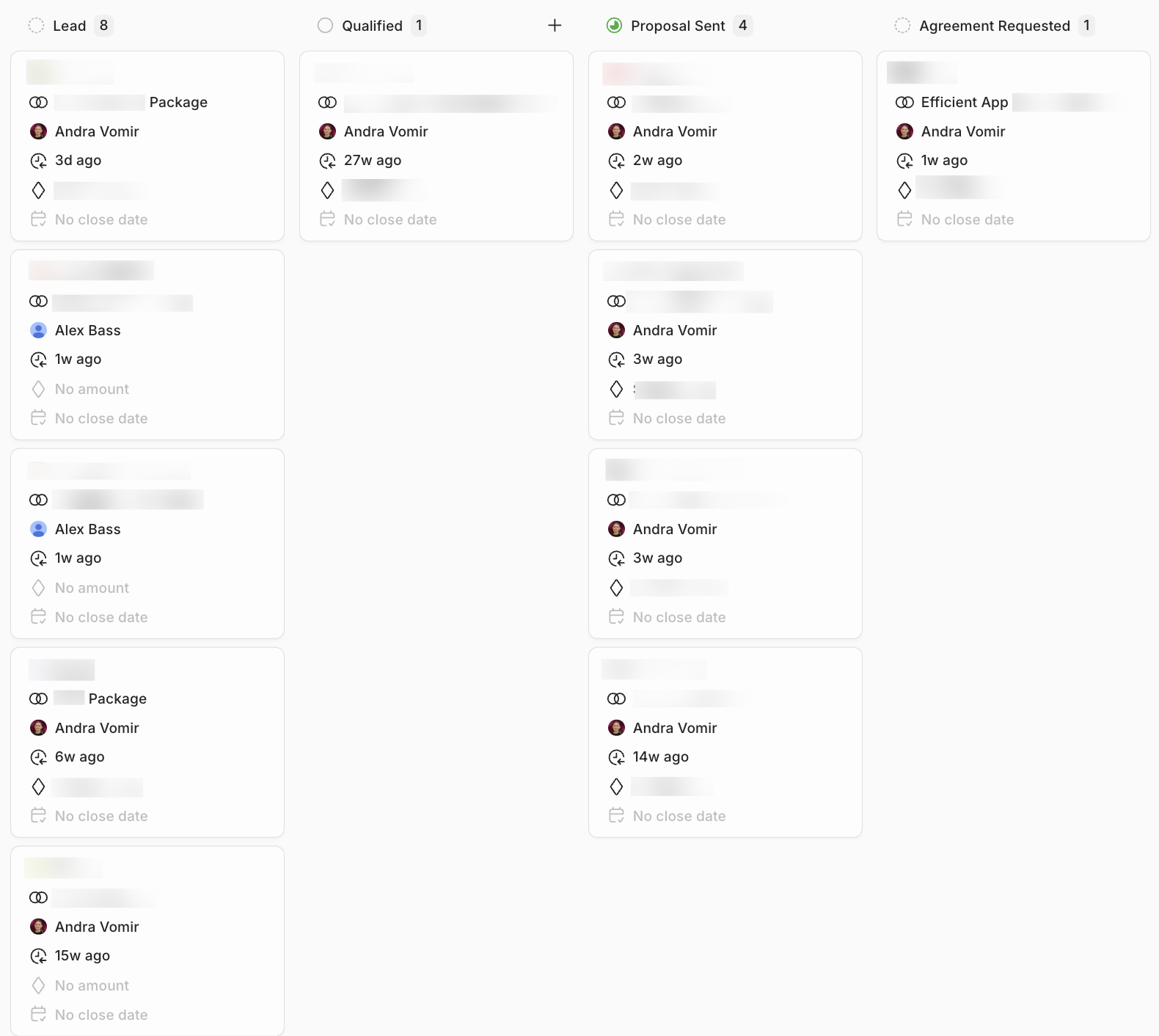
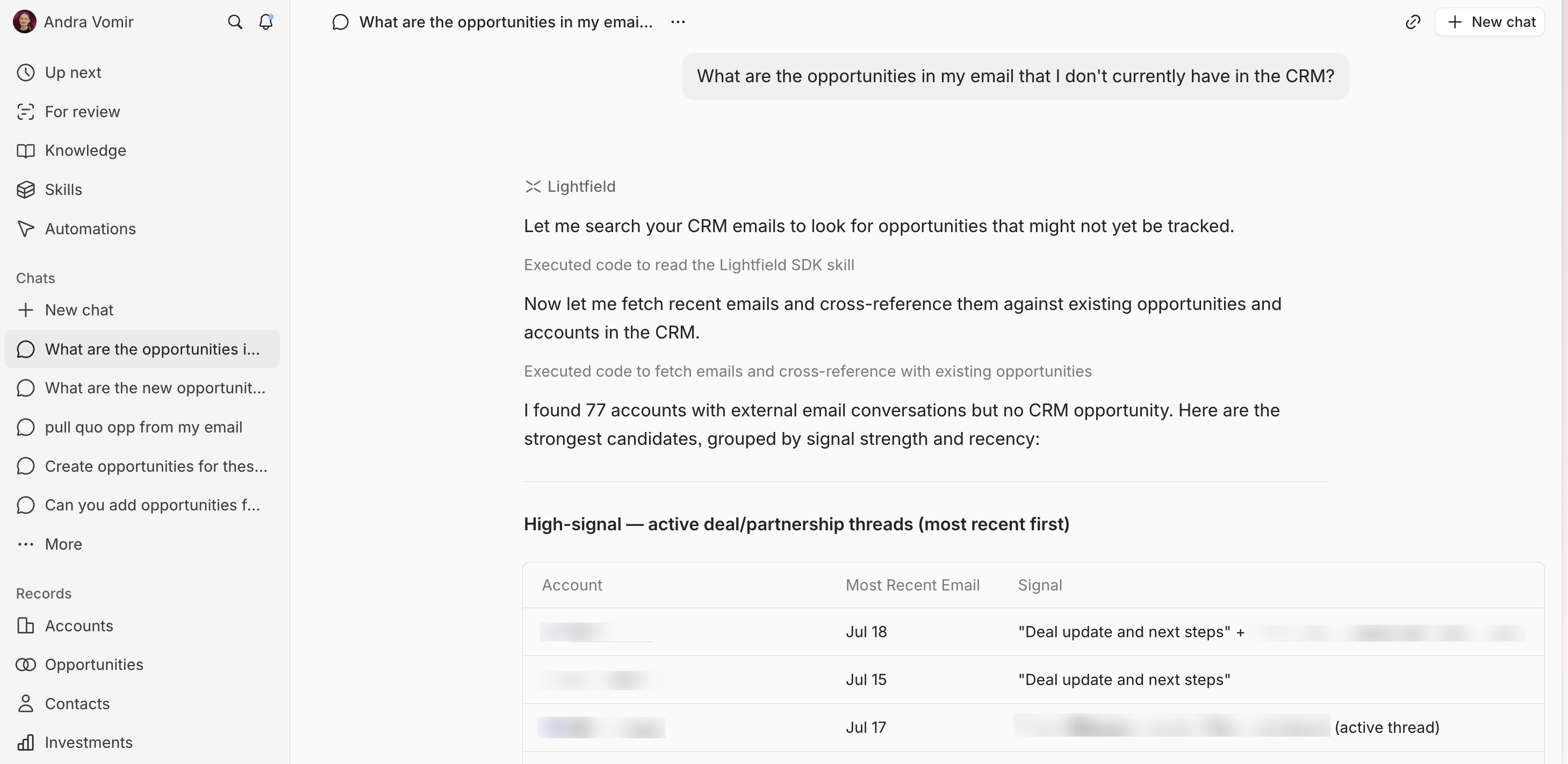
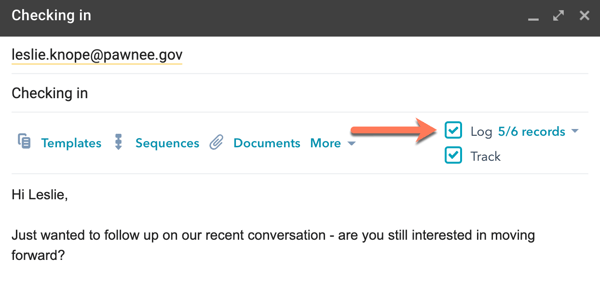
Lightfield