
Review Summary
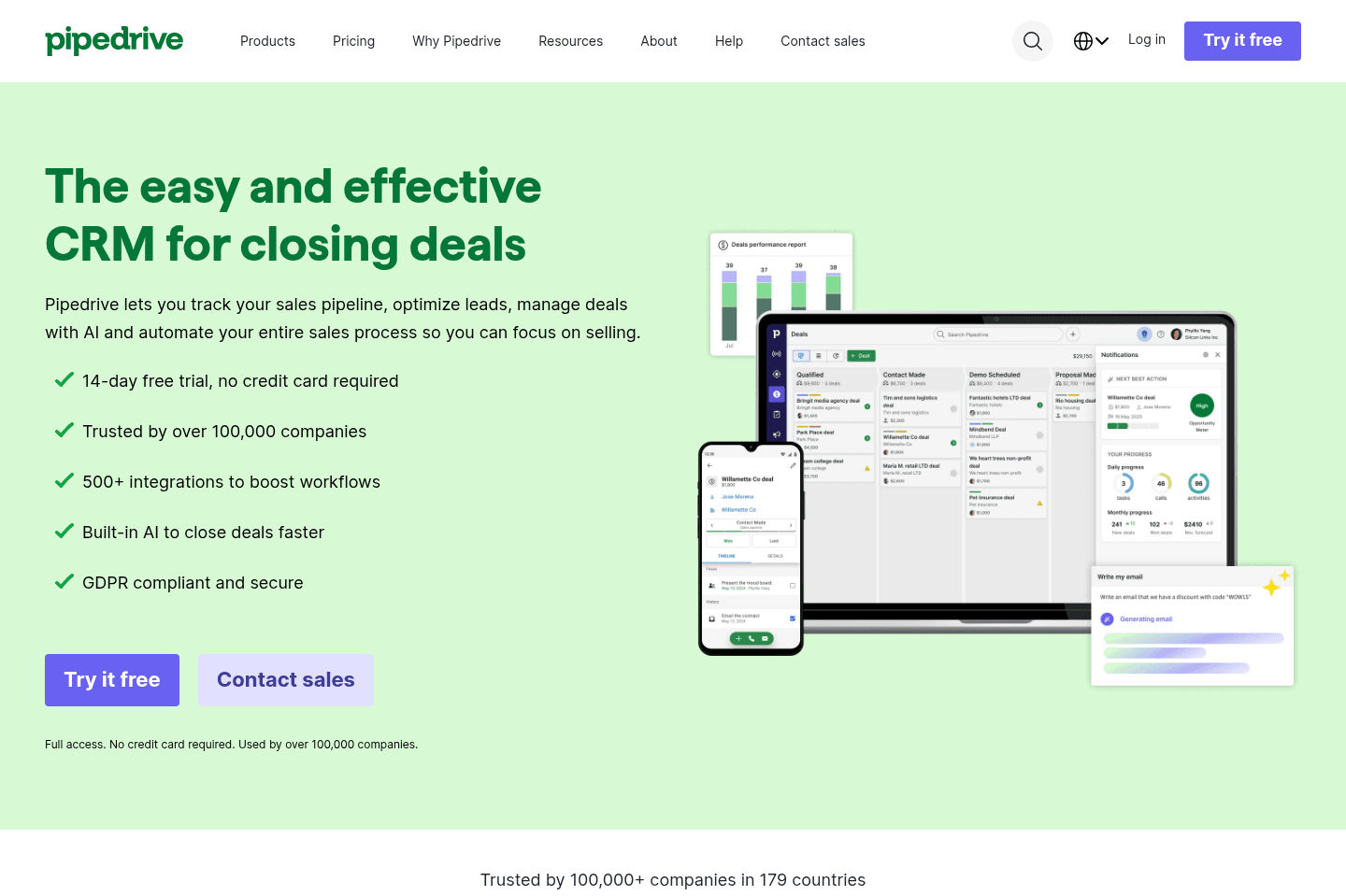
Review SummaryPipedrive is more of a "sales-focused" CRM for small + medium teams (meaning 100 seats or less), and it's pretty good at just that. It's what we recommend as a CRM if you're using Microsoft 365.
Best Small Business CRM?
Best Small Business CRM?Pipedrive Alternatives
Pipedrive AlternativesNot sure if Pipedrive is the right fit for you? Check out these alternatives:
 LightfieldBest
Best AI CRM
Best AI CRM WonderlyRecommended
Best for home remodeling businesses
Best for home remodeling businesses
What is Pipedrive?
What is Pipedrive?Pipedrive is a sales-focused CRM designed for small and medium-sized teams. It does what most of the best CRM tools do by helping you track leads, manage deals, and organize sales activity. We recommend it only for users using Microsoft 365 (because Copper CRM is much better for Google Workspace users).
One of the reasons it’s been around for so long is that it does the fundamentals really well. I used it at my first sales job around 2017. It felt clunky then, so compared to the more modern CRM's out there now, expect that it will feel dated. I never "loved it" as a sales rep, it was always just okay.
Who is Pipedrive for?
Who is Pipedrive for?Pipedrive tends to work best for small to medium-sized sales teams, usually under about 200 users, that want a straightforward way to manage deals and track sales activity.
We recommend it for Microsoft 365 and Outlook users who want a traditional CRM that puts more focus on pipeline visibility (if you're using Google Workspace, use Copper CRM).
Key Features
Key FeaturesDeal Management
Deal ManagementPipedrive is best known for its visual pipeline. Deals appear as cards in a Kanban (board-style) layout, and reps can simply drag them from stage to stage as conversations progress.
One feature we appreciate in particular is that you can move a deal back to being a lead if it turns out the opportunity wasn’t as qualified as you thought. That might sound small, but many CRMs don’t allow this, so once something becomes a deal, it stays there. Being able to move it back keeps your pipeline a lot cleaner.
Pipedrive also has an integration with the best email client, Superhuman Mail where you can manage your deals from within it's sleek inbox.
Lead & Activity Tracking
Lead & Activity TrackingTrack all your activity across calls, emails, and meetings.
This is so helpful in situations where a sales rep called a prospect six times, sent two follow-up emails, and then scheduled a meeting; all of that can be logged and attached to the deal. It creates a clear timeline of the relationship so anyone on the team can see exactly what’s happened and pick up where someone else left off, if needed.
So if your teams are heavy on outreach, organization-wise, this feature is going to be a favorite for you.
Workflow Automation
Workflow AutomationWorkflow automations let you trigger actions when something happens in your pipeline. This could look like:
- Sending an automated email when a deal moves to a new stage
- Creating a task when a new lead is added
- Notifying a sales rep when a deal hasn't been touched in a while
The automation builder uses a visual editor, which makes it mostly approachable even for teams that aren't very technical. I used it many times and didn't have issues navigating my way around, it was super intuitive.
The only catch is that automation is only available starting on the Advanced pricing tier and above, so that's something to keep in mind when choosing your plan.
AI
AIIf you're looking for an AI first CRM, skip Pipedrive.
Like most software companies right now, Pipedrive is trying to incorporate more AI into its product. They've introduced a handful of AI-powered features that help suggest the next best action on deals that need follow-up and generate summaries for email threads.
The feedback from users has been a bit mixed so far. Some people appreciate the ability to quickly draft emails or get a quick recap of conversations. But at the same time, others feel like some of the AI features, especially things like deal summaries, still need refinement before they’re truly useful.
Overall, the AI features can provide helpful insights here and there, but they don’t yet feel like a true AI assistant that can actually operate your CRM or meaningfully reduce your workload. It’s an okay start, but there’s definitely room for improvement.
Additional Features
Additional FeaturesEmail Sync
Email SyncDeals can take a while to close, and as time goes on, email threads get longer and longer, so Pipedrive allows you to sync your inbox so emails can be tracked alongside deals and contacts.
However, this is one area where we think the experience could be better. Unlike Copper, which can go back and pull in past email history (up to an entire year), Pipedrive tracks emails from the moment syncing is enabled going forward.
So if you’ve already been emailing a prospect before adding them to the CRM, those earlier conversations will not appear in the record unless you manually log them. It's a pain.
Mobile App
Mobile AppIn my previous sales role, I was on the road a lot and relied heavily on the Pipedrive iOS app. It worked as it needed to. A bit clunky, but it was reliable 95% of the time to get me where I needed to be.
Reporting & Dashboards
Reporting & DashboardsPipedrive includes reporting dashboards, but the built-in reports are a bit bare bones. When we were using Pipedrive we ended up exporting the data and creating our reporting in Airtable. The reporting in Pipedrive just wasn't enough.
API
APIPipedrive’s API is flexible and robust, making it easy to connect with most third-party tools. If you want your CRM to act as the central hub across your stack, Pipedrive fits.
Pricing
Pricing- Lite: $24 per user/month. Best for small teams that want basic deal management and pipeline visibility.
- Growth: $49 per user/month. Best for teams that want workflow automation and email syncing.
- Premium: $79 per user/month. Best for teams needing more customization and collaboration tools.
- Ultimate: $99 per user/month. Best for organizations needing advanced security, permissions, and support.
Final Verdict
Final VerdictIs Pipedrive worth it? If you're already using Microsoft 365 and not looking to make a switch anytime soon, you can consider Pipedrive. Or if you want a more simple CRM that's ready to go out of the box, and has more AI features, you should also check out folk CRM.
If your team is using Google Workspace, go check out Copper CRM instead, it's just overall a more cohesive CRM.
We do think it's worth noting that if you're on the lower-tier plans, there is some heavy bloatware going on, with some customers saying that the constant pop-up makes the tool almost unusable, and even suggests purchasing features they already pay for.
Other than that, Pipedrive gets the job done and is certainly still more cost-effective than tools like HubSpot.
Categories
CategoriesPipedrive fits into multiple categories based on what it actually helps you do. Each category highlights a different strength and the efficiency points it earned, helping you compare tools not just by features, but by how well they actually perform.
Keep exploring the best software across categories, or explore Pipedrive alternatives