Review Summary
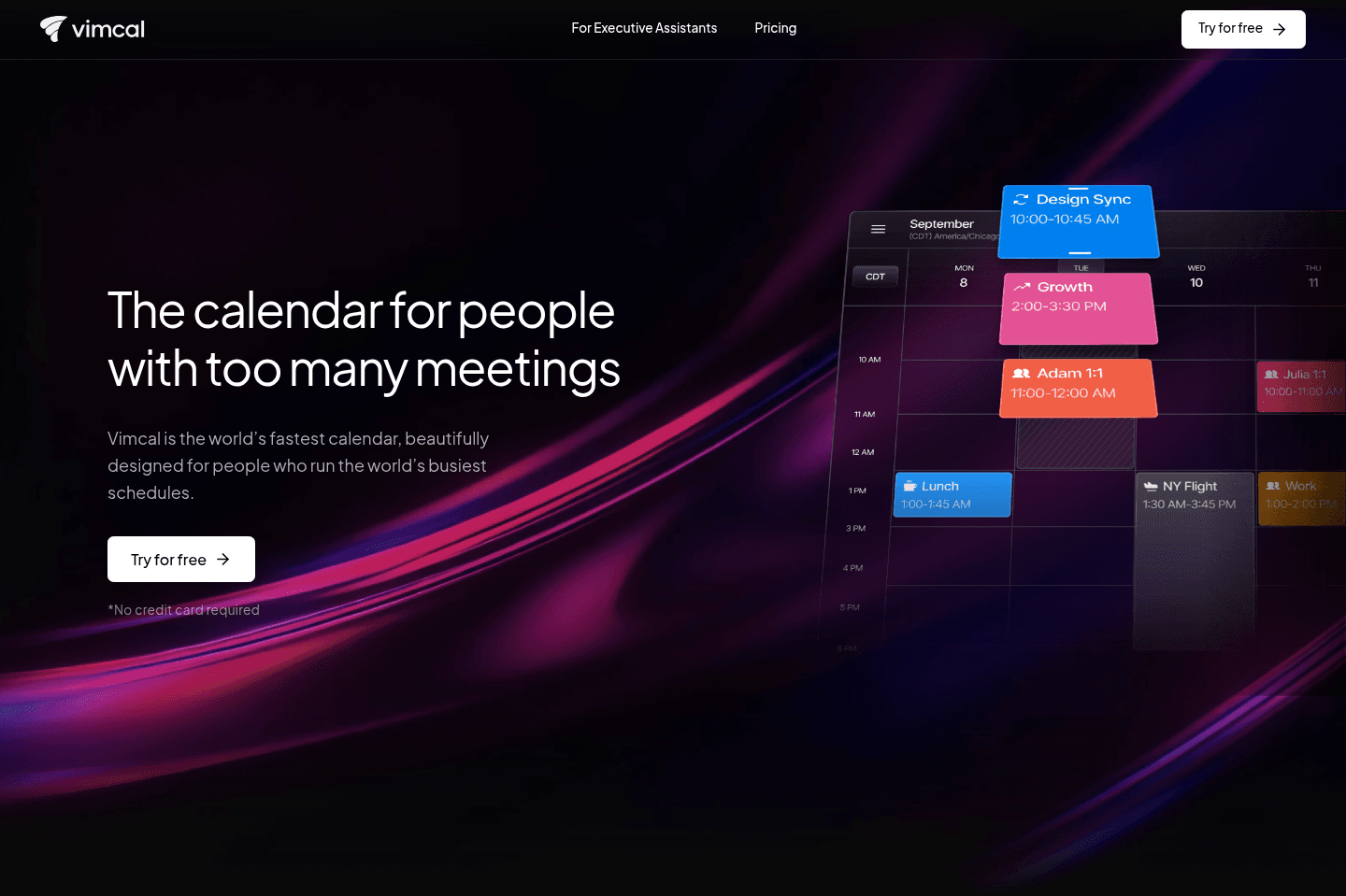
Review SummaryVimcal markets itself as "the calendar for people with too many meetings (iOS only).
With that, the main problem they are trying to solve is helping folks schedule meetings more efficiently.
While we agree that Vimcal is the fastest calendar we tried, there are other calendars that do way more (e.g. task management in addition to scheduling). So we'd recommend Vimcal if, and only if, scheduling meetings faster is single thing you wish you could do more of.
Best Calendar Apps
Best Calendar AppsVimcal Alternatives
Vimcal AlternativesNot sure if Vimcal is the right fit for you? Check out these alternatives:
 Superhuman MailRecommended
Best calendar for those already using Superhuman Mail
Best calendar for those already using Superhuman Mail Sunsama
Best for mindful planning
Best for mindful planning MotionRecommended
Best AI calendar that schedules tasks around meetings
Best AI calendar that schedules tasks around meetings
What is Vimcal?
What is Vimcal?Vimcal markets itself as "the calendar for people with too many meetings". With that, the main problem they are trying to solve is helping folks schedule meetings more efficiently — think of it as a replacement for Calendly with an entire calendar at the core (Side note: Vimcal's integrations are not on par with Calendly so double check that integrations aren't a core need before switching over).
The whole idea behind Vimcal is that they want to allow you to schedule meetings more quickly, whether it's via sending a meeting link or copy & pasting your available times, or running a poll with your team for the best time to meet.
Who is Vimcal for?
Who is Vimcal for?Vimcal is for you if you schedule a ton of meetings, and you want a more efficient way to do so. It works with iOS, Google Calendar, and Outlook.
Investors/Founders
Investors/FoundersJohn Li, Vimcal's Co-Founder said that the idea of Vimcal came from his experience when scheduling a lot of meetings with investors while he was fundraising. So if you're in the VC space, or a founder that is in networking/setting up meetings mode, then Vimcal could be a good fit.
Sales/Remote Teams
Sales/Remote TeamsThat said, whether you're a part of a sales team that has to hit a quota for meetings, or whether you work on a remote team and frequently need to meet with your team and want a quicker way to schedule a time, Vimcal will help make the process more smooth.
Executive Assistants
Executive AssistantsVimcal also launched something called Vimcal EA, that is specifically marketed to executive assistants who schedule meetings on behalf of others.
All this being said, we live in a post-COVID world where people are fatigued from meetings and are opting for asynchronous work. For instance, one thing we try to do is use tools like Supercut to communicate asynchronously and therefore require less meetings overall, which allows for more undisturbed focus work.
Key Features
Key FeaturesVimcal's features are all built around speed.
Calendar & Event Creation
Calendar & Event CreationVimcal is a calendar at the core with speedy scheduling capabilities. It also has natural language capabilities when it comes to event creation. You can type things like “Coffee tomorrow with Alex,” and Vimcal will try to parse the event details and pull contacts from your phone.
This is one of the main reasons I downloaded it on my phone, since most calendar apps don't have this feature.
When it works, it works and feels delightful. But an annoyingly, it doesn't always work.
For example, saying "meeting Alex for coffee" doesn't work, but if I write "meeting with Alex for coffee" then it does. These little details make it quite frustrating to use, because I expect it to work, and when it doesn't and I'm left cleaning up the calendar event it just starts to make me wonder why I'm even using it in the first place.
Timezones
TimezonesVimcal makes scheduling across time zones easy with its "Time Travel" view. Instead of doing mental math to convert times, you can shift the calendar across time zones and see what time it is for someone else and where your work hours overlap.
It also highlights shared availability windows, so you can quickly find meeting times that work for everyone. You can also switch between multiple time zones directly in the calendar.
Meeting Scheduling
Meeting SchedulingWhether you want to quickly shoot over some availability via your meeting link, or neatly copy and paste suggested times to meet, Vimcal will allow you to do it within seconds.
Polls
PollsWhen is the best time to have an off-site, board meeting, or schedule a team call? You can use the poll feature to take a group vote.
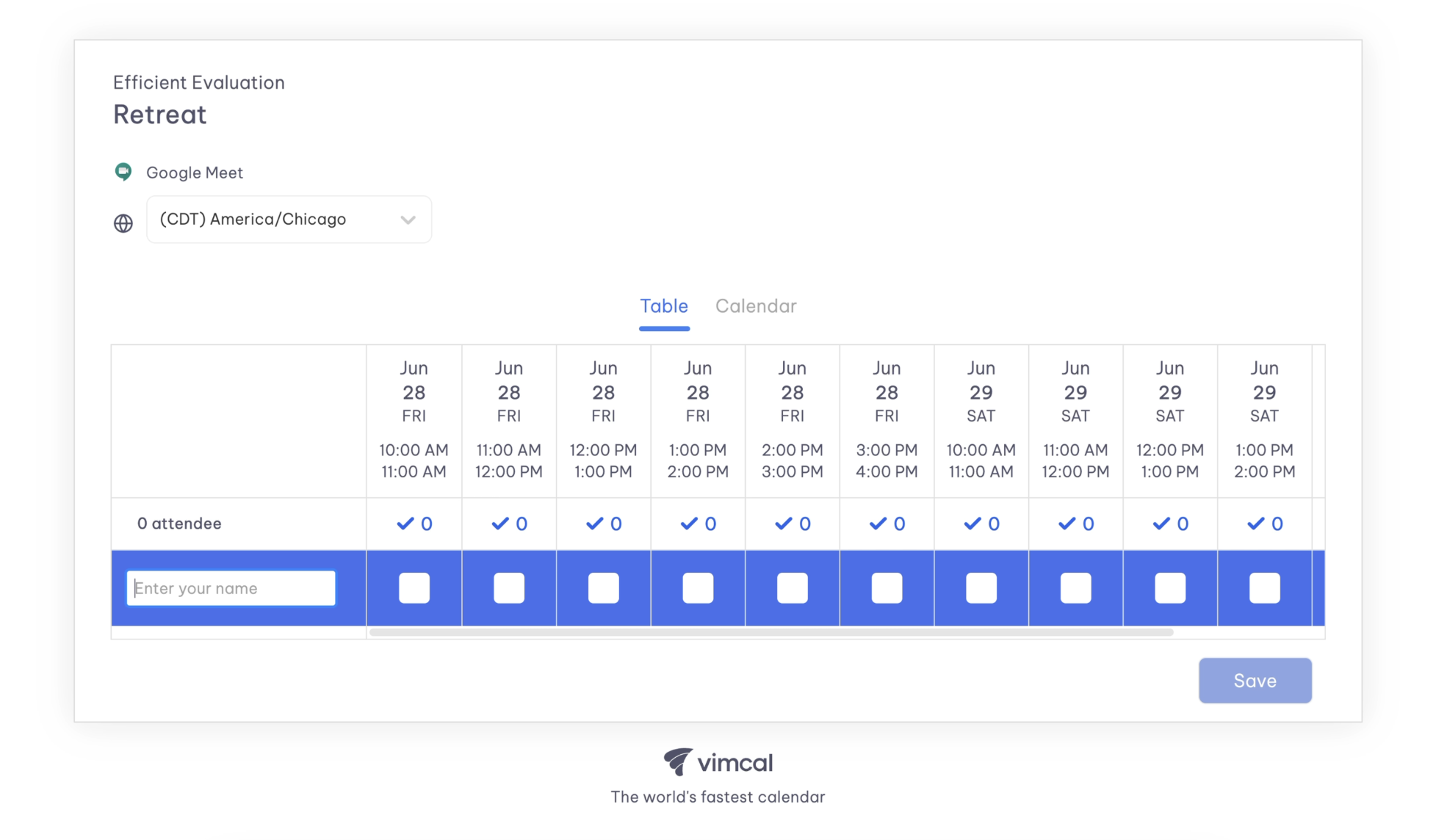
Vimcal Polls
Keyboard Shortcuts
Keyboard ShortcutsWe initially loved the idea of Vimcal, as they are trying to portray themselves as the "Superhuman of calendar"—and we love Superhuman.
The thing is, they missed the mark on what actually makes Superhuman special in our eyes.
Vimcal confuses "productivity" with having keyboard shortcuts for everything (talking every single UI component).
This is at the cost of simplicity, making Vimcal feel quite a bit more overwhelming and over-engineered than it needs to be.
Pricing
Pricing- Free (iOS Only): Free forever. Best for individuals who only need a simple personal calendar on iPhone.
- iOS & Desktop: $20/mo per user ($200/yr or $16.67/mo billed yearly). Best for founders, executives, and professionals who schedule frequently and want booking links, polls, team scheduling, and desktop apps.
- Enterprise: Unlisted. Includes dedicated support, SAML SSO, and advanced security controls for teams and organizations.
- Vimcal EA: $70/mo per user ($750/yr or $62.50/mo billed yearly). Best for executive assistants scheduling on behalf of executives with advanced delegation, calendar holds, and scheduling analytics.
Final Verdict
Final VerdictIs Vimcal worth it? If you want a beautifully designed calendar that is fast at scheduling meeting across time zones, with multiple people, then it's worth it. It is the best calendar/scheduler that handles that kind of complexity, and it's well worth the cost if it saves your EA a couple of hours each week.
That said, if multiple timezones + people scheduling is not your main pain point, skip it and check out one of these other calendar apps.
Categories
CategoriesVimcal fits into multiple categories based on what it actually helps you do. Each category highlights a different strength and the efficiency points it earned, helping you compare tools not just by features, but by how well they actually perform.
Keep exploring the best software across categories, or explore Vimcal alternatives