
Review Summary
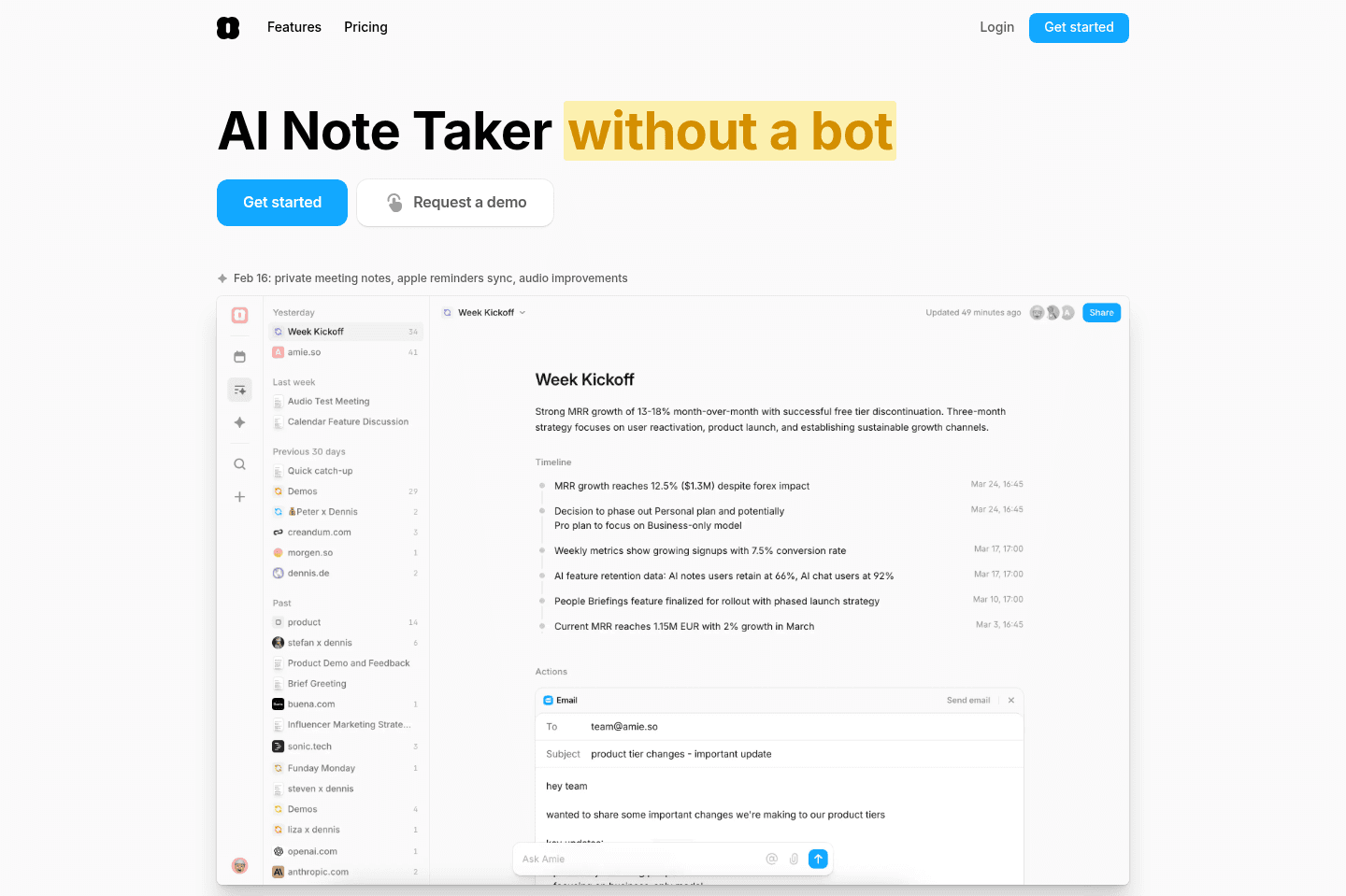
Review SummaryAmie has pivoted recently to more of an AI Notetaker (while it does still have calendar and to-do built in, they aren't prioritizing it anymore). If you're looking for a solid AI note taker and don't want a meeting bot to join your call, then Amie is a great option.
Best Calendar Apps
Best Calendar AppsAmie Alternatives
Amie AlternativesNot sure if Amie is the right fit for you? Check out these alternatives:
 GranolaBest
Best virtual and in-person AI note taker
Best virtual and in-person AI note taker LittlebirdBest
Best context-aware AI note taker
Best context-aware AI note taker Wispr FlowRecommended
Best for existing Wispr Flow users
Best for existing Wispr Flow users MotionRecommended
Best AI meeting bot for task creation
Best AI meeting bot for task creation
What is Amie?
What is Amie?While all of the below is still true, Amie has pivoted to primarily be a meeting recorder app, similar to that of Granola. (A meeting recorder bot, without the bot that joins the call). So it just listens to your computer audio and microphone and creates call summaries and action-items post-call.
That said, the calendar and tasks and even email functionality (on mobile) still exist, so while they are mid pivot, we're going to cover some of that below:
Amie Calendar is what you'd get if a fashion brand created a calendar app.
It's got the "it factor"—it's cool, oh so beautiful- in fact, I'd say the most beautiful calendar on the market. The team have done a great job at romanticizing what Amie Calendar could be in their marketing, giving us incredibly design and imagery.
It uses minimal pastel colors, it has little quirky features, the website is amazing, and we're given unique integrations with the likes of Spotify and Apple Health. It's as if the calendar was dreamt up in the clouds...
All this being said, we'd put Amie Calendar in the personal calendar/task management category, as their features are not quite baked for professionals or teams.
Who is Amie for?
Who is Amie for?Individuals who love beautifully designed software, students, and those who want a more fun way to manage personal tasks.
If you're a team or busy professional, Amie is likely going to be too barebones for you compared to other daily planners that are built with the aim to help you organize your tasks/projects and get work done faster at the core.
Key Features
Key FeaturesCalendar/Tasks
Calendar/TasksAmie doesn't try to hide what it is and isn't. It's a calendar at the core and like many of the other best daily planners on the market, they've gone and added some basic task creation functionality.
Where they've gone a step further is actually pulling in email to the mix. Depending on the type of person you are, maybe you want to turn emails into tasks and schedule them directly on your calendar in a time blocking fashion.
When comparing Motion vs Amie, you're going to see that Motion has gone the approach of keeping email separate (assuming you might be using your favorite email app like Superhuman Mail), and allowing you to simply forward in emails to a specific email for them to be automatically scheduled on your calendar, whereas Amie is moving toward pulling in your emails and allowing you to respond to them from right within the app. Two totally different approaches, and one that is probably quite a personal decision.
Auto-Scheduling
Auto-SchedulingOn the paid tier of Amie, you can dabble with their "AI feature" that places tasks on your calendar. That said, when we evaluated it, it wasn't anywhere near as powerful as Motion (that re-adjusts your schedule and tasks based on your changing schedule, like an assistant).
Amie is definitely not a full email client, that's because it allows you to time-block on your calendar emails, and then respond to those emails from right within Amie.
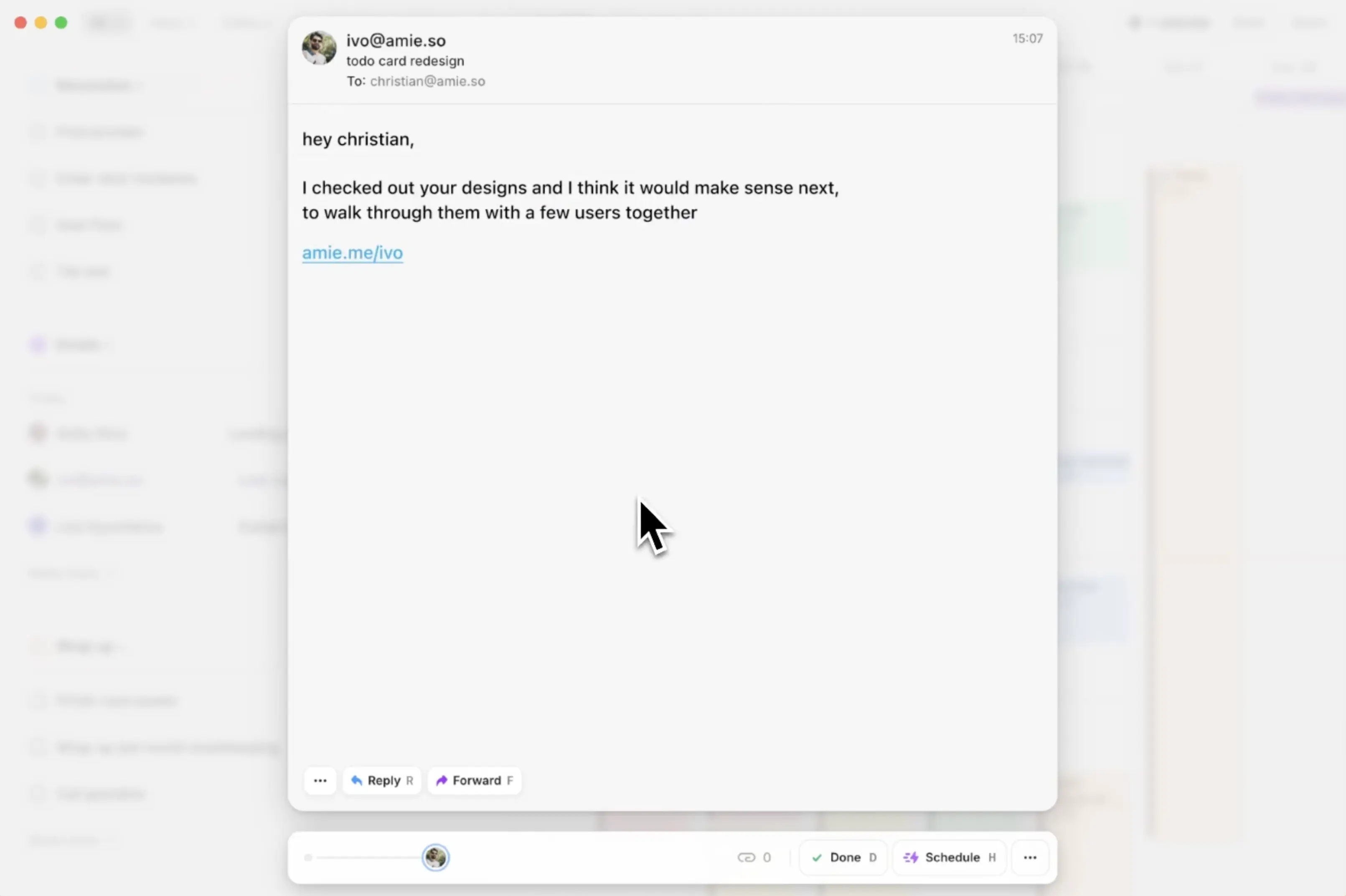
The ability to open an email, schedule it on your calendar, reply, forward, schedule for later, and mark done (archive) from right within Amie
That said, view it as more of a "feature" and less of a software category. When comparing Superhuman Mail vs Amie for example, there's no match—Amie is not a full-fledged email client.
Mobile App
Mobile AppAmie currently only has an iOS mobile app, for which you're able to view and schedule your emails on your calendar as well (can't yet view recordings or record on-the-go). There hasn't been word as to when the Android Mobile app will be released or if it's coming.
One thing to note is they have a MacOS desktop app, no Windows app (although a Web App does exist), but that's usually a sign that Android is quite a ways off, since they aren't prioritizing a Windows app. That said, you can still use Amie on Windows via any of the best web browsers available on the market today.
Amie Pricing
Amie Pricing- Pro: $20/mo (annual) or $25/mo (monthly)
- Business: $40/mo (annual) or $50/mo (monthly)
Final Verdict
Final VerdictUse Amie really only if you're looking for a solid meeting recorder first and foremost, don't want a bot joining the call, and don't need screen recording support.
While it is still a beautiful calendar and basic to-do list app, that is definitely secondary functionality, and isn't worth the price if that is what you're going for, something like Motion will get you much more for a similar cost.
Categories
CategoriesAmie fits into multiple categories based on what it actually helps you do. Each category highlights a different strength and the efficiency points it earned, helping you compare tools not just by features, but by how well they actually perform.
Keep exploring the best software across categories, or explore Amie alternatives