MotionBest4
Best for AI-powered auto-scheduling
Best for AI-powered auto-scheduling SunsamaBest3
Best for mindful planning
Best for mindful planning TodoistRecommended
Best free mobile daily planner
Best free mobile daily planner AkiflowRecommended2
Best for task consolidation from third party apps
Best for task consolidation from third party apps Morgen Calendar0
For simple calendar‑centric daily planning
For simple calendar‑centric daily planning Routine0
Free daily planning app
Free daily planning app
Best Daily Planning Apps at a Glance

Watch the Full Breakdown
What You Need to Know About Daily Planning Apps
The Best Daily Planner App
The Best Daily Planner AppMotion is the best daily planner for AI-powered auto-scheduling, while Sunsama is the best daily planner for mindful planning.
In Efficient App's survey of 2,000 people shopping for a daily planner, 44.7% said they wanted a tool that plans their day automatically and adapts when things change, while 39.6% would rather spend 10 to 15 minutes doing it themselves. Motion is for the first group. Sunsama is for the second.
What Are Daily Planner Apps?
What Are Daily Planner Apps?Daily planning apps have a calendar at the core, and they allow you to time box tasks on your calendar between your meetings and appointments.
If you don't currently use a planning app, you're in the majority.
Among 2,000 people who came to Efficient App looking for a daily planner, 64% weren't using any daily planner at all. Source: What 7,296 professionals told us they want from their software.
Methodology
MethodologyWe personally used every single daily planner on this list to write these reviews.
We evaluated for:
- Focus: Did our mental load reduce from using the daily planner app?
- Retention: How likely we were to continue to use the app after 1 month?
- Functionality: Did the app lack features we expected to be there?
- Team Adoption: How likely were we to get someone else on our team to use it?
Our Experience With Daily Planners Apps
Our Experience With Daily Planners AppsAkiflow was the first daily planner I (Andra) heard of, back in 2021. Alex Bass (CEO of Efficient App) used it to consolidate tasks across different apps but after a few weeks, he got into trouble. He had connected his email, Slack messages, and Asana tasks into Akiflow and suddenly he was totally overwhelmed. "I over did it" he said. "I connected too many apps, and suddenly everything seemed equally important and overwhelming". After about a month, he backed away "I'm not sure I actually need this", he said.

A few months later, he saw an ad for Motion and decided to give it a shot. There was a 7 day trial and he said to me "There is this new app I am trying, Motion. I need you to try it because I only have a few days left on my trial and I don't think I can live without it and I want to use it as a team". Later that day, I had my own Motion account set up. That was five years ago, and I am still using it today. That says a lot, and is a big reason why we believe Motion is the best daily planner app.
While Motion has changed a ton in the past five years, the fundamentals are the same. It's a calendar that uses AI to auto-schedule tasks on your calendar, around your meetings. Don't get something done? Motion will just re-schedule it for you.
In the few times where I have fallen behind using Motion, I notice my mental capacity suffer. I get to work and I open my Slack and email, wondering "what do I need to work on next?" and end up spending time reacting to things that don't matter as much. So eventually, I always go back to making sure all my daily tasks are inside of Motion so that when I start my day I can just see exactly what I need to work on next. It has helped improve my productivity and focus tremendously over the years..
As much as I personally love Motion, I have had people tell me they don't love AI scheduling tasks for them, and instead they prefer the ritual of daily planning manually (39.6% of our survey respondents said the same thing too). For this group, the best daily planner app is Sunsama. The entire user experience is so calming, and many users say the app has tremendously helped their focus.
Time Tracking
Time TrackingOne more thing! Since you're someone who cares about where you time is being spent, I wanted to mention a newer tool that has given us tremendous clarity around where our time goes each day (because sometimes, even with the best intentions, you plan your day but don't end up getting anything done on your to-do list, am I right?).
It's called Littlebird and it can see everything you're working on through out the day. You can then ask the AI, "what did I do today?", "what took the most amount of time today?" and it will give you a summary.
Best Daily Planning Apps Ranked & Reviewed
Watch our full breakdown of the top daily planning apps, how they performed in testing, and what makes each one worth considering
How We Evaluate Daily Planning Apps
We score each daily planning app across AI auto-scheduling, adaptive rescheduling, cognitive clarity, planning methodology, integrations, and hands-on expert evaluation
- AI Auto-SchedulingAutomatically builds your day by time-blocking tasks based on priority and availability.
- Adaptive ReschedulingAdjusts your schedule in real time when plans change, shifting tasks automatically.
- Cognitive ClarityReduces mental clutter by simplifying priorities, plans, and next actions.
- Planning MethodologyThe app intuitive, easy to navigate, and quick to learn.
- IntegrationsConnects with your existing tools to centralize tasks, calendars, and communication.
- Expert EvaluationCurated by, our rankings reflect in-depth testing, industry insights, and hands-on experience.AlexandAndra
Motion
Best for AI-powered auto-scheduling
Best for AI-powered auto-schedulingMotion is the most innovative AI-powered project management tool for individuals and teams who want to fully embrace AI to get work done.
It uses AI to take all of your team's projects, tasks, priorities, deadlines, and dependencies to build the perfect day for you and your team, time blocking tasks right on your calendar. They also have AI Docs, & an AI Note Taker, helping you get work done faster.
We've been using it for 5 years and is core to how we manage our time and projects!
What is Motion?
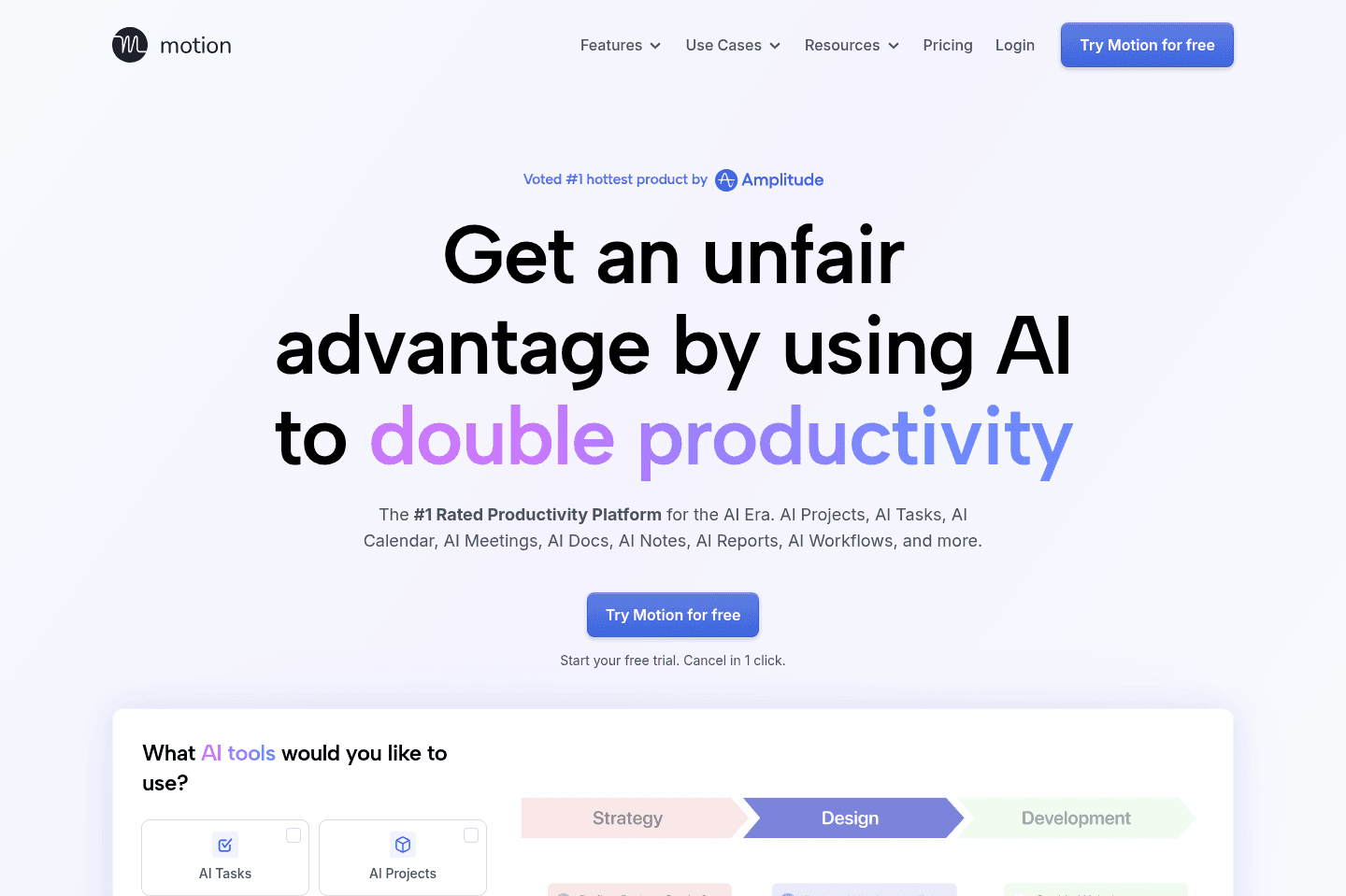
What is Motion?Motion is the best daily planner for AI-powered auto-scheduling. At the core, it's a calendar. You add tasks to Motion and have the ability to "auto-schedule" them on your calendar. This means that based on the priority and deadline, Motion will recommend when you should work on it to make sure it hits your deadline.
Every time you add a new task to your calendar or book a meeting, it will re-arrange your schedule for you automatically, and even warn you if you will miss a deadline. While you can use Motion for project management, this review will focus on the daily planner aspects of Motion.
Why Motion Wins
Why Motion WinsI started using Motion five years ago and have noticed a huge change in my focus at work when I am using it vs not. When I use Motion, I show up to work and I can see all my tasks laid out for me. Even if I don't follow Motion's schedule perfectly, it usually gives me a pretty accurate picture of what my highest priority tasks for the day are (re-arranging is drag and drop if I don't like what Motion suggests). This means I can pretty quicky jump into focus mode.
In the few times where life got hectic and I stopped using Motion, I found myself a lot more disorganized, unfocused, and overloaded. It's easy to show up at work and jump into email and Slack and start reacting to what is going on. But using Motion means I don't need to figure out prioritization, it's already done for me.
Personally, I love the AI auto-scheduling. While I sometimes envision that I could be a calm, mindful person planning my day, the reality is as the Head of Content (and Cofounder) of Efficient App, there are a lot of things going on, so having an "assistant" do it for me just means it gets done.
Given our job is to try out hundreds of apps each year, the fact that I continue to use Motion says a lot.
Pros and Cons
Pros and ConsPros
Pros- Automatically schedules tasks directly on your calendar using AI
- Takes your entire schedule (meetings + work) into account
- Can be used for project management in addition to daily planning
Cons
Cons- Not ideal if you don’t want AI automatically managing your schedule
- Not minimal, interface can feel overwhelming for new users
Key Features
Key FeaturesCalendar
CalendarMotion is a fully-functioning calendar at the core. It's used as the foundation of the daily planning features. You can manage all your meetings, appointments, and tasks right from the calendar interface.
Motion allows you to also set multiple schedules. For example, I have a Work Schedule and an Evenings & Weekends schedule. This means I can set tasks to only auto-schedule during off hours if it's a personal task, which helps keep things separate.
AI Auto-Scheduling
AI Auto-SchedulingManaging your workload is tiring. Our team experienced it every time we had to rearrange our tasks and priorities when using other task apps like Asana. Motion's AI auto-scheduling means that if you didn't get something done, you don't need to worry. Motion reschedules it for you based on the priority on your calendar. At risk of missing a deadline? Motion will warn you and you can fix it with a few clicks.
You can even forward emails into Motion and it will automatically create a task and schedule it on your calendar.
Recurring Tasks
Recurring TasksMotion handles recurring tasks wonderfully. For example, on the 1st of every month I need to send our invoices. Motion allows me to set this up easily, so I never need to worry about adding it to my calendar or missing it.
Pricing
Pricing- Pro AI: $19/seat/mo (billed annually). Best for professionals and small teams who want AI-powered project management, scheduling, and task planning.
- Business AI: $29/seat/mo (billed annually). Best for teams that need advanced reporting, capacity planning, time tracking, permissions, and centralized billing.
- AI Credits: Included with each plan. Pro AI includes 7,500 credits/seat/month and Business AI includes 15,000 credits/seat/month.
Get the latest rankings and insights on top Daily Planning apps—delivered to your inbox. Stay ahead with our expert picks and updates.
Sunsama
Best for mindful planning
Best for mindful planningIf you often feel like you are biting off more than you can chew in your day and then beating yourself up for not being productive enough, Sunsama is for you. It helps you plan your tasks on your calendar to get a more realistic view of what you can get done.
Make sure to grab a Sunsama free trial for a free 30 days, if you want to try it (this is normally only 14 days if you go through their site). No credit card required so giving it a shot is easy compared to other daily planners.
What is Sunsama?
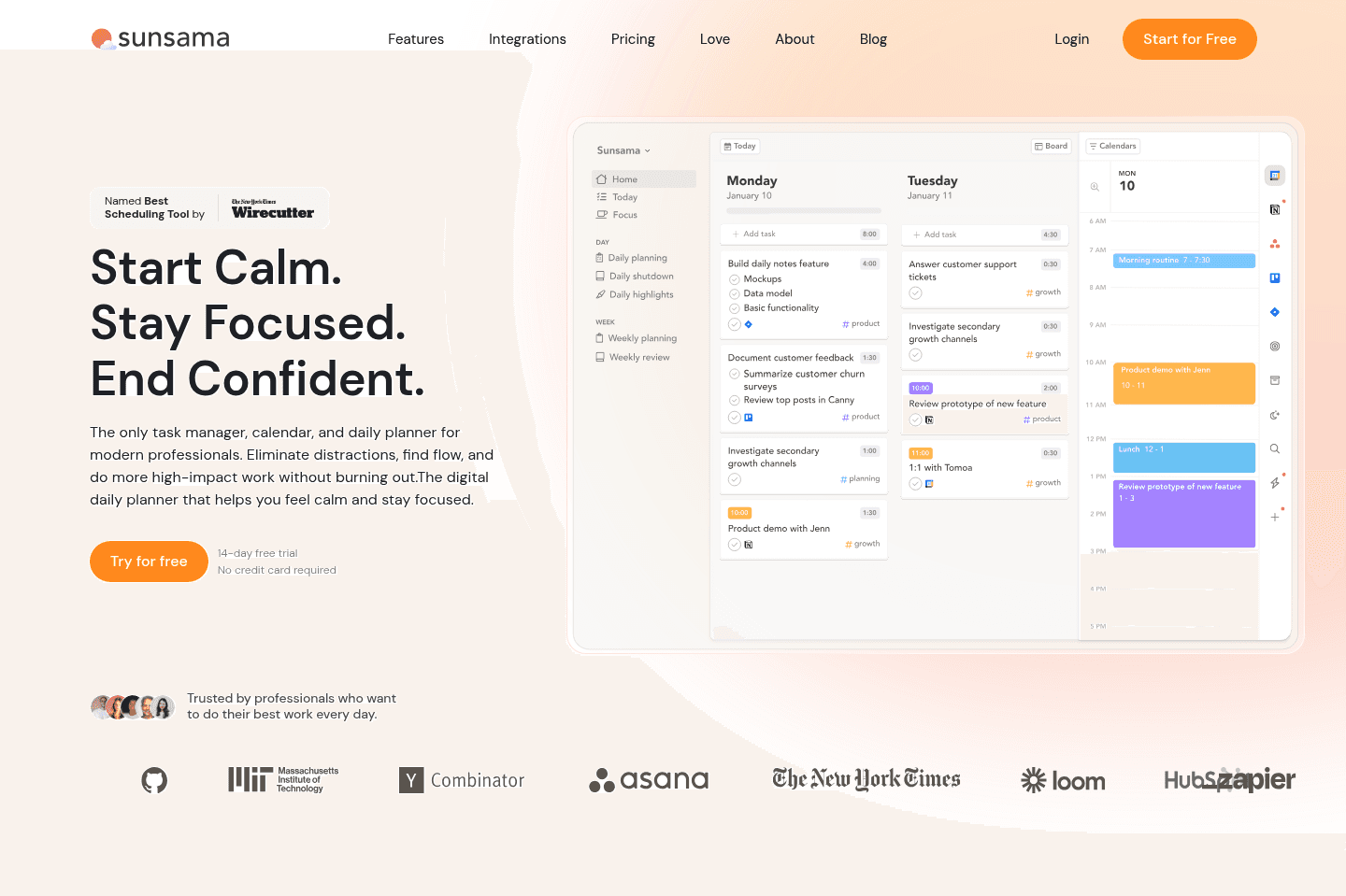
What is Sunsama?Sunsama is a daily planner built around intentional, mindful daily planning.
The very first thing it asks each morning is "What do you want to get done today?"
It's intuitive and easy to navigate, giving you a full view of your tasks on one side and your calendar on the other. You have the ability to drag tasks onto your schedule and then reflect on obstacles. Then, at the end of the day, you go through a shutdown ritual and review what you completed. It’s not a tool that's trying to automate your life, but trying to help you be more mindful about it.
I always recommend Sunsama to my friends who love pen-and-paper planners but want a digital version. If you enjoy sitting down for 10–15 minutes each morning to thoughtfully plan your day, you'll probably love what Sunsama brings to the table.
What's interesting is only 10.3% of the 2,087 people in our daily planner research said they actually enjoy planning their day. But despite that, 39.6% still preferred to manually plan their day over having AI do it. If that's you, Sunsama is the best daily planner for you.
Pros and Cons
Pros and ConsPros
Pros- Structured daily routines
- Beautiful, calming, minimal design
- Daily planning and time blocking experience
- Strong philosophy around healthy work habits
- Integrates with popular tools (Asana, Monday, Gmail, Slack, etc.)
Cons
Cons- Heavy manual daily planning
- Limited team collaboration features
- Can feel time-consuming for busy professionals
Key Features
Key FeaturesDaily Planning
Daily PlanningSunsama creates an experience that guides you through a routine focused on what you feel, not what is fastest or what an AI automation thinks is most efficient.
There is what Sunsama calls auto-scheduling, which is different from how AI works with tools like Motion. What it means is it uses a mixture of keyboard shortcuts and your preset schedule to place tasks on your calendar, split them, or defer them; it's not actually doing anything with AI or anything that automated.
We could see this really working for someone who prefers control over AI guesswork and already likes sitting down to map out their day. This feels like the cleanest digital version of that experience. It forces you to be realistic about your time and in tune with your day.
Task Aggregation
Task AggregationSunsama doesn’t try to replace your project management software, but it's aware that professionals often need to be in tools like Asana, Monday, Trello, Gmail, Slack, etc.
So it connects to those tools and allows you to pull in tasks, BUT it doesn’t automatically schedule everything. This is different from other tools that, with a click of a button, your entire schedule is ready to go; with Sunsama, you choose what makes it onto your calendar.
It acts more like a daily decision layer on top of your existing stack. Your PM tool manages the big picture, and Sunsama helps you decide what actually gets your time today.
Daily Shutdown & Reflection
Daily Shutdown & ReflectionMuch like the beginning of your day, Sunsama has you do a shutdown routine at the end of the day. You review what you completed and reflect on how the day went.
This might sound redundant if you are just trying to be as efficient as possible, but if the goal is awareness and intention, it's powerful. A lot of busy founders just want to close their laptops and be done with the day, but Sunsama makes you pause and look at your progress.
It does a great job of helping you reinforce work boundaries and help you build a healthier relationship with work, because when you see all your output, it makes you realize sometimes it's okay to stop.
Pricing
Pricing- Free: 30-day free trial with our Sunsama discount (normally only 14 days if you go direct). No credit card required.
- Pro: $20/mo per user (billed yearly) or $25/mo (billed monthly). Best for busy professionals who want a full daily planning system with unlimited usage, integrations, and AI features.
- Enterprise: Unlisted. Includes SSO, SCIM, audit logs, and custom security, compliance, and billing options for larger teams.

Not a tool. A hire.
Todoist
Best free mobile daily planner
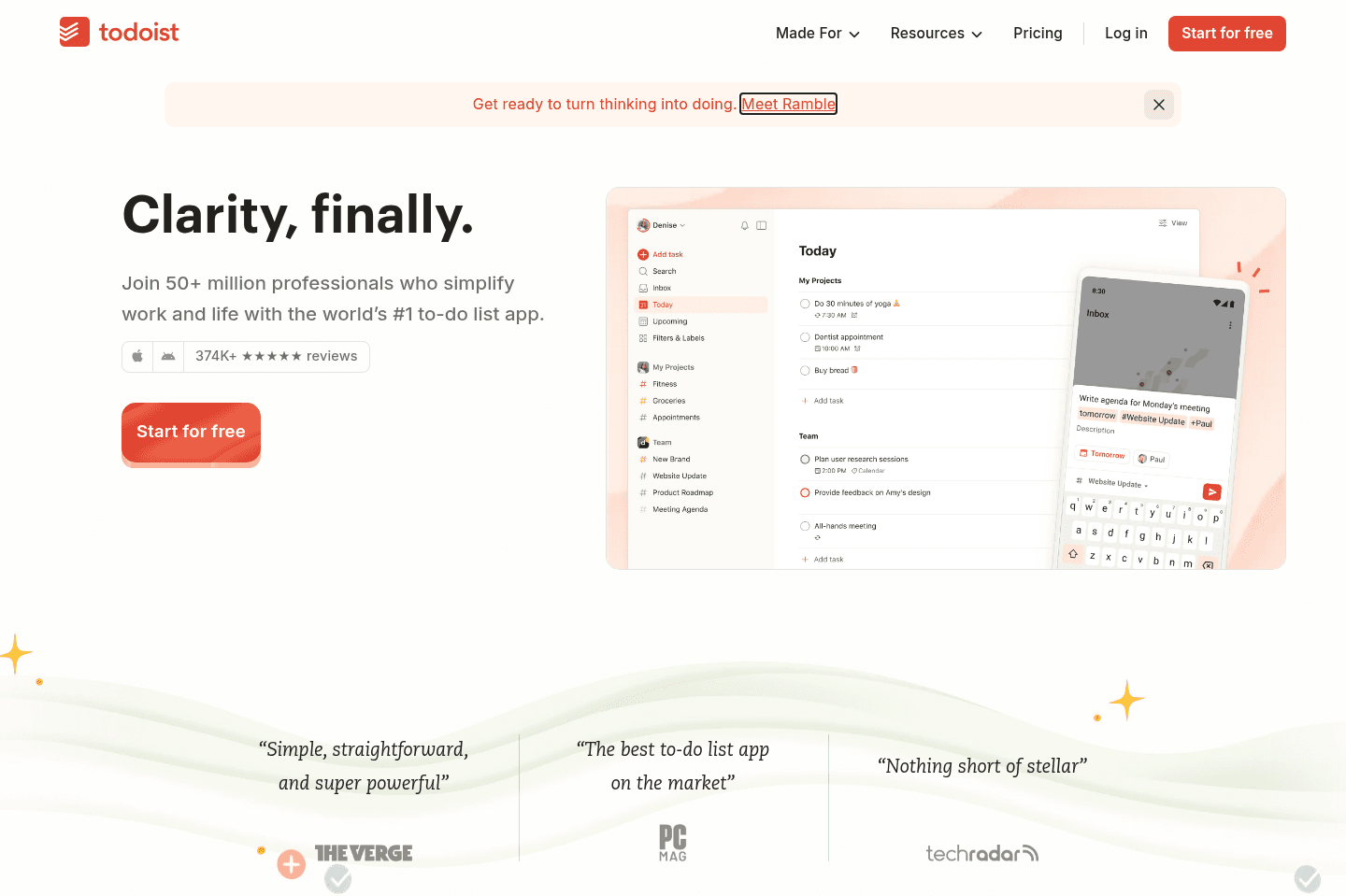
Best free mobile daily plannerIf you primarily want to capture tasks from your phone, Todoist is one of the best tools for this. Their Ramble feature is awesome, just talk through all your tasks and it uses AI to create your task list so you can check things off later.
What is Todoist?
What is Todoist?Unlike most daily planners on this list, Todoist is more of a basic task management app where you can just keep track of all of your to-dos, and tick them off as you go. While it allows you to drag tasks onto their calendar, this is a paid feature so just keep that in mind.
We love Todoist less for it's calendar feature and more because of the ease of using it on your mobile phone for quick task management. I find myself reaching for it when I just need to brain dump a bunch of personal to-dos.
Pros and Cons
Pros and ConsPros
Pros- Easy to learn
- Reliable and stable
- Lots of integrations
- Strong organization with projects, labels, and priorities
- Extremely fast task capture with natural language input via Ramble
Cons
Cons- Basic. If you want something more proactive and handles off, it may feel too simple
- Time blocking and calendar features feel secondary
Key Features
Key FeaturesRamble
RambleRamble is my favorite feature from Todoist. You can add tasks quickly by just speaking out things like "buy Oatly, honey, do laundry, call mom, get dress for June wedding". It uses AI and it separates out each task for you automatically. Best of all, it's actually accurate (I swear, each time I am speaking I am waiting for it to group two incorrect tasks together, but it's been correct every single time).
This feature helps me most before bed when my brain is still overloaded. I turn on ramble and brain dump and sleep better at night for it.
Quick Tasks
Quick TasksTodoist has all the basic task features you'd expect. You can set due dates, reminders, and recurring tasks easily, which makes it great for routines. I’ve used it for things like weekly check-ins or simple habits, and it’s dependable.
Calendar
CalendarTodoist has a calendar integration with Google/Outlook that is included on the free tier. If you want to turn Todoist into an actual daily planner (aka time box tasks onto your calendar), then you'll need to be on the Pro/Business tier, but it's relatively inexpensive compared to many of the apps on this list.
Our recommendation would be to start using Todoist on the free tier, and if after a month, you've gotten into the habit of tracking your tasks with it, then consider upgrading to try out the daily planning feature.
Pricing
Pricing- Beginner: Free. Best for individuals looking to manage and organize their personal lives.
- Pro: $7 monthly ($60 yearly). Best for project-oriented individuals trying to find their work-life balance within task management.
- Business: $10 monthly ($96 yearly). Best for small teams who need a dedicated workspace to assign projects and unify team billing.
Akiflow
Best for task consolidation from third party apps
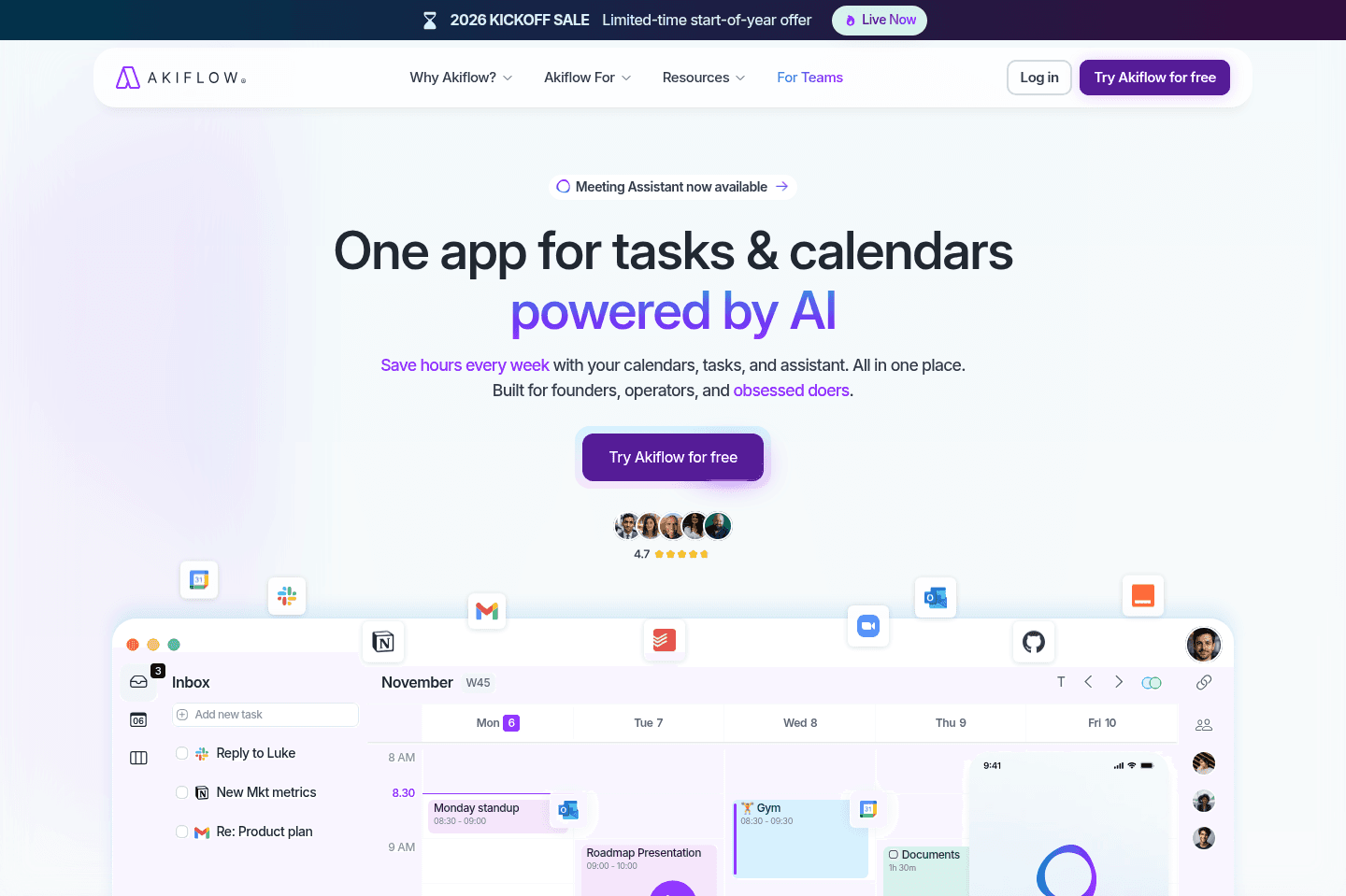
Best for task consolidation from third party appsAkiflow is a daily planner for task consolidation (aka bringing tasks from many different apps into one place so you can more easily triage). It has integrations with tons of tools like ClickUp, Asana, Monday, and communication tools like Slack and even your email.
When we used it, we didn't stick to it (turns out adding all of our tasks in one place resulted in overwhelm after a few weeks).
What is Akiflow?
What is Akiflow?Akiflow is a tool that has copied a bit from its competitors. It has a "daily shutdown" feature borrowed from Sunsama and an identical pricing structure to Motion. With that said, the pieces they've brought together are great for individuals who are drowning in tasks across too many apps (with a caveat, explained below).
If you're a busy professional whose company has tied you down to tools like Slack, Trello, Google Calendar, or Monday or other project management tools, and you want one place to centralize all your tasks in one big todo list, that's what Akiflow was created for.
Our Experience With Akiflow
Our Experience With AkiflowWe used Akiflow for a month while evaluating it for our team.
We used Akiflow when it first came out a few years ago, after about a month we found we over did it. Turns out that adding every Slack message, email, and task to one interface ends up being overwhelming, and hard to keep up with 😅 So we stopped using it after a month.
Knowing that, don't make the same mistake we did and add everything to Akiflow. Keep just your most important stuff in there.
The task manager it's works well though. It lets you drag new or imported tasks to your calendar, then lets you decide what you want to do with them (snooze, plan, or reschedule). The UI is clean, and the keyboard shortcuts are reminiscent of Superhuman Mail, which makes for quick work once you get the hang of it.
So, overall, it comes down to what you're looking to solve. If that's centralizing tasks across your many apps, then Akiflow is going to do just that, but if your problem is more prioritization and workload management, there are other, stronger tools out there.
Pros and Cons
Pros and ConsPros
Pros- Fast keyboard shortcuts
- Clean, focused interface
- Consolidates tasks into one inbox
- Strong integrations (including Zapier)
- Built-in scheduling links for sharing availability
Cons
Cons- Easy to overload your inbox
- Can feel repetitive if you fall behind on triage
- Basic AI features (Not as robust as advertised)
Key Features
Key FeaturesCentralized Task Inbox
Centralized Task InboxAkiflow can help reduce chaos when you have tasks that live in different places. For example, when you start something in Gmail, pop over to Slack to comment, or jump into Asana to assign yourself a new task, all of that gets added to your cognitive load, and somewhere in between, half of it gets forgotten. Since Akiflow can integrate with many common tools, its centralized inbox gives you a single source of truth for "what's next."
For more technical individuals or teams, Akiflow also offers API access and Zapier integrations. Meaning you can build automations. So, if you had your CRM platform and wanted to automatically create a task when a new lead is added to your CRM or when a support ticket hits a certain status.
Task Triage
Task TriageAkiflow lets you triage tasks (plan, snooze, or reschedule), and they've included keyboard shortcuts that help speed things up. The system is highly manual, so when you inevitably fall behind or miss a day, catching up requires some legwork on your part.
And, while they do have "Aki," their "AI Assistant like in the movies" who is supposed to be your "Executive Assistant beyond human limits," we were pretty disappointed when we tested it out.
Don't expect this AI to do much heavy lifting because it acts more as a ChatGPT wrapper than a complex assistant.
Manual Time Blocking
Manual Time BlockingYou can drag tasks directly onto your calendar right from your inbox and plan your day.
It's more of a hands-on feature that requires intentional planning, but means more control too. You get to decide when things happen and how long they take. Basically, nothing moves unless you move it.
For some, that's great, especially if you really need a place to aggregate your tasks so you can visualize them and start executing. Just know that anytime priorities shift, you will need to hop back in and rework your calendar, versus tools like Motion that utilize AI to do it for you.
App Pricing
App Pricing- Monthly Plan: $34/month (Quite expensive compared to other daily planners that are more powerful)
- Yearly Plan: $19/month billed annually
Not a tool. A hire.
Morgen Calendar
For simple calendar‑centric daily planning
For simple calendar‑centric daily planningWith Morgen Calendar, you will get a better experience than Google Calendar/Outlook.
It feels faster and has a better design, and you also have the ability to add barebones tasks to Morgen. So if you're just starting to dip your toes into the daily planning calendar space, Morgen is worth giving a shot.
That said, if you're more serious about daily planning, we think there are better options available.

What is Morgen Calendar?
What is Morgen Calendar?Morgen Calendar falls into two categories. First and foremost, it's a calendar with a much more beautiful interface than Google Calendar, Outlook, or Apple Mail. The second category Morgen toes the line with is being a daily planning tool. But when considering it as a daily planner tool, it's quite barebones compared to other daily planners on the market.
Morgen's AI planner that help you create plans by recommending when you should work on which tasks. It checks your availability and task deadlines to structure your day, pulling in tasks from other tools to suggest time blocks inside your "Frames" (Morgen’s templated work blocks), then lets you do a once-over before approving.
A while ago, Morgen had a free tier, at at that point we thought it was a good tool to try if you're dipping your toes into the world of daily planning. But with their new pricing, it's tough to justify the cost compared to other tools (for example, Motion is the same price but gives you full project management capabilities plus their AI scheduling is a lot more advanced).
In general, we'd love to see Morgen become more differentiated with time.
Our Experience with Morgen Calendar
Our Experience with Morgen CalendarWe evaluated Morgen Calendar three times, across a two year time-span. Each time I enjoyed the design and simplicity of Morgen Calendar, but quickly realized that with all the projects and tasks we have going on in our business, it felt too simple for our business use. It felt limited compared to using something like Motion.
That said, I do still recommend Morgen Calendar for those looking for a simple daily planner that works across devices. If simply adding tasks to your calendar is your priority, Morgen Calendar will serve that purpose.
Pros and Cons
Pros and ConsPros
Pros- Clean interface
- Integrates with common project management tools
- Drag-and-drop task scheduling directly onto your calendar
Cons
Cons- Less powerful than most daily planners
- Expensive for what they offer
Key Features
Key FeaturesAI Planner
AI PlannerMorgen's AI Planner creates a proposed schedule for your next 1–8 days based on information you created (task priority, availability, and due dates). They also have preview mode within the planner, which is where you'll see proposed tasks "pulse," letting you clearly see what's new. You can tweak, resize, remove, or reprioritize tasks before you decide to add to your schedule.
While it sounds good in theory, this does require you to sit down and "get organized" rather than just building out your day for you. As a busy business owner, I will tell you this is a "sounds nice" feature, but in the day to day, I want to show up and get to work.
But if you want some control over how your tasks are planned, this will appeal to you more than something more automated, like Motion for example.
Frames
FramesFrames are Morgen’s way of helping you get intentional about when you work on certain types of tasks.
Think of them like reusable time templates. For example, you might block off 9–11am for "Deep Work" and 3–4pm for "Admin." Instead of deciding every single day when to focus or when to do lighter tasks, you set those patterns once.
Then that helps Morgen's AI planner to appropriately place tasks inside those frames. So if something is high priority and tagged as deep work, it’ll try to land in your "Deep Work" frame.
While my perfectionist mind truly loves the idea of having perfectly set aside time for similar tasks, unfortunately, this isn't the reality of how I work 90%. As a business owner, I am thrown into unblocking team members, writing a script, then editing a review within a matter of an afternoon.
AI Scheduling
AI SchedulingOnce you have tasks inside the system, the AI has placed them on your calendar, and you have approved, the AI will try to make your schedule more realistic. For example, it will automatically add a little buffer to your task estimates. So, if you're the type to underestimate how long your tasks are going to take, then this is a small but helpful way to counter that.
Not different from other planners, but still a nice-to-have feature, the AI scheduler also splits up your work. Instead of dropping a giant multi-hour block onto your calendar, Morgen helps you fit them more naturally into your day by splitting them across multiple sessions.
Lastly, unlike tools like Motion that automatically shift your schedule around to adjust for overdue or missed items, Morgen will suggest a new time rather than reorganize based on your selection.
It gives you more control over your schedule, but that also means it comes with added mental load of needing another "to do" to approve the tasks.
Pricing
Pricing- Monthly: $30/mo per user. In our opinion, this is far too expensive compared to the other daily planners available.
- Yearly: $15/mo per user (billed annually). This pricing is much more reasonable.
Routine
Free daily planning app
Free daily planning appRoutine tries to be a daily planner productivity suite, but falls short in actual focus. Trying to do knowledge management, project management, and Notion-style databases to connect it all together, leaving it in what feels like a confusing productivity suite.
We wish they just focused more on their daily planning functionality.
What is Routine?
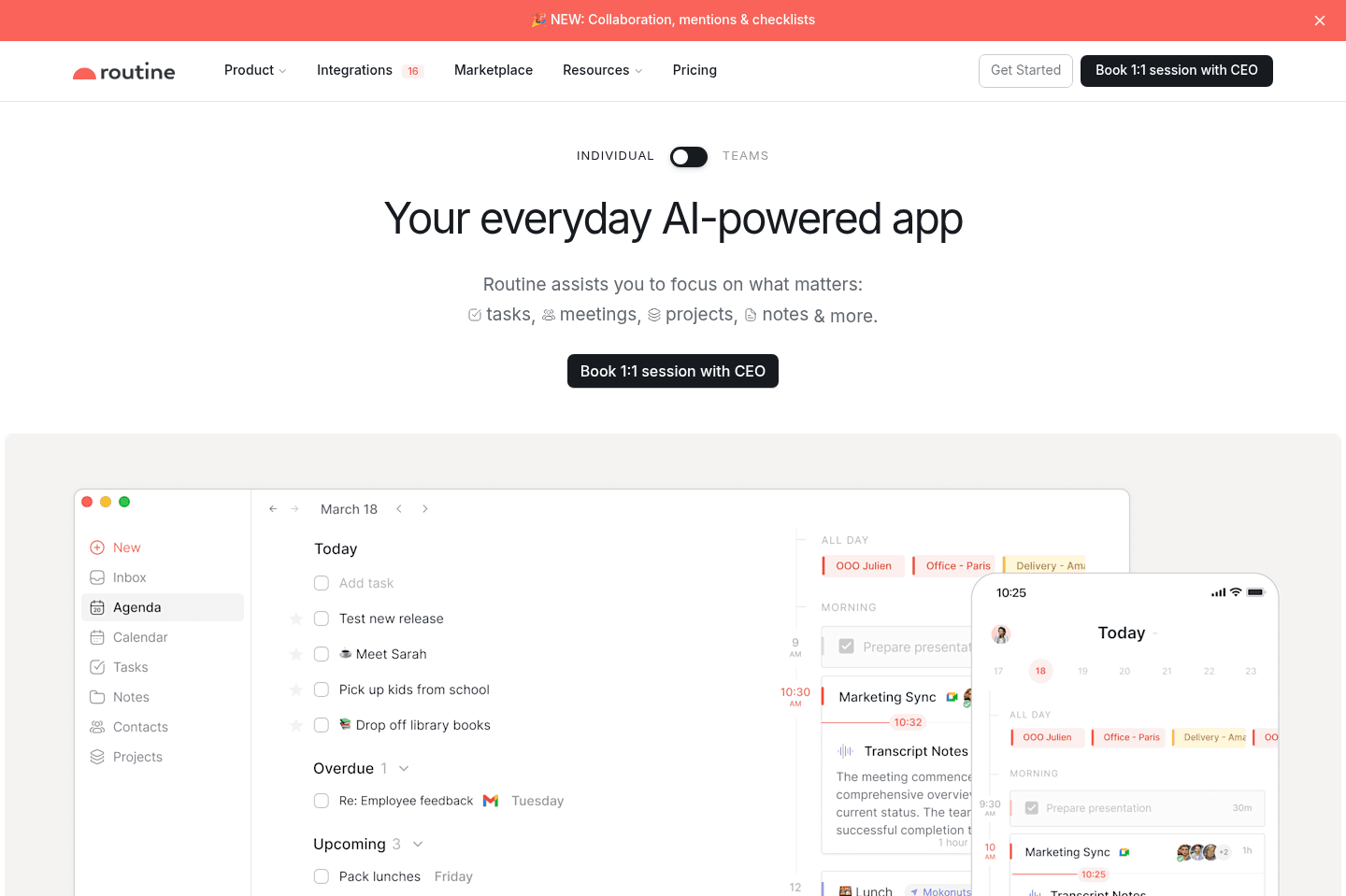
What is Routine?Routine is a daily planner that combines your calendar, task list, and notes into one single workspace.
It's a very light-weight daily planner, simply add your tasks and drag and drop them on the calendar.
Routine says its for busy professionals and modern teams, but we feel like a student or busy parent is a more appropriate audience based on the limited way many of the features work. Maybe someone who wants a free tool to drag tasks onto a calendar, loosely organize their day, or experiment with time blocking.
Unlike all the other daily planners on this list, they have a totally free tier. That said, the free tier does come with many limitations.
Our Experience with Routine
Our Experience with RoutineWe evaluated Routine several times over the years. The last time we checked out Routine, we went in thinking it was was a lightweight daily planner. Fifteen minutes later, we were scared we'd just deleted their entire task database...😂 Search "Routine Review Gone Wrong" on YouTube and you'll see what we mean.
The problem we found with Routine is that it has too many features - task scheduling, label creation, and, of course, a calendar, but with so much happening, a lot of the features don't work fully like you'd want them to. The glaring problem is that their execution makes it hard to understand what it actually wants to be.
Each time we logged into Routine, we felt overwhelmed with features yet limited in terms of what we were able to do. We immediately knew we couldn't run our business on it so it wasn't a tool that stuck.
With that, if you absolutely are unwilling to pay for a daily planner, Routine is the only free option available.
Pros and Cons
Pros and ConsPros
Pros- Has a free tier (rare in this category)
- Drag-and-drop task scheduling onto calendar
- Tasks can contain detailed notes
Cons
Cons- Not a ton of integrations
- Not intuitive (basic actions require trial and error)
- Labels system adds complexity without clear payoff
- Feels unstable (easy access to database-level settings)
- Too basic for a primary business calendar
- Identity crisis: calendar vs. daily planner vs. knowledge management tool
Key Features
Key FeaturesTask Scheduling
Task SchedulingRoutine allows you to create tasks and drag them directly onto your calendar. You can adjust time blocks and rearrange your day visually. The time-blocked task planning works, but it feels basic.
They even tried integrating natural language, but even that has its hang-ups. For example, when creating a task, typing "3 days" schedules it for December 3rd instead of three days from now. To get the result you're looking for, you have to type "in 3 days." A small detail that shows good intention, but poor execution.
Labels & Database Structure
Labels & Database StructureRoutine introduces a labels system that acts almost like a relational database. You can assign labels to tasks and events and view counts across categories.
In theory, this would allow for deeper organization, but in practice, it feels like an added mental load. You can see numbers, but you won't extract any valuable insight.
Notes Within Tasks
Notes Within TasksAgain, we have some clarity issues. Routine has tasks that function as full notes, so you have the option to expand well beyond a simple checklist item. This leans into their "all-in-one" ambition, and looks like they were attempting to blend planning with knowledge management.
However, the separation between tasks and notes is confusing, and it's not always clear where things live or how they relate.
Pricing
Pricing- Free: Best for individuals & students looking to become more productive.
- Professional: $10/mo. Best for professionals who want AI notes and time tracking capabilities.
- Business: $15/mo per user. Best for teams who want workspaces and access control.
- Enterprise: Contact for more details. Best for large teams in need of extra security.
Not a tool. A hire.

Reclaim AI
Tries to protect your time
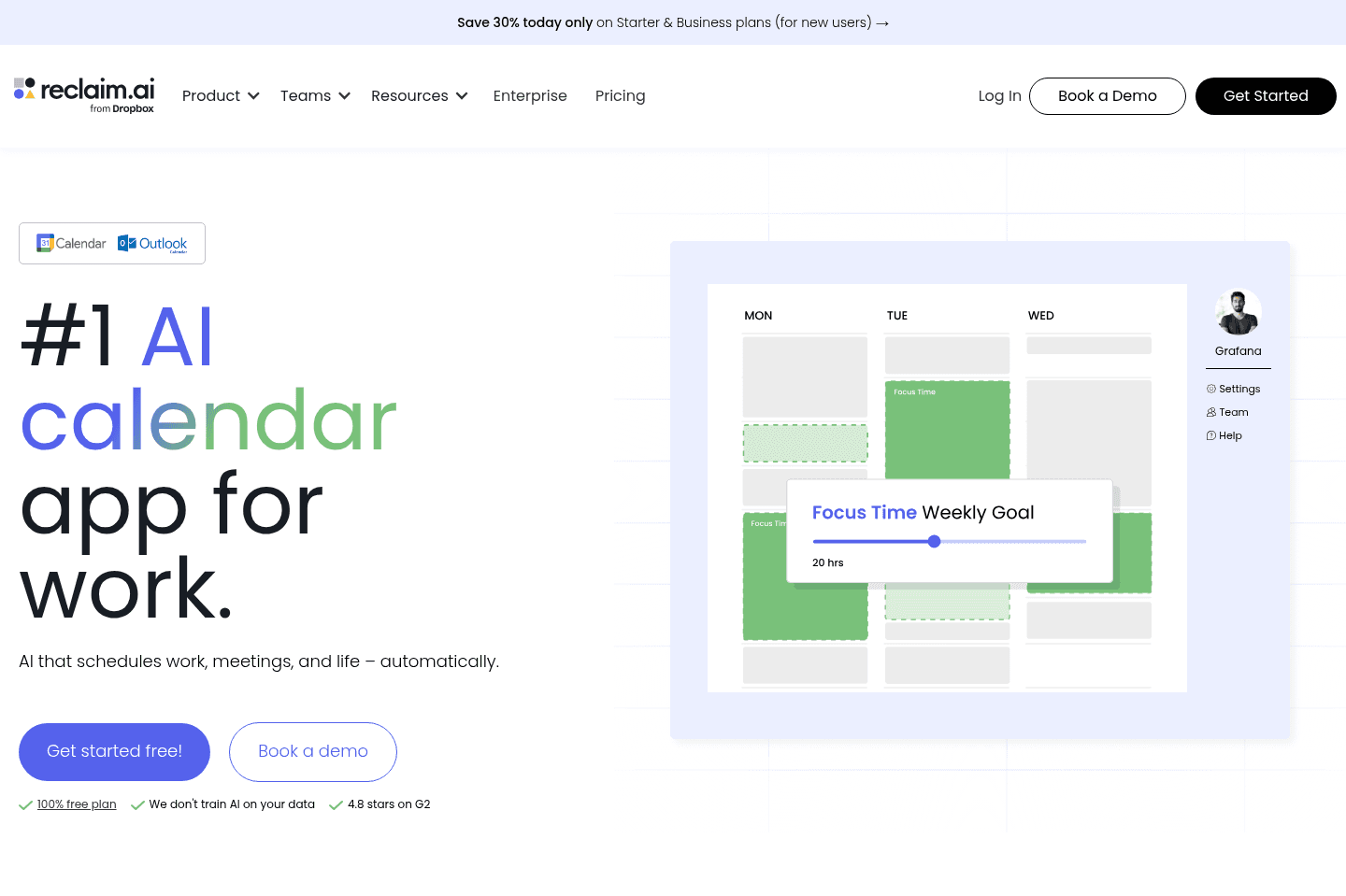
Tries to protect your timeReclaim AI is less of a daily planner, and more of a focused-time calendar time-blocking tool.
While they allow for basic task tracking on the calendar, you'll feel pretty frustrated trying to use it as your main calendar and daily planner.
What is Reclaim.ai?
What is Reclaim.ai?Reclaim's sole purpose is to defend your time from others on your team, in an attempt to give you more time for habits and focus time.
Reclaim works best for individual contributors inside larger organizations. For example, if you're in corporate and your calendar is constantly getting hijacked by meetings, and you want to make sure you have time to eat lunch.
The truth of the matter is Reclaim didn't feel delightful or enjoyable to use, in fact, I felt more like I was using an outdated tool I wanted to get out of.
The daily planner category is in itself a "nice to have" rather than a necessity to get work done, so using something with good user experience is quite key in our eyes.
Pros and Cons
Pros and ConsPros
Pros- Protects focus time with recurring "habits"
- Automatically schedules one-on-ones for managers
Cons
Cons- Slower, outdated UX compared to modern competitors
Key Features
Key FeaturesSmart Habits & Focus Time Blocking
Smart Habits & Focus Time BlockingReclaim is great for creating habits. Smart recurring blocks protect your time for things like:
- Lunch
- Workouts
- Deep work
- Meditation
- Other recurring routines.
You just define a time range, for example, "between 12–2 PM," and Reclaim finds space within that window and dynamically reschedules if conflicts arise.
Task Scheduling & Integrations
Task Scheduling & IntegrationsReclaim integrates with some of the most common companies, like Asana, ClickUp, and Linear. It pulls tasks into your calendar and schedules them. But the truth of the matter, out of all the "auto-scheduling" features we tried with other daily planners, Reclaim's was by far the worst user experience. It just didn't feel enjoyable to use.
Pricing
Pricing- Light: Free plan (limited functionality). Best for individuals experimenting with habit blocking.
- Starter: $10/mo per user. Best for small teams needing more meeting capabilities.
- Business: $15/mo per user. Best for large teams looking for unlimited access.
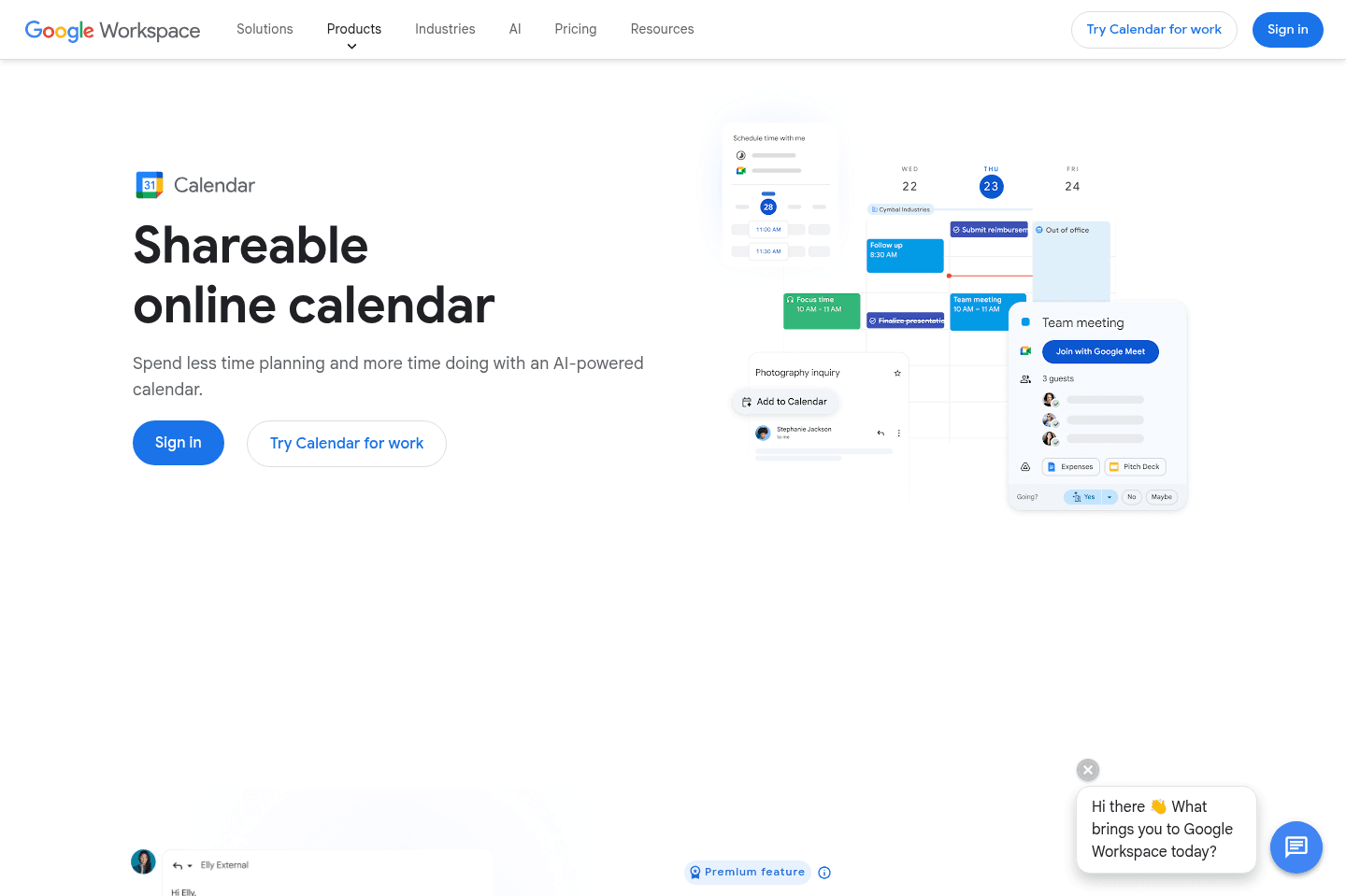
What is Google Calendar?
What is Google Calendar?Google Calendar is the official calendar app that comes with your Google account (along with Google Workspace and Gmail). You can schedule events, set task reminders, and share your calendar with others, all the stuff you'd expect from a calendar.
Many people naturally create events to time-block tasks on their Google Calendar. This works, there is no harm in doing it, aside from the fact it's one of the time consuming options out there.
If you don't finish a task, you need to remember to move the calendar event over to another day.
Pros and Cons
Pros and ConsPros
Pros- Works on desktop, iOS, and Android
- Deep integration with Gmail and Google Workspace
- Allows multiple calendars in one place
- Serves as the backbone for most third-party calendar apps
- Excellent mobile app experience
Cons
Cons- UI feels built for the masses (can feel cluttered)
- Most time consuming daily planning method
Key Features
Key FeaturesUniversal Calendar
Universal CalendarGoogle Calendar is the foundation for syncing, permissions, and event management for any of the daily planners on this page.
No matter what, Google Calendar will be your fallback calendar.
The best part about Google Calendar is that it's reliable. It will work as you expect across mobile, desktop, or the web.
You can use it for time blocking tasks by manually creating calendar events, and if you ever want to stop, guess what? You just stop doing it. You don't need to worry about remembering to cancel any extra subscription.
Pricing
Pricing- Free: For those who have created a Google account
- Included in Google Workspace plans (Business Starter, Standard, Plus, Enterprise — pricing varies by tier)
Not a tool. A hire.

Notion Calendar
For Notion users only
For Notion users onlyNotion Calendar is an aesthetically pleasing calendar for iOS, and we'd recommend using it if all you want is a free calendar that is better than Google Calendar (not available yet for Outlook).
With that, we'd say skip the whole "add your Notion database items to your calendar" bit. Despite the hype, managing your tasks in Notion is messy as it's not a task manager. If you're interested in time blocking tasks, try one of these daily planners instead.
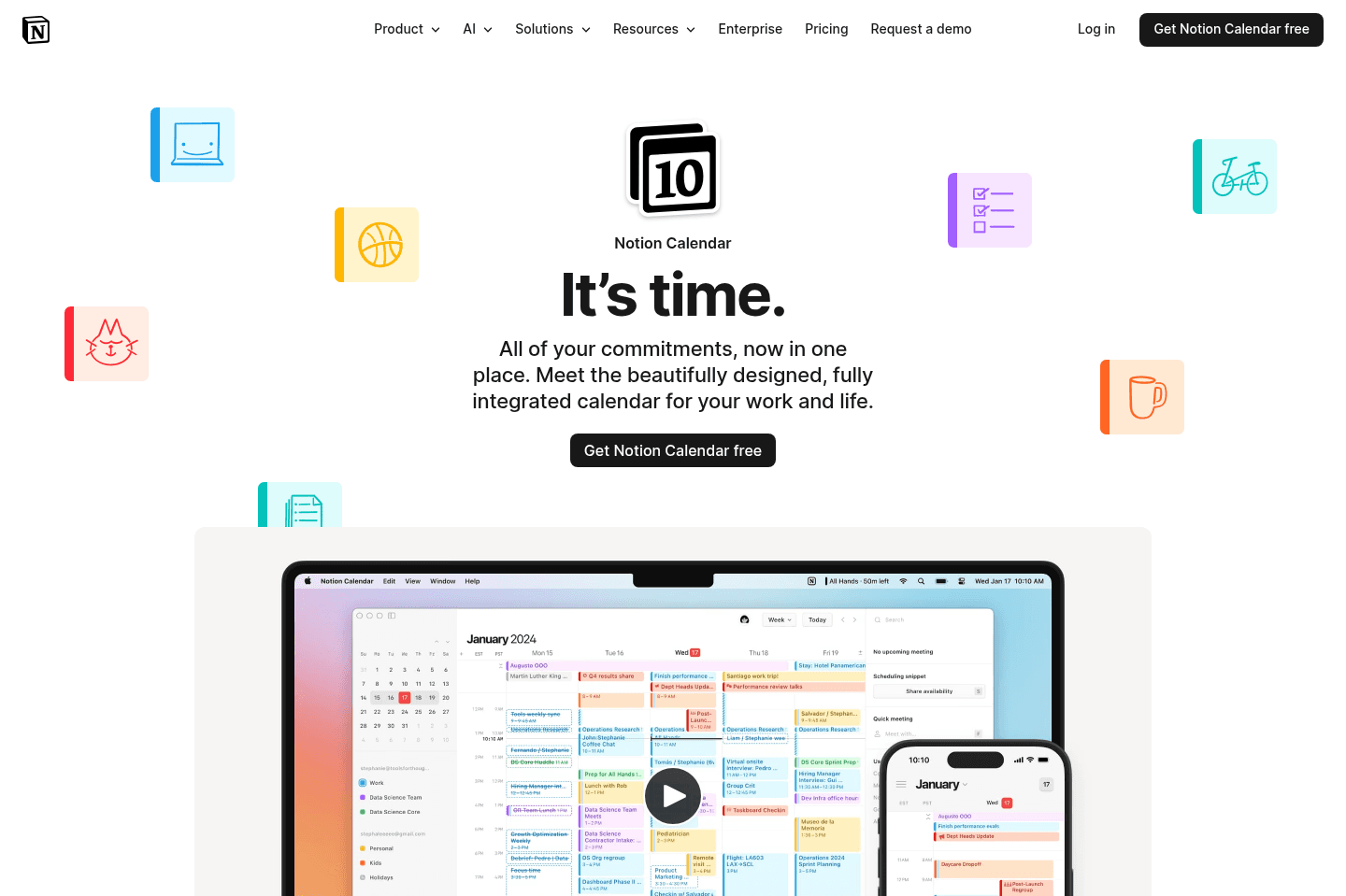
What is Notion Calendar?
What is Notion Calendar?Notion Calendar is part of the greater Notion ecosystem, but we want to be clear: while we highly recommend Notion Calendar as an actual calendar app, we don't recommend it as a daily planner.
Since it integrates into Notion databases, you might be tempted to think, "Hey, I can drag database items (like tasks) onto my calendar to plan my day," but that idea is only good in theory, not in reality.
If you're a deep Notion power user who already manages your life inside databases, this might feel convenient. Everything lives in one ecosystem. You build tasks in Notion, then place them on your calendar. And for you, sure, that can work.
But if you're reading this and you're not using Notion for tasks, don't start (see our Notion review as to why). And certainly do not sign up for Notion Calendar thinking it can be a good daily planner when integrated with Notion just cause it's free. I promise you, this is the path of perceived productivity rather than something actually useful that will move your business forward.
This is one of those tools that feels productive on the surface, but in reality, slows you down. It looks clean, it feels flexible, but you're doing all the work manually. You're not actually getting help planning your day, you're just spending hours organizing it.
Compared to tools like Sunsama or Akiflow, Notion Calendar lacks structured daily planning rituals. It's the complete opposite of Motion; there’s no AI scheduling or workload management. Instead, it's all on you to manage. Bottom line, it's a good calendar, but it's not a daily planning solution.
Pros and Cons
Pros and ConsPros
Pros- Ideal for Notion power users
- Deep integration with Notion databases
Cons
Cons- Not built specifically for daily planning
- Not ideal for scalable business task management
Key Features
Key FeaturesDatabase Integration
Database IntegrationNotion Calendar, originally Cron, was and is an insanely well-designed calendar. But since Notion acquired it, they updated it to include other Notion products (e.g. connecting Notion databases like tasks, projects, and more, directly into your calendar). You can drag Notion pages onto specific time slots on your calendar.
Drag-and-Drop Scheduling
Drag-and-Drop SchedulingNotion did make it fairly simple and straightforward to use. Whatever tasks you do create can be put into time blocks on your calendar.
The problem with that is it's fully manual. There's no AI rescheduling coming to save the day or an adaptive reschedule to dig you out of your missed workload. There are far better tools that can help you reprioritize your tasks.
Unified Calendar View
Unified Calendar ViewNow this is the one redeeming feature. Notion Calendar itself is genuinely good replacement for Google Calendar or Outlook. You can manage all of your calendars, get a good view of your availability, and handle your meetings.
Pricing
Pricing- Free: Best for individual power users very familiar with Notion databases
- Paid: Best for Notion users who want to unlock advanced database features and team functionality (comes as a part of your Notion plan).
Our Final Verdict


Motion: Best for AI-Powered Auto-Scheduling
Motion: Best for AI-Powered Auto-SchedulingThe verdict? The best daily planner app is Motion.
Why? After five years, and testing out Akiflow, Sunsama, Routine, and Morgen Calendar, Motion is the only daily planner app that I continue to use.
While all the daily planner apps have their strengths, Motion's AI auto-scheduling cannot be beat. Motion has helped me stay focused in the busiest of times. I have truly felt like I've had an assistant helping me out, especially since I am not the type of person who always has time to manually plan my day. Try Motion for free for 7 days.
Sunsama: Best for Mindful Planning
Sunsama: Best for Mindful PlanningWhile Sunsama is not an app that I have personally continued to use, I cannot ignore the fact that 39.6% of our survey respondents said they prefer to manually plan their day. For this group, Sunsama is the perfect fit. It has daily planning and shut down rituals, and I do always feel a sense of peace opening up the app.
You are able to try Sunsama for free (without a credit card) for 30 days using Efficient App's Sunsama discount.
Bonus
BonusIf you want a bonus tool that can help you keep track of how you spend your time each day, then make sure to also read our Littlebird review.