
Review Summary
Review SummaryI'll give credit where credit is due... Fyxer AI is incredible at marketing the most basic AI features, and selling them as revolutionary to individuals and small businesses.
All of Fyxer AI exists as basic "features" within existing business software already on the market. They're just good at convincing you that they're doing something beyond simply placing ChatGPT atop your email. Fyxer is a feature, not a product.
Fyxer AI Alternatives
Fyxer AI AlternativesNot sure if Fyxer AI is the right fit for you? Check out these alternatives:
 Superhuman MailBest
Best for high-performers
Best for high-performers
What is Fyxer AI?
What is Fyxer AI?Fyxer AI is an AI integration layer that sits on top of Gmail and Outlook, auto-labeling emails into groupings like "to respond'", "notification", and "fyi", while drafting replies to emails requiring a response.
While this may sound super useful to most, the flaw comes from it using instead of actually organizing your inbox with splits, like the best email clients handle email. This results in you constantly second-guessing what was handled, and what wasn't (there's no inbox zero concept). After extensive testing, Fyxer feels like someone stuck ChatGPT atop Gmail without actually thinking through how best email practices should actually be handled.
This ultimately comes down to not controlling the UI/UX of the actual email client though, they're constrained only within what Gmail/Outlook allows you to do natively.
Why use Fyxer AI?
Why use Fyxer AI?If you absolutely love Gmail/Outlook already and just want basic AI auto-labeling and draft creation, and you want to put absolutely no thought into setting things up, don't care about customization, and you don't mind paying a lot for what is just table-stakes functionality for which most alternatives on the market do and more.
If then, and only then, you feel that way, and you squint, you might get away with giving Fyxer a shot.
Why not use Fyxer AI?
Why not use Fyxer AI?To put it bluntly, there's just better options already available on the market that do what Fyxer does better, better. So Fyxer is more targeting small businesses and founders that are just unaware of what is already available on the market.
Now, if you're someone actually looking for the best email client on the market, Fyxer ain't it either. You'll want to look at the best email clients, and select something that handles these email buckets with proper splits (how it was intended, but a Gmail doesn't allow for natively).
Key Features
Key FeaturesEmail AI Labeling
Email AI LabelingFyxer's main value-prop is that it'll automatically label your emails into categories like "to respond", "notification", "fyi", and other related groupings:
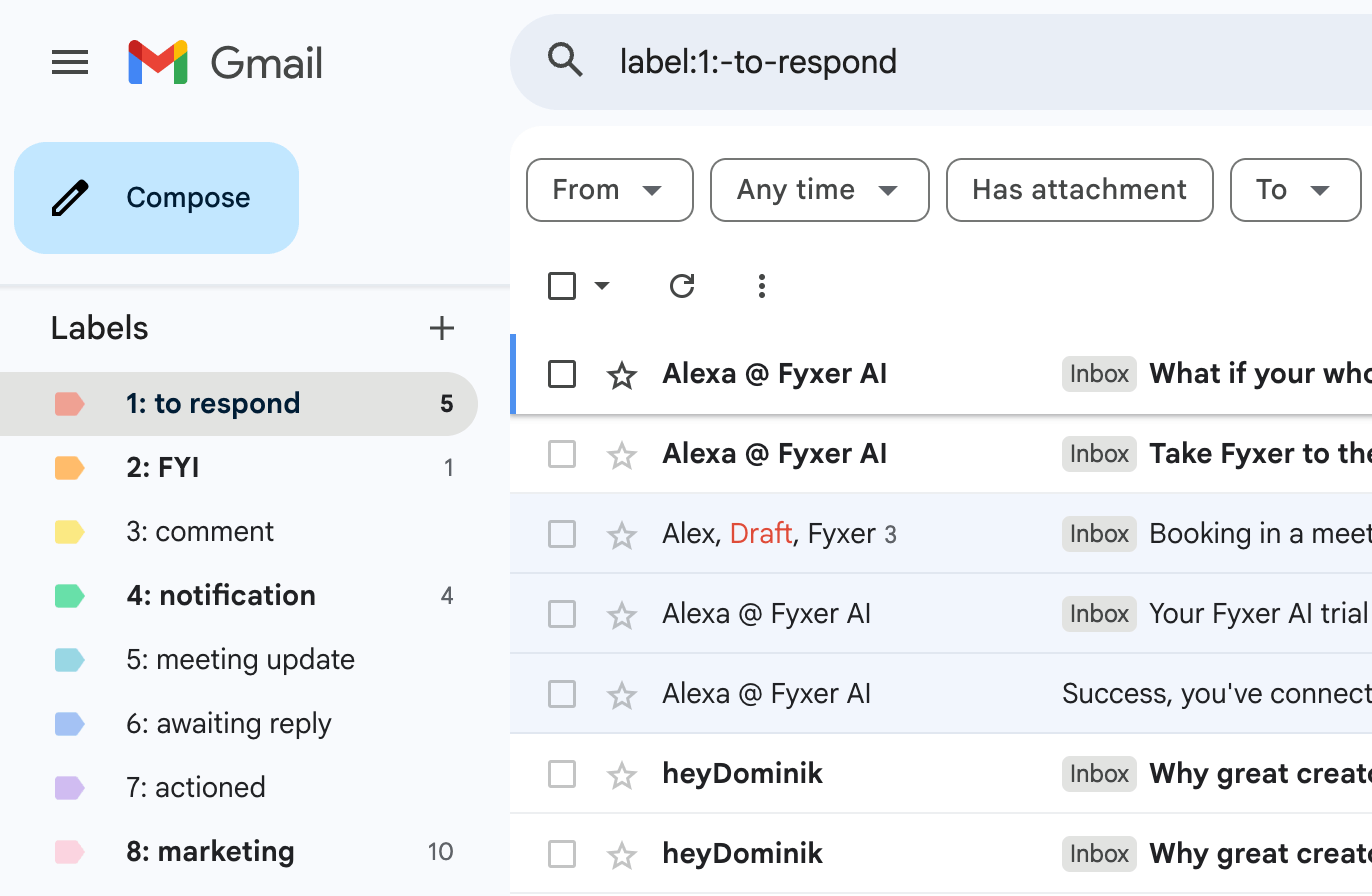
Fyxer AI Auto-Label Categorization
While this is useful in theory, you can't actually triage through each category, like you can with something like Superhuman Mail, which have proper split inboxes based on appended labels. So any emails you take action on are just marked as "read" but still show up in the label, so you continually re-read "archived" emails when visiting their version of a split inbox.
Not to mention, once you "respond" to an email requiring "to respond", the label stays on the email. So you responded, but it's still alerting you "to respond" to it. It's just noisy and not best practices when it comes to dealing with your email overload.
All of this with no way to modify the logic at all. Don't like which emails it's flagging "to respond" or "FYI"? You're out of luck.
Email AI Auto-Drafts
Email AI Auto-DraftsThe feature that probably grabbed your attention most was likely the AI auto-drafts that Fyxer creates. They're selling the vision of "you've an executive assistant that automatically responds to your emails for you". Sorry to break the bubble for you, but it's just marketing. The AI responses are no better than any of the out-of-the-box ChatGPT responses, in-fact, they're actually worse as they don't go as deep into historical email replies, like competitors do.
The draft responses didn't "feel" like how I would respond, and they were quite basic. There's a reason they don't allow you to auto-send these replies. And when they tell you that they also "handle" scheduling for you, whelp, we found that they actually put the booking onus on me, great, they suggested a time that fits, but I'm to now create the calendar invite...? Why not just create it for me (like Superhuman Mail does):
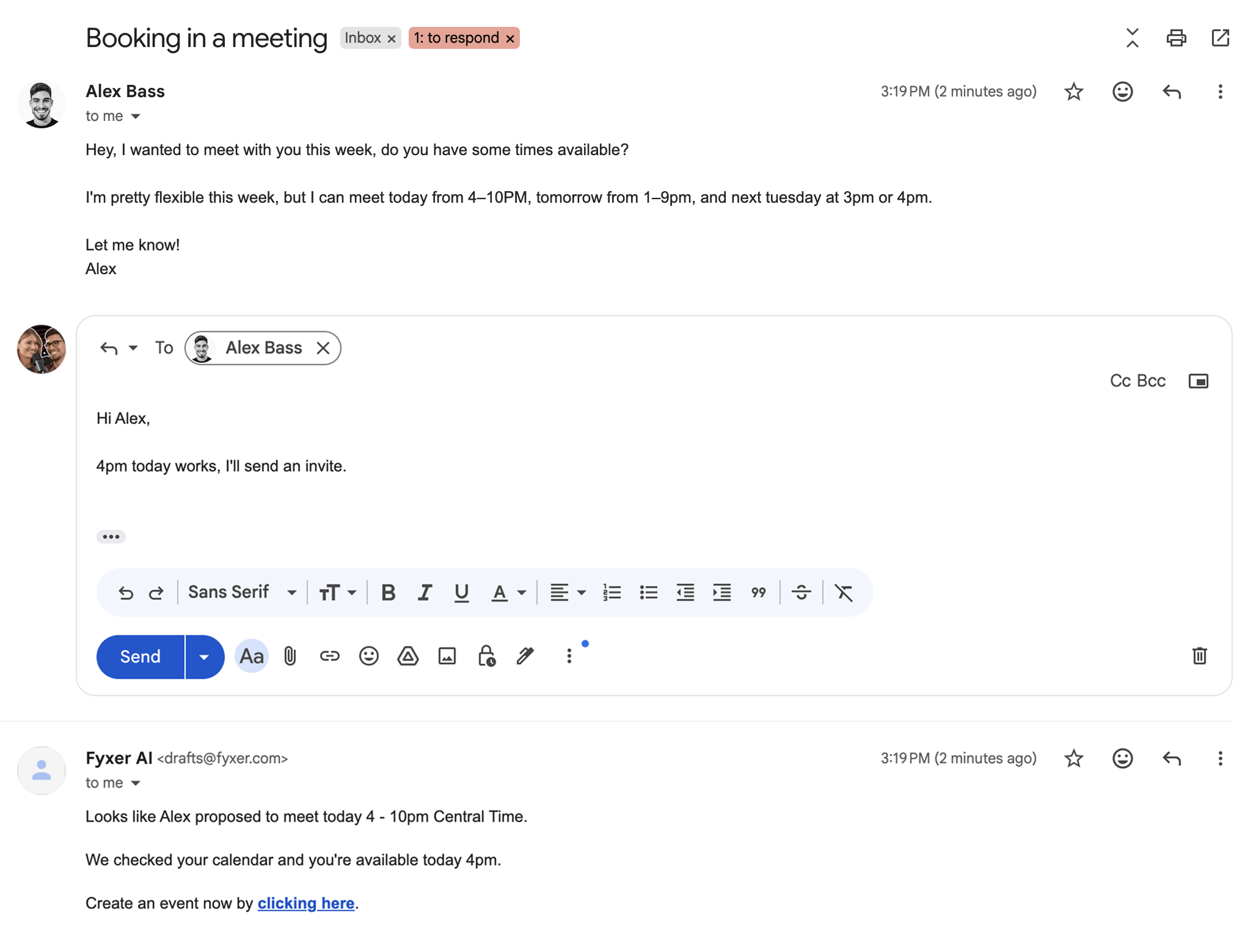
Fyxer AI Email Draft
I will say though, I do like how they give you slider that allows you to select "how often" you'd like to reply, so that your inbox doesn't explode with drafts to emails you have no interest in replying to:
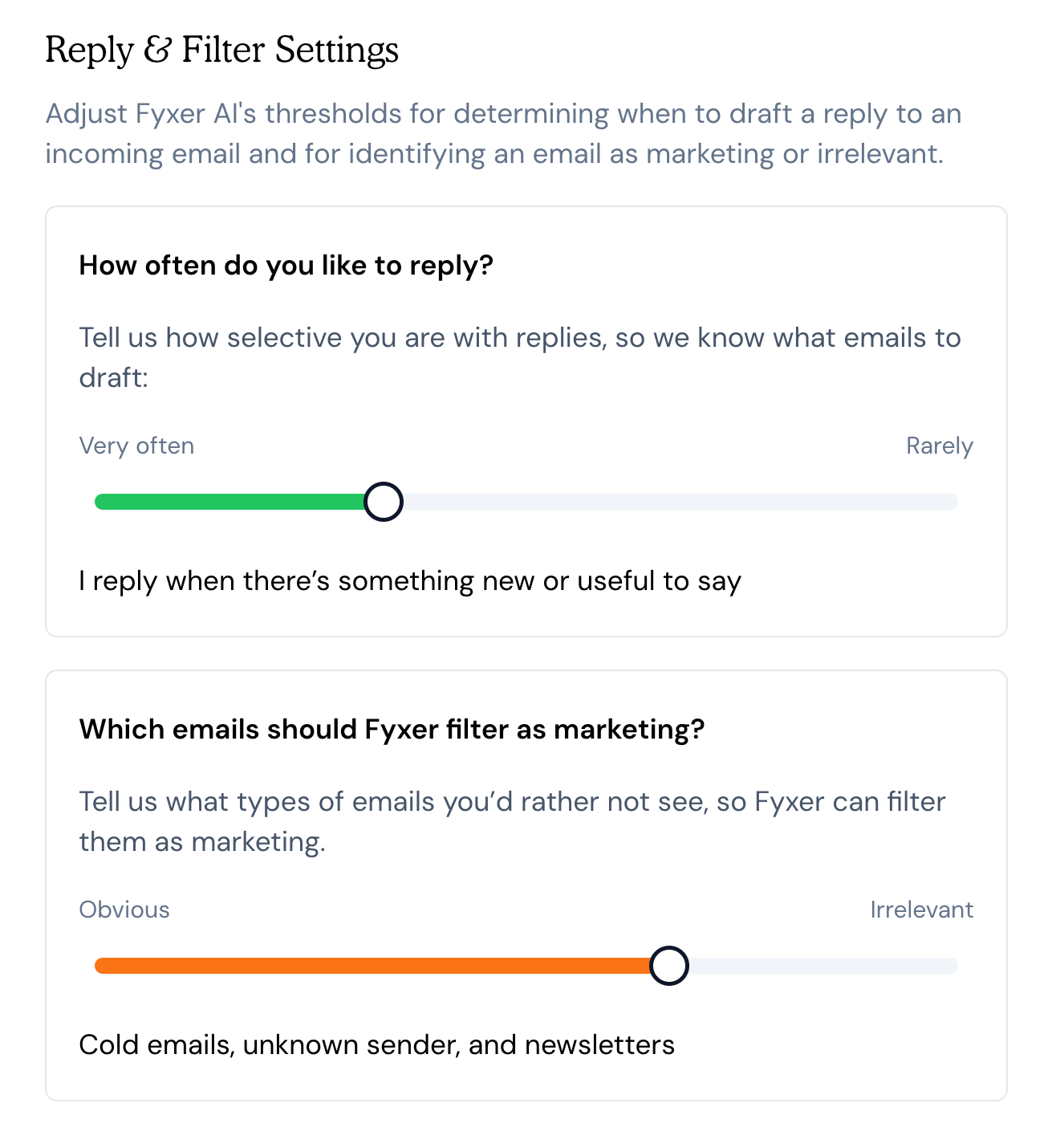
Fyxer AI Reply & Filter Settings
AI Meeting Scheduling
AI Meeting SchedulingThey also claim to "replace Calendly". Conceptually you can "book a meeting with a meeting link", but does it replace your meeting scheduler if you have anything more than the most basic needs possible? Not in the slightest. Just use the free tier of Cal, you'll be way happier.
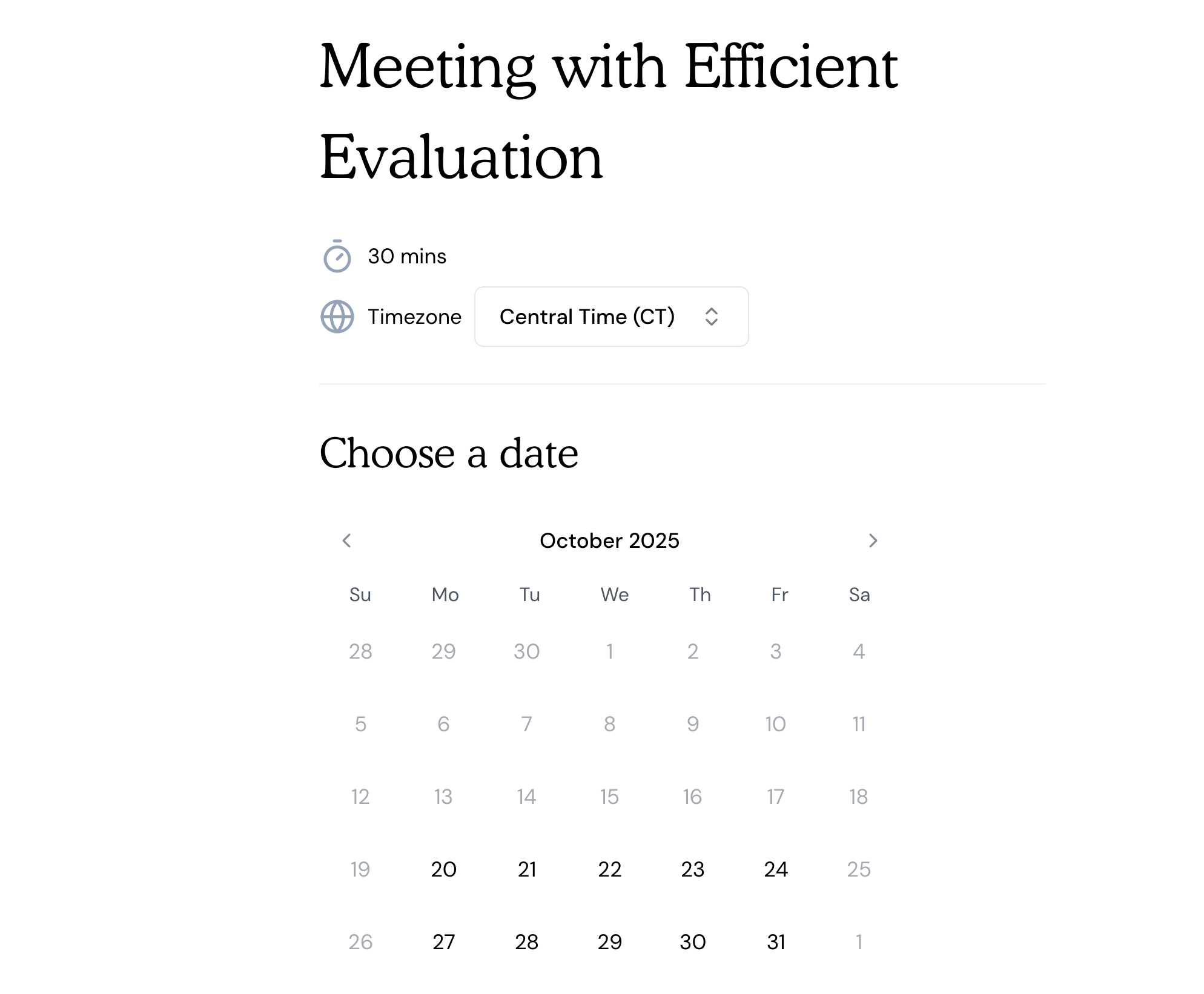
Fyxer AI Meeting Scheduler
AI Note Taker
AI Note TakerFyxer also advertises a meeting recording bot that should capture calls and summarizes notes. In testing, it's hit-or-miss. The meeting recorder bot joined the call, but no transcript was created. Maybe the call was too short (15 minutes), or it just doesn't like calls with yourself (which every other AI note taker on the market is totally fine with).
I managed to get a recording working by using their transcript-only voice recording feature:
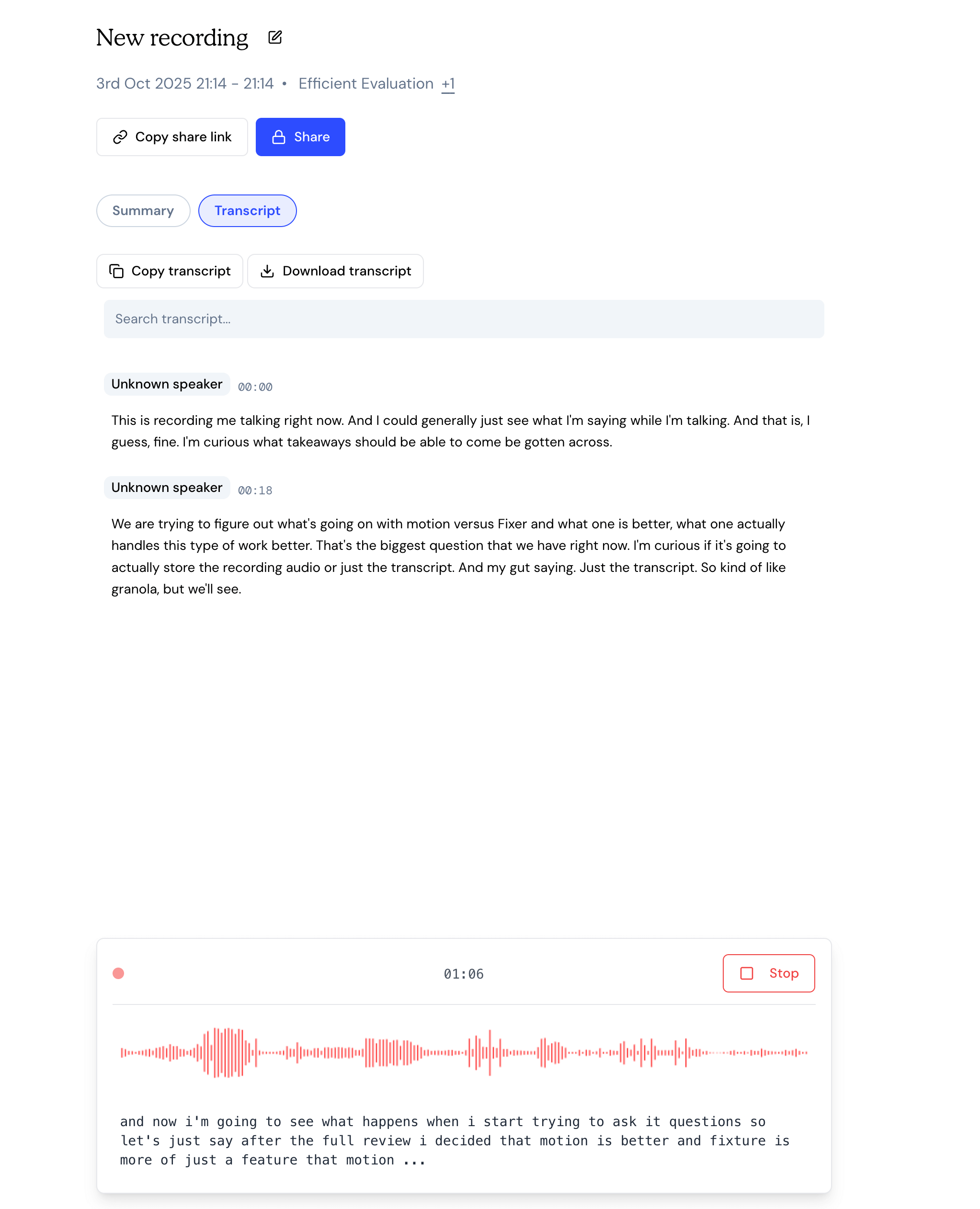
Fyxer AI Voice Recording Feature
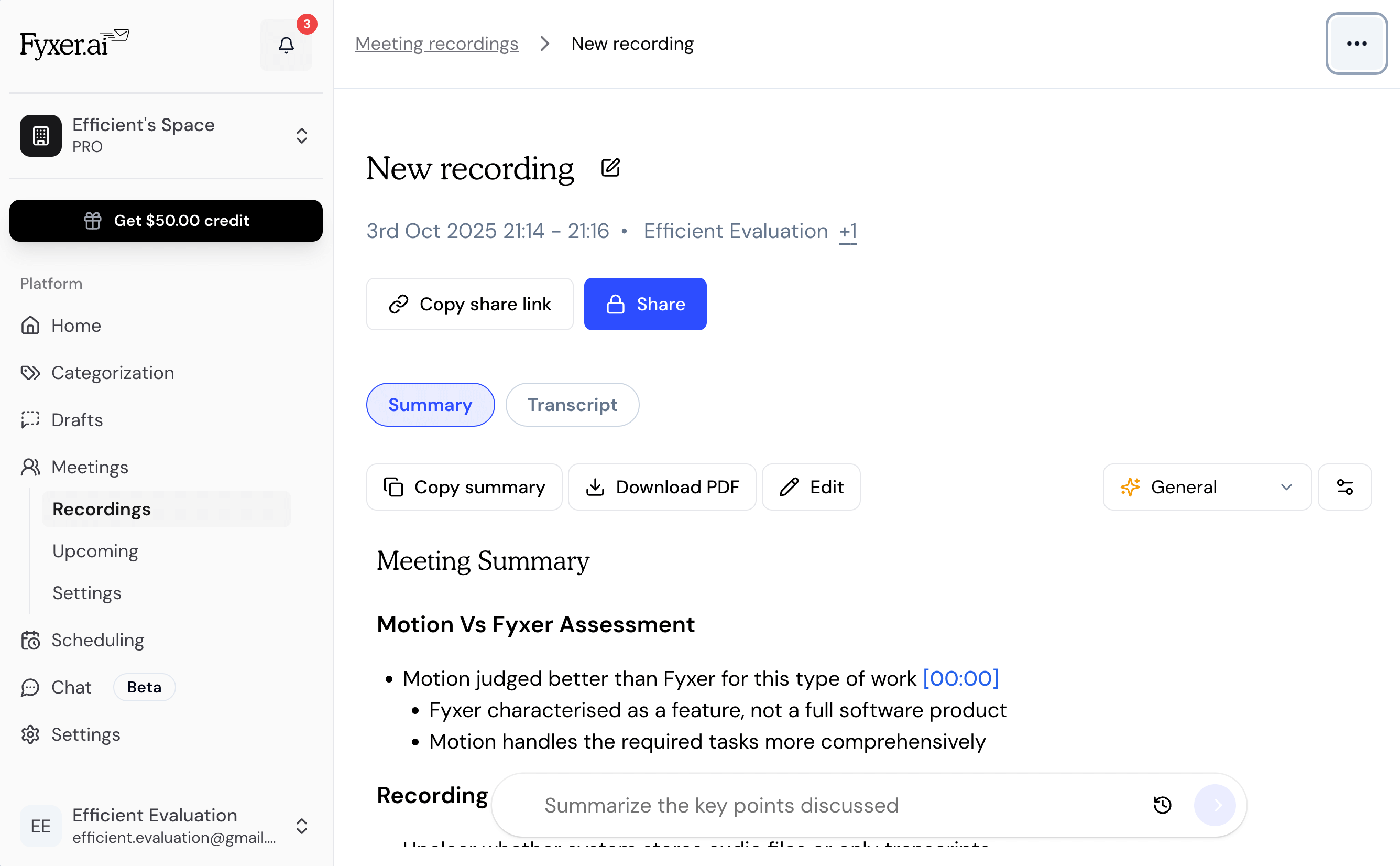
Fyxer AI Meeting/Voice Recorder Summary
In our experience, Granola does a far better job as an AI note taker for ad-hoc meetings.
The theme continues, there are leaders in the space, and Fyxer is just copying them, doing a worse job, but marketing better.
Additional Features
Additional FeaturesAuto-Draft Follow-Up
Auto-Draft Follow-UpFyxer allows for a draft to be automatically created when a snoozed email is returned. While super convenient, we've found that it has much less business context than the other tools on the market we keep referring to, leaving to generic drafts, often requiring a full rewrite.
Superhuman Mail does this exact same thing (nice ideas Fyxer, definitely not copying them 🙄), but when comparing Fyxer vs Superhuman Mail, Superhuman Mail takes into account not only the entire thread, but hundreds of prior emails to understand your voice, making the emails work most of the time without modification required.
Document Upload
Document UploadI don't even have it in me to call this a true "docs" feature. Fyxer lets you basically just upload PDFs, CSVs, Excel files, which can be scanned via the chatbot to "add context". The truth of the matter is it just feels like a lazy duct tape solution.
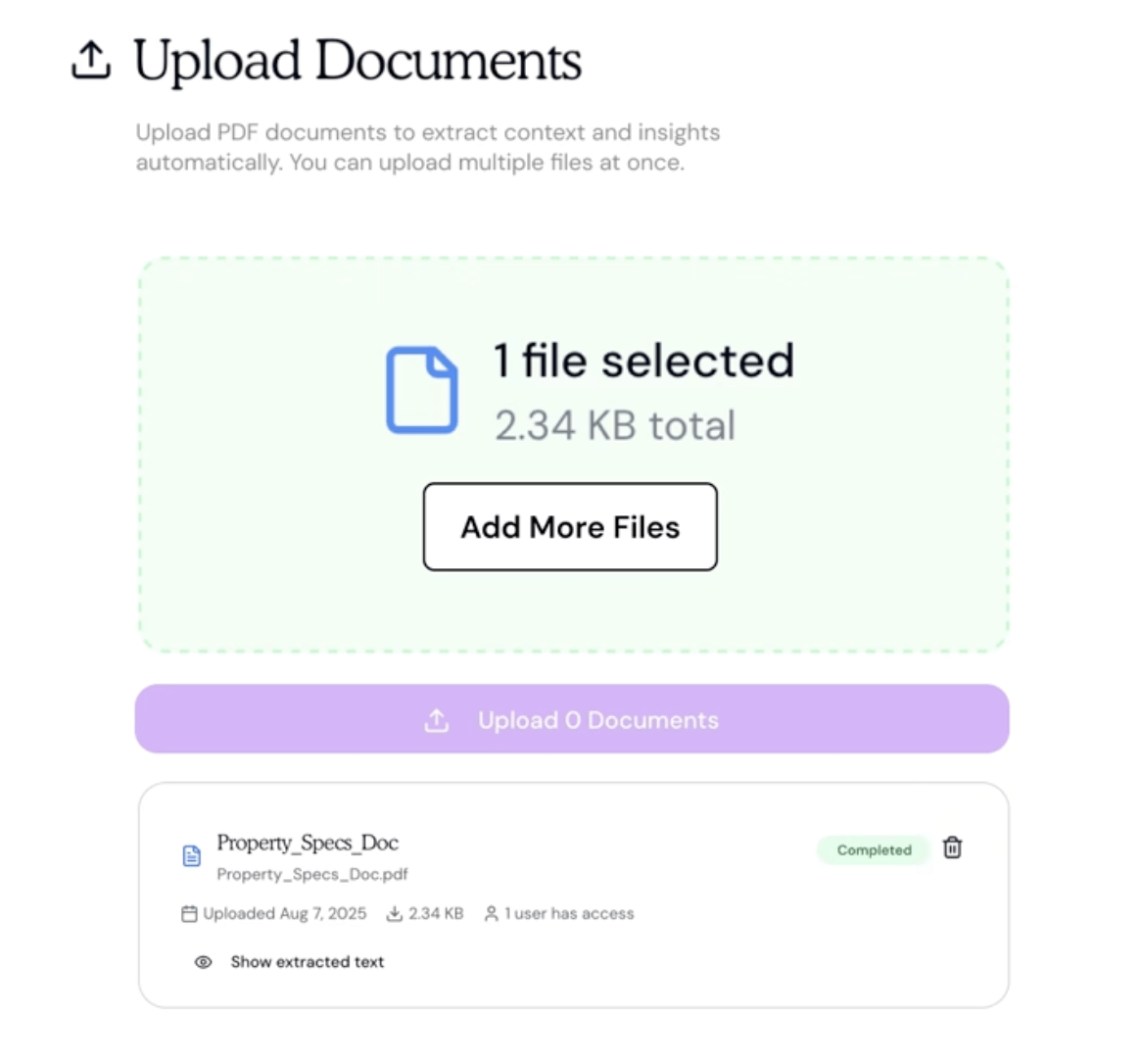
Fyxer File Upload
Oh, and mindful of the 10MB upload limit. 🙄
AI Chatbot
AI ChatbotFyxer has an "AI chatbot", which is probably the most underwhelming AI chatbot of any tool we've covered. It has basic context of your meetings, email, and calendar, but it feels like they're using the most barebones ChatGPT model, and everything I threw at it made me miss ChatGPT.
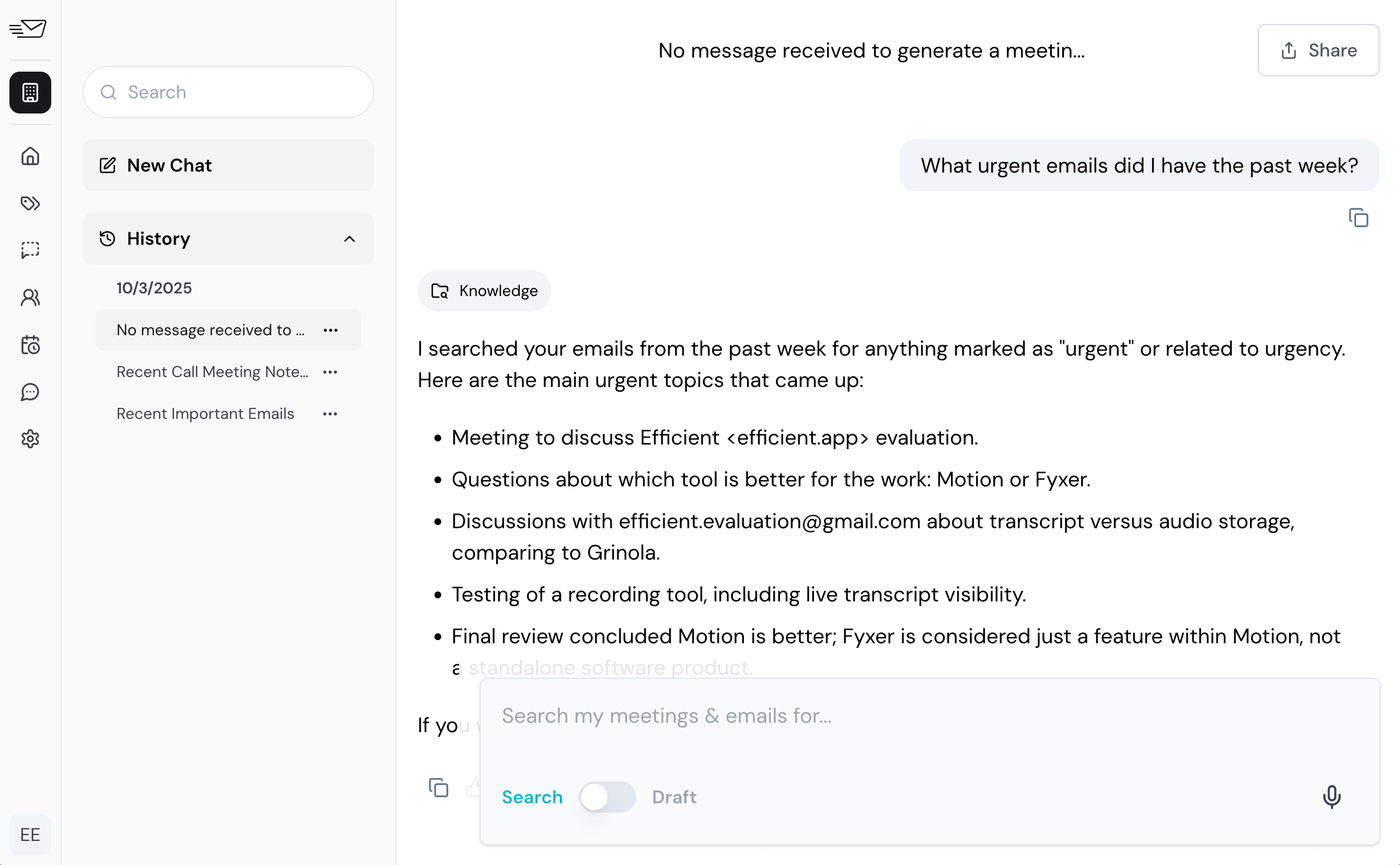
Fyxer AI Chatbot
Pricing
PricingAnnual Billing (25% off):
- Starter (1 user) — $22.50/user/mo, billed annually (includes 1 inbox + calendar, organizes emails, drafts replies, meeting suggestions, notes, chat support)
- Professional (1 user) — $37.50/user/mo, billed annually (includes all Starter features plus multiple inboxes/calendars, scheduling across teams/time zones, attachment reading/summarizing, CRM integration, bespoke onboarding)
- Enterprise (minimum 50 users) — Custom pricing, contact sales (includes all Professional features plus dedicated account manager, SSO & SCIM, team analytics, custom security controls)
Monthly Billing (per user per month):
- Starter (1 user) — $30/user/mo billed monthly (same features as above)
- Professional (1 user) — $50/user/mo billed monthly (same features as above)
- Enterprise (minimum 50 users) — Custom pricing
Since they restrict multiple inboxes to the Professional tier, you almost certainly need to start with that tier. Somehow placing you at a higher monthly price than the best email client on the market. If Fyxer was exactly what it was, but 1/5th the price, I think they'd actually be worth considering, but they are charging more and doing less.
Final Verdict
Final VerdictIs Fyxer AI worth it? I suppose if no other solutions on the market existed, but as this review has consistently mentioned, Fyxer has just copied the actual leaders in the space, and are hoping you just didn't see that they actually exist.
Should you use Fyxer? Not unless you've already tried out a free trial of Superhuman Mail and for some reason found the idea of changing your email client too intimidating.
Don't let Fyxer's marketing fool you. They're an overpriced AI wrapper for your email, pretending to be a full-fledged product.
Categories
CategoriesFyxer AI fits into multiple categories based on what it actually helps you do. Each category highlights a different strength and the efficiency points it earned, helping you compare tools not just by features, but by how well they actually perform.
Keep exploring the best software across categories, or explore Fyxer AI alternatives
FAQ
FAQIs Fyxer AI good for inbox zero?
Is Fyxer AI good for inbox zero?No, Fyxer is not good for inbox zero because label-based views don’t archive cleanly, so clutter persists even as are "done" with emails.

