What is Superhuman Mail?
Superhuman is not just an AI email assistant. It is a complete email client built on top of Gmail or Outlook and we totally prefer it that way.
A lot of tools in the AI assistant category are trying to make your existing inbox slightly less painful since switching to a new interface outside Gmail or Outlook means there is a small learning curve. But honestly, in our experience, that is exactly why Superhuman Mail works even better (we've used it for 7+ years and you couldn't pay us to go back to using Gmail 😅).
Gmail is slow and cluttered (so many colors popping for your attention), and it's built for the masses, so think billions of people. Instead of trying to fix a cluttered inbox from inside the same old environment and slap AI on top, Superhuman Mail gives you a faster, cleaner place to manage email altogether.
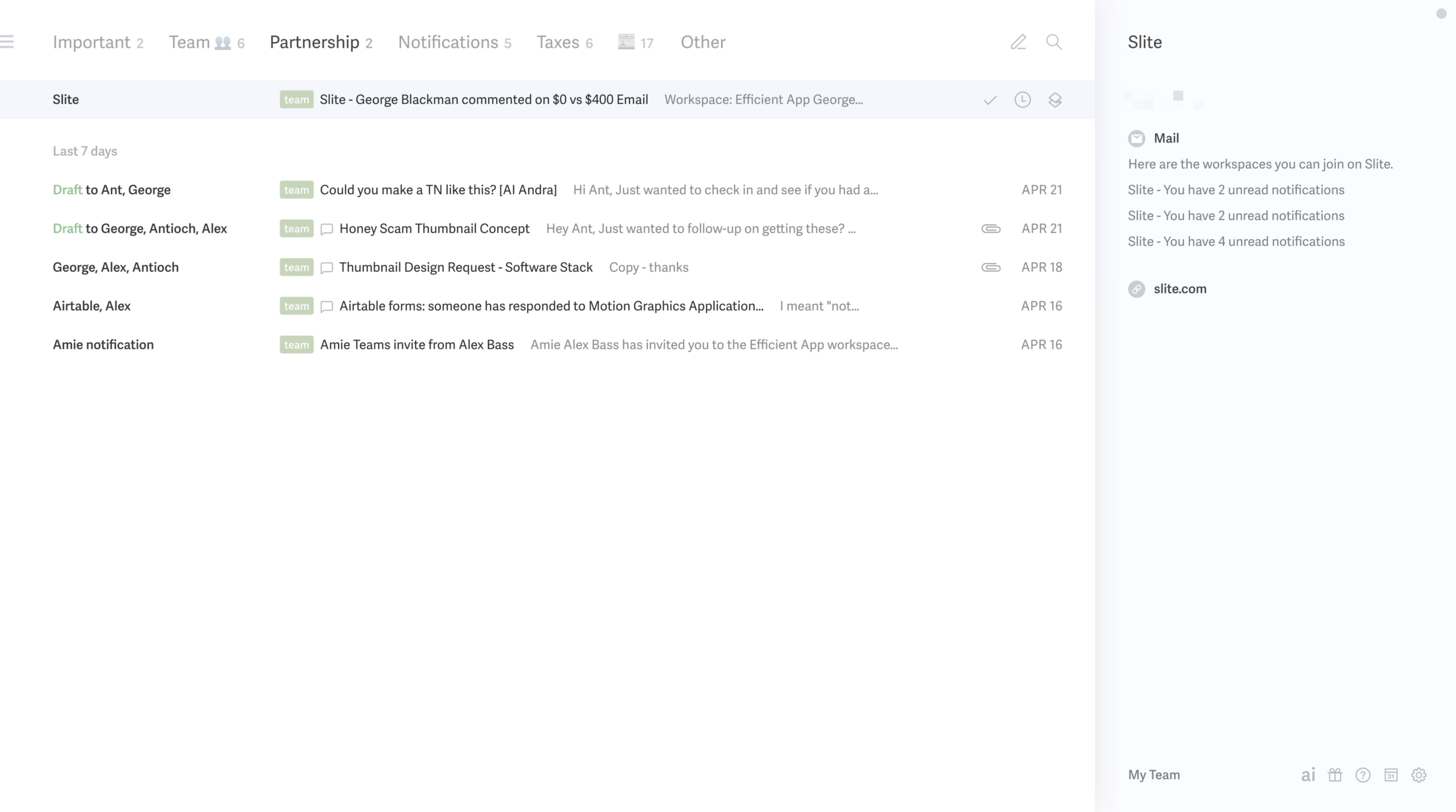
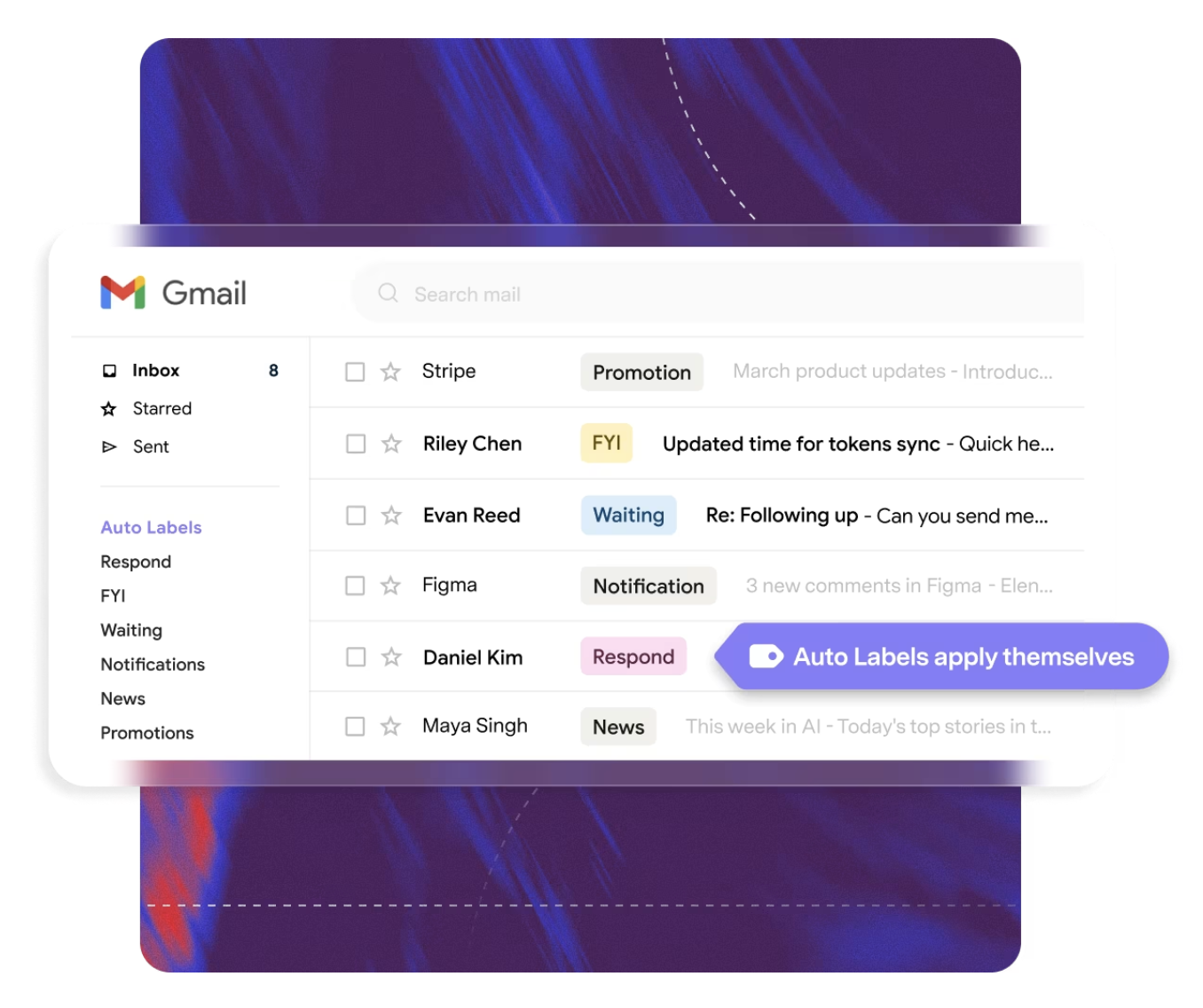
Speaking of AI, with Superhuman Mail they thoughtfully it to help you get through your emails faster. First, you have AI auto labeling, which can turn similar emails into inbox splits for you automatically. That means when you are triaging your inbox, you can stay focused with similar emails instead of bouncing between completely different types of conversations.
For example, you can separate team emails from admin and tax emails, or keep partnership and sales conversations in their own lane. You can even set certain emails to auto-archive, which helps cut down on clutter without you having to manually manage every little thing.
And beyond organization, you still get the core AI email assistant features people actually want, like help writing replies and searching your inbox in plain English.
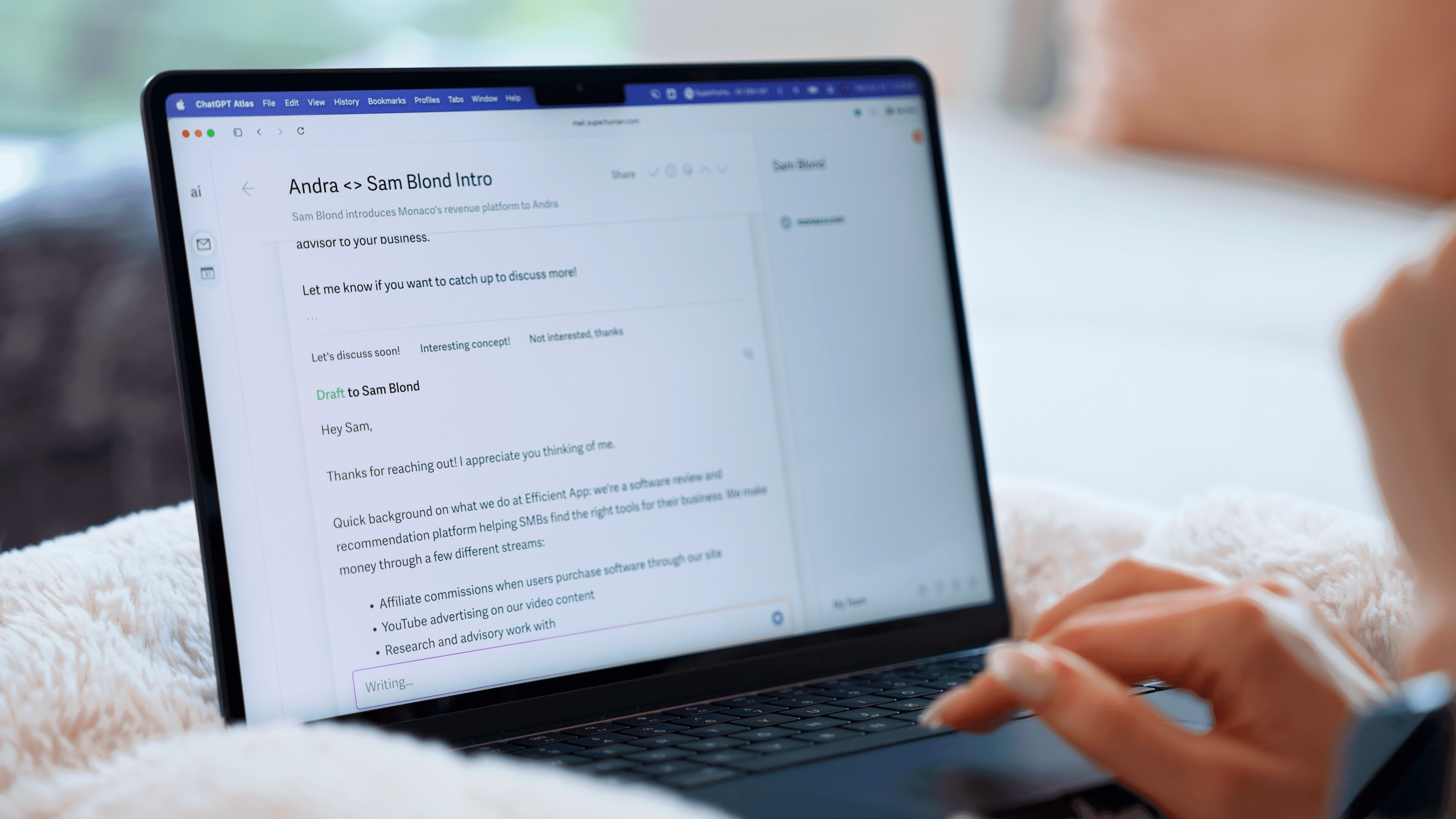
Then there’s AI auto-drafts. Superhuman Mail detects when an email needs a response or follow-up and drafts a reply for you.
So you are not just getting AI layered onto your inbox. You are getting deep/thoughtful AI features AND a much more powerful interface to manage email in the first place. We'd recommend using this Superhuman free trial to try it for free for 30 days before committing to any other AI email assistant on this list.
Pros and Cons
Pros
- Replaces your email interface with something designed for focus, not distraction
- AI drafts writes emails in your actual tone, not a generic template
- AI follow-ups detect when someone hasn’t responded and draft a follow-up for you
- AI search lets you ask plain-language questions about your inbox instead of hunting for keywords
- AI auto-labels help create split inboxes so you triage with intention instead of scrolling a wall of unread emails
- They only ship AI features that consistently work, which almost no one else does
- iOS + Android apps available (so you get the email assistant on your phone too)
Cons
- If you're not in email much, it's more than you need
- Small learning curve to switch to new email interface
Key Features
AI Drafts
A past client of ours was considering hiring someone just to help manage his inbox. I told them to try Superhuman Mail first ($30/mo for the tool or $30/hr for a person 😅). The follow-up drafts handle what you'd be paying an assistant to do, since Superhuman Mail automatically detects any email that needs a response and automatically writes the email (all you need to do is hit send).
More than that, Superhuman Mail notices when you’ve sent an email and never heard back. It automatically brings the conversation back in your inbox and drafts a follow-up for you. This has been fantastic for sales follow-up! In my experience, about 90% of the time it's ready to send as-is. The other 10%, you change one line and send anyway.
The AI also learns your voice from other emails. So when it's drafting a reply, it will write differently to your co-worker vs client vs a cold email.
You can also upload documents to their Knowledge Base (e.g. your pricing page or tone guide) and it will use that context when using AI to draft your emails.
AI Assistant
Instead of trying to remember the exact phrase from an email six months ago, you just ask. "Where did we leave things with this person?" or "Did we ever send that contract?" or "What are my reservation details for tomorrow?" and it gives you a direct answer with the relevant emails underneath. It sits inside the search bar, which means you actually remember to use it. This works both on your phone and desktop.
AI Auto-Labels
When setting up AI auto-labels, you describe a label in plain language "emails about tax" or "sales conversations" and Superhuman Mail scans your inbox, shows you what it found, and lets you confirm that these are the types of emails you'd like to group together.
From there you can build split inboxes, so instead of one overwhelming wall of email, you're triaging by category, one focused batch at a time. Split Inboxes have been game-changing for us.
Pricing
- Monthly: $30/mo
- Annual: $300/year
 Superhuman MailBest
 Fyxer AI