

Comparison Summary
Comparison SummarySuperhuman Mail moves through emails fast and keeps things minimal, while Skiff was shut down after being acquired by Notion.
Only use Superhuman Mail since Skiff is no longer available.
- Superhuman MailBestBest
Best for power users
Best for power users - Skiff
Acquired by Notion and shut down on August 9th, 2024
Acquired by Notion and shut down on August 9th, 2024
Editor's Verdict
Editor's VerdictSuperhuman Mail is still running and delivers a super fast, clean email experience with deep-work features, keyboard navigation, AI tools, and team collaboration for anyone who lives in their inbox.
Skiff is no longer available after being acquired and shut down.
If you need an email client, Superhuman Mail is the only real option here. Skiff simply isn't usable anymore.
Screenshots
Screenshots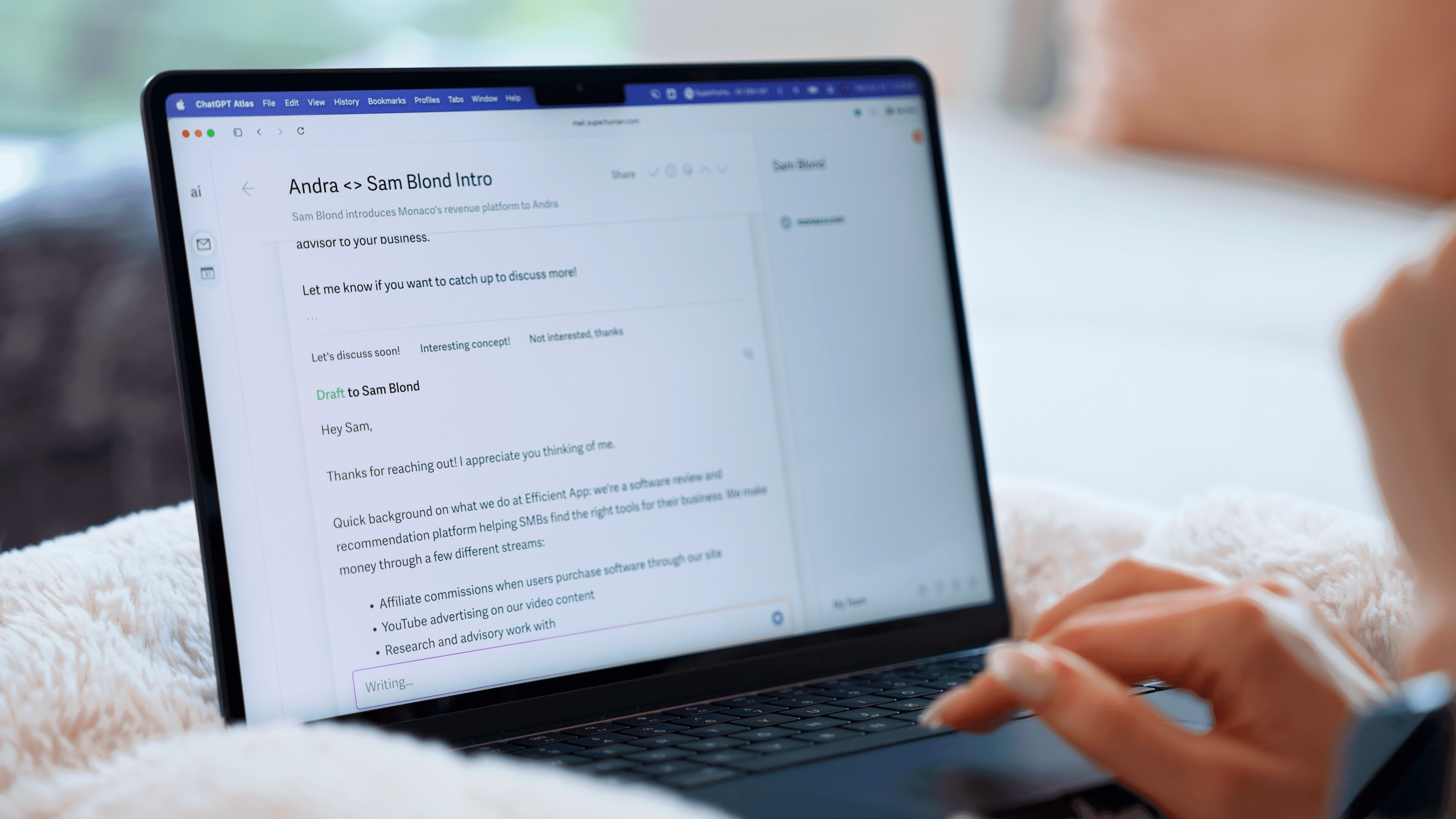
Superhuman Mail
Summaries
SummariesSuperhuman Mail At a Glance
See how Superhuman Mail compares on the most important Email criteria.- Purposeful Design: 7/7
- Speed & Productivity: 7/7
- AI Assistance: 6/7
- Follow-Up: 7/7
- Team Collaboration: 5/7
Superhuman Mail Editor's Verdict
Purposeful Design
Superhuman Mail is the only app that feels designed for deep work. Its design is incredibly minimal, no clutter, no distractions. It's hands down the best email client.
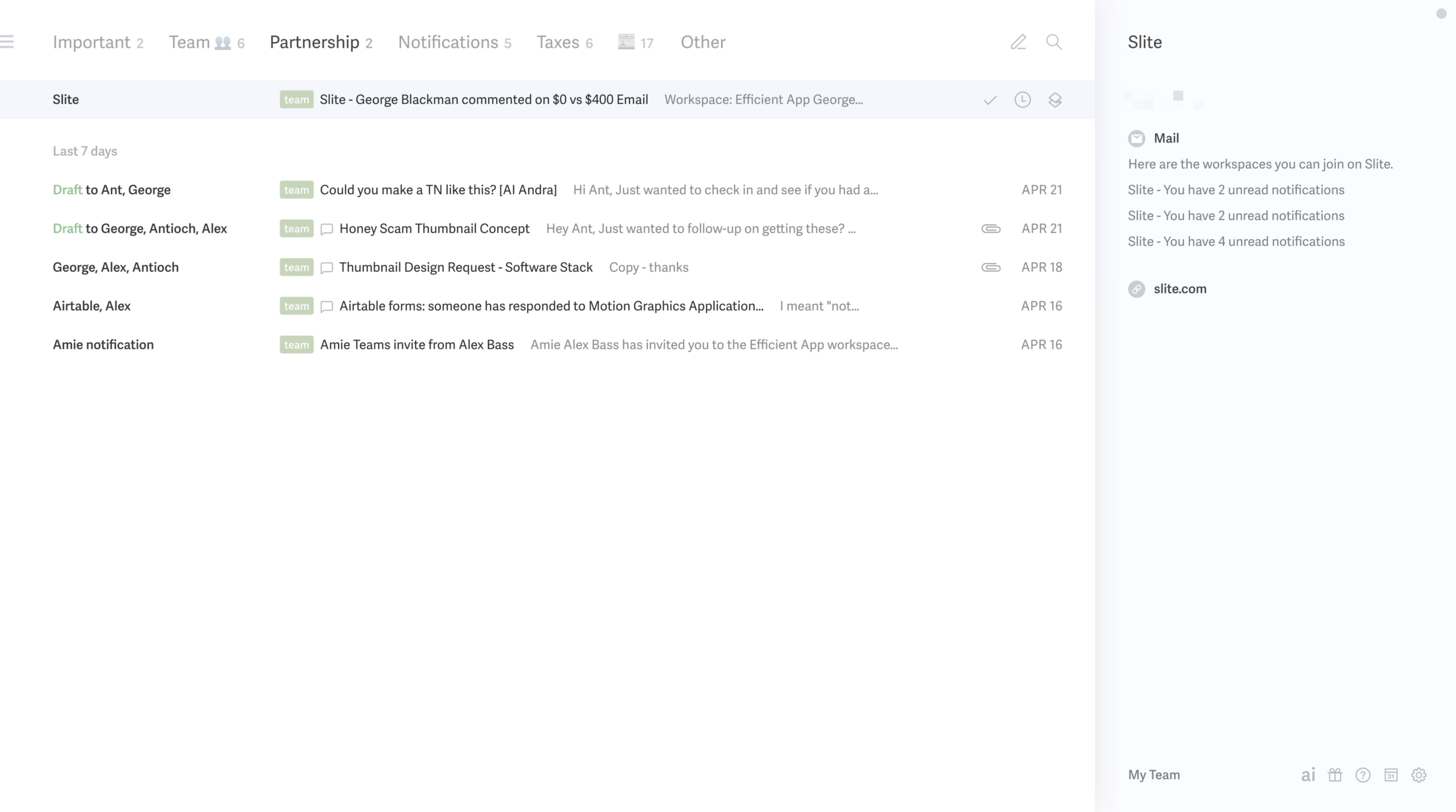
Superhuman Mail's triage system is based on Inbox Splits, aka mini inboxes that are segmented based on rules you set up. You can have an inbox for team emails, notifications, accounting-related emails, customers, etc. That means you're never staring at one overwhelming wall of emails. You always know exactly where you're needed and you can triage each group of emails with full focus and what can wait for later.
It's the ONLY tool that protects your attention and keeps you focused.
Superhuman Mail's mobile app is minimal like on the desktop, and your inbox splits are clearly laid out for you.
So if you're waiting for a train or have a quick 5 minutes to spare, you can use your time wisely by immediately going to where you are needed first to action.
Speed & Productivity
Superhuman Mail is completely keyboard first and the team has put in so much more thought into the experience. You can switch Inbox Splits without thinking and simply hitting tab on your keyboard. You're in a FLOW.
Snoozing and scheduling in Superhuman Mail is extremely fast. You can write in natural language and even remind you or schedule to send in another time zone. This feature is SO HELPFUL and used SO OFTEN because they make it easy.
Superhuman Mail even allows for Smart Send, which sends your email based on when someone is most likely to open it. It takes into account time zones, business hours, and individual habits (like if someone tends check their emails more in the mornings or night).
You can also schedule an email later into the future and set to send "if no reply" or "regardless" saving you from embarrassing mistakes... unlike the other tools which only allow you to send emails regardless so if someone replies, your email is still going out, yikes!
Replying to emails in-line in Superhuman Mail is easy. Simply highlight the text you want to reply to and hit enter... and it's done. We're talking about seconds and it does not break your flow. Superhuman Mail encourages you to quote others and reference other threads which allows you to give more comprehensive and thoughtful replies. When you want reference your thread or another email while replying, you can easily pop out the compose screen with shift + enter, and you'll notice how it actually makes room for the email thread to easily reference.
In terms of Snippets, you hit the semi-colon on your keyboard and they appear. You can save default to, cc, bcc fields. Superhuman Mail goes further and gives you analytics for their snippets — aka seeing the number of times you sent the snippet and the % of opens and replies, which is incredibly helpful if you're using them often for something like sales.
Superhuman Mail's offline mode is awesome. We can't say how many times we've lost internet and not even noticed with Superhuman Mail. It has super fast offline search, and you can compose, snooze, archive, and schedule emails offline.
AI Assistance
I use Superhuman Mail's AI email assistant features on a daily basis.
In Superhuman Mail, I was impressed to see just how much better and more personable my email was written by AI. But it makes sense, because Superhuman Mail AI learns your tone from ALL of your other emails, so it has so much more to work with. You don't need to configure it or set it up, it just does its thing... and it's REALLY good. Would I let Gmail, Notion Mail, Spark Mail write my emails? No. All require significant human intervention while Superhuman Mail requires the least amount of human interaction once it writes the initial draft.
It learns how you would speak to a vendor vs client vs team mate. For example, I am use more emojis and am more warm with people I communicate with all the time vs a sales email or someone that I am writing for the first time. Superhuman Mail knows that difference.
It also automatically auto drafts email replies as they enter your inbox just like an assistant would. I wake up, I see the new emails that have come in, and they already have replies drafted in my tone. I review them and hit send. Sometimes they are spot on (especially if I've answered similar emails before). Other times when it's a new scenario, I need to do more tweaking, but that's expected.
It also notices when I've sent an email and haven't received a response, then automatically drafts a follow-up for me. It's incredibly helpful for staying on top of conversations and making sure nothing slips through the cracks.
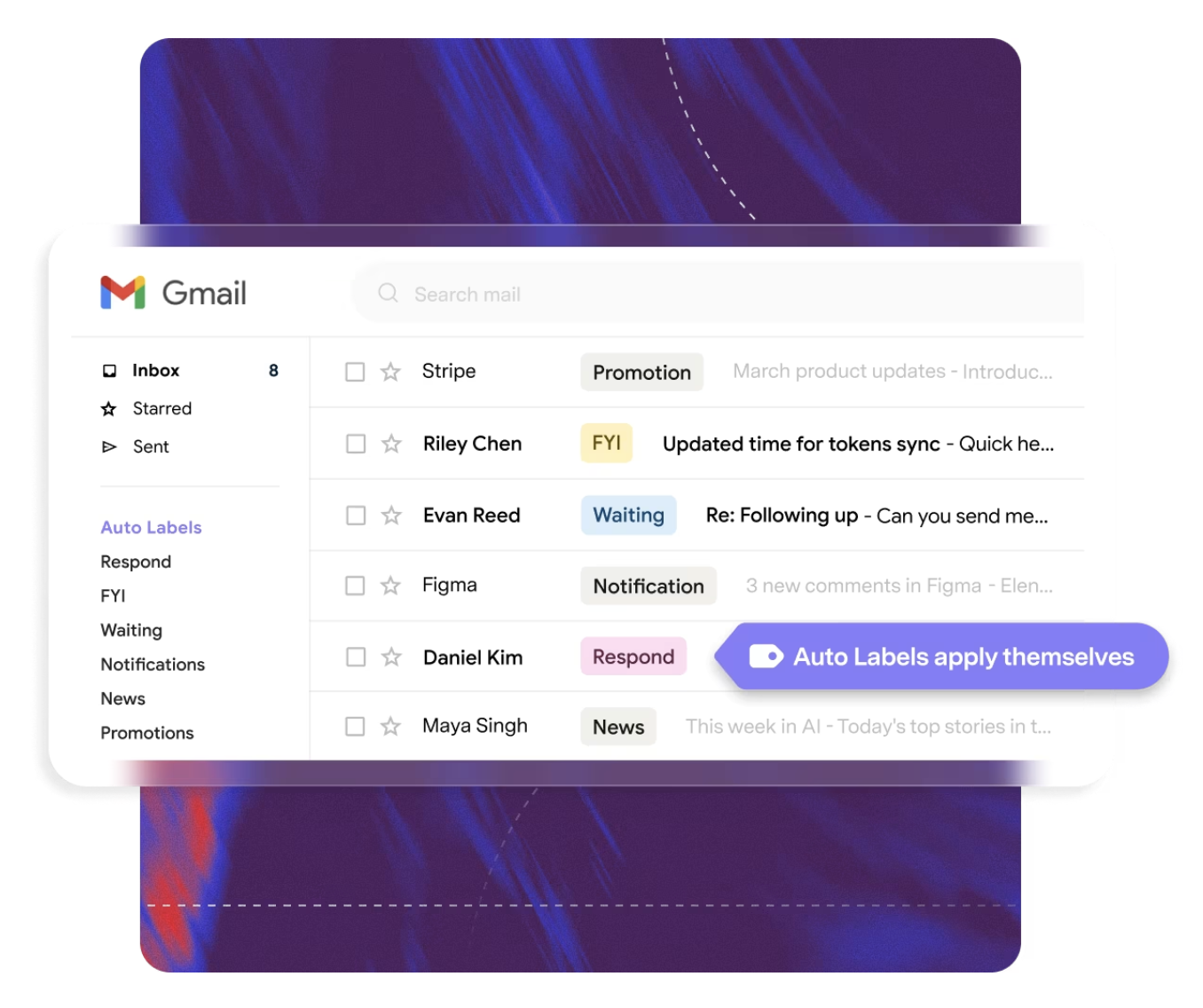
With Superhuman Mail, you have auto-label functionality and its super simple to set up and refine - just write your prompt and Superhuman Mail will find emails that fit. What we appreciate about it, is that you actively see Superhuman Mail pulling in emails that match your prompt as you write it. And if you want to refine the prompt or change the label name in the future, you can easily do that within the same console making it the most user friendly experience compared to other email clients. Superhuman also takes it one step further to also lets you auto-archive certain labels - aka skip your entire inbox which can be super helpful to clear out unnecessary clutter.
Superhuman Mail's AI Search works like Gemini but it appears right where you'd expect it to be (the search bar), making you more likely to remember to use it when quickly searching for something. You can ask any question about your inbox in natural language and it will give you a response with the emails it sourced its information from as a reference.
Follow-Up
Superhuman Mail includes clean, built-in read receipts. You’ll instantly know when your email was opened, and how many times it was opened so you can follow up at the perfect time or relax knowing your recipient is thinking about your email. We lean on this feature heavily, and it provides SUCH helpful context on a daily basis.
Superhuman Mail also helps you follow up with auto-drafts. It automatically uses AI to draft replies IN YOUR TONE to emails that need a follow-up!! All you need to do is quickly review, and hit send. AND they are working on getting it to the point of drafting replies for any email that needs a response, taking into account your previous emails, website, wiki or any other set of documents you connect.
Team Collaboration
Superhuman Mail allows for team comments and shared drafts as well (although you can't yet collaborate on editing in real-time yet). You can @mention team members AND even non-team members to have them participate in the comments without even being a Superhuman Mail user, making it a more integrated experience than any other email client. We find this especially helpful when working with contractors, which we do a lot and can't imagine not having this feature.
In addition to having Team Snippets, Superhuman Mail also has two features that we can't live without. The first is Team Read Receipts. This means if Alex on my team sends an email, I don't need to ask him if the recipient opened it, I CAN SEE IT for myself which is incredibly helpful especially if we're waiting for a reply.
The second is Team Reply Indicators, aka I can see if Alex is replying to an email which saves me from doubling up... the amount of times I've gone to reply to an email, to see he's already writing a reply and backed out has saved me a ton of time.
If you have a team that uses email a lot, you are losing so much productivity by not having these features. Oh and as a bonus if you're team is using a CRM like HubSpot or Pipedrive or Salesforce, Superhuman Mail also has a native integration.
Skiff Editor's Verdict
What is Skiff?
Skiff was a popular privacy-focused email client that was acquired by Notion and shut down.