MercuryBest5
Best modern bank for SMB's and startup founders
Best modern bank for SMB's and startup founders RhoRecommended2
Built for larger funded businesses
Built for larger funded businesses RelayRecommended2
Profit-First style money management
Profit-First style money management Novo0
Novo0Simple and least powerful
Simple and least powerful
Best Business Bank Accounts at a Glance



Watch the Full Breakdown
Best Business Bank Accounts Ranked & Reviewed
Watch our full breakdown of the top business bank accounts, how they performed in testing, and what makes each one worth considering
How We Evaluate Business Bank Accounts
We score each business bank across safety & protection, earning interest, money movement, organization & controls, user experience, and hands-on expert evaluation
- Safety & ProtectionMulti-bank FDIC protection plus controls to block unauthorized transfers.
- Earning InterestAbility to earn interest on idle cash through Treasury options.
- Money MovementAbility to onboard vendors, collect tax info, and send payments through the bank.
- Organization & ControlsTools to structure funds across accounts and control how money moves.
- User ExperienceSpeed, clarity, and overall usability of the banking interface.
- Expert EvaluationCurated by, our rankings reflect in-depth testing, industry insights, and hands-on experience.AlexandAndra
Mercury
Best modern bank for SMB's and startup founders
Best modern bank for SMB's and startup foundersThe best business banking solution for startups and tech-forward small businesses. We've used so many business banks that got the job done, but Mercury is what business banking should feel like. It makes tedious tasks like invoicing and managing cashflow easy and, dare we say, enjoyable.
If you run a super traditional, check-heavy business and need branch access, keep a legacy bank as backup. But for most tech-forward SMBs, Mercury will give you everything you need. We've been using it for 6+ years, and you couldn't pay us to switch to another bank. Plus you can get a Mercury bank sign up bonus of $250.
What is Mercury?
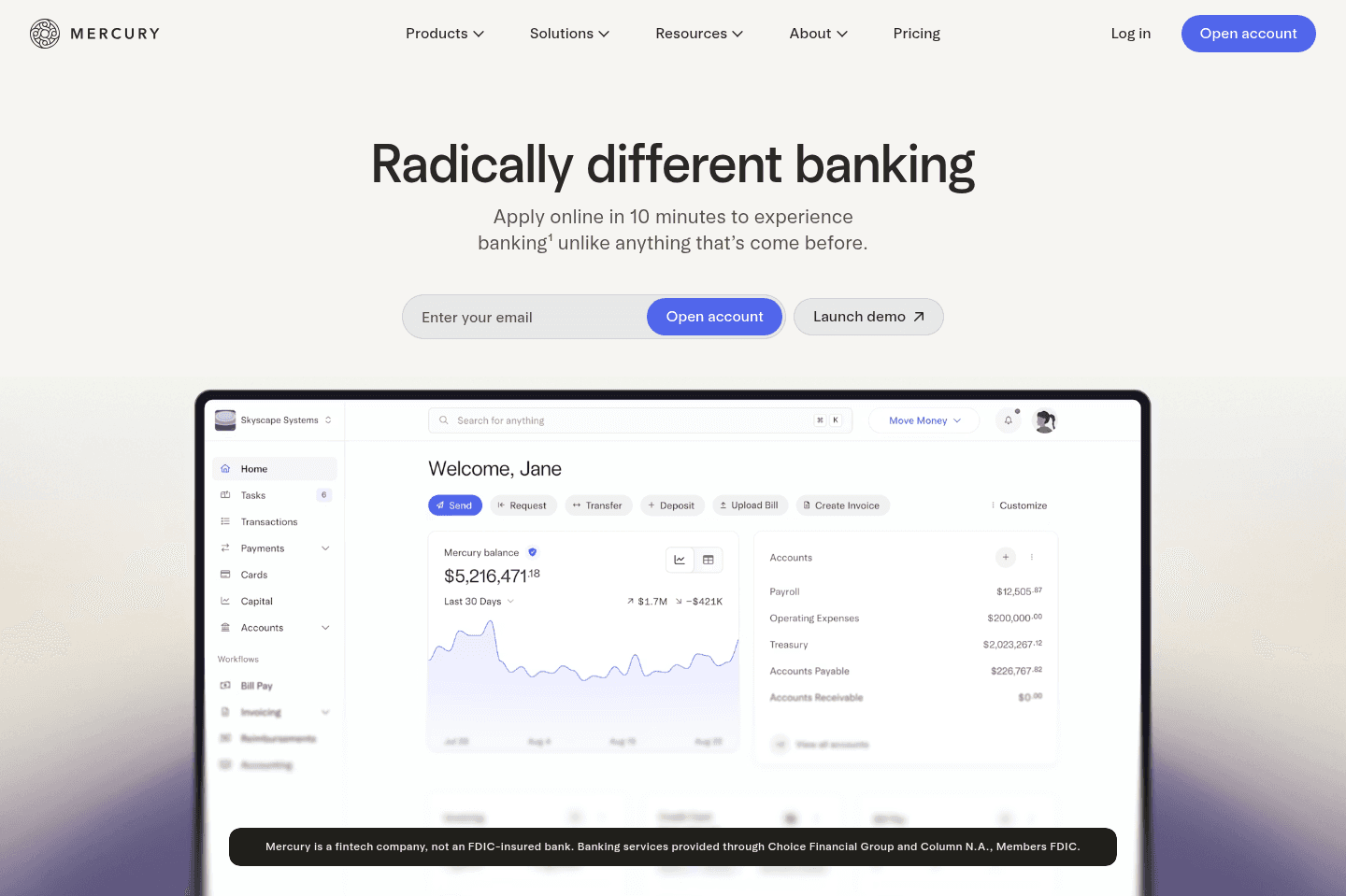
What is Mercury?Mercury is the best business banking platform for US companies. We've tried every business bank out there over the years, and Mercury is truly the best banking solution, regardless of whether you're a small business, startup or large enterprise.
The UI/UX is top-tier. Treasury accounts are built in. You can spin up additional checking accounts in seconds. Invoicing and bill pay actually feel smooth. It just works.
Allocating funds is handled with simple automations, so we're never thinking about setting aside cash for payroll or taxes.
And what you won't get with any other business is a free Mercury Personal account so your money can flow between business and personal accounts quickly and seamlessly. And guess what? Any of your employees can get a free Mercury Personal account too (usually $240/yr).
Mercury has turned us (and many others) into people who say, "I love my bank" and actually mean it.
Pros and Cons
Pros and ConsPros
Pros- No monthly fees or minimums
- Excellent UI/UX
- Powerful sub-account automation
- Fast, simple invoicing and bill pay
- Strong integrations
Cons
Cons- No physical branches
- No physical checkbooks
- Customer support is not instant
Mercury Key Features
Mercury Key FeaturesEasy Setup and No Fees
Easy Setup and No FeesWe all remember the days of spending an afternoon in a stuffy bank with folders full of paperwork just to open a business account. With Mercury, you can open an account online in only a few minutes, for free. There are no monthly fees or minimum balance requirements, and no fees on USD payments or transfers, so even if your business is just getting off the ground, Mercury's tools and features are accessible.
Sub-Accounts with Automated Allocation
Sub-Accounts with Automated AllocationIf you're someone who uses the "envelope method," you'll love Mercury's sub-accounts. Once your primary account is created, you can set up as many additional checking or savings accounts as you'd like.
Having this option shifts money management from reactive to automatic. Instead of budgeting in spreadsheets or creating reminders to set aside funds for taxes, use Mercury to create separate accounts for things like payroll and taxes, then let automatic transfer rules do the rest. It's simple, but it completely changes the way you think about cash management.
Invoicing and Bill Pay
Invoicing and Bill PayI actually enjoy creating invoices in Mercury, and I'm not exaggerating. It just has a simple, clutter free interface, that isn't distracting or doesn't make me jump though hoops just to get the task done.
Time to pay a vendor? Literally drag and drop the bill into your dashboard or forward it to your bill pay inbox, and Mercury automatically populates and scans it. Then, in just a few clicks, you can take care of sending the payment, categorizing the expense, and even setting up recurring payments. Invoices are similarly smooth and will have you on your way to getting paid in minutes
Treasury Yield + $5M FDIC Coverage
Treasury Yield + $5M FDIC CoverageMercury is not a traditional bank, but all checking and savings deposits are safe, sound, and FDIC-insured up to $5M through partner banks and sweep networks. Plus, your idle cash can earn interest instead of sitting at near-zero in a traditional bank.
Unlike a lot of the other high-yield investment options, Mercury Treasury makes transfers actually fast, even same-day.
Free Personal Accounts
Free Personal AccountsWe've been Mercury personal account users for a while now, and even paid their $240 annual fee for a while because we just wanted the same Mercury banking experience for personal use too.
But now, any Mercury business account user can get a free personal account, which is a huge bonus. Remember those quick, intuitive features and tools we mentioned earlier? You can use those to simplify your personal finances, too. Plus, with everything under one roof, transfers between your business and personal accounts are almost instant.
Mercury Pricing
Mercury Pricing- Free: $0/mo. Best for startups and small businesses that need a powerful free business bank account (We're on this tier).
- Plus: $35/mo (or $29.90/mo billed annually). Best for growing businesses that want advanced invoicing, ACH debit collection, expense reimbursements for larger teams, and enhanced accounting automations.
- Pro: $350/mo (or $299/mo billed annually). Best for businesses with complex operations that need a relationship manager, unlimited invoicing via API, ACH debit with $0 transaction fees, and support for large teams.
Disclaimer: Mercury is a fintech company, not an FDIC-insured bank. Banking services provided through Choice Financial Group and Column N.A., Members FDIC. Deposit insurance covers the failure of an insured bank.
Get the latest rankings and insights on top Business Banking apps—delivered to your inbox. Stay ahead with our expert picks and updates.
What is Rho?
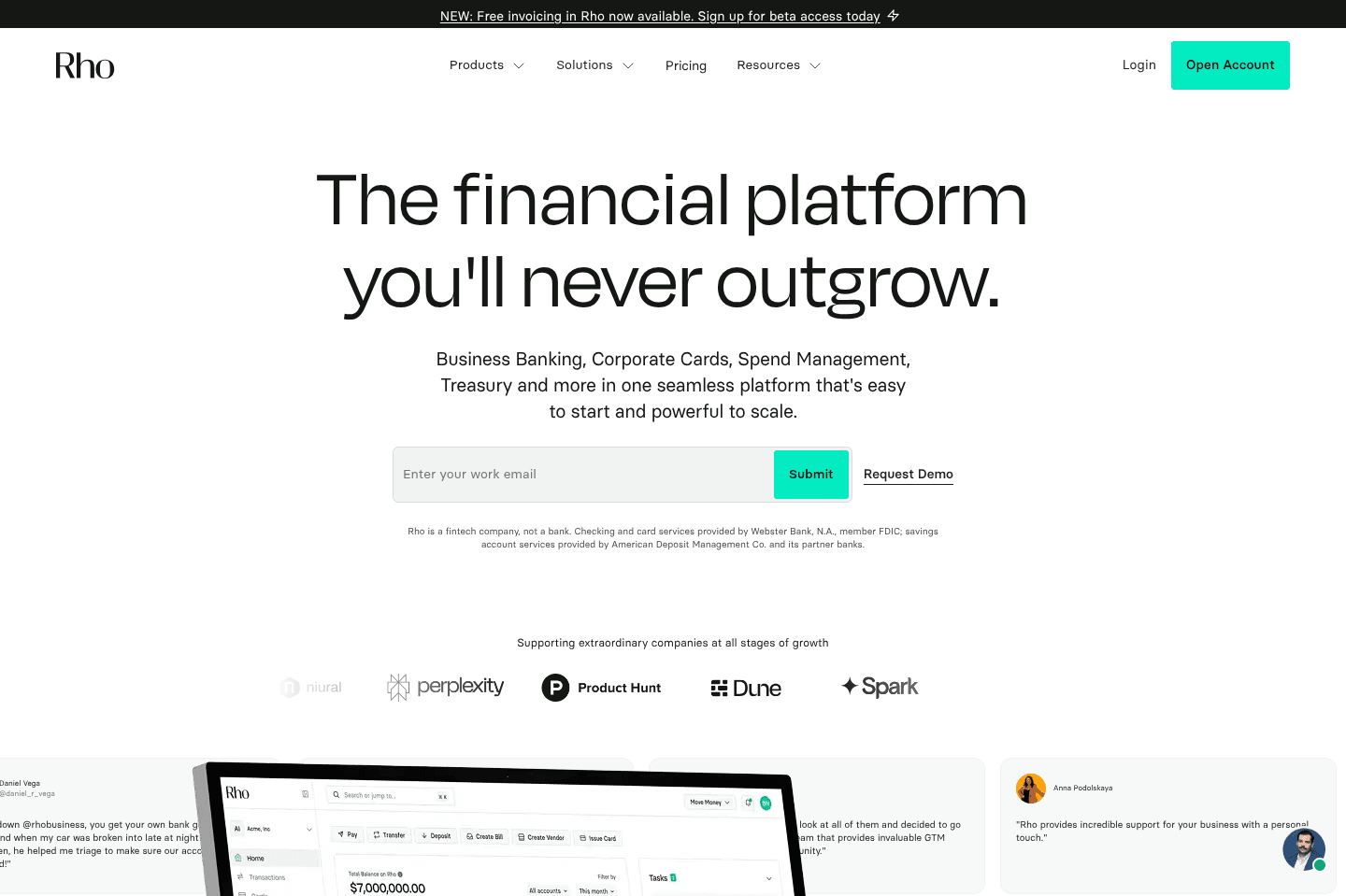
What is Rho?Rho is a business banking platform designed primarily for startups with growing financial operations. Instead of just offering checking accounts, it bundles banking, bill pay, vendor management, corporate cards, and expense tracking into one platform where teams can manage company spending and payments.
When we evaluated Rho, we thought "I mean...it's okay." On paper, it looks like it has all the right pieces: banking, bill pay, corporate cards, expense tracking.
But, in terms of the actual user experience we were underwhelmed, especially compared to Mercury that we actually use in the day to day.
It felt a bit like Rho is trying to do too much at once, making the product feel heavier than necessary and leaving the user experience less polished than some of the alternatives.
Pros and Cons
Pros and ConsPros
- Strong bill pay and vendor management workflows
- Built-in approval systems for teams handling invoices and expenses
- Free domestic and international wire transfers
- Phone and text support available (rare among fintech banks)
Cons
- Underwhelming UI
- Cash automation rules are limited compared to some competitors
- Not for small businesses
- Treasury has a high barrier to entry ($350,00)
Key Features
Key FeaturesBill Pay and Vendor Management
Bill Pay and Vendor ManagementRho’s bill pay gets the job done, but it feels like it was built more for a finance team than an actual founder trying to move fast.
The invoice scanning and bill inbox are helpful in theory, especially if you are processing a high volume of vendor invoices, but in practice it adds a layer of process that not every team wants.
You are still reviewing, approving, and managing flows in a way that feels heavier than it should be. It is efficient if you already operate like a structured finance org, but if you just want to pay a vendor quickly without thinking about it, the experience can feel a bit overbuilt and slower than necessary.
Treasury Accounts
Treasury AccountsRho includes treasury accounts designed to help companies earn yield on unused cash. Funds above a defined operating balance can be moved into higher-yield accounts while still keeping enough liquidity available for daily operations.
This type of feature becomes valuable once a company is managing significant balances. However it requires at least a $350,000 balance (way higher than other banks we've evaluated), so a lot of smaller businesses may not benefit from it early on.
SAFE Note Generator
SAFE Note GeneratorSomething that’s fairly unique to Rho is its SAFE note generator. The fact that this is built in is a pretty clear signal of who Rho is actually designed for, more the VC backed start-up rather than a small business.
Customer Service
Customer ServiceOne thing we do have to give Rho credit for is customer support. Most fintech banking options lean heavily on chat or email and avoid phone support entirely. Rho actually provides phone and text support, which is surprisingly rare in this category.
If you're running a finance team and moving serious money around, having someone you can actually call if something goes wrong could make a big difference.
Pricing
Pricing- Free: $0. Best for startups and SMBs that want a modern banking platform with built-in bill pay, corporate cards, and basic finance workflows. Rho includes ACH, domestic and international wires, expense tracking, and approval systems with no subscription fee.
- Enterprise: Custom pricing. Designed for larger companies that need more advanced financial operations, higher limits, and dedicated support.

Get through your inbox 2x as fast (for teams of all sizes).
Relay
Profit-First style money management
Profit-First style money managementRelay is a business bank built for owners who want more structure around cash flow. It's designed around the Profit First method popularized by Mike Michalowicz, which suggests splitting your incoming revenue into separate buckets (or "envelopes").

What is Relay?
What is Relay?Relay is a business banking platform built around the idea that money should be organized the moment it hits your account, not months later when you're trying to figure out where it all went.
Do you connect with this? A payment comes in, you see a healthy balance, and it feels like you have room to spend. Then tax season shows up, payroll hits, or a big bill lands and suddenly you're wondering why there isn't any money left.
Relay tries to solve that problem by letting you create multiple checking accounts inside one business account and automatically move money between them as income comes in. This style of managing your money is called "Profit First" and that's the type of banking Relay aligns themselves with.
The thing is though, Mercury does all of this (and more), so it's not that this way of managing your money is unique to Relay, it's just that they align their marketing the strongest with trying to "teach" business owners how to manage their money.
Pros and Cons
Pros and ConsPros
Pros- Simple interface
- Multiple-account setup makes it easy to see what money is actually available to spend
- Automatic transfer rules remove manual tasks required to manage cash flow
Cons
Cons- May feel limiting as you scale
- Limited vendor onboarding, doesn't automatically collect W-9s
- Interest earnings are stronger on paid plans, the free tier is constrained compared with others
Key Features
Key FeaturesAutomatic Cash Flow Allocation
Automatic Cash Flow AllocationRelay's #1 feature is the ability to automatically move money between accounts the moment revenue arrives.
A common setup might route part of each deposit into a tax account, another portion into payroll, and another into operating expenses. Owners who have struggled with this before often describe the relief of finally reaching tax season and realizing the money has been sitting there all year instead of disappearing into day-to-day spending.
Multiple Accounts
Multiple AccountsRelay allows businesses to create a large number of checking accounts within the same workspace. This becomes a simple way to visualize exactly how money is distributed across the business.
For founders who previously relied on a single account and spreadsheets, this can make the financial picture much clearer.
Vendor Payments
Vendor PaymentsRelay includes basic tools for paying vendors and managing bills.
Invoices can be uploaded or forwarded into the system, which then creates draft bills and helps organize outgoing payments. It's a convenient way to handle routine expenses although Relay's vendor payments are quite limited if you are paying many contractors (e.g. it doesn't automatically collect W-9s for you, which puts a ton of admin on your plate if you work with a lot of freelancers or contractors).
Pricing
Pricing- Starter: $0: Best for small businesses that want a structured way to organize cash flow without paying for a banking platform. Includes multiple checking accounts, debit cards, and automated transfers.
- Grow: $30/month: Best for businesses that want stronger yield on savings and faster payment capabilities as transaction volume increases.
- Scale: $50/month: Designed for companies with larger payment flows that need higher transfer limits and more advanced accounts payable functionality.
Novo
Simple and least powerful
Simple and least powerfulNovo is an online business checking account built for freelancers, solopreneurs, and very small service businesses. We used it ourselves for 6 months before switching to Mercury.
As we were using it, it became clear pretty fast that it just wasn't built for a growing business. Think of it as a basic checking account to get money in and money out, nothing more. If you're planning to scale or make more than $100-$150K, you'll outgrow it quickly.
What is Novo?
What is Novo?Novo says they are a banking solution for small businesses but in our experience it's more for freelancers or soloprenuers.
One look at their marketing or Instagram and it's obvious this is a bank for the Gen Z solopreneur, the freelancer, the person who just started their first LLC and needs somewhere to collect payments.
If you're in that early stage, it works fine. But if you're planning to scale and make more than $100-$150K, you'll outgrow it fast. There's no interest on your balance, vendor payment workflows are manual, and the interface is nothing special. It's a checking account, and that's really all it is.
Pros & Cons
Pros & ConsPros
Pros- Free with no monthly fees
- Built-in invoicing for basic needs
- Reserves feature for basic budget organization
- International wires through Wise
Cons
Cons- No interest on your balance
- Reserves don't actually separate your money
- No W-9 collection or contractor workflows
- No user permissions or approval workflows
- $30 fee for outgoing domestic wires
- Can't attach documents to mailed checks
Key Features
Key FeaturesReserves
ReservesNovo's Reserves let you create up to 20 internal budgeting buckets inside your checking account like taxes, payroll, profit, whatever you need. It sounds useful, but the important thing to know is that it's more of a psychological sorting system than real financial separation.
All your money still lives in one pool, so if you get a sudden bill, it'll pull money from your reserves. With Mercury or Relay, money in a separate account actually stays there.
Contractor and Vendor Payments
Contractor and Vendor PaymentsNovo lets you pay vendors through ACH or checks, but everything is manual. No W-9 collection, no shared vendor links, no approval workflows. If you're paying contractors regularly, trust me, you're working harder than you need to here. Other banks have automated most of this, using Novo for vendor payments genuinely feels like a step back.
Invoicing
InvoicingNovo has built-in invoicing so you can send invoices and collect payments directly into your account. It's convenient for the occasional invoice, but pretty mediocre compared to other business banks on this list.
Pricing
Pricing- Free: Business checking account with no monthly fees, ACH transfers, invoicing, and Reserves. Free is the baseline for modern business banking though, so it's not a differentiator.
Get through your inbox 2x as fast (for teams of all sizes).