
Summary
SummaryImportant: Notion Mail shut down September 22nd, 2026.
For a limited time, Superhuman Mail is giving our audience an exclusive 2 months extended free trial to any Notion Mail users affected. You can claim the extended Superhuman Mail 2 month free trial here.
 Superhuman MailBest
Best email client for professionals and teams
Best email client for professionals and teams MissiveRecommended
Best for smaller teams looking for a shared inbox
Best for smaller teams looking for a shared inbox Spark
SparkBest free email client
Best free email client Gmail
GmailBest foundational email client for Google Workspace users
Best foundational email client for Google Workspace users Hey
HeyMade for non-technical users who like big buttons
Made for non-technical users who like big buttons Outlook
Best for those using Microsoft 365
Best for those using Microsoft 365 Tatem
TatemLimited online presence, current development status is unclear
Limited online presence, current development status is unclear
Superhuman Mail
Superhuman MailBest alternative for fast focused email.
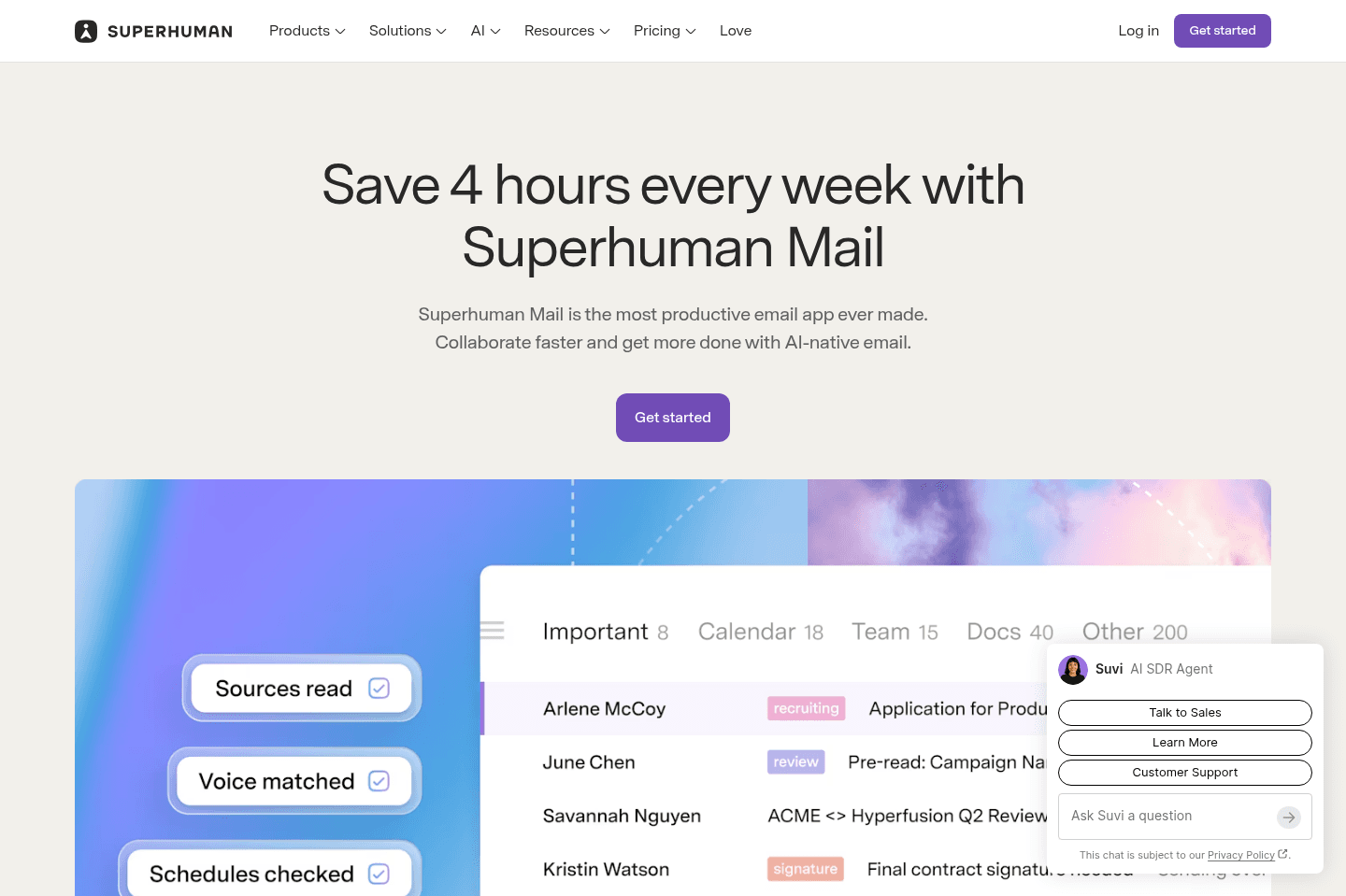
Superhuman Mail is the best alternative for those who spend a significant part of their day in email and want to move through their inbox at maximum speed without distractions. If you check email multiple times per day, rely on keyboard shortcuts, or feel bogged down by slow load times and clutter, this tool is built to keep you in flow. Its minimal design and instant performance make it easy to process messages quickly, batch similar emails, and stay focused even when inboxes get overwhelming.
If you handle sales, manage a team, or need to collaborate on email threads, Superhuman Mail's workflow features and AI tools can help you draft replies in your own voice, track follow-ups, and share threads for input without leaving your inbox. The mobile app is designed for fast triage on the go, so you can stay on top of things wherever you are.
If you rarely use email or don't feel slowed down by your current client, Superhuman Mail may feel unnecessary. But for anyone who lives in their inbox and wants the fastest, most focused email experience, it's a clear top choice.
Missive
MissiveBest alternative for shared team inbox management.
Missive is a good alternative for those who need to coordinate email and messaging across a team, especially when communication comes in through multiple channels like email, WhatsApp, SMS, and social media. If your business relies on shared inboxes or you often delegate email tasks to team members, Missive makes it easy to assign, discuss, and respond to messages without exposing your entire inbox or juggling passwords.
It's especially strong for small businesses and remote teams that want to keep all their client and internal conversations in one place, with built-in tools to assign specific emails, automate delegation, and collaborate directly on threads. If your customers reach out from everywhere and you want your team to handle everything from a single dashboard, this tool will save you from bouncing between apps and messy forwarding.
Missive is less suited for solo professionals who want a modern, streamlined personal email experience. The interface can feel a bit cluttered, and solo users may not get much value from its team-focused features.
Spark
SparkBest alternative for organized inbox management.
Spark is an alternative for those who want a cleaner, faster email experience without a steep learning curve or heavy commitment. If you're looking for something that makes your inbox less overwhelming, especially if you get a lot of newsletters and notifications, Spark's smart inbox helps sort things out right away. It's also worth considering if you want to manage multiple email accounts in one place or need simple ways to collaborate on email with a small team.
You'll get a more modern interface and some handy shortcuts, making daily email less of a chore. If you're tired of switching between tabs or apps to check different inboxes, Spark brings everything together and lets you quickly toggle between personal and work accounts.
The main limitation is that Spark isn't built for deep, keyboard-driven workflows or advanced automation, so professionals who want to move through large volumes of email as fast as possible may find it lacking. Customization is also limited, and some features are only available on certain platforms.
Gmail
GmailBest alternative for Google-centric email workflows.
Gmail is a great alternative for those who want their email to fit tightly with the rest of Google Workspace. If your team already uses Google Docs, Sheets, Drive, and Meet, Gmail keeps everything connected, letting you move between communication and collaboration without extra steps.
It's also a strong pick if you depend on integrations, Gmail connects to almost every major productivity tool and offers a stable, widely supported experience across devices. The mobile app is especially reliable for on-the-go email, with simple navigation and solid notification controls.
That said, it's definitely not the best email client available. If you need a fast, focused inbox for processing heavy email volume or want an uncluttered interface, Gmail's design and slower load times can get in the way. It's built for the broadest possible audience, not for deep work or advanced triage.
Hey
HeyBest alternative for simplified personal email.
Hey is an alternative for those who want a fresh start with email and prefer a simplified, opinionated approach over traditional business tools. If you're looking to leave behind corporate platforms and don't rely on integrations, Hey's screening system and unique inbox structure can help you cut back on spam and keep your messages organized in a way that feels less overwhelming.
If you like big buttons, bright colors, and don't need advanced productivity features or connections to other apps, Hey's design and workflow may be a good fit for your personal email. It's especially appealing if you want a clean break from Google or Microsoft and don't mind sharing a new @hey.com address with your contacts.
This isn't the right choice for business users or anyone who depends on integrations, custom workflows, or APIs. Once you switch, you're locked into Hey's ecosystem and approach, so it's best for those who value simplicity over flexibility.
Outlook
OutlookBest alternative for Microsoft-based enterprise email.
Outlook is an alternative for those who work in larger organizations that are already committed to the Microsoft 365 ecosystem. If your team relies on Microsoft tools like Word, Excel, Teams, or SharePoint, Outlook keeps your email and calendar in one place and connects smoothly with the rest of your workflow.
It's especially suited for environments where enterprise security, compliance, and centralized administration are a priority. You'll find the interface familiar if you've used Microsoft products before, and it's dependable across desktop, web, and mobile.
If you want a modern or lightweight email experience, or your team depends on lots of integrations with newer SaaS tools, Outlook can feel a bit clunky and limited. Smaller or fast-moving teams may find it more complex than necessary.
Tatem
TatemBest alternative for minimalist distraction-free email.
Tatem is an alternative for those who want a fast, ultra-minimal email client and don't need a lot of extra features. If you value a clean interface without visual clutter and just want to process email quickly, Tatem's stripped-down approach makes it easy to focus on your inbox without distractions.
Just be aware that Tatem's future is uncertain after its recent acquisition. If you need a long-term, actively maintained email solution, this may not be the right fit.
Final Verdict
Final VerdictFor a limited time, Superhuman Mail is giving our audience an exclusive 2 months extended free trial to any Notion Mail users affected. You can claim the extended Superhuman Mail 2 month free trial here.
Videos
VideosBest Email Client: $0 vs $400 Email
Best Email Client: $0 vs $400 Email 26:19
26:19Best Email Client: $0 vs $400 Email
Best Email Client: $0 vs $400 Email 16:24
16:24Notion Failed You
Notion Failed You