LightfieldBest5
Best AI CRM
Best AI CRM WonderlyRecommended4
Best for trade-services businesses with $250K+ revenue
Best for trade-services businesses with $250K+ revenue folkRecommended3
Best for solopreneurs and small teams
Best for solopreneurs and small teams Attio1
For teams who want a CRM that feels like Airtable
For teams who want a CRM that feels like Airtable Pipedrive1
Best for Microsoft 365 teams
Best for Microsoft 365 teams Copper1
Traditional CRM for Google Workspace
Traditional CRM for Google Workspace Salesforce1
For enterprise teams only (1,000+ employees)
For enterprise teams only (1,000+ employees) HubSpot1
For enterprise teams needing marketing automation
For enterprise teams needing marketing automation GoHighLevel0
Best for agency reselling
Best for agency reselling Close0
For sales-focused cold outreach via VoIP
For sales-focused cold outreach via VoIP Streak0
For individuals looking for Google Sheets but CRM
For individuals looking for Google Sheets but CRM
Best CRM Software at a Glance




Watch the Full Breakdown
How to Choose the Right CRM Software
The Best CRM is...
The Best CRM is...The best overall CRM for start-ups and scaling teams is Lightfield.
If you're a 1-4 person team looking for a starter CRM, then consider folk.
If you're in home services, the best CRM for you is Wonderly.
Take it from us, we've used every single CRM on this list over the years:
- Lightfield (Currently using it in our business, switched to it in 2026)
- Copper (Used it for 10 years, recently migrated away and switched to Lightfield)
- Pipedrive (Used it for two years, across two different jobs)
- HubSpot (Used it with a client for 6 years)
- Salesforce (Our Head of Partnerships was a Salesforce Consultant for 8+ years)
- Wonderly (Family member uses it for his construction business)
- folk (Evaluated it for small teams every year since 2023, have recommended it to dozens of friends)
- Attio (Evaluated it three times over the past year)
- GoHighLevel (We evaluated it for the purposes of this review)
- Close (Evaluated it numerous times over the years)
- Streak (Previous client was using it, helped them migrate away)
Most Important CRM Features
Most Important CRM FeaturesWe recently ran a survey and asked more than 650 people shopping for a CRM what they most wanted their CRM to solve.
57% told us the main reason they wanted a CRM was to keep track of contacts and relationships, they just wanted to see who they'd spoken to and who they owed a reply. Among teams, 33.5% want to use a CRM to also manage processes.
This is why we love Lightfield, because it excels in both those areas. For starters, if you're a start-up you're likely using Slack to communicate with your prospects and customers (we do). Lightfield ingests all your Slack messages right within the CRM. And when it comes to managing processes and integrations, you can simply ask their AI chat to set up automations for you, even connecting with third-party tools.
That said, if you're a smaller team, mainly communicating on email and LinkedIn with prospects, then you can get away with using folk. It will ingest your emails and easily allow you to add contacts from LinkedIn.
Traditional CRM vs AI CRM
Traditional CRM vs AI CRMRight now, the CRM market is split.
Traditional CRM's that have been around for 10+ years have added AI features to continue to remain relevant. But the experience is limiting. You can't actually configure the CRM, add fields, or create automations through AI. The AI sits on top of a CRM that was designed a decade or two before AI existed.
For example, Pipedrive, Copper, HubSpot, Salesforce are traditional CRMs that have added AI features. They can summarize your email thread or enrich contact details. But they are bolted on.
Compare that to an AI-native CRM like Lightfield, that was built in this era from the ground up. Using the AI chat alone, you can set up the entire CRM, configure fields, build automations and skills, workflows, and pull reports.
Beyond setup, you can use the CRM in the day-to-day through AI. Ask it to create opportunities for you, give you reports in Slack, and it even keeps records up to date automatically.
Don't Make This CRM Mistake
Don't Make This CRM MistakeLet's address the elephant in the room: everyone thinks they should build their own CRM at some point 😅
Right now it's "vibe coding." Before that, it was Notion. Before that, it was Airtable. The tools change, but the idea stays the same: "we can just build this ourselves."
And on the surface, it makes sense. A CRM is just a database... right? Not really. What most people underestimate is that the hard part of a CRM is not the database. It is everything around it.
Getting data in from email, calendar, and your entire sales stack is what will make your CRM work. Keeping the data clean, making sure it's user-friendly for your team, and handling edge cases you did not even know existed is 90% of what makes a CRM usable long-term at any company.
But that's where most DIY CRM attempts fall apart. You can absolutely build something that looks like a CRM on day 1. But building something that you and your team won't abandon within the first month is an entirely different task.
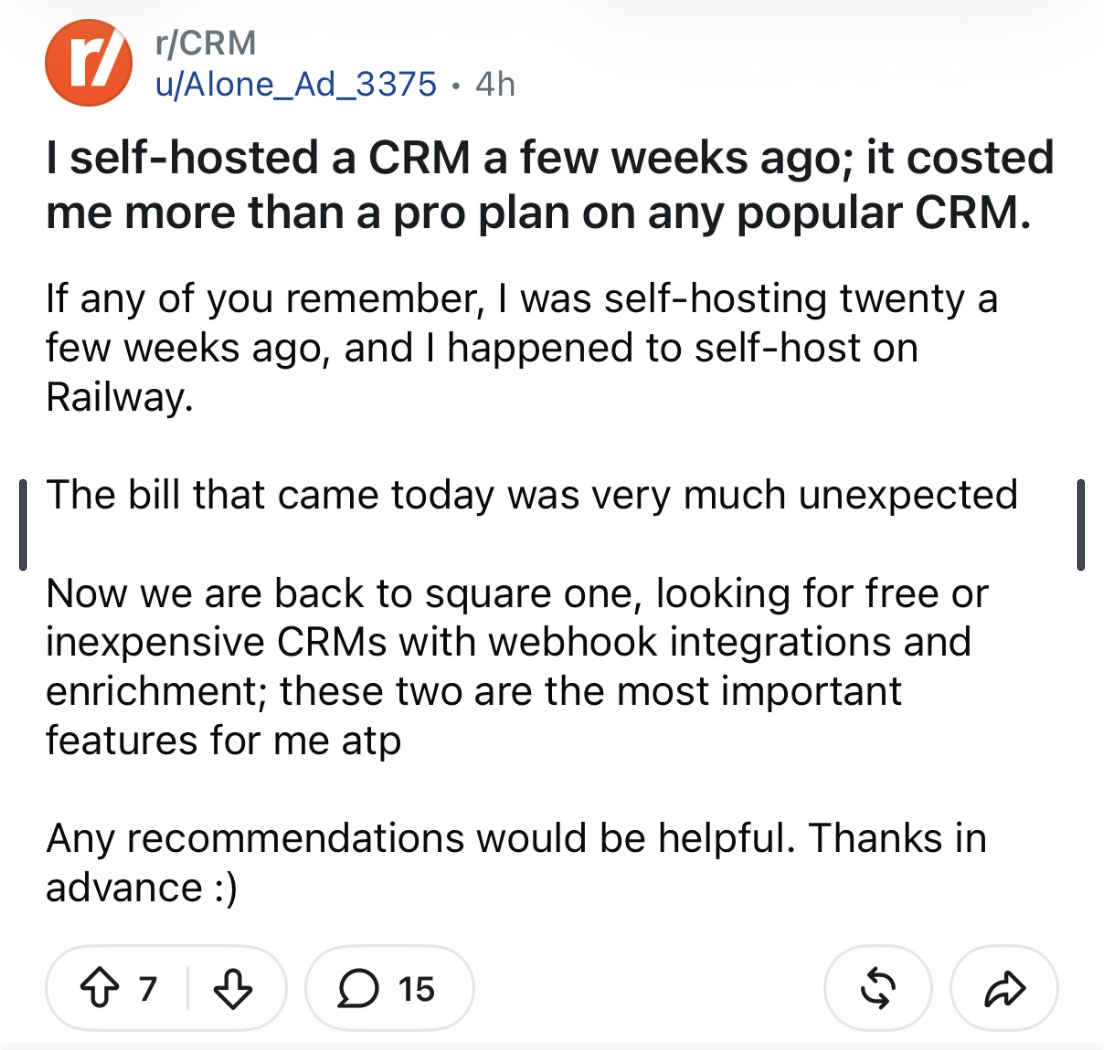
Reddit user explains that they built their own CRM and found out it was more expensive to self-host than just to purchase an existing tool. For someone like this, our advice would be to use something like folk, pay the minimal cost, and get back to focusing on the business.
So before you go down the path of building your own, or forcing a tool like Notion or Airtable into being one, we urge you to pause and consider: do you really want to waste a month of your own time, let alone your team's time, just to end up with the same conclusion we're talking about here?
Our research into how small businesses choose a CRM found that among more than 650 CRM buyers, 31.7% had never used a CRM before and 53.9% knew only a little about how to use one. Just 14.4% called themselves experts. What does this mean?
Most people making this decision have no reference point for what a well-run CRM feels like, which is why building one sounds reasonable...until you realize what you got yourself into 😅
Choose a CRM below and you'll be much further ahead than most.
Written by CRM Experts
Written by CRM ExpertsPrior to running this website, we were actually CRM consultants for over a decade.
We would map out a business's processes to their CRM, build custom automations, and integrate the CRM with third-party tools.
To handle this entire process, we would charge a customer between $40,000 and $60,000 a year.
So if there's one category on this website that we understand best, it's the CRM space. In this Best CRM round up, we cover our honest opinions about each of these tools.
Best CRM Software Ranked & Reviewed
Watch our full breakdown of the top CRM software, how they performed in testing, and what makes each one worth considering
How We Evaluate CRM Software
We score each CRM software across ease of learning, workflow presence, team adoption, AI assistance, integrations, and hands-on expert evaluation
- Ease of LearningAllows teams to get up and running in less than a day.
- Workflow PresenceShows up where your team already works, reducing context switching and admin.
- Team AdoptionHow likely is your team to actually use it, and keep using it?
- AI AssistanceHas genuinely useful AI features that help save time, not just that they exist.
- IntegrationsHigh-quality integrations that work seamlessly and add value, not just surface-level connections.
- Expert EvaluationCurated by, our rankings reflect in-depth testing, industry insights, and hands-on experience.AlexandAndra
Lightfield
Best AI CRM
Best AI CRMIf you've ever used a CRM and have felt like keeping it up-to-date was a full-time job, Lightfield fixes that.
It's the only AI CRM we've used that has felt like a peek into the future of the purpose of the role of a CRM - a shared company brain that automatically monitors everything going on across the team and keeps itself up-to-date.
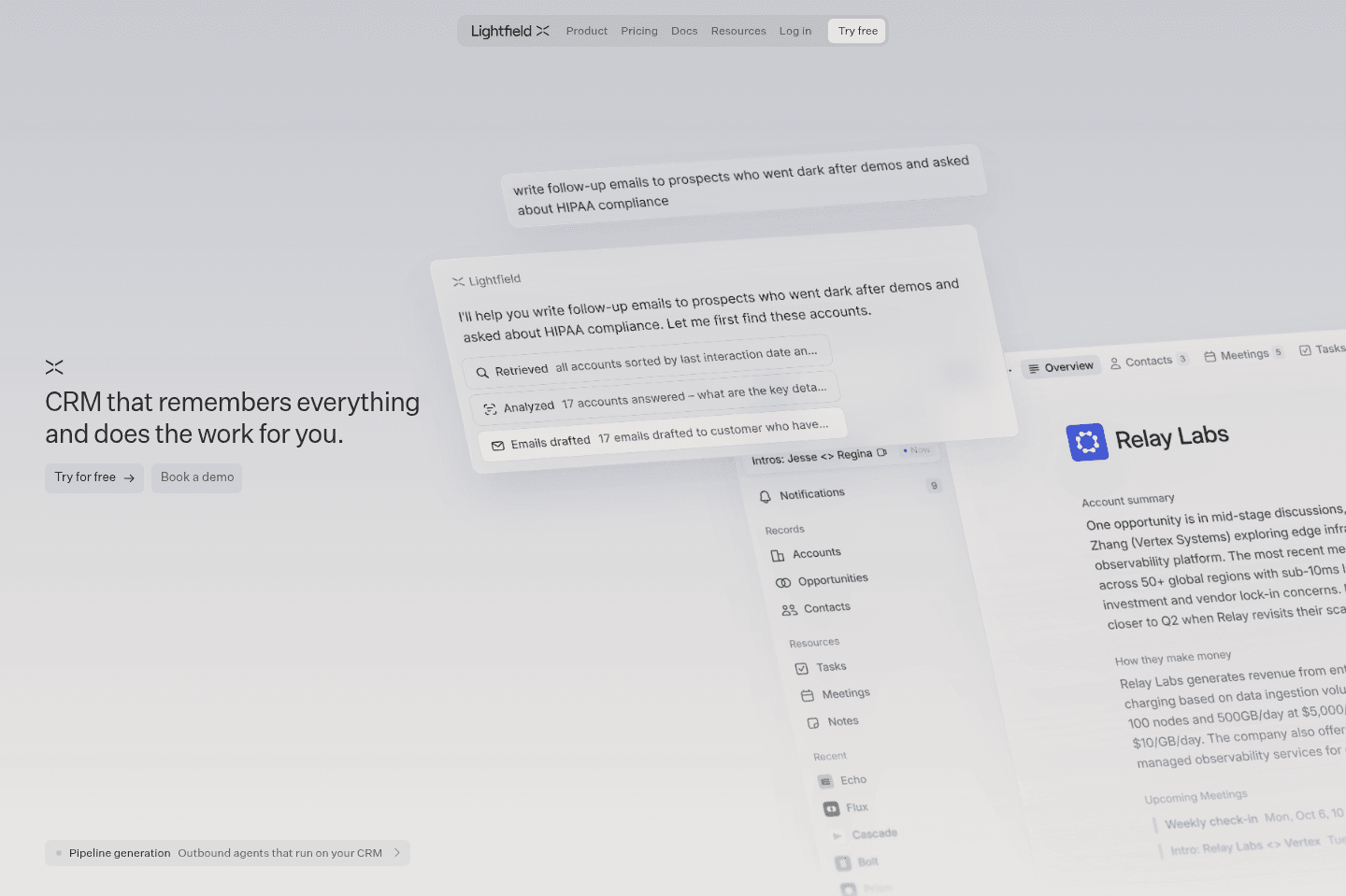
What is Lightfield CRM?
What is Lightfield CRM?While many CRMs claim to be "Agentic" Lightfield is the only true AI CRM we've used.
Two things make the difference between an AI-native CRM and a traditional one with AI bolted on obvious.
First, you can fully setup and configure Lightfield through the AI chat. For example, we had been previously using Copper CRM for over a decade. Usually, migration is an awful, dreadful task that takes forever. But we just exported our data from Copper, uploaded the CSV file within Lightfield, and it automatically started suggesting how we should configure our CRM, just like a consultant would.
It even found fields we only use <1% of the time and asked, "Are you sure you want to keep this?"
While in the past migration to a new CRM would take weeks, we finished ours within a Sunday evening.
Second, Lightfield keeps itself up to date automatically. Did someone's title change at a company? What got decided after your last meeting? Lightfield updates itself using context from your emails, Slack, and meetings.
You can also work with it entirely through AI chat or MCP, ask it to search your inbox and create opportunities, or update a deal for you.
Pros and Cons
Pros and ConsPros
Pros- Actually AI-first, not AI features bolted onto an old interface
- Best CRM for fast-growing AI-first teams
- CRM setup is included in price
- Fast migration from legacy CRMs (HubSpot, Pipedrive, etc.)
- Fastest CRM setup we've tested, configuration happens through AI chat
- Automatically keeps records current without manual data entry
- Builds automations and workflows without a workflow builder or technical setup
- Strong API and MCP support for connecting other AI tools
Cons
Cons- Small kinks. No bulk editing from a table view, everything routes through chat
- Pricing is higher per seat than most CRMs on the market
Key Features
Key FeaturesOnboarding
OnboardingForget hiring a consultant to set up your CRM. The fantastic thing about Lightfield is that their team helps with onboarding and setup.
When we migrated a decade of data from Copper, it was incredible to see Lightfield in action. It suggested fields we should keep, others we should throw out, and the entire process felt so much lighter than in the past.
We realized with Lightfield you get CRM consulting + the CRM tool in one.
Proactive Record Updates
Proactive Record UpdatesIf you've run a sales team before, you know how dreadful it is to get your team to keep your CRM up to date. Sales meetings happen, contacts change, and no one updates the CRM. Awesome.
This is genuinely one of the biggest issues we've seen after a decade of working the CRM space, which is why we were so excited to see that AI can now handle all of this.
Lightfield reviews emails, meetings, Slack messages, and connected tools and flags updates for you to approve.
For example, if someone signs off in their email with a new title, Lightfield will pick-up the change. If an email moves a deal forward, Lightfield will summarize the outcome and suggest a opportunity stage change.
Meeting Recorder
Meeting RecorderLightfield joins your meetings, records your calls, and then updates the CRM with what happened. Then it even creates tasks for you that need to get done to move the deal forward. Genuinely so helpful for keeping things on track!
Automatic Task Creation
Automatic Task CreationLightfield reviews emails, meetings, Slack messages, and automatically creates tasks based on next steps. Compared to traditional CRMs, Lightfield feels like it's actually helping us stay on track rather than creating "admin busy work" to keep the CRM up to date.
Automation & Workflows
Automation & WorkflowsWe built an automation that fires when an opportunity hits a specific stage, it creates onboarding tasks, assigns them to the right people, skips steps that don't apply for existing partners, and even creates a Linear ticket to @mention our designer for a partner's logo.
And...it was all created through their AI Chat. No workflow builder, no technical expertise required... it just talked us through the process and created what we needed.
MCP
MCPLightfield connects to Claude and other AI tools using MCP. Once connected, the AI can look up information, like a contact or a deal or make changes, like creating a new record or updating a task.
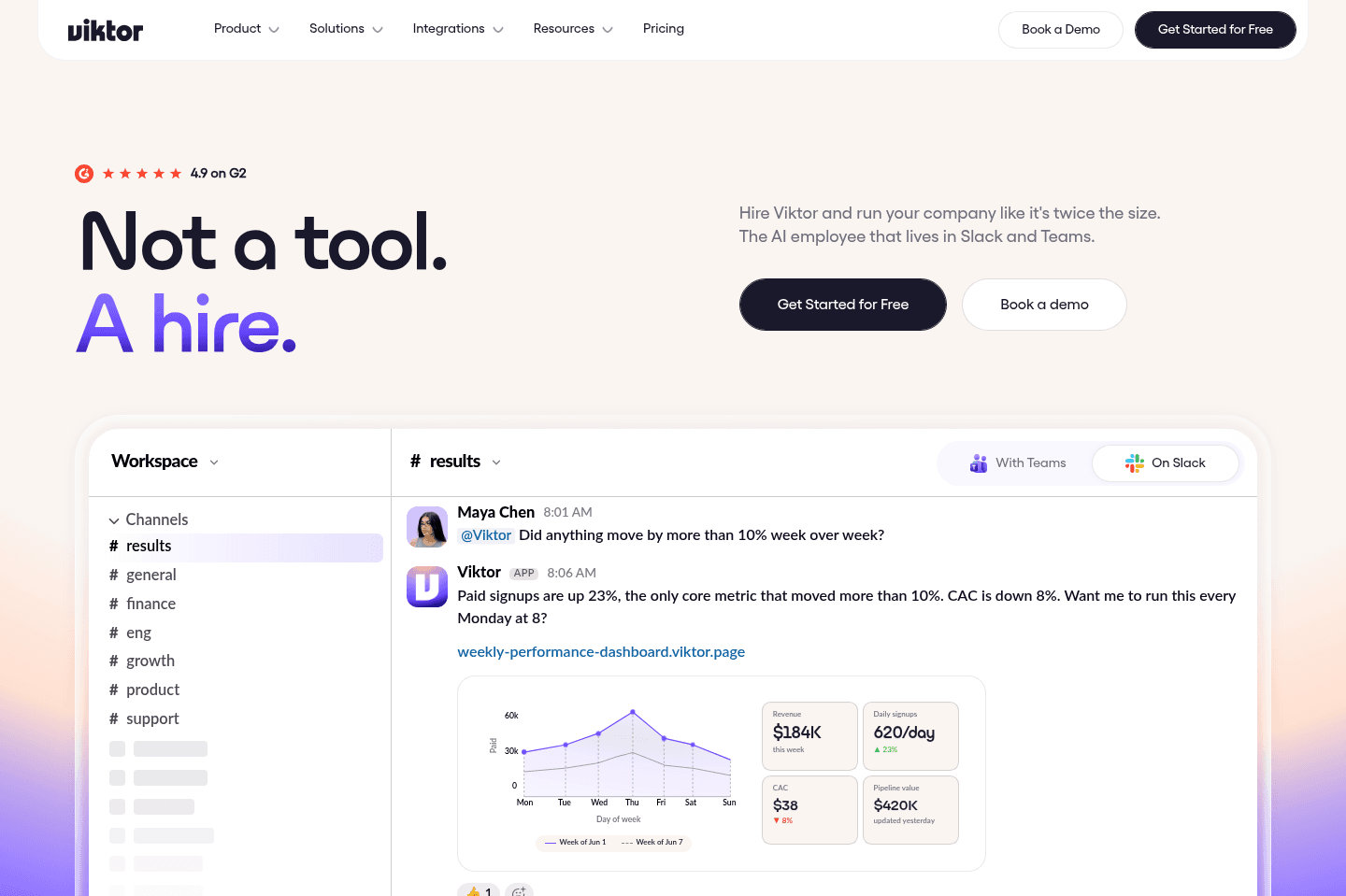
We hooked up our AI agent, Viktor, this way. Using Viktor + Lightfield, we can check on a deal or update a record right in the middle of a Slack conversation. It's amazing.
Pricing
Pricing- Starter: $89/user/month (billed monthly). Best for teams that want call intelligence, automated enrichment, and a configurable data model without a lot of bells and whistles. Caps out at 30,000 records and 1,000 workflow events a month.
- Pro: $249/user/month (billed annually). Best for teams that need custom objects, advanced permissioning, and a dedicated customer success manager alongside a white-glove migration.
- Growth: $3,000+/workspace/month (billed annually). Best for teams doing active outbound, since this tier adds account scoring, sequencing, deliverability tools, and a forward-deployed support team.
Get the latest rankings and insights on top CRM apps—delivered to your inbox. Stay ahead with our expert picks and updates.
Wonderly
Best for trade-services businesses with $250K+ revenue
Best for trade-services businesses with $250K+ revenueWonderly is more of an all-in-one tool that is
What is Wonderly?
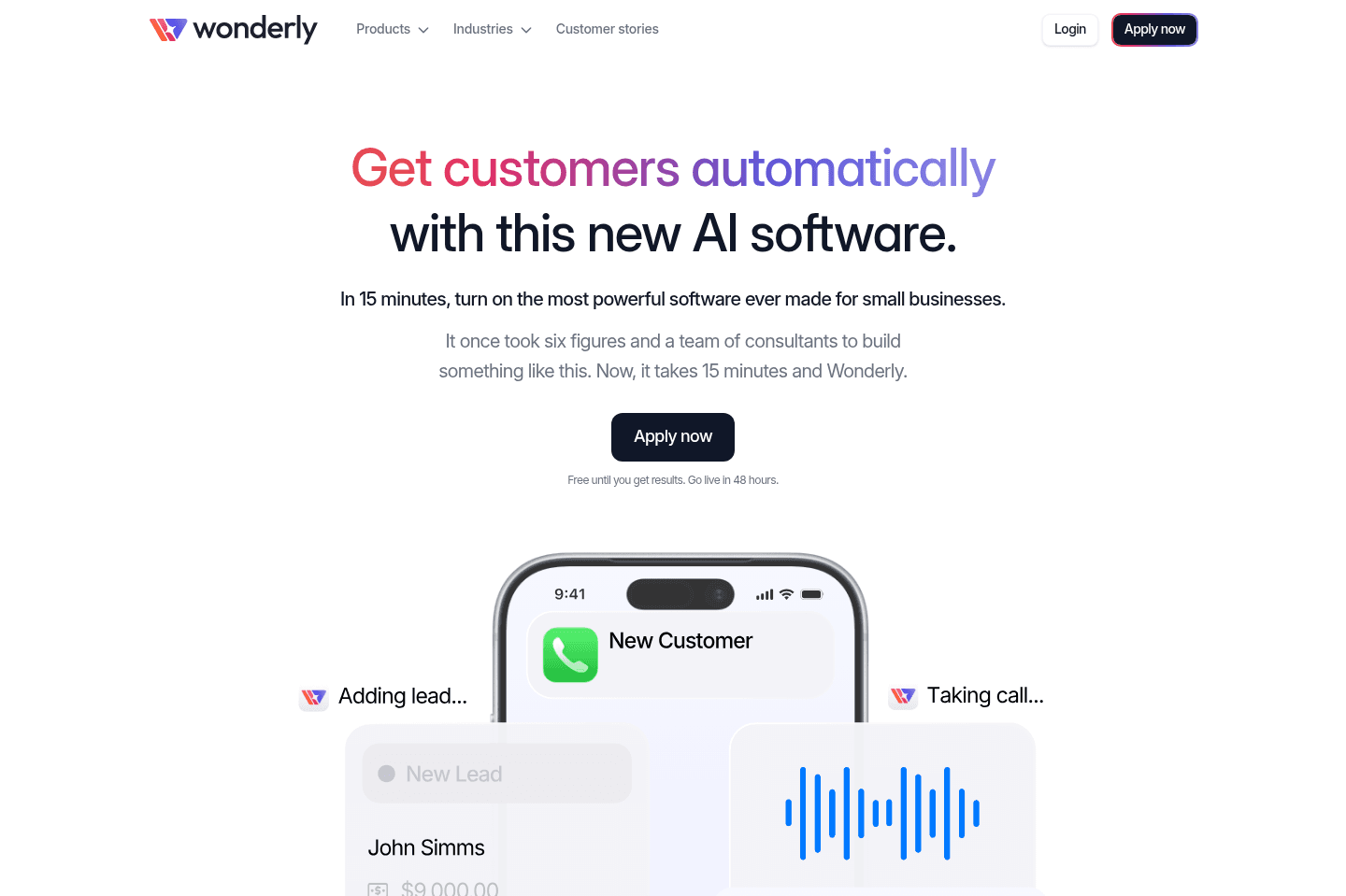
What is Wonderly?Wonderly is an AI-first CRM for home services businesses doing at least $250K in revenue. If that's not you, permission to keep scrolling.
It's more than just a CRM. Wonderly creates and runs ads for you, captures leads, and follows up with them automatically from within the CRM. If you have a roofing, construction, home remodeling, or plumbing business, Wonderly is the best CRM available right now because it frees up your admin & sales time so you can focus on just doing what you do best.
Wonderly is the only CRM that we've come across that is a money maker. Its sole promise is that it will help you close more deals (and we've seen firsthand that this is exactly what it does). No other CRM on this list makes that kinda promise.
Pros and Cons
Pros and ConsPros
Pros- Truly AI-first
- AI receptionist calls leads within 10 minutes of form submission, no manual follow-up needed
- Takes notes from customer calls so your team shows up informed
- Centralizes lead management, scheduling, and follow-up in one place
Cons
Cons- Only for home service + trade businesses (for now)
- Pricing is contact-only, which makes it hard to evaluate before applying
Key Features
Key FeaturesAI Lead Follow-Up
AI Lead Follow-UpWhen someone fills out your form and doesn't book right away, Wonderly's AI receptionist calls them within 10 minutes.
Miss that call? It tries again within the hour.
The reason this matters is that most service businesses lose leads simply because they respond too late. You're on a job, life happens, and by the time you call back the customer has already booked someone else.
My jaw dropped when I heard the AI voice, because it was much better than I expected. It handles questions naturally, apologizes if it interrupts, and actually takes notes from the call so your team knows details like "use the back door, we have a dog" before showing up 🤯.
Centralized Lead Management
Centralized Lead ManagementWonderly brings together CRM, scheduling, forms, and email management so that leads come in and get managed in one place rather than across five disconnected tools.
Pipeline Management
Pipeline ManagementYou get a full-fledged CRM interface with Wonderly where you can manage deals, projects, payments, and customer communication all in one place. You can even collect deposits and payments directly inside the platform, so your business operations stay centralized instead of scattered across multiple tools.
Most "all-in-one" platforms we've tested over the years have been mediocre at everything. Wonderly is the first we've used that actually feels genuinely impressive.
Pricing
Pricing- Custom: Contact-only. Wonderly is currently accepting qualified businesses by application. A Wonderly free trial is available where they run Meta ads on your behalf before any paid commitment.

Not a tool. A hire.
folk
Best for solopreneurs and small teams
Best for solopreneurs and small teamsfolk is one of the best CRMs on the market you are an individual or small team who is heavily focused on relationships and contact management. If you have never used a CRM before or you've used Notion, Airtable, or Google Sheets in the past, folk is a perfect introduction into using a specialized CRM too.
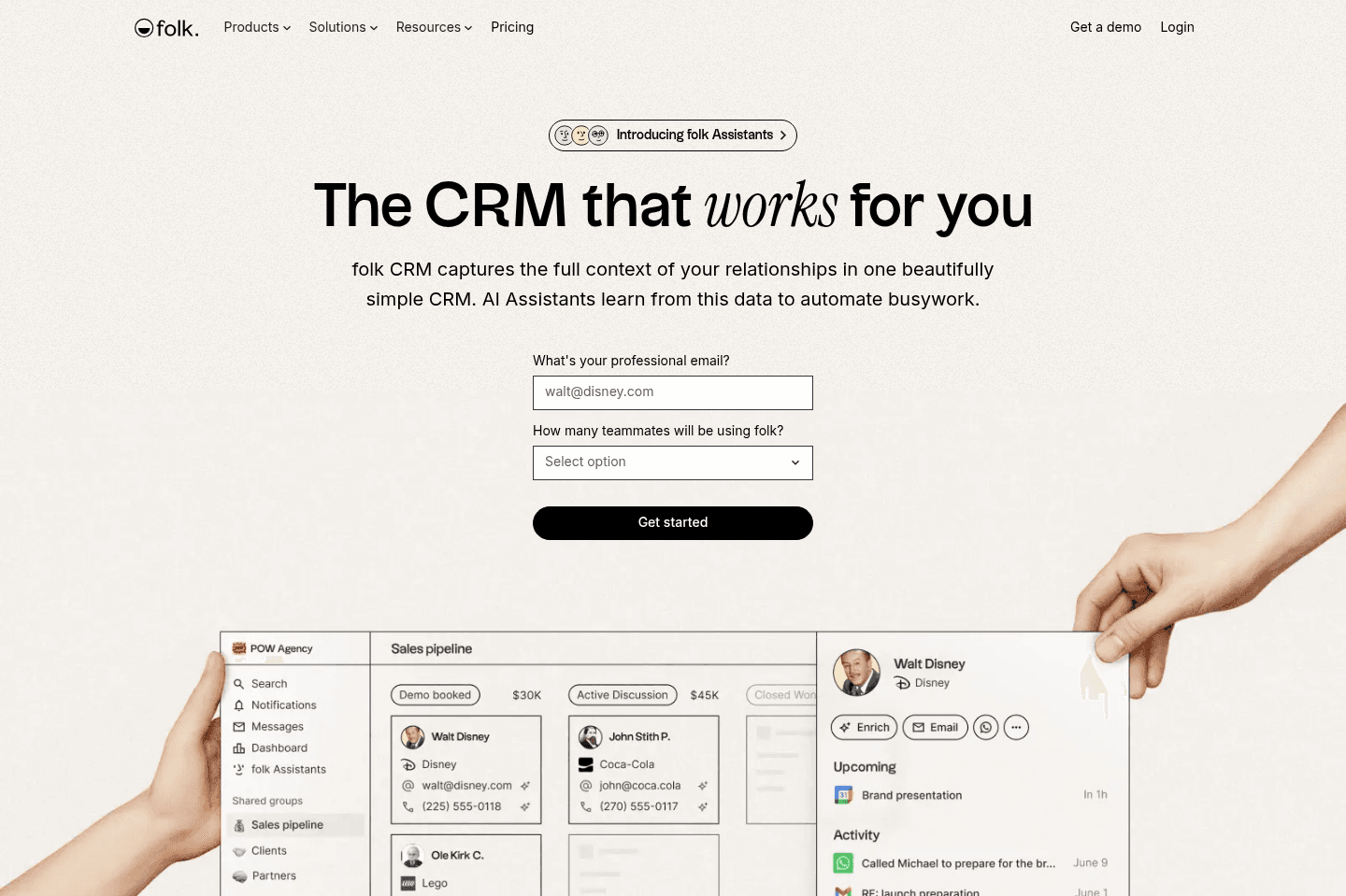
It will feel familiar to how you might use a spreadsheet to manage your contacts and information. For example, you can edit data in-line and even bulk update fields like you would in a spreadsheet.
What is folk?
What is folk?folk is a lightweight CRM that helps you manage relationships without the complexity of a traditional CRM. If you're a founder that is currently managing relationships across LinkedIn DMs, your inbox, maybe a Notion doc that is half abandoned, and you're desperately craving one place where you can see everyone you've reached out to and who you need to follow-up with, then folk is likely the right CRM for you. You can use it for something as basic as contact management or set up a deal pipeline like with any CRM.
Unlike most CRMs on this list, like Copper, or Pipedrive, or HubSpot, folk is the CRM you want to start with, especially if you have little CRM experience. If you're someone who is coming from using HubSpot or Salesforce at a previous company and are looking for your CRM that you'll use for the next 10 years, folk is probably not it. It's a beginner CRM.
It feels a lot like Notion in terms of how easy it is to get started, but with actual CRM features baked in rather than having to build everything yourself. You're not staring at a blank canvas figuring out how to structure your pipeline. The scaffolding is already there.
The Chrome extension is probably the most immediately useful part. You can pull a LinkedIn contact into folk in one click, and it auto-fills their details. If you've ever spent time manually copying someone's job title and email from LinkedIn into a spreadsheet, you'll feel that friction disappear pretty fast.
Because of that simplicity, folk is especially helpful for solopreneurs, freelancers, founders, recruiters, or small sales teams that just need a better way to stay on top of conversations and follow-ups. It gives you flexibility but adds CRM-specific features and reminders so your relationships don’t fall through the cracks.
The tradeoff with it being intentionally lightweight is that when teams are ready for deeper automation or complex integrations it's not a great tool to scale with (it has a limited API compared to other CRMs). So choose folk if you're happy with a standalone CRM and aren't trying to integrate it into every part of your process just yet.
Pros and Cons
Pros and ConsPros
Pros- Extremely easy to learn and set up
- Familiar spreadsheet-style interface
- Chrome extension makes adding contacts very easy
- Great for relationship tracking and contact organization
- Simple tools for sending emails and managing follow-ups
Cons
Cons- API and integrations are still fairly basic
- Limited automation and advanced CRM features
- Not ideal for larger sales teams or complex pipelines
- May feel too lightweight for companies planning to scale quickly
Key Features
Key FeaturesMagic Fields (AI)
Magic Fields (AI)The idea with Magic Fields is that you create an AI column in your contact database, write a prompt using your contact's data as variables, and it generates a value for every record. The most popular example is an icebreaker, you ask folk to write a personalized one-liner for each lead based on their name, company, and role, and then you drop that into your outreach emails.
But honestly, I'd be careful here! Since AI became mainstream, I've been on the receiving end of so many cold emails that say something like "I really loved your recent video" or "great review on X" and you can immediately tell it was AI generated.
That said, where I believe magic fields are the most useful are for things like cleaning up messy data across contacts, auto-categorizing leads by industry, or flagging deals that have gone quiet. Those use cases make a lot more sense than leaning on it for outreach personalization. With that, folk is one of the more AI-forward CRMs on this list, as many are still adapting in a meaningful way.
Contact Management & Email Outreach
Contact Management & Email Outreachfolk makes it very easy to add and manage contacts. You can import contacts, add them through the Chrome extension from Gmail or LinkedIn, and enrich your records with additional information. Once contacts are inside the CRM, you can decide what next steps you want to take.
Pipeline Templates
Pipeline Templatesfolk offers a lot of pre-built pipeline templates which will help guide you on how to best use it as a CRM. You can choose a template that reflects common workflows that other businesses are already using. Which makes it way easier for new CRM users to get organized without having to design their own system.
Pricing
Pricing- Standard: $30/mo per member ($24/mo billed yearly). Best for small teams that want a simple CRM to manage contacts and run basic outreach.
- Premium: $60/mo per member ($48/mo billed yearly). Best for growing teams that need stronger collaboration and automation tools.
- Custom: From $100/mo per member ($80/mo billed yearly). Best for larger businesses that need deeper control and scalability.
Attio
For teams who want a CRM that feels like Airtable
For teams who want a CRM that feels like AirtableWe evaluated Attio three times in the past several years, and couldn't be convinced to switch over. It was not quite the AI-first CRM we were hoping for.
Friends who use Attio tend to be more technical and enjoy building workflows rather than something that works quickly out of the box.
What is Attio?
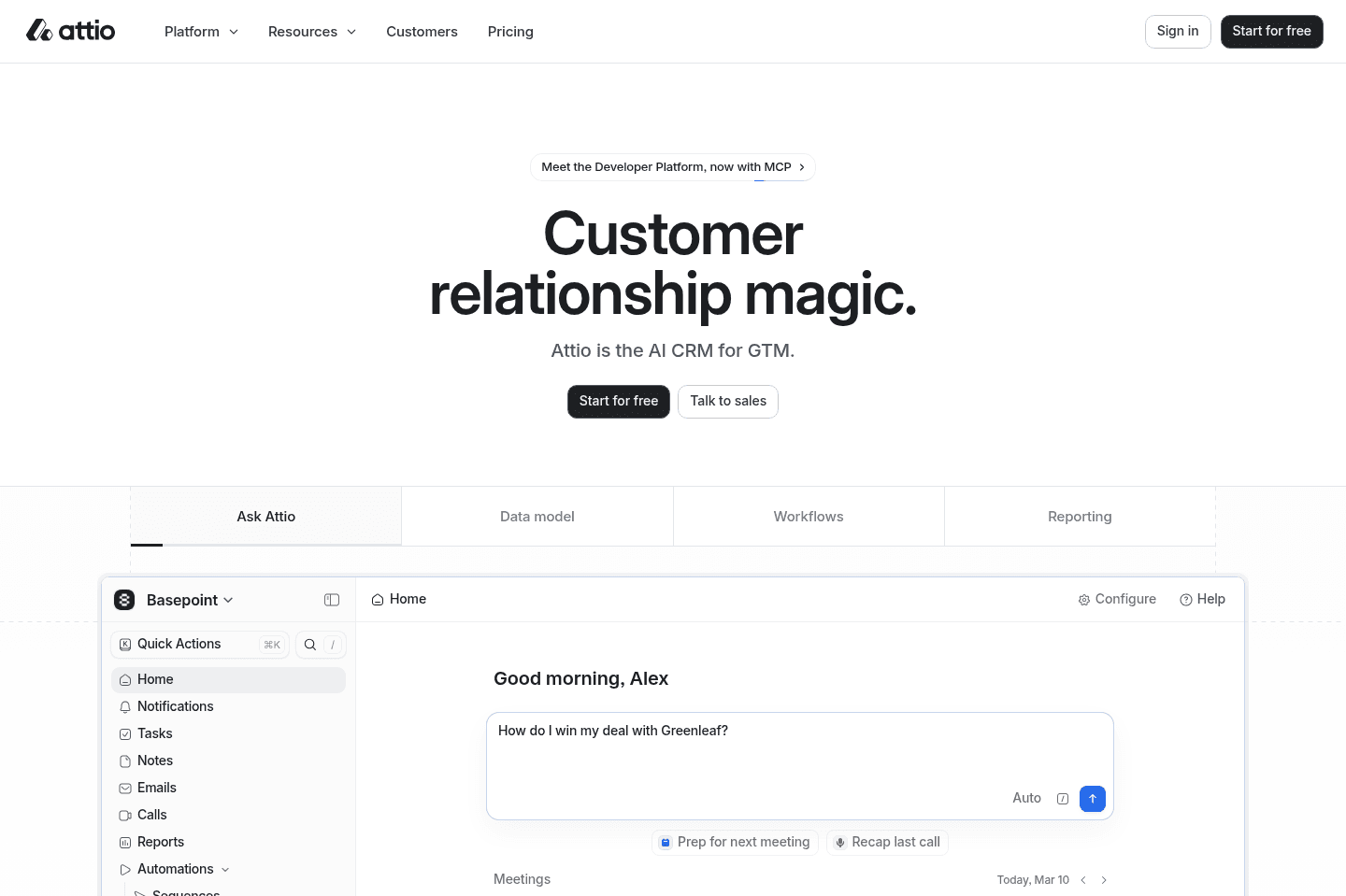
What is Attio?Attio is a CRM designed for teams that want more flexibility than traditional CRMs typically offer. Instead of forcing you into a fixed CRM, Attio gives you the building blocks to design your own system. In many ways, it feels closer to a database tool like Notion or Airtable.
Because of that flexibility, Attio tends to work best for technical founders, startup teams, or operators who really enjoy building workflows and automations themselves. If you’re comfortable structuring data and customizing how your CRM works, Attio can be incredibly powerful. But for most small and medium-sized businesses that just want a straightforward system to track leads and deals, the platform can feel a bit overwhelming.
We considered using Attio ourselves but after evaluation, decided against it. We have friends that have set it up for their team that tend to be more technical, but then when talking to the rest of their non-technical team, they couldn't help but mutter "yeah, it's super overwhelming".
Also, heads up that Attio is not an AI first CRM (despite some of the marketing that says so). It was built 3 years before ChatGPT even launched.
Pros and Cons
Pros and ConsPros
Pros- Extremely customizable CRM structure
- Flexible automation system for advanced workflows
- Modern, fast interface with drag-and-drop interactions
- AI tools help organize contact data and automate workflows
Cons
Cons- Steeper learning curve compared to other CRMs
- Requires some technical knowledge to set up properly
Key Features
Key FeaturesCRM Pipeline & Deal Management
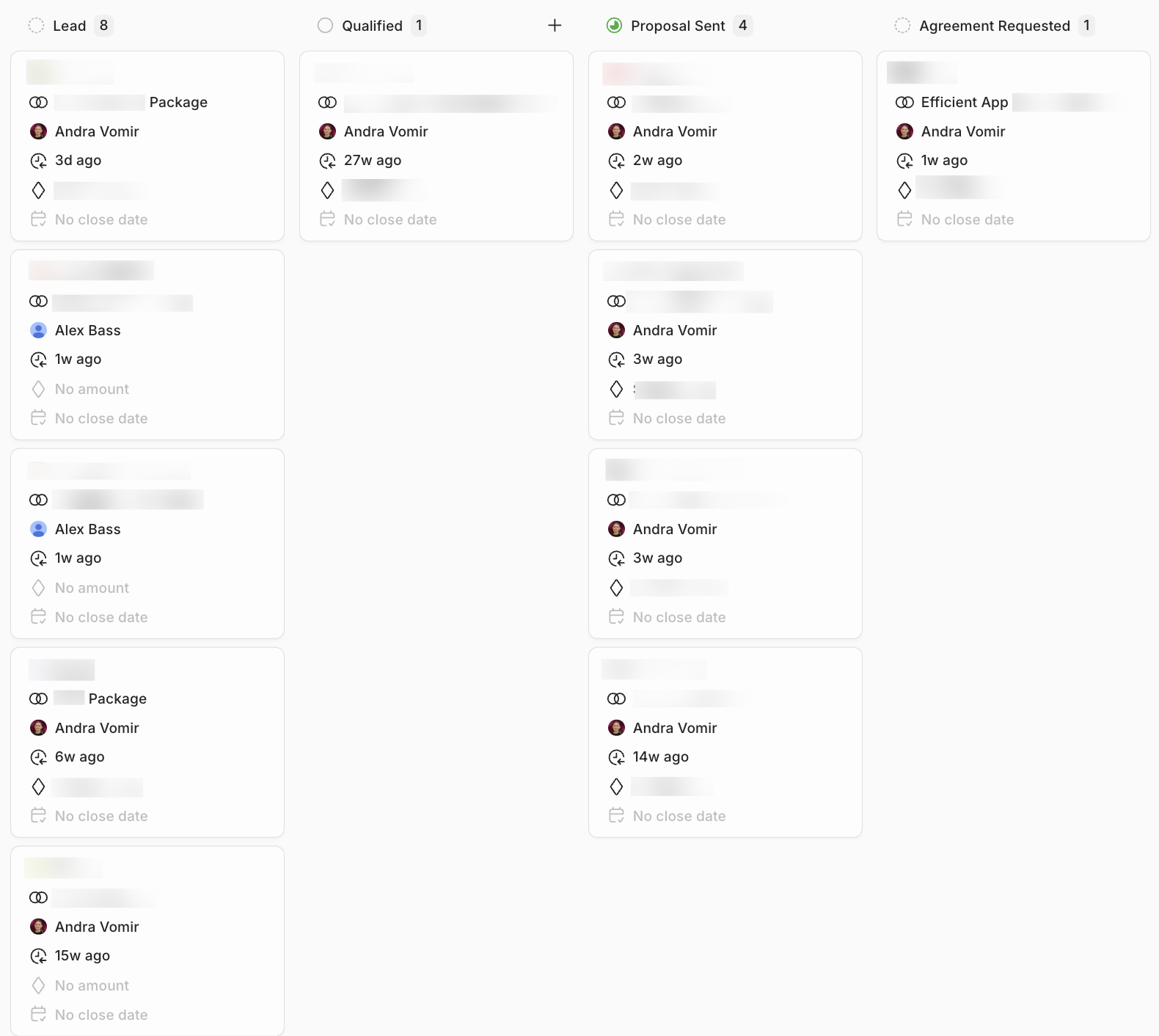
CRM Pipeline & Deal ManagementWhile Attio is highly customizable, it still includes the standard CRM features you'd expect. Deals move through stages visually in a Kanban-style pipeline. When we tested it, the interface is fast and lets you drag and drop deals without digging through a bunch of menus.
That said, we spoke to a user who has used it for a while he said "it gets quite slow with scale".
Relationship Intelligence
Relationship IntelligenceAttio's platform automatically evaluates how strong your relationship is with a contact based on certain signals (email frequency, recent interactions, calendar activity, etc).
For a team juggling a ton of relationships, this can be a huge help. Any drops in engagement or frequent conversations will trigger a suggestion for your sales team and increase or decrease the relationship score, which gives your team a quick signal that helps them keep a pulse on their connections.
Workflow Automation
Workflow AutomationYour team has the ability to build fairly advanced automations that connect actions across the CRM. For example, workflows can trigger when anything changes with a contact.
For example, you hop into the CRM and see a new lead has been added and automatically assigned, but behind the scenes, the system enriched the contact and assigned it to the right salesperson automatically. Having the ability to automate those workflows cuts back on the repetitive work teams usually have to worry about.
The only catch is that building these workflows requires some familiarity with automation tools. If you’ve used tools like Zapier or Airtable before, you'll probably feel right at home, but newer users might feel a bit overwhelmed.
Pricing
Pricing- Free: $0/mo per user. Best for individuals or very small teams getting started with Attio.
- Plus: $36/mo per user. Best for small teams that want to collaborate within the CRM.
- Pro: $86/mo per user. Best for growing teams that want deeper automation and sales tooling.
- Enterprise: Custom pricing. Designed for large organizations that need maximum flexibility and control.
Not a tool. A hire.
What is Pipedrive?
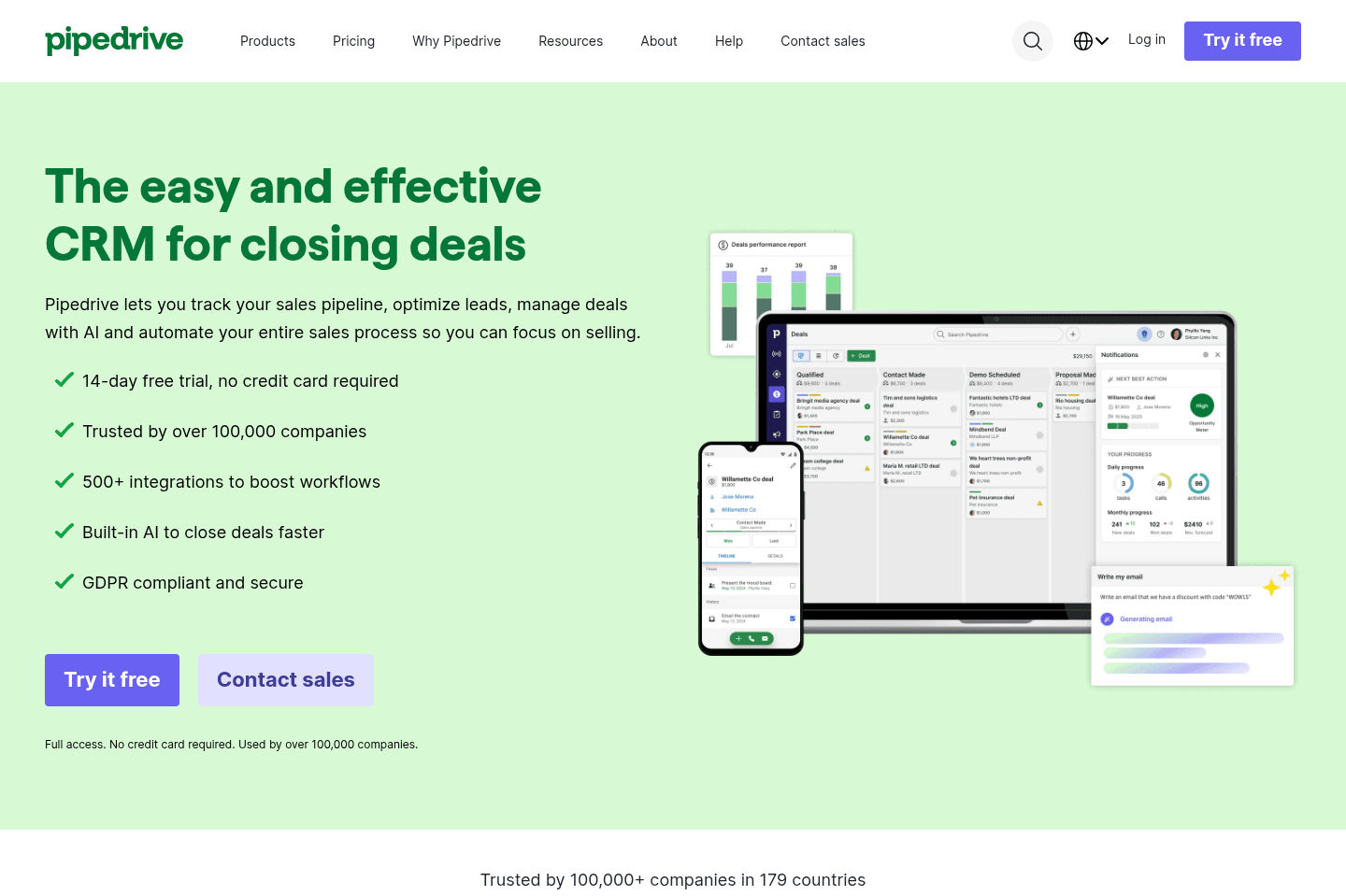
What is Pipedrive?Pipedrive is our recommendation for teams using Microsoft 365 that want a traditional sales CRM, but if your company runs on Google Workspace, you're much better off with Copper CRM.
It's been around for a long time, I used it at my first sales job around 2017. It felt clunky then, so compared to the more modern CRM's out there now, expect that it will feel super dated. I never "loved it" as a sales rep, it was always just okay. Enough to get the job done.
Also heads up, you might experience some "bloatware" in the interface, with frequent prompts pushing upgrades or additional features. I always feel overwhelmed logging into Pipedrive because of the constant upsells #leavemealone.
Pros and Cons
Pros and ConsPros
Pros- Simple deal and activity tracking
- Easy-to-understand visual sales pipeline
- Decent mobile app for logging activity on the go
Cons
Cons- Email syncing only tracks conversations going forward
- AI features are still developing and not very powerful
- Interface can feel cluttered with upgrade prompts and add-ons
- Dated
Key Features
Key FeaturesVisual Deal Pipeline
Visual Deal PipelineWith Pipedrive, your deals appear as cards in a Kanban-style board, and reps can drag them from stage to stage as conversations progress.
One feature we appreciate in particular in Pipedrive is that you can move a deal back to being a lead if it turns out the opportunity wasn't as qualified as you thought. This sounds small, but many CRMs don’t allow this.
Lead & Activity Tracking
Lead & Activity TrackingEvery call, email, meeting, or note can be logged directly on the deal record. Over time, this builds a full timeline of the relationship so anyone on the team can see exactly what's happened with a prospect and what the next step should be.
This becomes really helpful when deals get passed between team members. So in situations where one rep leaves the company or goes on vacation, and another rep has to step in and immediately understand the full history of the relationship, they can, just from reading the activity log.
That said, Pipedrive tracks emails from the moment syncing is enabled going forward.
So if you’ve already been emailing a prospect before adding them to the CRM, those earlier conversations will not appear in the record unless you manually log them.
AI Features
AI FeaturesPipedrive has started introducing AI features with the goal of helping reps prioritize deals and move faster through their pipeline.
But the feedback we've seen from users has been pretty mixed. One user even said the "AI features will be the death of Pipedrive," which is obviously a dramatic take, but it reflects a broader sentiment that the AI additions feel a bit rushed and not always useful (like with a lot of older tools).
The AI features we tested weren't noteworthy. They occasionally surfaced helpful suggestions, but they didn't function like a true AI assistant that can help run your CRM. For now, most teams are using the AI to help them gather information in email threads and make suggestions on deals, so overall, basic, light tasks.
Pricing
Pricing- Lite: $24 per user/month. Best for small teams that want basic deal management and pipeline visibility.
- Growth: $49 per user/month. Best for teams that want workflow automation and email syncing.
- Premium: $79 per user/month. Best for teams needing more customization and collaboration tools.
- Ultimate: $99 per user/month. Best for organizations needing advanced security, permissions, and support.
Copper
Traditional CRM for Google Workspace
Traditional CRM for Google WorkspaceWe used Copper for over 10 years in our business, but recently migrated away and switched to Lightfield CRM. Why? We ultimately wanted an AI-first CRM, one that could keep up with the demands of the fast-paced AI world.
What is Copper CRM?
What is Copper CRM?Copper CRM first launched in 2013 as a CRM for Google Workspace. Copper used to be our top-pick CRM for teams, but that was before the AI-era.
In the past year, I started noticing that our team wasn't really using Copper the way we used to anymore. We found that it became a graveyard. Old data, old custom fields, it really starting feeling archaic in terms of updating it.
Our team started speaking internally, expressing that they were craving something more modern, and AI-first. A CRM that had AI at the core, and could actually keep itself up to date instead of requiring so much manual hand holding.
That's when I started looking for alternatives and we found Lightfield (and couldn't be happier we made the switch).
That said, if you want an old school CRM that has good bones, you can consider Copper. Just don't expect it to be the most modern, and heads up, it's one of the CRMs on this list that is quite behind in building AI features.
Pros and Cons
Pros and ConsPros
Pros- Clean interface and easy user experience
- Automatic email, meeting, and file syncing
- Flexible API and integrations (easy to connect with other tools) -- although in the AI era, this matters less
Cons
Cons- Google Workspace ONLY
- AI features are lacking, not an AI-first CRM
- Lacks MCP
- Can't convert a contact back to a lead
Key Features
Key FeaturesGoogle Workspace Integration
Google Workspace IntegrationCopper syncs all your emails, attachments, and files to the person, company, and opportunity records.
Gmail Chrome Extension
Gmail Chrome ExtensionWhen you open an email in Gmail, a Copper sidebar appears showing the contact's CRM profile, past activity, deals, and tasks.
Instead of digging through a CRM to remember the last interaction, you can see everything about that relationship right inside the email thread. If someone new emails you, you can also quickly add them to Copper without leaving Gmail.
Automatic Email History Sync
Automatic Email History SyncMost CRMs only start tracking emails after you add a contact to the system but Copper does something smarter. When you add someone, it actually goes back up to a year of Gmail history and automatically logs past conversations. That means if you've been emailing a prospect for weeks before adding them to the CRM, the entire relationship history still shows up, and that's huge!
API
APIWe've excessively used the API of all the major CRMs on the market and I'm here to tell you that Copper's API is fantastic. Their API is one of the most powerful and user-friendly to build on, especially as compared to that of HubSpot for which has some incredibly odd API design decisions.
While this might not sound like a big deal, if you ever plan on integrating your CRM, I'm here to tell you that building the same integration in HubSpot takes 2–3x as long and is more of a pain to maintain. All factors that affect the integration cost at the end of the day, so API design matters and affects you even if you don't think it does.
That said, in the AI-era integrations are now easier than ever to build, and AI-first CRMs will allow you to simply explain what you'd like to build and they build it for you in minutes. This is not available from within Copper, and you'd still need to use third-party tools to integrate anything. So while API design was once incredibly important, we're not seeing it matters as much in the AI-era.
Pricing
Pricing- Starter: $29/mo per seat. Best for small teams that need flexible pipelines, task automation, and basic project management without advanced reporting or automation.
- Professional: $69/mo per seat. Best for growing teams that need workflow automation, reporting, bulk email, and integrations to scale operations.
- Business: $134/mo per seat. Best for teams that need unlimited contacts, advanced reporting, email sequences, multi-currency support, and premium support.
Not a tool. A hire.
Salesforce
For enterprise teams only (1,000+ employees)
For enterprise teams only (1,000+ employees)Salesforce is for enterprise teams. If you don't have at least 1000 employees, this isn't the tool for you (and for the better as there are much more exciting, user friendly CRMs for small to mid-market businesses).
What is Salesforce?
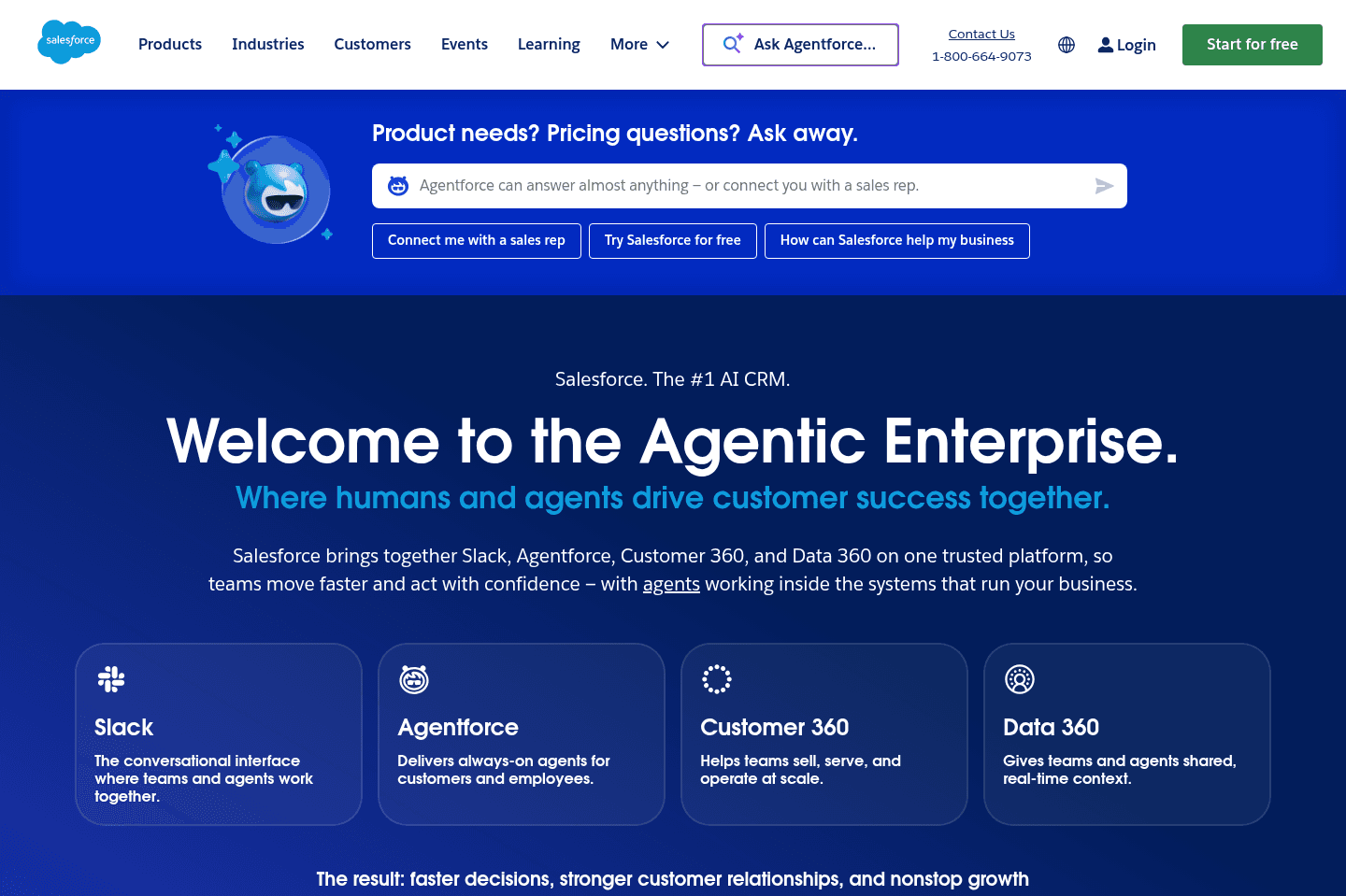
What is Salesforce?Salesforce is the 800lb gorilla and if you're considering using it, we're hoping you have a myriad of reasons for it.
If you're a startup—you should not be using it.
If you're trying to stay lean and don't already know your business processes inside-and-out—you should not be using it.
If you're being pressured by your investors or others to get on Salesforce "because that's what successful businesses do"—you still, most likely should not be using it.
You should be using it if... you have highly complex business processes and have set aside a couple hundred thousand dollars to invest in a proper Salesforce consultant to help map these processes to it.
Most teams can actually just get away with HubSpot (when they are considering Salesforce), or even better, Lightfield which is a true AI-first CRM.
Pros and Cons
Pros and ConsPros
Pros- For enterprises (1000+ employees)
- Extremely customizable platform
- Advanced AI and automation tools
- Massive ecosystem of integrations
Cons
Cons- Not for small teams
- Can require many clicks just to log activity or update deals
- Steep learning curve for both administrators and sales reps
- Expensive to implement and often requires outside consultants
- Overkill for most startups and SMBs still figuring out their sales process
Key Features
Key FeaturesHighly Customizable
Highly CustomizableFor enterprise-level companies, being customizable can be a huge strength, but for us (small business), having something that's easier to use is way better.
We'd much rather have a CRM like Copper that adapts to our organization instead of forcing us into a rigid, complicated system.
AI Agents & Automation
AI Agents & AutomationSalesforce has made the most serious bet on AI of any CRM on the market right now. Their agent platform, Agentforce, is a genuine step above the summary and suggestions AI that most CRMs are rolling out.
We're not talking about a chatbot that surfaces pipeline insights. These are autonomous agents that update records, trigger outreach, escalate support cases, and complete multi-step workflows inside the CRM without someone approving every action.
That said, it's not plug-and-play. Getting it to actually work the way you want requires clean data, expensive admin configuration, and ongoing tuning. Most deployments that struggle do so because the data foundation wasn't ready, not because the technology doesn't work.
For a smaller team, this isn't a reason to sign up for Salesforce. The setup cost and complexity make it hard to justify. But it does set a useful benchmark for what AI inside a CRM can actually look like when it's done seriously. We'd love to see that capability trickle down to tools built for operators who aren't managing enterprise-scale data...and I think we will soon 👀
Sales & Pipeline Management
Sales & Pipeline ManagementLarge companies often have deals that involve multiple departments and long, drawn-out processes, so Salesforce is built to handle that level of complexity with things like pipeline tracking and complex sales cycle management, but a huge point of friction shows in the day-to-day experience for sales reps.
Updating a deal or logging activity ends up taking way more clicks than it should, and it's that kind of friction that causes massive delays in adoption, especially when it starts to muddy data, causing poor visibility with leadership.
It's all very avoidable by creating simple and realistic CRMs, so be sure to take a look at our top recommendations.
Pricing
Pricing- Free Suite: $0/mo. Don't let the pricing fool you. To get the most out of Salesforce you need to properly configure it.
- Starter Suite: $25/mo per user. Best for small businesses that want core CRM capabilities.
- Pro Suite: $100/mo per user. Best for growing teams that need more advanced sales, service, and marketing functionality.
- Enterprise: $165/mo per user. Best for larger organizations that need advanced customization, automation, and integrations.
- Unlimited: $330/mo per user. Best for enterprises that want the full Salesforce platform with premier support and AI capabilities.
- Agentforce 1 Sales: $500/mo per user. Best for organizations that want Salesforce's AI-powered sales workflows and autonomous agent functionality.
HubSpot
For enterprise teams needing marketing automation
For enterprise teams needing marketing automationSeveral of our past consulting clients used HubSpot, so we got a pretty good look at how different businesses were actually using it. It's powerful in some ways (marketing automation is the main reason most teams use it), but as a standalone CRM, it's not the best. Think of their CRM as a "lead magnet".
They offer it for free (or heavily discounted in the first year) to get you into their ecosystem and expose you to the rest of their features, but gets to $15–30K per year quite quickly. If you have a small team and are genuinely looking for a dedicated CRM only, there are better, more user friendly options available.
What is HubSpot?
What is HubSpot?If you are considering HubSpot because of price (after hearing things like 50–90% off the first year), let me stop you right now, you're playing directly into their marketing shtick (you'll see the #1 concern with HubSpot is actually price).
HubSpot was not initially built as a CRM, it was a marketing email automation platform. A powerful (and expensive) one at that, but credit where credit is due. It's just, most companies often need to start with just a CRM to streamline their business operations.
It wasn't until HubSpot realized that acquiring customers for their $20–60k+/yr marketing automation suite was a difficult sell out of the gate, that they decided to built a "free CRM" as a lead magnet (and gateway) to their expensive core product.
So if you're a startup or a team of 20 or less (that will actually be using the CRM day-to-day), we highly recommend looking at a different CRM (we've done a deep-dive on that here). Because after the first year, you will be paying 2-4x more for HubSpot than the competing solutions (even at their proposed "Year 2+ discounts").
Now if your team is quite large and considering Salesforce, we actually do recommend Hubspot in most cases. HubSpot is more user-friendly than Salesforce, and you aren't going to be totally stuck in the expensive enterprise software stack that a tool like Salesforce often requires.
We will also add that we work with HubSpot often, and Copper CRM + Pipedrive have far superior API's to HubSpot (in that we can build the same integration in 1/2 the time), so there is a second-order unseen cost associated to HubSpot.
Pros and Cons
Pros and ConsPros
Pros- Powerful marketing automation tool
- Flexible customization for larger teams
- All-in-one platform (CRM, marketing, support, sales)
- Strong ecosystem and brand with lots of educational content
- AI features that help with data enrichment and support workflows
Cons
Cons- Gets expensive quickly once you scale usage
- CRM feels clunky and less intuitive than newer tools
- Requires time (and often a consultant) to fully set up
- Overkill for most SMBs that just need simple deal tracking
- Creates friction in day-to-day usage, which can hurt adoption
Key Features
Key FeaturesAI Features
AI FeaturesHubSpot has been pushing AI pretty heavily, but it's important to remember that HubSpot is not an AI-first CRM.
Sure, they added data enrichment, the ability to summarize deals, and an MCP, but that's not an AI-first CRM 😅 HubSpot is the mini-van that is trying to keep up with the times.
The HubSpot MCP connector is built mostly around reading and acting on CRM data, not restructuring the CRM itself. So through chat you'll be able to do things like: look up a contact or deal, search records by property, read what properties (fields) exist, and update the values in those fields.
But you can't configure or interact with HubSpot CRM beyond that. You can't create a brand new custom field, or edit drop down options, or delete a field.
HubSpot has added AI features because their existing customer base demands it, although they are not the CRM to start using from scratch in this era. For example, Lightfield (our top pick) allows you to fully set up the CRM from scratch and even migrate data within the AI chat. You get consulting, CRM setup, and the tool. This is just not possible with HubSpot.
With that, if you are looking for an AI-CRM in this era, HubSpot is not the CRM to go for.
Contact + Pipeline Management
Contact + Pipeline ManagementHubSpot gives you everything you'd expect from a CRM.
You're able to keep your contacts, companies, deals, and pipelines within one central location. You can track all your customer interactions and see the team's full history of communication with them all while moving deals through stages (Kanban style).
It solves the main problem of deals falling through because details were missed as contacts were passed between team members, so if you're using this feature for basic use, it'll work well and feel pretty familiar. HubSpot even has an integration with the best email client, Superhuman Mail where you can manage your deals from within your inbox.
Where things start to go wrong is when you add more customization. HubSpot likes to layer in a ton of properties, fields, and customization options, which can make the system feel heavier than it needs to be. Suddenly, updating a deal or finding information takes way longer than it should, which creates friction. Larger teams often hire a consultant to set everything up (for an additional $20-$40k), but smaller businesses don't have that luxury, so the system gets overwhelming fast.
Marketing Automation
Marketing AutomationIf the "free" CRM isn't what brought you to HubSpot, we're willing to bet it's because you've heard about their powerful marketing automation feature.
You can build workflows that, for example, will capture leads from, say, a lead magnet, send nurture emails, score them based on behavior, and route qualified leads over to your sales team automatically. When it's set up the right way, it can feel like you've got a mini marketing engine running in the background.
But that's the catch... it only works IF you're actively investing in inbound marketing. Most SMBs aren't publishing content consistently or building out full funnel strategies, so they end up paying for a system they barely touch. That's a huge part of the disconnect, yes, this is a great feature that we won't downplay, but that doesn't mean the use case is always there.
Just know that there are tools out there (like Copper or Pipedrive) that offer lightweight versions of this feature but without all the complexity, especially for teams smaller than 20-30.
Pricing
Pricing- Free CRM: $0. Best for individuals or very small teams that want basic contact management and a place to track deals.
- Starter: $15/mo. per seat. Best for small teams that want basic email marketing and simple automation.
- Professional: $890/mo. Best for growing companies that need marketing automation and advanced reporting.
- Enterprise: $3,600/mo. Best for large organizations that need advanced customizations, predictive analytics, and enterprise-grade automation.
Not a tool. A hire.
GoHighLevel
Best for agency reselling
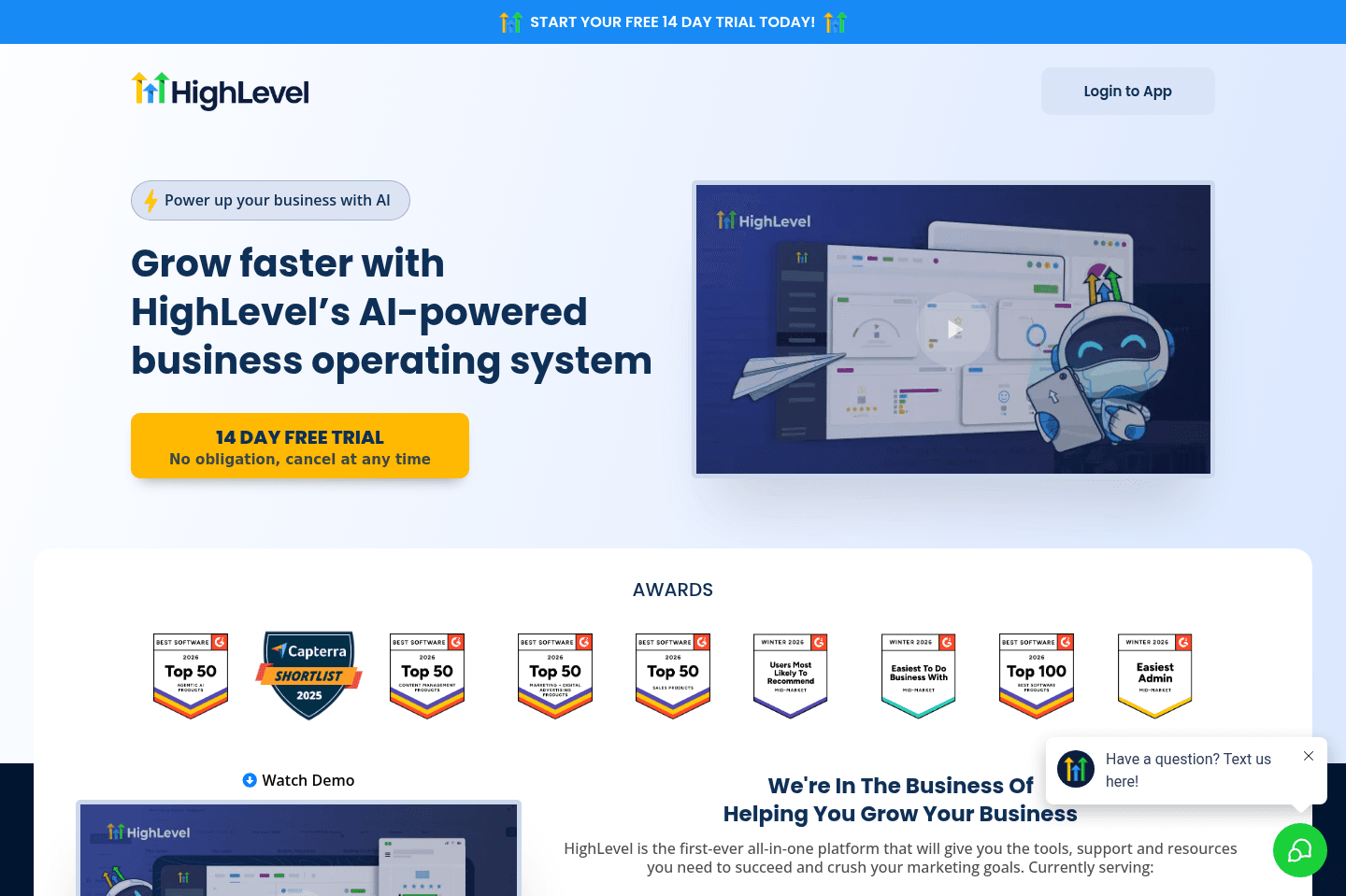
Best for agency resellingWe strongly recommend that you stay away from GoHighLevel and anyone who is trying to get you to purchase a license through them.
What GoHighLevel is actually trying to build (instead of, you know, good software), is a MLM scheme where someone who knows little about actually creating software can re-sell and mark up software subscriptions to their audience. Avoid 🚩
What is GoHighLevel?
What is GoHighLevel?We'll get right to it: Avoid GoHighLevel at all costs.
GoHighLevel is essentially a software MLM. You have people that are trying to start businesses or agencies looking for an additional revenue stream, so they purchase GoHighLevel and re-sell it to their customers. So you have these layers on top of layers on top of layers that are selling GoHighLevel.
This is further messed up because you are purchasing a sub license to someone else's GoHighLevel account. Which means you're forever tied to the person who sold it to you, that is also charging you a premium for it. What if they decide to cancel their main GoHighLevel subscription? Or their payment lapses? Well that impacts you, since you sit under them in the purchasing pyramid.
Oh, not to mention you don't own any of your data either. If you want to truly run a business who a good software foundation, do not sign up for GoHighLevel.
Pros and Cons
Pros and ConsPros
Pros- Combines many marketing tools into one platform
- White-label capability allows agencies to resell the platform
- Attractive pricing compared to buying multiple standalone tools
Cons
Cons- Interface is cluttered and often slow
- Account structure can create data ownership risks
- Requires significant setup and technical configuration
- Features are shallow compared to dedicated tools
- Functionality underdeveloped in most areas
- Frustrating user experience
- Heavy reseller culture makes support and onboarding inconsistent
CRM
CRMOne of the biggest things to understand about GoHighLevel is that it was never built as a true CRM platform.
The product was originally designed as:
- A white-label platform for marketing agencies
- A funnel and automation tool
- A system agencies could resell to their clients
All-In-One Platform
All-In-One PlatformGoHighLevel tries to cram an overwhelming number of tools into one platform. We know that sounds appealing for small businesses looking to simplify their tech stack. But don't fall for it. The tradeoff is that almost every feature they offer feels underdeveloped and frustrating to use.
Very little polish seems to have gone into the actual product. You notice it immediately through things like spelling mistakes in the UI, clunky workflows, slow performance, and features that feel unfinished.
A lot of the platform feels built to satisfy a marketing checklist rather than to genuinely create a great user experience.
White-Label Agency Platform
White-Label Agency PlatformOne of GoHighLevel's defining features is its ability to be completely white-labeled. Agencies can brand the platform as their own software and resell subscriptions to their clients.
But this is what you have to know: GHL is a MLM. The entire reason is exists is so that someone can "start a business" and "sell something".
My physical therapist mentioned that he was convinced by a marketer to adopt GoHighLevel for lead generation.
When he started questioning some of the spammy tactics and performance issues he was seeing, the person who sold him the software basically told him he "just wasn't working hard enough." That kind of culture tends to show up around tools that are heavily resold rather than built for long-term operational use.
Pricing
Pricing- Starter: $97/mo. Best for small businesses that want basic lead capture, CRM pipelines, booking tools, and marketing automation in one platform.
- Unlimited: $297/mo. Best for agencies that want higher customizability and API access.
- White-Label/Agency (add-on): Pricing varies. Designed for agencies that want to fully rebrand the platform, create a custom desktop app, and resell the software to their own clients.
Close
For sales-focused cold outreach via VoIP
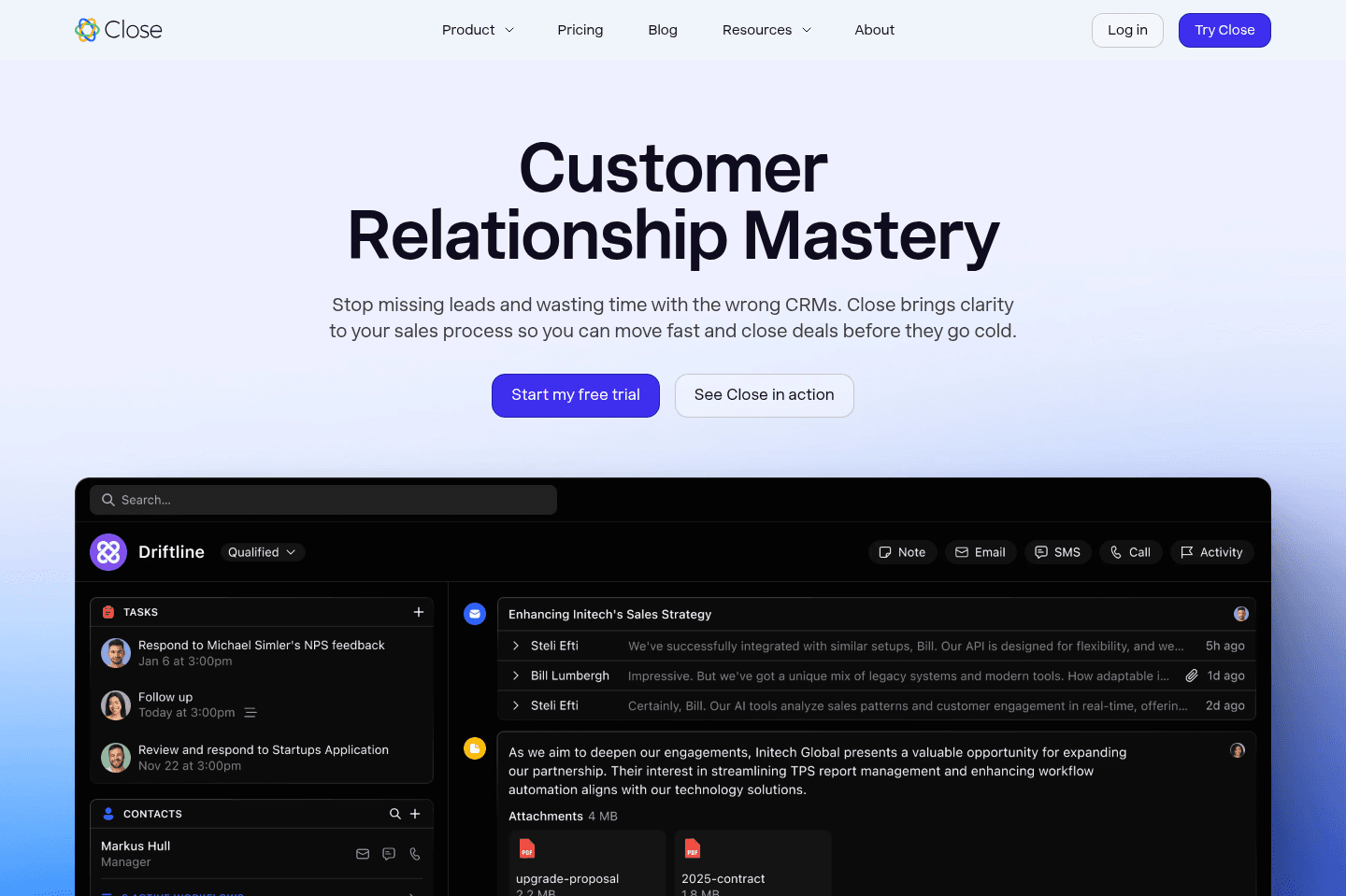
For sales-focused cold outreach via VoIPClose locks you into its built-in VoIP and autodialer, so unless your sales team lives and breathes high-volume phone outreach and is willing to pay a steep premium for that one feature, it's not worth it.
For anyone else, especially small teams or those needing flexibility, better integration, or more than basic CRM features, you'll hit frustrating limits fast, skip it unless you're chasing that autodialer above all else.
What is Close?
What is Close?Close is a CRM built primarily for sales teams that rely heavily on phone calls and SMS messaging to move deals forward. It's different from other CRMs that focus more on contact management and pipeline tracking. Close essentially tries to bring communication directly into the platform by bundling a built-in VoIP system with SMS messaging and email syncing.
It's different for sure, but it does mean your sales team can spend most of their day inside Close instead of jumping between multiple tools. For companies running high-volume outbound sales, especially teams doing a lot of cold calling, this can actually be pretty useful.
Close does the dialing tools and built-in communication workflows well, but it misses the mark on creating limitations with external tools, and the fact that some parts of the platform feel more like early versions rather than fully mature features makes for a disappointing pair.
Compared to tools we usually recommend for small businesses, Close feels hyper-specialized and a bit rigid. If your team spends all day making calls, Close might make sense. But for most SMBs looking for a flexible CRM to manage relationships and sales pipelines, there are far better options.
Pros and Cons
Pros and ConsPros
Pros- Native calling and SMS functionality inside the CRM
- Sales sequences combine email, SMS, and call reminders
- Built-in autodialer designed for high-volume outbound sales
- Good option for teams running aggressive outbound sales motions
Cons
Cons- Limited pipeline flexibility on lower tiers
- Mobile app support has lagged behind competitors
- Email experience is weaker than modern inbox tools like Gmail
- Expensive pricing with a 3-seat minimum even at the lowest tier
- Some features feel like early versions rather than polished solutions
- Forces you into using their built-in VoIP instead of integrating external tools
Key Features
Key FeaturesAuto-Dialer & Built-In Calling
Auto-Dialer & Built-In CallingClose is a "specialist tool," because it offers a VoIP setup that makes it possible for sales reps to load a list of leads and automatically call through them one by one. Their system connects the rep when someone finally answers, pauses between calls for note-taking, and then continues dialing.
It works great specifically for teams doing a lot of outbound calling, but this isn't really helpful for someone who needs a well-rounded CRM tool. It's also not ideal if your team is already using (and prefers) tools like Dialpad or Aircall because Close doesn't make it easy to connect them.
Email Syncing and Activity Tracking
Email Syncing and Activity TrackingClose does a good job syncing email conversations into the CRM. When you connect your Google Workspace or Microsoft 365 account, it can retroactively pull past emails into the system so you have a full history of conversations with contacts. While it's not quite as advanced as some CRM integrations we've seen, it's still better than what many competitors provide.
AI Features
AI FeaturesClose's AI features (like call transcription, summaries, and data enrichment) are useful, but they're more about saving time than completely taking control of your workflow.
With that said, some are more useful than others. For example, summaries help reps avoid manual note-taking, but data enrichment gives you context before a call, which is genuinely helpful day-to-day. That said, our favorite AI note taker is Granola which can be used alongside any CRM.
Pricing
Pricing- Essentials: $49/mo per user. Best for small sales teams that want a CRM with additional communication capabilities.
- Growth: $109/mo per user. Best for teams that want to automate parts of their sales workflow.
- Scale: $149/mo per user. Best for larger teams that need more advanced control and dialing capabilities.
- Enterprise: Custom pricing. Designed for large organizations with complex CRM needs.
Not a tool. A hire.
Streak
For individuals looking for Google Sheets but CRM
For individuals looking for Google Sheets but CRMStreak acts like a CRM inside your Gmail but quickly bogs everything down and turns messy if you have any real volume, basically feeling like a clunky spreadsheet bolted onto your inbox. Unless you are dead set on running your CRM out of Google Sheets and refuse to use anything else, you should avoid Streak.
What is Streak?
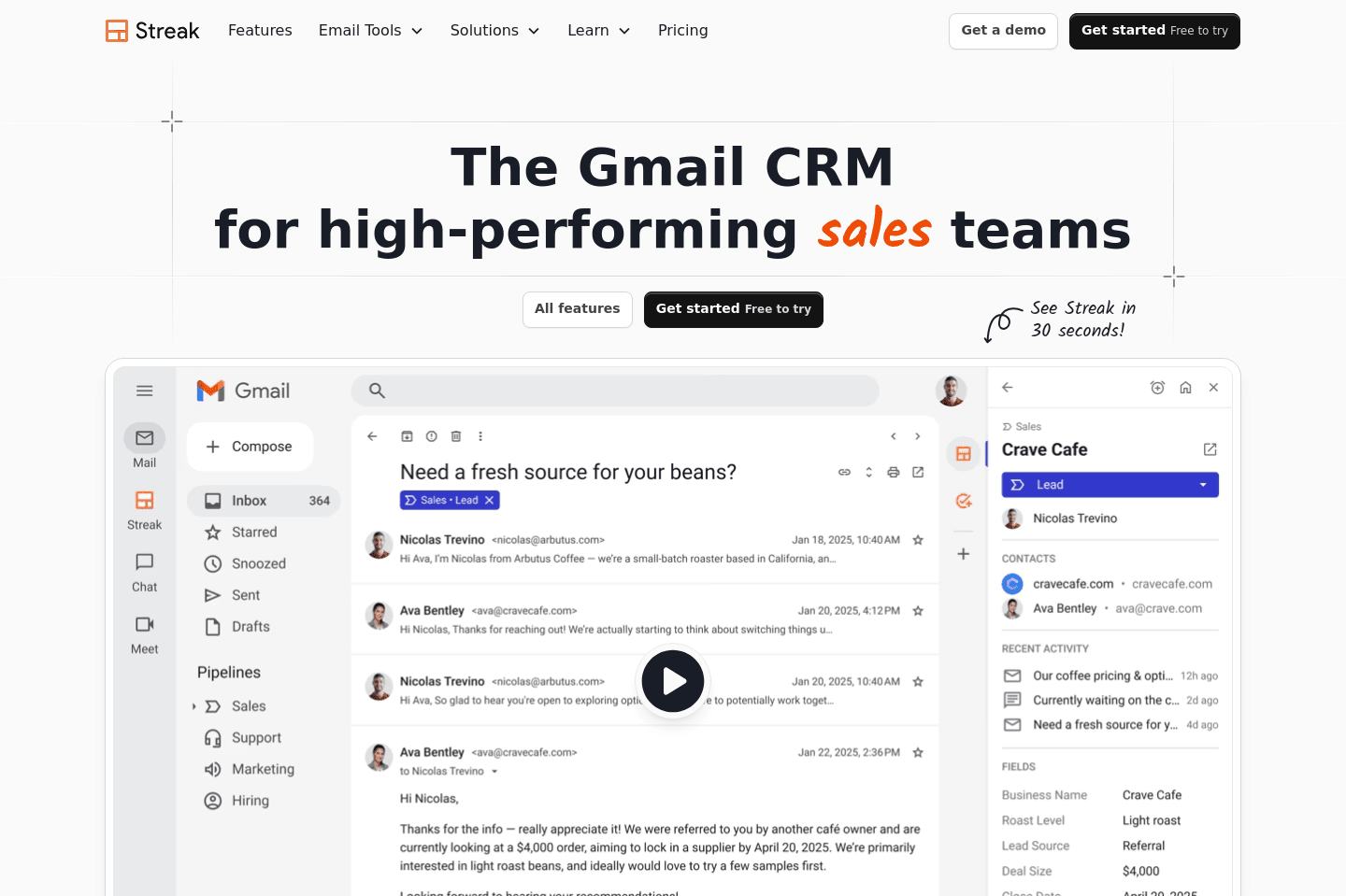
What is Streak?Streak is a CRM that runs from right inside Gmail, so instead of living in a separate dashboard, like most traditional CRM systems, Streak lets you track your interactions from right inside your inbox.
It organizes work using pipelines and "boxes." If you’ve ever managed leads in a spreadsheet, the experience will feel familiar. Funny enough, a lot of teams describe Streak as feeling like a Google Sheet that lives inside Gmail.
We've seen a few small teams try it out because of how quick it is to start using. When you're a solo founder or a two-person team handling sales directly from your inbox, Streak can feel super convenient.
You don't have to train anyone on a new tool, and everything is tied to your existing email threads. But when your teams grow, you start to see its limitations. A huge one being that, because the system behaves so much like a spreadsheet, teams start to create inconsistent data and messy records across different processes. But even if you're a 1-2 person team, we still recommend using folk over Streak.
Overall, Streak does a great job at making CRM feel lightweight and easy to adopt, especially for Gmail-heavy workflows. But it lacks the structure, performance, and scalability that growing companies usually need from a CRM. When comparing Streak vs Copper CRM, Streak tends to feel more like a temporary solution than a long-term system of record.
Pros and Cons
Pros and ConsPros
Pros- Quick and easy to start using
- Built-in mail merge for simple outreach campaigns
- Email threads automatically connect to deals and contacts
- Runs directly inside Gmail with no separate CRM interface
- Simple pipeline structure that feels familiar to spreadsheet users
Cons
Cons- Can slow down Gmail performance
- Limited structure and reporting compared to full CRMs
- Automation features are basic compared to other CRMs
- Teams often outgrow it once they scale beyond a few users
- Spreadsheet-style structure can lead to messy data over time
Key Features
Key FeaturesGmail-Native CRM
Gmail-Native CRMStreak runs directly from inside Gmail. You can manage your pipelines and track your conversations all without ever having to leave your inbox.
But as you grow and contacts increase many have noticed it slows your Gmail WAY down making it near unusable.
Pipeline Management
Pipeline ManagementSince pipelines are so flexible and spreadsheet-like, teams will start storing important information in inconsistent ways.
One person might track deal value in a column, another in notes, another in a custom field. As time goes on your CRM stops acting like a clean system of record and starts looking more like a collection of loosely connected spreadsheets.
Email Tracking and Mail Merge
Email Tracking and Mail MergeBecause Streak lives inside Gmail, it naturally connects email conversations with contacts and pipeline items. It also includes a built-in mail merge feature for sending bulk outreach emails.
When we're talking simple campaigns, it's okay, but once you start needing advanced outreach or deliverability controls, you'll be looking for a new tool. By then, migration might be difficult, especially if your team had been sending outreach directly from your primary Gmail account, causing lasting deliverability issues without knowing.
Pricing
Pricing- Pro: $59/mo per user. Best for small teams that want a CRM to collaborate on deals and pipelines.
- Pro+: $89/mo per user. Best for growing teams that need automation and reporting capabilities.
- Enterprise: $159/mo per user. Best for large teams that need more control over permissions and data management.
What is Notion?
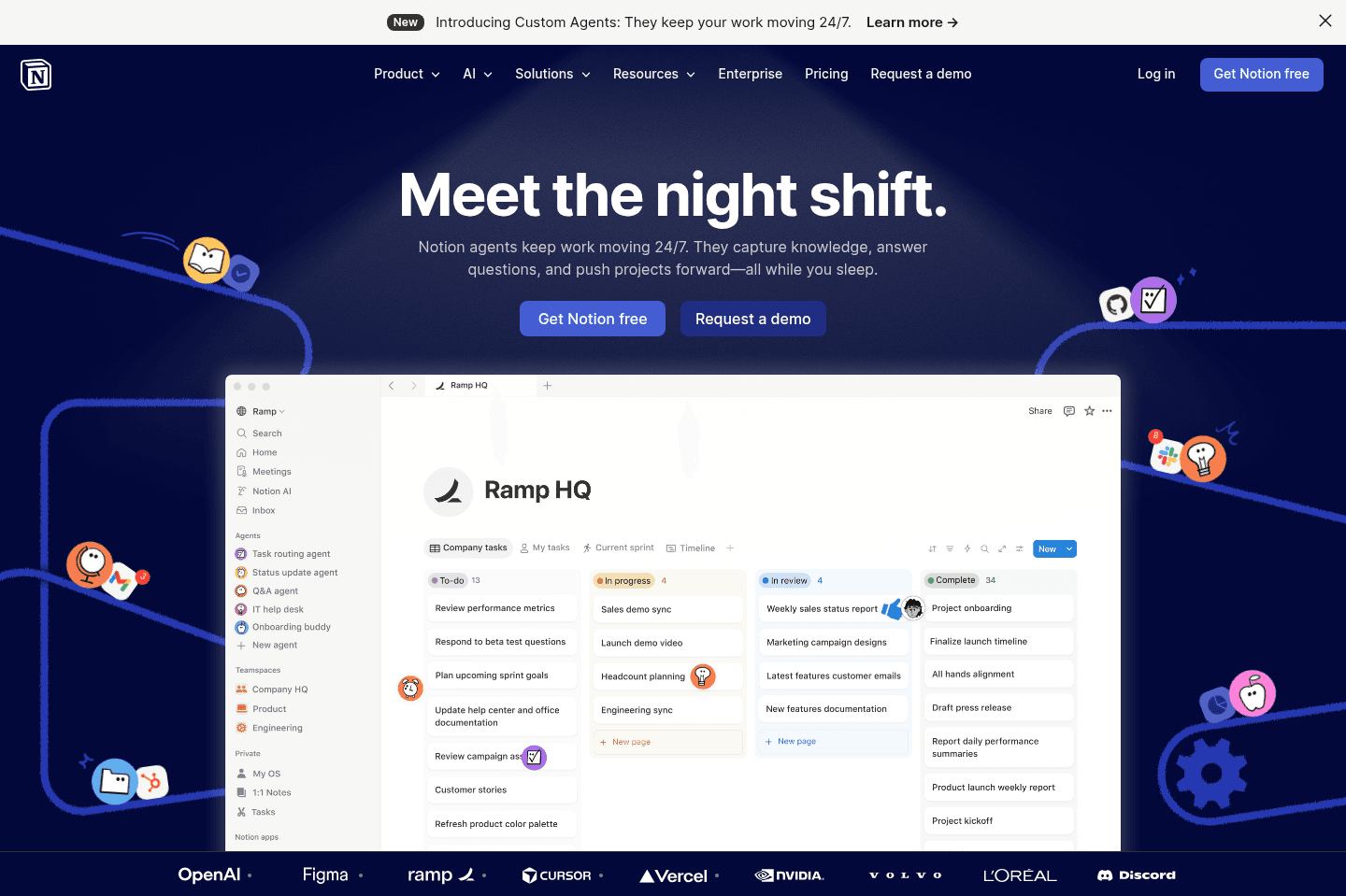
What is Notion?Notion is a knowledge base, not a CRM. Although, Notion market's itself as a no code tool where you can "build anything".
One of the use cases that comes up is using Notion as as CRM...which we will scream from the rooftops: it's a terrible idea.
Sure, you can start with a CRM template, add properties, create Kanban views, track deal stages, and technically build something that looks like a sales pipeline. But the big difference is that you're not really implementing a CRM. You are building a fancy contact book inside a blank-slate workspace 😅
So, you essentially end up becoming a product manager where your whole team is relying on you to make sure that the CRM is working right. And that's exactly the problem. A real CRM has already thought through all the logistics. But with Notion, you're the one deciding how all the fields should work, all while maintaining it when it breaks, plus trying to get the rest of the team to use it "correctly."
Not to mention, Notion doesn't automatically ingest your emails or activity (the sole thing that makes a CRM, a CRM). Here are 5 more reasons as to why not to use Notion as a CRM.
If you want something simple like Notion but with full functionality, we recommend folk instead.
Pros and Cons
Pros and ConsPros
- Highly customizable
- Can work as a temporary contact book for super low volume
- May be good enough for solopreneurs who only need a basic contact list
Cons
- Requires a ton of manual upkeep
- Reporting and analytics are limited
- It gets disorganized as the company grows
- Doesn't properly track engagement and activity
- Doesn't ingest emails or any contact activity
- Templates can break and require outside help to fix
- Team becomes dependent on whoever built the system
- Just don't do it :)
Key Features
Key FeaturesCustomizable CRM Templates
Customizable CRM TemplatesThe main appeal of using Notion as a CRM is that you can customize almost everything. You can go in and create contact databases, company pages, deal stages, tags, notes, task fields, and different views depending on how your team wants to work. Oooo customizability, that's great, right?
No. It's a trap that just means you'll have to figure out how you should build a CRM. How does a CRM function? What are important fields? What are the complexities involved? A proper CRM has already made those decisions for you because that is literally what you are paying for. With Notion, you are making those decisions yourself, without realizing how many issues you're causing for your future self.
If you want to build a CRM, change careers. Don't build one for your current company.
Pipeline Views + Deal Tracking
Pipeline Views + Deal TrackingNotion can give you visual pipeline views. So yes, you can create something that looks like a sales pipeline. You can drag opportunities from "Lead" to "Qualified" to "Closed Won" and make it feel like a CRM.
But the issue is that the view isn't what makes a CRM. The CRM functionality, like communication history (emails) and engagement scoring, is what matters the most.
Notion can show you a deal stage, but it's not going to automatically tell you that a customer clicked an email three times and should probably be prioritized.
All-In-One Workspace
All-In-One WorkspaceNotion's biggest strength is that it can hold a lot of your company's information in one place. Notes, internal wikis, project plans, and lightweight databases can all live together. So, people are tempted to add their CRM into Notion, too. It feels convenient when everything lives in one place.
Yeah, unfortunately, customer relationships are not just another internal document.
A CRM should be the central hub for your customer communication, and it really can't be dumbed down to a nicely organized page where people manually paste updates. We've seen it before where teams will copy and paste client emails into Notion just to keep records updated, and that kind of workflow lasts about two weeks before everyone gives up. It is a horrible time-sink.
Automations + AI
Automations + AINotion does have automations, and its newer AI features may help with simple summarization and updating but no amount of heavy lifting from AI can fix the core CRM problem.
It still doesn't turn Notion into a proper relationship management system. You can make Notion smarter, but you're still building on top of something that was not designed to be your company's unique CRM.
Pricing
Pricing- Free: $0/mo per user.
- Plus: $10/mo per user. Best for small teams and professionals that want unlimited blocks, file uploads, forms, and collaborative workspaces.
- Business: $20/mo per user. Best for growing companies that need AI features, advanced permissions, SSO, private teamspaces, and enterprise search.
- Enterprise: Custom pricing. Best for large organizations that need advanced security, compliance, user provisioning, audit logs, and centralized administration.
Not a tool. A hire.
Our Final Verdict


Best CRM, who wins?
Best CRM, who wins?If you're a team that is using AI tools in your business and you want an AI-first CRM, Lightfield is the way to go. It's the most modern and savvy, and what we use. It's best for growing teams who want to lay the foundation for scale in the decade to come.
Go with folk if you're a solopreneur or you have 1-2 person small team that hasn't used a CRM before. It's the most simple and basic to get up and running.
If you're in the home-services space, it's a no-brainer to choose Wonderly.


CRM Software FAQs
Get quick answers about how we evaluate tools, what moves apps up or down our list, and how to choose the right crm software for your business.
What is the best AI CRM?
What is the best AI CRM?Lightfield is the only true AI-native CRM we've used. Unlike HubSpot, Salesforce, Pipedrive, and Attio which bolt AI features onto systems designed years before AI, Lightfield lets you configure fields, build automations, and pull reports entirely through AI chat.
For a modern, fast-growing team that wants an AI-first (not just AI-assisted) CRM, Lightfield is our top pick.
What is an AI-native CRM (and how is it different from AI features bolted onto a CRM)?
What is an AI-native CRM (and how is it different from AI features bolted onto a CRM)?Is Google Sheets a CRM?
Is Google Sheets a CRM?Is Notion a CRM?
Is Notion a CRM?Is Airtable a CRM?
Is Airtable a CRM?Is Zapier a CRM tool?
Is Zapier a CRM tool?Should I use multiple CRMs for different business divisions?
Should I use multiple CRMs for different business divisions?Still have questions?
Read more FAQs