 RampBest
Best for startups and tech-forward businesses
Best for startups and tech-forward businesses BILL Spend & ExpenseBest
Best for small businesses
Best for small businesses MercuryRecommended
Best for all-in-one banking and expense management
Best for all-in-one banking and expense management AirwallexRecommended
Best for global spend & multi-currency
Best for global spend & multi-currency Expensify
For those who don't want to switch credit cards
For those who don't want to switch credit cards Brex
BrexFor startups using Capital One as their business bank
For startups using Capital One as their business bank Rippling
For enterprise teams already using Rippling elsewhere
For enterprise teams already using Rippling elsewhere
Best Expense Management Software at a Glance

Watch the Full Breakdown
Expense Management Software Overview
What is the Best Expense Management Software?
What is the Best Expense Management Software?Ramp is the best expense management software if you're a scaling modern business and you have at least 25K in your bank account.
If you're a smaller business and hold a balance of less than $25K, then BILL Spend & Expense if the best tool for you.
We used BILL Spend & Expense for 5+ years (and loved it), and have been using Ramp in our current business for the past year.
What Matters Most
What Matters MostWe asked 66 businesses shopping for expense management software what mattered most:
- Integrations with accounting software: 65%
- Best cash back rate: 30%
Ramp tends to integrate with more accounting tools. If you Quickbooks Online, both Ramp and BILL Spend & Expense will integrate. But we use Kick for our accounting, and it only integrates with Ramp at the moment.
In terms of cash back, both BILL Spend & Expense and Ramp are similar.
Bank Minimums
Bank MinimumsBILL Spend & Expense: No bank minimum
Ramp: $25K bank minimum
When we asked business owners how much cash they kept in their account, here's what they said:
- Between $1,000 and $65,000: 73%
- At least $75,000: 12%
- At least $1 million: 15%
So if you're in the $75K+ group, consider Ramp. If you're less than 25K, then BILL Spend & Expense is a no brainer.
Expense Management Software Explained
Expense Management Software ExplainedThis software category is quite new, so if you haven't heard of it, prepare to have your mind blown 🤯
Expense management software replaces your need for a traditional business credit card, is totally free to use (no fees, no subscription required), will give you cash back on your business purchases (literally cash in your account), and protect you from unwanted charges on your credit card.
Now that we've got your attention, we'll explain.
With modern expense management solutions you can quickly create virtual and physical credit cards with set budgets. This comes in handy for a myriad of reasons:
Unique Credit Cards For Each Vendor
Unique Credit Cards For Each VendorWhen you sign up for software or purchase something, you can quickly create a virtual credit card, put it on file, and freeze the card so no further purchases can be made with it.
So say for example, you want to try a new software and sign up for a free trial, simply create a virtual card to put on the account. Want to keep the subscription? Unfreeze the card and set the monthly or yearly budget for the card. If you forget? Well, the card can't be charged because you froze it. This puts you in total control.
We create and use virtual credit cards for each of our software subscriptions and vendors (well, all of our business purchases to be exact). If a software subscription decides to raise their price on us, well guess what? Our card can't be charged because we set a specific budget based on what our expected price would be. This allows us always be on-top of our spending decisions.
Team Credit Cards
Team Credit CardsIf you have team members that requires access to a credit card, gone are the days of waiting for your traditional credit card issuer to mail you a new card 👋.
With expense management platforms you can create cards for each team member within seconds. The best part? You can set budgets for each employee and never have to worry about them overspending.
And if someone leaves your company? No problem, log into your expense management platform and freeze the card. And you don't even need to worry about them giving you back the card.
Control & Protection
Control & ProtectionIf it's not clear already, expense management cards give you a ton of control and protection. Because you're putting down a unique credit card number with each vendor, you can easily see there are any unwanted charges (opposed to looking through an end-of-month statement with a traditional credit card).
In fact, one of our vendor's employees was stealing their customers credit cards and taking shopping trips to Home Depot and Walmart. Well, this must have been happening quite a bit under the radar (she was working there for 15 years), but no one really knew what was happening. That is, until we noticed these peculiar charges on our card and knew that our credit card had been stolen since only that vendor had access to it.
We quickly froze the card, and because we were able to confidently able to share with our vendor that someone in their organization had stolen our credit card number, they were able to launch an investigation and discovered it was in-fact one of their team members.
The point here is, most people use one credit card for all of their purchases. If someone steals your credit card number then just think of all the steps you need to go through: cancelling your credit card, and then updating your credit card on file with dozens of other subscriptions and vendors. It's a logistical nightmare and huge time sink. With a virtual card, you simply freeze that card...and you're done.
Benefits of Expense Management Tools
Benefits of Expense Management ToolsAll of the benefits above and there are more? You bet!
Free To Use
Free To UseCredit card interchange is the the main way these expense management platform make revenue. This means that every time you use one of your credit cards, the expense management solution earns a small % of each transaction (at no additional cost to you).
How does this benefit you? Well, it means the expense management software is totally free for you to use. This means you get a beautiful software, with a friendly UI/UX (instead of your banks old interface), and it's totally free. No annual fees, no hidden fees, nothing.
Reward Programs
Reward ProgramsIt gets even better! Not only are these expense management platforms free to use, they even give you cash back rewards from 1-1.5%.
One of the construction companies we recommended BILL Spend & Expense to decided to split the cash back earnings amongst his employees as Christmas time as annual bonuses.
Our Experience with Expense Management Software
Our Experience with Expense Management SoftwareMy journey started with Expensify (The OG) in Feb 2018. Even though was only 5–6 years ago, expense management looked very different when compared with what's available today.
I set up a filter in my email to recognize invoices and auto-forward them over to Expensify. From there, Expensify would auto-classify the expense and add the receipt and expense into QuickBooks Online (QBO).This was a huge time saver for me, and for a few years I was happily paying an annual subscription fee for the service.
Then I found Divvy (now BILL Spend and Expense) through a vendor who asked if they could pay an invoice with a credit card (I had required ACH up until that point), explaining that they had all of their budgeting set up through Divvy (and they had budgetary approval through Divvy for our services already). I was intrigued—and then he gave me a deep-dive overview of their Divvy account, talking about how much he loved it. In looking further into it after that, I learned that Divvy was another expense management solution which allows users to set up virtual credit cards (for each vendor), assign the QBO expense category, and custom limits, along with over-encompassing budgets for each card.
Not only that, but I could set up the same email forwarding filter like I had previously, so not only was the expense added perfectly to QBO, but the receipt got perfectly matched as well. Ever wonder what an auto-reconciling QBO account feels like? Yeah, that's what I had (well, and still have).
Oh! And all of this was totally free—yeah, I didn't believe it initially either...
So yes—I made the exception to accept the CC payment (they got some reward points)—and that was my last day with Expensify. There's many more reasons I'm a fan (more on this below).
Over the years, we evaluated all the core competitors and we kept coming back to BILL Spend & Expense as our top pick for small businesses. BILL Spend & Expense has no bank minimums as an eligibility requirement, so there is literally not one reason we can think of not to use them. Apply for an account here.
That said, as we switched our accounting software to Kick, we started using Ramp as it integrated directly. That said, we love both Ramp and BILL Spend & Expense.
Over the years, we evaluated all the core competitors and we kept coming back to BILL Spend & Expense as our top pick for small businesses. BILL Spend & Expense has no bank minimums as an eligibility requirement, so there is literally not one reason we can think of not to use them. Apply for an account here.
That said, as we switched our accounting software to Kick, we started using Ramp as it integrated directly. That said, we love both Ramp and BILL Spend & Expense.
Best Expense Management Software Ranked & Reviewed
Watch our full breakdown of the top expense management software, how they performed in testing, and what makes each one worth considering
How We Evaluate Expense Management Software
We score each expense management software across reliability, seamless receipt capture, finance visibility & controls, virtual & physical card management, user experience, and hands-on expert evaluation
- ReliabilityDoes the tech work consistently, with no duplicates or missing data?
- Seamless Receipt CaptureDoes spend get logged without chasing people?
- Finance Visibility & ControlsCan finance see and control spend in real time without micro-managing the team?
- Virtual & Physical Card ManagementCan you easily and securely spin up virtual cards?
- User ExperienceIs the tool enjoyable to use, or does the team avoid it because it feels clunky and frustrating?
- Expert EvaluationCurated by, our rankings reflect in-depth testing, industry insights, and hands-on experience.AlexandAndra
Ramp
Best for startups and tech-forward businesses
Best for startups and tech-forward businessesRamp is our top pick in the expense management category for businesses that consistently hold at least $25K in their bank account.
If you're tired of clunky expense reporting, slow corporate card processes, and feeling like your "finance stack" is duct-taped together, Ramp is awesome. We'd absolutely recommend it for modern companies, especially over traditional options like Amex or slow-moving legacy systems. (Oh, and it's totally free 👀)
What is Ramp?
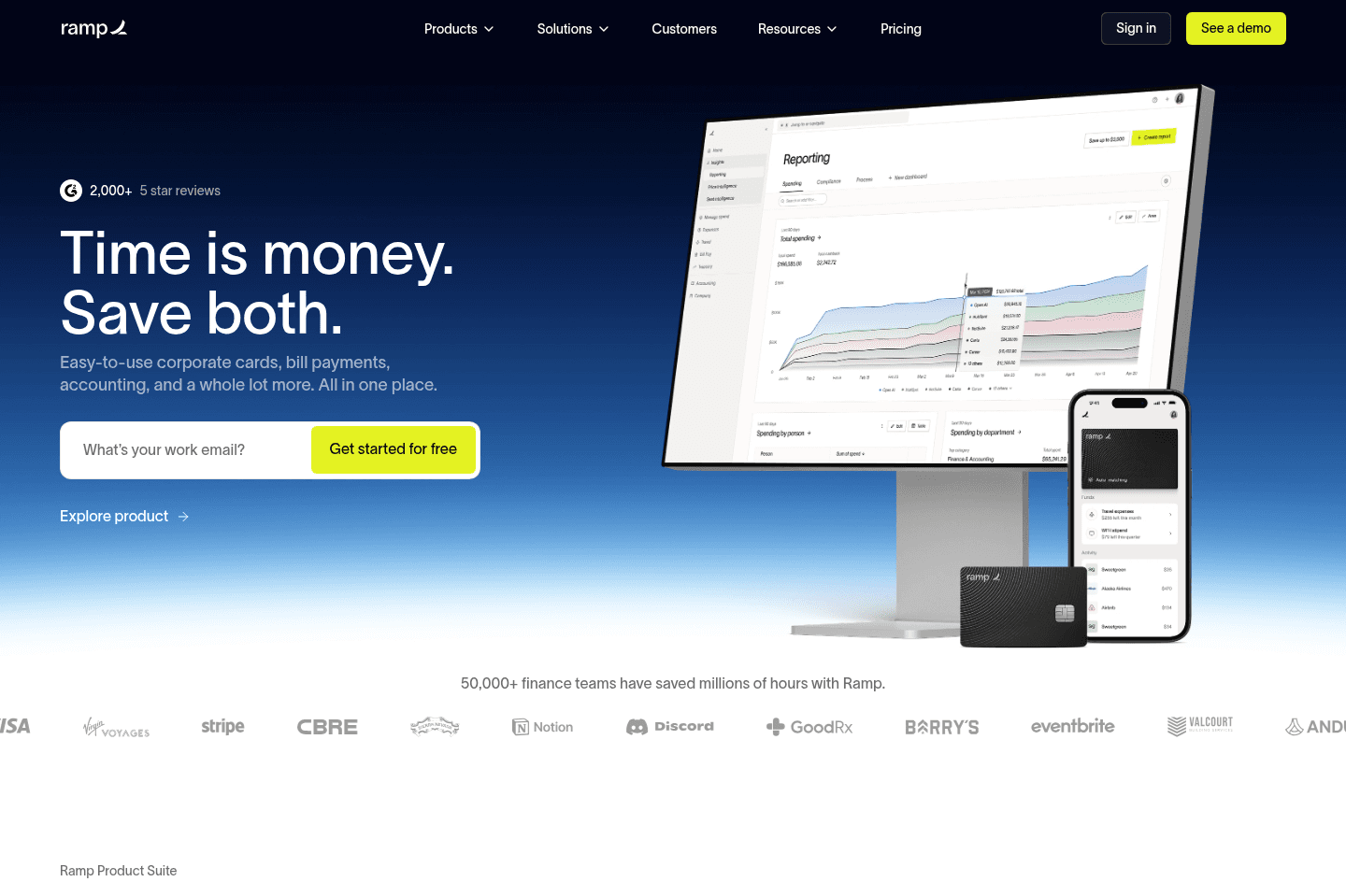
What is Ramp?Ramp is a corporate card and expense management platform designed to help companies control spend, automate finance tasks, and gain real-time visibility into expenses.
It's a leader in the spend/expense management and accounting automation space, with a clean UI/UX, tons of reporting features, and fast search functionality. Ramp is built for small teams to scaling businesses who want better financial control without the friction of traditional banks.
We've been using Ramp for about a year and love it. We're a small team of under 10 people, but have a ton of software subscriptions and Ramp makes it super easy to manage our expenses. Honestly, we hardly ever think about expense management, it just works consistently and accurately as we'd expect it to.
We also love that it feels more like a consumer app than traditional finance software. It's fast and easy to navigate, especially with features like CMD + K search on desktop to find any setting or feature, and SMS receipts while on the go.
If you’re already using something like Expensify or Brex and it’s starting to feel clunky or unreliable, you're going to be stoked with Ramp (we previously used both). And if you’re still using shared business cards like AMEX, spreadsheets, or reimbursements, your life is about to get a lot better 😄
Pros and Cons
Pros and ConsPros
Pros- Easy and fast onboarding
- Clean and intuitive dashboard
- Accounting integrations (QuickBooks, Xero, NetSuite, Kick)
- Amazing receipt capture flexibility (SMS, email, mobile)
- Generous cashback rewards (~1.5%)
- iOS and Android apps
- Free
Cons
Cons- $25K minimum balance required to open an account
Key Features
Key FeaturesVirtual Cards & Spend Controls
Virtual Cards & Spend ControlsWe care about this one because it's come up in real life. When you run everything through one shared card, a problem anywhere becomes a problem everywhere.
With Ramp, we have a card on file with every single vendor/software subscription. If it ever gets compromised, we cancel one card, we're not spending a weekend updating payment details across every tool in the stack.
You can lock cards to specific merchants, set any limit you want, and spin up a one-off card for a vendor and close it the moment the transaction clears.
Automated Expense Management
Automated Expense ManagementTap the card, get a text, reply with a receipt photo. That's genuinely the whole process for your team and no other expense management tool does it this well.
The text messages Ramp sends are friendly and easy, so even your most non-technical team member can use it. Then Ramp handles the categorization, memo, and accounting sync automatically.
Real-Time Visibility & Fast UI
Real-Time Visibility & Fast UITransactions show up almost immediately after a purchase, approvals come with a recommendation so you can move through them fast, and once you discover CMD+K search you'll wonder how you navigated finance software without it. It doesn't sound like much until you've used something slower.
Insights & Spend Intelligence
Insights & Spend IntelligenceRamp surfaces duplicate subscriptions, unusual spending, and cost-saving opportunities automatically. It becomes more valuable as your team and software stack grow.
Pricing
Pricing- Free: $0/mo per user. Best for startups and small businesses that want unlimited corporate cards, automated expense tracking, receipt collection via SMS/email/Slack, bill pay, and accounting integrations.
- Plus: $15/mo per user + platform fee. Best for growing companies that want AI-powered expense reviews, advanced approval workflows, multi-entity support, and deeper ERP integrations.
- Enterprise: Custom pricing. Best for large or global companies needing Workday or Oracle Fusion integrations, dedicated onboarding, and global card issuing.
Worth noting: You need around $25K in your business bank account at signup to get approved. Your credit limit will be based on your cash balance.
Get the latest rankings and insights on top Expense Management apps—delivered to your inbox. Stay ahead with our expert picks and updates.
BILL Spend & Expense
Best for small businesses
Best for small businessesBILL Spend & Expense is the best expense management software for small-medium sized businesses. They are extremely accessible and do not require bank minimums like other expense management tools do.
Plus, it's totally free! We used it for 5+ years and it's the tool Alex's step-father uses in his construction business.

What is BILL Spend & Expense?
What is BILL Spend & Expense?We used BILL Spend & Expense for over five years, back when it was still called Divvy, after it got acquired by BILL. And honestly, when I first started using it, I couldn't believe it was free. The UI/UX is fantastic, the QuickBooks integration is incredibly helpful for automatically reconciling our books, and it basically felt like we had hired a 5-hour a week employee to do our expense management.
It is one of those tools that makes me think: why isn't every small business using this?
The first time we set it up, we created a virtual card for Facebook ads, cards for each of our software subscriptions, and another for a contractor. Each one had a budget limit. It removed 90% of the "what is this charge?" questions.
Expenses showed up in real time, tied to a specific vendor or budget, and synced into accounting automatically with receipts.
We recommended it to a family member who runs a construction business (Alex's step-father), and the reaction was the same as ours, he was totally blown away. Before BILL S&E, sending someone to pick up materials for a job meant handing over the business card and hoping for the best.
With BILL S&E, employees get their own card with a set budget, they can't go over it. And the cash back rewards get pooled and are given out as team bonuses at the end of the year (that was the decision he made since he felt like it was extra money just for using the software).
We did eventually switch to Ramp, but only because we're a software review site and we needed to evaluate it properly. If we weren't doing this work, we'd probably still be on BILL Spend & Expense and have no reason to leave. For most small businesses, it's more than enough, and unlike other tools in this category, there's no bank minimum to get started. You can jump in from day one as a soloprenuer or small team and start getting the benefits immediately.
It's still our top pick for small businesses that want a clean, reliable expense management foundation with any bank minimums.
Pros and Cons
Pros and ConsPros
Pros- Ideal for small businesses
- No bank minimums!
- No annual fees, totally free. No hidden charges (we used it for 5+ years)
- Expenses are tracked and categorized automatically
- Easy to create virtual cards for greater control over purchases/subscriptions
- Credit card rewards
- Each employee can get a card that admins can manage and control
- Budgets and limits can be set at the vendor or card level
Cons
Cons- Reporting and automation are not as deep or flexible as some other platforms
- Can feel slightly rigid for larger companies with complex approval workflows or multiple departments
Key Features
Key FeaturesCredit Card
Credit CardBILL Spend & Expense gives us so much control when it comes to our spending. We can easily create a virtual credit card, set a budget and Quickbooks category within seconds for each different vendor. We simply set a budget for each credit card for the exact amount that we know will be charged. If a subscription service decides to increase their pricing and charge our card, it will decline. And we like that, because we want to be the one deciding if someone should charge us more or not. 💪
Because we're able to put virtual cards down with each vendor, BILL Spend & Expense allowed us (and our vendor) to actually catch a person that committed fraud by stealing and using our credit card 🤯 Of course, the employee of our vendor was fired. Catching them would have been impossible to pin down if we had a generic credit card on file.
Expense Tracking and Reconciliation
Expense Tracking and ReconciliationTransactions are logged in real time and can be categorized right away. Once synced with your accounting software, everything lines up automatically, so month-end reconciliation is faster and less error-prone. This cuts down a lot of the manual cleanup at month-end.
Employee Cards
Employee CardsHave multiple employees that need their own corporate card? Create a card for them and set a spending limit, that's all you need to do. You can change the spending limit for each employee, make it $50 or $500, BILL Spend & Expense cards allow you to be flexible.
If they leave the company, simply freeze the card (you have total control—just think of what the process is like with a typically corporate card. Issuing a new card for an employee is an annoying process, as is cancelling it). Not to mention the positive affect it has on your employees, as they get to feel empowered and like a trusted part of the team.
Accounting Integrations
Accounting IntegrationsBILL Spend & Expense works with QuickBooks Online, QuickBooks Desktop, Oracle NetSuite, and Xero among others. If your system isn't supported, you can still export CSVs and import your data manually. Either way, it keeps your records connected without forcing you to change your existing accounting setup.
Rewards
RewardsThe rewards are pretty standard with others in the business credit card space, getting somewhere around 1–1.5% on all categories, with a bit more in certain categories (higher % when making payments weekly—less if made bi-weekly or monthly).
One customer that we recommended BILL Spend & Expense to started using it and quickly saw his reward balance grow. He decided to use the reward funds as Christmas bonuses for his employees. He said, "it's money that's just sitting there, and if I can give them a little extra to take home at the end of the year, it's something cool I get to do."
Pricing
Pricing- Free: $0/month. This covers everything: expense management software, corporate cards, budgeting + controls, and accounting integrations.
Honestly, I thought we were paying a subscription when I first used BILL S&E, I couldn't believe the software was free since it was that good 😅 (If you're wondering how they're able to do that, they make money on interchange).

Get through your inbox 2x as fast (for teams of all sizes).

Mercury
Best for all-in-one banking and expense management
Best for all-in-one banking and expense managementThe best business banking solution for startups and tech-forward small businesses. We've used so many business banks that got the job done, but Mercury is what business banking should feel like. It makes tedious tasks like invoicing and managing cashflow easy and, dare we say, enjoyable.
If you run a super traditional, check-heavy business and need branch access, keep a legacy bank as backup. But for most tech-forward SMBs, Mercury will give you everything you need. We've been using it for 6+ years, and you couldn't pay us to switch to another bank. Plus you can get a Mercury bank sign up bonus of $250.
What is Mercury?
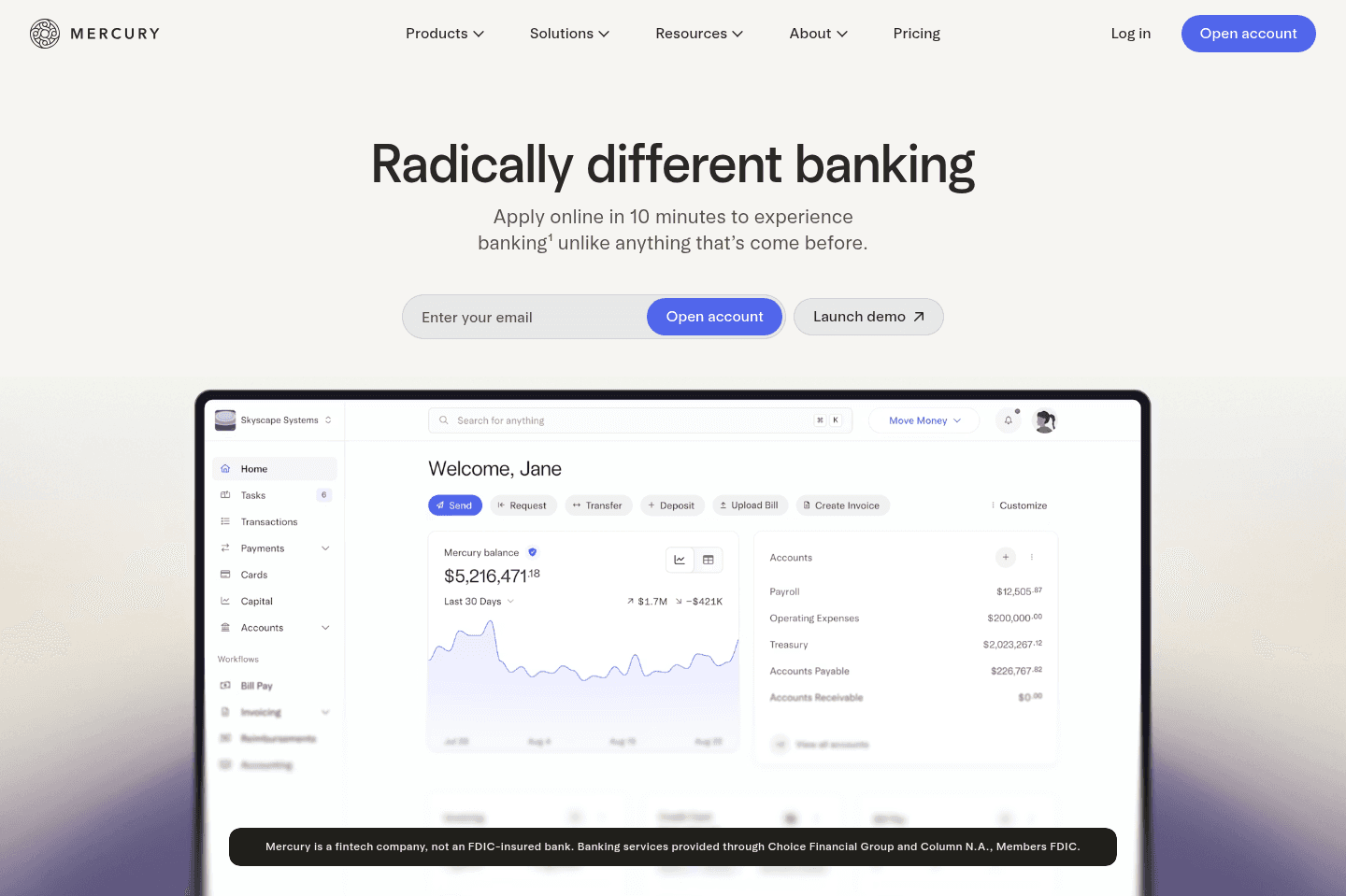
What is Mercury?Mercury is the best business banking platform for US companies. We've tried every business bank out there over the years, and Mercury is truly the best banking solution, regardless of whether you're a small business, startup or large enterprise.
The UI/UX is top-tier. Treasury accounts are built in. You can spin up additional checking accounts in seconds. Invoicing and bill pay actually feel smooth. It just works.
Allocating funds is handled with simple automations, so we're never thinking about setting aside cash for payroll or taxes.
And what you won't get with any other business is a free Mercury Personal account so your money can flow between business and personal accounts quickly and seamlessly. And guess what? Any of your employees can get a free Mercury Personal account too (usually $240/yr).
Mercury has turned us (and many others) into people who say, "I love my bank" and actually mean it.
Pros and Cons
Pros and ConsPros
Pros- No monthly fees or minimums
- Excellent UI/UX
- Powerful sub-account automation
- Fast, simple invoicing and bill pay
- Strong integrations
Cons
Cons- No physical branches
- No physical checkbooks
- Customer support is not instant
Mercury Key Features
Mercury Key FeaturesEasy Setup and No Fees
Easy Setup and No FeesWe all remember the days of spending an afternoon in a stuffy bank with folders full of paperwork just to open a business account. With Mercury, you can open an account online in only a few minutes, for free. There are no monthly fees or minimum balance requirements, and no fees on USD payments or transfers, so even if your business is just getting off the ground, Mercury's tools and features are accessible.
Sub-Accounts with Automated Allocation
Sub-Accounts with Automated AllocationIf you're someone who uses the "envelope method," you'll love Mercury's sub-accounts. Once your primary account is created, you can set up as many additional checking or savings accounts as you'd like.
Having this option shifts money management from reactive to automatic. Instead of budgeting in spreadsheets or creating reminders to set aside funds for taxes, use Mercury to create separate accounts for things like payroll and taxes, then let automatic transfer rules do the rest. It's simple, but it completely changes the way you think about cash management.
Invoicing and Bill Pay
Invoicing and Bill PayI actually enjoy creating invoices in Mercury, and I'm not exaggerating. It just has a simple, clutter free interface, that isn't distracting or doesn't make me jump though hoops just to get the task done.
Time to pay a vendor? Literally drag and drop the bill into your dashboard or forward it to your bill pay inbox, and Mercury automatically populates and scans it. Then, in just a few clicks, you can take care of sending the payment, categorizing the expense, and even setting up recurring payments. Invoices are similarly smooth and will have you on your way to getting paid in minutes
Treasury Yield + $5M FDIC Coverage
Treasury Yield + $5M FDIC CoverageMercury is not a traditional bank, but all checking and savings deposits are safe, sound, and FDIC-insured up to $5M through partner banks and sweep networks. Plus, your idle cash can earn interest instead of sitting at near-zero in a traditional bank.
Unlike a lot of the other high-yield investment options, Mercury Treasury makes transfers actually fast, even same-day.
Free Personal Accounts
Free Personal AccountsWe've been Mercury personal account users for a while now, and even paid their $240 annual fee for a while because we just wanted the same Mercury banking experience for personal use too.
But now, any Mercury business account user can get a free personal account, which is a huge bonus. Remember those quick, intuitive features and tools we mentioned earlier? You can use those to simplify your personal finances, too. Plus, with everything under one roof, transfers between your business and personal accounts are almost instant.
Mercury Pricing
Mercury Pricing- Free: $0/mo. Best for startups and small businesses that need a powerful free business bank account (We're on this tier).
- Plus: $35/mo (or $29.90/mo billed annually). Best for growing businesses that want advanced invoicing, ACH debit collection, expense reimbursements for larger teams, and enhanced accounting automations.
- Pro: $350/mo (or $299/mo billed annually). Best for businesses with complex operations that need a relationship manager, unlimited invoicing via API, ACH debit with $0 transaction fees, and support for large teams.
Disclaimer: Mercury is a fintech company, not an FDIC-insured bank. Banking services provided through Choice Financial Group and Column N.A., Members FDIC. Deposit insurance covers the failure of an insured bank.
Airwallex
Best for global spend & multi-currency
Best for global spend & multi-currencyWe are huge fans of Airwallex for businesses that operate internationally and want to accept money across borders. With Airwallex, your customers can pay in their local currency, and you can keep the money in that currency (no forced conversions!). Better yet, you can spend funds locally using Airwallex's built-in expense management and multi-currency corporate cards.
This is our top pick for multi-currency payments, and we way prefer it over Wise. Wise is great for simple transfers. Airwallex is built for running an actual business globally.
What is Airwallex?
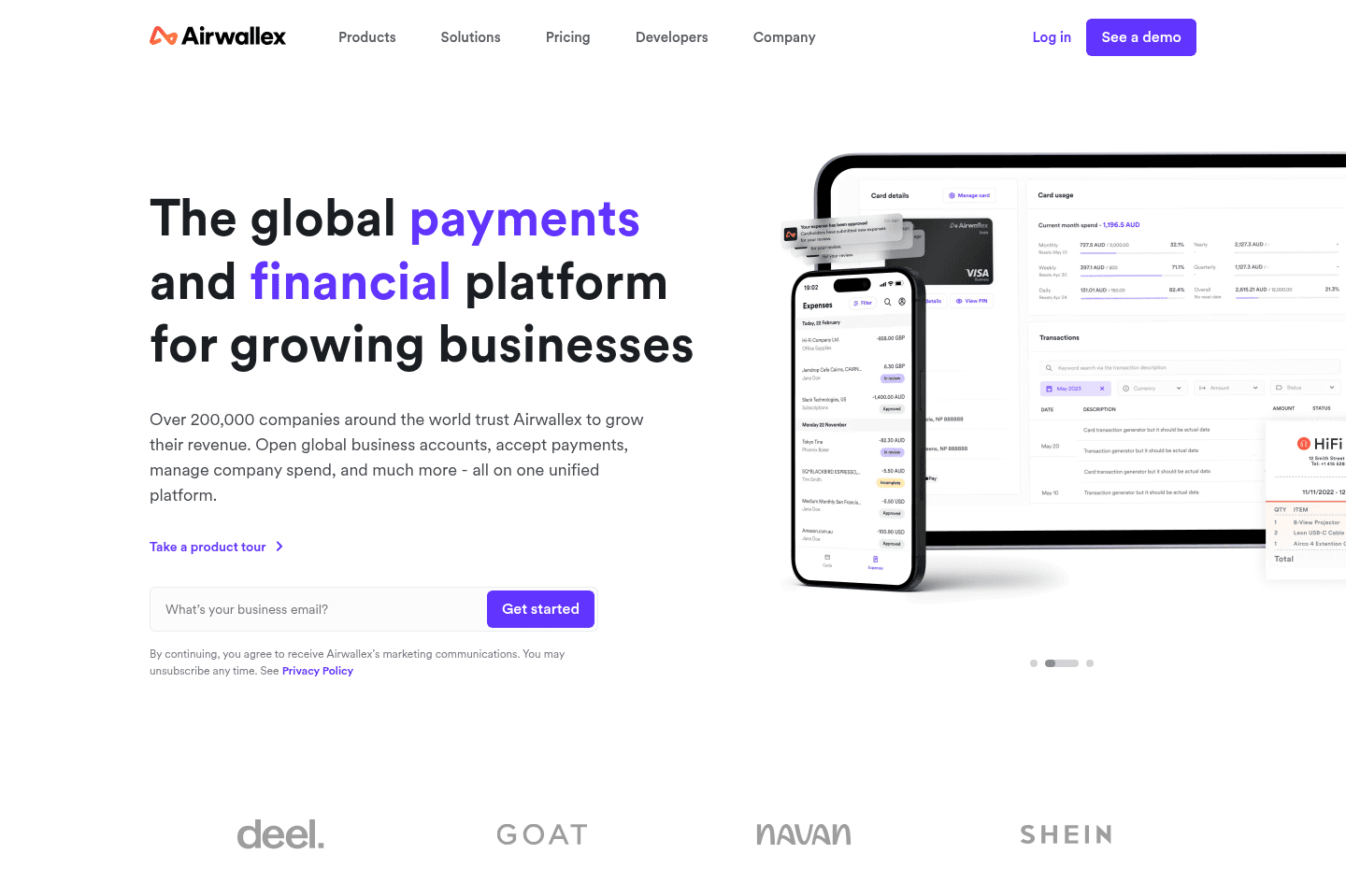
What is Airwallex?Airwallex is a global finance platform built for businesses that operate internationally. It helps companies collect payments, send payouts, and manage money across multiple currencies without relying on traditional banks. The biggest advantage is that you can receive payments in local currencies and keep those funds in that currency. That means no forced conversions and fewer FX fees when paying global vendors or contractors.
Airwallex is a great fit for global businesses like ecommerce brands selling internationally, marketplaces handling payouts, or any company paying overseas contractors.
But if your business only operates domestically and rarely deals with foreign currencies, Airwallex is probably more than you need.
Pros and Cons
Pros and ConsPros
Pros- Multi-currency accounts with local bank details
- Global payouts to 200+ countries in 60+ currencies
- Competitive FX rates compared to traditional banks
- Built-in corporate cards and expense controls that work globally
- Integrations with platforms like Shopify, WooCommerce, Xero, and QuickBooks
- Free business account
Cons
Cons- Overkill for businesses operating in a single currency
- Some advanced features geared toward global teams
Key Features
Key FeaturesMulti-Currency Accounts
Multi-Currency AccountsAirwallex lets businesses create local bank accounts in multiple currencies, including USD, EUR, GBP, and AUD. This allows companies to collect payments like a local business in different countries and hold those funds without immediate conversion.
Global Payouts
Global PayoutsBusinesses can send payments to vendors and contractors in 200+ countries using local payment rails. This usually means faster transfers and lower fees compared to traditional international wires.
Corporate Cards and Expense Management
Corporate Cards and Expense ManagementAirwallex includes virtual and physical corporate cards. They make things like spend control, budgeting, and expense tracking so much easier.
But what's really cool is that you can spend directly from foreign currency balances with Airwallex. So get paid $10k in USD and pay your US vendors in USD without ever converting the funds.
Pricing
PricingAirwallex offers a free business account, so it's super easy to get started without up-front costs. (A no-brainer!)
- Explore: Free. Best for startups and small businesses that want multi-currency accounts, global transfers, and corporate cards without paying a monthly fee.
- Grow: Paid plan designed for scaling businesses that need more advanced spend controls, expense management, and financial automation tools.
- Accelerate: Higher-tier plan built for larger companies with complex financial operations and higher transaction volumes.
In addition to subscription tiers, Airwallex charges transaction-based fees depending on how you use the platform. FX conversions typically include a tiny markup above the interbank rate, which is still significantly cheaper than most traditional banks.
Get through your inbox 2x as fast (for teams of all sizes).
Expensify
For those who don't want to switch credit cards
For those who don't want to switch credit cardsExpensify handles receipt scraping and syncing with accounting software, but falls short compared to newer expense management tools that start with virtual credit cards for smoother categorization. Skip Expensify unless you only need basic receipt forwarding, since more modern options do the job better.
What is Expensify?
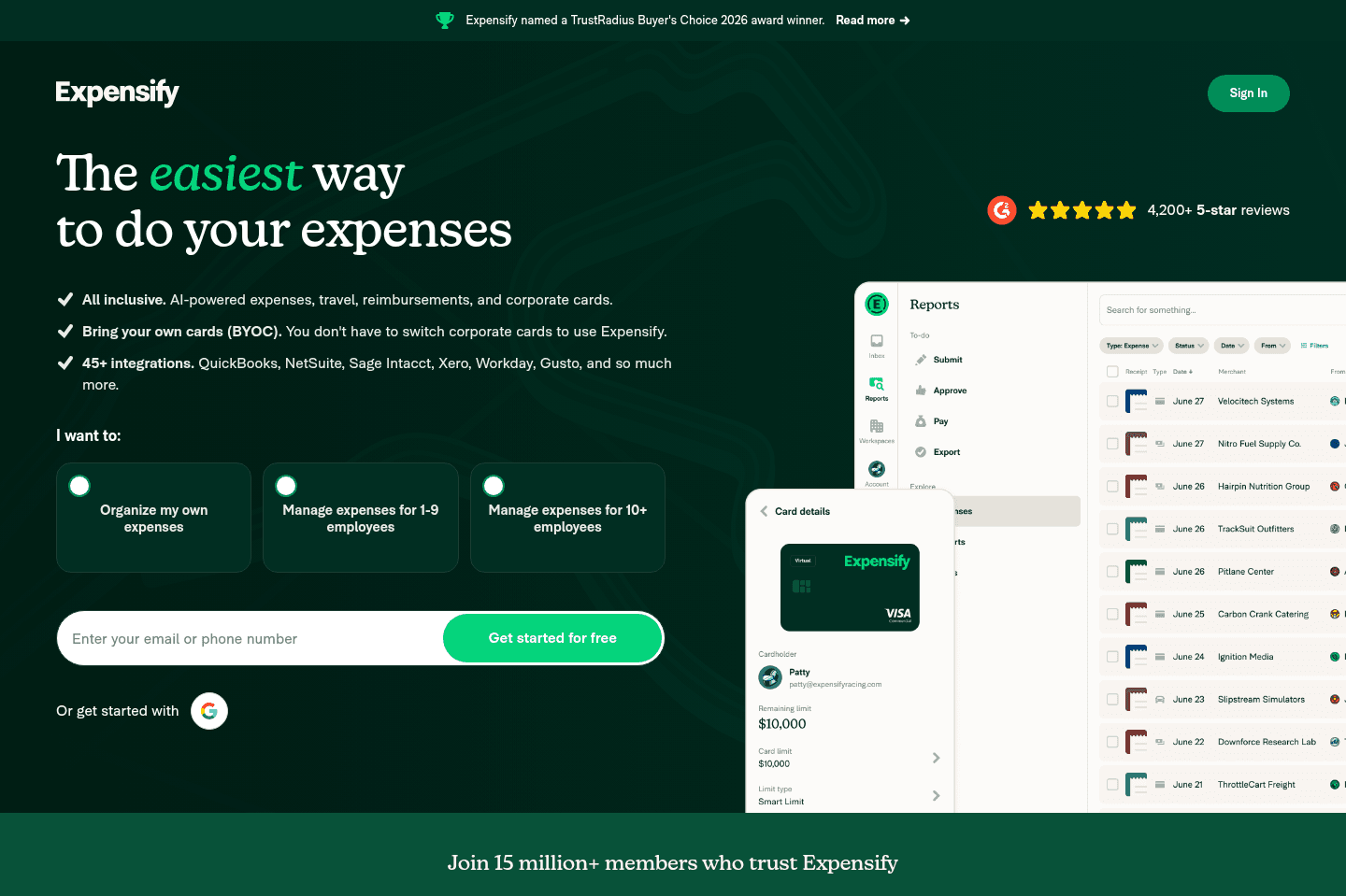
What is Expensify?Expensify is one of the original expense management solutions on the market. It gives companies the ability to scan receipts, submit expense reports, reimburse employees, and sync all of that to accounting software.
We actually used Expensify for the first few years in business. It started as a simple invoice/receipt scraping tool that you'd forward your receipts into receipts@expensifydotcom via email, and it would pull out all of the details, learn from past classifications, and sync that over to your accounting software like QBO or Xero.
They have more recently moved into the virtual credit card experience, realizing that if the charge starts with a virtual credit card, all the categorization is way more consistent and seamless.
But if you're a modern SMB looking for a modern expense management tool with great automation built in, Expensify just feels a bit…legacy.
Pros and Cons
Pros and ConsPros
Pros- Easy receipt scanning and expense submission
- Supports bring your own cards (10k+ banks globally)
- Accounting integrations (QuickBooks, NetSuite, Xero, etc.)
Cons
Cons- Still built around traditional expense reports
- Less opinionated real-time spend control compared to card-first platforms
- Per-member pricing can add up as your team scales
- It's an older tool, the features that used to make it stand out just aren't unique or cutting edge anymore
Key Features
Key FeaturesBring Your Own Cards (BYOC)
Bring Your Own Cards (BYOC)Expensify is the only expense management solution on this list that lets you plug in your existing corporate cards from 10k+ banks instead of requiring you to use their virtual cards.
This is great if you don’t want to mess with switching banks or overhauling your setup. But it also means Expensify isn’t really built around the card itself. You often track and approve after the spend happens and you don't really get the same level of real-time card controls as you would with something like Ramp.
It’s more about tracking what already happened than controlling spend before it does. So things can slip through and only get caught after the fact.
Expense Management
Expense ManagementAs you'd expect, you can scan receipts, auto-categorize, submit reports, approve, and reimburse via Expensify.
Global Reimbursements
Global ReimbursementsExpensify lets you reimburse employees and contractors anywhere in the world in their local currency. For distributed teams that rely heavily on reimbursements, this is genuinely useful.
Pricing
Pricing- Free for individuals
- Paid plans start at $5 per member per month
On paper, $5 per member sounds inexpensive. But as a modern SMB grows to 20, 50, or 100 employees, that becomes a meaningful recurring cost, especially when many card-first platforms charge $0 in software fees and monetize through interchange instead.
What is Brex?
What is Brex?Brex a spend management platform for venture-backed startups and large teams. They also have a lightweight banking product called Brex Cash that functions as a simple business checking account.
We evaluated Brex years ago while comparing corporate card platforms. At the time it looked promising, and a lot of startups were using it for business banking. But the reality is Brex isn’t really designed to be your primary business bank, it's much more of an expense management platform built for startups that have raised serious venture capital.
The product has taken a strange turn over the past few years. After onboarding a large number of small and mid-sized businesses, Brex abruptly shut down access for many of those smaller accounts (including ours! I guess we weren't "startup" enough) and repositioned the platform almost entirely toward venture-backed startups or companies doing roughly $400K+ in monthly revenue.
For that reason, Brex isn't going to be something we recommend. But even if that weren't the case, when you compare the actual day-to-day experience, especially things like UI/UX and automated expense reconciliation, newer platforms like Ramp and BILL Spend & Expense have pulled ahead for most modern SMBs.
Pros and Cons
Pros and ConsPros
Pros- Designed specifically for venture-backed startups
- Virtual cards and spend controls are easy to set up
- Startup perks and partnerships (especially through YC)
Cons
Cons- Not available to most small businesses anymore
- Accounts have historically been closed or restricted unexpectedly
- UI/UX and accounting automation lag behind competitors
- Banking features are limited compared to dedicated business banks
Key Features
Key FeaturesCorporate Cards
Corporate CardsBrex provides corporate cards designed for startups and larger teams. Their core offering is pretty much the same as competitors': issue virtual cards, set spending limits, and control how funds are used across different departments.
Expense Management
Expense ManagementTransactions from Brex cards feed into expense reports, where AI categorizes purchases, matches receipts, and enforces company policies. Employees can capture receipts through the mobile app, while finance teams get instant visibility into budgets and spending across teams or projects.
Brex Cash
Brex CashBrex Cash is their lightweight banking product that acts like a checking account where teams can store funds and manage company spending. It works well enough for simple use cases, but it’s fairly barebones compared to dedicated business banking platforms like Mercury, which offer much deeper banking features and integrations.
Pricing
PricingEssentials: Free. Best for startups and small teams that want Brex corporate cards, basic expense controls, accounting integrations, and bill pay.
Premium: $12 per user/month. Best for mid-sized companies that need more advanced expense policies, approval workflows, multi-entity support, and deeper ERP or HRIS integrations.
Enterprise: Custom pricing. Designed for large global organizations that need unlimited entities, advanced implementation support, and a dedicated account manager.
Note: Brex is primarily available to venture-backed startups or companies generating roughly $400K+ in monthly revenue. Many smaller businesses will not qualify for approval.
Get through your inbox 2x as fast (for teams of all sizes).
Rippling
For enterprise teams already using Rippling elsewhere
For enterprise teams already using Rippling elsewhereRippling's target customer is large enterprises who want to use one tool for payroll, HR, IT, finance, and spend management. For smaller companies (sub 200 employees), there are other stand-alone solutions that might suit your needs better.
What is Rippling?
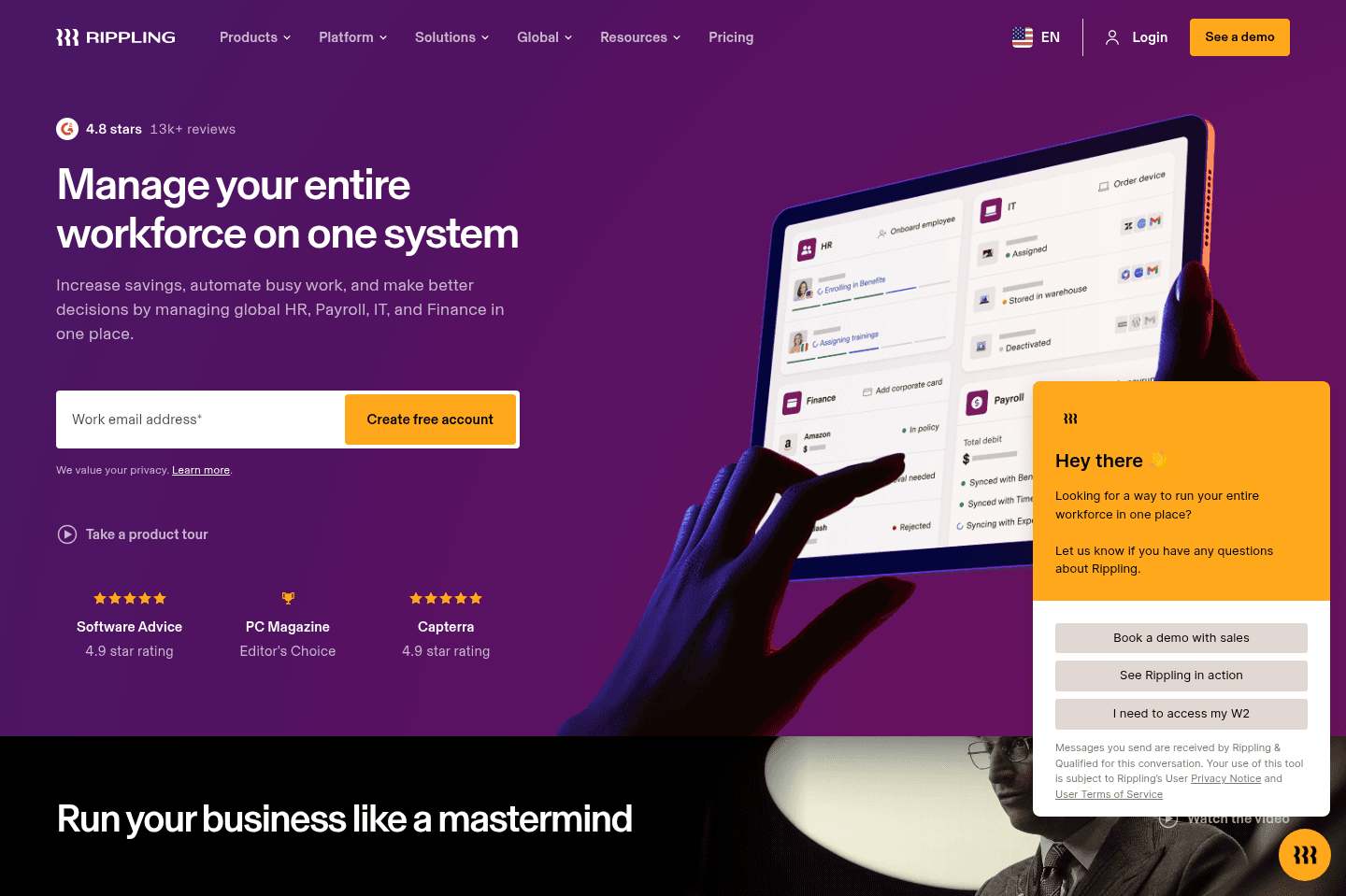
What is Rippling?Rippling is an all-in-one platform that combines HR, payroll, IT, and finance tools in one system. That sounds useful in theory, but if you're a small or mid-sized business, it's way more than you need. Rippling is more of an enterprise operations system than a lightweight expense management tool.
Rippling Spend, their expense and corporate card product, started inside the broader Rippling ecosystem. For a while, companies could only use it if they were already using Rippling for HR and payroll. Now it's sold more like a standalone product, but it still works best when it’s tied back to Rippling's HR system.
Its main advantage is that spending controls can connect directly to employee data. So for example, when someone joins, changes roles, or leaves, things like card limits, permissions, and approval flows can update automatically. But if you’re not using Rippling for HR, a lot of that advantage goes away. At that point, you're left with an expense tool that is pricier and more complicated than it needs to be.
For companies already fully committed to Rippling, the spend tools might make sense. For most SMBs just looking for corporate cards or expense tracking, we wouldn’t recommend it. There are free options that do the job without trying to pull you into a much bigger system.
Pros and Cons
Pros and ConsPros
Pros- All employee and spending data lives in one system
- Automatic spend controls based on role, team, or department
- Global reimbursements and multi-currency support
- Useful if you are already deep in the Rippling ecosystem
Cons
Cons- Pricing per employee adds up fast
- Way too complex if you only need expense management
- A lot of the automation depends on using Rippling HR
- Feels like it's constantly trying to pull you into the full Rippling suite
- Better options exist if you just want cards, reimbursements, or spend controls
Key Features
Key FeaturesAll-In-One Platform
All-In-One PlatformThis is Rippling's main pitch: everything related to employees, from HR records to payroll to company spending, lives in one system. That can be useful for larger companies that actually want one platform running all of that. But for smaller businesses looking just for expense management, it mostly just makes Rippling feel bloated and hard to justify.
Corporate Cards
Corporate CardsLike any other expense management platform, Rippling lets companies issue physical or virtual corporate cards to employees and set spending controls around how those cards are used.
That’s fine, and yes, it helps reduce some manual review after the fact. But this is not some standout feature. Other spend management tools like Ramp or BILL Spend & Expense offer similar controls, and in many cases, they do it in a simpler way. We wouldn’t treat this as a reason to choose Rippling.
Expense Management
Expense ManagementEmployees can upload receipts and submit expenses directly in Rippling, and the platform matches them to transactions and routes them through approval workflows based on company policy.
Again, this is useful, but standard. It covers the basics you'd expect from an expense management tool, but it doesn’t really separate Rippling from the pack. If anything, the bigger issue is that the broader platform can make simple expense workflows feel more complicated than they should.
Speaking of complicated, Rippling is one of the less user friendly expense management platforms on the market, especially compared to Ramp. Your employees will not love using it, which often means poor adoption.
Global Spend
Global SpendIf your team is spread across multiple countries, Rippling can handle cross-border reimbursements and multi-currency expenses. Employees can submit expenses in their local currency, while finance teams still get reporting in their home currency.
This is one of the more practical parts of the product, and for international teams, it can be genuinely useful. That said, if global spend is a top priority, a more focused tool like Airwallex would be a better pick if this is really important to you.
Pricing
PricingRippling uses modular pricing, so companies only pay for the specific products they want to use.
- Expense Management: Starts around $14 per employee/month. Best for companies that want automated expense tracking, reimbursements, and policy enforcement.
- Corporate Cards: Around $8 per employee/month add-on. Best for teams that want employee cards with built-in spending controls.
- Global Spend: Custom pricing. Best for companies with international teams that need reimbursements and reporting across multiple currencies.
To get the most out of Rippling, they really push you to use their HR and payroll products, which increases the total cost.

QuickBooks Online
Doesn't have proper virtual cards, core for expense management
Doesn't have proper virtual cards, core for expense managementQuickBooks Online handles accounting with a strong focus on US businesses, especially around US sales tax laws, and most US accountants are more familiar with it than with alternatives.
If you're in the US and need accounting software with a solid API, it's the standard choice, but don't rely on it for expense management, payroll, or time tracking because those areas are clunky, limited, and better handled elsewhere.
What is Quickbooks Online?
What is Quickbooks Online?While QuickBooks Online includes some basic expense tracking features, it is not a full expense management solution. For example, QBO does not provide robust support for virtual cards or company-wide spending controls.
Key Features
Key FeaturesExpense Management
Expense ManagementSome people have mentioned that QuickBooks Online allows for some expense management features like virtual credit cards, that said, a tool like Bill Spend & Expense (formerly Divvy) does so much more for expense management than simply allowing for a one-off virtual card though. Unlike QBO, a proper expense management tool allows you to go deeper, as it ties in individual and team budgets (across the entire company), all to ensure your company only allocates what they have budgeted for.
Receipt Matching
Receipt MatchingQBO also does not have proper receipt matching that automatically ties the receipt from your email to the individual transaction.
Credit Card Rewards
Credit Card RewardsQBO does not have credit card rewards with their virtual credit card solution either.
Get through your inbox 2x as fast (for teams of all sizes).