
Summary
Summary LightfieldBest
Best AI CRM
Best AI CRM WonderlyRecommended
Best for home remodeling businesses
Best for home remodeling businesses folkRecommended
Best for solopreneurs and small teams
Best for solopreneurs and small teams Attio
AttioFor teams who want a CRM that feels like Airtable
For teams who want a CRM that feels like Airtable Pipedrive
Best for Microsoft 365 teams
Best for Microsoft 365 teams Copper
Traditional CRM for Google Workspace
Traditional CRM for Google Workspace HubSpot
For enterprise teams needing marketing automation
For enterprise teams needing marketing automation GoHighLevel
Best for agency reselling
Best for agency reselling Close
CloseFor sales-focused cold outreach via VoIP
For sales-focused cold outreach via VoIP Streak
For individuals looking for Google Sheets but CRM
For individuals looking for Google Sheets but CRM
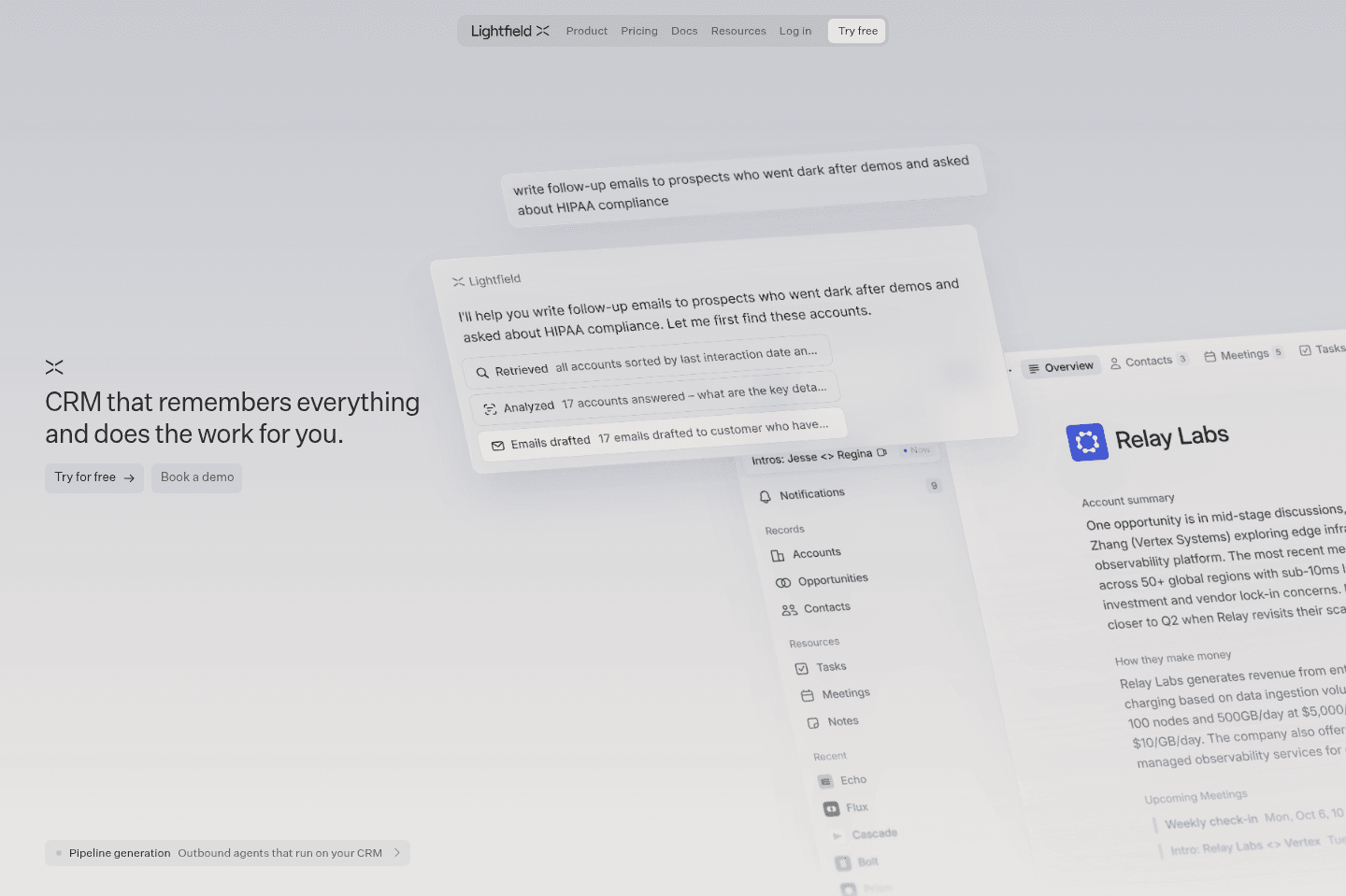
Lightfield
LightfieldBest alternative for AI-native CRM automation.
Lightfield is the best alternative for those who want their CRM to act more like an assistant than a database. If you're running a modern, fast-growing team that already relies on AI in day-to-day work, Lightfield fits right in by handling setup, migration, and daily upkeep through natural chat instead of traditional admin work. Teams that hate chasing sales reps for updates or manually entering notes after meetings will see the biggest difference, Lightfield reviews your emails, meetings, and Slack to keep records current and automatically creates follow-up tasks based on real conversations.
The onboarding process feels more like talking to a consultant than filling out forms, and even complex automations can be set up just by describing what you want in chat. If you're tired of CRM busywork and want your system to stay up to date without constant manual effort, this approach stands out.
Pricing is higher than most CRMs, and bulk editing from a table view isn't supported, everything runs through chat, which may slow down some operations for large data changes. If you need spreadsheet-style controls or are highly price sensitive, keep this in mind.
Wonderly
WonderlyBest alternative for hands-off lead generation.
Wonderly is a great alternative for those who run established home remodelers and want to grow without taking on the headaches of marketing, website building, or managing leads themselves. If you're already doing at least $250K a year, have more capacity, and are tired of slow weeks but don't want to become your own marketer or CRM admin, Wonderly is designed to handle the messy parts for you.
Access is limited to businesses that meet their criteria and apply, so it's not an option for everyone. If you don't meet the revenue or growth requirements, you won't be able to use Wonderly.
folk
folkBest alternative for spreadsheet-style contact management.
folk is a good alternative for those who want a CRM that feels as familiar as using a spreadsheet, but need the structure and features that spreadsheets can't provide. If you're a solopreneur or part of a very small team and have been tempted to run your contacts out of Notion or Google Sheets, folk is designed exactly for that workflow, making it easy to add, manage, and enrich contacts, send bulk emails, and keep track of follow-ups with minimal setup.
If you haven't used a CRM before and want something low-friction and simple, folk offers templates and a Chrome extension to speed up your setup and daily work. It brings in useful touches like AI-powered Magic Fields for email generation and data cleanup, which can save you manual effort when handling contact lists.
If you expect to grow beyond a few users or need advanced integrations and a robust API, folk's capabilities may feel limiting. Larger teams or technical users may find its integration options and developer support too basic for scaling needs.
Attio
AttioBest alternative for custom CRM workflows.
Attio is an alternative for those who want to design every part of their CRM around their own process. If you're technical, enjoy building automations, and prefer a tool that acts more like a flexible database than a set-in-stone CRM, Attio gives you the freedom to customize nearly everything.
If you're comfortable with tools like Airtable or Zapier, you'll likely feel right at home setting up advanced automations and custom deal flows. The platform does a good job surfacing relationship signals and lets you tailor the system to fit your exact needs.
If you're looking for a plug-and-play CRM or don't have someone technical on your team, Attio's learning curve and setup requirements can feel overwhelming. For teams that just want to get started quickly or want an AI-first CRM, Attio is not the best fit.
Pipedrive
PipedriveBest alternative for sales-focused Microsoft 365 teams.
Pipedrive is an alternative for those who want a CRM built specifically for small and medium teams that run on Microsoft 365 and prioritize sales workflows. If your team is moving from spreadsheets or simple databases, Pipedrive is a clear step up, offering more structure while still allowing for some internal process customization beyond just sales.
The experience is especially strong if your team uses Microsoft Outlook for email, as Pipedrive fits smoothly into that tech stack and offers reliable performance. Their API is also noted as flexible and robust, making it a stable choice for teams that want to connect other tools or automate parts of their process.
If your workflow relies on retroactive email syncing beyond six months, or your team is built around Google Workspace, Pipedrive may not be the best fit. The email sync limitation is the main constraint for teams that need longer lookback periods.
Copper
CopperAlternative for a traditional CRM.
Copper is an alternative for those who need a CRM that fits tightly with Google Workspace and your team doesn't particularly care about AI-features.
Its Chrome extension and user-friendly interface help teams adopt it quickly, especially if you want to avoid switching between tools. If you rely on integrations or have technical needs, Copper's API and connectors are built to be straightforward and reliable.
We used Copper for 10+ years but ultimately felt like we needed an AI-first CRM.
HubSpot
HubSpotBest CRM alternative for large teams.
HubSpot is an alternative for those who want a CRM that is approachable and less overwhelming than typical enterprise solutions (cough Salesforce), especially if your team is large and you expect many users to be in the system daily.
If you are a startup or a team of under 20, HubSpot's costs can quickly become a problem after the initial discounts wear off.

GoHighLevel
GoHighLevelAlternative for white-label resale schemes.
GoHighLevel is an alternative for those who are mainly interested in reselling CRM software as a side business rather than running their own operations on it 😅 If your primary goal is to offer a white-label platform to your own clients, then this setup might fit.
However, if you want full control over your data, reliable product support, or a polished user experience for your business, GoHighLevel falls short. The platform relies on a complex reseller structure, making your access and data dependent on someone else's account. Most users will find the features incomplete and the daily workflow frustrating, especially as your team grows.
Close
CloseBest alternative for built-in sales calling.
Close is an alternative for those who want their CRM to double as their main hub for calls and SMS, especially if your sales process relies on making a high volume of phone calls. If you see value in having an auto-dialer built directly into your CRM, with the ability to call through lists, pause to take notes, and manage call and message sequences in one place, Close stands out here.
If your team is three or more people and you're ready to work inside one system for both CRM and calling, Close's approach can streamline your workflow. The email sync is functional, and you can expect your past emails to show up in the CRM if you're on Google Workspace or Microsoft 365.
However, Close locks you into their own VoIP system, so you won't be able to use third-party calling tools alongside it. The minimum seat count, limited pipeline options on the lower tier, and lack of a mature mobile app for Android are important constraints to weigh before committing. If you're a solo operator or want more flexibility, it's likely not the right fit.
Streak
StreakBest alternative for spreadsheet-style Gmail CRM.
Streak is an alternative for those who want a CRM that lives directly inside Gmail and feels similar to working in a spreadsheet. If you're used to managing contacts or sales pipelines in Google Sheets, and you like the idea of handling everything without leaving your inbox, Streak meets you right where you already work.
If you're running a small operation or just getting started, it can be a straightforward way to upgrade from a basic spreadsheet to something more organized, without learning a traditional CRM system.
However, if your team or data volume grows, Streak can bog down Gmail and become messy to manage at scale. It's best suited for light, spreadsheet-style CRM needs inside Gmail, not for larger or fast-growing teams.
Airtable
AirtableBest alternative for user-friendly databases.
Airtable is a great alternative for those who want a database that feels approachable for non-technical teams but still unlocks much more structure than spreadsheets. If your team is still relying on Google Sheets for anything outside of finance reporting, Airtable lets you swap out those sheets for something that's easier to organize, automate, and connect with other tools.
It works especially well as the backbone for form collection, internal data management, or as a flexible layer to pass data between different apps. The API is a strong point, if you need to trigger workflows or automate processes when records change, Airtable makes that easy to set up without needing to code.
Just keep in mind, Airtable isn't built for CRM or project management. If you try to force it into those jobs, you'll run into limits.

Notion
NotionBest alternative for flexible team wikis.
Notion is an alternative for those who want a highly customizable workspace to build out a company knowledge base or internal wiki. If you prefer having control over the structure and enjoy setting up your own systems for documentation, Notion gives you the flexibility to tailor everything from note linking to database layouts.
Notion works if you want a blank canvas to organize information your own way. If you value flexibility over ready-made tools, Notion can be a good fit for you.
If you're looking for something with built-in guidance (recommended for businesses) or want to avoid the time investment of building from scratch, skip Notion.

Monday
MondayBest alternative for customizable enterprise workspaces.
Monday is an alternative for those who need a project management tool that can be tailored to handle complex workflows across large teams. If your projects require building out detailed dashboards, custom charts, or connecting with other enterprise software like Jira or Salesforce, Monday can support those needs, especially when you have a dedicated project manager to handle setup and ongoing management. The interface is visually engaging, and there are multiple ways to view and organize your project data, which can help with internal reporting and resource management.
If you're working with a team of over 300 people and have the resources to invest in proper onboarding, possibly even bringing in a consultant, Monday can flex to fit demanding project structures. It's also a fit if collaborating with external partners is central to your workflow.
The main limitation is that Monday's flexibility comes with a steep learning curve and setup process. Without serious investment in implementation, most teams find it overwhelming or underused, and smaller teams may find it too much work for the payoff. If you want something quick to set up or need high reliability out of the box, Monday likely won't be the best choice.
Final Verdict
Final VerdictSalesforce Alternatives
Why are companies switching away from Salesforce? Are there better CRMs on the market that better balance price and features? Keep reading for our take on why Salesforce isn't "the best" option for most businesses (yep, so that probably means you - now aren't ya glad you found this article?).
Why did I choose Salesforce in the first place?" 🧐
First, a quick refresher on how you got here: you + Salesforce = breaking up 💔
Praise for Salesforce comes from its ability to do "everything", be "flexible", and "highly customizable". Companies are often told "If you ever want to scale, you'll end up eventually using Salesforce anyway" and this sounds appealing, we know, especially if you want to continue growing your business.
You hired the consultant. You paid a ton of money. The cost of Salesforce and maintaining it keeps getting higher. Team members aren't fully using it. It isn't quite doing for you what you had originally thought it would. Suddenly, you're not so happy with your decision.
Then you arrive here, realizing that Salesforce's "strong suit" of being highly customizable is what also makes it a double-edged sword. Too much customization is often overly complex for the majority of businesses - especially small-to-medium sized ones (talking 1-300 employees).
"Nobody gets fired for implementing Salesforce"

Pressure to implement Salesforce often also comes from inside the company. How? Hiring that rockstar employee (lets say a Sales Manager or VP) who used Salesforce at a previous company. They will likely be an advocate for Salesforce because people tend to move toward familiarity.
Salesforce for Enterprises
Fact: Despite what anyone tells you, Salesforce is made for enterprises
Salesforce was made for enterprise businesses who are doing usually hundreds of millions in revenue, and high hundreds of employees (even thousands and tens of thousands) using the CRM. This is their target market. Not you. Though, do they want to market to you (small & medium businesses) to try to get you onto their software super early so you're locked in for life? Absolutely! And they have endless resources to do this. More than any other CRM on the market.
So when new employees come in and say "Oh we gotta use Salesforce, I used it at my last company and it did everything!" take a moment and analyze the size of the previous company in comparison to yours. Are you a similar size?
Remember, enterprise companies spend hundreds of thousands of dollars (if not millions, in some cases 💸💸💸) over the course of years to get Salesforce to be configured to what that team member is used to using it as. So when an employee says "Oh, Salesforce is the best and it does everything" the question to ask is — how much was spent to get there? And who is it doing everything for? Take upper-management for example, who may just need to use it occasionally for reports, they often have a way better experience than those actually using it in the day-to-day.
Your business may not have 500+ employees using the CRM though. Maybe your company has has 100, maybe 50, or gosh — even 10 or less employees that actually need to use the CRM in their day-to-day. Different size teams, different needs, different budget, different outcome.
What to Use Instead?
Now you might be wondering "What are my options instead of Salesforce?" 🫣
There are CRM's built for SMBs that come ready out of the box for a fraction of the cost. We cover some of them below.
These smaller CRMs take the needs of thousands of businesses and build the features that the average non-enterprise business needs. Before you start thinking about the uniqueness of your business and how pre-built features couldn't possibly work, we're here to tell you that we've yet to meet a business that is so unique that it can't use one of the below CRMs. Businesses sell things, they have relationships, they have clients/customers. A CRM gives you the ability to do most (if not all) of the things you'd need to do with these business functions, and with some proper thought, you can mold any of the below options to work great for your business.
Choose one of these CRM's instead of Salesforce:
- 🥇 If you're using Google Workspace, there is no better CRM on the market than Copper (our preferred choice)
- 🥈 If you're using Office 365 our recommendation is to look at Pipedrive
In your research, you will likely come across Hubspot as a recommendation. We don't usually sing Hubspot's praises because they too are trying to be an enterprise tool. They offer free plans for small-medium businesses, and then piece-meal price each of their features. By the time you've added your contacts to the CRM (upgrade to raise your contact limit), marketing features (upgrade to send emails), cool new feature released (upgrade to unlock that as well). "But they are giving me a great deal, I get all the features at a reasonable price!" - yep, they will do that for a year, and then your bill will 2-4x the following year, right after you've invested hundreds of hours into setting up the CRM. We've seen customers go from $0-$5k for their first year to $20-40k their 2nd/3rd year, and every-single-time, we hear the same thing, how "trapped" they feel, and the "I don't understand how it got to this because it was free when we first started!"
CRMs That Scale
"I don't want to get stuck with a CRM that won't scale"
If you're at all worried or wondering if a CRM like Copper will scale with your growing business, here are some facts that may put your mind at ease. Our largest customer is doing upwards of $100 million in revenue (using Copper along with some custom integrations that we built for them). Copper will work if you have anywhere from 1-200 seats (talking actual employees that using Copper in the day-to-day). With the right knowledge, we've proven that Copper can scale. Not to mention, it's also more enjoyable to use while also being more affordable than its Salesforce and Hubspot counterparts. We've still yet to meet even one sales rep that enjoys using Salesforce (VP's & managers at large companies, sure, but actually someone that is living in the CRM on the daily, not even 1 person).
(It's not uncommon for us to get messages like these from employees of companies that were forced to switch to Salesforce from Copper for no reason other than "it's more scalable"):
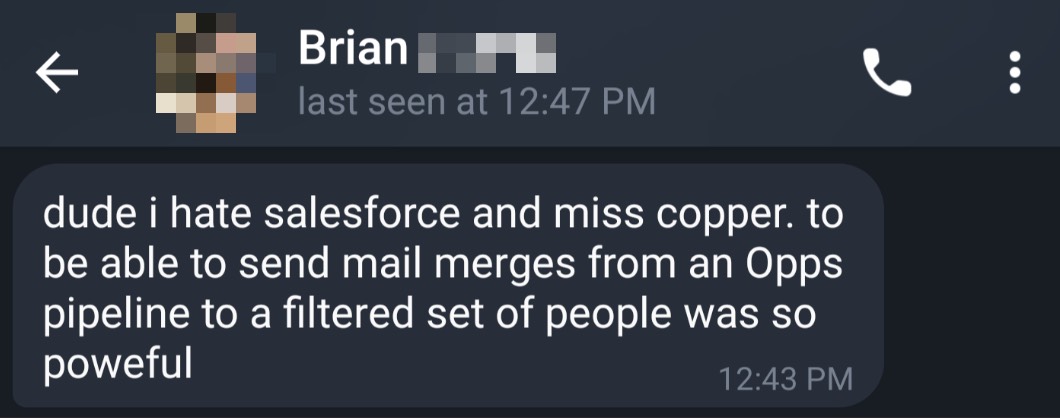
Your business will gain more value by taking the user-experience of your software into consideration. Why? Because it directly affects user adoption. Give employees a tool that they enjoy using and they will be more likely to adopt it into their daily workflow.
Leaving Salesforce
I'm leaving Salesforce. But help?

Setting Up Your New CRM
While SMB tools are technically trying to be "out of the box" solutions, you still need to:
- Map your business processes to your new CRM (map fields, create pipelines)
- Determine what parts of your process can be automated
- Build integrations with other tools you may use
- Create training documentation for your team to follow on how to use the CRM
Making sure that your CRM is working in a cohesive way, with all team members following the same process, is essential for a successful CRM implementation. A good CRM implementation will typically take 2-3 months to truly get off the ground.
Hiring a consult to outsource this project is a good idea because — frankly, it's going to save you a ton in staff wages. If you have employees with decent wages, wouldn't you rather them be working on something that they are actually qualified for instead of figuring out the best way to set up a CRM?
Our prior customers have reported saving dozens of hours per month in wages by outsourcing their CRM implementation.
CRM Hopping
No matter what, CRM hopping isn't the answer.
Every business goes through growing pains when deciding which CRM to use as the center of their business. This decision should more or less be made once, and with the correct implementation, you shouldn't need to switch CRMs (unless your business model drastically changes - like you were doing B2B sales and now you've switched to selling T-Shirts online 😬)
We've seen companies cycle through CRMs year after year because the current solution "just isn't working", and they blame the tool. It's often not the tool that needs to be improved, it's the CRM implementation. With Salesforce, you will end up spending hundreds of thousands of dollars over years to get the "implementation that you dreamt of" (that you employees still will not enjoy using), while with SMB tools, you can spend a fraction of that to do most of what you want.
Finally, constantly switching CRM's will only leave you in limbo and you'll continue to have nothing to show for it. Investing the time and resources in a proper implementation compounds, year after year, and will pay dividends in the long run.
Videos
VideosBest Small Business CRM?
Best Small Business CRM? 13:56
13:56Best Small Business CRM?
Best Small Business CRM? 16:24
16:24Notion Failed You
Notion Failed You