Superhuman MailBest5
Best email client for professionals and teams
Best email client for professionals and teams MissiveRecommended2
Best for smaller teams looking for a shared inbox
Best for smaller teams looking for a shared inbox Spark2
Best free email client
Best free email client Gmail1
Best foundational email client for Google Workspace users
Best foundational email client for Google Workspace users Hey0
Hey0Made for non-technical users who like big buttons
Made for non-technical users who like big buttons Outlook0
Best for those using Microsoft 365
Best for those using Microsoft 365 Notion Mail2
Notion Mail shut down on Sep 22nd
Notion Mail shut down on Sep 22nd Tatem1
Limited online presence, current development status is unclear
Limited online presence, current development status is unclear
Best Email Clients at a Glance
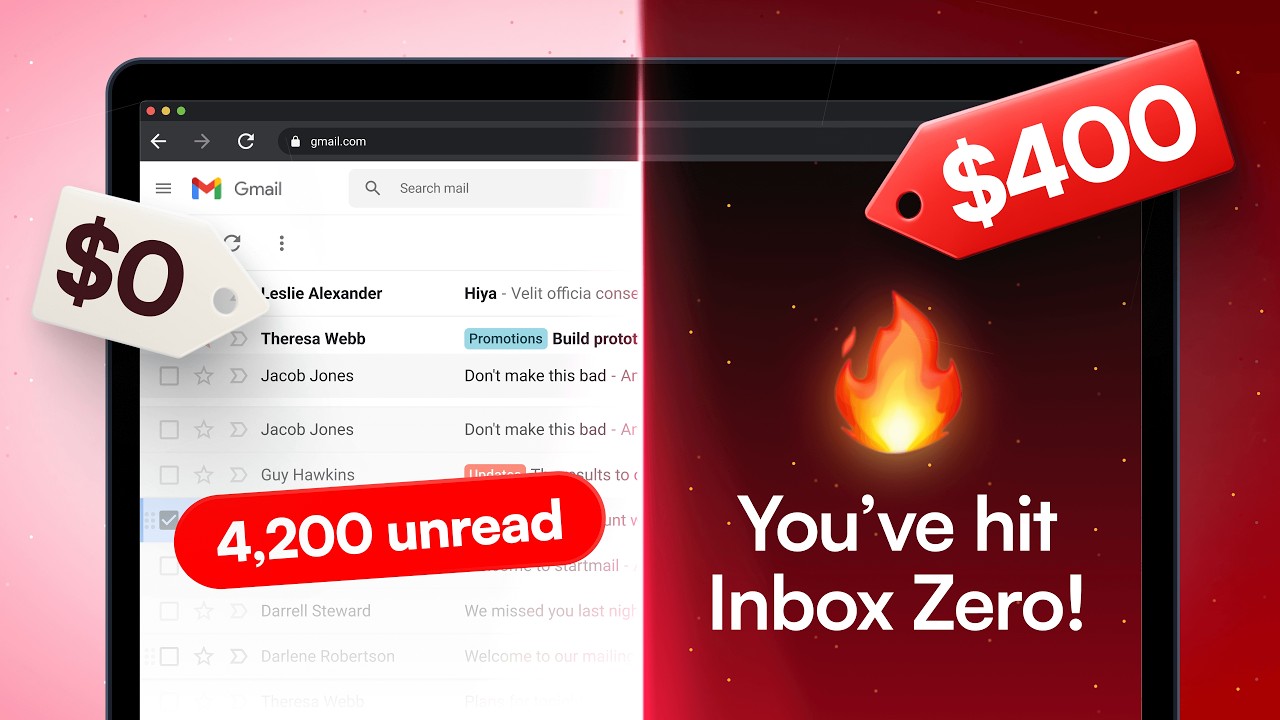
Watch the Full Breakdown
Best Email Client: Who Wins?
The Winning Email Client is...
The Winning Email Client is...After testing 10+ email clients over 6 years, Superhuman Mail is the best email client for individuals and teams. It's the fastest way to reach inbox zero and the only client that made me actually enjoy opening email. For a free alternative, Spark Mail is the best options for individuals.

Our team also tested Hey, Skiff, Canary Mail, Mimestream, Proton Mail, Apple Mail, Shortwave, and Thunderbird, but none came close to Superhuman Mail for speed, keyboard-driven workflows, and AI email features. Many didn't even make it on this "best email apps" as they were not something we'd recommend to a friend.
What Actually Matters in an Email App
What Actually Matters in an Email AppEfficient App asked 400 people shopping for a new email client what they wanted most from it:
- 72% were looking to make email better for themselves
- 13% of people were looking for team collaboration features
- 44.5% said they just wanted to use the best email app and weren't looking for a specific feature
- 31.2% said they wanted the most simple, minimal, and fast email app
- Only 14.9% of people said they were looking for AI features to help them write emails!
Superhuman Mail ticks all of these boxes. It's the fastest, most simple and minimal email app. It works fantastic for solo users, but also as a team it totally levels up the playing field (I genuinely cannot see our team living without Superhuman Mail's team comments feature).
Best Free Email App
Best Free Email AppThroughout the years, I was curious if other email apps could compare to Superhuman Mail for a lower price point.
I tried Spark Mail and immediately noticed the interface was not as modern and its email triage features aren't as optimized for power users. That being said, if a "free email app" was my main priority, I think Spark Mail is worth switching to.
It has a better interface Gmail or Outlook and is more user friendly on both desktop and mobile.
Best Email Clients Ranked & Reviewed
Watch our full breakdown of the top email clients, how they performed in testing, and what makes each one worth considering
How We Evaluate Email Clients
We score each email client across purposeful design, speed & productivity, AI assistance, follow-up, team collaboration, and hands-on expert evaluation
- Purposeful DesignHow quickly you can triage emails without getting sidetracked or distracted.
- Speed & ProductivityNot just fast loading, keyboard shortcuts and quick replies keep you moving.
- AI AssistanceDoes it write and organize emails the way you would and saving you time?
- Follow-UpNo smart follow-ups? You're moving slower and missing opportunities.
- Team CollaborationThe best email tools let you comment, assign, and share seamlessly.
- Expert EvaluationCurated by, our rankings reflect in-depth testing, industry insights, and hands-on experience.AlexandAndra
Superhuman Mail
Best email client for professionals and teams
Best email client for professionals and teamsSuperhuman Mail is the best email client on the market. It's wildly fast, minimal (not bloated with features), and helps individuals and teams triage through emails most efficiently. We've been using it for 6+ years and can't ever imagine going back to regular email.
Claim the Superhuman free trial for 30 days free, which is more than enough time to see if it fits your workflow.
What is Superhuman Mail?
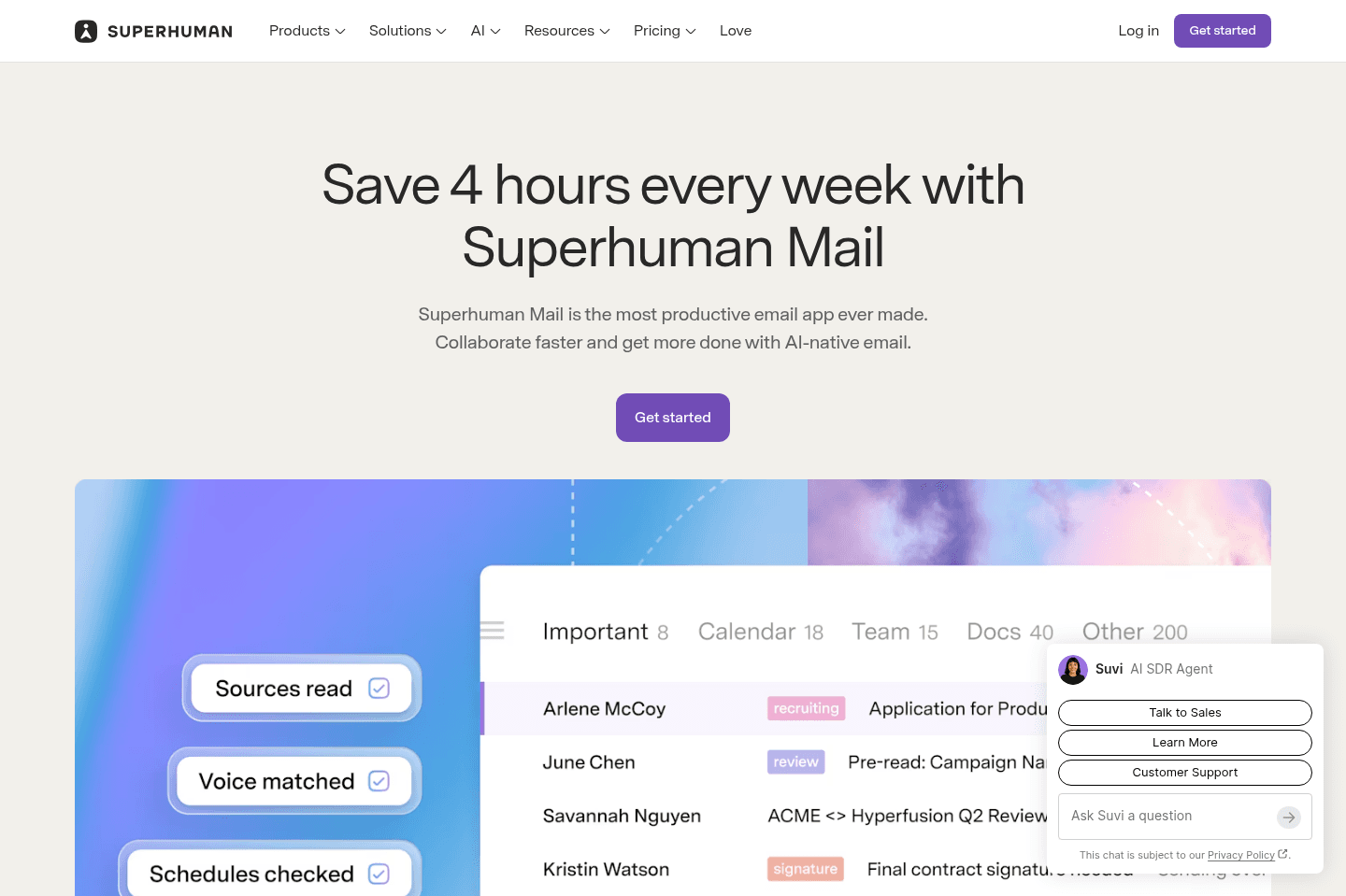
What is Superhuman Mail?Superhuman Mail is the best email client built for busy professionals who live in their inbox and want a faster, more focused experience. It works as a layer on top of Gmail or Outlook, meaning you keep your existing email provider, but operate entirely inside Superhuman Mail’s web, desktop, or mobile app instead.
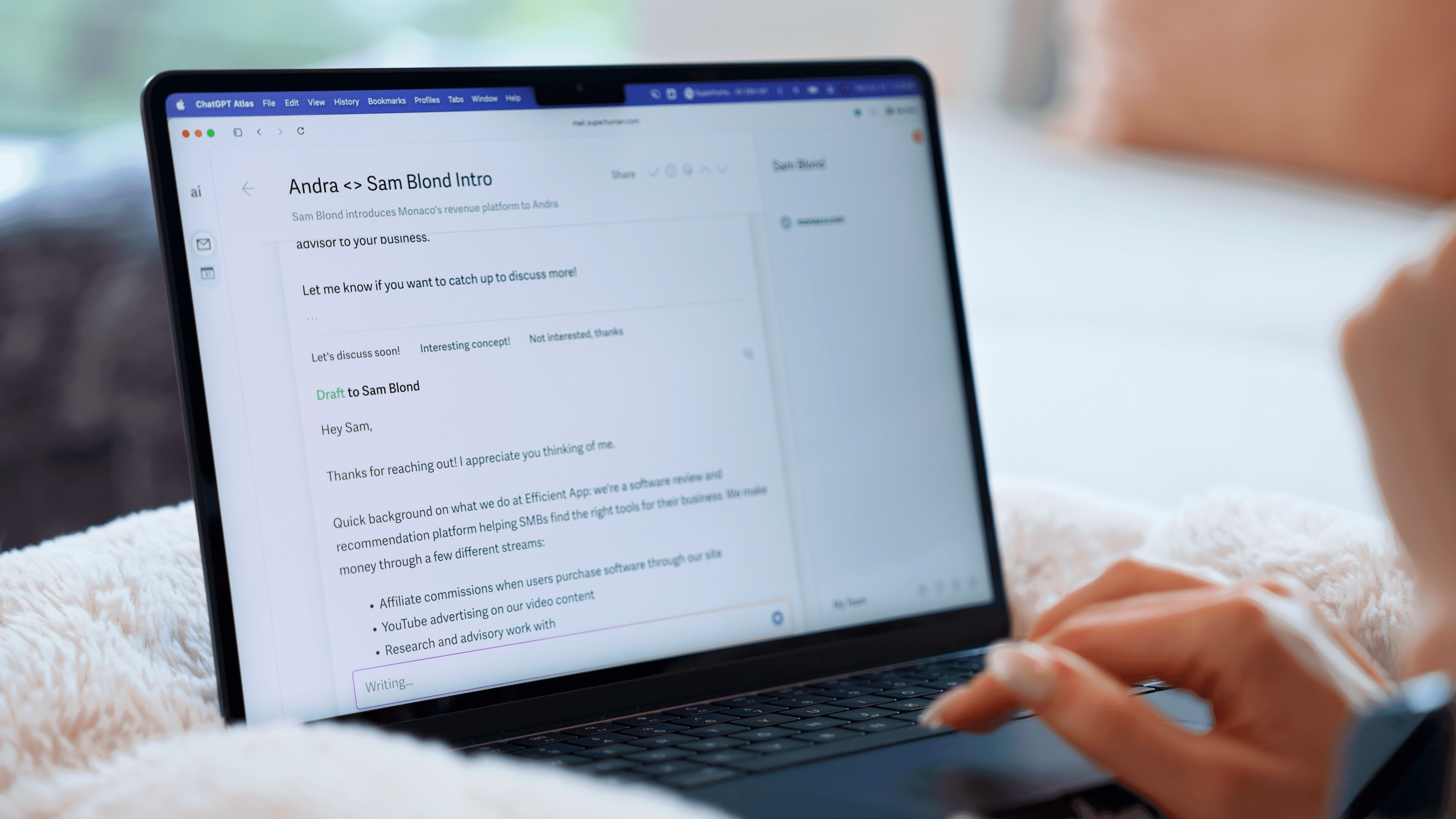
Superhuman Mail has a beautiful, minimal design and will help you get through your email faster. You can navigate your inbox almost entirely by keyboard, snooze messages effortlessly, use AI to draft responses in your voice, and create inbox splits to process emails in intentional batches. So, if checking email feels overwhelming, distracting, or just slower than it should be, Superhuman Mail really does fix that.
If you get more than 10 emails a week, we recommend trying Superhuman Mail. If email slows you down, Superhuman Mail is the fastest fix we've found.
We've personally been using Superhuman Mail for over 6 years as our email app and couldn't see life without it.
Heads up, Efficient App readers, you can get 2 free months of Superhuman Mail. This is exclusive to our website.
And trust me, I used to be the person that said "I would never pay for email" but after trying it for the first month... I couldn't imagine going back to Gmail, and here I am now 6+ years later, still a paying customer, and I'm happier for it.
Superhuman Mail is available on MacOS, iOS, Android, and works on Windows via modern browsers.
Pros and Cons
Pros and ConsPros
Pros- Fast performance (literally instant compared to Gmail/Outlook)
- Minimal, beautifully designed interface with zero clutter
- Team email collaboration features helps move emails forward more quickly and seamlessly
- Deep-work friendly (no distractions, no unnecessary features)
- Mobile app on iOS and Android to help you triage emails on-the-go
- Free 30-day trial to test it out
Cons
Cons- Might feel unnecessary if you don't spend much time in email
- While you can share emails and drafts with your team, you cannot assign emails and have your team answer on your behalf
Key Features
Key FeaturesMinimal Interface
Minimal InterfaceThe first time we opened Superhuman Mail, it genuinely felt like a different category of email tool. The wall of emails we were used to see just wasn't there instead it had been replace with a clean, fast interface that made it feel like this is the only email client actually designed for deep work.
The use of inbox splits makes brings allows for purpose and intention when managing your emails. There’s nothing visually overwhelming or distracting, which, if you spend hours in your inbox like we do, makes a massive difference. It doesn’t feel like you’re “doing email.” It feels like you’re focused.
Pair that with a mobile app that is purposefully designed to allow for triaging emails with speed and clarity and it honestly makes it impossible to go back.
Superhuman Mail AI Features
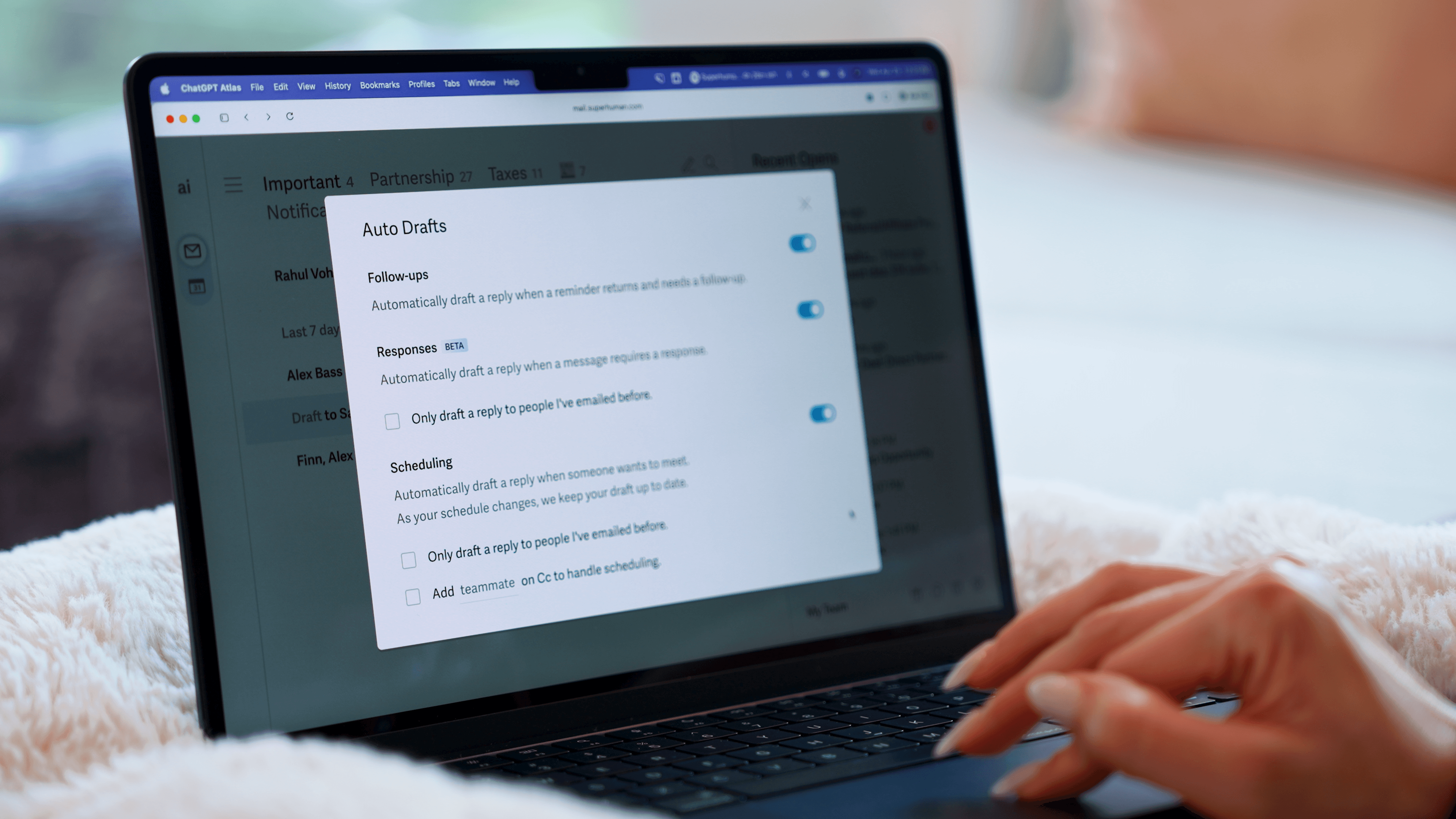
Superhuman Mail AI FeaturesSuperhuman Mail actually drafts email responses in your tone. It learns from your previous messages and responds as you would, automatically.
Picture this: you just hired an assistant.
As part of her training, she read through thousands of your emails to learn how you talk to customers versus teammates versus vendors. Then she starts drafting replies for you. You get an email, she writes a reply.
You send something and never hear back, she writes the follow-up. All you do is check her work before hitting send. That's exactly the experience we've had with Superhuman Mail's AI drafts.
Then there's AI auto-labels, which organize your inbox into splits automatically so similar emails are grouped together when you triage them.
And the AI search is useful in a way most email search isn't. Instead of trying to remember the exact word from a thread six months ago, you just ask a plain language question "Where did things land with XYZ?" or "When did I last talk to this person?" and it gives you a summary. You can also use the AI chat for things like creating a calendar invite without leaving your inbox.
Read Statuses
Read StatusesSimilar to read receipts in text messages, Superhuman Mail shows you exactly who opened your email, how many times they viewed it, and when they opened it. It's super helpful if you're waiting on a reply.
Calendar & Scheduler
Calendar & SchedulerSuperhuman Mail is also one of the best calendar apps and best scheduling apps if you live within your email. Why?
Say you get an event email with no calendar invite, just hit [b] and Superhuman Mail will instantly create an event for you (I absolutely love this feature). Or if you're writing to someone, and you say "let's meet next Tuesday" your calendar automatically pops open on the right so you can quickly check your availability.
Want to share your availability quickly? No worries, hit the keyboard shortcut and [CMD] + [SHIFT] + [a] and send over your free time slots in seconds so they can book in.
Keyboard Shortcuts
Keyboard ShortcutsSuperhuman Mail also allows you to triage through your inbox using only keyboard shortcuts.
I was a skeptic for years, until I finally gave it a shot. Learned some of the simple keyboard shortcuts like [e] for archive and [h] for snooze + some additional fun shortcuts like [#] for delete, and [!] for spam.
Just hit [0] to instantly open your calendar on the right-hand side without leaving your inbox, giving you a full view of your schedule while you continue working through emails.
Don't like memorizing keyboard shortcuts to get through your email more quickly? Great, then just press [CMD] + [k] for the command bar → the Superhuman Mail key, which allows you to do absolutely anything from anywhere just by typing.
MCP
MCPSuperhuman Mail also has an MCP connector for Claude and ChatGPT, allowing you to build workflows around your inbox.
For example, you could ask Claude to find every email that was opened that day but never received a response, then automatically send a follow-up email.
While you can technically use a chatbot to triage your entire inbox, I still prefer having a dedicated interface for my email.
Superhuman Mail For Teams
Superhuman Mail For TeamsYou can share email threads with others (whether they are on your team or not) so you can collaborate under email.
This has come super handy for us when we've had sales negotiations (very helpful to @mention each other and check-in if what is proposed makes sense), or to more thoughtfully respond to a customer. Read our entire Superhuman Mail Team Comments review here.
If you share the Superhuman Mail Discount link with your entire team, you will all get a free 30 days to test it out together.
Pricing
Pricing- Monthly Subscription: $30/mo
- Annual Plan: $300/year
Get the latest rankings and insights on top Email apps—delivered to your inbox. Stay ahead with our expert picks and updates.
Missive
Best for smaller teams looking for a shared inbox
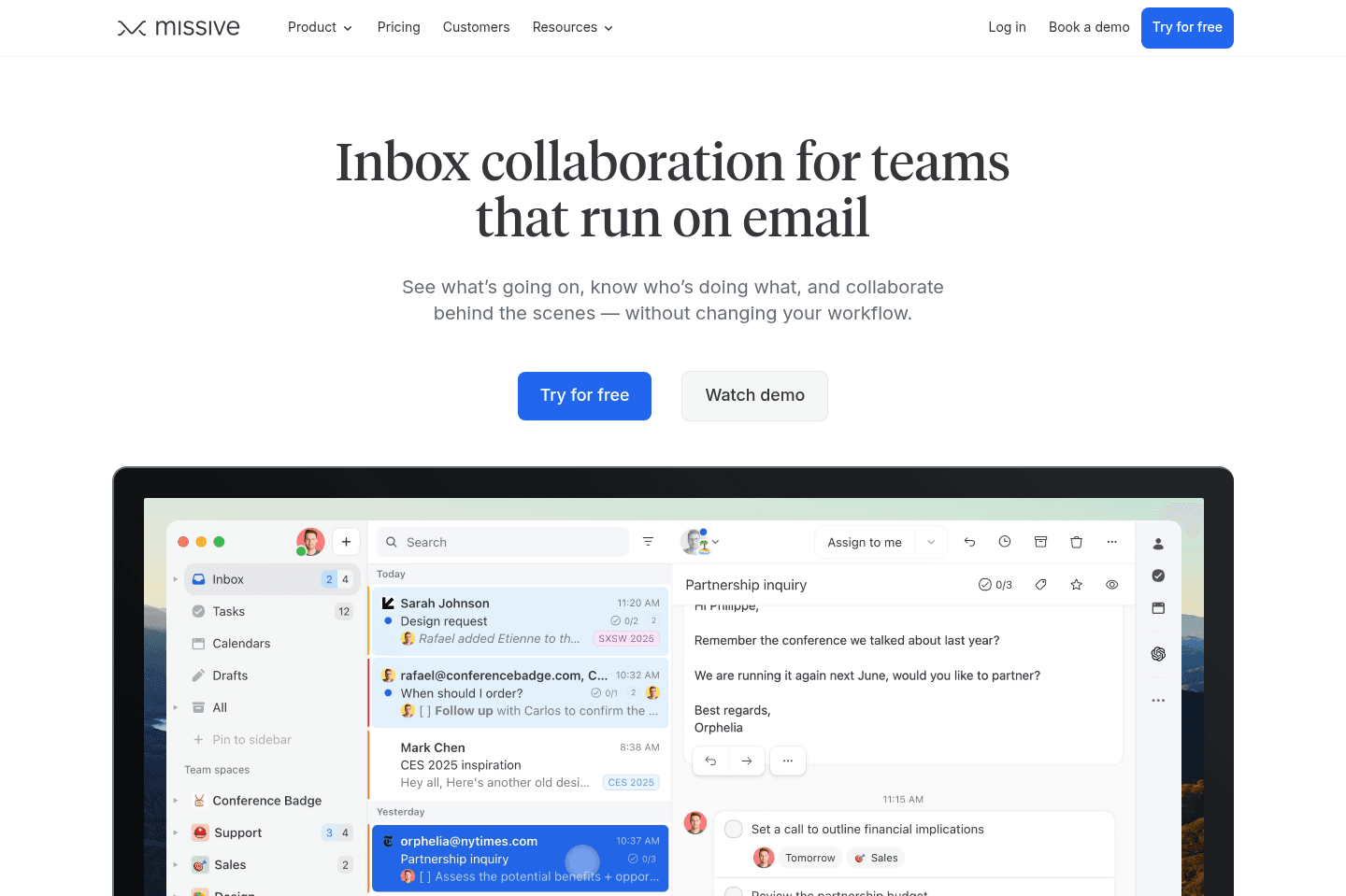
Best for smaller teams looking for a shared inboxMissive is a strong choice for teams that need to manage and collaborate on emails and messages from multiple platforms in one place. If you want to delegate your inbox and keep team discussions organized without giving up full access, this will make life a lot easier for your team.
What Is Missive?
What Is Missive?Missive is a team-focused email and messaging client designed to consolidate communication across platforms like email, WhatsApp, SMS, and social media DMs into one unified inbox. We consider it more of a lightweight help desk, rather than a traditional email client.
It's especially useful for small business owners who want help delegating their inbox but don't want to give full access to their inbox to another team member. If you have a virtual assistant, this lets them manage your inbox without exposing private emails or giving them your password.
If you’re a solopreneur who wants a modern, streamlined email experience, this isn’t for you, but if your business lives in shared inboxes and team messaging, Missive is good fit.
Pros and Cons
Pros and ConsPros
Pros- Consolidates email, SMS, WhatsApp, and social messages into one inbox
- Excellent team collaboration
- Great for business owners delegating inbox access
- Unified inbox for multi-channel businesses
Cons
Cons- Slightly cluttered interface
- Not the most modern email client, older traditional email interface
- Task management inside the app feels unnecessary
Key Features
Key FeaturesMulti-Channel Messaging
Multi-Channel MessagingMissive consolidates messages from email, SMS, WhatsApp, and social platforms into one inbox. If your customers message you from everywhere, this is incredibly helpful. Instead of bouncing between apps, everything lives in one place so your team can triage through all channels from one interface.
Email Assignment & Delegation
Email Assignment & DelegationThis is one of Missive’s strongest features.
You can assign specific emails to team members, allowing them to respond on your behalf. This is something that other email clients don't typically don't do.
Missive also allows you to create rules that automatically assign emails based on subject line, sender, or domain. For example, sales emails can go to one teammate, invoices to another. This creates lightweight automation without needing a full help desk setup.
Agentic AI Assitance
Agentic AI AssitanceAgentic AI assistant allows you to search across entire email threads, internal team chats, and connected knowledge sources to help your team surface relevant information quickly.
For example, if you're a founder preparing for a company meeting, you could ask the assistant to scan conversations across sales, customer support, and engineering threads and summarize recent wins, issues, and product updates into a few talking points.
Unlike most tools, Missive doesn't bundle its own model, instead, you connect your own provider like ChatGPT, Claude, or Gemini through an API, which gives you more control over cost and capabilities.
Internal Team Chat & Collaboration
Internal Team Chat & CollaborationFrom within any email thread, you can @mention teammates and collaborate without switching to another tool like Slack. This keeps communication contextual and organized.
For remote teams that are constantly discussing emails elsewhere, this can save a ton of time and help avoid miscommunications.
Pricing
Pricing- Missive is free for the first 30 days
- Starter: $14/mo per user ($18/mo billed monthly, $168/yr billed yearly). Best for teams with simple needs.
- Productive: $24/mo per user ($30/mo billed monthly, $288/yr billed yearly). Best for teams with workflow needs.
- Business: $36/mo per user ($45/mo billed monthly, $432/yr billed yearly). Best for teams with advanced needs.

Not a tool. A hire.
What is Spark Mail?
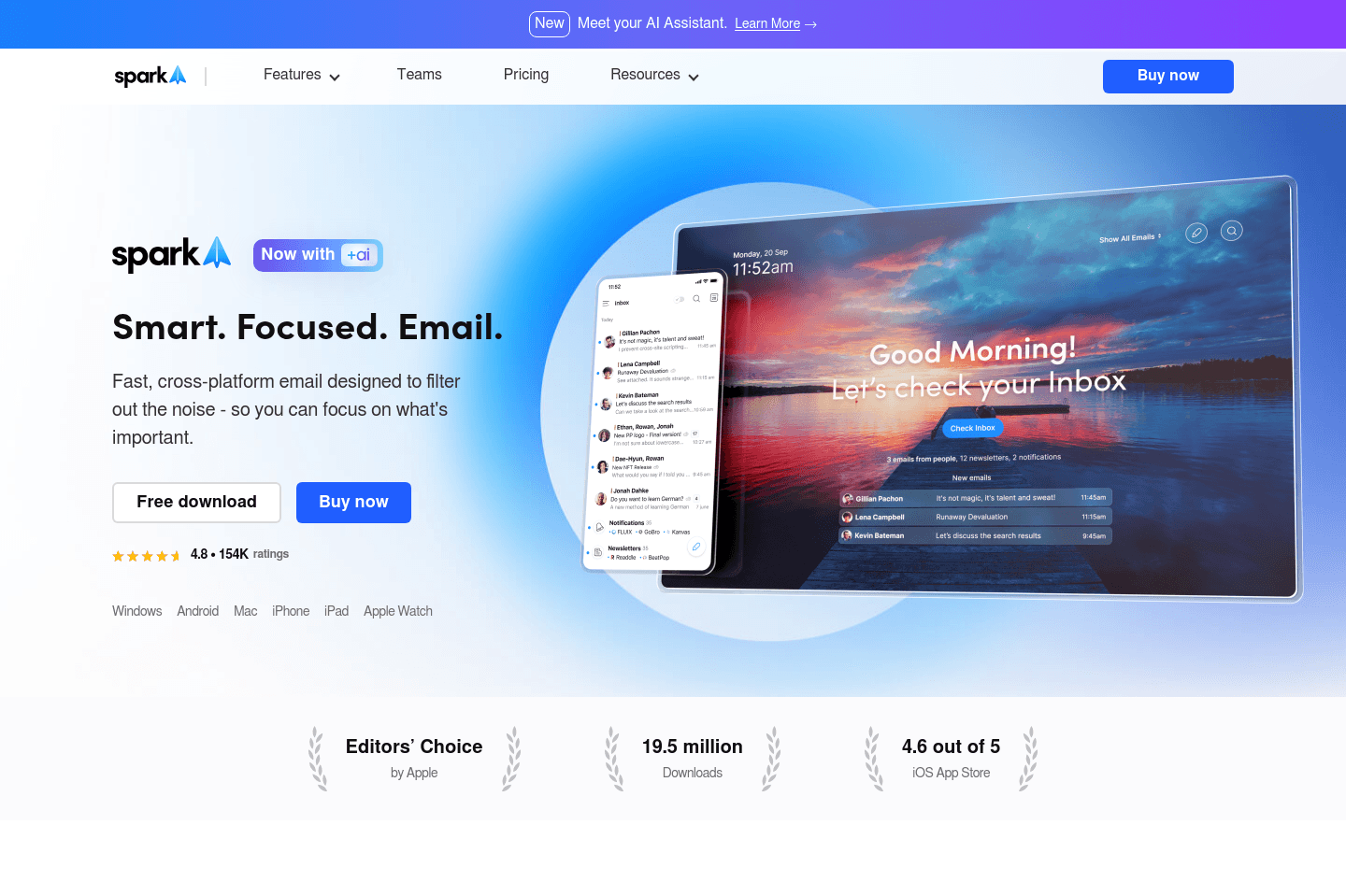
What is Spark Mail?Spark Mail is an email client that is designed to help you focus and get through your inbox faster. As an email app, it's miles better than Gmail, Outlook, or Apple Mail, both on desktop and on your phone, and we can't think of a reason why someone wouldn't use Spark Mail since they have a generous free tier.
It's also built for team collaboration, so if you've been looking for an email client to help you delegate certain emails or just have a way for your team to easily ask you questions on a thread, Spark Mail has done a good job at building those features.
But if you're a busy professional and you're looking to cut back on the time spent trying to get through your inbox, then Spark Mail is not going to the the best option as there are other tools with faster workflows.
Pros and Cons
Pros and ConsPros
Pros- Cleaner, modern-feeling interface than Gmail and Outlook
- Keyboard shortcuts allow you to triage through your inbox faster
- Smart Inbox auto-sorts newsletters and notifications
- Templates with placeholders for faster replies
- Great team collaboration features
Cons
Cons- Compose screen feels cluttered
- Emails stretch too wide across the screen, causing reading fatigue
- Smart Inbox categories aren’t customizable
- No read receipts or built-in follow-up automation
Key Features
Key FeaturesUnified Inbox
Unified InboxSpark Mail allows you to combine multiple email accounts (work + personal) into one single inbox view. For some people, this feels incredibly convenient, since having everything in one place means no more switching back and forth.
That said, this can become a double-edged sword. Getting an email from your kid’s school while you’re in work mode creates context switching that kills focus. It’s a feature many people want, but not one that improves productivity.
Smart Inbox
Smart InboxSpark Mail automatically sorts and categorizes your emails into buckets like Personal, Notifications, and Newsletters to make triage easier.
That said, customization is limited, so most of your important emails still end up in one main pile. It simplifies things compared to Gmail, but it doesn’t fully solve the “wall of email” problem.
Team Collaboration
Team CollaborationSpark Mail includes built-in team comments, shared drafts, and email assignments, which are genuinely useful if multiple people touch the same inbox.
For small teams especially, this can reduce back-and-forth in your work chats and make responding more coordinated.
Pricing
Pricing- Free: Best for individuals & students wanting a better email experience.
- Plus: $10/mo per user ($99/yr). Best for professionals who want to unlock the Spark + AI feature.
- Pro: $20/mo per user ($199/yr). Best for teams who want to start collaborating on email.
- Enterprise: Unlisted. Includes extra security and controls for large teams.
Gmail
Best foundational email client for Google Workspace users
Best foundational email client for Google Workspace usersGmail is a great backbone for your email, but the actual mail client is cluttered, slow, and built for the average user, not someone who lives in their inbox.
Use it as the foundation that comes with your Google Workspace subscription, then layer something like Superhuman Mail on top if you're getting 30+ emails per week.
What is Gmail?
What is Gmail?Gmail is one of the most widely used email providers in the world and the default choice for most individuals and businesses. We've used it for over a decade. In fact, we solely recommend teams use Google Workspace as the core foundation for their entire business software stack.
There is a fundamental issue with Gmail though. The actual email client that businesses use is the exact same one that was built for personal accounts (I'm sure you have one). So Gmail optimizes for the average user out of billions, not for focused teams who are running businesses.
So why use Gmail? Because it connects to almost everything (how often do you see "login with Google"?), and has one of the largest ecosystems of third-party tools available. That combination actually makes it the best email and calendar foundation for your business.
And note the word "foundation", because from there you can layer a better email client on top, like Superhuman email. That's what we do, because Gmail alone will never be what someone who gets more than 30 emails per week actually needs.
Pros and Cons
Pros and ConsPros
Pros- Incredible email and calendar foundation
- Extensive third-party integrations
- Reliable and widely supported
- Strong mobile app experience
Cons
Cons- Visually cluttered interface (chat, meet, sidebars, colors, pop-ups)
- Slower load times compared to modern email clients
- Built for the masses, not optimized for deep work
- Labels and triage system clutter the sidebar
Key Features
Key FeaturesGoogle Workspace Integration
Google Workspace IntegrationSince Gmail is a part of Google, it works seamlessly with their entire ecosystem. You can jump from an email into a Google Doc, attach files from Drive instantly, launch a Meet call, or collaborate in Sheets without leaving the platform.
For teams already using Google Workspace, this integration is extremely powerful.
Gemini AI Responses & Search
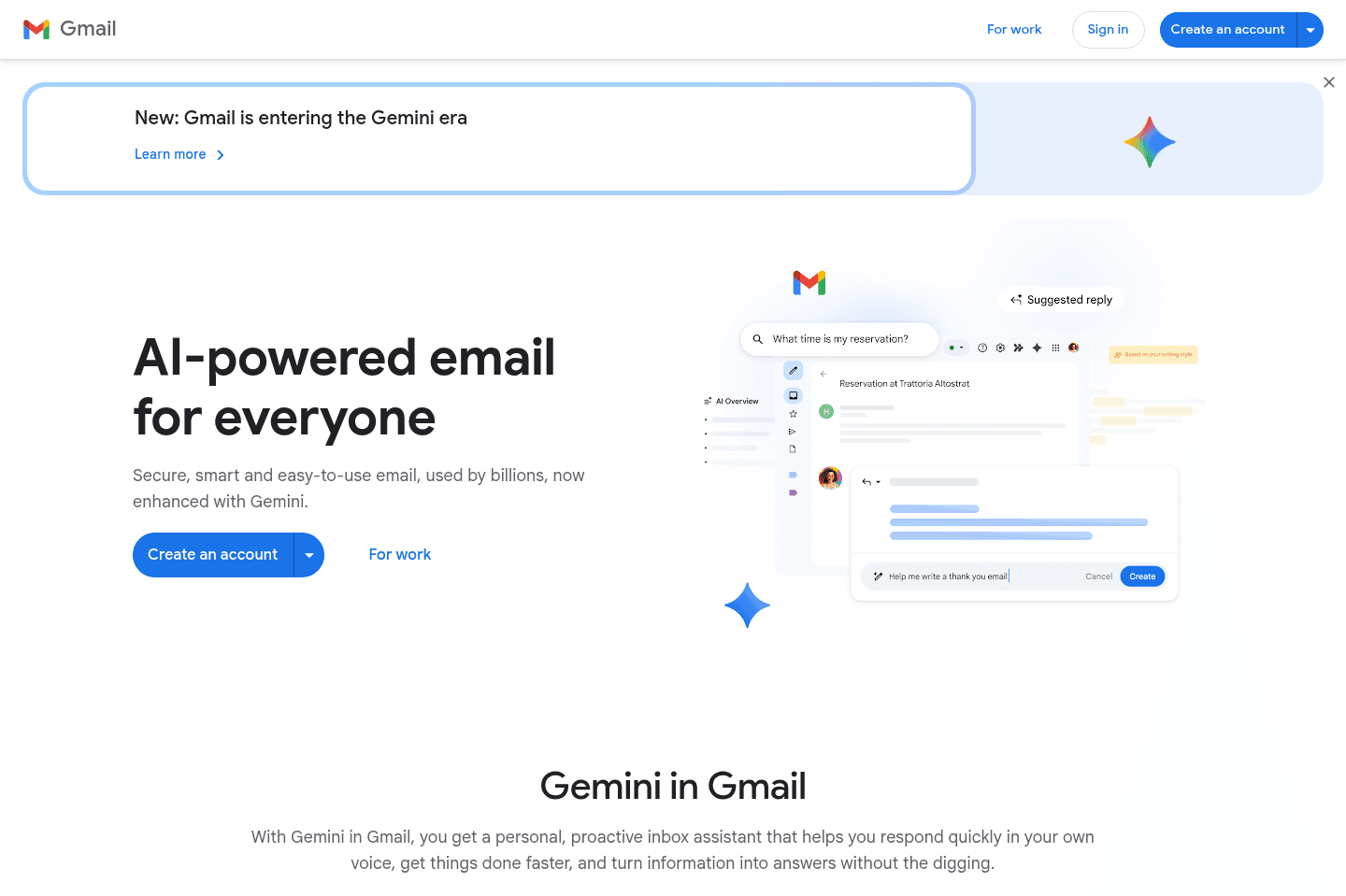
Gemini AI Responses & SearchGmail now has Gemini fully embedded into helping you write emails. You can now use their "Help Me Write" feature, and it will analyze previous emails to draft a reply in your tone.
Gmail also uses Gemini to help you search your inbox. Instead of typing keywords and hoping you remember the exact phrase from an email, you can ask it a normal question like, "When did I last speak to Sarah about the proposal?" or "Did the client ever approve the contract?" It will scan your inbox, give you a direct answer, and show you the emails it pulled that information from. That part is genuinely helpful, especially if you handle a lot of conversations and forget details.
Mobile App
Mobile AppThe Gmail mobile app has a significantly better experience than even the web app in many ways. It's easy to navigate, loads relatively quickly, and is an overall good experience. They let you set swipe actions (Archive/Snooze/Delete) and get quite granular on the notification settings as well.
Although you'll run into some limitations using the Gmail app that will slow down your workflow. For instance, you cannot create hyperlink when composing an email within the app.
Pricing
PricingGoogle Workspace includes Gmail and the full suite of collaboration tools, and pricing varies by plan and billing cycle. Most business plans start around:
- Business Starter: ~$7/user/month
- Business Standard: ~$14/user/month
- Business Plus: ~$22/user/month
Not a tool. A hire.
Hey
Made for non-technical users who like big buttons
Made for non-technical users who like big buttonsIf you're looking for an email client for professional usage, we'd absolutely recommend skipping HEY.
While HEY claims to have a solution for work accounts, it uses a less modern SMTP connection for which comes with it many limitations when it comes to business usage, read the FAQs section of the full review to understand this better.
What Is Hey?
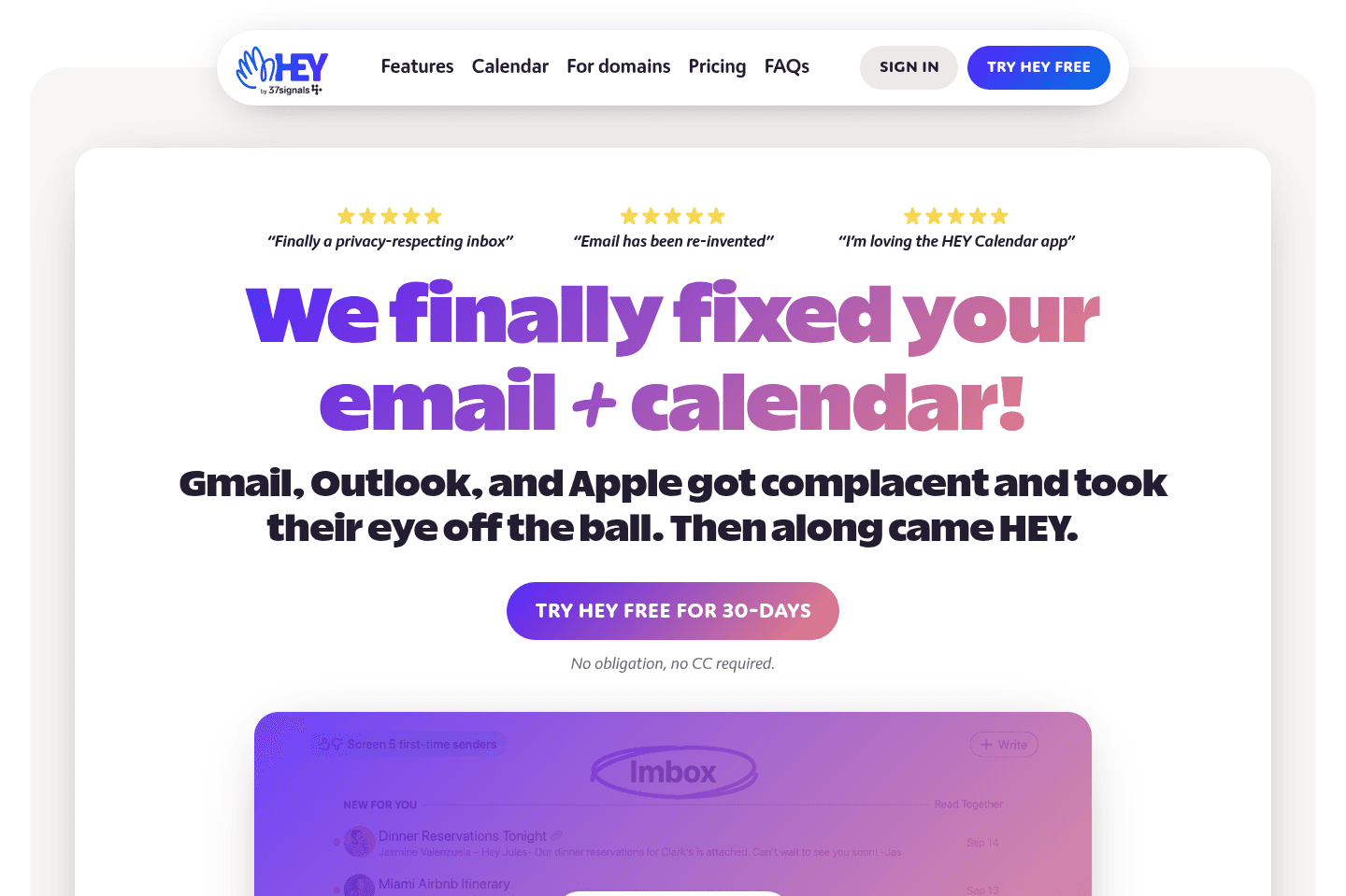
What Is Hey?Hey is a standalone email service built as an alternative to Gmail and Outlook. Instead of connecting to your existing Google Workspace or Microsoft 365 account, Hey gives you a brand-new @hey.com email address and a completely separate platform with its own opinionated approach to how email should work. That said, you'll have to let all of your family and friends know about your new email address.
It's not so clear who Hey was building for when we first got access.
Was it the software lover? The tech founder? The designer? Nope! But rather my mother, and maybe children? Hey clearly wasn't designed for the keyboard-shortcut-loving, productivity-obsessed founder crowd.
The product uses huge icons, childish text, and bright color gradients everywhere. They even tried renaming the familiar features like Inbox and Snooze to "Imbox" and "Bubbleup." It just doesn't connect with me, as someone who loves minimal, fast, professional interfaces. But, if you've been looking for something lighter and less "corporate", maybe it's something you'd like?
Pros and Cons
Pros and ConsPros
Pros- Built-in email screening
- Fresh @hey.com address with little to no spam history
- Opinionated, simplified inbox structure
- Custom domain support available
Cons
Cons- No integrations or API (no Zapier, CRM, Gmail, Outlook connections)
- Full platform lock-in with a @hey.com address
- Not well-suited for business users who rely on ecosystem tools
- Polarizing UI (large buttons, bright gradients, renamed features)
Key Features
Key FeaturesStandalone Email Ecosystem
Standalone Email EcosystemHey is primarily geared toward personal users who are looking to leave Google or Microsoft behind and try an entirely new email client.
However, that does come at a cost... If you're fully moving away from the broader Google or Microsoft ecosystems, this means giving up the integrations, APIs, and flexibility that most businesses rely on.
So, Hey is generally not well-suited for business users who depend on tools like CRMs, automation platforms (e.g., Zapier), or advanced calendar integrations.
Email Screening
Email ScreeningThis is Hey's most differentiated feature. They have a built-in gatekeeper situation, so before a new sender can land in your inbox, you must approve them. If you don't approve them, they never get through.
Credit where credit is due, this feature dramatically cuts back on spam and gives you more control over who gets your attention.
Inbox Structure
Inbox StructureHey doesn’t use a traditional inbox. Instead, it separates emails into different buckets like "Imbox" (for conversations) and "The Feed" (for newsletters).
The intention is to make inbox zero feel achievable and reduce the constant overwhelm of a single endless stream of emails.
It is a very opinionated structure that you don’t customize or control, but instead, adopt. For some people, that simplicity is refreshing. For others, especially power users who are used to labels, filters, and custom workflows, it will feel limiting.
Pricing
Pricing- Ultra-short 2-character addresses like ab@heydotcom are $999/year, and 3-character addresses like abc@heydotcom are $349/year.
- All other @hey.com email addresses, 4-characters or more, are just $99/year.
What is Outlook?
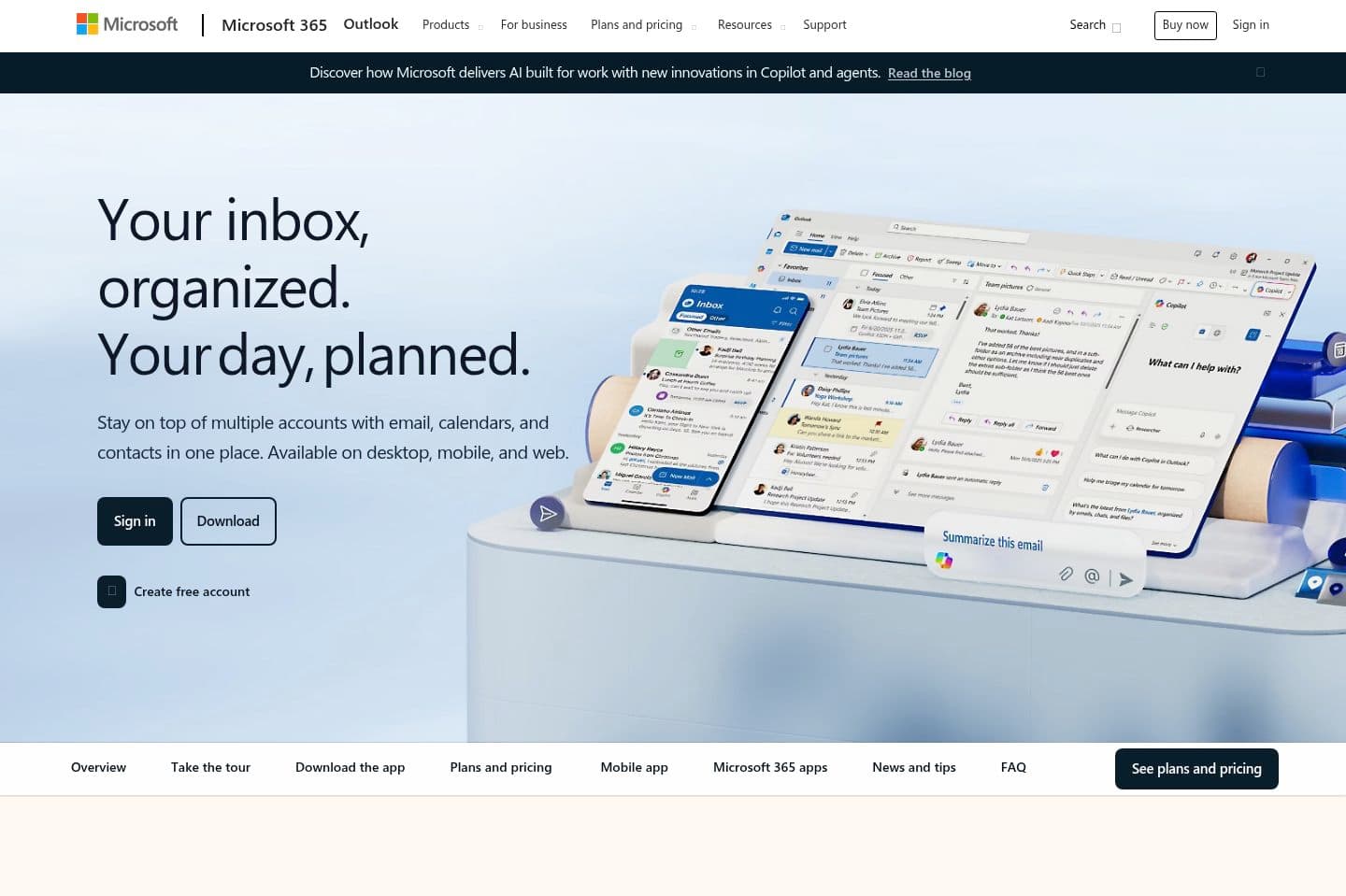
What is Outlook?If you're a larger enterprise, you're likely using Outlook instead of Gmail (Google Workspace) to manage your email and calendar for work.
That said, most startups and quickly growing companies use Google Workspace, so if you're looking into Gmail vs Outlook, we believe Gmail is the clear winner here. It just has a more user-friendly experience all-around, and has significantly more integrated tools ( most modern tools integrate with Gmail over Outlook).
If you're "stuck" with Outlook and want to make your email experience 10X better, using Outlook in addition to a platform like Superhuman email is the way to go.
Pros and Cons
Pros and ConsPros
Pros- All-in-one email and calendar solution within Microsoft 365
- Tight integration with other Microsoft tools
- Familiar interface for long-time enterprise users
- Standard choice for companies already committed to Microsoft
Cons
Cons- Clunkier user experience compared to modern email clients
- Fewer modern integrations compared to Google Workspace
- Limited “Sign in with Microsoft” support across newer SaaS tools
- Most modern startups and tools prioritize Google compatibility
- Rarely a proactive choice for small business owners
Key Features
Key FeaturesEmail + Calendar in One App
Email + Calendar in One AppOutlook combines your inbox and calendar into a single interface. Giving you the ability to respond to your emails, check calendar availability, schedule a meeting, and send out invites, without switching tools.
For companies already using Microsoft 365, you know it works and that it’s functional. You also know it lacks that modern feel that places importance on speed and focus.
Microsoft 365 Integration
Microsoft 365 IntegrationOutlook connects directly with the rest of the Microsoft ecosystem (Word, Excel, Teams, SharePoint, and OneDrive). And that's great if 365 is what you're committed to, but when you're looking to create a tech stack outside of their system, it suddenly becomes a lot less compelling.
Enterprise-Grade Security
Enterprise-Grade SecurityLarge enterprises rely on the level of oversight that Microsoft provides. It provides strong security, compliance features, and centralized admin controls, but this is a great example of just because flagship companies are using it doesn't mean it's what's best for you and your team.
If your team is a smaller and fast-moving team, this level of complexity will probably feel like overkill.
Pricing
PricingOutlook itself is included with Microsoft 365, and pricing varies depending on features and region. Most Microsoft 365 plans start around:
- Business Basic: ~$6/user/month
- Business Standard: ~$12.50/user/month
- Business Premium: ~$22/user/month
Not a tool. A hire.
Notion Mail
Notion Mail shut down on Sep 22nd
Notion Mail shut down on Sep 22ndIMPORTANT: Notion shut down Notion Mail across web, desktop, and iOS on September 22.
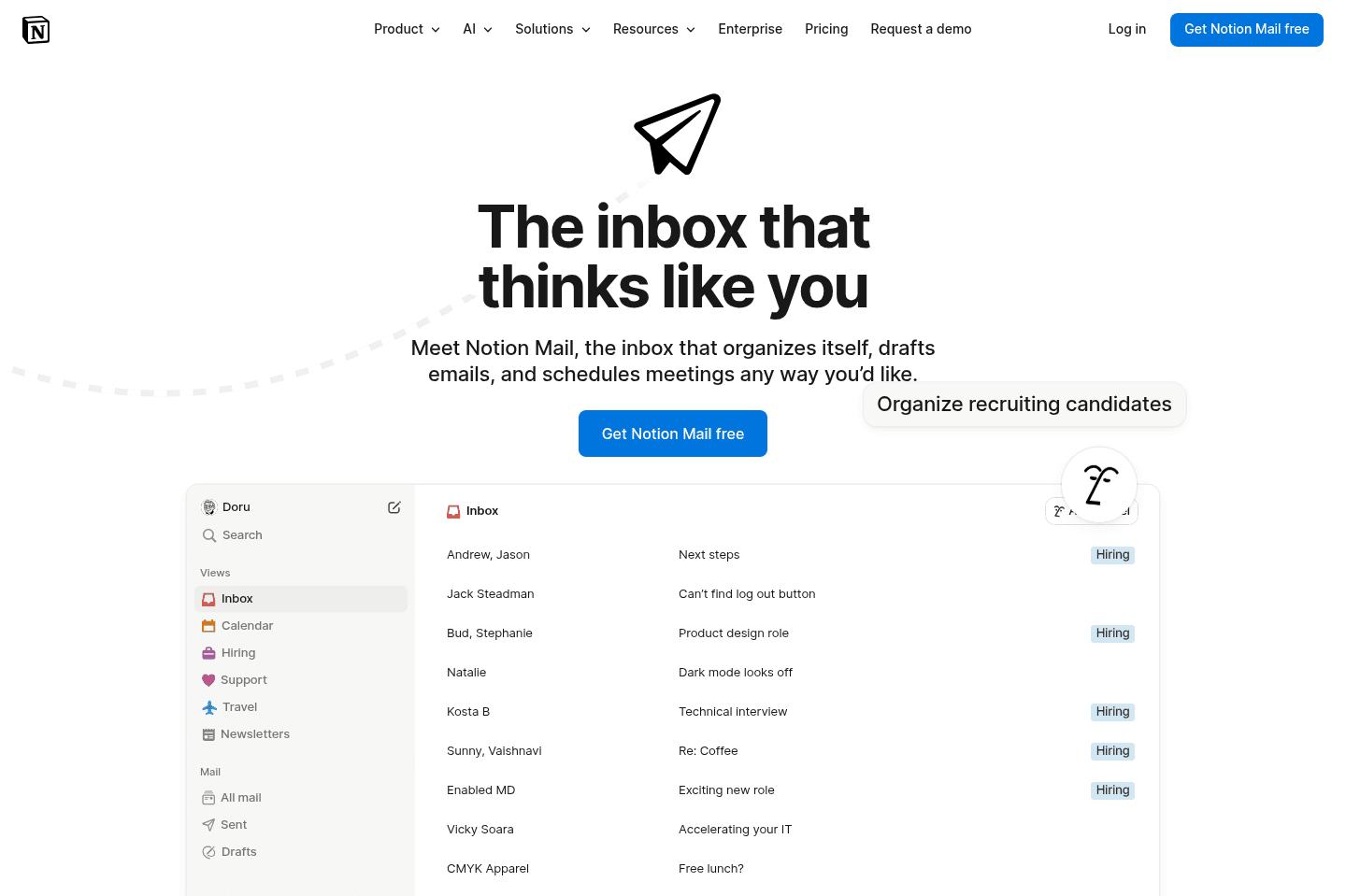
Notion Mail is essentially a Gmail wrapper with a Notion UI/UX interface and a few additional features like custom views, and the ability to reference Notion docs when composing your email.
What is Notion Mail?
What is Notion Mail?IMPORTANT: Notion is killing off Notion Mail across web, desktop, and iOS on September 22.
For a limited time, Superhuman Mail is giving our audience an exclusive 2 months extended free trial to any Notion Mail users affected. You can claim the extended Superhuman Mail 2 month free trial here.
Notion Mail is Notion's latest attempt to expand its product suite by adding email, but it’s not entirely original. You see, Notion acquired Skiff, an email client known for its privacy features. However, after the acquisition, Notion removed Skiff’s end-to-end encryption and integrated Gmail and Google Workspace instead, disappointing privacy-conscious users (yep, 2 million of them!).
Functionally, Notion Mail is essentially a Gmail wrapper with a Notion-inspired interface (although expect to pay for the AI features that you’d otherwise get for free with Gmail).
Notion Mail has a more minimalist interface than Gmail, with added AI features like referencing Notion pages while drafting emails. You can also create customizable inbox views using AI-powered labels, which can help organize your emails. However, it lacks deeper database integrations that many Notion enthusiasts hoped for (the general sentiment from users is that they are quite frustrated that you cannot integrate Notion database items with your inbox).
Pros and Cons
Pros and ConsPros
Pros- Better UI/UX than Gmail
- Most actions can be done via keyboard (CMD+K)
- Allows for custom views, helping make email triage more streamlined
- Can easily reference Notion pages via AI to help draft your emails
Cons
Cons- Some actions require mouse usage, breaking flow
- AI doesn’t write in your tone
- No Android app
- Not available for Outlook users
Key Features
Key FeaturesCustomizable Inbox Views
Customizable Inbox ViewsYou can declutter your inbox by creating custom views using AI auto-labels or manual rules. Notion’s auto-labels have a great user interface to select the types of emails that "go together" (e.g. emails related to kids, health, etc).
However, in our testing, we found that if you decide to later update one of these customized views, you need to start from scratch as they aren't easily updated.
AI Drafts
AI DraftsAI drafts tool lets you reference Notion pages or generate replies, but the writing lacks personality and runs out of credits quickly. We didn’t find the AI useful in day-to-day tasks.
Integrations
IntegrationsIf you thought Notion Mail would integrate with Notion pages or your database items, think again. That’s not available (yet anyway), leaving hardcore Notion users quite disappointed.
If you want to reference Notion pages in an email, you can tag the page and let AI generate a summary directly inside your draft.
Pricing
Pricing- Notion Mail is free to use, but AI features have limited trial usage. Unlimited AI in Mail requires a Notion Business or Enterprise plan.
Tatem
Limited online presence, current development status is unclear
Limited online presence, current development status is unclearTatem is a super minimal email client, but the team behind it was acquired by Wander.
From what we can tell, the product does not seem to continue to be developed or maintained. It may still work for now, but the future is unclear. We would skip it and go with a more actively supported email client instead.
What is Tatem?
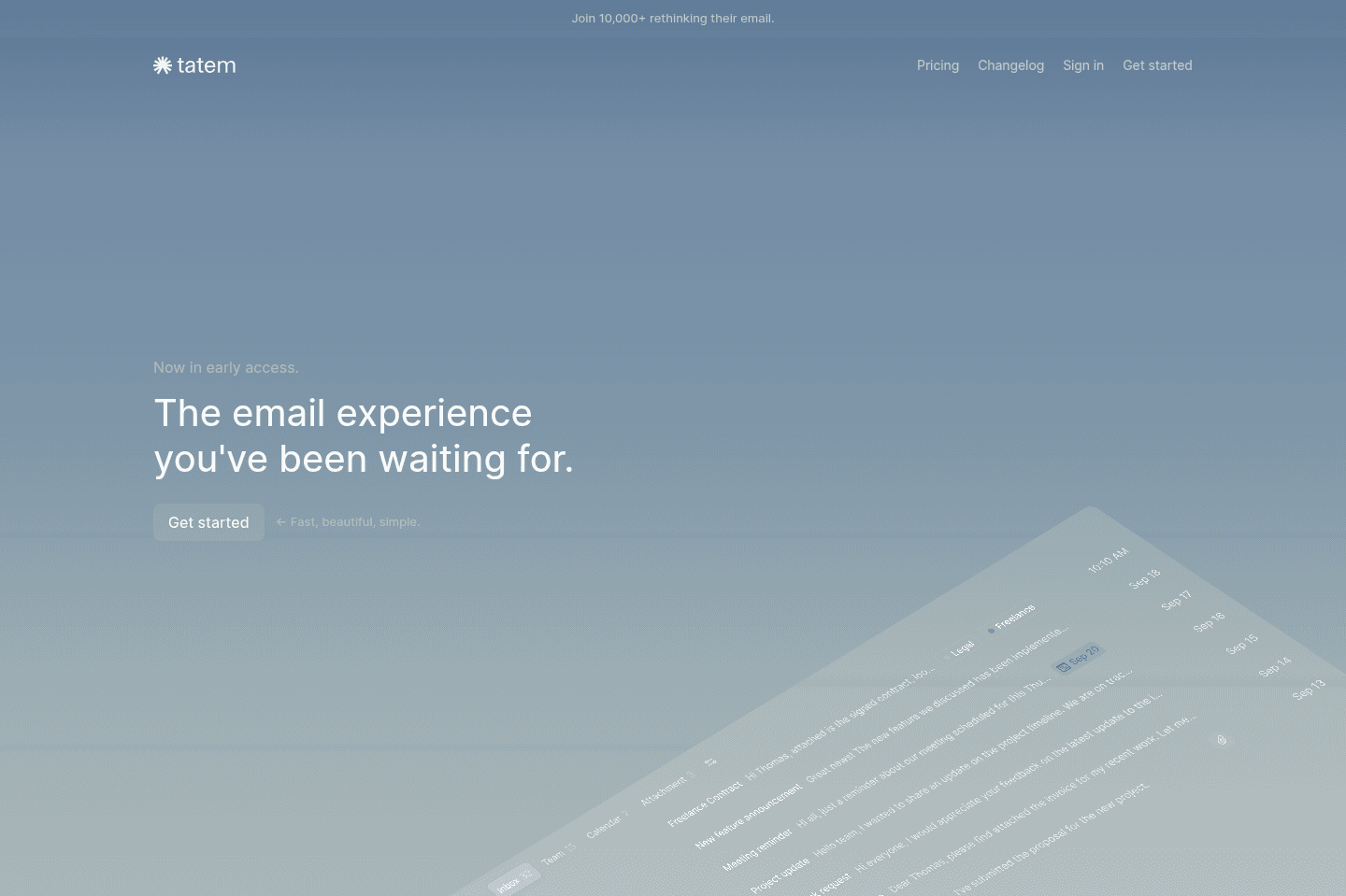
What is Tatem?Tatem is a minimalist email client focused on simplicity with a clean, distraction-free interface.
But it's worth mentioning that Tatem has recently been acquired by a company called Wander, and the founder now serves as VP there. Based on what we can tell, this appears to have been an acquihire and it doesn't look like Tatem will continue to be developed or even possibly maintained.
At the time of writing, the app still works. But its long-term future is unclear and may shut down.
Pros and Cons
Pros and ConsPros
Pros- Clean, minimal interface
- Fast and lightweight
Cons
Cons- Very bare-bones feature set
- No clear product roadmap
- Uncertain future after acquisition
Key Features
Key FeaturesClean UI
Clean UITatem does a good job keeping things super simple, and you can see that as soon as you open the app. You're not getting hit with chat widgets, side panels, or visual noise. Instead, you're faced with a clean layout, so their goal of reducing clutter is apparent.
This does mean that you wont be finding any depth or refinement you would generally see from a premium client, but more so a bare bones situation.
Fast Performance
Fast PerformanceThe app loads quickly and actions like archiving, snoozing, and switching between emails feel pretty responsive.
Speed alone isn’t the full experience, and while interactions are quick, the surrounding feature set is still fairly minimal.
Inbox Splits
Inbox SplitsTatem email client includes inbox segmentation, which allows you to separate different types of emails into distinct views.
Instead of staring at one endless stream of messages, you can organize emails into categories and process them in batches. This makes triage more intentional and helps reduce overwhelm. At the same time, it also makes it more difficult to tailor the tool to your unique needs in the way other alternatives do.
Pricing
Pricing- Free Forever: $0 per member per month. That said, given the acquisition and lack of a clear roadmap, prepare for the product to be sunset in the near future.
- While their website does have a paid tier, the tool is unlikely to continue to be developed.
Not a tool. A hire.
Our Final Verdict


Best Email Client Winner: Superhuman Mail
Best Email Client Winner: Superhuman MailThe best email client for modern professionals, startups, and small business owners is Superhuman Mail. The other email apps don't come close in terms of thoughtfulness and design. Even with AI tools like Claude and ChatGPT integrating with Gmail, I still find the most effective way to manage my emails is through Superhuman Mail's interface.
At this point, the only real question left is: is it worth the price? The honest answer is you have to experience it for yourself. Start with a Superhuman free trial for two months and see how it changes your day-to-day. If it clicks with you, you'll know pretty quickly.
If you're looking for a free email client, I'd go with Spark. Their free tier is enough to give you a better user experience than Gmail.


Email Client FAQs
Get quick answers about how we evaluate tools, what moves apps up or down our list, and how to choose the right email client for your business.
Should I just use Gmail with Gemini for my email client?
Should I just use Gmail with Gemini for my email client?With Gmail rolling out Gemini and AI-powered writing, it's fair to ask: "Why not just use that instead of paying for an email client?"
Well, Gmail + AI helps you write emails sure, but Superhuman Mail changes how you get through them daily. With Superhuman Mail, you're getting a fully rethought interface and workflows that you will never be able to get with Gmail and Gemini. Inbox splits that keep you focused while triaging through your mail, automatic labeling, auto-archiving, and team collaboration (you can share drafts and leave comments on email threads).
So when you're comparing Superhuman to Gmail, you're really deciding between a cluttered, traditional inbox and a fast, focused, clutter-free one. For us, the difference is night and day and the thought of going back to Gmail, even with Gemini, is not even remotely tempting (you couldn't pay us to go back).
What is the best free email client?
What is the best free email client?Is it worth paying for an email client?
Is it worth paying for an email client?What is the best AI email assistant?
What is the best AI email assistant?What is the best email client for Mac?
What is the best email client for Mac?What are the best email clients for Windows?
What are the best email clients for Windows?What is the best email client for teams?
What is the best email client for teams?Still have questions?
Read more FAQs