Comparison Summary
Comparison SummaryImportant: Notion Mail shut down September 22nd, 2026.
Notion Mail formerly gave you a nicer interface and lets you pull in Notion docs while emailing, which Spark does not.
Only use Spark if you want something free and a bit faster than Gmail or Outlook, but Notion Mail feels nicer to use day to day.
 Spark
SparkCleaner Gmail/Outlook experience with team collaboration features
Cleaner Gmail/Outlook experience with team collaboration features Notion Mail
Notion Mail is shutting down on Sep 22nd
Notion Mail is shutting down on Sep 22nd
At a Glance
At a GlanceComparison Video
Comparison VideoBest Email Client: $0 vs $400 Email
Best Email Client: $0 vs $400 Email 26:19
26:19Best Email Client: $0 vs $400 Email
Best Email Client: $0 vs $400 EmailRecommended Alternatives
Recommended Alternatives Superhuman MailBest
Best overall email client
Best overall email client
Editor's Verdict
Editor's VerdictImportant: Notion Mail shut down September 22nd, 2026.
Purposeful Design
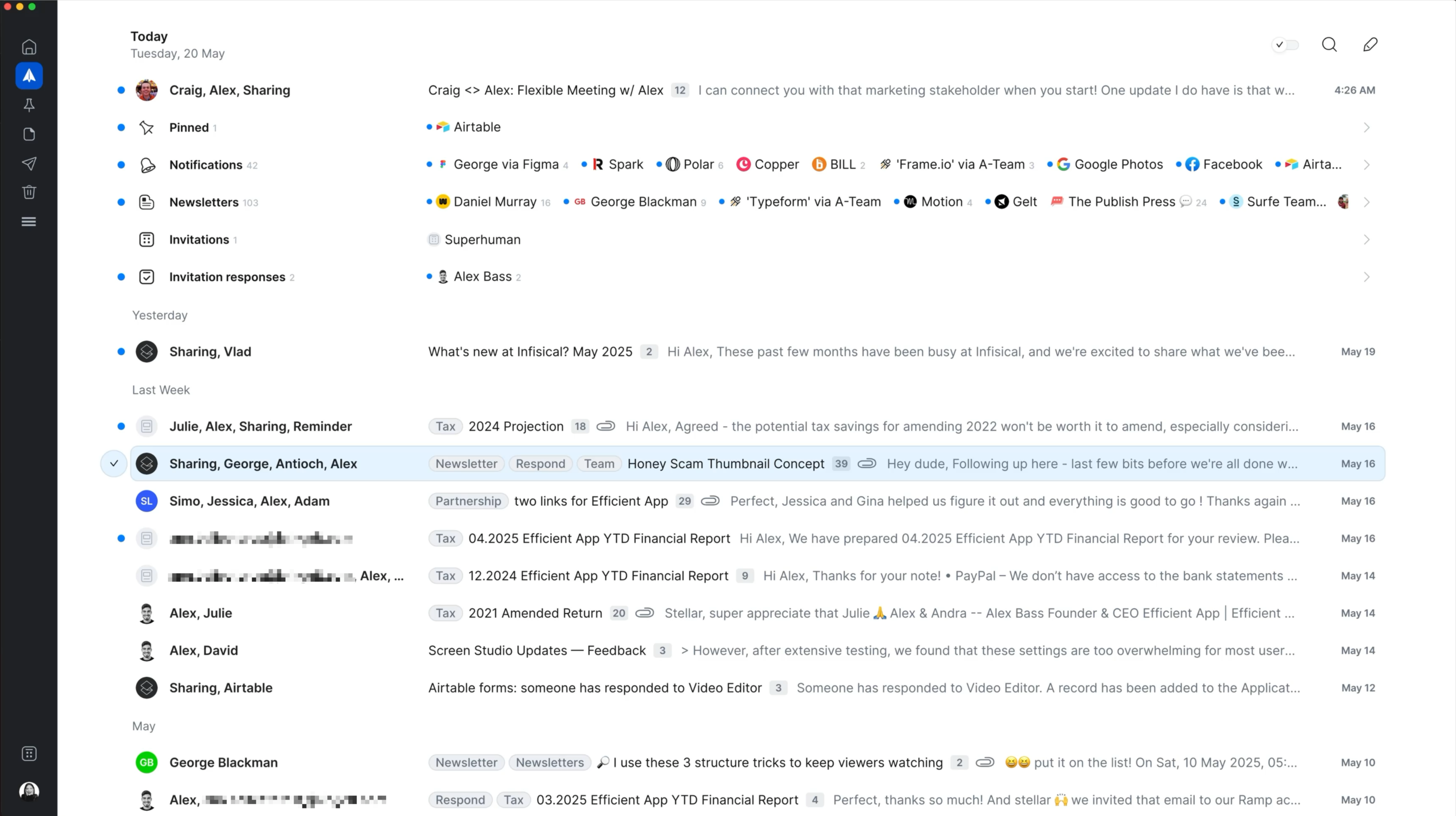
Purposeful DesignNotion Mail stands out for letting you build custom inbox filters, so you can segment your emails into focused views instead of dealing with one messy pile. This makes it easier to avoid distractions compared to Spark, which auto-sorts into basic categories but still dumps most mail into a single main inbox, forcing you to deal with everything at once.
Both apps have some clutter or friction, but Spark's wide email formatting and button-heavy compose screen can wear you down faster. Notion Mail feels cleaner overall, even if its side-panel compose window can get cramped for longer replies.
Neither app nails flow completely, Notion Mail makes you click into each view without keyboard shortcuts, which slows things down. But if you care about keeping your inbox organized and minimizing distractions while triaging, Notion Mail has a slight edge. Pick it if focused email sorting matters most to you.
Speed & Productivity
Speed & ProductivityBoth Spark and Notion Mail are solid when it comes to speed and productivity, but neither is perfect.
Spark stands out for keyboard navigation. You can get around almost everything, including snooze and send later, without touching the mouse. The downside is its clumsy handling of custom dates for snoozing, you have to count days instead of typing something natural. Templates are quick to access with a shortcut, and you can save fields to streamline sending. Offline mode works automatically, but only caches recent emails and can be slow.
Notion Mail gives you handy snippets that are easier to use, with built-in options and a smooth tab-to-complete workflow. Accessing them is simple, just hit /. But you still end up needing the mouse for switching inbox views and most snooze/send later actions. Offline mode is more limited, only letting you read and compose on the desktop app.
Both make inline replies tedious, you have to copy, format, and quote just to reply in context.
If you want to fly through your inbox mostly from the keyboard, Spark has a slight edge. But if you rely on templates and want a smoother snippet experience, Notion Mail feels a bit more streamlined there. Overall, Spark is the better pick for keyboard-driven speed, while Notion Mail wins for template productivity. It's a close call, but your workflow decides which one feels faster.
AI Assistance
AI AssistanceNotion Mail lets you set up auto-labels with natural language prompts and has a smoother interface for approving emails that match your criteria, but once you set a label, you're stuck with it unless you start over. That gets frustrating fast if you want to tweak things as your needs change.
Spark, on the other hand, only auto-categorizes basic stuff like notifications and newsletters, and you can't make your own custom auto-labels at all. So if organizing with AI is your priority, Notion Mail is the less painful option, even though both are limited.
For AI writing, Spark does a slightly better job because it tries to match your tone by scanning a few of your past emails, while Notion Mail's drafts ignore your style completely and don't take feedback. Neither is great, but Spark is closer to sounding like you.
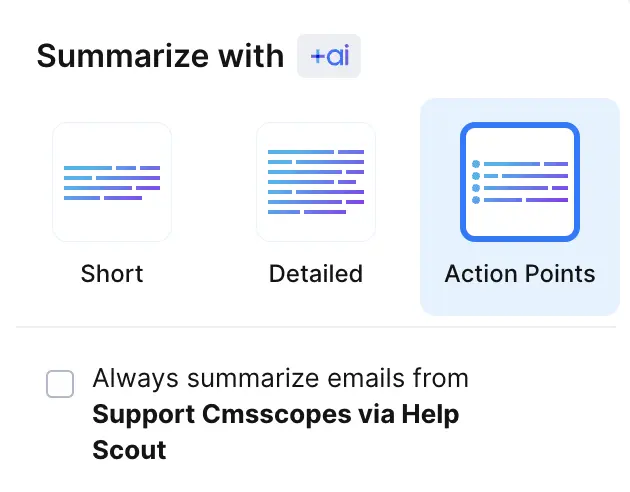
Neither app offers AI search or lets you ask questions about your inbox, and both are lacking in real AI summaries or context-aware help.
If you care about organizing with AI and are willing to deal with the hassle of resetting labels, Notion Mail barely edges out Spark. If you care more about AI-written emails that feel a bit more like your own voice, Spark is the better pick. Both are pretty limited, so it really comes down to which pain point matters most to you.
Follow-Up
Follow-UpSpark at least gives you read receipts if you pay for the premium tier, which means you get a tiny bit of feedback on whether your email was opened. Notion Mail doesn't do even that, you have zero visibility after sending and no follow-up help at all.
Neither one actually helps you with follow-ups, but if you need any signal at all, Spark is the less bad choice. If you care about tracking replies or seeing if your message landed, go with Spark. If you pick Notion Mail, you're just guessing.
Team Collaboration
Team CollaborationSpark absolutely runs circles around Notion Mail for team collaboration. Spark lets your team comment, assign emails, share drafts, and even bring in non-team members to view conversations (though they can't comment). Assigning responsibility is clear and built in.
Notion Mail has no team collaboration features at all, so it's not even in the running here.
If you care about collaborating on email with your team, Spark is the only real option between these two.
Screenshots
Screenshots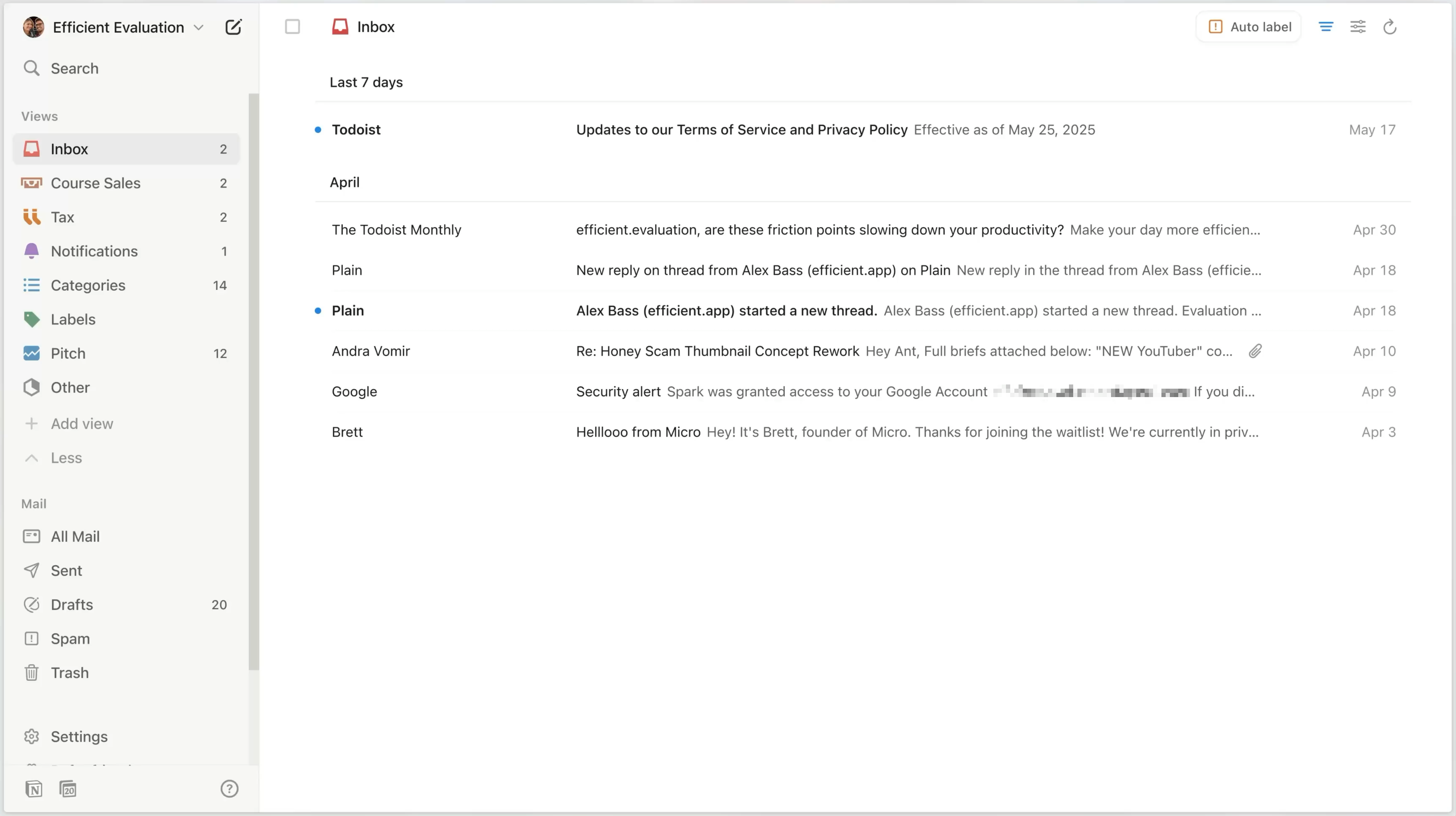
Notion Mail
Notion Mail interface





