MercuryBest
Best for those already using Mercury as their banking solution
Best for those already using Mercury as their banking solution RampRecommended
Best for those already using Ramp for corporate cards
Best for those already using Ramp for corporate cards StripeRecommended
Best for large SaaS startups
Best for large SaaS startups BILL Spend & ExpenseRecommended
Best for those already using BILL S&E for corporate cards
Best for those already using BILL S&E for corporate cards KickRecommended
Best AI accounting for small businesses
Best AI accounting for small businesses AirwallexRecommended
Best for multi-currency businesses
Best for multi-currency businesses HarvestRecommended
Best for time tracking with built-in invoicing
Best for time tracking with built-in invoicing QuickBooks OnlineRecommended
Best traditional accounting software
Best traditional accounting software
Best Billing & Invoicing Software at a Glance


Watch the Full Breakdown
Best Billing & Invoicing Software Ranked & Reviewed
Watch our full breakdown of the top billing & invoicing software, how they performed in testing, and what makes each one worth considering
How We Evaluate Billing & Invoicing Software
We score each billing & invoicing software across multiple criteria, and hands-on expert evaluation
- Ease of UseQuick to set up and intuitive to use without a steep learning curve.
- Feature DepthCore features that work well, not surface-level checkboxes.
- Reliability & PerformanceConsistent, fast, and dependable with minimal bugs.
- Value for MoneyPricing that's fair relative to what you actually get.
- Integrations & EcosystemWorks well with other tools in your stack.
- Expert EvaluationCurated by, our rankings reflect in-depth testing, industry insights, and hands-on experience.AlexandAndra
Mercury
Best for those already using Mercury as their banking solution
Best for those already using Mercury as their banking solutionThe best business banking solution for startups and tech-forward small businesses. We've used so many business banks that got the job done, but Mercury is what business banking should feel like. It makes tedious tasks like invoicing and managing cashflow easy and, dare we say, enjoyable.
If you run a super traditional, check-heavy business and need branch access, keep a legacy bank as backup. But for most tech-forward SMBs, Mercury will give you everything you need. We've been using it for 6+ years, and you couldn't pay us to switch to another bank. Plus you can get a Mercury bank sign up bonus of $250.
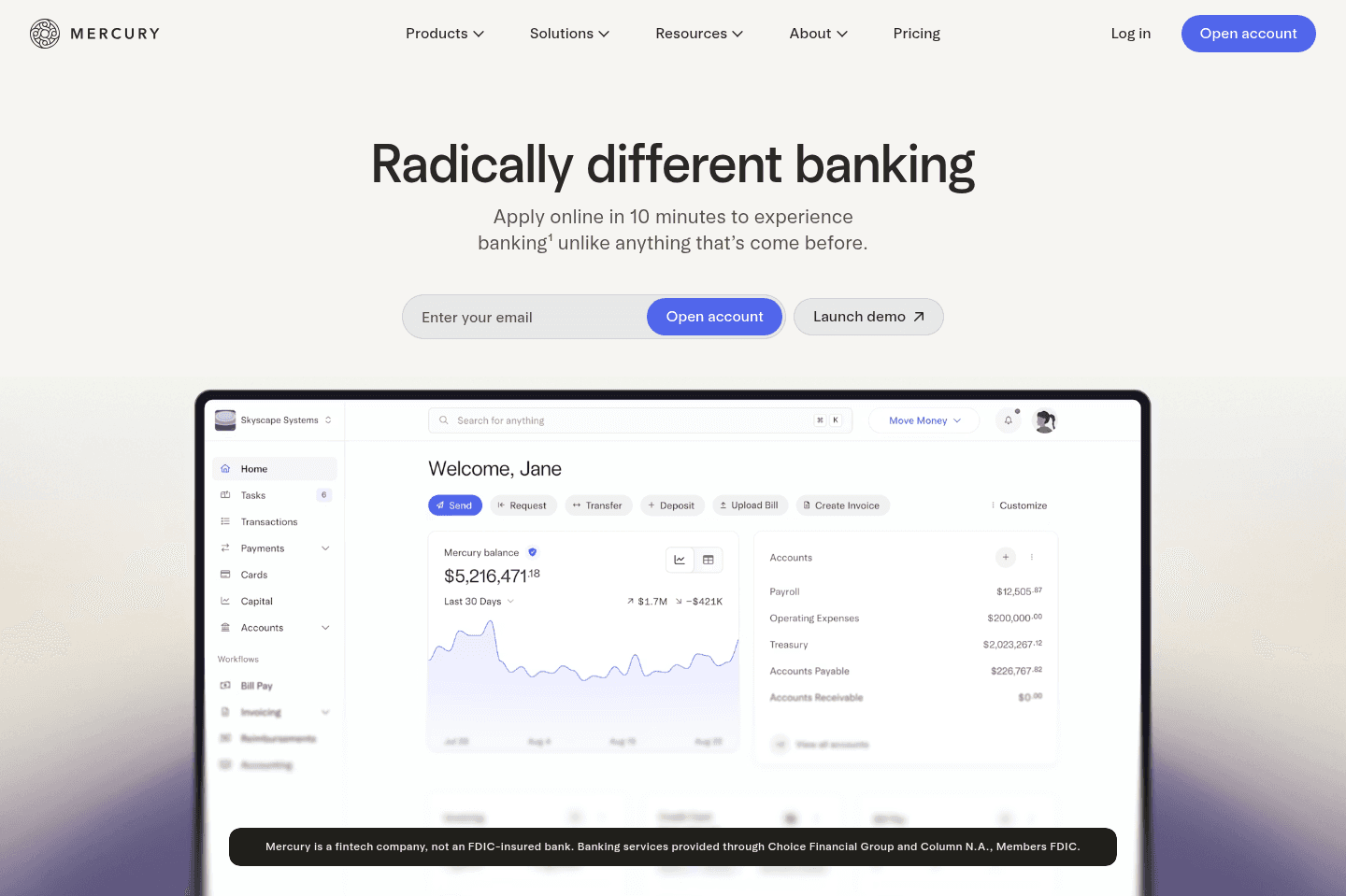
What is Mercury?
What is Mercury?Mercury is the best business banking platform for US companies. We've tried every business bank out there over the years, and Mercury is truly the best banking solution, regardless of whether you're a small business, startup or large enterprise.
The UI/UX is top-tier. Treasury accounts are built in. You can spin up additional checking accounts in seconds. Invoicing and bill pay actually feel smooth. It just works.
Allocating funds is handled with simple automations, so we're never thinking about setting aside cash for payroll or taxes.
And what you won't get with any other business is a free Mercury Personal account so your money can flow between business and personal accounts quickly and seamlessly. And guess what? Any of your employees can get a free Mercury Personal account too (usually $240/yr).
Mercury has turned us (and many others) into people who say, "I love my bank" and actually mean it.
Pros and Cons
Pros and ConsPros
Pros- No monthly fees or minimums
- Excellent UI/UX
- Powerful sub-account automation
- Fast, simple invoicing and bill pay
- Strong integrations
Cons
Cons- No physical branches
- No physical checkbooks
- Customer support is not instant
Mercury Key Features
Mercury Key FeaturesEasy Setup and No Fees
Easy Setup and No FeesWe all remember the days of spending an afternoon in a stuffy bank with folders full of paperwork just to open a business account. With Mercury, you can open an account online in only a few minutes, for free. There are no monthly fees or minimum balance requirements, and no fees on USD payments or transfers, so even if your business is just getting off the ground, Mercury's tools and features are accessible.
Sub-Accounts with Automated Allocation
Sub-Accounts with Automated AllocationIf you're someone who uses the "envelope method," you'll love Mercury's sub-accounts. Once your primary account is created, you can set up as many additional checking or savings accounts as you'd like.
Having this option shifts money management from reactive to automatic. Instead of budgeting in spreadsheets or creating reminders to set aside funds for taxes, use Mercury to create separate accounts for things like payroll and taxes, then let automatic transfer rules do the rest. It's simple, but it completely changes the way you think about cash management.
Invoicing and Bill Pay
Invoicing and Bill PayI actually enjoy creating invoices in Mercury, and I'm not exaggerating. It just has a simple, clutter free interface, that isn't distracting or doesn't make me jump though hoops just to get the task done.
Time to pay a vendor? Literally drag and drop the bill into your dashboard or forward it to your bill pay inbox, and Mercury automatically populates and scans it. Then, in just a few clicks, you can take care of sending the payment, categorizing the expense, and even setting up recurring payments. Invoices are similarly smooth and will have you on your way to getting paid in minutes
Treasury Yield + $5M FDIC Coverage
Treasury Yield + $5M FDIC CoverageMercury is not a traditional bank, but all checking and savings deposits are safe, sound, and FDIC-insured up to $5M through partner banks and sweep networks. Plus, your idle cash can earn interest instead of sitting at near-zero in a traditional bank.
Unlike a lot of the other high-yield investment options, Mercury Treasury makes transfers actually fast, even same-day.
Free Personal Accounts
Free Personal AccountsWe've been Mercury personal account users for a while now, and even paid their $240 annual fee for a while because we just wanted the same Mercury banking experience for personal use too.
But now, any Mercury business account user can get a free personal account, which is a huge bonus. Remember those quick, intuitive features and tools we mentioned earlier? You can use those to simplify your personal finances, too. Plus, with everything under one roof, transfers between your business and personal accounts are almost instant.
Mercury Pricing
Mercury Pricing- Free: $0/mo. Best for startups and small businesses that need a powerful free business bank account (We're on this tier).
- Plus: $35/mo (or $29.90/mo billed annually). Best for growing businesses that want advanced invoicing, ACH debit collection, expense reimbursements for larger teams, and enhanced accounting automations.
- Pro: $350/mo (or $299/mo billed annually). Best for businesses with complex operations that need a relationship manager, unlimited invoicing via API, ACH debit with $0 transaction fees, and support for large teams.
Disclaimer: Mercury is a fintech company, not an FDIC-insured bank. Banking services provided through Choice Financial Group and Column N.A., Members FDIC. Deposit insurance covers the failure of an insured bank.
Get the latest rankings and insights on top Billing & Invoicing apps—delivered to your inbox. Stay ahead with our expert picks and updates.
Ramp
Best for those already using Ramp for corporate cards
Best for those already using Ramp for corporate cardsRamp is our top pick in the expense management category for businesses that consistently hold at least $25K in their bank account.
If you're tired of clunky expense reporting, slow corporate card processes, and feeling like your "finance stack" is duct-taped together, Ramp is awesome. We'd absolutely recommend it for modern companies, especially over traditional options like Amex or slow-moving legacy systems. (Oh, and it's totally free 👀)
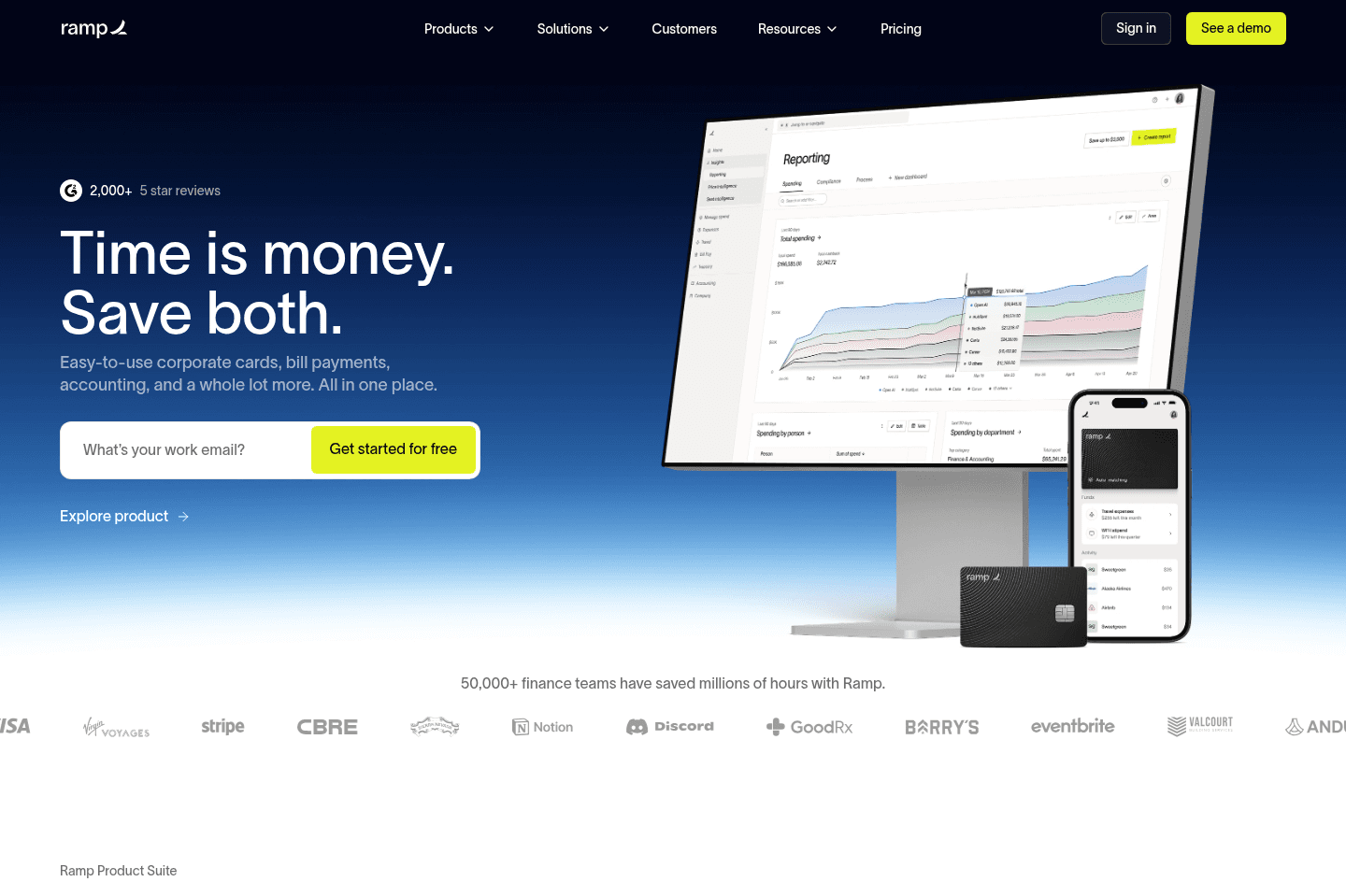
What is Ramp?
What is Ramp?Ramp is a corporate card and expense management platform designed to help companies control spend, automate finance tasks, and gain real-time visibility into expenses.
It's a leader in the spend/expense management and accounting automation space, with a clean UI/UX, tons of reporting features, and fast search functionality. Ramp is built for small teams to scaling businesses who want better financial control without the friction of traditional banks.
We've been using Ramp for about a year and love it. We're a small team of under 10 people, but have a ton of software subscriptions and Ramp makes it super easy to manage our expenses. Honestly, we hardly ever think about expense management, it just works consistently and accurately as we'd expect it to.
We also love that it feels more like a consumer app than traditional finance software. It's fast and easy to navigate, especially with features like CMD + K search on desktop to find any setting or feature, and SMS receipts while on the go.
If you’re already using something like Expensify or Brex and it’s starting to feel clunky or unreliable, you're going to be stoked with Ramp (we previously used both). And if you’re still using shared business cards like AMEX, spreadsheets, or reimbursements, your life is about to get a lot better 😄
Pros and Cons
Pros and ConsPros
Pros- Easy and fast onboarding
- Clean and intuitive dashboard
- Accounting integrations (QuickBooks, Xero, NetSuite, Kick)
- Amazing receipt capture flexibility (SMS, email, mobile)
- Generous cashback rewards (~1.5%)
- iOS and Android apps
- Free
Cons
Cons- $25K minimum balance required to open an account
Key Features
Key FeaturesVirtual Cards & Spend Controls
Virtual Cards & Spend ControlsWe care about this one because it's come up in real life. When you run everything through one shared card, a problem anywhere becomes a problem everywhere.
With Ramp, we have a card on file with every single vendor/software subscription. If it ever gets compromised, we cancel one card, we're not spending a weekend updating payment details across every tool in the stack.
You can lock cards to specific merchants, set any limit you want, and spin up a one-off card for a vendor and close it the moment the transaction clears.
Automated Expense Management
Automated Expense ManagementTap the card, get a text, reply with a receipt photo. That's genuinely the whole process for your team and no other expense management tool does it this well.
The text messages Ramp sends are friendly and easy, so even your most non-technical team member can use it. Then Ramp handles the categorization, memo, and accounting sync automatically.
Real-Time Visibility & Fast UI
Real-Time Visibility & Fast UITransactions show up almost immediately after a purchase, approvals come with a recommendation so you can move through them fast, and once you discover CMD+K search you'll wonder how you navigated finance software without it. It doesn't sound like much until you've used something slower.
Insights & Spend Intelligence
Insights & Spend IntelligenceRamp surfaces duplicate subscriptions, unusual spending, and cost-saving opportunities automatically. It becomes more valuable as your team and software stack grow.
Pricing
Pricing- Free: $0/mo per user. Best for startups and small businesses that want unlimited corporate cards, automated expense tracking, receipt collection via SMS/email/Slack, bill pay, and accounting integrations.
- Plus: $15/mo per user + platform fee. Best for growing companies that want AI-powered expense reviews, advanced approval workflows, multi-entity support, and deeper ERP integrations.
- Enterprise: Custom pricing. Best for large or global companies needing Workday or Oracle Fusion integrations, dedicated onboarding, and global card issuing.
Worth noting: You need around $25K in your business bank account at signup to get approved. Your credit limit will be based on your cash balance.

Get through your inbox 2x as fast (for teams of all sizes).
Stripe
Best for large SaaS startups
Best for large SaaS startupsIf you're a venture-backed SaaS startup, you should definitely be using Stripe. That said, this becomes more critical once you hit $4–10M/ARR. Before that, you're totally fine with using Polar, and having it handle all the tax complexities for you as your MOR.
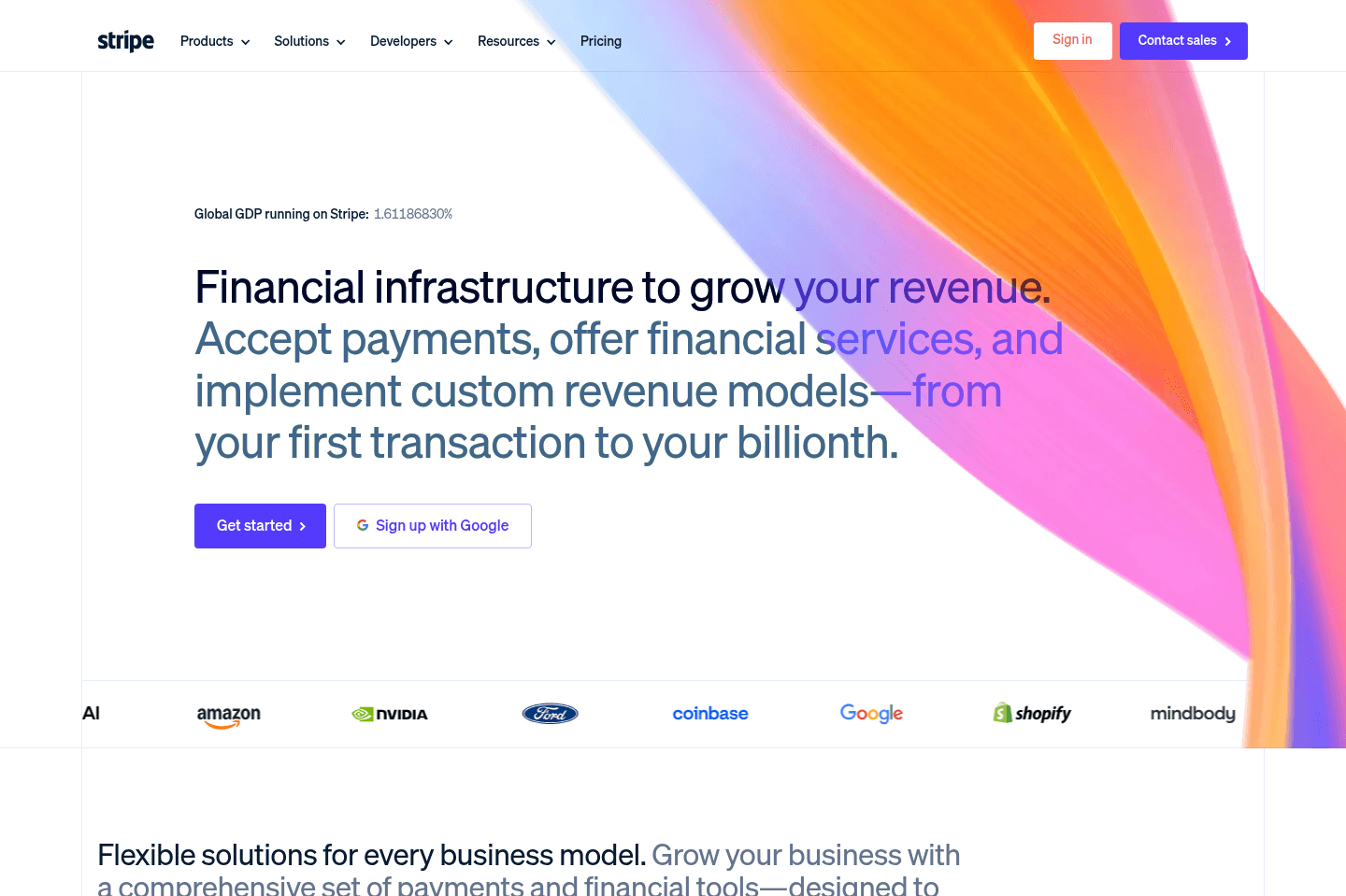
What is Stripe?
What is Stripe?Stripe is the most popular payment processing solutions on the market. Just about every single successful SaaS uses them, because they have the most robust infrastructure and deepest integrations of all the best payment processing software on the market.
BILL Spend & Expense
Best for those already using BILL S&E for corporate cards
Best for those already using BILL S&E for corporate cardsBILL Spend & Expense is the best expense management software for small-medium sized businesses. They are extremely accessible and do not require bank minimums like other expense management tools do.
Plus, it's totally free! We used it for 5+ years and it's the tool Alex's step-father uses in his construction business.

What is BILL Spend & Expense?
What is BILL Spend & Expense?We used BILL Spend & Expense for over five years, back when it was still called Divvy, after it got acquired by BILL. And honestly, when I first started using it, I couldn't believe it was free. The UI/UX is fantastic, the QuickBooks integration is incredibly helpful for automatically reconciling our books, and it basically felt like we had hired a 5-hour a week employee to do our expense management.
It is one of those tools that makes me think: why isn't every small business using this?
The first time we set it up, we created a virtual card for Facebook ads, cards for each of our software subscriptions, and another for a contractor. Each one had a budget limit. It removed 90% of the "what is this charge?" questions.
Expenses showed up in real time, tied to a specific vendor or budget, and synced into accounting automatically with receipts.
We recommended it to a family member who runs a construction business (Alex's step-father), and the reaction was the same as ours, he was totally blown away. Before BILL S&E, sending someone to pick up materials for a job meant handing over the business card and hoping for the best.
With BILL S&E, employees get their own card with a set budget, they can't go over it. And the cash back rewards get pooled and are given out as team bonuses at the end of the year (that was the decision he made since he felt like it was extra money just for using the software).
We did eventually switch to Ramp, but only because we're a software review site and we needed to evaluate it properly. If we weren't doing this work, we'd probably still be on BILL Spend & Expense and have no reason to leave. For most small businesses, it's more than enough, and unlike other tools in this category, there's no bank minimum to get started. You can jump in from day one as a soloprenuer or small team and start getting the benefits immediately.
It's still our top pick for small businesses that want a clean, reliable expense management foundation with any bank minimums.
Pros and Cons
Pros and ConsPros
Pros- Ideal for small businesses
- No bank minimums!
- No annual fees, totally free. No hidden charges (we used it for 5+ years)
- Expenses are tracked and categorized automatically
- Easy to create virtual cards for greater control over purchases/subscriptions
- Credit card rewards
- Each employee can get a card that admins can manage and control
- Budgets and limits can be set at the vendor or card level
Cons
Cons- Reporting and automation are not as deep or flexible as some other platforms
- Can feel slightly rigid for larger companies with complex approval workflows or multiple departments
Key Features
Key FeaturesCredit Card
Credit CardBILL Spend & Expense gives us so much control when it comes to our spending. We can easily create a virtual credit card, set a budget and Quickbooks category within seconds for each different vendor. We simply set a budget for each credit card for the exact amount that we know will be charged. If a subscription service decides to increase their pricing and charge our card, it will decline. And we like that, because we want to be the one deciding if someone should charge us more or not. 💪
Because we're able to put virtual cards down with each vendor, BILL Spend & Expense allowed us (and our vendor) to actually catch a person that committed fraud by stealing and using our credit card 🤯 Of course, the employee of our vendor was fired. Catching them would have been impossible to pin down if we had a generic credit card on file.
Expense Tracking and Reconciliation
Expense Tracking and ReconciliationTransactions are logged in real time and can be categorized right away. Once synced with your accounting software, everything lines up automatically, so month-end reconciliation is faster and less error-prone. This cuts down a lot of the manual cleanup at month-end.
Employee Cards
Employee CardsHave multiple employees that need their own corporate card? Create a card for them and set a spending limit, that's all you need to do. You can change the spending limit for each employee, make it $50 or $500, BILL Spend & Expense cards allow you to be flexible.
If they leave the company, simply freeze the card (you have total control—just think of what the process is like with a typically corporate card. Issuing a new card for an employee is an annoying process, as is cancelling it). Not to mention the positive affect it has on your employees, as they get to feel empowered and like a trusted part of the team.
Accounting Integrations
Accounting IntegrationsBILL Spend & Expense works with QuickBooks Online, QuickBooks Desktop, Oracle NetSuite, and Xero among others. If your system isn't supported, you can still export CSVs and import your data manually. Either way, it keeps your records connected without forcing you to change your existing accounting setup.
Rewards
RewardsThe rewards are pretty standard with others in the business credit card space, getting somewhere around 1–1.5% on all categories, with a bit more in certain categories (higher % when making payments weekly—less if made bi-weekly or monthly).
One customer that we recommended BILL Spend & Expense to started using it and quickly saw his reward balance grow. He decided to use the reward funds as Christmas bonuses for his employees. He said, "it's money that's just sitting there, and if I can give them a little extra to take home at the end of the year, it's something cool I get to do."
Pricing
Pricing- Free: $0/month. This covers everything: expense management software, corporate cards, budgeting + controls, and accounting integrations.
Honestly, I thought we were paying a subscription when I first used BILL S&E, I couldn't believe the software was free since it was that good 😅 (If you're wondering how they're able to do that, they make money on interchange).
Get through your inbox 2x as fast (for teams of all sizes).
Kick
Best AI accounting for small businesses
Best AI accounting for small businessesKick is a new AI-powered bookkeeping and accounting platform that we are super bullish on. We've been using QuickBooks Online (QBO) since 2010 because for a long time it was one of the only options available, but it has been absolutely dreadful software to use. If you're a new business, we strongly urge you to consider using Kick from the get-go; it's about 500 times more user-friendly than QBO.
That said, if you need full accrual accounting, or have heavy inventory, fixed assets, or a complex e-commerce business, Kick is not ready for you (yet)—but they're catching up quickly.
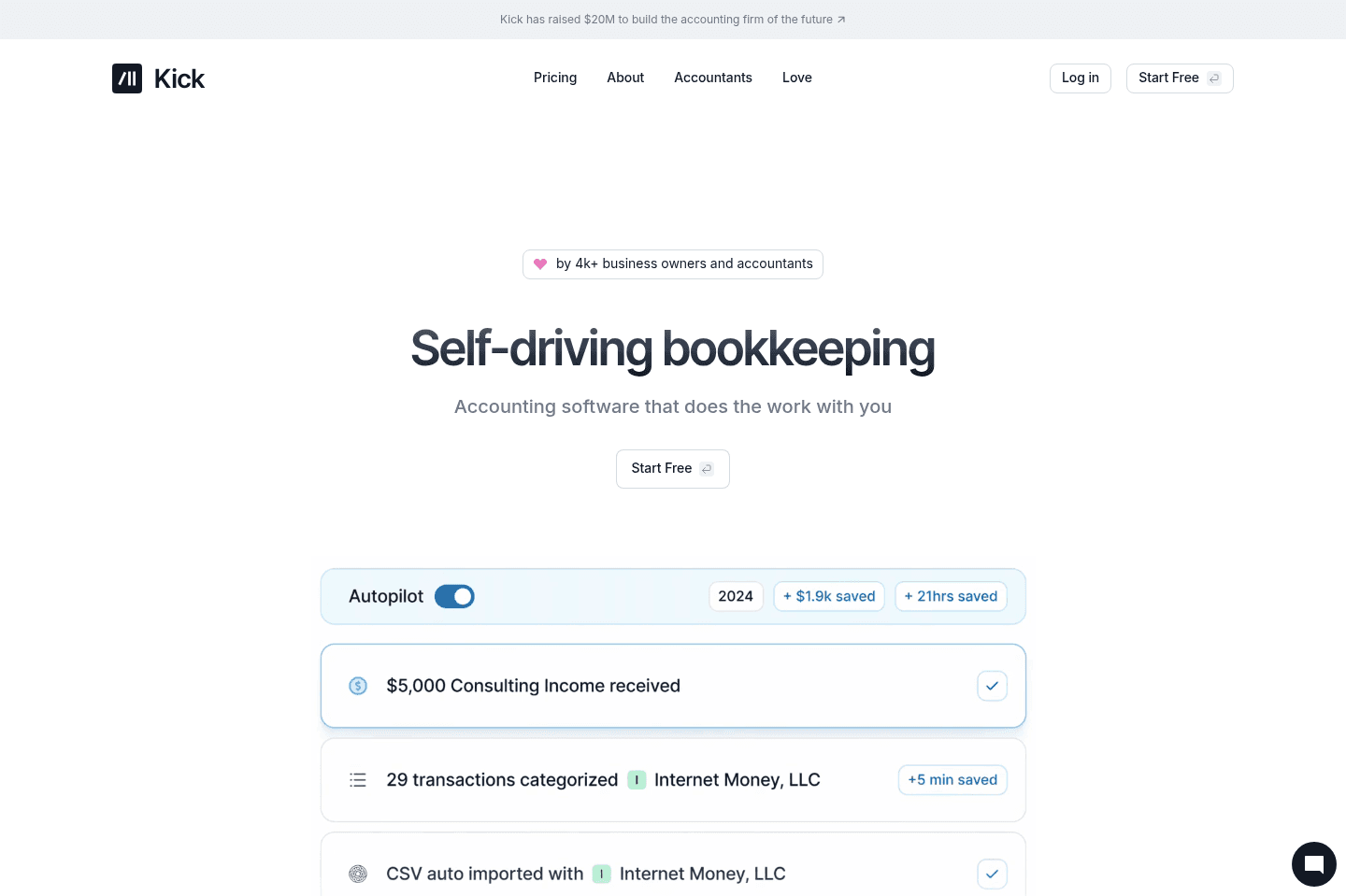
What is Kick?
What is Kick?Kick is an AI-powered bookkeeping and accounting tool that took us from having a miserable "reconciling days" every month, to barely thinking about the books.
When we were using QuickBooks Online for 12 years, Alex would usually spend 12-ish hours every month just reconciling and fixing random issues. Kick cut that down to about 1 hour a month. That's because it plugs directly into your financial accounts, pulls in transactions automatically, and uses AI to keep everything organized. It is not just a huge timesaver, it also gives us the ability to actually sit back and trust our books.
If you're a founder managing your books, Kick is definitely a no-brainer. It’s also a great option for anyone managing multiple businesses because Kick allows for multi-entity support. This means you don't need a separate subscription for each business.
That said, it’s not built for every use case yet. It’s still limited when it comes to international businesses, multi-currency support, complex accrual accounting, or inventory-heavy operations. If you’re running a more advanced financial setup, traditional tools are still the safer option for now.
Pros and Cons
Pros and ConsPros
Pros- Frees up time by taking over manual bookkeeping work (saved us 11 hours or so a month)
- Much easier to navigate than traditional accounting software like Quickbooks Online
- Automatically categorizes and reconciles transactions
- Direct integrations with modern financial tools like Mercury, Ramp, Gusto
- Supports multiple entities within a single, free account
Cons
Cons- Only available to US-based businesses
- Limited support for more complex accounting like deep accrual models or long-term contracts
- Still evolving in certain integrations (e.g., brokerage accounts)
Key Features
Key FeaturesAI-driven Bookkeeping
AI-driven BookkeepingUnless you're an accountant, you probably didn't start your business so you could spend all your time monitoring and reconciling transactions.
But unfortunately that just becomes the reality when you're using something like QuickBooks to manage your finances. There's always something to check in on or fix, and accounting turns into a mood-ruining task that you didn't really sign up for in the first place.
Kick automatically pulls in transactions from connected accounts and categorizes those so reconciliation happens in the background, automatically, using AI 🫶. Over time, it learns from your adjustments and rules, so you're "fixing" less and less.
The AI saves you time and busy work, sure. But this really boils down to making it so you're not managing the system anymore.
Multi-Entity Support
Multi-Entity SupportIf you're a multipreneur, the last thing you want to do is manage a handful of Quickbooks subscriptions and accounts. With Kick, you don't have to. You can add multiple businesses to Kick, and even personal accounts. Everything lives in one place, which makes managing multiple businesses a lot simpler. You also do not need to pay per entity, it all works under the same subscription.
You can take something like a single account (even inside a personal or shared bank account) and treat it as its own entity, with its own transactions and reporting. That means you don’t need to go set up a new bank account every time you start something new just to stay organized. And, everything is already segmented in a way that makes sense, so you're not trying to untangle things when tax time comes around.
Integrations
IntegrationsWe love that Kick focused on making direct integrations for the tools their customers actually use, instead of a ton of integrations that feel kind of bolted-on. The integrations make it so transactions to flow in and get matched up without any manual syncing. And, since the data is pulled in directly, there's a lot less duplication and inconsistencies (something we ran into a lot with QBO.)
Pricing
Pricing- Free: $0/mo. Best for businesses just starting out or evaluating the product (up to $25k in annual expenses). This is a genuinely useful free tier, not just a trial.
- Basic: $35/mo ($420/yr). Best for small businesses that want more customization and automation beyond the basics.
- Plus: $125/mo (billed quarterly). Best for growing businesses that need deeper financial reporting and more control.
- Custom: Starts at $200/mo. Best for larger or more complex businesses that need dedicated support, tax services, and advanced accounting.
You can manage multiple businesses within Kick, so keep that in mind too (as you'd normally need to pay for separate subscriptions per business).
Airwallex
Best for multi-currency businesses
Best for multi-currency businessesWe are huge fans of Airwallex for businesses that operate internationally and want to accept money across borders. With Airwallex, your customers can pay in their local currency, and you can keep the money in that currency (no forced conversions!). Better yet, you can spend funds locally using Airwallex's built-in expense management and multi-currency corporate cards.
This is our top pick for multi-currency payments, and we way prefer it over Wise. Wise is great for simple transfers. Airwallex is built for running an actual business globally.
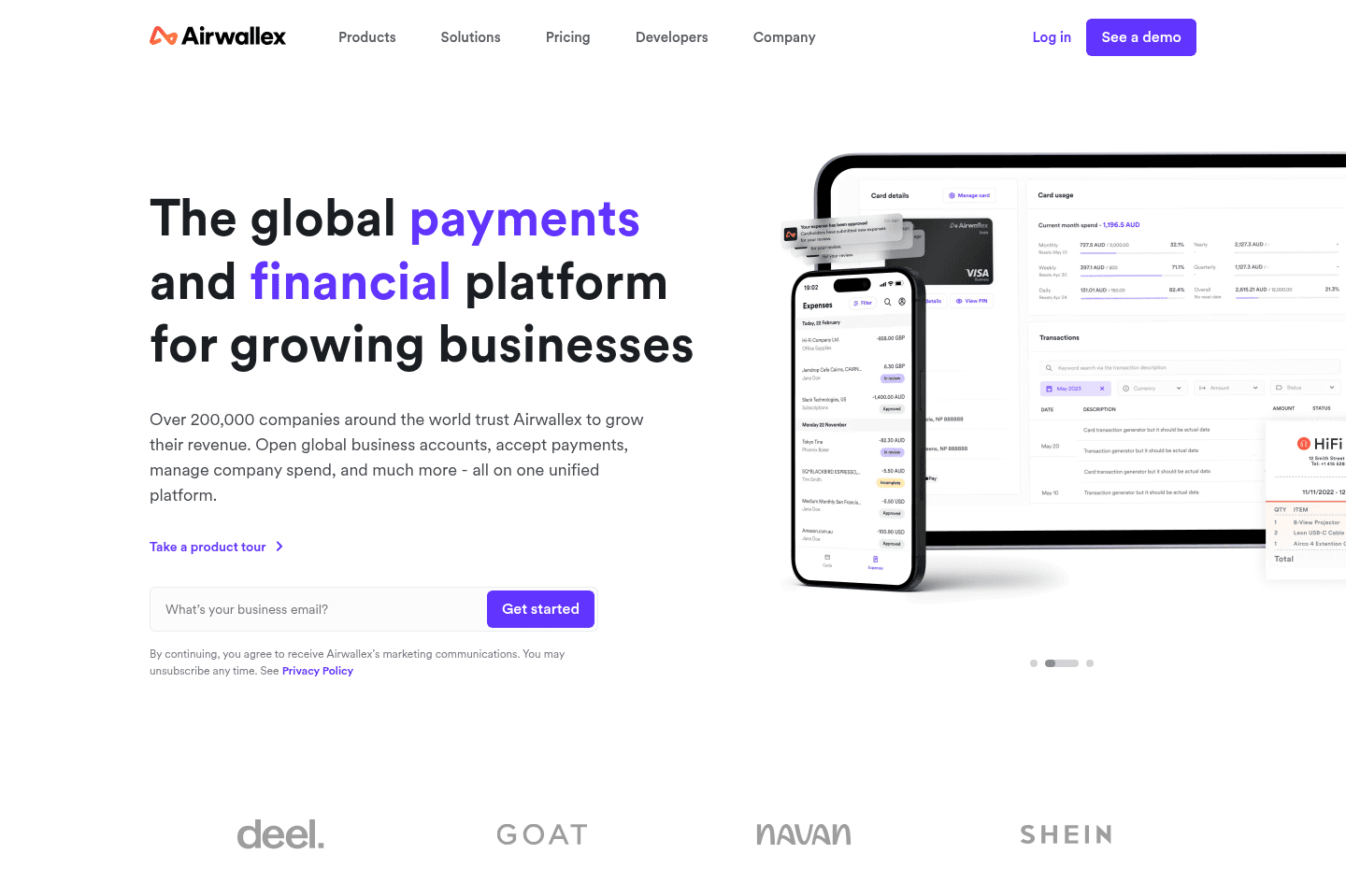
What is Airwallex?
What is Airwallex?Airwallex is a global finance platform built for businesses that operate internationally. It helps companies collect payments, send payouts, and manage money across multiple currencies without relying on traditional banks. The biggest advantage is that you can receive payments in local currencies and keep those funds in that currency. That means no forced conversions and fewer FX fees when paying global vendors or contractors.
Airwallex is a great fit for global businesses like ecommerce brands selling internationally, marketplaces handling payouts, or any company paying overseas contractors.
But if your business only operates domestically and rarely deals with foreign currencies, Airwallex is probably more than you need.
Pros and Cons
Pros and ConsPros
Pros- Multi-currency accounts with local bank details
- Global payouts to 200+ countries in 60+ currencies
- Competitive FX rates compared to traditional banks
- Built-in corporate cards and expense controls that work globally
- Integrations with platforms like Shopify, WooCommerce, Xero, and QuickBooks
- Free business account
Cons
Cons- Overkill for businesses operating in a single currency
- Some advanced features geared toward global teams
Key Features
Key FeaturesMulti-Currency Accounts
Multi-Currency AccountsAirwallex lets businesses create local bank accounts in multiple currencies, including USD, EUR, GBP, and AUD. This allows companies to collect payments like a local business in different countries and hold those funds without immediate conversion.
Global Payouts
Global PayoutsBusinesses can send payments to vendors and contractors in 200+ countries using local payment rails. This usually means faster transfers and lower fees compared to traditional international wires.
Corporate Cards and Expense Management
Corporate Cards and Expense ManagementAirwallex includes virtual and physical corporate cards. They make things like spend control, budgeting, and expense tracking so much easier.
But what's really cool is that you can spend directly from foreign currency balances with Airwallex. So get paid $10k in USD and pay your US vendors in USD without ever converting the funds.
Pricing
PricingAirwallex offers a free business account, so it's super easy to get started without up-front costs. (A no-brainer!)
- Explore: Free. Best for startups and small businesses that want multi-currency accounts, global transfers, and corporate cards without paying a monthly fee.
- Grow: Paid plan designed for scaling businesses that need more advanced spend controls, expense management, and financial automation tools.
- Accelerate: Higher-tier plan built for larger companies with complex financial operations and higher transaction volumes.
In addition to subscription tiers, Airwallex charges transaction-based fees depending on how you use the platform. FX conversions typically include a tiny markup above the interbank rate, which is still significantly cheaper than most traditional banks.
Get through your inbox 2x as fast (for teams of all sizes).
Harvest
Best for time tracking with built-in invoicing
Best for time tracking with built-in invoicingHarvest tracks categorized chunks of time for client and project work without overwhelming you with timeline details, making it easy to log hours and manage budgets, then instantly handle invoicing and billing all in one place. We used to use Harvest back when we were consulting, and loved it.
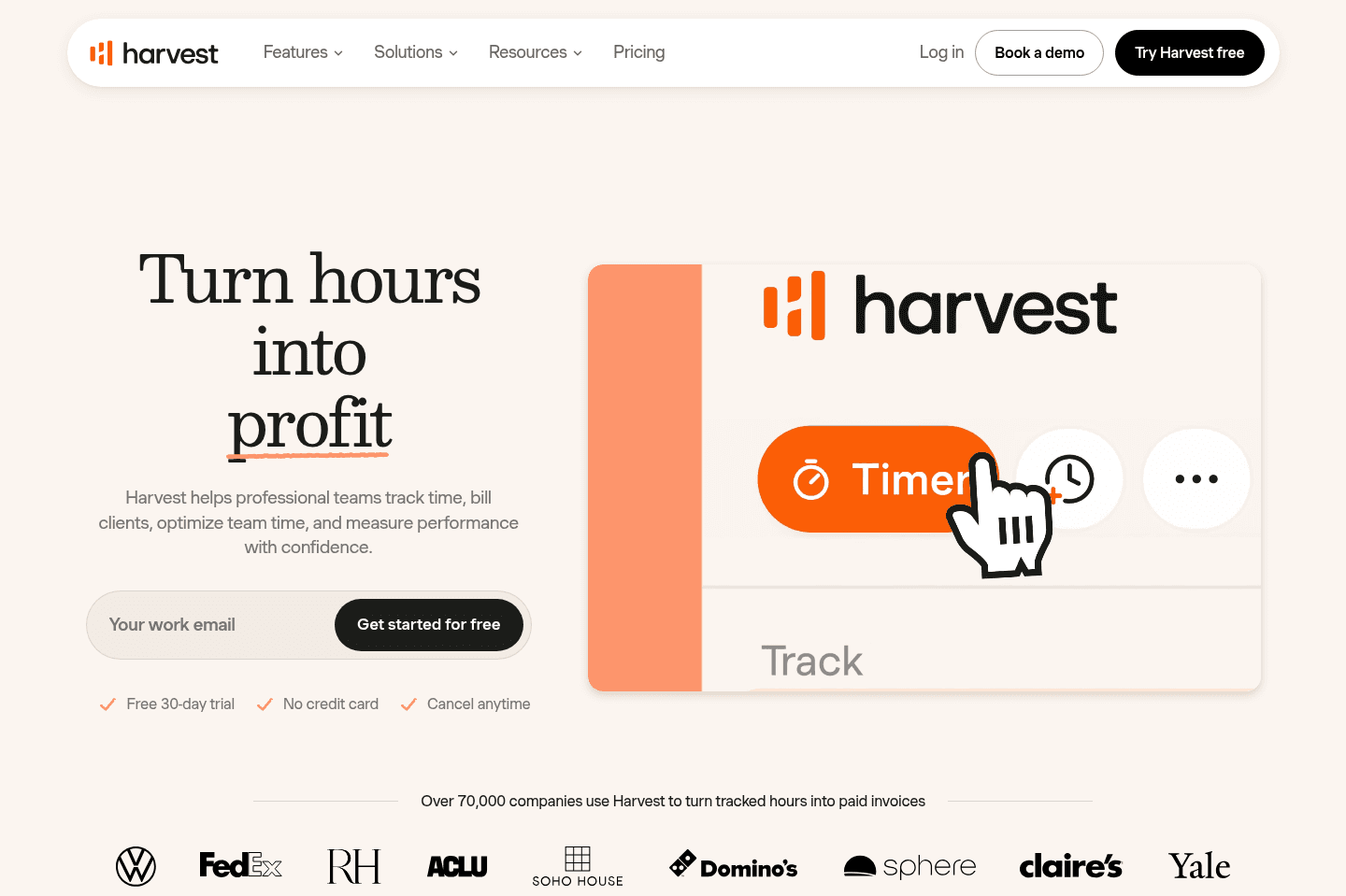
What is Harvest?
What is Harvest?Harvest is a time tracking and invoicing tool built primarily for teams that bill clients for their work. It lets you track time across projects and tasks, monitor budgets in real time, and turn logged hours into professional invoices without needing a separate billing system.
Pros & Cons
Pros & ConsPros
Pros- Clean, minimal approach to time tracking
- Built-in invoicing and billing directly from tracked time
- Recurring invoices and built-in payment support via Stripe and PayPal
- Strong project budgeting and profitability reporting for client work
- Easy client and project organization with clear budget, spend, and cost visibility
- Native QuickBooks Online integration
Cons
Cons- Limited automatic activity tracking compared to tools like Timely
- Not ideal for users who want detailed "what happened at each hour of the day" tracking
Key Features
Key FeaturesTime Tracking
Time TrackingHarvest focuses less on the timeline/calendar view of time tracking (e.g. what did you get done at each time of the day), and is more focused on simply tracking categorized chunks of time (tasks) across clients/projects.
Their approach is more minimal in a way—versus throwing sometimes an overwhelming amount of data at you (which is intending to help you figure out what you did), actually results in a bit of overwhelm.
Invoicing
InvoicingReporting
ReportingHarvest was actually built initially as internal tool for a marketing agency to track all of their client work which has since evolved to support hundreds of thousands of users at over 70,000 companies—so with Harvest, client reporting is deeply at the core.
Figuring out who is profitable, who is trending toward being over budget, and all the convenient billing/invoicing features to handle it all are all baked right in. (It even allows for recurring custom invoices and payment via PayPal + Stripe, along with a powerful native QuickBooks Online integration).
In the project view, you'll see every client, their projects, and detailed budget, spend, and costs all in one convenient place.
Pricing
Pricing- Free: $0 forever. Best for individual freelancers who need basic time tracking, reporting, and invoicing for up to 1 seat and 2 projects.
- Teams: $11/mo per user ($108/yr). Best for teams that need unlimited seats, team reporting, capacity tracking, invoicing, and accounting integrations.
- Enterprise: Custom pricing. Best for organizations that need advanced controls like profitability reporting, timesheet approvals, activity logs, custom reports, SAML SSO, and dedicated onboarding support.
QuickBooks Online
Best traditional accounting software
Best traditional accounting softwareQuickBooks Online handles accounting with a strong focus on US businesses, especially around US sales tax laws, and most US accountants are more familiar with it than with alternatives.
If you're in the US and need accounting software with a solid API, it's the standard choice, but don't rely on it for expense management, payroll, or time tracking because those areas are clunky, limited, and better handled elsewhere.
What is Quickbooks Online?
What is Quickbooks Online?We find that teams based in the US tend to use QuickBooks Online, and businesses outside of the US tend to lean more toward Xero.
This is important because it means that the features QBO is building is more focused on things like US Sales Tax laws, while Xero may have more accounting features helpful outside of the US especially.
Also, accountants inside of the US are often more proficient with QBO as compared to Xero (although they should be familiar with both).
P.S. We highly recommend QBO over QuickBooks Desktop because of their robust API—you're not going to be integrating QuickBooks Desktop easily with anything.
Key Features
Key FeaturesAccounting
AccountingQBO helps companies manage core financial tasks like invoicing, expense tracking, bank reconciliation, financial reporting, and tax preparation.
Payroll & Benefits
Payroll & BenefitsThis is one of those areas that it makes sense that they cover, but you can tell it was an add-on versus being their core service. Payroll is boring, and hey, QBO does the job, it's just not a straightforward user-experience, and let's just say we used it for 4 years before switching to Gusto, and there's not a single bone in my body that misses QBO for payroll. It was also incredibly painful closing it down with them, reporting to all the Department of Labor agencies, and everything. Save yourself the time and skip out on QBO for Payroll.
Time Tracking
Time TrackingIf you compare QuickBooks Online to any of the best time tracking software on the market, you'll see just how wildly barebones, slow, and underwhelming it is. Even just the process of logging into QBO feels like you're pushing a boulder uphill, now you need to do it any time you track software? No thanks, I'll pass.
They designed it more to be for people who just need to submit their time one-per-day or once-per-week, they are building to check a box, not to be leading the time tracking space.
Get through your inbox 2x as fast (for teams of all sizes).