Superhuman Mail

Superhuman Mail

Updated May 15, 2026
Awarded
5efficiency points
by editors.

Purposeful Design, Speed & Productivity, AI Assistance, Follow-Up, and Team Collaboration

Superhuman Mail
FTC
Review
Deals1
Comparison13

Review Summary

Review Summary

Superhuman Mail is the best email client on the market. It's wildly fast, minimal (not bloated with features), and helps individuals and teams triage through emails most efficiently. We've been using it for 6+ years and can't ever imagine going back to regular email.

Claim the Superhuman free trial for 30 days free, which is more than enough time to see if it fits your workflow.

Is Superhuman Worth It? 5 Signs You Should Leave Gmail/Outlook 👋

Is Superhuman Worth It? 5 Signs You Should Leave Gmail/Outlook 👋

What is Superhuman Mail?

What is Superhuman Mail?

If you get more than 10 emails per week and you enjoy beautiful software, you'll want to seriously consider Superhuman Mail. Superhuman Mail claims to be the fastest email experience, and we tend to agree. I'm not kidding, I'm talking like those 3-5 seconds you often need to wait for Gmail to load—yeah, Superhuman Mail is literally instant. Want to write an email? Open Superhuman Mail and press [c] and you'll be in a compose window a solid 2 seconds before Gmail loads.

You might be thinking "why pay for email management when you can use any email client for free?" 🤔

While I've spoken to many about the sheer simplicity and power, I find that either someone "gets it" or "doesn't", and if you don't, it's not for you.

Prior to Superhuman Mail we were using Gmail. And Gmail is great as a free email experience, but once we tried Superhuman Mail we found it made the entire "checking and answering emails" experience way more fast and enjoyable.

If you highly value your time, and are willing to pay a bit extra for enjoyment, Superhuman Mail is the tool that will do just that, while get you through your email inbox 2x as fast.

In summary, if you're on email A LOT and want to optimize for enjoyment/ease/speed, Superhuman Mail is 100% worth it. We've been paying for it for 7+ years and can't see life without it!

Embedded Image

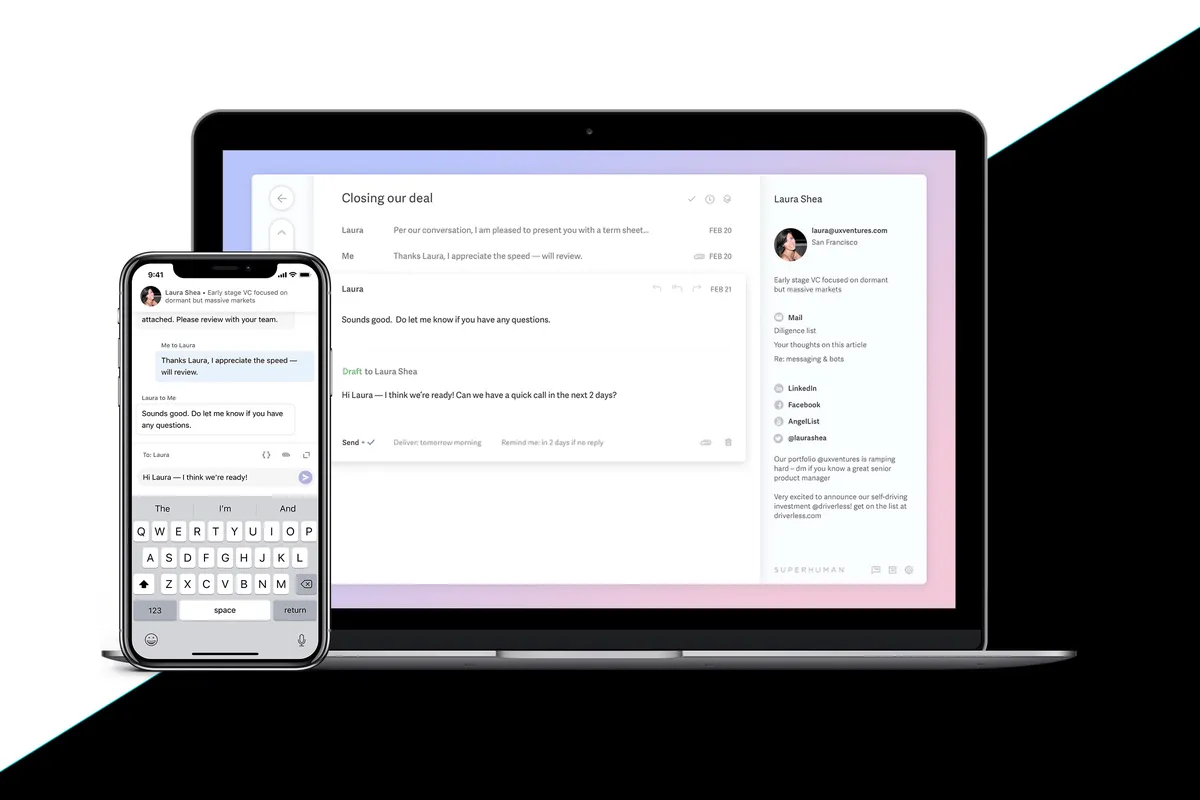
Superhuman Mail's email app + mobile app has a beautiful interface and offers the fastest email experience.

Grammarly Acquisition

Grammarly Acquisition

If you've been confused about the name change and are wondering what’s going on, we'll clear it up.

On July 1st, 2025, Grammarly acquired Superhuman. Previously, Grammarly had acquired Coda and brought in their CEO, Shishir Mehrotra, to run the entire company. We’ve had the pleasure of meeting Shishir a handful of times over the years while he was at Coda and have always thought highly of his leadership and product vision.

Alex presenting to Shishir & Coda's team his Coda account at their SF HQ in 2020

Alex presenting to Shishir (CEO of Superhuman) & Coda's team, he was showing his Coda account at their SF HQ in 2020.

In October 2025, Grammarly announced that they are changing their name to Superhuman. As a result, Superhuman the email client became Superhuman Mail. It's a lot 😅 But we appreciate how unconventional this acquisition is, feels like they are doing things for the sake of a long-term vision.

Rahul Vohra, the founder of the original Superhuman, still serves as the Head of Superhuman Mail. He's one of the best product builders out there (imagine how many other startups have tried to re-imagine email and failed). When he was in Austin, we got to ask him for his feedback on our very website.

Rahul Vohra (Founder & Head of Superhuman Mail) giving us feedback on our site prior to launch.

Rahul Vohra (Founder & Head of Superhuman Mail) giving us feedback on our site prior to launch.

Superhuman Suite

Superhuman Suite

This means you now get Superhuman Mail as part of the Superhuman suite of products, which includes Grammarly, Superhuman Go, and Coda. However, we recently spoke with their team, and they confirmed they are still working out some kinks when it comes to combining billing across all products.

So the best thing to do is grab a Superhuman free trial to get a free month (you won’t get this if you sign up directly through their main website), then email support to ask for access across all the tools.

Who should use Superhuman Mail?

Who should use Superhuman Mail?

Superhuman Mail is for those who want a better email experience.

  • Busy Professionals. If you check your email multiple times a day and want a smarter inbox that can help you quickly identify what is important, Superhuman Mail will be a huge help.
  • Easily Distracted folks. If you often go into Gmail or Outlook and wonder, "what was I about to do?" then Superhuman Mail can help keep you focused. This is because Superhuman is fast (you don't need to wait for anything to load), and it also has a minimal design. No bright colors, flashing buttons, or chat icons to get you distracted. It's built for focus.
  • Want Better Email. If email is one of your most used tools and you want to enhance your experience on the day-to-day, Superhuman Mail is definitely worth trying.

Superhuman Mail is available on MacOS, iOS, Android, and works on Windows via modern browsers.

Key Features

Key Features

Superhuman Mail works with Google Workspace (G Suite) or your Outlook account.

Minimal Interface

Minimal Interface

If you hate clutter and get easily distracted, you'll love Superhuman Mail. You get a refreshingly simple interface to triage through your inbox. And not to mention, when you hit inbox zero you're award with a new stunning image everyday.

Inbox zero in Superhuman Mail

Split Inbox

Split Inbox

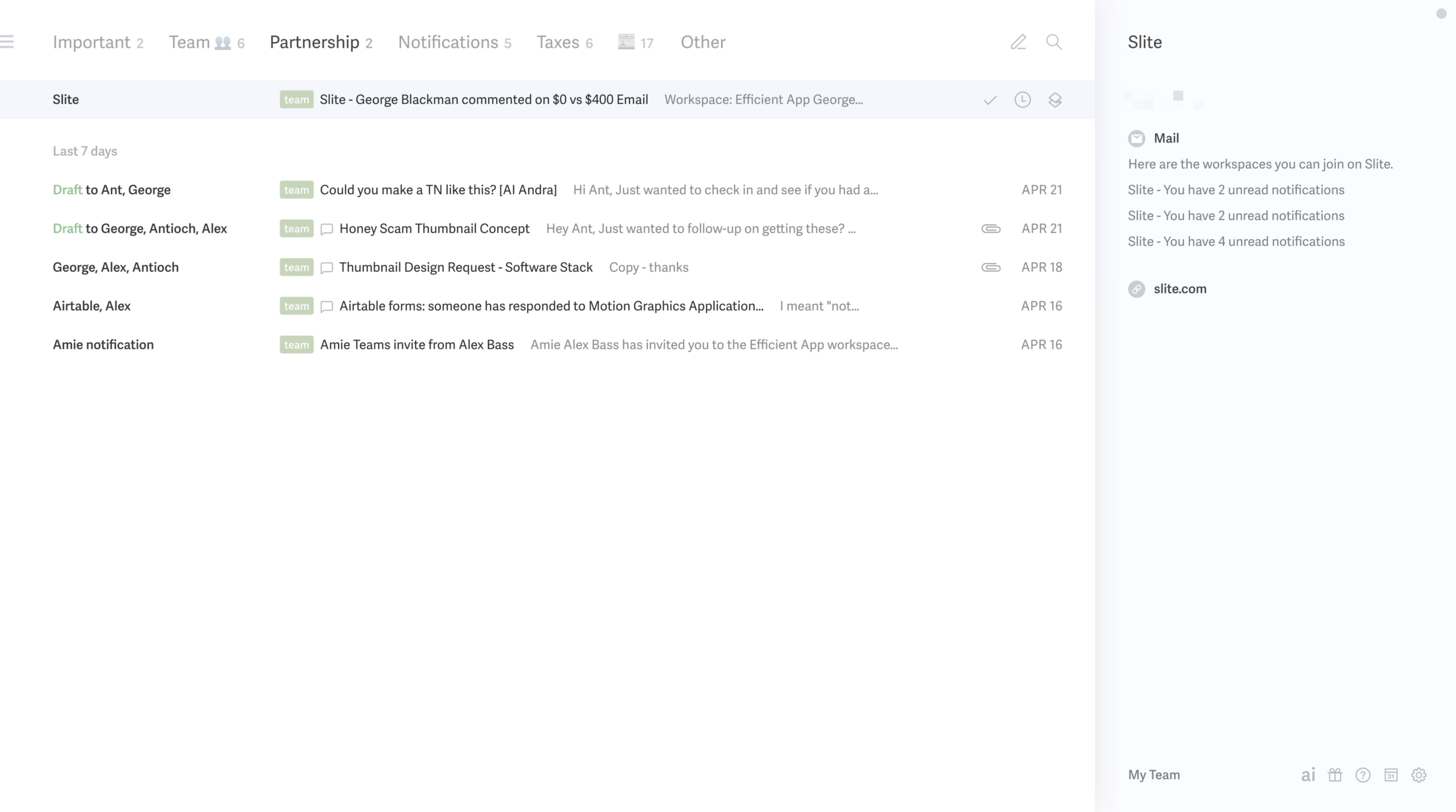
Set filters so that you can have different inbox splits (for example, filters for emails that are Important, Newsletters, Team Emails, Tax Emails, Calendar Alerts, and Notifications). It keeps you in flow when triaging your inbox and reduces context switching.

Superhuman Mail Inbox Splits

Reminders & Auto-Follow Up

Reminders & Auto-Follow Up

Set reminders to be returned on your emails if someone hasn't responded, mark messages as done with hitting a button and label messages with ease. Since we started using Superhuman Mail, we see inbox zero way more often.

Superhuman Mail Interface + AI Follow Up

More than that, Superhuman Mail uses AI to help you follow-up on emails that need a response. If you don't get a response in a few days, Superhuman Mail will automatically return the email to your inbox, draft a reply for you, so all you have to do is hit send.

Read Statuses

Read Statuses

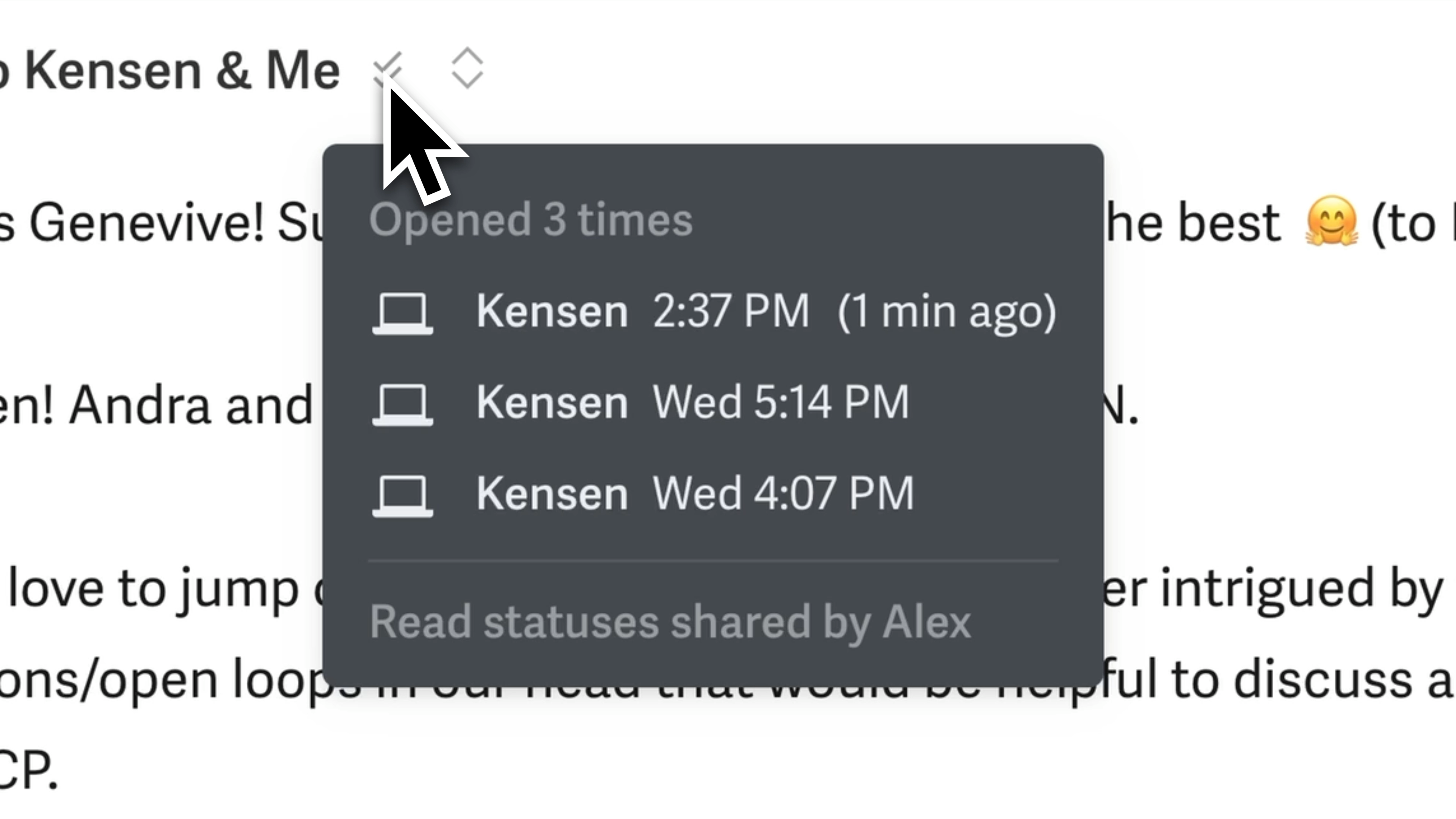
Read statuses are super helpful for our team too (if I send an email and Andra (my Co founder) is cc'd, she can also see if the recipient opened the email or if I am in the middle of typing a reply. This has been so helpful for collaboration 🤜 🤛).

Superhuman Mail Read Statuses

AI Drafts

AI Drafts

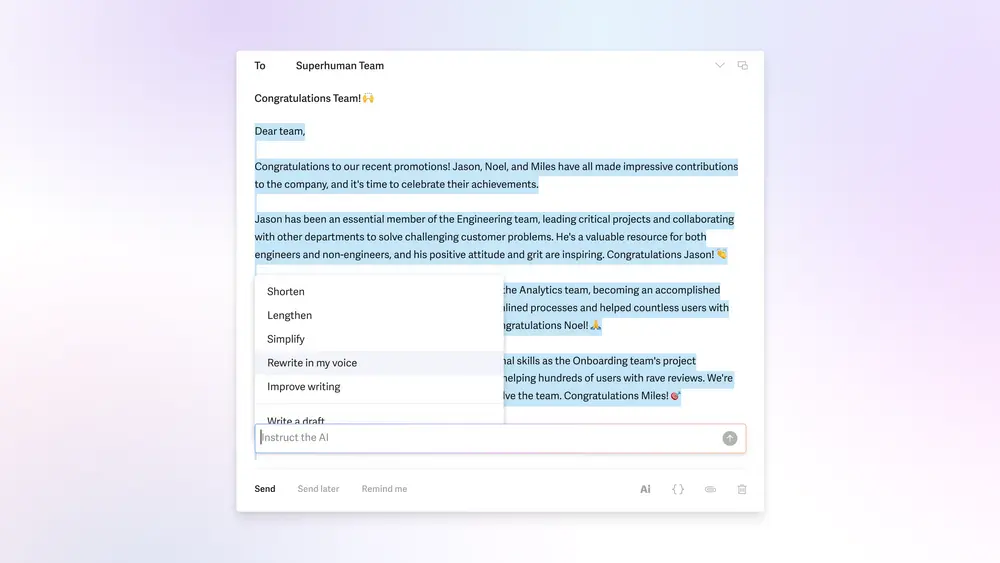
Their AI features are impressive and a fantastic use of AI. Write your emails quickly as a blurb, then ask AI to re-write with commands like "shorten", "lengthen", "simplify" or "improve writing". Even cooler? Superhuman Mail learns your voice from your previous emails and you can ask Superhuman Mail to re-write something in your voice.

Embedded Image

Superhuman Mail's new AI features are impressive.

If you have someone currently managing your inbox, definitely consider giving Superhuman Mail a shot. Even if an Executive Assistant is still there to manage the more complex emails, Superhuman Mail will more than save them several hours a month with auto-drafts and AI prompts, more than paying for itself.

AI Workflows

AI Workflows

You can set up rules for how you'd like emails to be handled helping certain types of emails totally skip your inbox 🤯 For example, use AI to auto-respond to job applications thanking them for applying, then auto-forward their email to your hiring manager, AND mark the email as done in your inbox.

Team Collaboration

Team Collaboration

Superhuman allows you to fully collaborate with team members regardless of whether or not they are even using Superhuman.

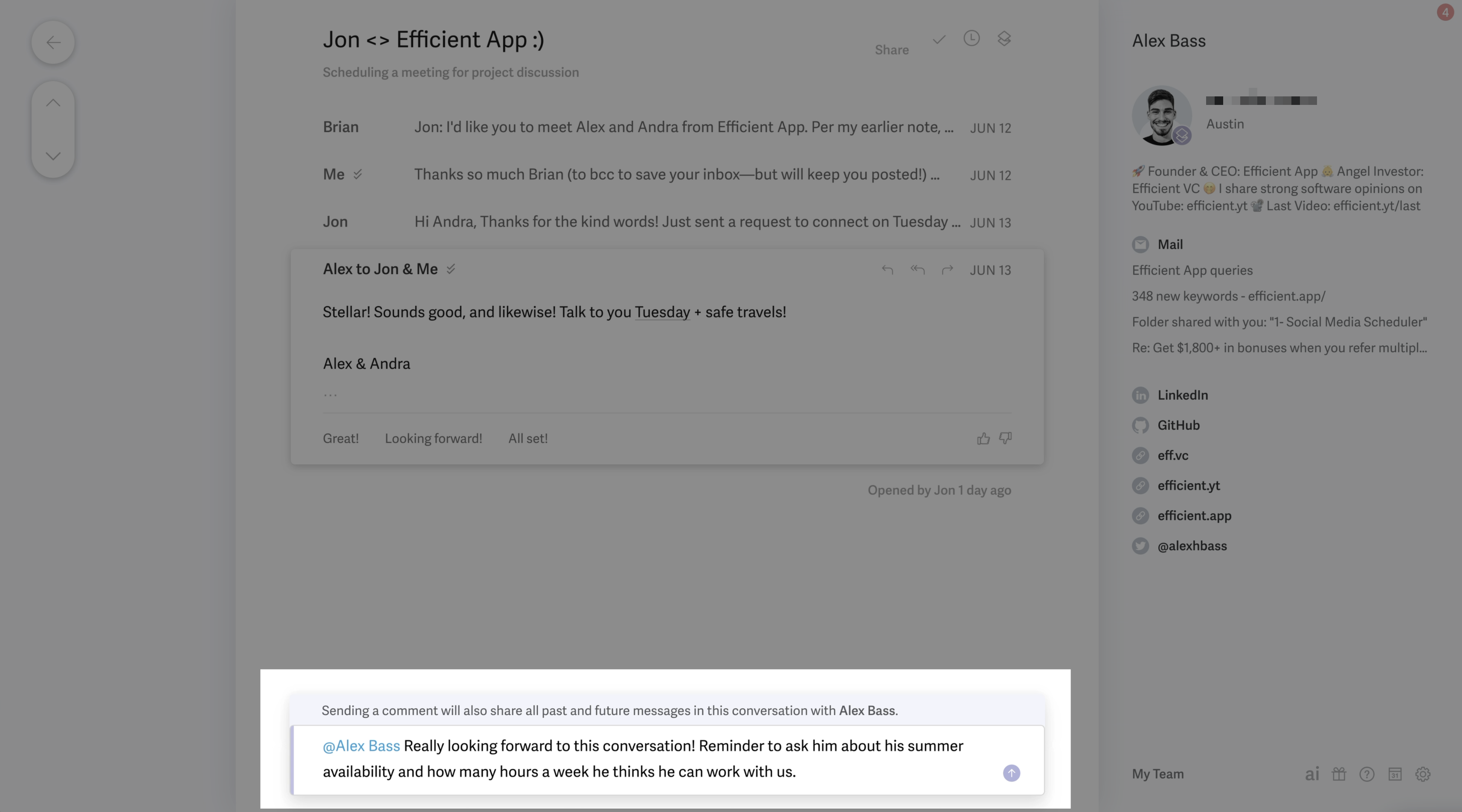
Superhuman Mail Team Comments

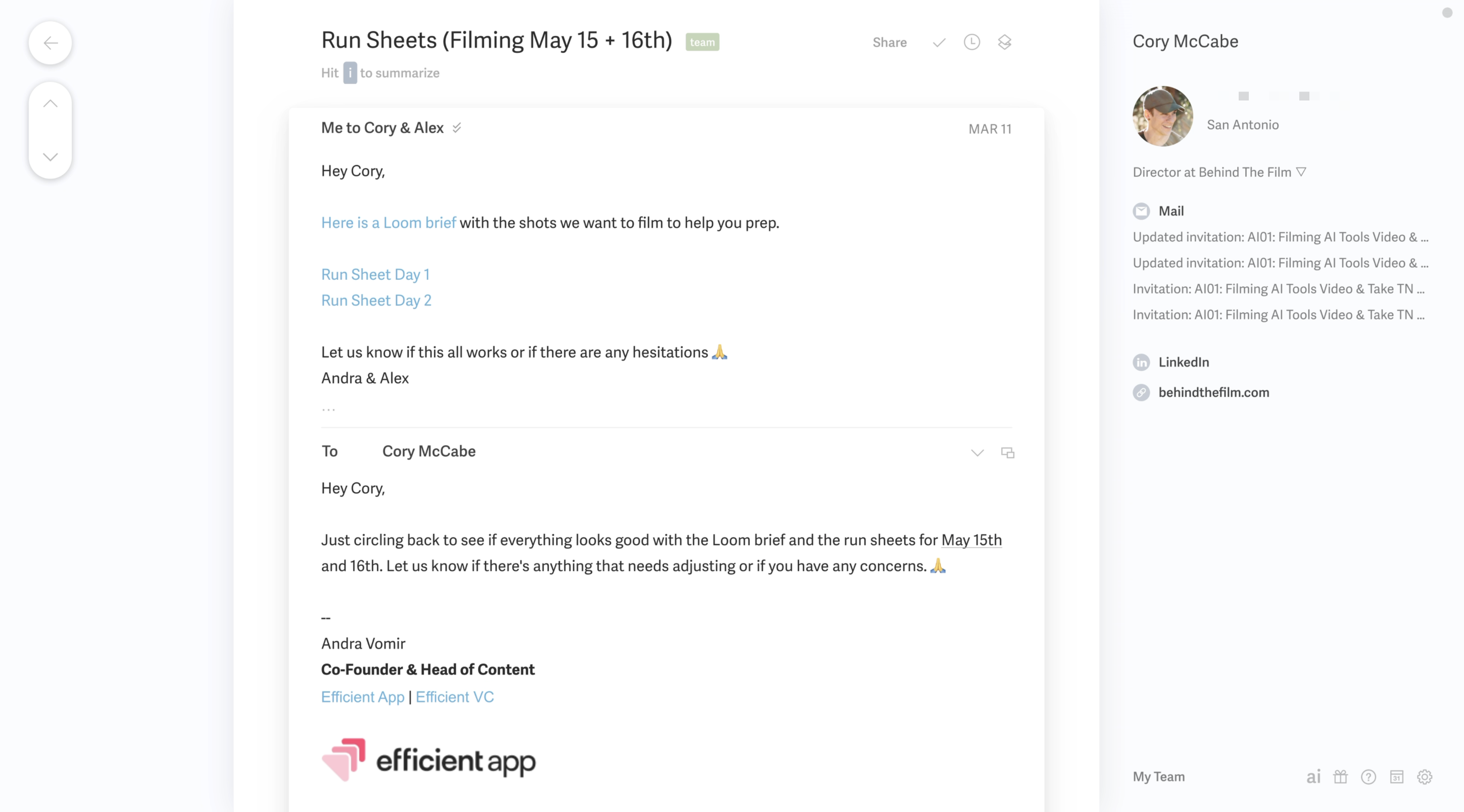
With their new team collaboration and shared comments functionality, you can easily share existing email threads and move your private Slack chats into Superhuman email threads (right where they belong).

This has come super handy for us when we've had sales negotiations (very helpful to @mention each other and check-in if what is proposed makes sense), or to more thoughtfully respond to a customer.

You can also share drafts with your team members and collaborate in the comments to refine your message.

Shared Snippets

Shared Snippets

Use their advanced features like saved snippets for a re-usable bit of text that you use often and you'll save a ton of time. You can even share these snippets with team members to better collaborate.

Additional Features

Additional Features

Superhuman Mail Calendar

Superhuman Mail Calendar

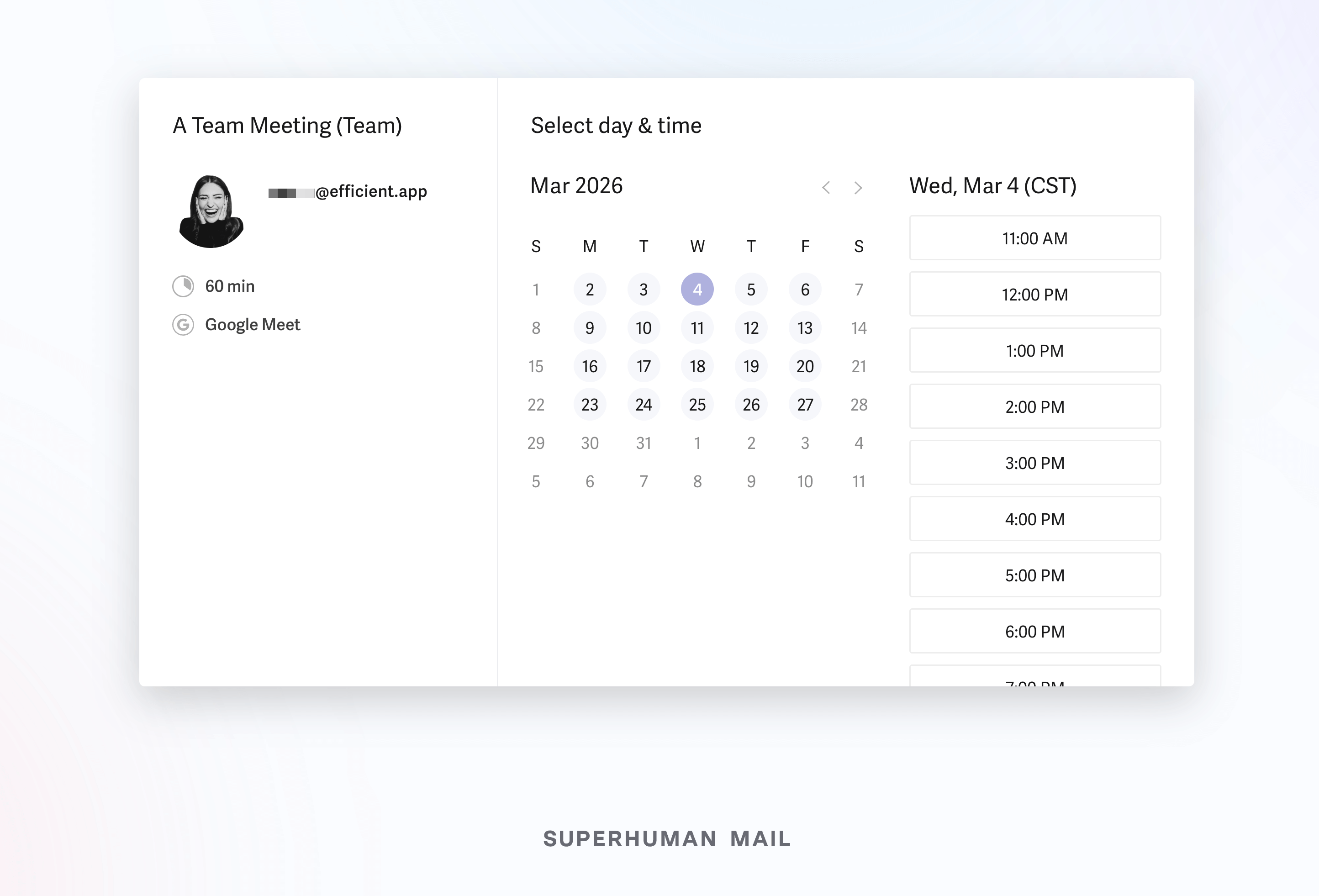
As you're typing "Hey, do you want to meet Wednesday?" Superhuman Mail's calendar will automatically pop open on the right hand side so you can see your availability. You can also hit a keyboard shortcut [0] to see and manage your full calendar.

Superhuman Mail Calendar

You can even ask Superhuman Mail's AI Assistant to create calendar events on your behalf in natural language.

Keyboard Shortcuts

Keyboard Shortcuts

Superhuman Mail also allows you to triage through your inbox using only keyboard shortcuts.

I was a skeptic for years, until I finally gave it a shot. Learned some of the simple keyboard shortcuts like [e] for archive and [h] for snooze + some additional fun shortcuts like [#] for delete, and [!] for spam.

Don't like memorizing keyboard shortcuts to get through your email more quickly? Great, then just press [CMD][k] for the command bar → the Superhuman Mail key, which allows you to do absolutely anything from anywhere just by typing.

Mobile App

Mobile App

Oh, and the mobile Superhuman Mail app. You can mark messages as done in literally one second on the go via the Superhuman mobile app. Triaging your inbox on the go has literally never been easier. You can also go ahead and "snooze an email for when you're on your computer", because sometimes you just want your full keyboard.

Social Profiles

Social Profiles

Want to access more info quickly on the person that just emailed you? Superhuman Mail's right hand bar will pull in the social media profiles of the person your writing to for easy access.

Pricing

Pricing
  • Monthly Subscription: $30/mo
  • Annual Plan: $300/year

Heads up, since Superhuman Mail is a part of the Superhuman suite of products, you can now get access to Grammarly, Superhuman Go, and Coda under one subscription.

So the best thing to do is grab a Superhuman free trial to get a free month (you won’t get this if you sign up directly through their main website), then email their team to ask them to give you access to the other tools.

Since the acquisition is still quite new, they are still working out the onboarding/billing across all products.

Final Verdict

Final Verdict

Is Superhuman Mail worth it? At the end of the day, I'll never leave Superhuman Mail, because it makes me dread email less. Enjoy it even. I first resisted the idea of paying for email but after a month of using it, I couldn't see myself not using Superhuman Mail again.

We've personally been using Superhuman Mail for over 6 years as our email app and couldn't see life without it.

And trust me, I used to be the person that said "I would never pay for email" but after trying it for the first month... I couldn't imagine going back to Gmail, and here I am now 6+ years later, still a paying customer, and I'm happier for it.

Our advice? Try it and you'll be unable to see yourself using Gmail ever again too.

Superhuman Mail used to have a waiting listing, but not anymore. Get a Superhuman Mail free trial.

Screenshots

Screenshots
Superhuman Mail Inbox SplitsSuperhuman Mail Interface + AI Follow UpSuperhuman Mail Booking Page
Superhuman Mail

Superhuman Mail

Categories

Categories

Superhuman Mail fits into multiple categories based on what it actually helps you do. Each category highlights a different strength and the efficiency points it earned, helping you compare tools not just by features, but by how well they actually perform.

EmailMain
AI Email Assistant
AI Productivity
AI
Calendar
Productivity
Scheduler

Keep exploring the best software across categories, or explore Superhuman Mail alternatives

FAQ

FAQ

Does Superhuman Mail have a free trial?

Does Superhuman Mail have a free trial?

Yes. Superhuman Mail offers a 30-day free trial when claim your exclusive Superhuman Mail Discount through Efficient App. If you sign up directly on their website, the free trial is not available.

If you plan to invite your team, make sure they use the same link so everyone receives a free month to test Superhuman together and see if it fits your workflow before committing to a paid plan.

Why is Superhuman Mail so expensive?

Why is Superhuman Mail so expensive?

Is Superhuman Mail better than Gmail?

Is Superhuman Mail better than Gmail?

Is Superhuman Mail good for teams?

Is Superhuman Mail good for teams?

Can I use Superhuman Mail as a Help Desk?

Can I use Superhuman Mail as a Help Desk?

Is Superhuman Mail worth it?

Is Superhuman Mail worth it?

How much does the Superhuman Mail annual plan cost?

How much does the Superhuman Mail annual plan cost?

What is the total cost for the Nonprofit or Education plan?

What is the total cost for the Nonprofit or Education plan?

Does Superhuman Mail work with Outlook?

Does Superhuman Mail work with Outlook?

Can you get a refund on your annual Superhuman Mail plan?

Can you get a refund on your annual Superhuman Mail plan?