Harvest is a time tracking and invoicing tool built primarily for teams that bill clients for their work. It lets you track time across projects and tasks, monitor budgets in real time, and turn logged hours into professional invoices without needing a separate billing system.
/
Select
FTC compliant

5 Best Time Tracking Apps in 2026
Updated Feb 27, 2026
See how our top 3 picks compare across the 5 time tracking apps we evaluated.
Explore what each does best, where it falls short, and why it earned a spot on our 2026 list.


 HarvestBest
Best for time tracking with built-in invoicing
Best for time tracking with built-in invoicing TogglRecommended
Best for tracking what you did all day
Best for tracking what you did all day GustoRecommended
Best payroll software for small businesses
Best payroll software for small businesses Rize
RizeBest for automatic time tracking
Best for automatic time tracking Timely
For automatic time tracking
For automatic time tracking
Best Time Tracking Apps at a Glance
5 apps and 3 deals
How We Evaluate Time Tracking Apps
We score each time tracking app across speed & productivity, client, project, task structure, billing & invoicing, team adoption, integrations, and hands-on expert evaluation
- Speed & ProductivityHow easily, quickly, and consistently can you track your time without breaking flow?
- Client, Project, Task StructureCan time be clearly attributed to the right client, project, and task?
- Billing & InvoicingCan tracked time be easily turned into invoices?
- Team AdoptionHow likely is your team to adopt it with little learning curve or friction?
- IntegrationsDoes the tool easily integrate with other tools?
- Expert EvaluationCurated by, our rankings reflect in-depth testing, industry insights, and hands-on experience.AlexandAndra
1
Harvest
Best
Best for time tracking with built-in invoicing
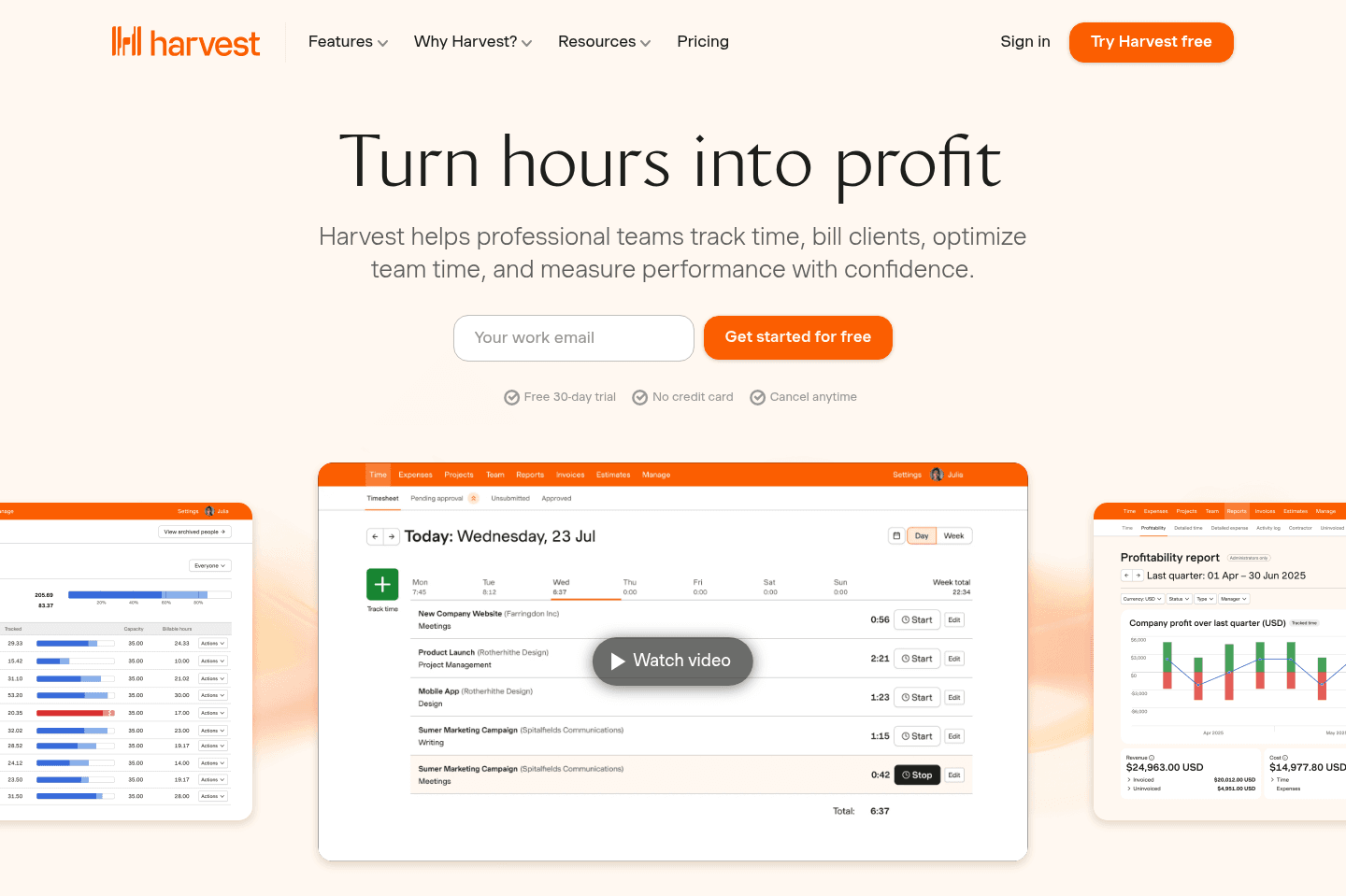
Best for time tracking with built-in invoicingHarvest tracks categorized chunks of time for client and project work without overwhelming you with timeline details, making it easy to log hours and manage budgets, then instantly handle invoicing and billing all in one place. We used to use Harvest back when we were consulting, and loved it.
Go to Harvest site
What is Harvest?
What is Harvest?Pros & Cons
Pros & ConsPros
Pros- Clean, minimal approach to time tracking
- Built-in invoicing and billing directly from tracked time
- Recurring invoices and built-in payment support via Stripe and PayPal
- Strong project budgeting and profitability reporting for client work
- Easy client and project organization with clear budget, spend, and cost visibility
- Native QuickBooks Online integration
Cons
Cons- Limited automatic activity tracking compared to tools like Timely
- Not ideal for users who want detailed "what happened at each hour of the day" tracking
Key Features
Key FeaturesTime Tracking
Time TrackingHarvest focuses less on the timeline/calendar view of time tracking (e.g. what did you get done at each time of the day), and is more focused on simply tracking categorized chunks of time (tasks) across clients/projects.
Their approach is more minimal in a way—versus throwing sometimes an overwhelming amount of data at you (which is intending to help you figure out what you did), actually results in a bit of overwhelm.
Invoicing
InvoicingReporting
ReportingHarvest was actually built initially as internal tool for a marketing agency to track all of their client work which has since evolved to support hundreds of thousands of users at over 70,000 companies—so with Harvest, client reporting is deeply at the core.
Figuring out who is profitable, who is trending toward being over budget, and all the convenient billing/invoicing features to handle it all are all baked right in. (It even allows for recurring custom invoices and payment via PayPal + Stripe, along with a powerful native QuickBooks Online integration).
In the project view, you'll see every client, their projects, and detailed budget, spend, and costs all in one convenient place.
Pricing
Pricing- Free: $0 forever. Best for individual freelancers who need basic time tracking, reporting, and invoicing for up to 1 seat and 2 projects.
- Teams: $11/mo per user ($108/yr). Best for teams that need unlimited seats, team reporting, capacity tracking, invoicing, and accounting integrations.
- Enterprise: Custom pricing. Best for organizations that need advanced controls like profitability reporting, timesheet approvals, activity logs, custom reports, SAML SSO, and dedicated onboarding support.
Subscribe for updates
Get the latest rankings and insights on top Time Tracking apps—delivered to your inbox. Stay ahead with our expert picks and updates.
2
Toggl
Recommended
Best for tracking what you did all day
Best for tracking what you did all dayToggl tracks what you did at specific times but makes you go through extra steps for each entry, which gets tiring fast and makes it hard for teams to build a consistent time tracking habit.
If you need to track time for clients or projects or require invoicing, Toggl falls short and forces you to handle billing somewhere else, so it's not the right choice for teams needing structured, billable time tracking or any invoicing support.
Go to Toggl site
What is Toggl?
What is Toggl?Toggl, like Timely are both heavily timeline/calendar-based tools—focusing on "what did you do at various times throughout the day". The thing is, do you really care about what time of the day you did something? Or just how much time was spent?
When we evaluated it, there was a bit of fatigue around having to think about the start/end time whenever you track time. Often times you're going to be more in the "I worked on X client task for 30 minutes", and the more friction involved in getting that added will result in more difficulty for your team building the habit of time tracking (it is a habit that needs to be formed over time).
Toggl was initially built as a basic "what have I done" start/stop tool, prioritizing that over the "track time against client/project", which can be seen in the importance each is laid out when tracking time.
Looking at their priority, it's set to: #1 what was done, #2 for what project/client?, #3 what tag (similar to "Harvest task"), #4 billable (or non-billable), #5 start time, #6 stop time, #7 finally "for how long".
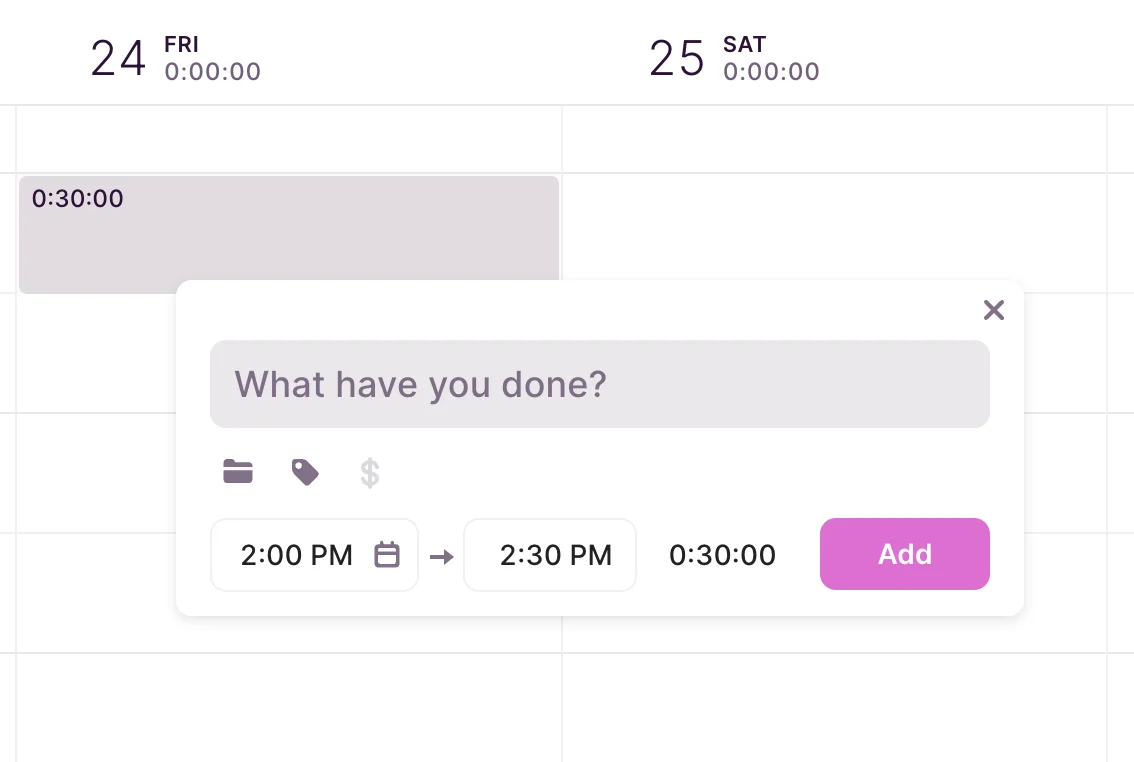
Toggl track new time entry
Now take a time tracking tool like Harvest, which focuses priority #1 the client, #2 the structured task (billable/non-billable), #3 notes (optional), and #4 for how long (if blank, it just starts the time tracking clock):
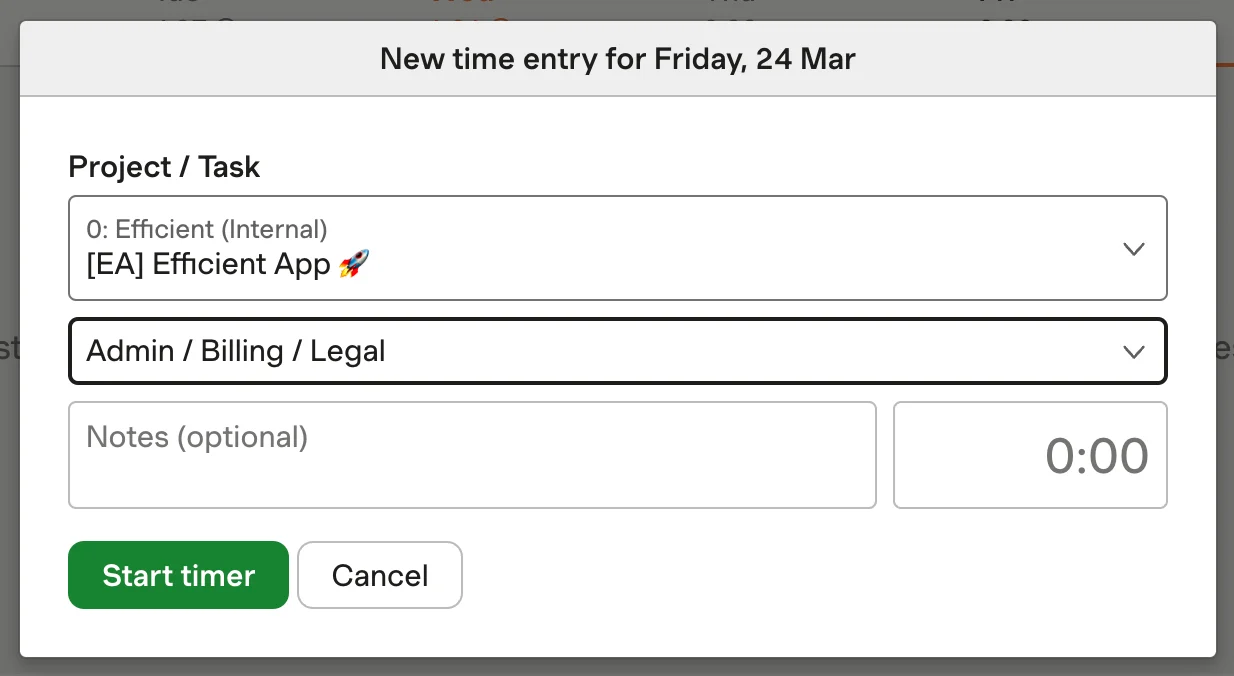
Harvest track new time entry
Now imagine adding a task 5–10 times per day. With Toggl, you now have 3+ additional steps to think through each time with Toggl as opposed to Harvest. It just adds to more mental fatigue each time.
It's clear that Harvest was built for quickly tracking billable/non-billable time to clients and projects, while Toggl was built for tracking time against what was done (less importance around for whom and task structuring).
Now for the automatic time tracking piece, in comparing it to that of Timely...
While they don't go as far as automatically tracking your time for like Timely, it has the same flaws that Timely and Rize have in the area of automatically tracking "useful" data when 99% of most people's work is done in the browser.
You'll see in the desktop app that all of your time in the browser will simply be categorized as the browser's name (in this case, Arc):
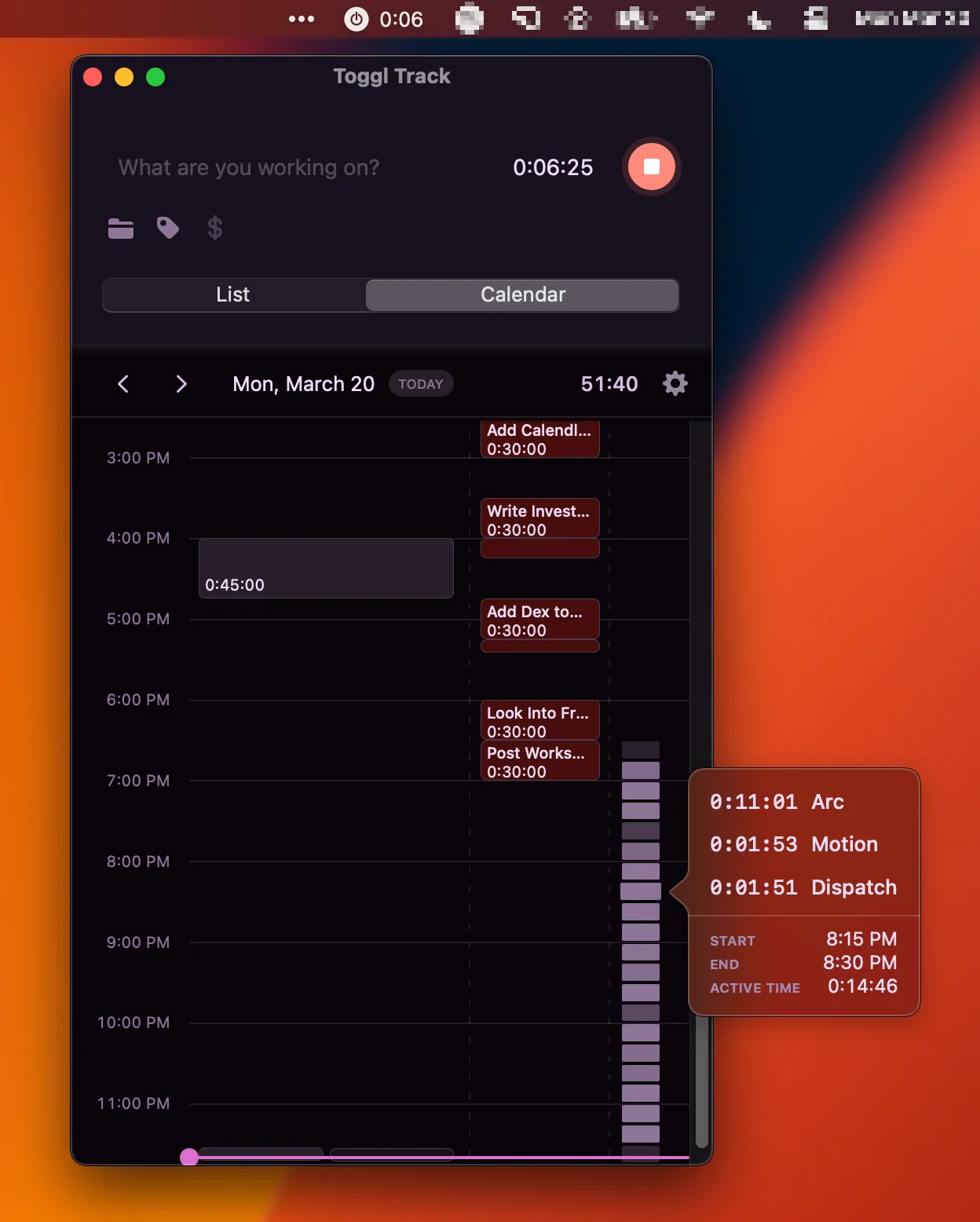
Toggl desktop app with active app tracking enabled.
So in terms of actually getting useful data from all of this monitoring of open apps and windows, you're not really getting much to go off of, especially when trying to remember what work was done, and for which client/project.
Of all the "automatic time tracking" tools on the market, Rize continues to be the best at producing the most comprehensive and usable data of them all—although it is more of an individual productivity tool than a comprehensive team time tracking tool.
A super important note is Toggl has absolutely no billing/invoicing capabilities. So while you can track all of your time, you're going to be manually creating invoices in a proper invoicing tool like that of QuickBooks Online (or even Harvest) to generate invoices from actual time tracked.
Of all the time tracking tools we've looked at that are team focused, we'd place Toggl at #2, but still a non-starter if any semblance of invoicing capabilities are needed.

Superhuman Mail
Featured
Get through your inbox 2x as fast (for teams of all sizes).
3
Gusto
Recommended
Best payroll software for small businesses
Best payroll software for small businessesGusto runs payroll and HR in a way that actually feels modern and enjoyable, especially compared to frustrating experiences with QuickBooks Payroll and other services. If you want reliable payroll that integrates smoothly with QuickBooks Online, this is an easy recommendation, but if you need advanced time tracking features, look elsewhere.
Go to Gusto site
What is Gusto?
What is Gusto?We have used QuickBooks Payroll amongst many other services, and Gusto is the first one that actually feels like a modern and enjoyable experience.
We figured that going with QBO Payroll was a no-brainer, as our accounting and payroll would be in the same place, right? Wrong. We had nothing but frustrations and realized that it was essentially a totally separate team and product from QBO.
Since switching to Gusto about 4 years back, we've been happy as a clam, highly recommend. Oh, it also integrates natively with QuickBooks Online beautifully 🔥
While Gusto says they offer Time Tracking, it's incredibly barebones, and more for just general time sheet tracking for employees, nowhere near the scale of a tool like Harvest or Toggl.
4
Rize
Best for automatic time tracking
Best for automatic time trackingRize automatically tracks your time and sends you attractive reports about your focus and habits, but it quickly falls apart if you need accurate client, project, or team tracking, or deep reporting for things like budget or capacity planning.
If you need time tracking for anything beyond your own solo productivity, especially for teams or client work, skip Rize and use something built for that.
Go to Rize site
What is Rize?
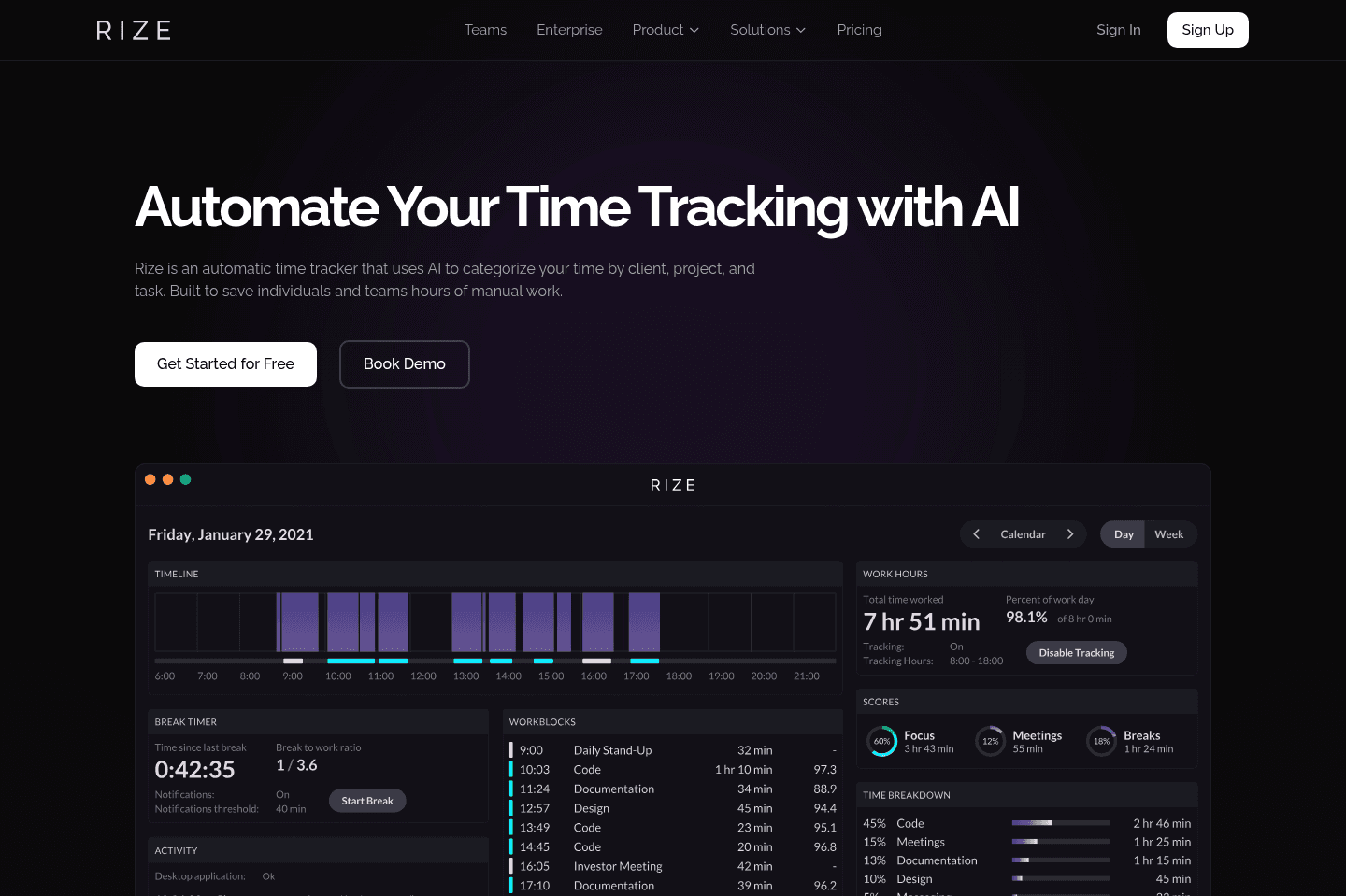
What is Rize?This is the most impressive "auto-time tracking" tool we've seen—all you really need to do is install the app and then... Well, forget about it 🤯
If you're like most people though, you'll probably spending most of your time in the browser (like Arc Browser), most time tracking tools will just mark this time as "browsing", but if you install the Rize browser extension, it'll actually further categorize your time based on the sites you're actually visiting.
Early on, you might spend a bit of time categorizing some sites and apps (e.g. how would it really know what you want to categorize your time in your CRM as? "Sales", "Business Development", "Relationship Building" maybe? Or something super general like "Work").
The true strengths of Rize are its beautiful reports (also automatically sent over via email on a weekly/monthly basis, to let you know how focused you've been and how to improve some of your habits):
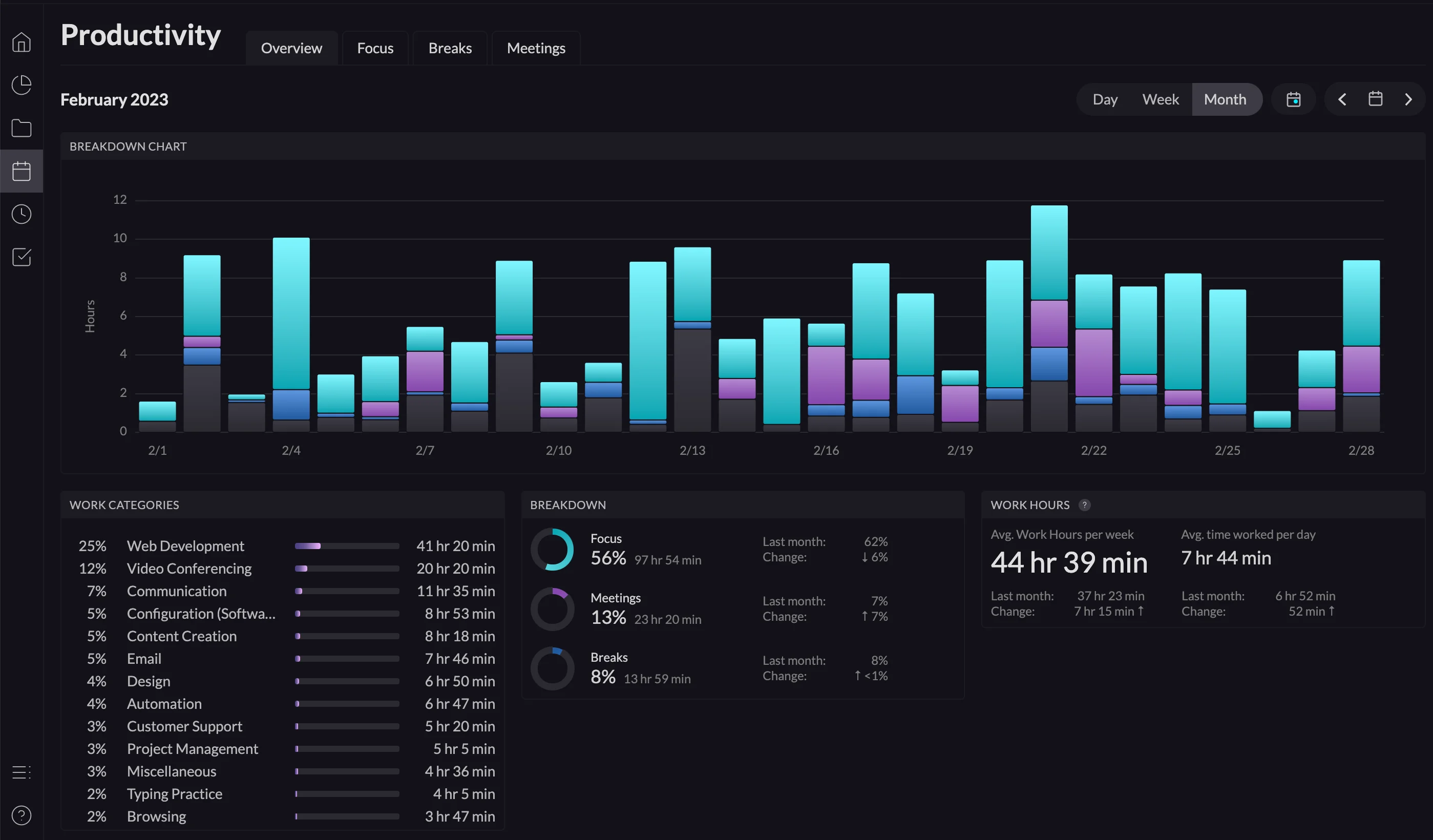
Issues start arising pretty quickly though when you get to the granular levels. Like right now, I'm in Webflow writing content, so that's "Content Creation", right? Nope—I already have a rule that assigns Webflow time as "Web Development", because most of the time that's true. You can probably see where the inaccuracies start arising from this though, and I'd ask you how that can really ever be solved? It's such an obscure complexity that doesn't even seem like a place that OpenAI can help alleviate.
Now while you can go deeper and track your time against "Clients" and "Projects", things are made abundantly clear that this area is just an "add-on" as it isn't very powerful, intuitive, and is totally lacking team features. For this reason, I would not rely on Rize for any critical client time reporting.
All-in-all, Rize is very much an individual productivity-focused time tracking tool, and it does a phenomenal job at that. If you're looking for something more for your team and actual deep reporting on budgetary usage and team capacity planning, you'll definitely want to pick out a team-focused time tracking tool like Harvest or Toggl.
One major thing to note, Rize is a desktop-only app—there's no web app—so if that's important to you, you'll have to skip it for now.
Superhuman Mail
Featured
Get through your inbox 2x as fast (for teams of all sizes).
5
Timely
For automatic time tracking
For automatic time trackingTimely tries to automatically track your time by logging which apps or websites you use, but in practice it mostly just tells you that you spent hours in your browser and dumps a pile of confusing URLs on you to sort out yourself. If you need clear, project-specific time tracking without a headache, you're better off with something like Harvest or Toggl.
Go to Timely site
What is Timely?
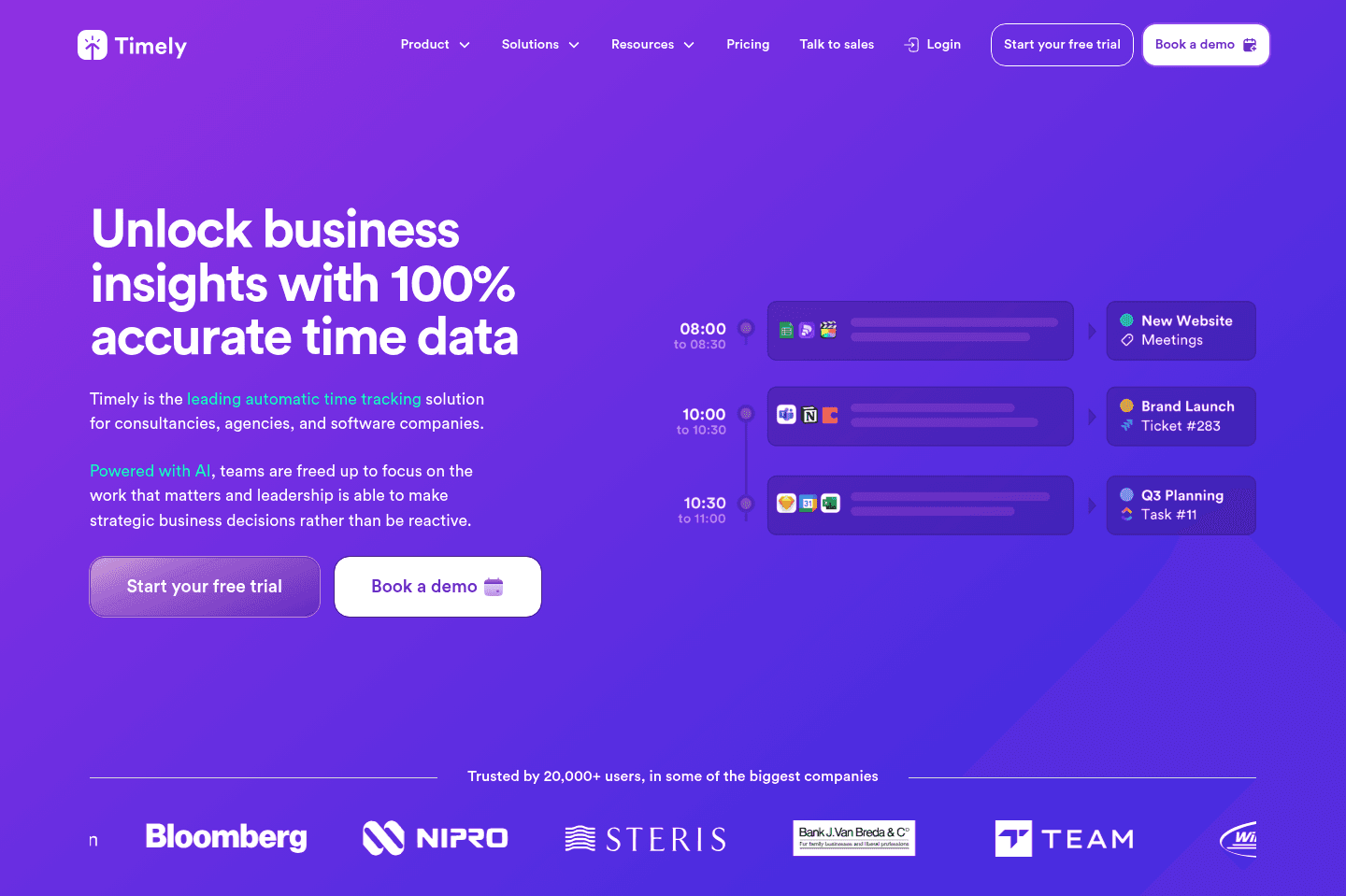
What is Timely?At first glance, Timely appears to be quite a standout from competitors like Harvest and Toggl through their deep "automatic time tracking" capabilities (similar to that of Rize—although less powerful, just more team focused).
Time tracking is an incredibly tedious task, so the more that these tools can "do it automatically" (especially with the use of machine learning and AI), sounds like an absolute no-brainer, right? Well...
The same issues we mentioned in the Rize thoughts ring true here as well (although are made even a bit more confusing). Since you're probably like most people and spending most of your working time in the browser, you're just going to get long chunks of time labeled as your web browser of choice. Along with hundreds of miscellaneous URLs thrown at you of which you're supposed to make some sense of:
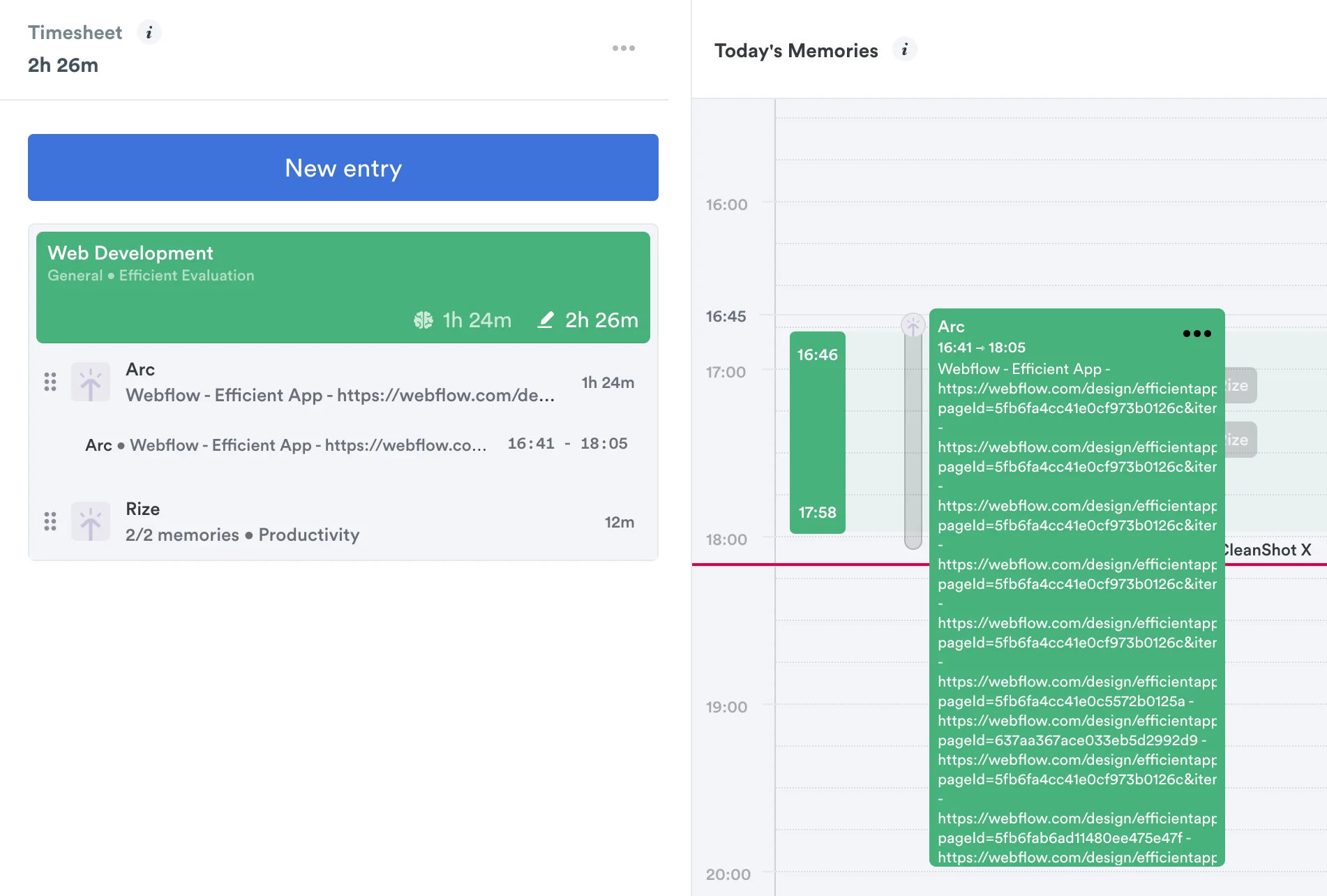
Great, so it's just going to say Arc (or Chrome) 99% of the time with lengthy URLs, and that's helpful how exactly?
With all of these "automatic time tracking apps", they are best at #1: Defining and categorizing the app you are in (e.g. browser = browsing) → And then #2: You're still in charge of making sense of all of that URLs you visited, connecting it all to the projects taking place.
Okay, so you're on Facebook Ads, that's clearly the "Ads" category, right? Right! But say you have clients, now are these Facebook ads for X client or Y client? It's impossible to know really, all these tools know for certain is that you spent a lot of time in Facebook Ads today, but you already knew that 😅
So with all of that said, only your team ultimately knows what internal/client work is done, and the actual tasks that are being had (and for how long).
If you're curious as to the additional pain-points that come from this even with a more powerful AI time tracking tool, go read about Rize (versus further reiterating here).
So take the automatic time tracking features out of the race for a moment, and on purely the UI/UX, and functionality side of things, you'd be quite a bit better off with Harvest or even Toggl.



















Related app comparisons
Browse Categories