
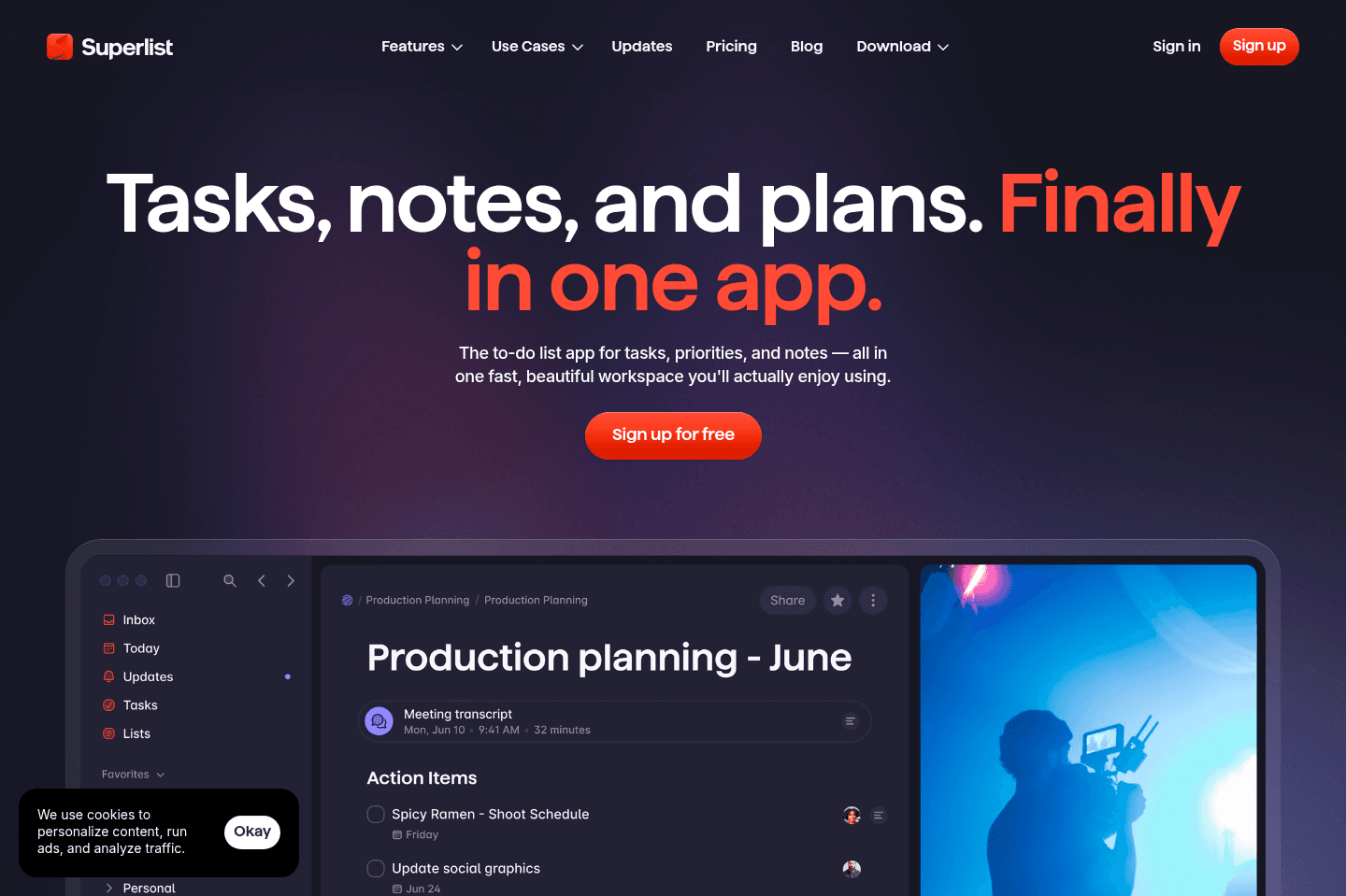
Review Summary
Review SummaryWhat we love about Superlist is the thoughtful design, the satisfying nosies it makes as you tick something off, and the cool little swiggly lines. It's a beautiful productivity app.
Best To-Do List Apps
Best To-Do List AppsSuperlist Alternatives
Superlist AlternativesNot sure if Superlist is the right fit for you? Check out these alternatives:
 MotionBest
Best AI to-do app for organizing tasks and time
Best AI to-do app for organizing tasks and time SunsamaRecommended
Best for time blocking tasks on your calendar
Best for time blocking tasks on your calendar
What is Superlist?
What is Superlist?Superlist is probably one the of most thoughtful/beautiful personal to-do list apps out there. It's built by the team behind Wunderlist, which was one of the most loved task apps before Microsoft shut it down, and you can see some of the same amazing UI/UX interactions in Superlist. Heck, even marking a task as "complete" and "incomplete" plays the most relaxing noise (and it changes each time!).
I was using TickTick for years and Superlist is a great alternative.
I think we're seeing what happens when you get tens of millions of dollars in venture backing and some of the best designers in the world to focus in the UI/UX. I mean heck, just go visit their website, it's incredibly beautiful.
Being able to also take notes and assign tasks to different individuals is also super cool as there aren't really a ton of good personal collaboration tools out there.
Superlist Background
Superlist BackgroundI have been extremely excited to check this tool out. I've been on the waitlist for 2–3 years, checking in with them monthly about getting access and it's finally available to the public.
The largest appeal is that it was created by the team behind Wunderlist (which is a task manager that was sold to Microsoft in 2015 for between $100–200m). So if there's a team that understands task management deeply, it's this team.
They've even teased Superlist at Google I/O 2022 on stage, as an example of a tool built in Flutter (an open source framework by Google for building beautiful, natively compiled, multi-platform applications from a single codebase). This is important because this means everyone gets a native app—imagine having native MacOS + iOS + Android + Windows apps all generated from the same codebase.
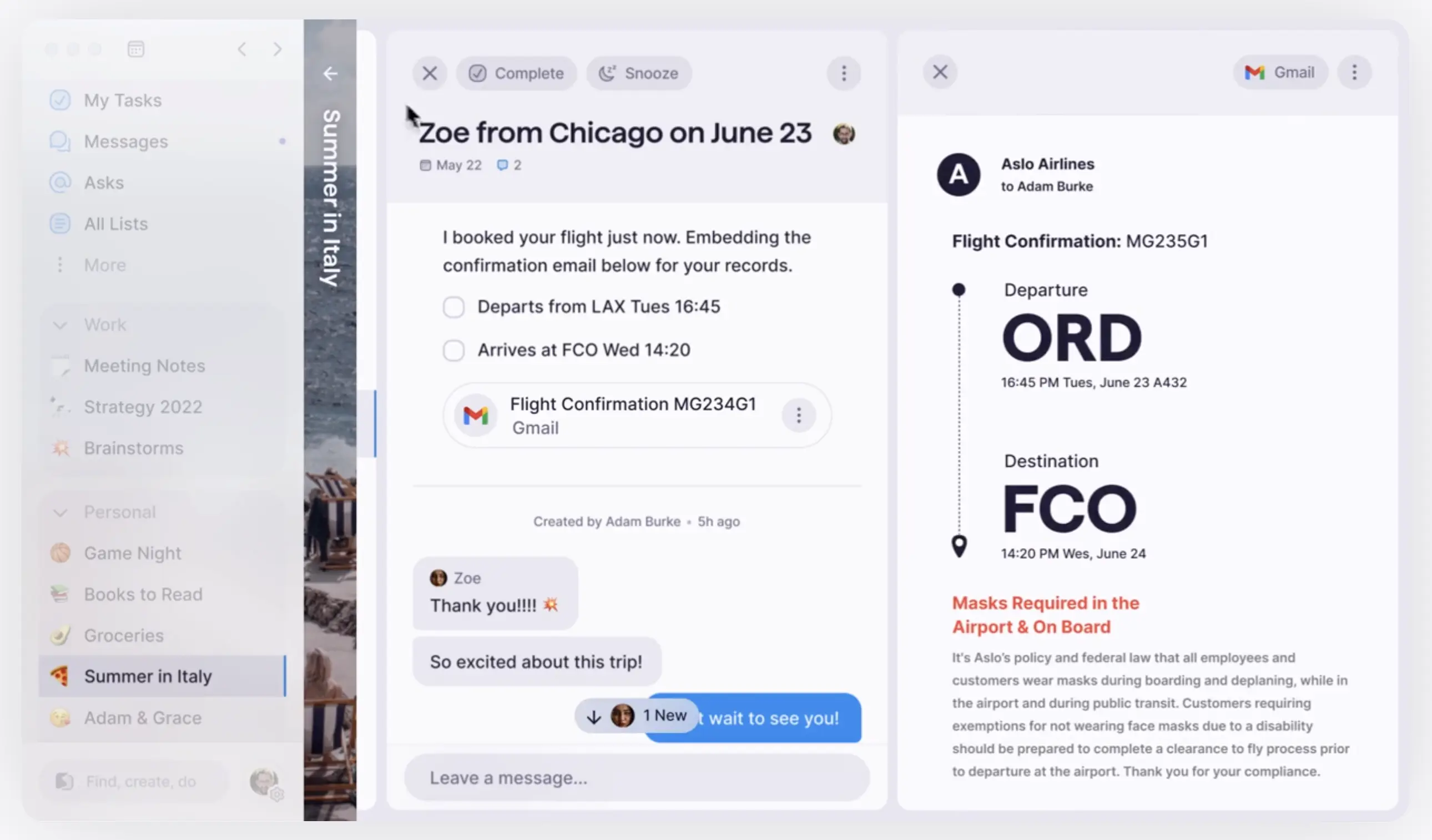
This was the largest appeal, alongside the sheer beauty of their marketing site and in-app teaser screenshots:
Who is Superlist for?
Who is Superlist for?Superlist is going to be great for individuals who are looking for a more enjoyable alternative to their native notes apps (Apple Notes/Google Keep). If your plan is to hop into Superlist and turn your life into a project plan, it's going to be a disappointment, because while it does have the ability to assign tasks, it's not advanced enough to help run your business. So if you plan on treating it as a business tool, the amount of structure you'd require just isn't available on Superlist and would just get messy fast.
It's useful for a couple who just want to assign tasks to each other to help manage their household or business items. We personally ended up using Superlist during our move to split responsibilities and manage our decor lists. It did a great job of helping us share the load of life and required hardly any setup to get going.
It's also not ideal if you're trying to stay on the free plan long-term. The upgrade prompts show up everywhere, and even if you want to connect your calendar or do anything other than lists and brain dumps, you're going to have to pay to upgrade.
Key Features
Key FeaturesTask + Lists
Task + ListsYou don't only get a place to store tasks, but entire notes. You can have a task that has a note, and you can even drop in images.
It's handy for brain dumps or documenting notes, like if/when I have instructions that I want to remember every time I go to do something, I can use that space to jot down some quick notes.
NLP + Voice Task Creation
NLP + Voice Task CreationWe always give major points to any app that includes natural language processing, which Superlist does. That means you can literally type out "Create a task next Thursday at 3pm to take my returns to UPS" and just like that, your task is created.
You can also do the same thing by voice, but keep in mind that's only available on the paid version (or you can just use an AI voice dictation too instead, that works across your computer + phone).
Either way, being able to do either while multitasking is a huge time saver and makes all the difference when you're busy and need to pop in a few tasks.
Task Collaboration
Task CollaborationWe started using Superlist personally and as a couple when we started apartment hunting recently.
While we have a ton of tools that allow us to collaborate professionally, but personally there has been a gap in the market for something that really brought our personal tasks together.
A hacky solution that we created (that's been working quite well) is spinning up different Telegram channels to manage different parts of our life. For example, we created a channel called "Condo Ideas" where any messages we send to each other about a new place would go in there and not get lost among our personal messages to each other. We have another one called "Health" where we discuss things like doctors appointments.
That said, we both managed our personal to-dos and notes separately and never really thought too much about using something shared. Andra used Bear and the native Notes app, while I also used Bear and a bit of TickTick.
It wasn't until Superlist came around that we noticed the friction we had been previously experiencing. We quickly spun up new lists for finances related to our apartment hunt, including notes from discussions with lenders, an offer we were considering on a condo, furniture measurements and to-dos related to each note. It suddenly made so much sense. 🤯
One area that has been slightly buggy (thinking this will be smoothed out soon), is that if two people are collaborating on one list, the app jumps around a bit and isn't as smooth as something like Slite or Notion, but we think the team will get there shortly.
What's cool is that with Superlist, you can assign to-dos to one another and due dates, which let's be honest, there are endless personal tasks any married couple needs to collaborate on.
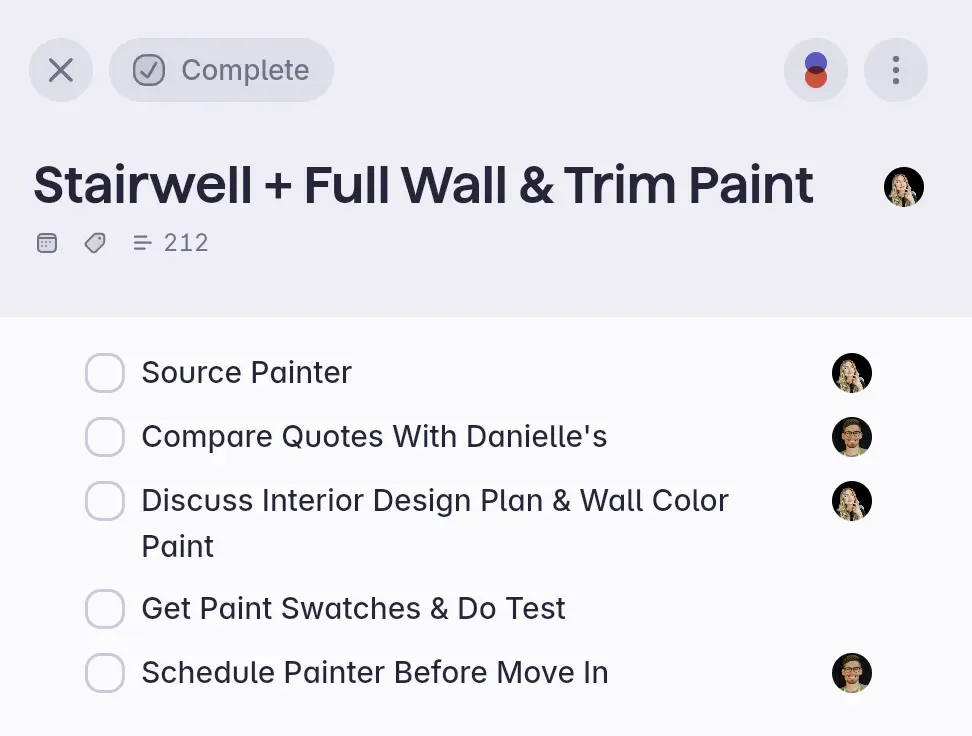
We use Superlist to manage our personal tasks as a couple.
Infinite Nested Tasks
Infinite Nested TasksSomething we haven't seen a lot in the to-do list space is the ability to create an infinite number of subtasks within subtasks. In theory, having the ability to nest tasks within tasks is great for detailed breakdowns and flexible organization, but it can also get messy fast. We honestly wish they had limited this slightly. More freedom isn't always better.
But, as long as you don't overcomplicate things, it's extremely usable, especially for personal use. We used it to pick and organize our decor items by nesting each list within a subtask for each room.
AI "Make"
AI "Make"Say you're creating your grocery list or dinner ideas for the week and want some help brainstorming. Superlists AI's "Make" feature can help you get started and plan it out.
So, if you type something like "give me a ramen recipe," Superlist will turn that into a set of tasks or steps. Basically, you get your own ChatGPT within your to-do list to help with ideas and execution without having to switch between apps.
We wouldn't say this is essential, but it is a nice-to-have. This is another feature that's gate-kept behind the paid tier.
Additional Features
Additional FeaturesMeeting Notes
Meeting NotesSuperlist seems to be trying to add in features that are more team-focused, even though we personally don't really see them as being a tool for small businesses.
They're trying to blend tasks with context, so you can now capture notes during a meeting and turn parts of those notes into actionable tasks, which is helpful if you're trying to keep everything tied together in one place. On the paid plan, the experience is way more integrated, but the free version is just a glorified notepad for meeting notes.
The reality is, there are a lot of tools doing this now (our favorite AI note takers are Granola and Littlebird, which we'd recommend checking out instead).
Integrations
IntegrationsSuperlist integrates in with Gmail, Google Calendar, Microsoft To Do and on the Pro tier Slack, GitHub, Linear and Figma.
Also, if we were to recommend a tool that consolidates tasks from other apps we'd recommend Sunsama (a daily planner app) instead as you also have the time blocking capabilities.
Limitations
LimitationsWhile Superlist is marketing itself for both personal and professional, we're more open to recommending it for personal use. Perhaps Soloprenuers and super small teams may be able to collaborate in a barebones way with Superlist, but we're still apt to recommend professional project management tools instead like Motion (what we use).
Keeping this in mind, we do want to point out that the Superlist team is has built the tool in a way that encourages you to use it for both work and personal. So much so that you can toggle on/off your "work" or "personal" notes/to-dos so that you can disconnect from work for example on the weekend.
Pricing
Pricing- Free: Best for individuals looking for a native notes app alternative and light personal use.
- Plus: $6/month ($59 yearly). Best for individuals or families wanting to manage and assign unlimited tasks, as well as some AI capabilities.
- Super: $25/month ($249 yearly). Best for individuals or small teams who want full access to unlimited AI and advanced features.
Final Verdict
Final VerdictIs Superlist worth it? Yeah, but only if you're okay paying for premium and you're only using it personally (not for business). Married? Or have someone that you collaborate with often? Use it with them also to really get the most power out of the tool.
We genuinely enjoyed using it. It's one of the few task apps that feels thoughtfully designed instead of purely functional. The combination of tasks + notes + light collaboration makes it stand out to us
We think paying for Superlist is worth it, especially if you use it with your spouse. But if you just want a free to-do app, then we'd recommend Todoist just because their free tier is much more generous.
Categories
CategoriesSuperlist fits into multiple categories based on what it actually helps you do. Each category highlights a different strength and the efficiency points it earned, helping you compare tools not just by features, but by how well they actually perform.
Keep exploring the best software across categories, or explore Superlist alternatives