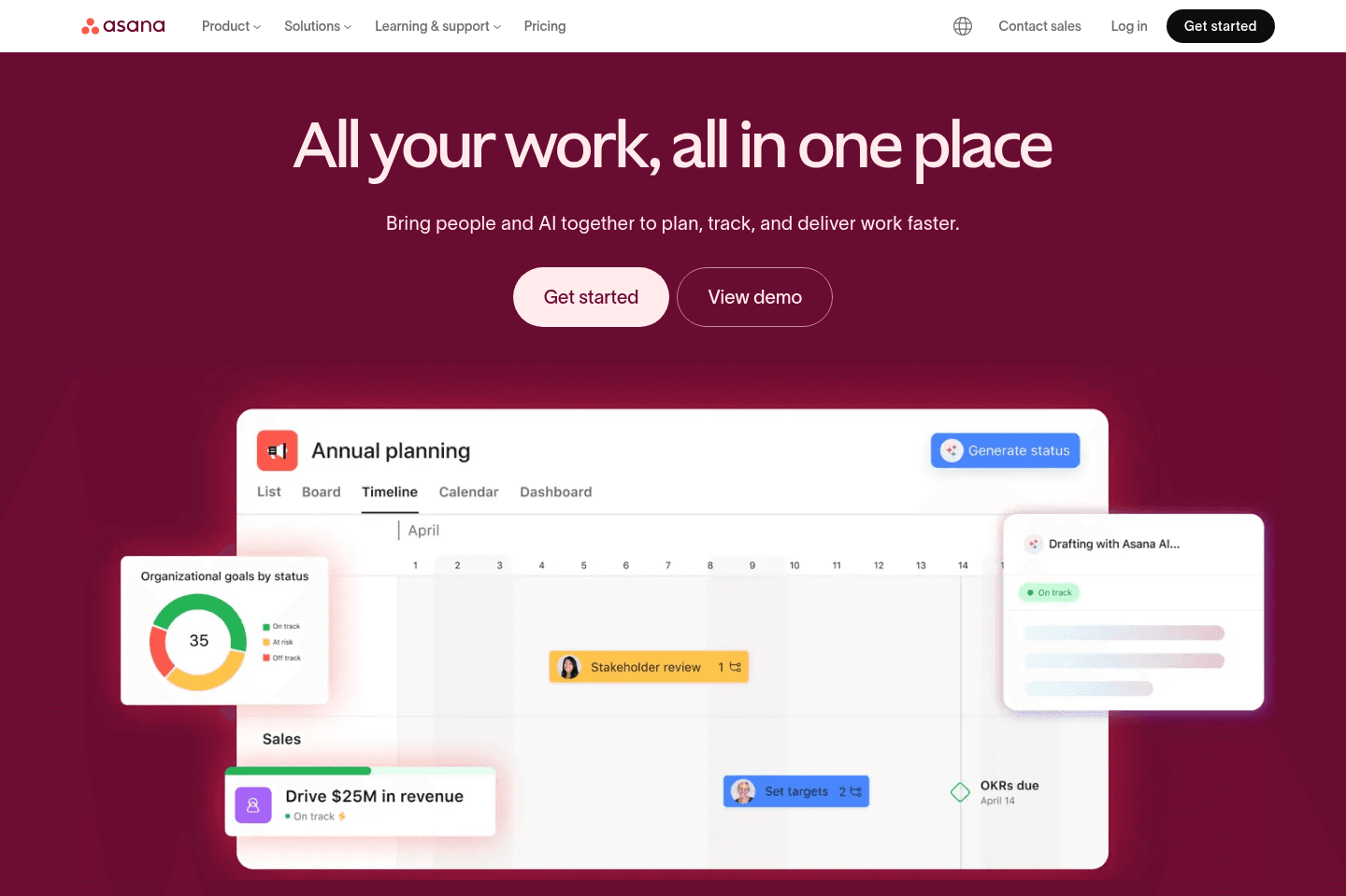
Review Summary
Review SummaryWhile Asana handles complex project management with lots of features, custom fields, multiple views, and reporting, but you need to invest time and resources into setup and ongoing manual upkeep to really get value.
It's best for larger teams or organizations with a dedicated project manager and the budget for proper implementation, if you have simple needs or want something more opinionated and fast to adopt, Asana will feel heavy and slow you down. After using Asana for 7+ years, we ended up switching to Motion for project management.
Best Project Management Software? Motion vs Asana vs ClickUp vs Monday vs Notion
Best Project Management Software? Motion vs Asana vs ClickUp vs Monday vs NotionAsana Alternatives
Asana AlternativesNot sure if Asana is the right fit for you? Check out these alternatives:
 MotionBest
Best AI project management for small-mid-size teams
Best AI project management for small-mid-size teams
What is Asana?
What is Asana?Asana is tried and true. We used it for 7 years before switching to Motion. Like many of the best project management tools Asana is going through a hard time right now, despite implementing AI features better than most (for example, when we looked at monday.com's AI features, they felt super bolted on and not that useful. Read our full monday.com review if you want to hear more about that).
Asana has gone the approach of being less opinionated, allowing for team members to build it out specifically how they'd like. But with that, comes a super general task management tool, that your team isn't likely to adopt (without training) without first undergoing a steep learning curve.
It's a useful project management software for all types of businesses, from professional services to creative teams to development teams.
One important thing to note is that Asana is a publicly traded company, and when you get to that status, getting huge enterprise accounts (1,000+ seats) is the #1 focus. With that, comes enterprise features, so the software updates you're likely to see coming to Asana aren't going to be geared toward the small business or startup segment.
Asana does offer a free tier for small teams just starting out with project planning and if we had to award a winner for the best free project management tool, it'd go to Asana. That said, their automated workflows (which we relied upon heavily when using Asana) are a part of their paid plans so we'd say to get the most out of Asana, upgrading would likely lead to more success with the tool.
Who is Asana for?
Who is Asana for?Large teams
Large teamsAsana is best for teams that need coordination. It works well for operations, marketing, and cross-functional teams that have a lot of moving pieces, multiple owners, and deadlines between departments.
If your company is big enough that work regularly passes between departments, Asana does a good job of keeping everything visible and making sure ownership stays clear.
Managers and leadership teams
Managers and leadership teamsIt is also a good fit for managers and leadership teams that need a clearer view into progress, blockers, team capacity, and project status.
A lot of Asana’s newer AI features feel like they were built for this layer of the business. If you're the person who has to walk into a meeting and explain what is on track, what is delayed, and where the team is getting stuck, Asana makes that job much easier.
Asana is not for...
Asana is not for...Where it is less compelling is for smaller companies or engineering teams that want speed above all else. Engineering teams will usually be happier in Linear, it's much more modern and just feels more natural for product and dev work. Small and mid-sized teams that want AI to actively help run the day instead of mostly organizing work will probably get more value from Motion.
Key Features
Key FeaturesProject Management
Project ManagementAsana is exactly what a comes to mind when you envision a traditional project manager tool. It has traditional lists view, tasks view, custom fields, kanban boards, calendar (which isn't even worthy of the name when you compare Asana vs Motion), files, and timeline views. It even has robust project management features like gantt charts, advanced reporting features.
And, well, there's nothing wrong with that at all 🤷 it's just there's nothing they are really doing that makes it particularly better than competitors to that end.
With Asana, you get stability, a solid API, basic reporting, and a task manager tool that you can trust.
Because of this, we're giving Asana a higher rating here for key features (they have a lot of them), but pulling them down a bit for differentiation. Don't let this rating fool you though, we particularly like that Asana isn't trying to differentiate, because it's making them better at the project management software category. When you compare Asana vs ClickUp or Asana vs Monday, you'll see that the other two differentiate more, but in our opinion, this is in a bad way. We applaud Asana for not trying to turn into the "all-in-one everything tool".
There's really nothing exciting to show someone about what Asana can do better than competitors. It has some cool workflow automation built in, and some interesting workload custom dashboard reports (which attempt to show how busy the team is based on the tasks they have assigned), but even that doesn't take into account meetings or anything of the sort, so it's just limited in even what it is trying to accomplish.
User Interface
User InterfaceThis is definitely a bit more subjective—some people love the look of Monday vs Asana, but when you actually rope in the UX of Asana, the myriad of the two together makes it feel slick and purposeful.
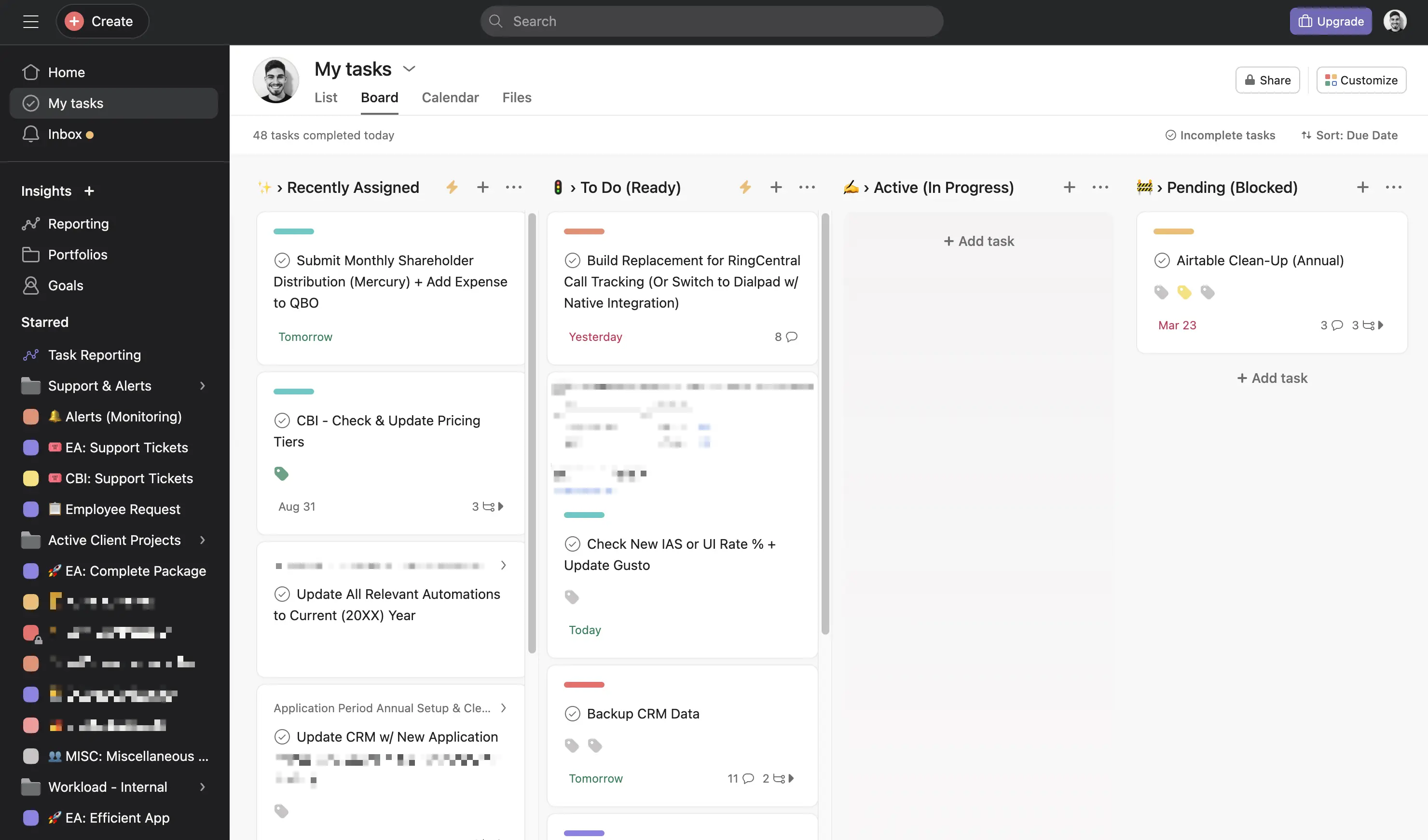
Clean kan-ban view and general interface
User Experience
User ExperienceAsana has put a lot of thought into animations and the fluidity of their user experience. They have invested quite heavily into keyboard shortcuts, nice animations when clicking into tasks, and great visual state changes when dragging tasks between different stages.
They have natural keyboard shortcuts, and options like "hold down ⌘ + click to select multiple tasks at a time"—super intuitive:
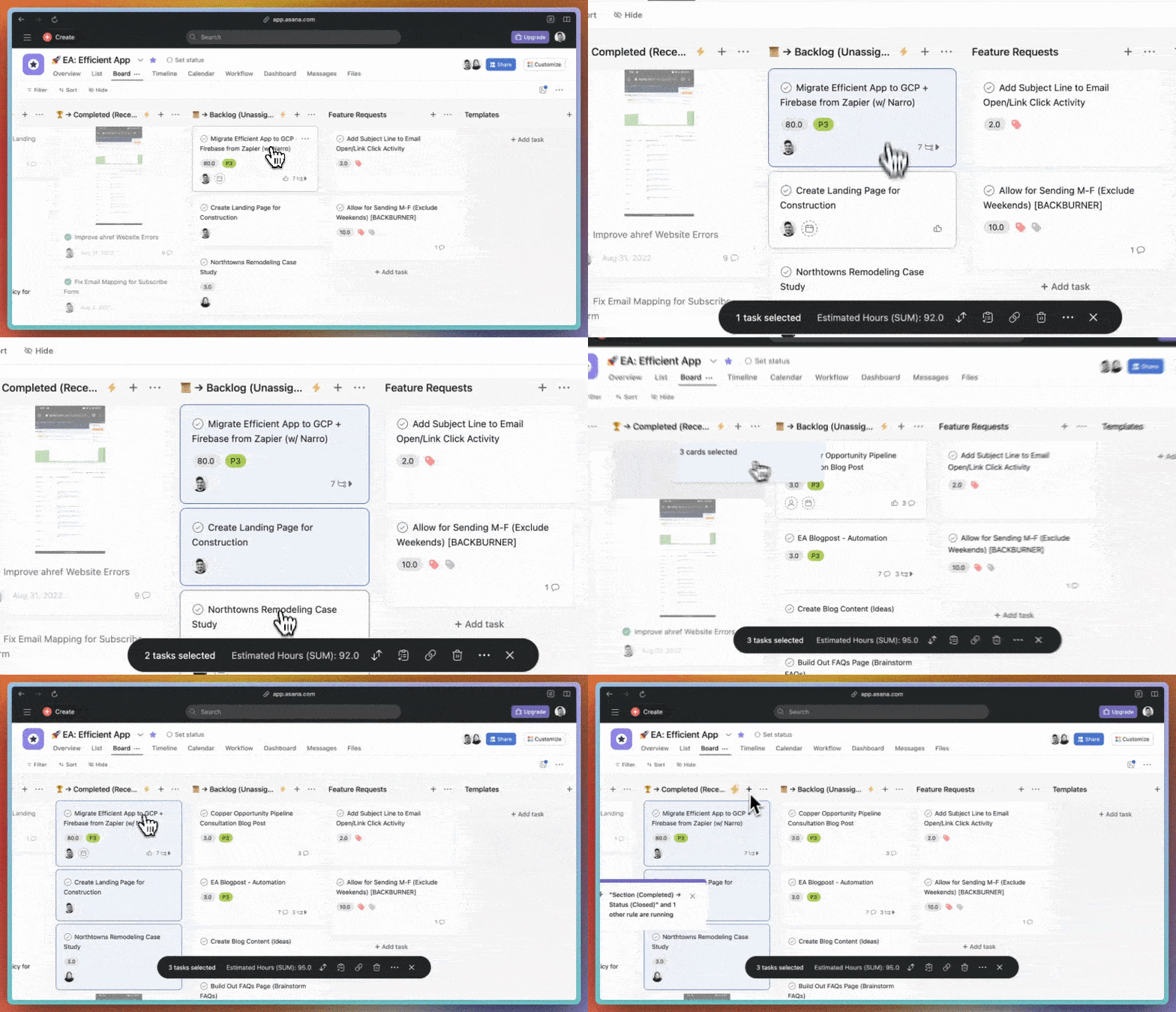
Selecting & moving tasks is intuitive and fluid
The main difficulty with Asana comes from from how much manual work is required to actually stay atop of the work you're trying to get done. Unlike a tool like Motion, where you just throw in your tasks and AI intelligently auto-schedules them, even if you don't get to them for the day, Asana requires that you continually push back due dates manually in order to not fall too far behind or get too overwhelmed with your work.
While we appreciate the notification toasts that show when taking action (to undo and to alert you of workflow automations that trigger), we do at times feel a bit overwhelmed by them in the interface, as they quickly begin covering things up. With bulk edits especially, you have almost a never-ending train of toasts that continually pop-up covering up the interface:
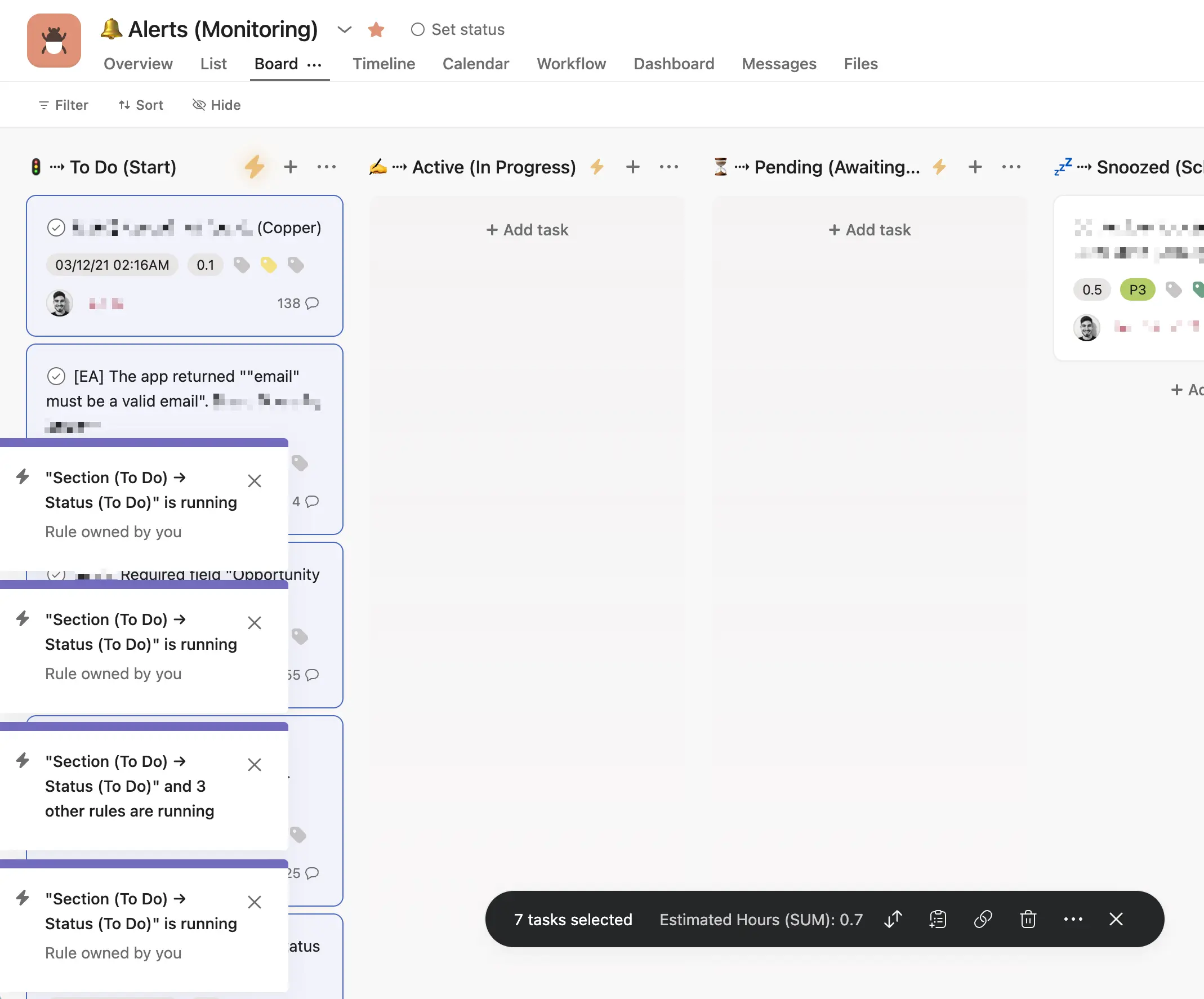
Automations trigger overlapping toasts which cover up your working area.
Workflow Automation
Workflow AutomationWorkflow Automation in Asana is really about Rules. This is what lets you automate repetitive work based on triggers and actions, like assigning tasks when a form is submitted, moving work to the next stage when a due date is approaching, or sending reminders when something is overdue.
Asana also has a rules library, which makes setup feel a little less intimidating than building everything from scratch.
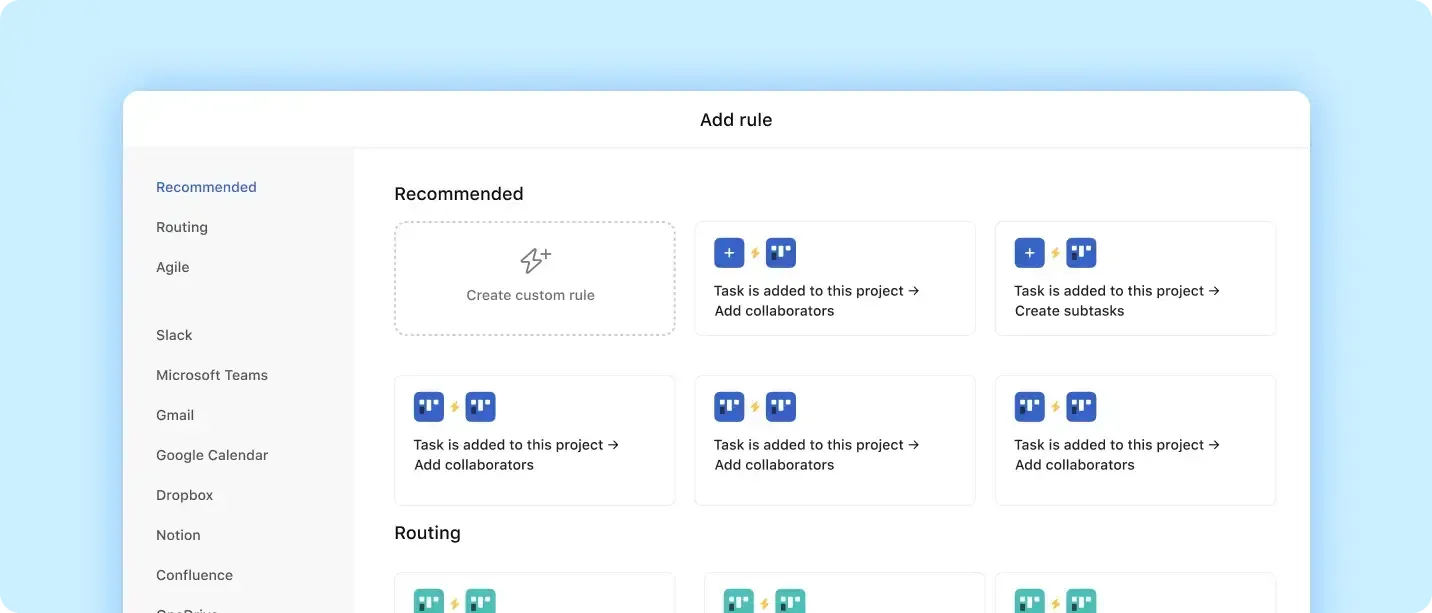
One limitation: it still depends on you setting up and maintaining the system. It works when there's someone who is super on top of building the systems, teaching them to the team, and then keeping an eye on it all.
If you don't have that person, you end up with multiple/conflicting systems or things start to fall apart. The newer AI tools can help with that a little bit, but you still need someone "managing" the team's Asana.
Rules can take a lot of repetitive admin work off your plate once they are configured, but Asana still isn't doing the kind of automatic day planning or constant reprioritization you get from a tool like Motion.
That said, Asana Intelligence has started to make the product feel more active. Let's say you can't find the automation you need in the rules library. You can explain what you want to happen in natural language and Asana AI can build automation (kind of like Zapier), which is pretty cool. Or you can use the AI Asana chat to say "move the deadline for all tasks in this project by 1 week". WAY better than before, which was manually doing it!
Collaboration
CollaborationCollaboration in Asana happens inside tasks. Comments, updates, attachments, and status changes all live in one place, which cuts down on a lot of back-and-forth in Slack or Teams. Conversations stay tied to the work, so it's easier to revisit decisions later.
It’s not trying to replace chat tools, but it does a good job of keeping work-related communication organized.
AI Features
AI FeaturesNow that we’re talking AI, this is probably where Asana has evolved the most... And unlike a lot of AI add-ons, it doesn't feel like it's just bolted on. Asana Intelligence includes smart summaries, recommendations, a chatbot, and AI-powered workflow features that are actually tied into the way teams already use the product.
Smart Chat
When we were testing out these new features, the chatbot actually ended up being the most impressive part.
You can ask it to push tasks back and reschedule work, summarize updates or surface blockers, and it handles those requests accurately without feeling like it is wasting your time. That alone makes it feel more useful than a lot of competing AI rollouts.
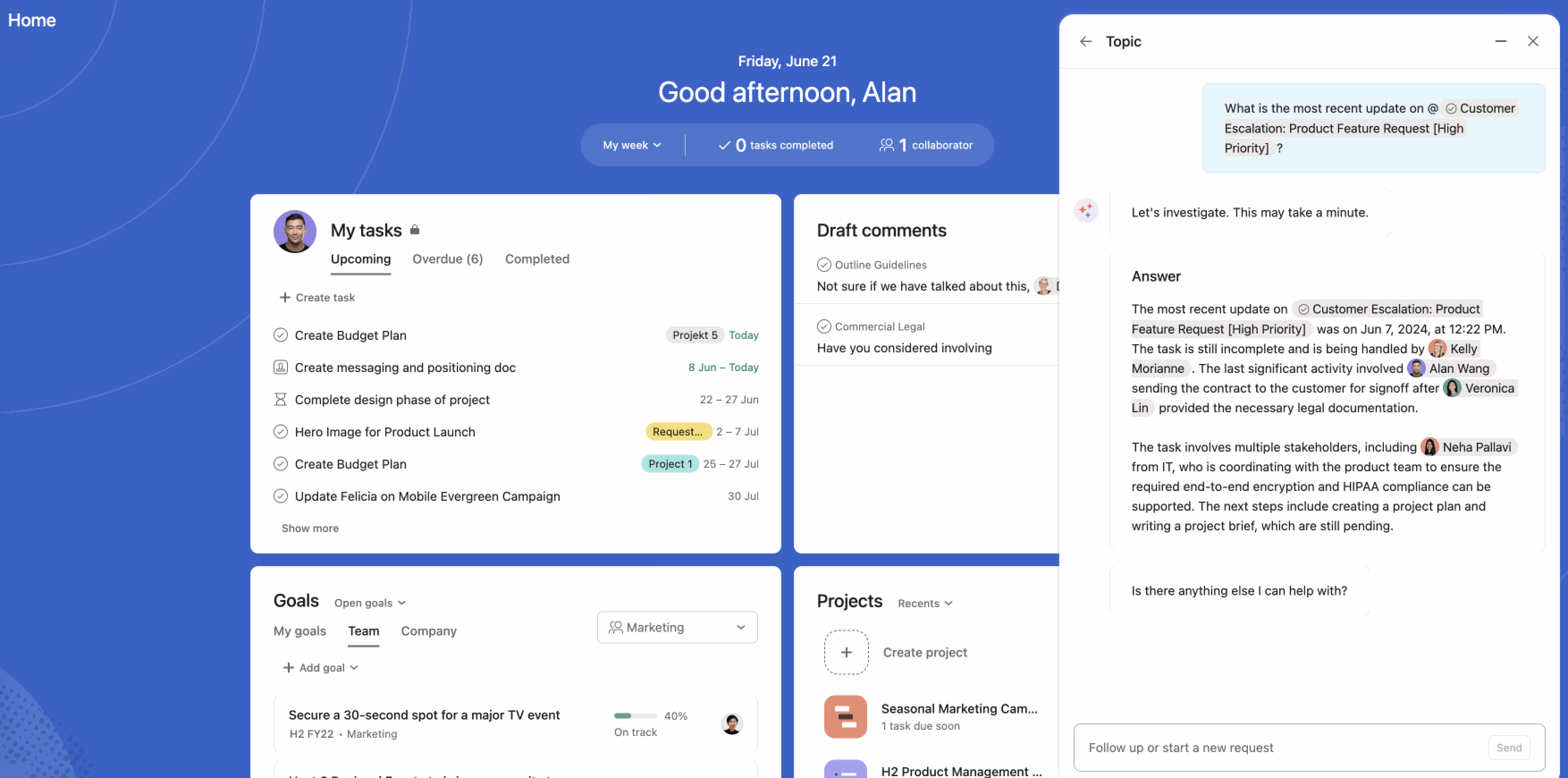
Asana Intelligence
Asana Intelligence can also write project status reports for your team. This is cool, but it’s much more useful for larger teams where managers need to present updates in meetings or report upward. A small team probably isn't going to use this much. That was a recurring theme with Asana’s AI in general: a lot of the value is strongest for managers managing managers, not individual contributors trying to move faster.
AI Studio & AI Teammates
You can build AI Teammates that understand parts of your business and execute within workflows. For example, an agent that reviews incoming requests and routes them based on priority or context. A lot of AI tools have these features now including ChatGPT so it's not as impressive as when they first launched it.
When we tried this, we weren't super impressed. You interact with the AI Teammate the same way you would a real team member, assigning tasks, leaving context, getting updates back through task comments. It works, but it still felt more like a structured handoff than a truly fluid experience. More modern AI tools are being built so they can be proactive (e.g. Viktor who lives in Slack literally jumps into chats and starts taking work off my plate).
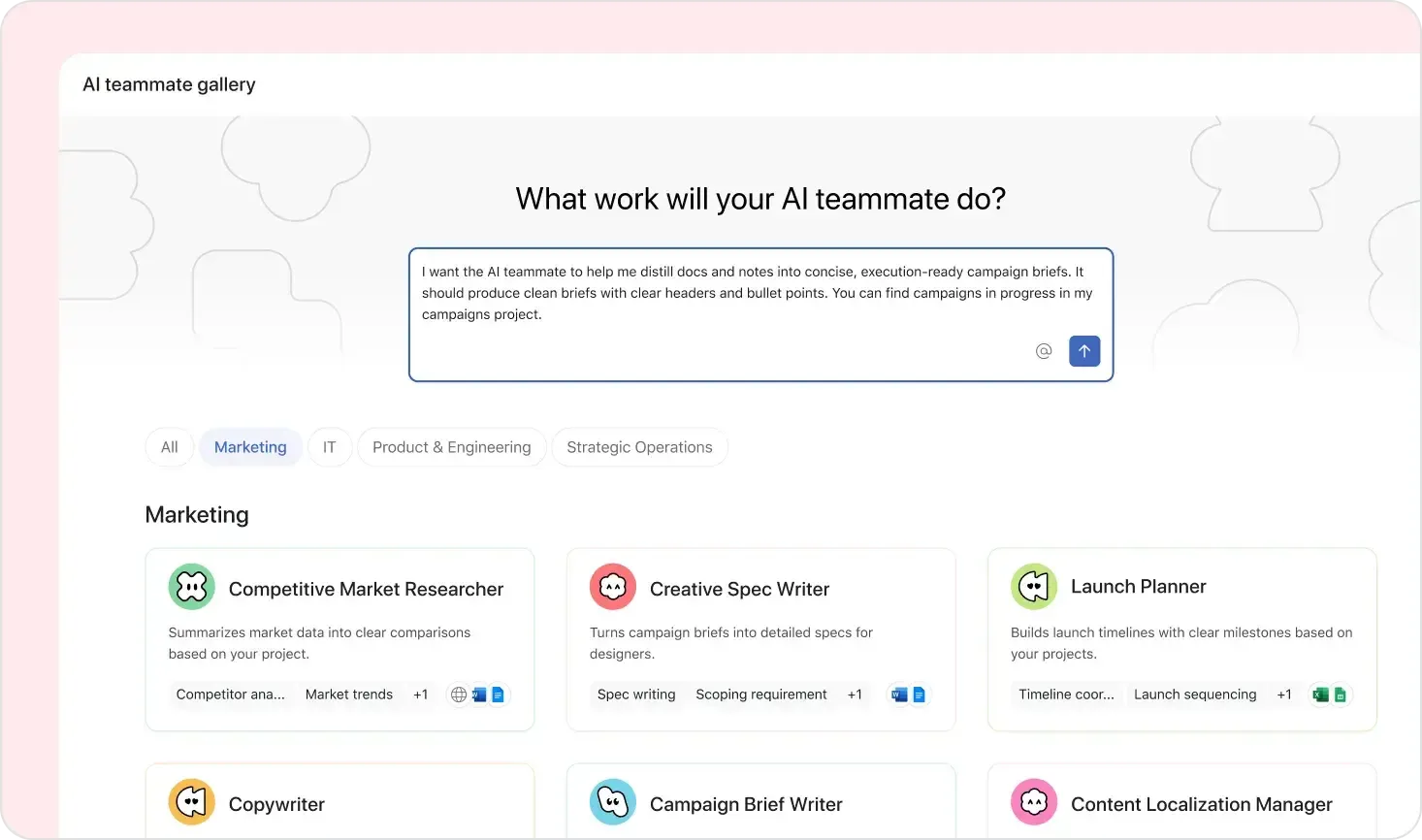
They've also introduced AI Studio, which lets you design AI-powered workflows without writing code. So you can tell the AI what should happen inside a workflow (like how tasks should be routed or prioritized) and it takes care of the execution.
AI Pricing
There are a couple of catches, though. First, you don't get AI features on the free tier. You need to be on at least a paid plan to access them. Second, AI Studio Pro, which unlocks the more advanced workflow automation, requires an annual plan and starts around $25 per user per month on Advanced, so costs can add up depending on your team size. That said, Asana also restricts Rules actions on lower tiers, so if you are using it properly for a business, you are likely heading toward Advanced anyway. That is where we ended up after seven years on the platform. I say this because people see the "free tier" of Asana and get excited, but it's incredibly restrictive.
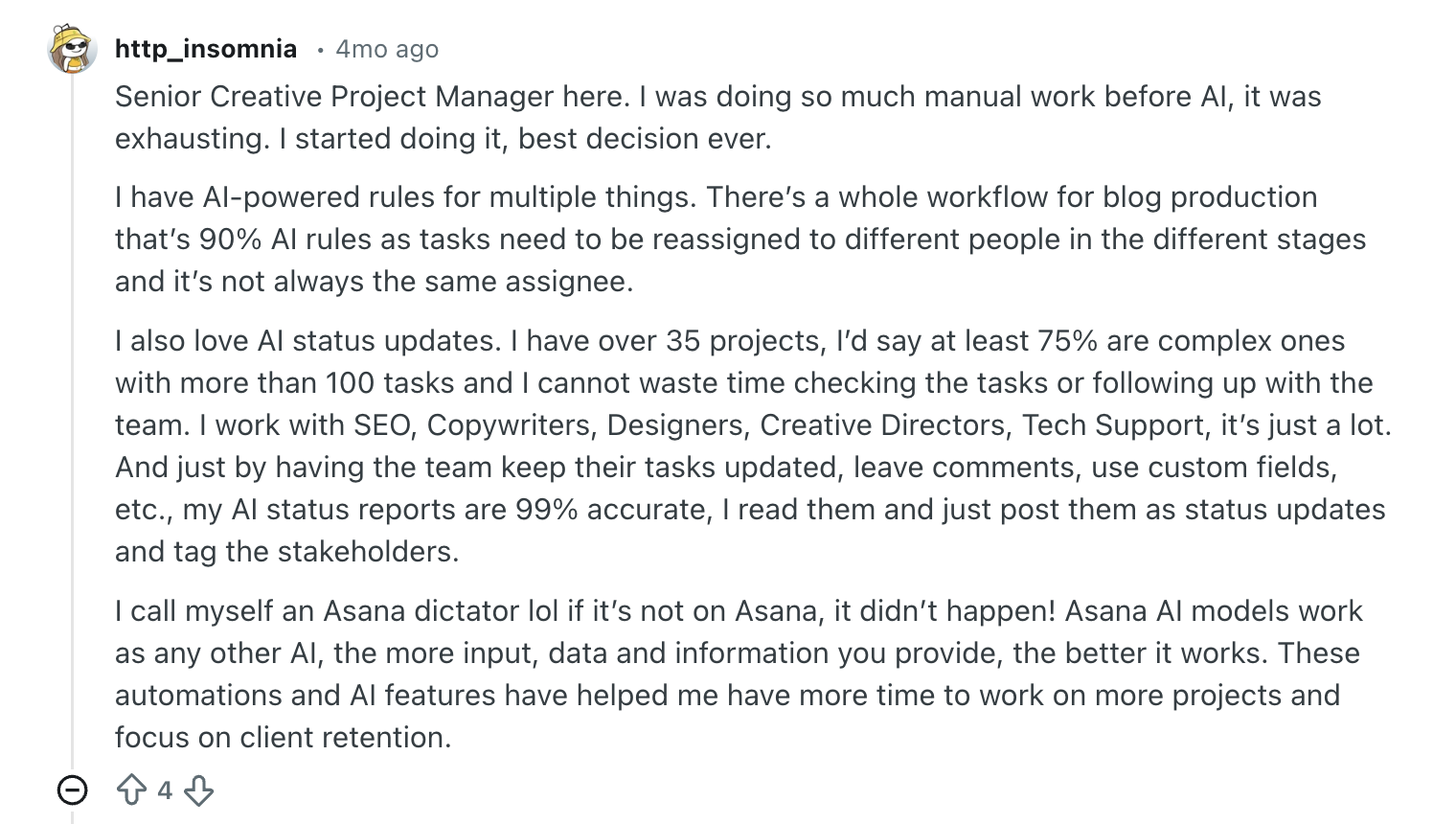
If you are already using Asana but not using the AI features yet, it almost feels silly not to. They have done a really good job implementing them in a way that fits the product instead of distracting from it. Just keep in mind that the biggest wins here are still more about helping teams manage work, summarize work, and coordinate work than helping individual contributors do the work.
Additional Features
Additional FeaturesGoals & Reporting
Goals & ReportingYou can set company, team, or project-level goals and tie them back to actual work in Asana. This only matters if you have leadership asking how projects connect back to bigger priorities.
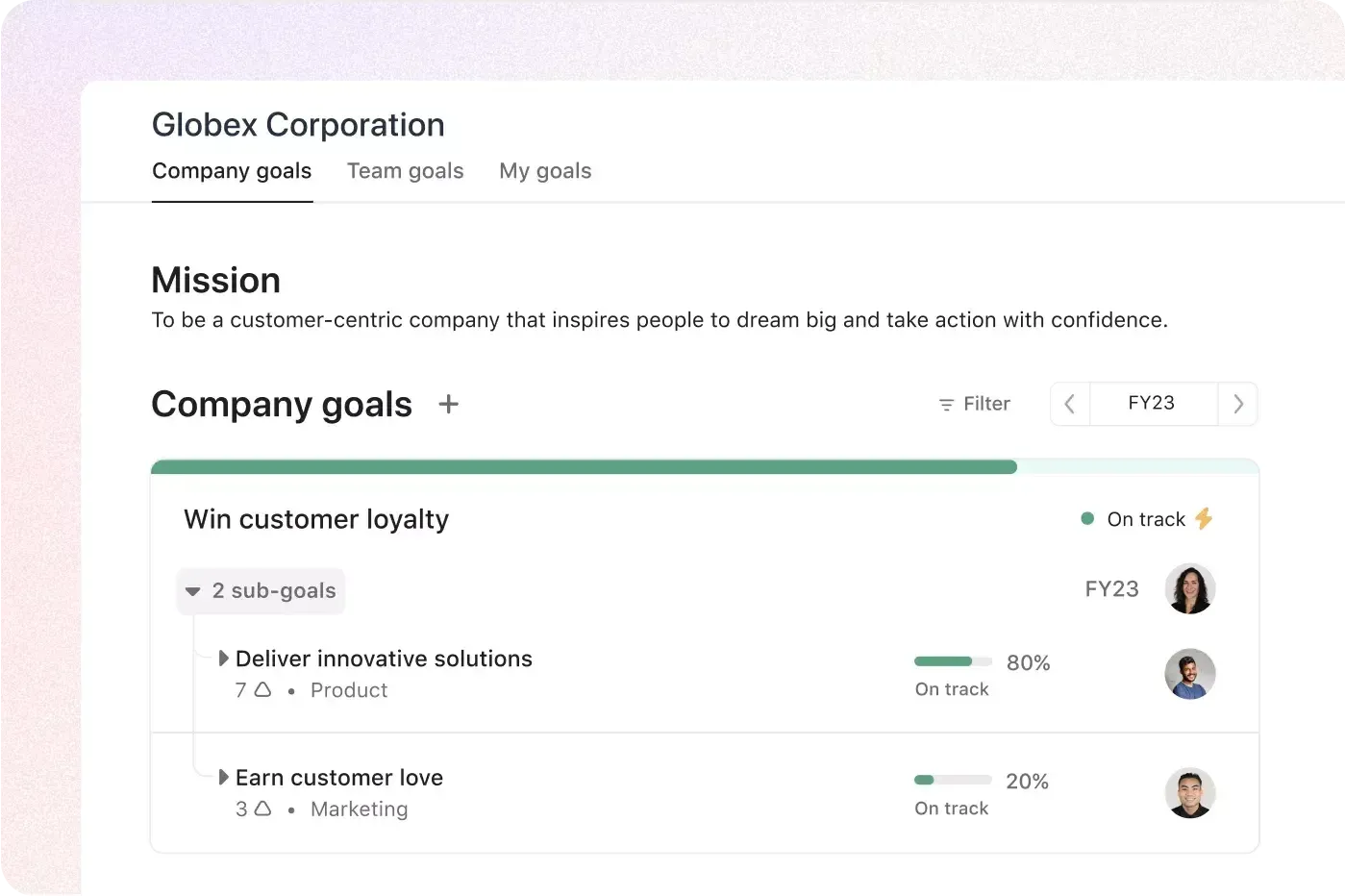
Instead of guessing how projects contribute to outcomes, you can actually see the connection. But do you see that as a small team you would never need this?
Resource Management
Resource ManagementThe workload view built into Asana gives you a quick look at what's on everyone's plate so you can do things like rebalance work before deadlines slip or measure how much time is being spent on a particular project.
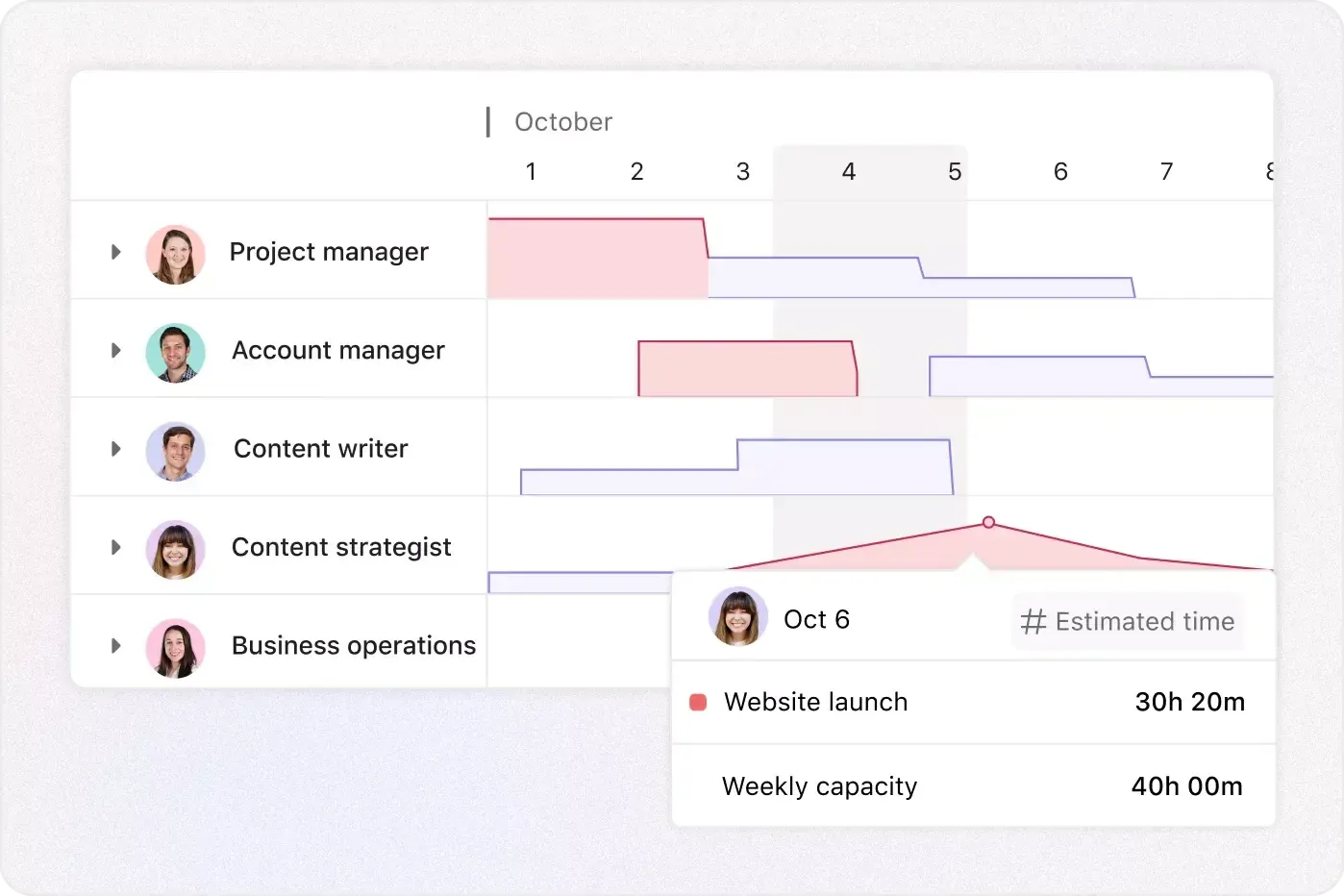
When I first saw this feature I got all the dopamine excitement from it, I was totally like "wow this is amazing!". Then I set it up for our team and...never used it again. As a small team I know where our resources are going.
So again, it's a helpful feature, but it really only makes sense if you have a big enough team where resource allocation actually matters.
API & Integrations
API & IntegrationsAsana has one of the most robust and well-thought APIs of all the project manager tools on the market. This is in terms of functionality, stability, and even down to the thought that went into the naming of variables.
Their team communicates major changes proactively, and there's an external ecosystem of people building 3rd party tools with Asana's API, like backup systems, extended workflow systems, etc.
Overall, it's the gold standard in the category which is why we're giving it an "A" rating. They also have many native integrations that allow you to trigger messages in tools like Slack upon taking action within Asana. That said, you'll want to go custom if you want to do anything more powerful than that.
They've had a lot of time to get the API side of things right—having seen them re-architect core components of it over the years really shows that they've thought through it at scale which is a big plus.
Security
SecurityYou get admin controls, permissions, compliance features, and identity management that go well beyond what a smaller team will ever think about.
The main things here are access control, centralized admin oversight, and compliance support. That includes features like SAML, Google SSO, two-factor authentication, SCIM, guest invite restrictions, custom roles, audit logs, and integrations for SIEM, DLP, eDiscovery, and CASB. They also call out data residency options across the US, Europe, Japan, and Australia, along with HIPAA support and enterprise key management. This is what helps large companies feel comfortable putting more sensitive work into Asana.
If you are rolling Asana out across a big organization and security is important, then it's going to be one of the best options.
Mobile App
Mobile AppAsana has an iOS and Android app that has wide range of the functionality from the web app. You can view your Asana projects and task lists as kanban boards on mobile, a feature we don't see as often due to phone real estate, that said, they've implemented it well.
They have widget functionality, so you can see your open task lists without even opening up the app, a small feature which we quite appreciate.
The thing is, with a tool like Asana, you will still need a calendar tool as Asana's calendar view is nowhere where it needs to be to replace Google Calendar, unlike that of Motion.
Competition
CompetitionWe genuinely prefer Asana to that of ClickUp (trying to turn more and more into an all-in-one tool like Notion—no bueno) and Monday. Oh, and don't be trying to use Airtable as a task/project manager—please.
Think of Asana like Salesforce or Hubspot—they work great, if you invest the tens of thousands into getting it built out for your specific company needs. Highly recommend against trying to set it up yourself 😅
If you're a small or medium size team looking for more of a project manager that's a bit more opinionated (makes adoption way easier), that also bakes in time blocking and your calendar at the core, check out Motion instead.
Pricing
Pricing- Free: Basic task and project tracking. Fine for trying Asana out, but pretty limited for real team use, especially now that there’s no meaningful AI access.
- Starter ($10.99/user/month): Adds timeline, automation, and some AI features. This is the minimum for a functional team setup.
- Advanced ($24.99/user/month, annual, 5-seat minimum): Unlocks reporting, goals, and AI Studio. This is where Asana becomes fully usable for larger teams.
- Enterprise: Custom pricing with advanced security and controls.
The free tier is restrictive. Most serious teams will land on Advanced, and costs scale quickly as you grow.
Final Verdict
Final VerdictAsana is an incredibly well oiled product. The API has evolved a lot over the years and everything is quite stable. It just hasn't evolved to take advantage of the time management/calendar space, which feels like a big miss for any project manager.
That said, we've moved away from Asana over to Motion (after 7 years of Asana), which should tell you something, specifically if you are a small team (less than 100–200 employees).
As a free project management software (for small teams), it might be alluring to try, but to unlock key features like workflow automation you'd need to be on a paid tier, so we don't fall into the trap of comparing Asana as a free project management software to other paid tools.
Screenshots
Screenshots
Asana
Categories
CategoriesAsana fits into multiple categories based on what it actually helps you do. Each category highlights a different strength and the efficiency points it earned, helping you compare tools not just by features, but by how well they actually perform.
Keep exploring the best software across categories, or explore Asana alternatives


