

Summary
Summary LightfieldBest
Best AI CRM
Best AI CRM WonderlyRecommended
Best for trade-services businesses with $250K+ revenue
Best for trade-services businesses with $250K+ revenue folkRecommended
Best for solopreneurs and small teams
Best for solopreneurs and small teams Pipedrive
Best for Microsoft 365 teams
Best for Microsoft 365 teams Copper
Traditional CRM for Google Workspace
Traditional CRM for Google Workspace Salesforce
For enterprise teams only (1,000+ employees)
For enterprise teams only (1,000+ employees) HubSpot
For enterprise teams needing marketing automation
For enterprise teams needing marketing automation GoHighLevel
Best for agency reselling
Best for agency reselling Close
CloseFor sales-focused cold outreach via VoIP
For sales-focused cold outreach via VoIP Streak
For individuals looking for Google Sheets but CRM
For individuals looking for Google Sheets but CRM
Lightfield
LightfieldBest alternative for AI-native CRM automation.
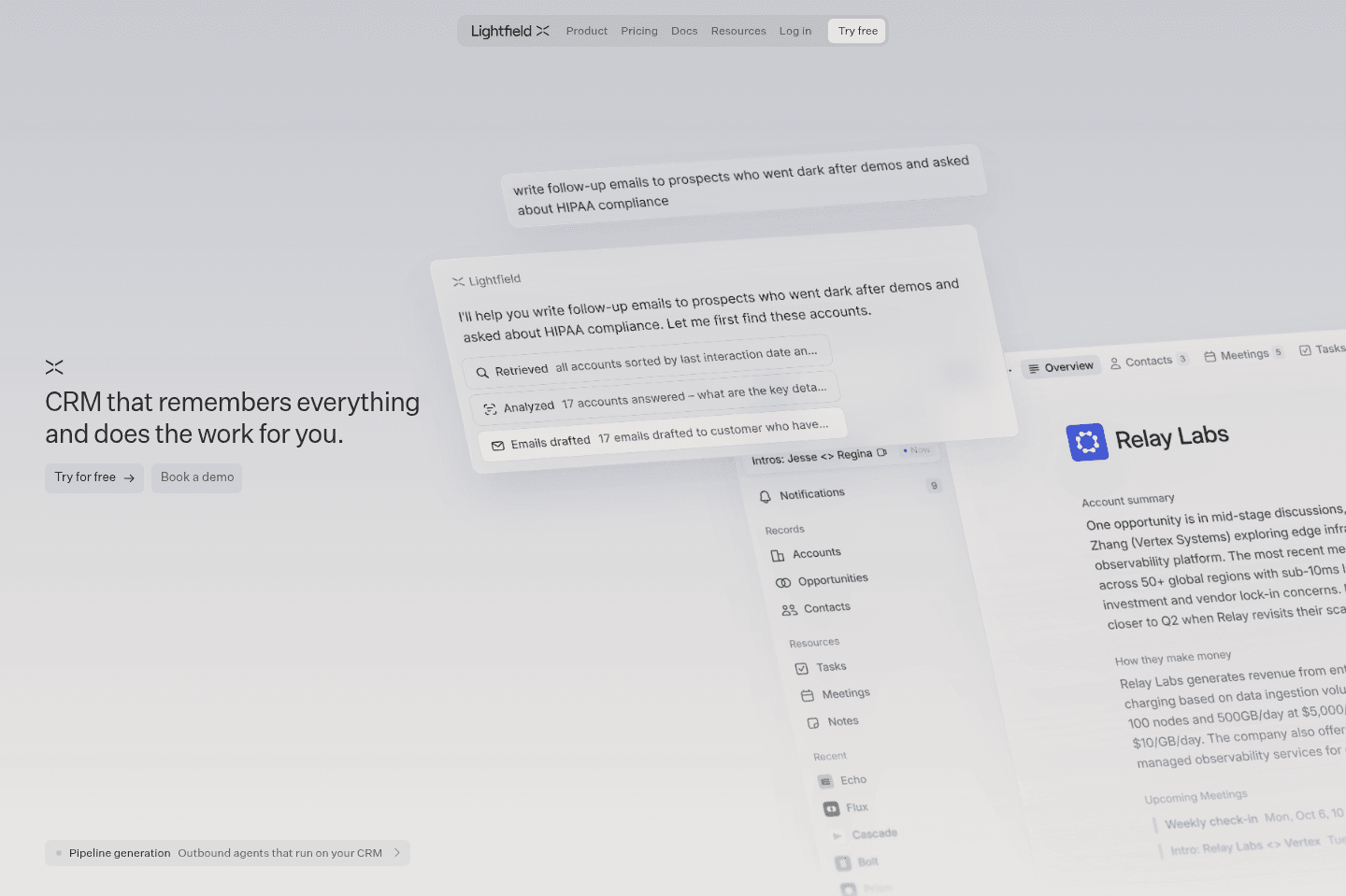
Lightfield is the best alternative for those who want their CRM to act more like an assistant than a database. If you're running a modern, fast-growing team that already relies on AI in day-to-day work, Lightfield fits right in by handling setup, migration, and daily upkeep through natural chat instead of traditional admin work. Teams that hate chasing sales reps for updates or manually entering notes after meetings will see the biggest difference, Lightfield reviews your emails, meetings, and Slack to keep records current and automatically creates follow-up tasks based on real conversations.
The onboarding process feels more like talking to a consultant than filling out forms, and even complex automations can be set up just by describing what you want in chat. If you're tired of CRM busywork and want your system to stay up to date without constant manual effort, this approach stands out.
Pricing is higher than most CRMs, and bulk editing from a table view isn't supported, everything runs through chat, which may slow down some operations for large data changes. If you need spreadsheet-style controls or are highly price sensitive, keep this in mind.
Wonderly
WonderlyBest alternative for hands-off lead generation.
Wonderly is a great alternative for those who run established home service or trade businesses and want to grow without taking on the headaches of marketing, website building, or managing leads themselves. If you're already doing at least $250K a year, have more capacity, and are tired of slow weeks but don't want to become your own marketer or CRM admin, Wonderly is designed to handle the messy parts for you.
It stands out for businesses where the owner wants to focus on the work, not chasing leads or learning ad platforms. Wonderly builds a customer-focused website, runs Meta ads, and follows up with leads quickly, so you don't have to. The team behind Wonderly brings deep experience, and their AI receptionist handles calls and books appointments, even taking notes on customer requests.
Access is limited to businesses that meet their criteria and apply, so it's not an option for everyone. If you don't meet the revenue or growth requirements, you won't be able to use Wonderly.
folk
folkBest alternative for spreadsheet-style contact management.
folk is a good alternative for those who want a CRM that feels as familiar as using a spreadsheet, but need the structure and features that spreadsheets can't provide. If you're a solopreneur or part of a very small team and have been tempted to run your contacts out of Notion or Google Sheets, folk is designed exactly for that workflow, making it easy to add, manage, and enrich contacts, send bulk emails, and keep track of follow-ups with minimal setup.
If you haven't used a CRM before and want something low-friction and simple, folk offers templates and a Chrome extension to speed up your setup and daily work. It brings in useful touches like AI-powered Magic Fields for email generation and data cleanup, which can save you manual effort when handling contact lists.
If you expect to grow beyond a few users or need advanced integrations and a robust API, folk's capabilities may feel limiting. Larger teams or technical users may find its integration options and developer support too basic for scaling needs.
Pipedrive
PipedriveBest alternative for sales-focused Microsoft 365 teams.
Pipedrive is an alternative for those who want a CRM built specifically for small and medium teams that run on Microsoft 365 and prioritize sales workflows. If your team is moving from spreadsheets or simple databases, Pipedrive is a clear step up, offering more structure while still allowing for some internal process customization beyond just sales.
The experience is especially strong if your team uses Microsoft Outlook for email, as Pipedrive fits smoothly into that tech stack and offers reliable performance. Their API is also noted as flexible and robust, making it a stable choice for teams that want to connect other tools or automate parts of their process.
If your workflow relies on retroactive email syncing beyond six months, or your team is built around Google Workspace, Pipedrive may not be the best fit. The email sync limitation is the main constraint for teams that need longer lookback periods.
Copper
CopperAlternative for a traditional CRM.
Copper is an alternative for those who need a CRM that fits tightly with Google Workspace and your team doesn't particularly care about AI-features.
Its Chrome extension and user-friendly interface help teams adopt it quickly, especially if you want to avoid switching between tools. If you rely on integrations or have technical needs, Copper's API and connectors are built to be straightforward and reliable.
We used Copper for 10+ years but ultimately felt like we needed an AI-first CRM.
Salesforce
SalesforceBest alternative for enterprise CRM workflows.
Salesforce is an alternative for those who need a CRM that can handle highly complex business processes and have the resources to invest in a full-scale setup. If your organization already understands its workflows in detail and is ready to bring in expert consultants to map everything out, Salesforce can cover demanding requirements that simpler tools might not.
If you are a startup, want to stay lean, or haven't nailed down your business processes, Salesforce will likely be more than you need and far more costly than other options.
HubSpot
HubSpotBest CRM alternative for large teams.
HubSpot is an alternative for those who want a CRM that is approachable and less overwhelming than typical enterprise solutions (cough Salesforce), especially if your team is large and you expect many users to be in the system daily.
If you are a startup or a team of under 20, HubSpot's costs can quickly become a problem after the initial discounts wear off.

GoHighLevel
GoHighLevelAlternative for white-label resale schemes.
GoHighLevel is an alternative for those who are mainly interested in reselling CRM software as a side business rather than running their own operations on it 😅 If your primary goal is to offer a white-label platform to your own clients, then this setup might fit.
However, if you want full control over your data, reliable product support, or a polished user experience for your business, GoHighLevel falls short. The platform relies on a complex reseller structure, making your access and data dependent on someone else's account. Most users will find the features incomplete and the daily workflow frustrating, especially as your team grows.
Close
CloseBest alternative for built-in sales calling.
Close is an alternative for those who want their CRM to double as their main hub for calls and SMS, especially if your sales process relies on making a high volume of phone calls. If you see value in having an auto-dialer built directly into your CRM, with the ability to call through lists, pause to take notes, and manage call and message sequences in one place, Close stands out here.
If your team is three or more people and you're ready to work inside one system for both CRM and calling, Close's approach can streamline your workflow. The email sync is functional, and you can expect your past emails to show up in the CRM if you're on Google Workspace or Microsoft 365.
However, Close locks you into their own VoIP system, so you won't be able to use third-party calling tools alongside it. The minimum seat count, limited pipeline options on the lower tier, and lack of a mature mobile app for Android are important constraints to weigh before committing. If you're a solo operator or want more flexibility, it's likely not the right fit.
Streak
StreakBest alternative for spreadsheet-style Gmail CRM.
Streak is an alternative for those who want a CRM that lives directly inside Gmail and feels similar to working in a spreadsheet. If you're used to managing contacts or sales pipelines in Google Sheets, and you like the idea of handling everything without leaving your inbox, Streak meets you right where you already work.
If you're running a small operation or just getting started, it can be a straightforward way to upgrade from a basic spreadsheet to something more organized, without learning a traditional CRM system.
However, if your team or data volume grows, Streak can bog down Gmail and become messy to manage at scale. It's best suited for light, spreadsheet-style CRM needs inside Gmail, not for larger or fast-growing teams.

Airtable
AirtableBest alternative for user-friendly databases.
Airtable is a great alternative for those who want a database that feels approachable for non-technical teams but still unlocks much more structure than spreadsheets. If your team is still relying on Google Sheets for anything outside of finance reporting, Airtable lets you swap out those sheets for something that's easier to organize, automate, and connect with other tools.
It works especially well as the backbone for form collection, internal data management, or as a flexible layer to pass data between different apps. The API is a strong point, if you need to trigger workflows or automate processes when records change, Airtable makes that easy to set up without needing to code.
Just keep in mind, Airtable isn't built for CRM or project management. If you try to force it into those jobs, you'll run into limits.

Notion
NotionBest alternative for flexible team wikis.
Notion is an alternative for those who want a highly customizable workspace to build out a company knowledge base or internal wiki. If you prefer having control over the structure and enjoy setting up your own systems for documentation, Notion gives you the flexibility to tailor everything from note linking to database layouts.
Notion works if you want a blank canvas to organize information your own way. If you value flexibility over ready-made tools, Notion can be a good fit for you.
If you're looking for something with built-in guidance (recommended for businesses) or want to avoid the time investment of building from scratch, skip Notion.

Monday
MondayBest alternative for customizable enterprise workspaces.
Monday is an alternative for those who need a project management tool that can be tailored to handle complex workflows across large teams. If your projects require building out detailed dashboards, custom charts, or connecting with other enterprise software like Jira or Salesforce, Monday can support those needs, especially when you have a dedicated project manager to handle setup and ongoing management. The interface is visually engaging, and there are multiple ways to view and organize your project data, which can help with internal reporting and resource management.
If you're working with a team of over 300 people and have the resources to invest in proper onboarding, possibly even bringing in a consultant, Monday can flex to fit demanding project structures. It's also a fit if collaborating with external partners is central to your workflow.
The main limitation is that Monday's flexibility comes with a steep learning curve and setup process. Without serious investment in implementation, most teams find it overwhelming or underused, and smaller teams may find it too much work for the payoff. If you want something quick to set up or need high reliability out of the box, Monday likely won't be the best choice.
Videos
VideosBest Small Business CRM?
Best Small Business CRM? 13:56
13:56Best Small Business CRM?
Best Small Business CRM? 16:24
16:24Notion Failed You
Notion Failed You