Comparison Summary
Comparison SummaryWispr Flow nails voice dictation for anything you throw at it, while Claude shines more for writing, coding, and research tasks.
Only use Claude if you need a writing or research partner, but stick with Wispr Flow if your main goal is top-notch voice dictation.
- Wispr FlowBestBest
Best AI voice dictation app
Best AI voice dictation app - ClaudeBestBest
Best for thoughtful reasoning and execution
Editor's Verdict
Editor's VerdictIf you want top-tier voice dictation, Wispr Flow is the clear pick. It's positioned as the go-to app specifically for AI voice dictation and gets called out for excelling at that one thing. If talking to your device and having it transcribe accurately is your focus, nothing in Claude's review suggests it can keep up.
Claude stands out as a writing, coding, and research partner, not a voice tool. It's praised for holding context, following complex instructions, and acting as a thoughtful assistant for professionals and operators. But none of its strengths touch voice dictation. If that's your main need, Claude just isn't built for it.
So if all you care about is voice dictation quality and reliability, Wispr Flow is the obvious choice. If your workflow revolves around deeper writing, coding, or research, Claude is the one to reach for. But for dictation, stick with Wispr Flow.
Screenshots
ScreenshotsSummaries
SummariesAI Alternatives
AI AlternativesWispr Flow Editor's Verdict
What is Wispr Flow?
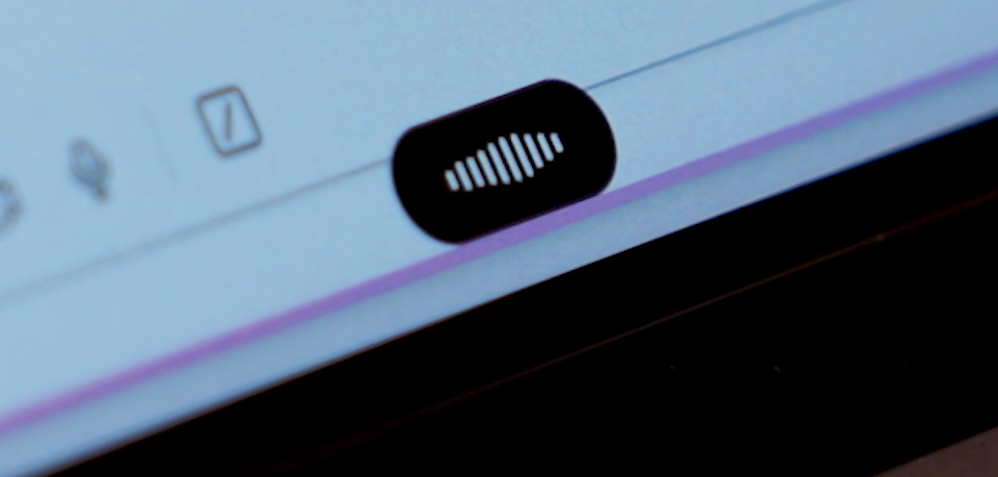
Wispr Flow is an AI dictation tool that lets you speak naturally, and uses AI to fix any errors as you speak (e.g. if you correct yourself mid-sentence, it will just output the corrected text).
What we love is that we can use it anywhere. Email, ChatGPT/Claude, notes, text messages, Slack, whatever.
Speaking a paragraph is just faster than writing one, and this is the first dictation tool I've used that has actually felt reliable enough to change how I work.
This tool is a must-have, especially for business owners, professionals, and knowledge workers who are constantly context-switching all day. If you always feel like your attention is split between Slack, socials, content writing, client communication, and AI, Wispr Flow makes it much easier to get thoughts out before they disappear.
Now I am constantly telling everyone on my team too "Speak, don't type!" and it's become acceptable for anyone on our team to speak into their devices (as I write this, I hear Alex in the next room using Wispr Flow to talk through some design feedback for our website).
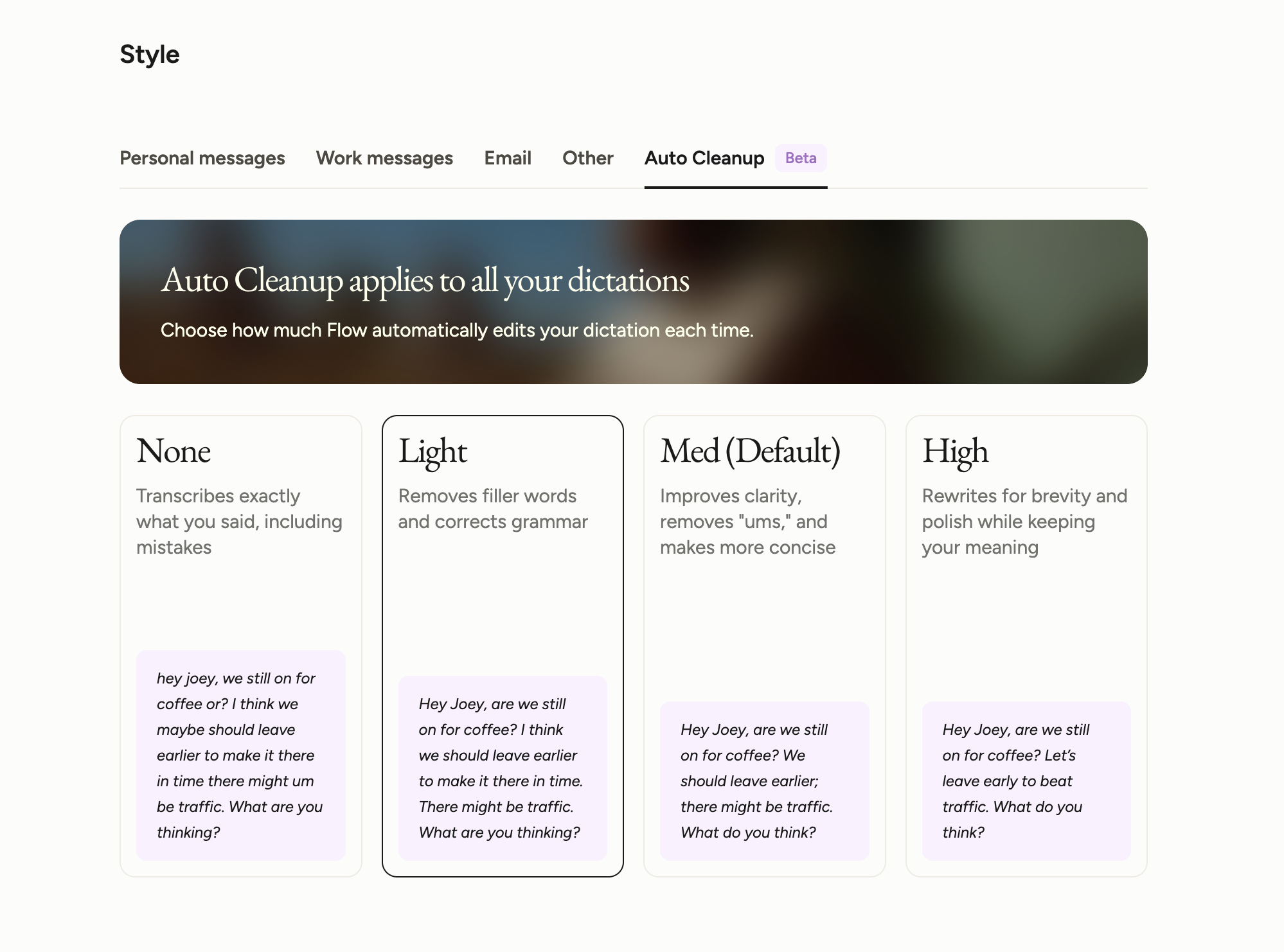
The transcription is smart; it uses AI to clean up your speech without making you manually fix every sentence, and it works across a ton of apps. I will say make sure you adjust your "auto clean up" settings, because I forgot to, and it was making me sound a little too polished.
Compared to the other dictation and built-in voice tools I've tried, Wispr Flow is the first one that felt solid enough to actually stick. Even compared to newer AI browsers with voice features built in, I still keep coming back to Wispr Flow because it works more consistently and fits better into how I already work.
Pros and Cons
Pros
- Works across any app with a text field
- Genuinely fast and reliable enough to use every day
- AI cleanup saves you from editing every little speech mistake
- Custom dictionary helps with names, jargon, and phrases you use often
- Multi-language support is genuinely impressive and better than native tools
Cons
- iPhone has a little more friction than desktop or Android
- Some advanced features are nice-to-have rather than core
Key Features
AI Transcription
This is the whole reason Wispr Flow stuck for me. I remember being on the way to grab coffee with a friend and using it to answer a text when she asked, "How's that thing any different than using Apple's dictation?"
Fair question. I'll explain it to you the same way I explained it to her... Wispr Flow doesn't make me clean up every little mistake I make while speaking. If I start a sentence one way and then correct myself halfway through, it fixes that for me. That matters a lot, because otherwise you're just replacing typing fatigue with editing fatigue, and I'd already had enough of that with other tools.
Works Everywhere
One of the best parts of Wispr Flow is that I don't have to think about where to use it. I just use it.
On desktop, I hit my keyboard shortcut and start talking in Slack, Gmail, ChatGPT, or wherever I am working.
On iPhone, there is a little more friction because it has to take over the keyboard, and yes, that extra second can make me a little impatient sometimes. But once it is going, it is easy. That's another reason Wispr Flow fit into my workflow so fast; it became an easy habit for me instead of just another tool I had to remember to use.
Style and Tone Personalization
The style and tone personalization has improved a lot since I started using Wispr Flow. At first, the AI rewrite side of Wispr Flow made me sound weirdly formal. And overall, I'm just not a huge fan of AI polishing my work; It takes away all the soul.
But now they've added the "auto clean up" to their settings, and now it feels much more in tune with who I am and how I write. Really, I just want help getting my thoughts out faster, not to be rewritten into someone else, and that (for the most part) gets done with Wispr Flow.
Multi-language Support
One of my colleagues told me that she loves that she can answer a Slack in English and then switch over and respond to her mom in Spanish without having to mess with settings or go back and correct a bunch of grammar issues.
That's exactly how this kind of feature should work. So if you work across languages or your team does, the multi-language support is actually usable and helpful.
Snippets
While I haven't exactly set up my snippets to their full potential, I completely see the value of this feature. You could say something like "my calendar link" or "my email address", and it'll paste the full thing in for you.
I know those of you working in sales, support, or anyone who's having to repeat the same links and replies all day, will love this!
Pricing
- Free: Best for anyone who wants to try Wispr Flow and see if it fits into their workflow.
- Pro: $15/mo per user ($12/mo billed annually). Best for individuals who plan to use Wispr Flow daily or for team collaboration.
- Enterprise: Contact for pricing. Best for teams that need more control around security and compliance.

Claude Editor's Verdict
What is Claude?
Claude is an AI assistant built by Anthropic, designed for professionals and operators who need more than a generic AI response. It tends to follow complex instructions more completely, sounds less generic, and holds onto more context when you give it a lot to work with. There's also Claude Code for developers and Claude Cowork, a desktop agent that works with files on your machine.
I'll be honest, I resisted trying Claude for a while. I'd been using ChatGPT for two years and it knows me and my writing style incredibly well. Every time I tried Claude before really committing to it, I was disappointed because it just lacked that context, and I'd walk away thinking "I don't get what everyone's talking about!" But the hype kept coming from people I respected, so I couldn't shake the feeling that I was missing something.
What changed it for me was exporting all of my writing instructions from ChatGPT and loading them into Claude as a skill. After that, the experience improved dramatically. Claude started asking better questions and the writing output got a lot closer to what I actually wanted. Now I find myself reaching for Claude specifically when I'm doing deeper writing work. It pauses to ask clarifying questions more than ChatGPT does, and it genuinely seems to honor the context I've given it rather than just acknowledging it and moving on.
Is that because Claude is naturally more thoughtful, or because my prompt told it to ask more questions? Honestly, hard to say. Without the skill loaded in, my earlier experience was nowhere near as impressive as the internet made it sound. So if you're going to try Claude and you already have a strong writing brief (or any other brief) somewhere, move it over before you form an opinion.
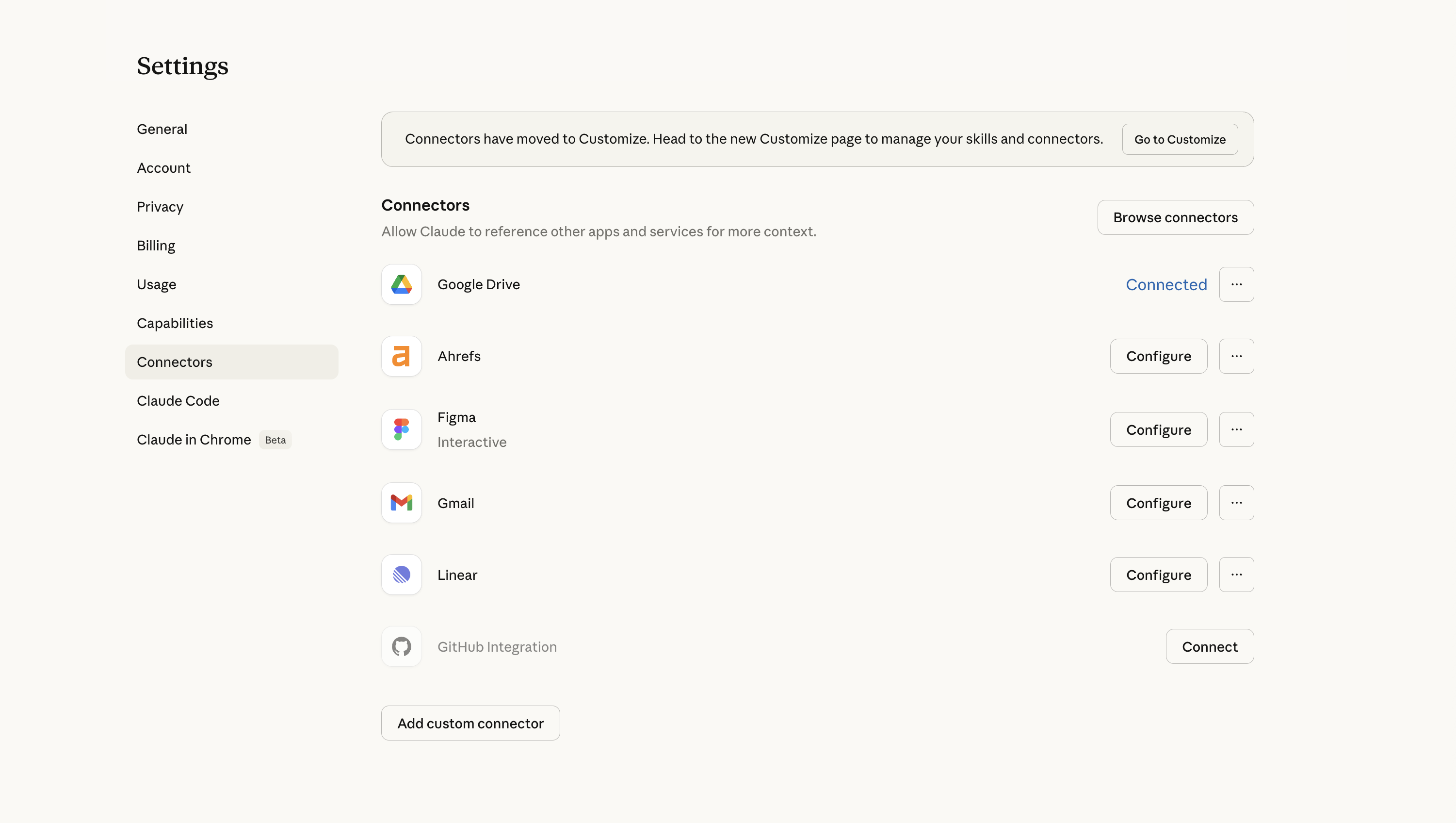
Where it still falls short is the surrounding product experience, the Chrome extension, the cross-device memory in Cowork. Those feel like areas where ChatGPT has just gone a lot deeper on the day-to-day user experience, and you notice the gap when you hit them. For now I'm keeping both, especially because I use ChatGPT Atlas for browser work.
Pros and Cons
Pros
- Automatically references your skills and writing briefs without being told to
- Longer context window means it holds onto more when you give it a lot of input
- Claude Code is loved by engineers
Cons
- Chrome extension has no memory, close it accidentally and everything is gone
- Cowork context doesn't persist across devices
- Usage limits are annoying, we hit them fast doing deep research on the standard tier
- Cowork is less useful if your whole workflow lives in web apps
Key Features
Reasoning and Writing
Claude gives more complete answers without turning into an endless refinement loop. ChatGPT has a habit of ending every response with "want me to improve this?" and you end up going in circles. Claude just answers, and the conversation tapers naturally unless you push it further.
Skills
Claude automatically references your writing brief or skill in every relevant chat without you asking. With ChatGPT you have to actively add chats to a project to get that same behavior. It's a small thing that ends up mattering a lot when you're opening new chats constantly throughout the day.
Claude Cowork
Cowork is Claude's desktop agent, it can take actions across your computer, work through tasks, and integrate with your tools. If you work heavily out of local folders and project files, you'll probably get a lot out of it. For me, my whole workflow lives in apps like Superhuman Mail, Linear, and Granola, so it hasn't been life-changing.
Claude Tag
Claude Tag is Claude inside Slack. Instead of opening Claude in a separate app, your team can tag @Claude in a Slack thread and ask it to help. It can read the conversation, understand what people are talking about, and jump in with ideas, answers, or next steps. We've covered it in more detail in the full Claude Tag review.
But heads up, right now it's limited to team (5 seat minimum) and enterprise plans.
Pricing
- Free: Limited access, good for testing the product before committing.
- Pro: $20/month. This is the tier most founders and operators will want. Gives you access to the full model and the features that actually matter for daily work.
- Max: $100/month. Higher usage limits and more capacity for longer, more intensive sessions. Worth considering if you're hitting limits regularly.
- Team: $30/month per user (minimum 5 users). Adds collaboration features and admin controls for teams.
- Enterprise: Custom pricing. Expanded security, compliance, and deployment options for larger organizations.