Review Summary
Review SummaryWe've been trying dictation tools for years, and Wispr Flow is the first one that actually worked reliably enough for us to keep using every single day.
Press a button, speak, and it'll use AI to write out clean text across Slack, texts, email (anywhere). I even use it for fast content writing or when I'm talking to AI. At this point, it feels like one of those tools where, if it disappeared, I'd be massively annoyed. If you spend a big chunk of your day writing or typing, definitely give it a shot. This is the future.
Is Wispr Flow Worth It?
Is Wispr Flow Worth It?What is Wispr Flow?
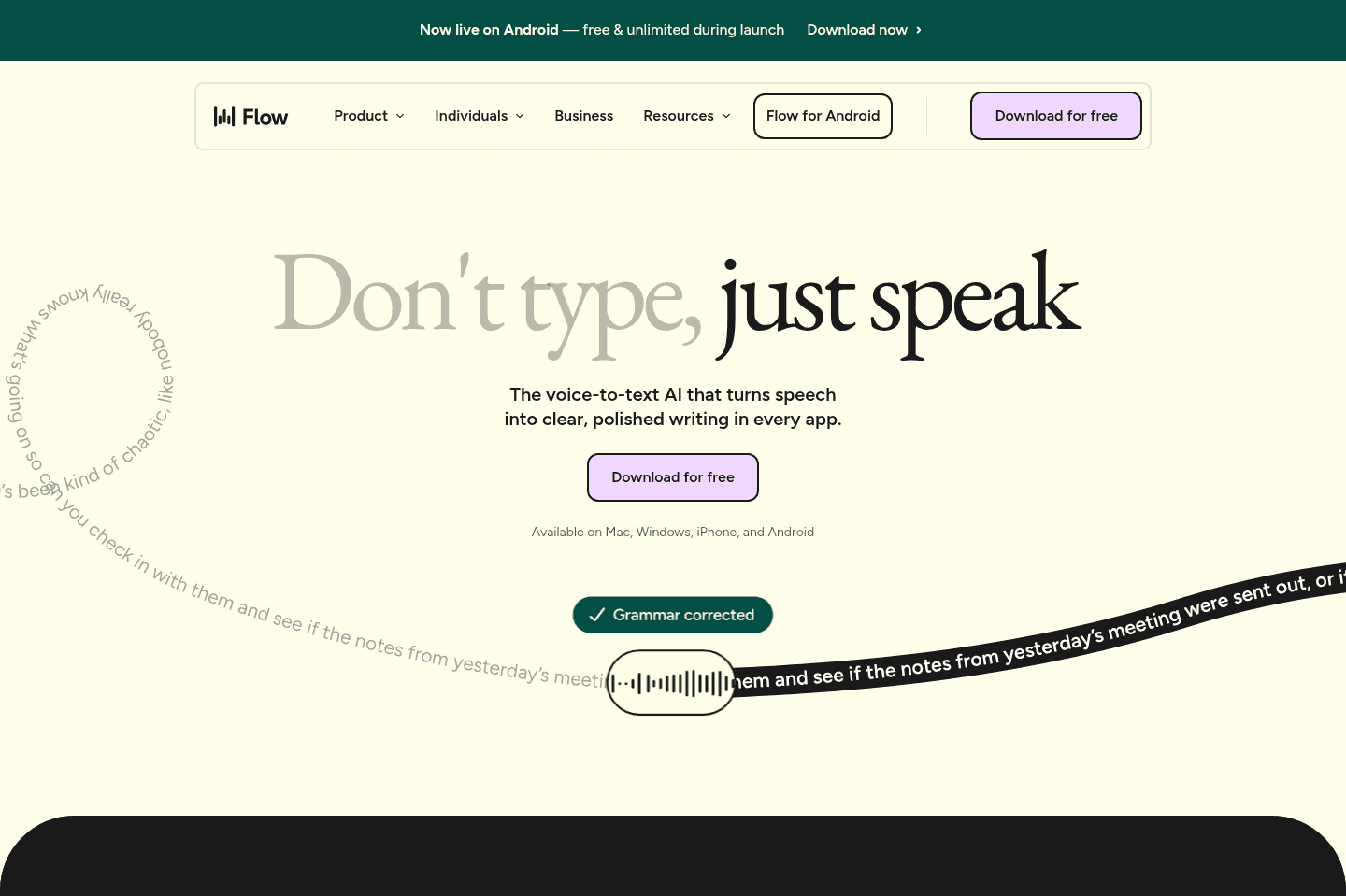
What is Wispr Flow?Wispr Flow is an AI-powered dictation tool that lets you speak instead of type, converting your voice into formatted text anywhere you have a text field like Slack, email, ChatGPT, Claude, docs, and messages.
Unlike standard speech-to-text (like Apple's built-in dictation), it uses AI to clean up your speech as you talk. If you correct yourself mid-sentence, it outputs only the corrected text, so you're not stuck editing an exact transcript of your mistake.
Before Wispr Flow, most dictation tools that I used have stopped recording mid-way, or transcribed all my gibberish which is why I always gave up on them. Wispr Flow was the dictation tool where I thought, "Oh, okay, this is actually faster because it actually works."
My Experience with Wispr Flow
My Experience with Wispr Flow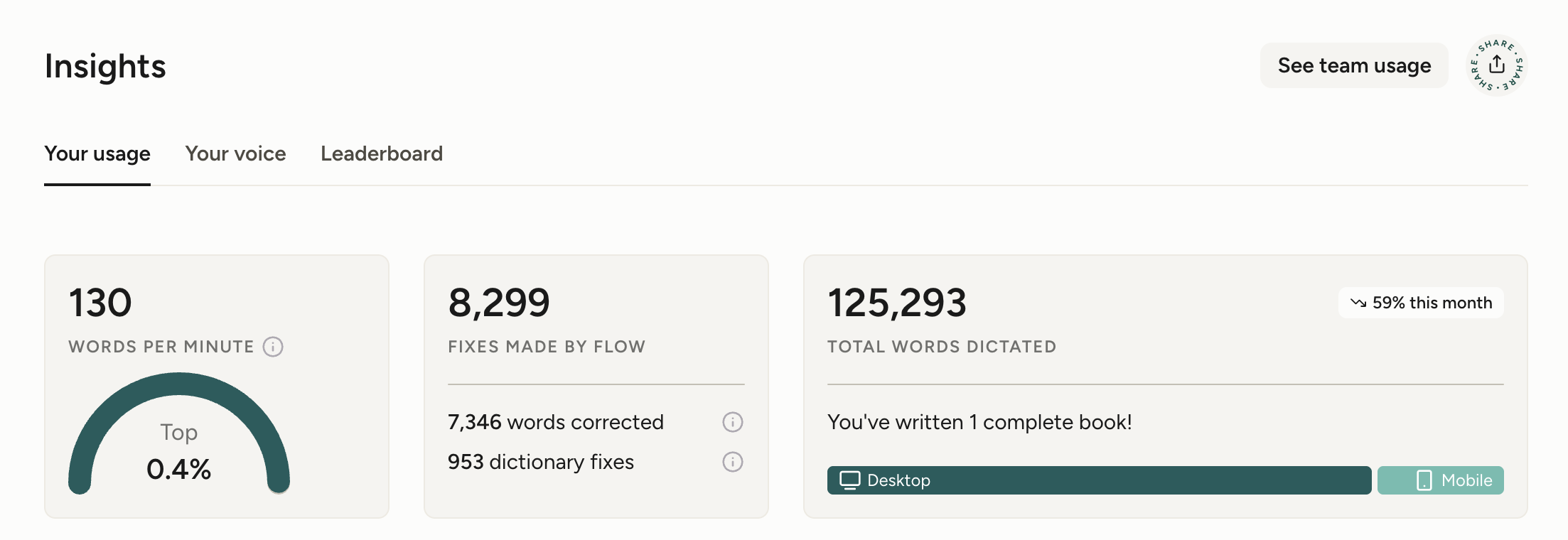
It's been almost a year since I started using Wispr Flow, and have dictated 125,000+ words at the time of updating this review.
Alex sent me the link to download Wispr Flow and explained to me "it's dictation but it'll correct words and speaking errors, it has AI. So if you say lets meet Tues - actually Thursday, it will just write Thursday."
I downloaded it on my phone immediately, and as I was doing so, also sent it to my best friend writing "I think you'll like this" as she's always sending voice-memos to me and her team.
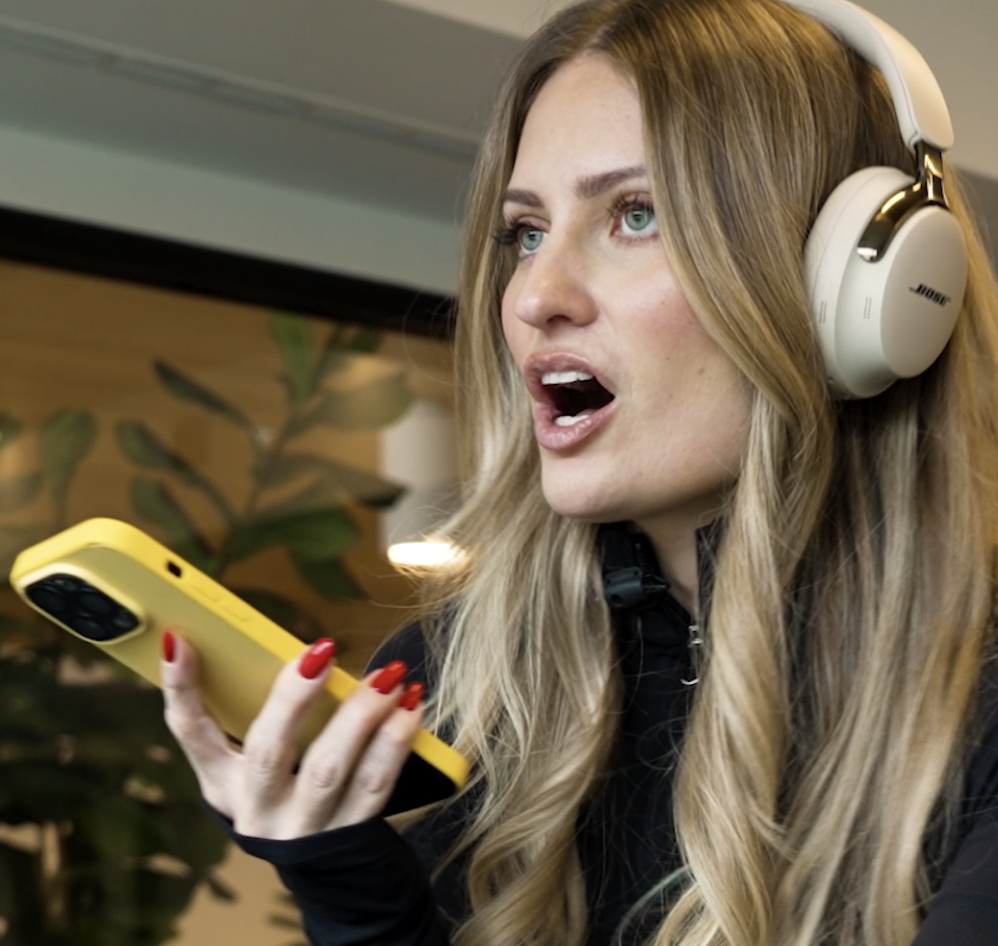
From day 1, I noticed a huge difference compared to Apple Dictation (which I never used because each time I did, it typed gibberish, not understand what I am saying, and I'd spend more time editing what it wrote out).
After downloading Wispr Flow on my computer, it started being a tool I always reached for when writing, especially first drafts of a blog post or review. I quickly hit my limit on the free tier and upgraded my account.
It's now been over a year since I've started using Wispr Flow. It's not a "nice to have", it's a tool I feel handicapped without.
I can truly say Wispr Flow has fundamentally changed how I work as I can move much more quickly now. In the times that I can't use Wispr Flow (e.g. my business partner is on a call beside me), I've felt limited and severely slowed down.
It's truly a tool that's critical for my productivity, and I've recommended to everyone from my mother-in-law to my hairdresser to my entire team at work.
Who is Wispr Flow For?
Who is Wispr Flow For?If you want the most productive way to work, Wispr Flow is for you.
Wispr Flow helps me work faster, especially when I'm being pulled in 10 different directions all day between different apps and messages, and want to get thoughts out quickly.
I'm constantly telling Alex, "Just speak! Just use Wispr Flow," when we're working together because it helps us move so much faster. We also got Bob, our engineer to download it because when collaborating on work over a call it's painful watching someone type.
So now, when we're all working together, it's become a part of the culture to just mute our mics if we need to dictate something into Wispr Flow over a video call.
Writers
WritersWispr Flow is especially good for those who have a lot to say but starting to write feels dreadful. When I am writing a V1 of a YouTube script or review, I always use Wispr Flow to get my thoughts out.
Coders
CodersWe've all heard the term 10x engineer, and now with AI, 100x engineer. Part of what makes engineers move faster is talking through AI prompts rather than typing it all out. If you're coding and not using a tool like Wispr Flow, you're being slowed down.
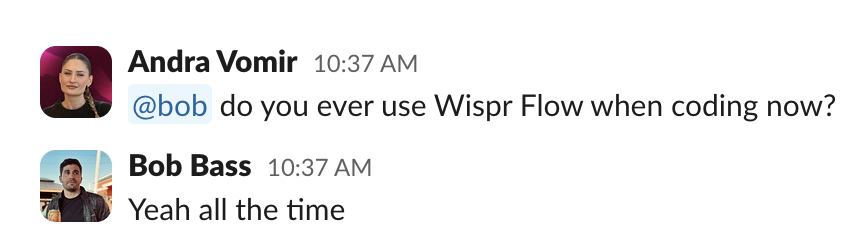
Our Head of Engineering uses Wispr Flow to code all the time, and we're grateful for it. If you have engineers on your team, getting them a subscription will save them time, and you money.
Heavy Phone Users
Heavy Phone UsersI’ve heard Codie Sanchez (entrepreneur and investor known for buying “boring businesses” like laundromats and car washes) mention that she'll go on the treadmill and answer her emails and Slack by voice so of course I had to try the same.
Now if I just need to get away from my computer, I'll go to our gym downstairs and triage messages by voice.
Another use-case is if I want to leave somebody a more thoughtful message, but don't want to sit there and write all day, I'll use Wispr Flow. It's better than sending someone an eight-minute voice memo in a professional setting. I absolutely have friends where we'll send each other voice messages, and it feels like catching up on a call. But in work? Sending someone an eight-minute waveform is kind of brutal.
So, for my business owners, professionals, and knowledge workers out there who have so many ideas piling up faster than you can get them out, and you just want a faster, lighter way to work, Wispr Flow is absolutely for you!
Injuries & Mobility Limitations
Injuries & Mobility LimitationsOur engineer, Bob got RSI (repetitive strain injury) on his wrist from too much coding between work and his side projects. He switched to using Wispr Flow at work to relieve stress on his wrist.
This got me thinking, Wispr Flow can seriously help anyone managing arthritis, tremors, Parkinson’s disease, carpal tunnel, or general motor and joint stiffnes.
Key Features
Key FeaturesDictation
DictationMe and a friend were on the way to get coffee together, and I started using Wispr Flow to respond to a text. She asked me, "How's that thing any different than using Apple's dictation?" Valid question. I explained that "Wispr Flow's way better, other speech-to-text tools write out all my mistakes, but this tool uses AI to clean up my speech even when I have to self-correct mid-sentence."

So even if I were to text her right now to plan another coffee date and say something like, "Hey, let's meet Wednesday for coffee," and then I say, "Or actually Tuesday," it'll correct itself. Because it's so intelligent, it saves me from having to edit an exact transcription of my errors, and what is the point of me using a tool if I'm constantly editing it? Otherwise, it's just replacing typing fatigue with editing fatigue.
Works Everywhere
Works EverywhereI love how easy Wispr Flow made it to use their product! On desktop, it's extremely easy. I just hit my shortcut and start talking in Slack, email, ChatGPT, Claude wherever.
On my iPhone, it works, but there's a tiny bit more friction because it has to take over the keyboard. The extra second is not a huge deal, but it's enough to notice. Once it's active, though, you can keep using it without needing that keyboard swap to happen again.
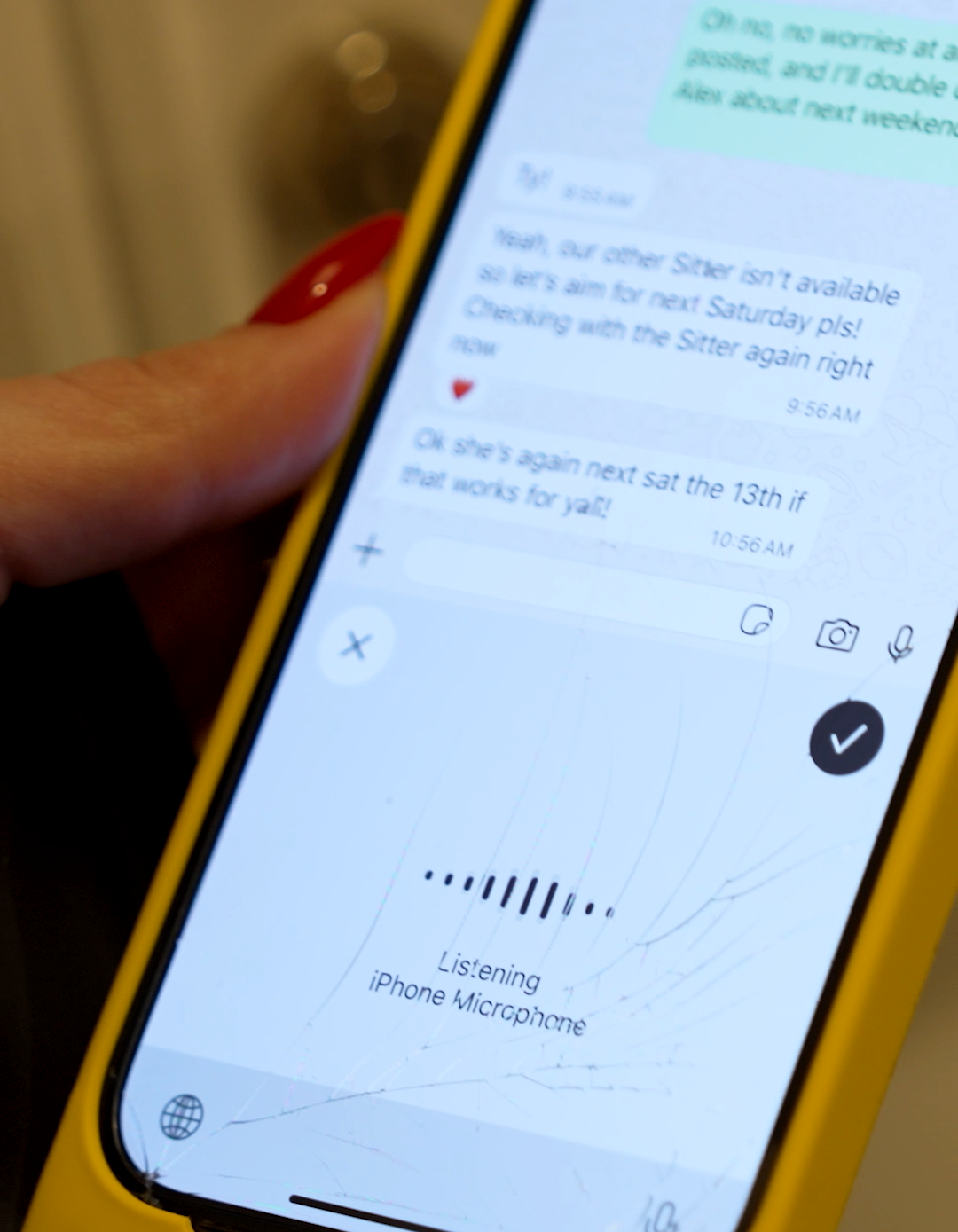
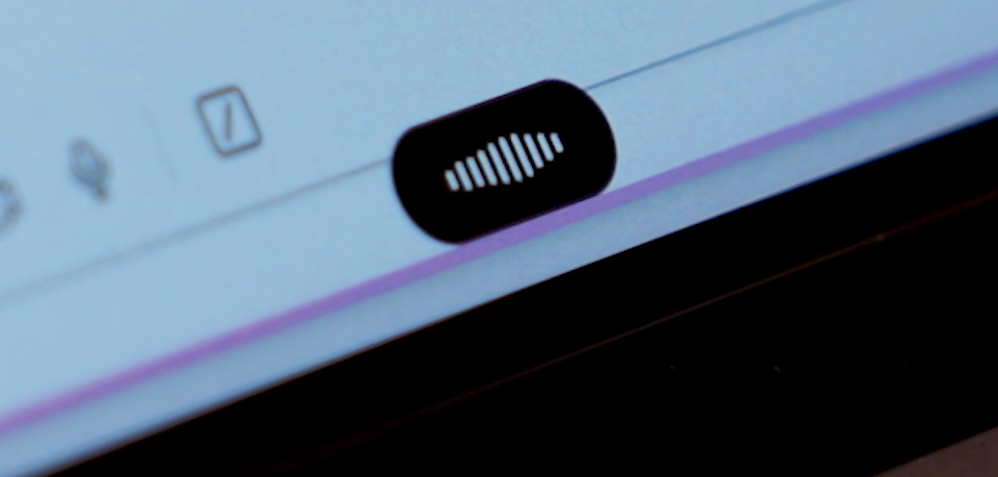
But I will say Alex is on Android, and it works pretty seamlessly. It just hovers above the keyboard, and he can press it or hold it down when he's ready to speak.
I’ve also tried the built-in transcription inside some of the newer AI browsers, and for me, it hasn't been reliable enough. There've been bugs where it does not pick things up properly. So even with tools that have dictation built in, I find myself using Wispr Flow regardless.
I also love that if for some reason my dictated text didn't paste it, Wispr Flow automatically copies it to its clipboard so nothing is lost and I don't have to repeat myself.
It's also worth mentioning that since you can use Wispr Flow anywhere, you might want to customize your shortcuts to your setup. I have two since I have a keyboard that I use for my monitor, then I have one on my laptop because I don't have the same keys next to each other. So, I do encourage you to set up multiple keyboard shortcuts so you don't get stuck.
Style & Tone Personalization
Style & Tone PersonalizationWispr Flow has tried to personalize how you write depending on the context. For example, more casual for text, more personal for work messages, things like that. It's definitely trying to make the output sound like you instead of generic AI. I think that they're heading in the right direction, but it is, in general, a really hard problem to get right.
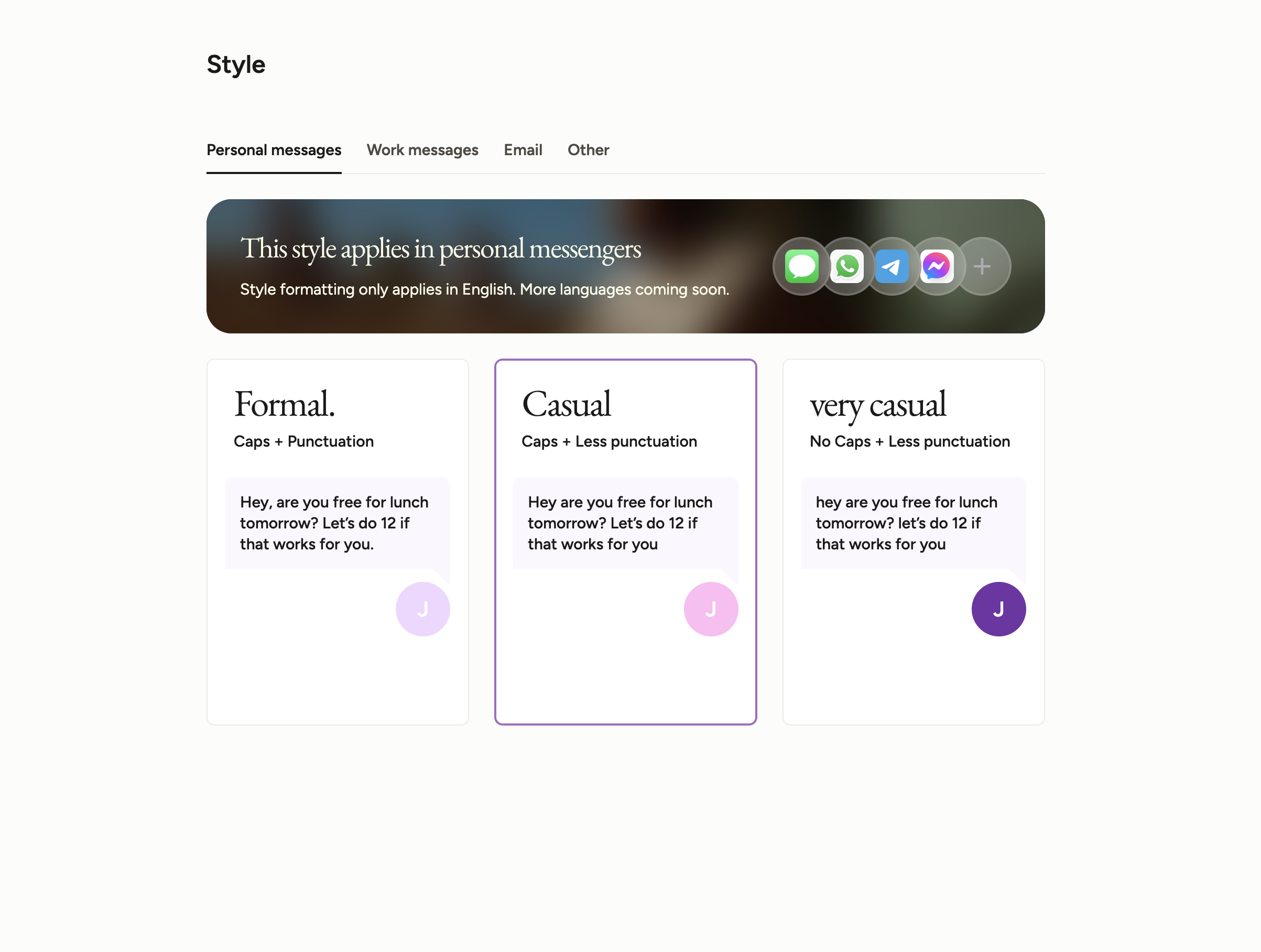
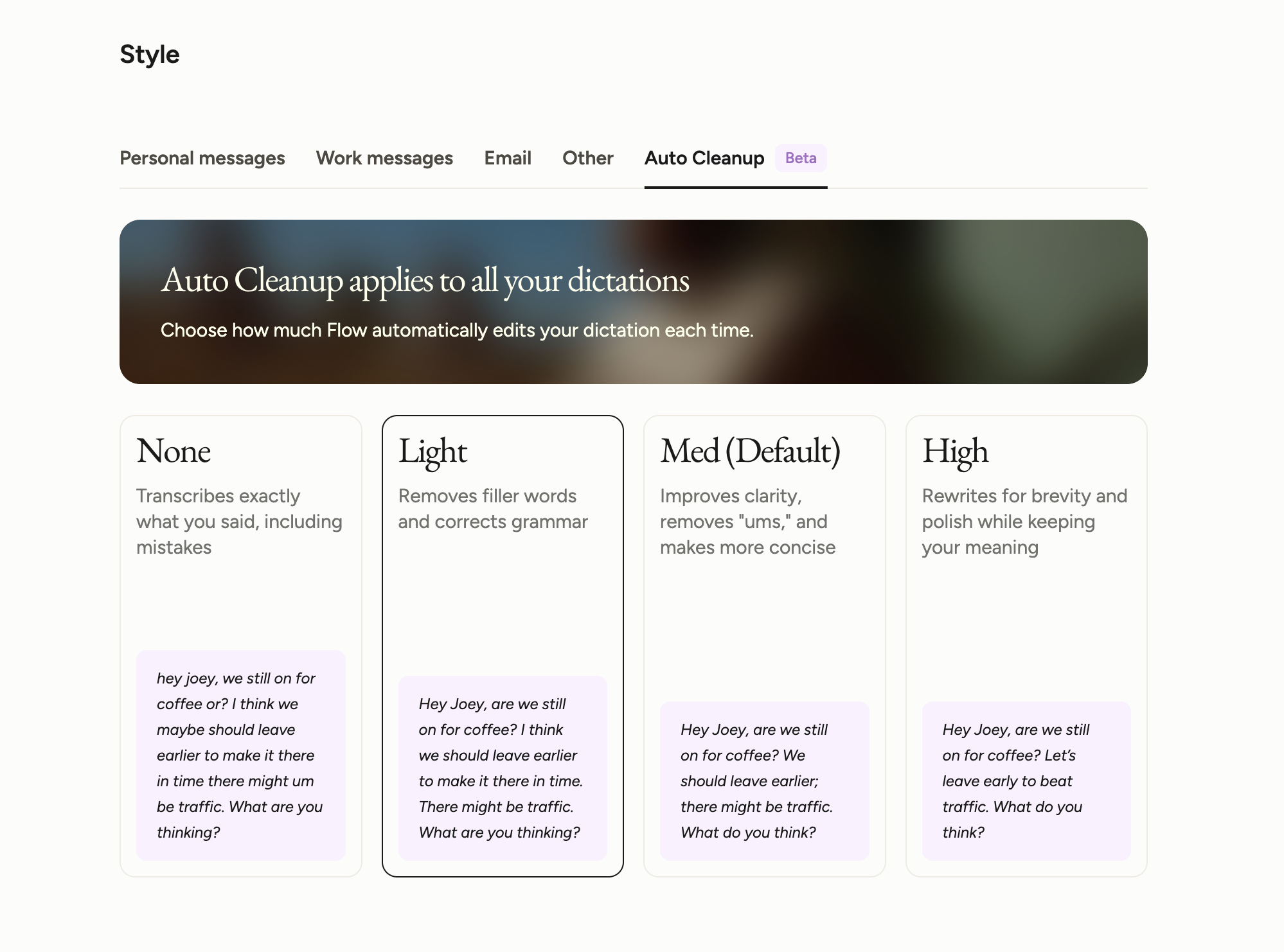
At one point, they leaned harder into the AI rewrite side of things, where you could just talk and it would turn everything into this polished paragraph for you. I tried it, and my immediate reaction was basically, nope, absolutely not.
It made me sound weirdly formal, and that is the problem I have with AI all the time. Sure, it sounds "better," but the soul is gone. I'd much rather have Wispr Flow keep what I actually meant. I changed my setting to "Light Cleanup" and I prefer it to the default.
There's also a dictionary section that's trying to help the AI understand how you speak better. I've gone in before and added phrases that I say, especially during text or in Slack messages, that are more jargon or lingo. It's nice because I don't have to say the letters out loud, which just sounds odd. It automatically tacks them in for me. It's great for uncommon names too, I know when I used other dictation tools it would just come up with a word that sounded similar to unique names, so this is perfect.
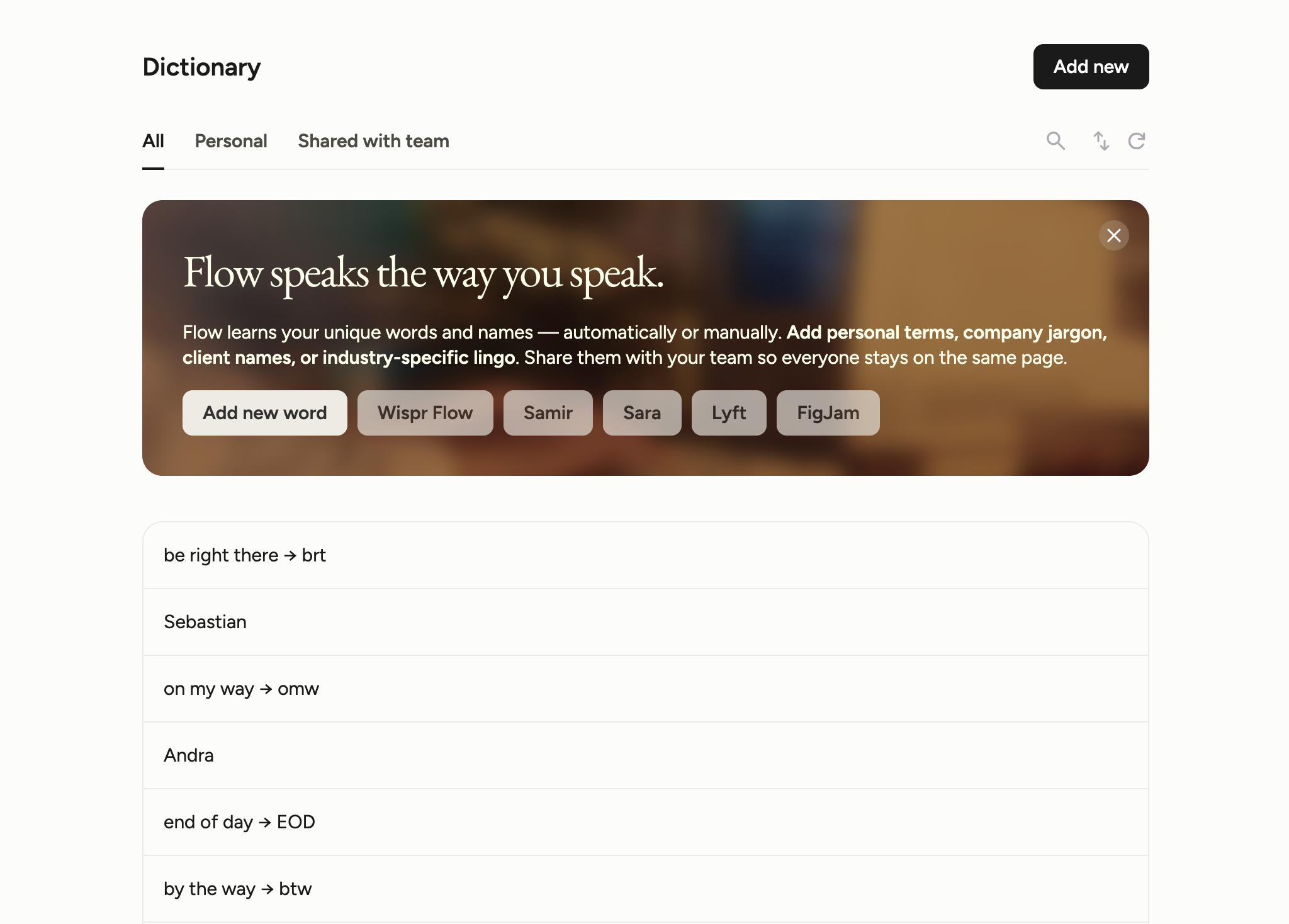
Something to be aware of is that style and tone customizations are only available for the English language.
Multi-Language Support
Multi-Language SupportAs I was preparing for this review, I was asking around, and one of my colleagues had especially great things to say about the multi-language support within Wispr Flow. She said she loved how she could respond to a Slack in English, then open her phone and respond to her mom in Spanish. She didn't have to change language settings or work harder to correct grammar issues like she did in other tools!
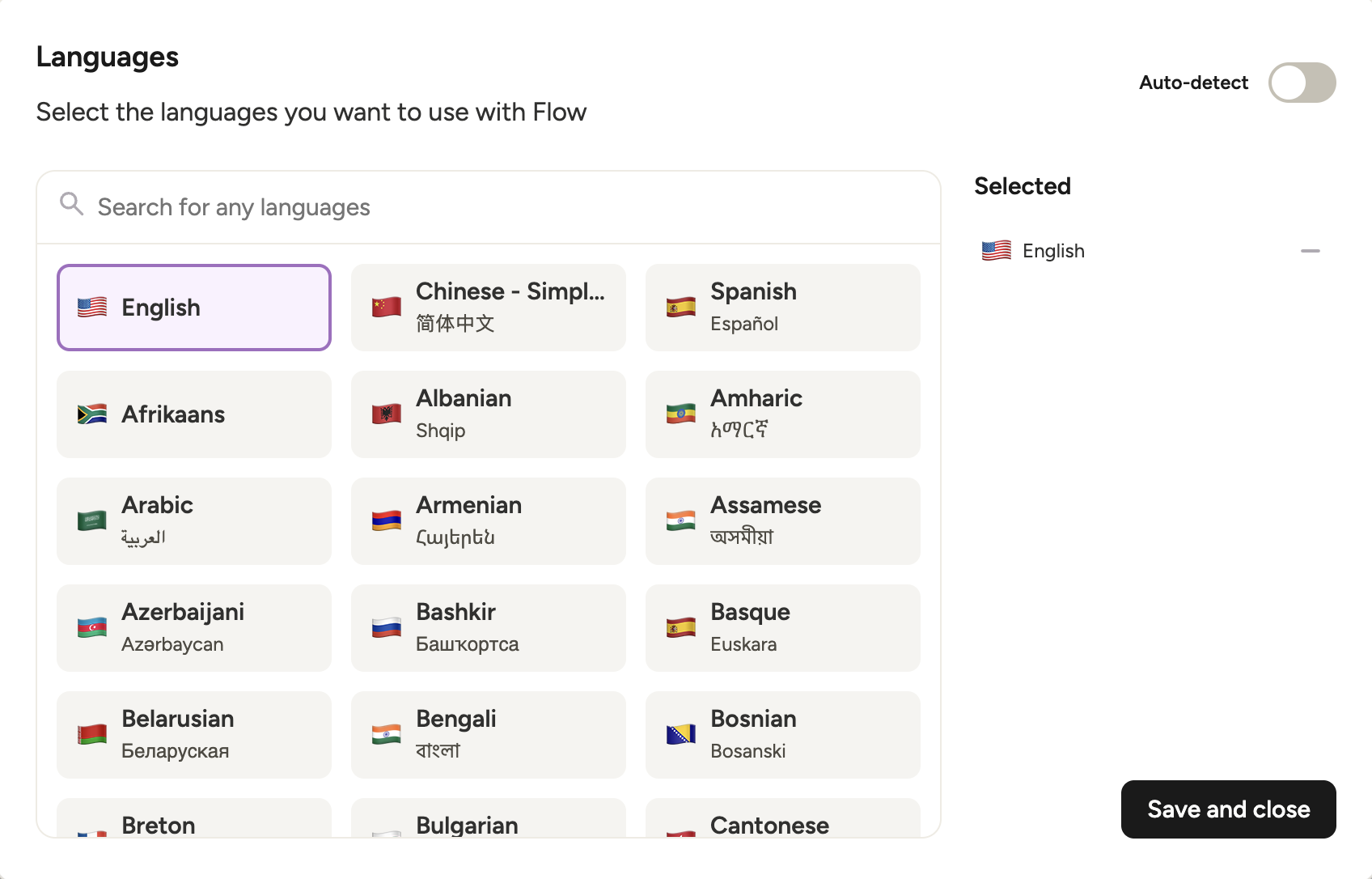
That is exactly how this kind of feature should work. If you operate across languages, you do not want to babysit the tool. You want it to keep up. Right now, Wispr Flow supports over 100 languages and can detect and switch between them on the fly, so if you work across languages or have team members who do, this will be so helpful. It's genuinely impressive and rarely this seamless in other tools.
Snippets
SnippetsWispr Flow Snippets let you say something like "my calendar link" or "my email address" and have it paste the full link in for you. Which makes complete sense, especially if you send the same links all day. I can absolutely see this value here, especially for sales or support. Pretty much anyone who's repeating the same stuff constantly.
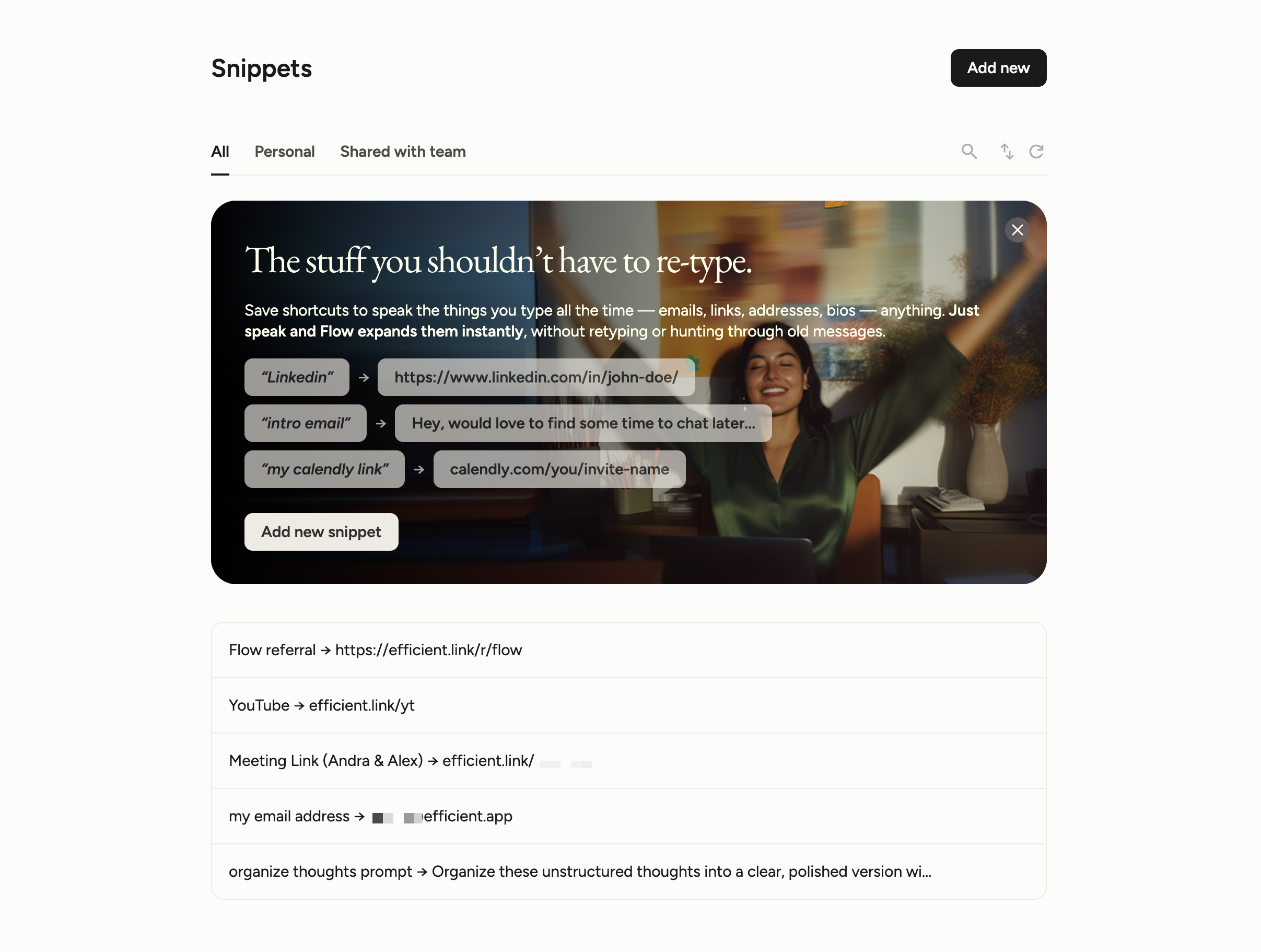
I also think that this feature could be a bit more flexible. Right now, you have to use the exact phrase you set up for it to trigger, so I do kind of wish it leaned more on AI to understand what I meant and insert the right snippet based on context instead of needing the exact wording.
Notetaker
NotetakerWispr Flow now also has an AI note taker, literally called Notetaker.

How it works: Notetaker starts by giving you an AI summary of your upcoming meeting to help you prep. Once the meeting starts, you hit record. A bot doesn't join your meeting, nor record audio or video. Wispr Flow will transcribe your conversation and detect who is speaking and saying what.
Because Wispr Flow has so much experience with dictation, it is good at transcribing difficult names or words.
We've been using it alongside Granola to test it out for our work meetings. When comparing Wispr Flow vs Granola, Granola is still further ahead at the time of writing. It has more integrations with third party tools, but with how fast AI enables teams to build, whose to say that Wispr Flow won't catch up in a matter of months?
Currently, Wispr Flow's notetaker is available on Mac only but you can use Wispr Flow for voice memos on your phone. With that, I'm ditching Apple Voice Memos and swapping over to Wispr Flow.
Additional Features
Additional FeaturesClipboard History
Clipboard HistoryAnything you dictate gets saved in a clipboard-style history inside Wispr Flow. So if you say something that didn't paste right, or accidentally lose it, it's still there.
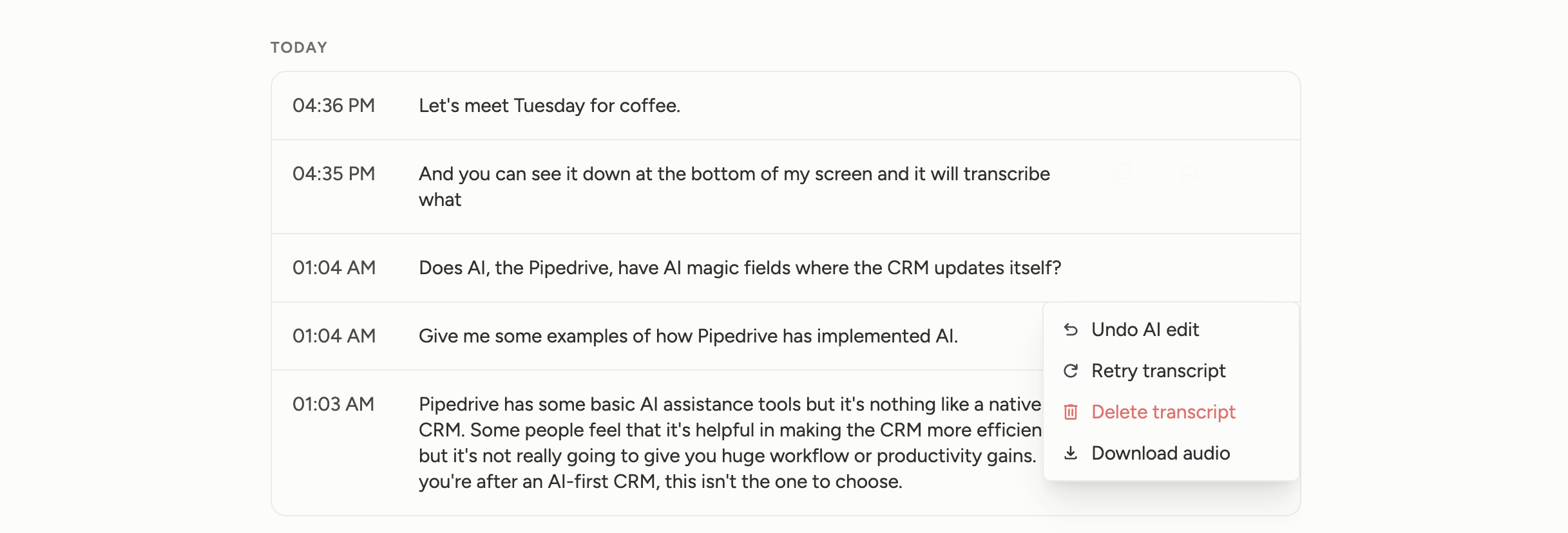
Most of the time, you're just speaking directly into Slack, Docs, or wherever and moving on. But every now and then, I've had a moment where I'm like, "wait, what did I just say?" and I'll go grab it out of the Clipboard.
Command Mode
Command ModeOn the Pro plan, you have access to "Command Mode." It's used to either help you edit text as you go, or since it's also connected to Perplexity, you can ask questions in a "Hey, Alexa" or "Hey, Google" kind of way.
Command Mode is one of those features where I can see the use case, but it is not a big reason I use Flow. Since we already use Atlas, I can highlight something and clean it up there pretty easily, so this feels a little redundant for my workflow. If I were in a more basic browser setup, then it might be useful to make corrections mid-dictation without having to stop to manually fix or improve on a certain paragraph. But for me, I like Wispr Flow for the dictation itself, and I'm not trying to turn it into an all-in-one assistant.
Usage Stats & Dashboard
Usage Stats & DashboardI actually do like the stats they give you. It shows things like your streak, total words dictated, and how many apps you've used it in. I’m currently in the top 1% of Flow users with 125,000+ words dictated across 35+ apps, which… yeah, that checks out.
Coding
CodingWispr Flow has a dedicated workflow for developers who want to use voice to narrate code context or prompt AI coding tools faster. I don't personally use this, but one of our colleagues uses Windsurf and said, "It works the same way it does everywhere else... fast and simple."
I also asked our Head of Engineering, Bob, if he's been using Wispr Flow since we introduced him to it.
I think as more people start to build with AI-assisted coding, having the ability to speak your intent rather than type it is going to boost productivity for sure.
Privacy
PrivacyWispr Flow uses something called context awareness, which is how it knows whether you're dictating a Slack message, an email, or a doc and adjusts the tone accordingly.
To do that, it needs to read what's on your screen. Early on, that raised some concerns from users, there was even a public incident and the CTO had to come out and apologize.
Since then, they've made changes to the product: context data is now processed locally on your device rather than through screenshots, you can toggle it off entirely, and they've earned SOC 2 Type II, ISO 27001, and HIPAA certifications. To toggle it off, just go to Settings > Data & Privacy > Context awareness.
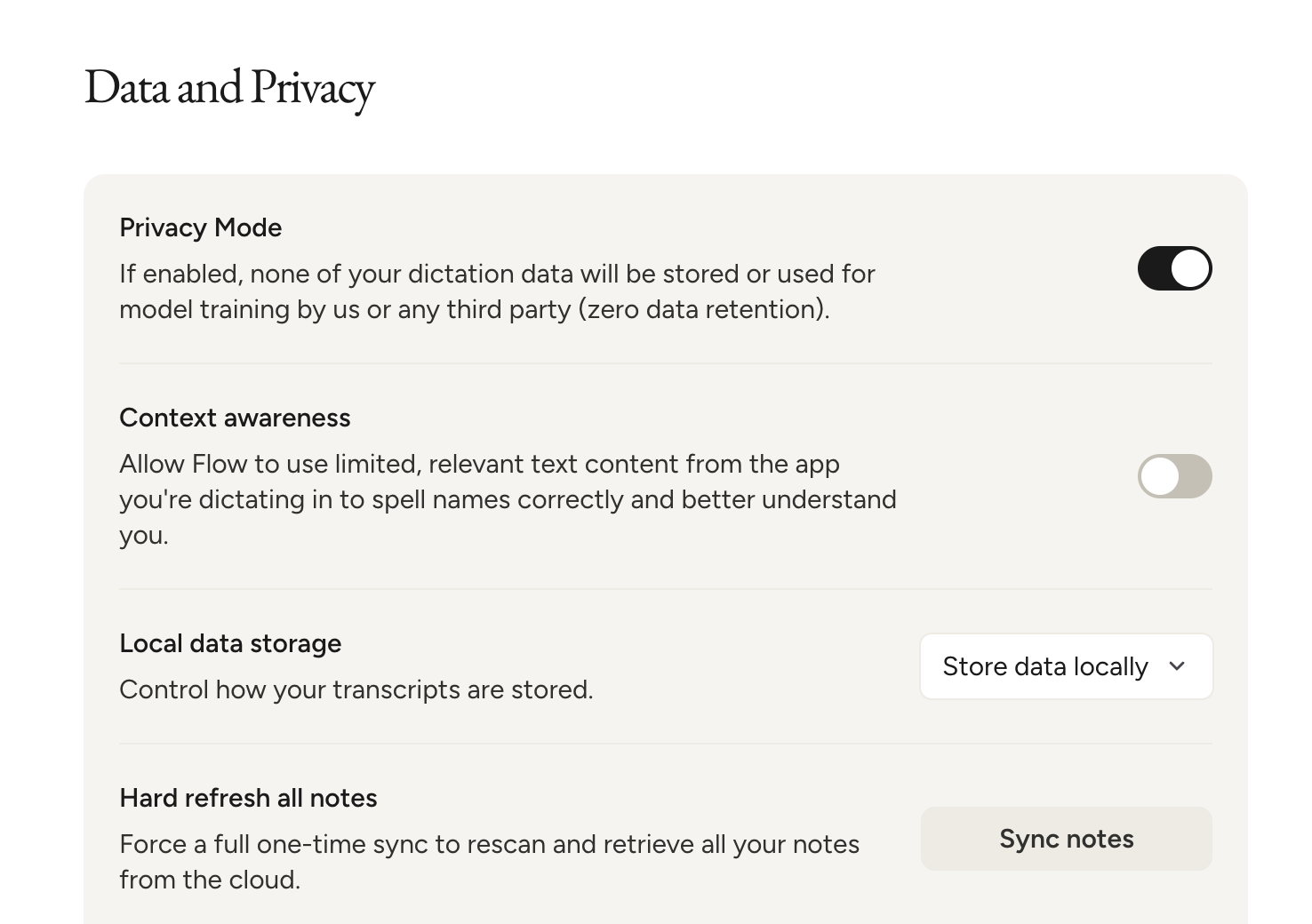
My co-founder Alex said it well: the product is better because it's cloud-first. That's the tradeoff, and it's fine. Honestly, that's where I land too.
In the AI era, a lot of tools need context to do their job. Littlebird, which we also use, see's what's happening on your screen at all times. That's the whole product.
Finally, what I'd argue is that because Wispr Flow had the privacy incident and responded to it publicly, they've probably been more careful about this than most tools in the category that haven't been called out yet. If you're going to try a voice dictation tool, the one that already had to fix its privacy practices is a reasonable place to start.
If you work in healthcare or law and handle genuinely sensitive material, turn context awareness off and sign the HIPAA Business Associate Agreement (BAA). But otherwise, just go ahead and use it.
Pricing
Pricing- Free: 2,000 words per week. Best for anyone who wants to try Wispr Flow and see if it fits into their workflow.
- Pro: $15/mo per user ($12/mo billed annually). Unlimited words. Best for individuals who plan to use Wispr Flow daily or for team collaboration.
- Enterprise: Contact for pricing. Best for teams that need more control around security and compliance.
Final Verdict
Final VerdictIs Wispr Flow worth it? Absolutely! I've been using Wispr Flow for about a year now, and it has become one of the AI tools I reach for without even thinking.
The thing with Wispr Flow is you kind of have to experience it to get it. Once you have that one moment where you realize you just produced three paragraphs in 30 seconds that would have taken five minutes to type? That's when it clicks. Download it, try it for a week, and you'll get it.
But don't forget to grab your Efficient App exclusive Wispr Flow discount before you sign up.
Screenshots
Screenshots
Wispr Flow
Categories
CategoriesWispr Flow fits into multiple categories based on what it actually helps you do. Each category highlights a different strength and the efficiency points it earned, helping you compare tools not just by features, but by how well they actually perform.
Keep exploring the best software across categories
FAQ
FAQHow much does Wispr Flow cost?
How much does Wispr Flow cost?Wispr Flow Pro is $15/user/month, or $12/user/month billed annually.
There's a free Basic plan to start with, Every download starts with 14 days of Pro and they don't ask for a card up front, so you can find out whether you're actually a daily dictation person before you pay anything.
The free plan gives you 2,000 words per week.
If you already know you'll upgrade, use our Wispr Flow discount first — it's a $15 credit toward your first paid month, so effectively a free month.