Review Summary
Review SummaryIf you're looking for the most modern screen recording software that has a focus on async team collaboration, Supercut is the clear leader in the space, no tool does it better. We've been using it for over a year and it's a joy to record and receive a Supercut! 🫶
The Startup Stack I Use as a Founder
The Startup Stack I Use as a FounderWhat is Supercut?
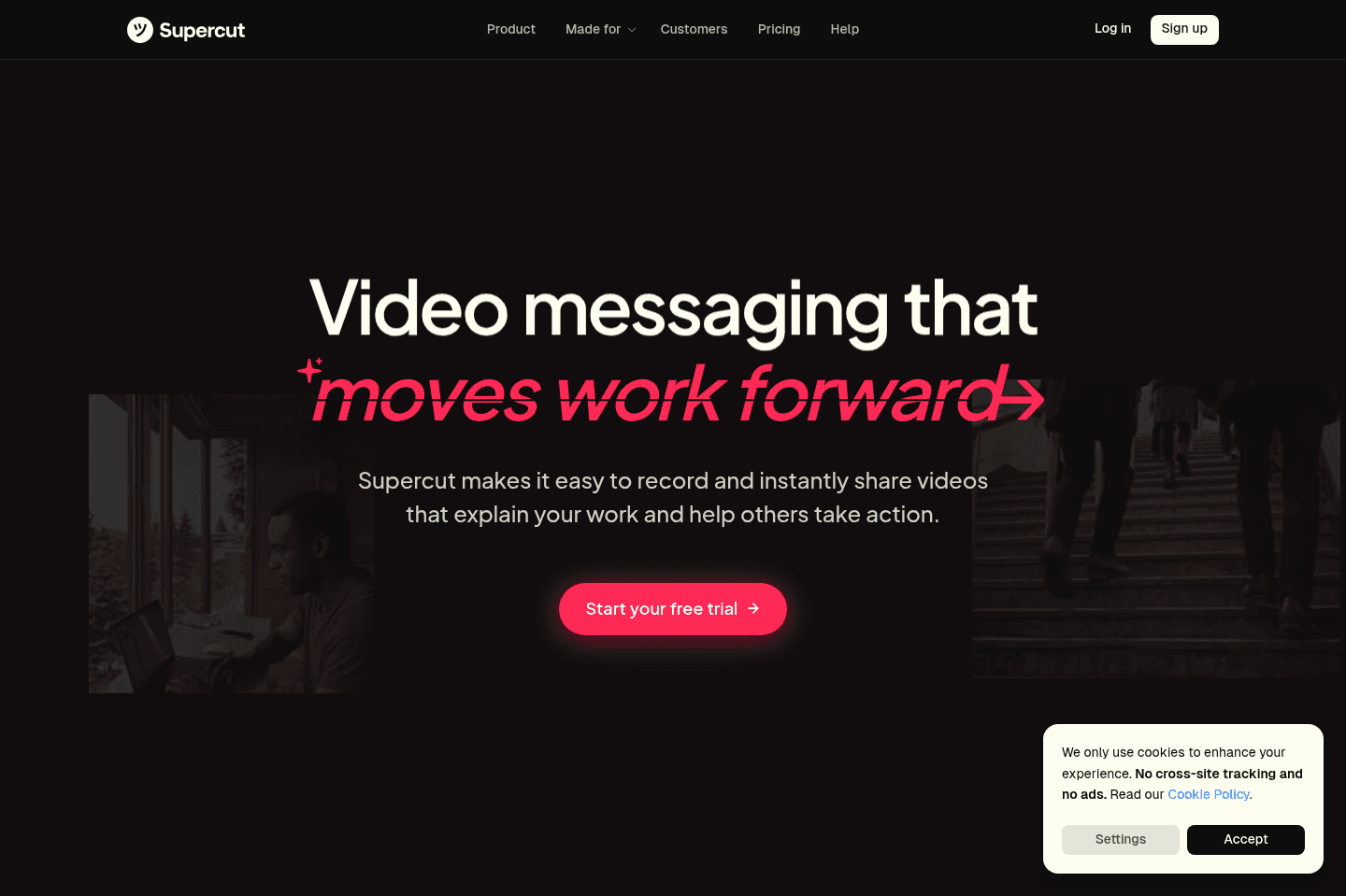
What is Supercut?Supercut is a video messaging tool that helps teams (customer, product, sales, internal, etc.) communicate using screen recordings and camera, without having to jump into constant meetings.
We had been using Loom for years and I was completely obsessed with it when it first came out. The ability to quickly record your screen, have it upload almost instantly, and send it off to anyone felt insane at the time.
But after Loom got acquired by Atlassian, it slowly started going downhill. They kept adding so.many.features that it became bloated, buggy, and so much slower. It would crash half way through filming, and I'd need to constantly re-record the same video two or three times. It got to the point where I started looking for a replacement.
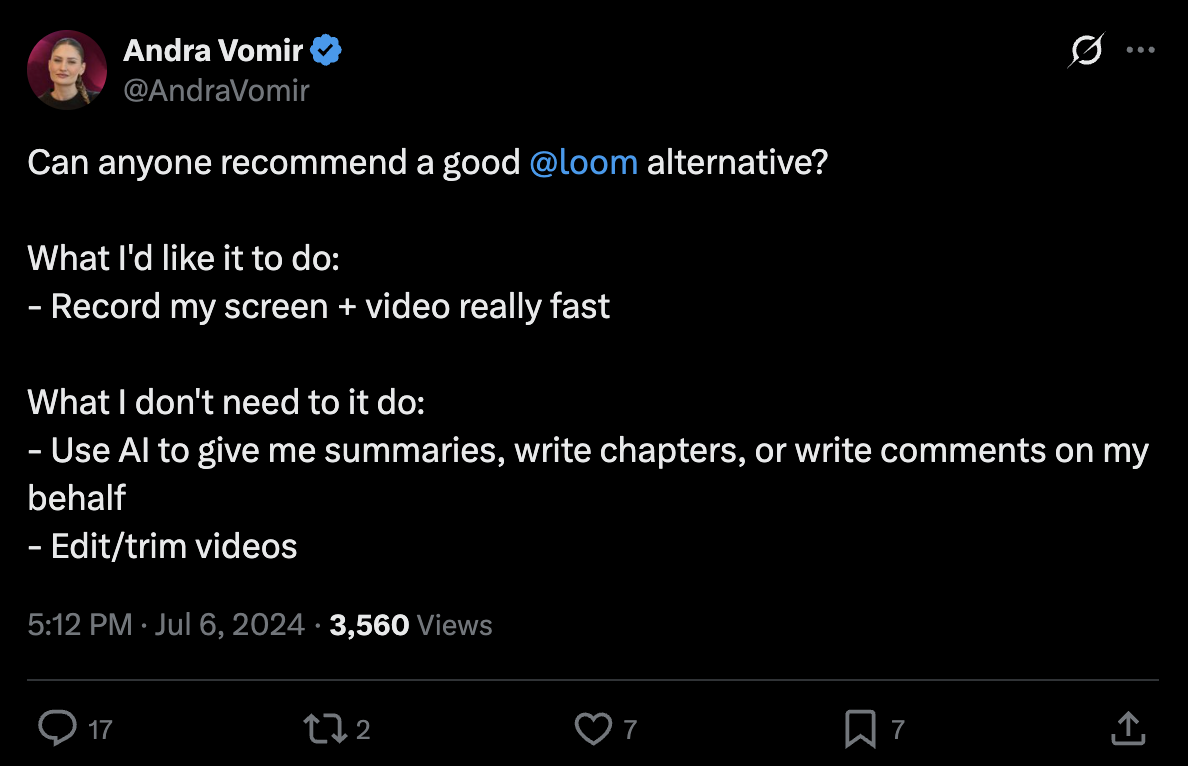
So I even tweeted hoping to find an alternative from our community. I tried several tools like Tella and Cap, but found nothing was really catchy enough for day to day use. At some point I even made my peace that I wasn't gonna find anything.
Then, all of a sudden, I was on X, and I saw that Supercut had launched. It was marketed as like Loom, but actually, modern and better. So, I immediately was like, OMG. I need to try this!
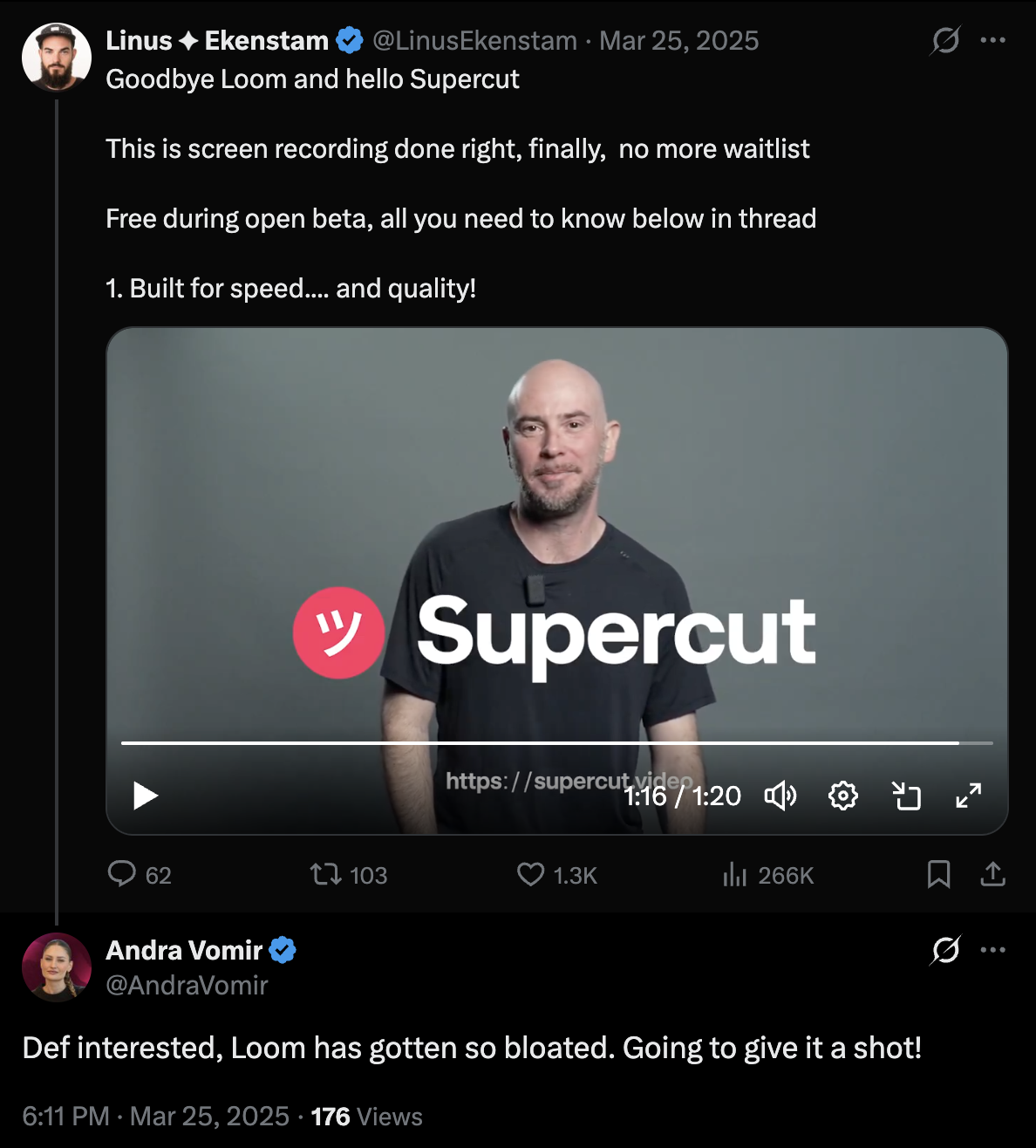
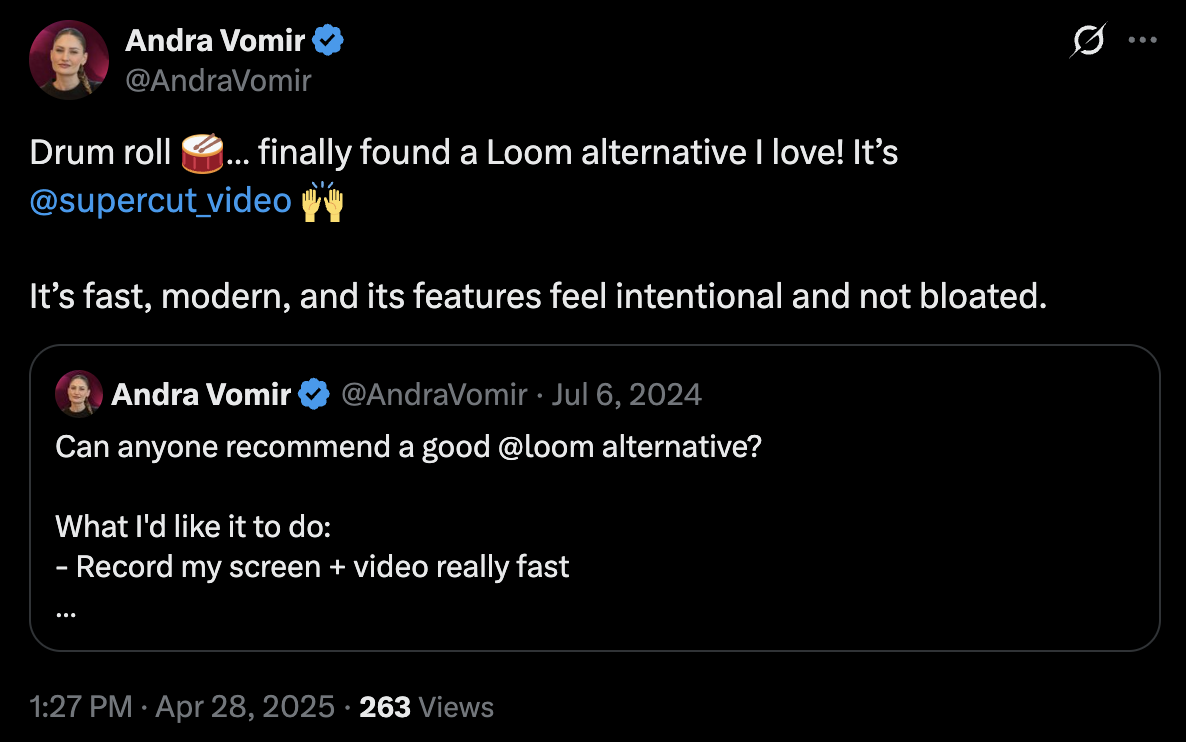
After the first time using it, I absolutely loved it. This is what I had been waiting for! It has a beautifully designed interface that's minimal. No junk popping up everywhere. It was fast, reliable, and made me enjoy creating async videos again.
I later learned that Supercut is being built by David Okuniev, one of Typeform's founders (for context: Typeform has surpassed $100M ARR).
So this was not a random team shipping their first product. They had already spent over a decade building one of the best form builders on the market, along with VideoAsk, an async video-first form builder product in a similar space. So after learning that, it was no surprise that Supercut felt like one of the most refined and thoughtful products I've ever used, right from the start.
Who is Supercut For?
Who is Supercut For?If you're constantly feeling like you need to communicate with a team member or customer but a Slack message is not enough to fully get across what you want to say, yet a setting up a call is not possible in the moment, then Supercut is a must-have.
Sometimes I am working late and just want to get a thought across, but it's 11 p.m. and obviously not the right time to call someone. Other times my team is spread across time zones, and I do not want to wait until everyone happens to be online just to explain one thing that would take two minutes to show.
When we were consulting, we'd use it to walk a client through a deliverable while it is still fresh in our mind, or to present a proposal to a prospect.
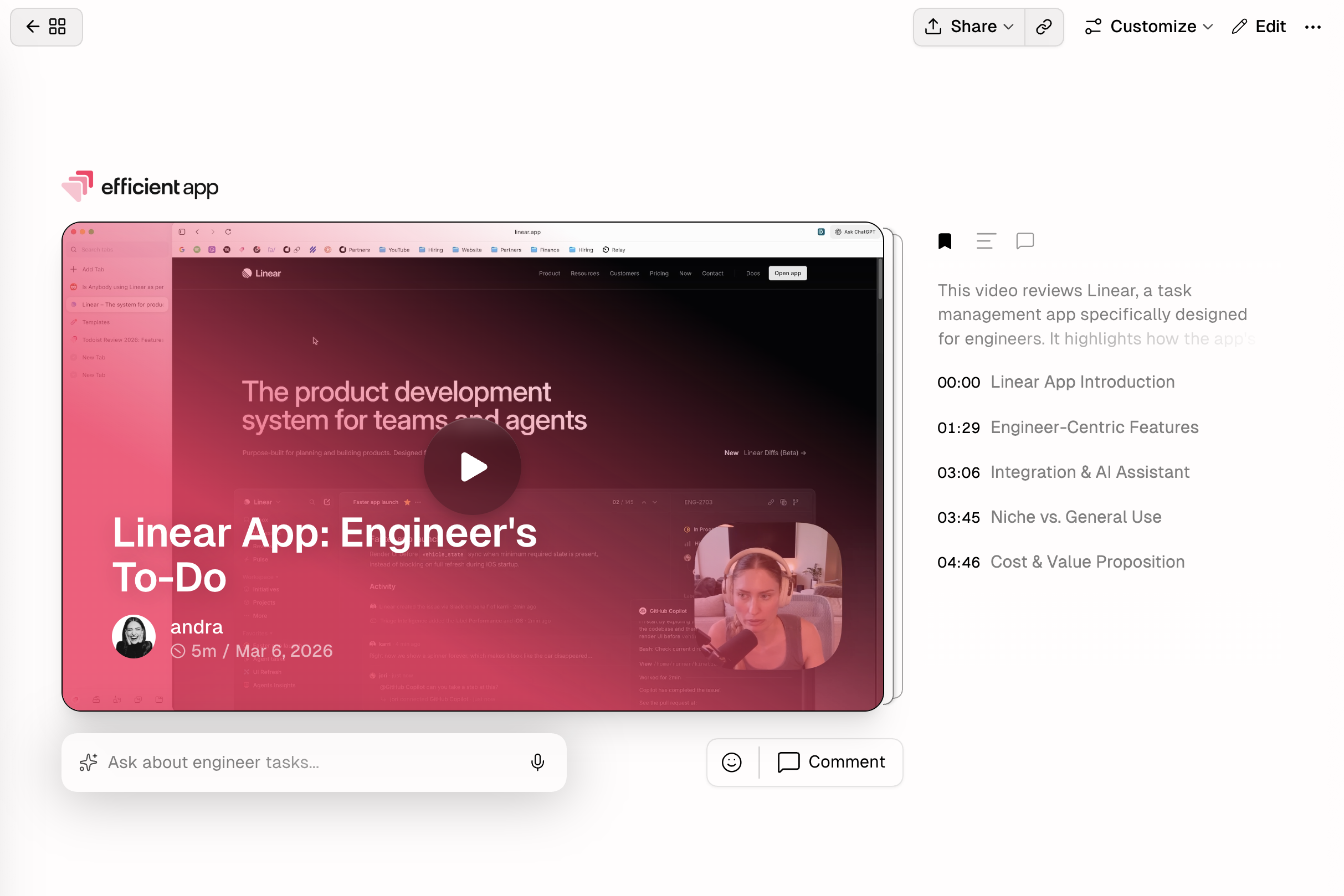
That's exactly what Supercut is built for. Async video messaging with screen recording, camera, or both, designed to replace unnecessary meetings but enhance communication.
If you've used Loom before and outgrown it, or just gotten frustrated with how slow and cluttered it's become, Supercut will feel like a breath of fresh air.
Key Features
Key FeaturesRecording Experience
Recording ExperienceWe were completely geeking out the first time we recorded in Supercut because of how streamlined the recording process was. The UI experience on the recording panel is smooth and easy-to-navigate. No friction whatsoever, you just hit record, do your thing, and it's ready to share.
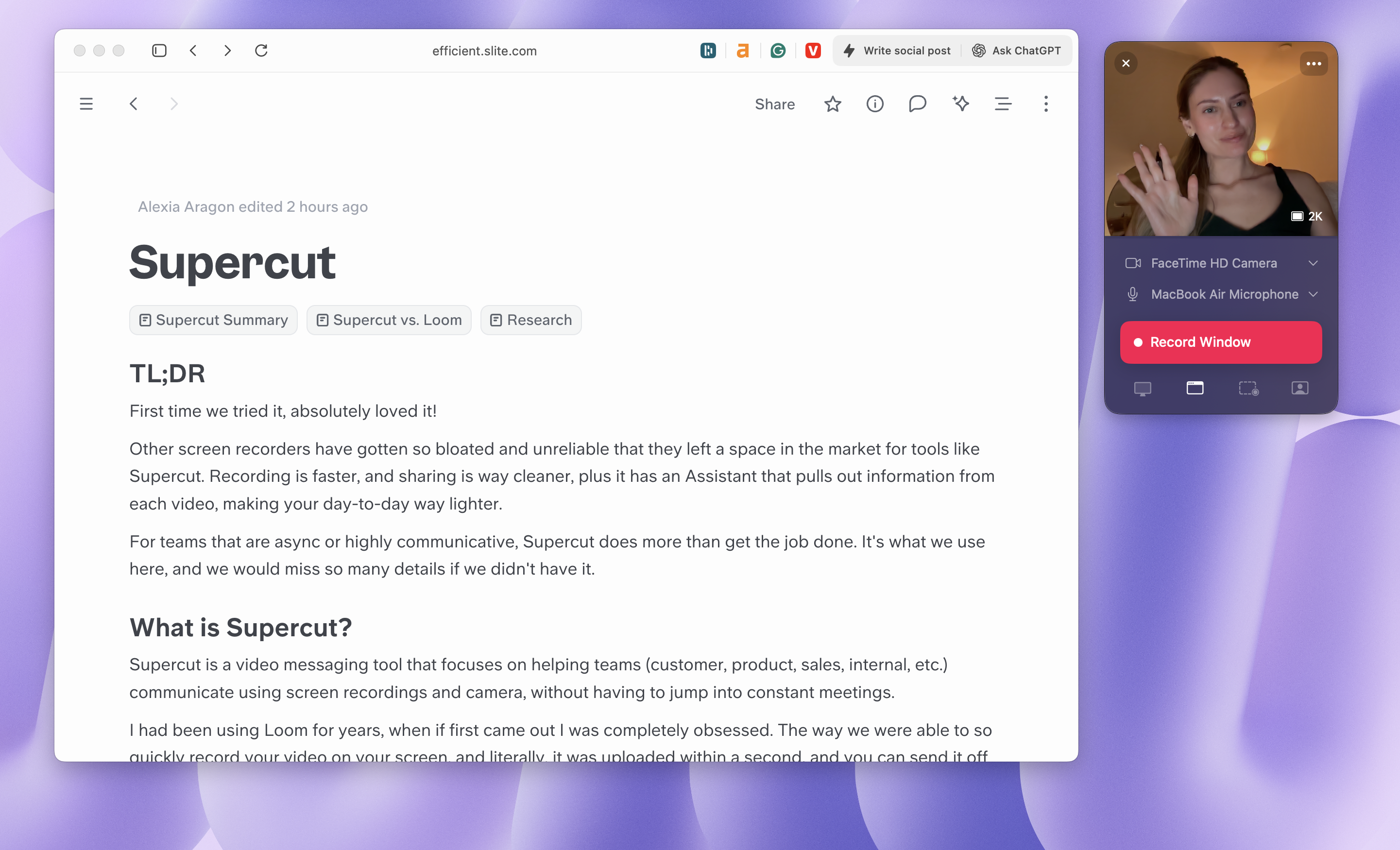
Previously, we were using Loom and noticing our recording experience was starting to feel sluggish and unpredictable, Supercut has been way more reliable over the past year we've been using it.
Transcripts
Transcripts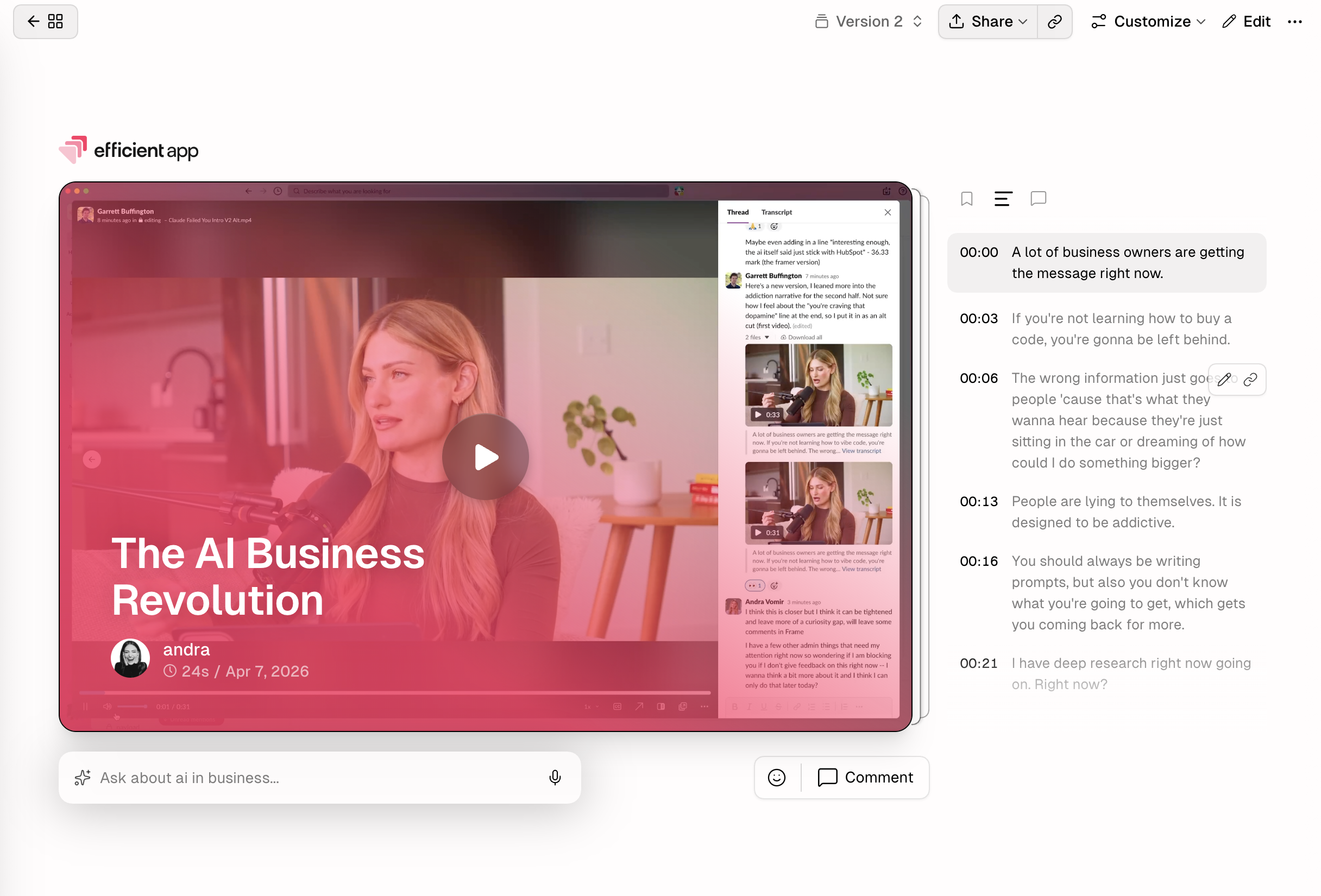
Every video comes with a transcript. What's even cooler is that you can interact with it by asking questions about the video. For example, ever send a video to someone and wonder "wait I swear I covered this point?"well you can go through and just ask the AI to find where you said it.
When it comes to writing, we've even used our transcripts to help us train custom GPTs. It's also extremely helpful for when you make one longer video for multiple people, product cares about one part, while sales cares about another, the team can just search for the transcript, or you can share the sentence link where you start speaking to that team directly.
AI Assistant
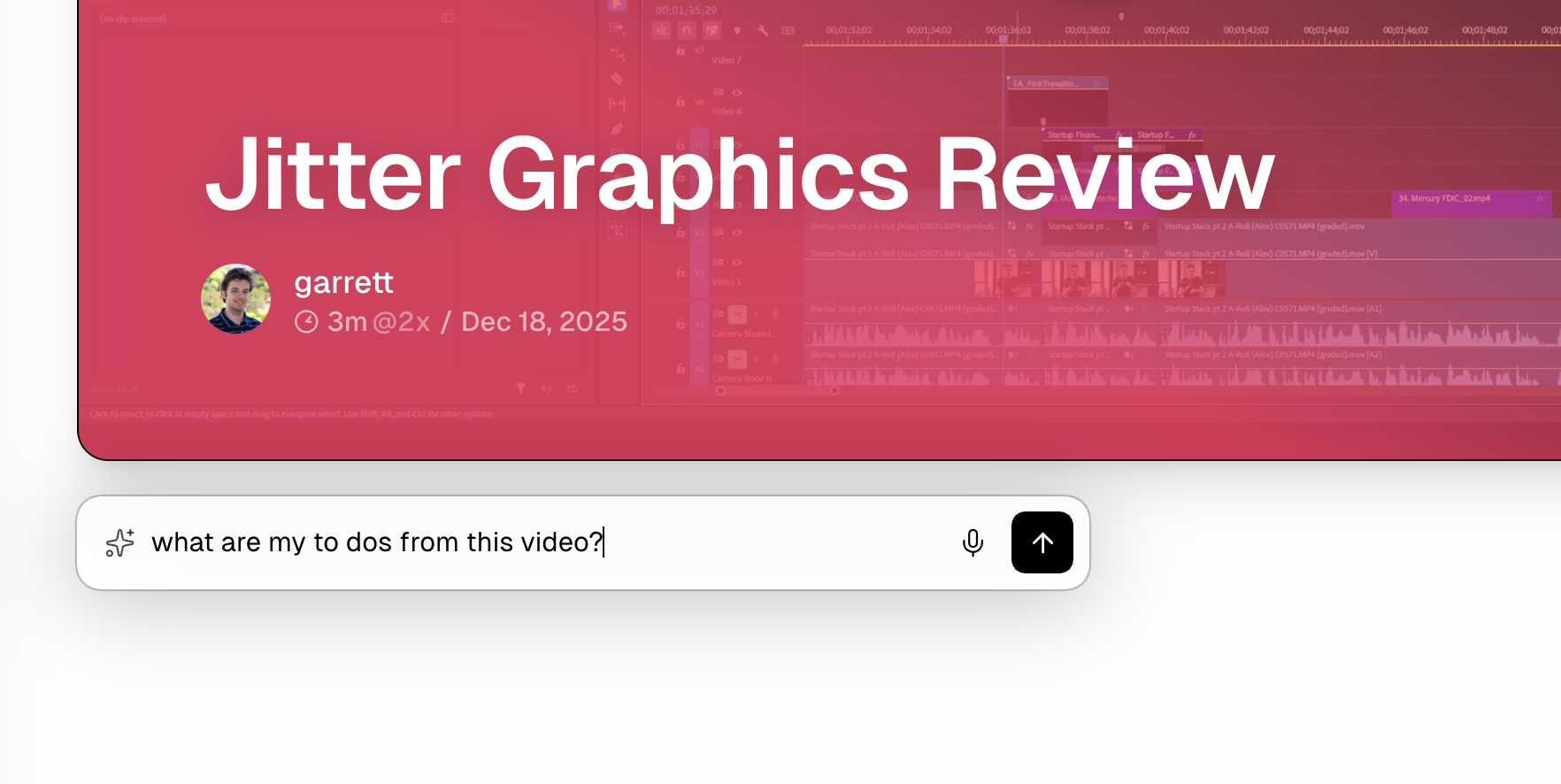
AI AssistantThe AI that's baked into Supercut is insanely helpful. The "ask anything" feature lets users query the video content, asking questions like "what are the action items?", "How did they say this?", or "Generate a bug report". It's actually shocking how quickly it can find information AND create entire write-ups. It's powerful enough that it even made our best AI tools round up.
Bug Reports
We started using Supercut when reporting bugs internally, and it immediately replaced how we used to do it. Normally, you'd record something, then write out steps like "click here → this breaks → go back → try again," and hope the engineer understands what you mean.
With Supercut, you just record the issue and ask it to generate a bug report. It pulls screenshots directly from the video and structures everything for you. We've used this to create Linear tickets, and it saves a ridiculous amount of time while also being clearer. Instead of trying to piece things together, the engineer sees exactly what happened.
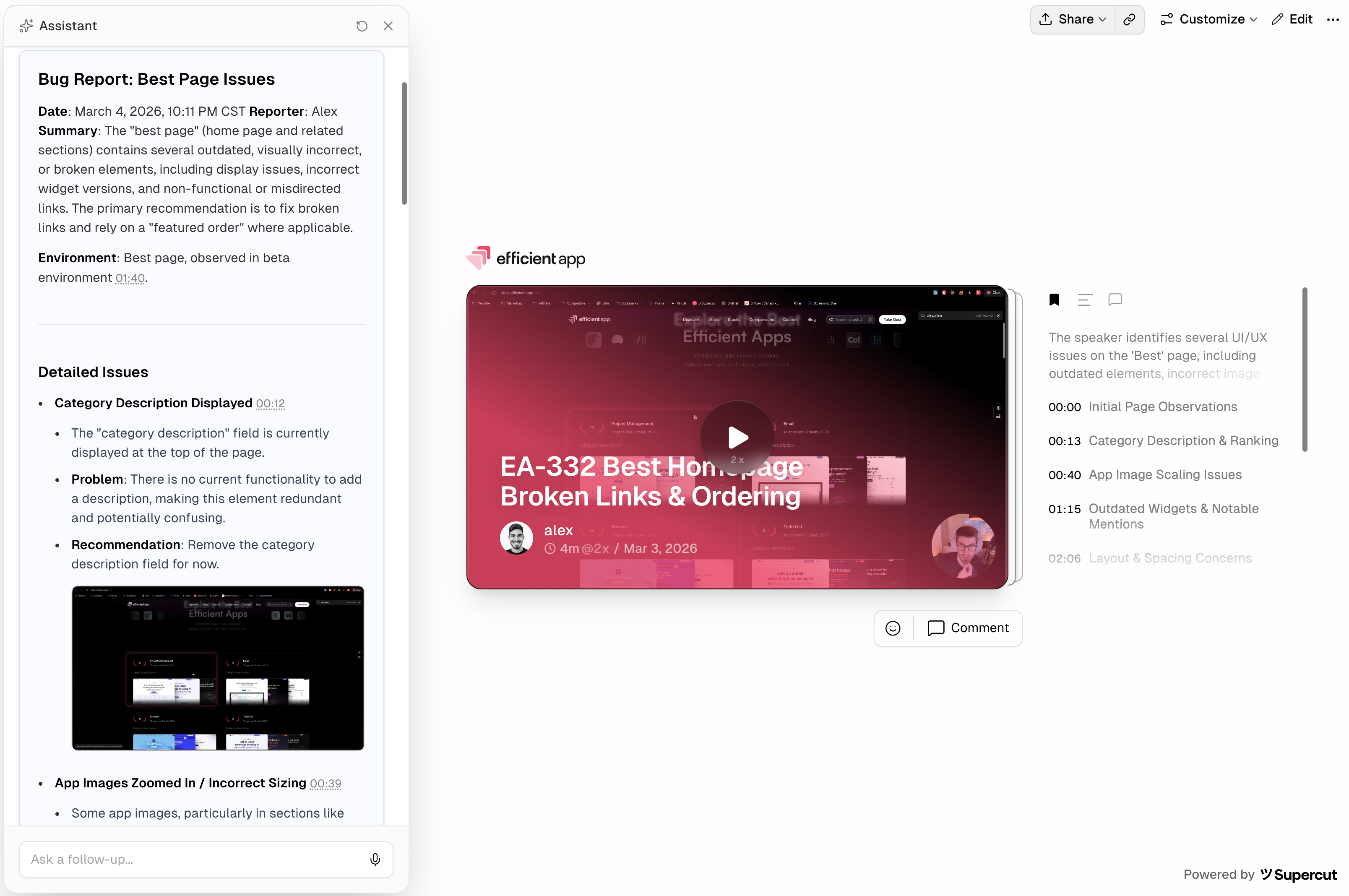
For teams that deal with bugs, product feedback, or anything visual that's hard to explain in text, this tool's going to be a lifesaver.
Processes & Procedures (SOPs)
This one surprised us. Onboarding someone or documenting a new process takes up a big chunk of time. Usually, it involves writing a long doc or recording videos and hoping people are able to follow along.
Supercut makes it way easier. It's like they thought, "Man, we really hate that we have this great information in video form, but now we have to either upload a transcript to an LLM or write it out ourselves," so they created a way to consolidate that experience and eliminate some steps from your mental checklist.
Record your process once, and it automatically turns that into structured documentation. We've done ourselves for simple workflows like publishing content or updating a CRM, and it basically creates a step-by-step SOP with visuals and all.
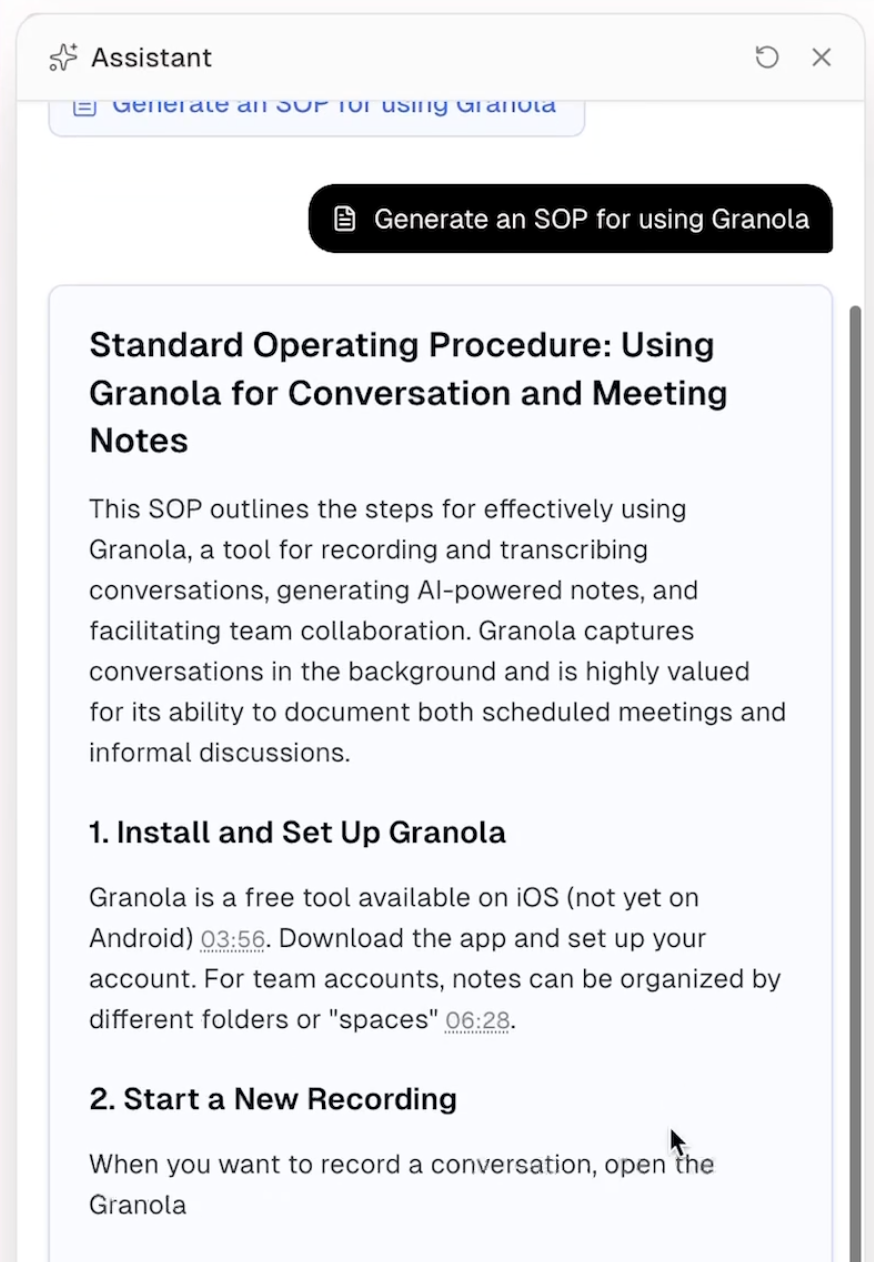
Right now, every tech company is rushing to put AI in their software, but from what we've seen, so much of it is just bolted on and makes no meaningful difference, with Supercut's Assistant, that's just not the case.
Collaboration
CollaborationInstead of sending Slack messages like "hey, at 2:14, what did you mean?" comments live right on your video timeline. It keeps everything in context. The cutest little "c" pops up letting you know there's a keyboard shortcut so you can leave comments fast. It's so simple, but it changes how people interact with videos.
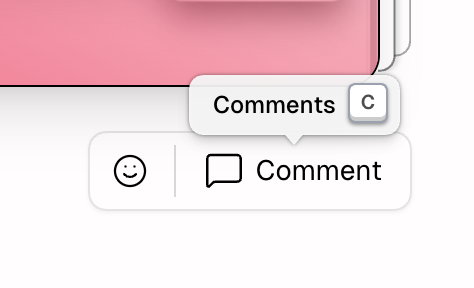
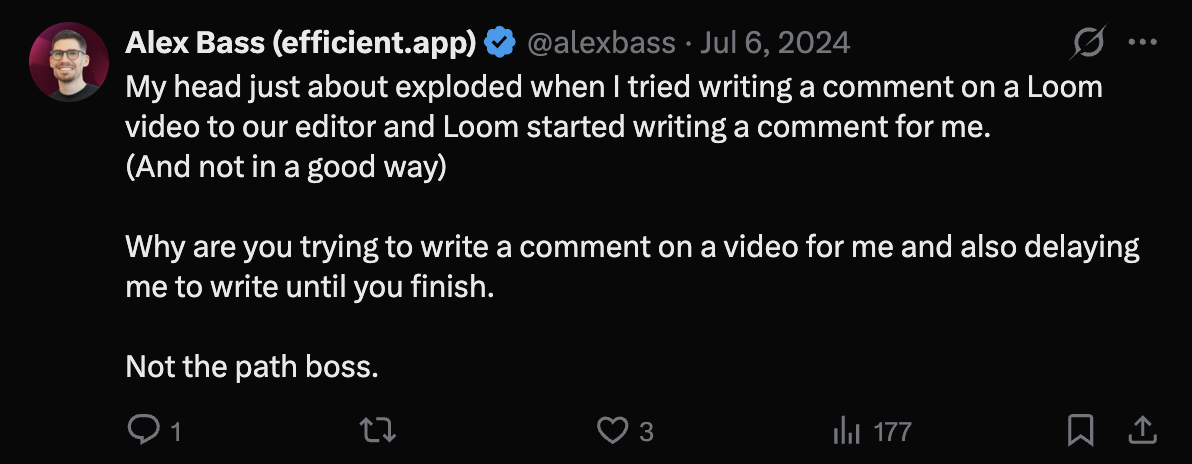
Also worth mentioning is that when you try to comment, Supercut doesn't try to write comments for you (we're looking at you, Loom). They have thoughtful AI not just throw it everywhere in your face AI.
But one bummer we ran into was with contractors. One of ours told us she couldn't leave comments or interact with our videos without an account. For the longest time, I did not understand why the whole world just refused to leave comments on our Supercuts and instead kept asking questions in different channels, but now it makes sense.
We found out that technically she could create an account and authenticate, but that process wasn't as clear as it could be. We've passed this feedback onto the team, so we're hopeful it's something that will get fixed 🤞
Luckily that same contractor said she loved using Supercut so much, and she could never go back to Loom, so now we can collaborate even better!
Editing
EditingThe Supercut editor is soooooo fun to use. You just edit the text, so all you have to do is highlight parts you don’t want and cut them out. It even shows you exactly what you removed, which makes it super obvious what changed. You can also trim silences and clean things up without having to re-record everything.
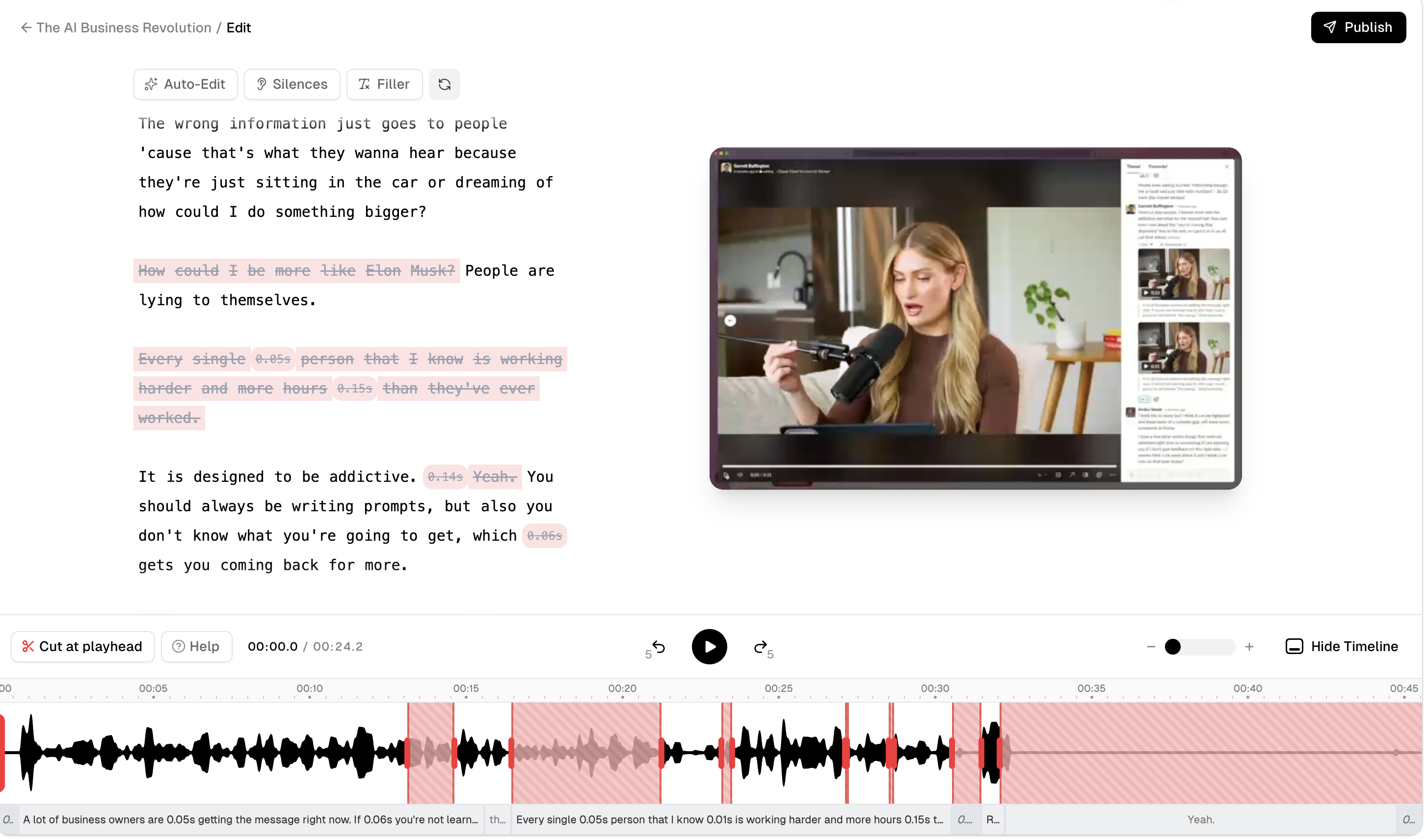
It's not meant for heavy editing, and that seem to be the point. We thought about using it in place of Tella to record something more complex like our course videos, but since you can't rearrange sections it's more for everyday use.
I might be guilty of the occasional silent pause or saying "like" too often, so for me the auto-edit is going to make those those quick improvements so much faster. You can adjust camera and screen layouts, run auto-edit, add zooms, and make quick improvements without thinking too much about it. Overall, it saves you from doing "one more take" over and over, which is where most of our time used to go.
Additional Features
Additional FeaturesBranding
BrandingWhen we're talking about potential clients or customers, first impressions are everything. Part of your checklist, as soon as you download Supercut, is adding in your logo and selecting your custom colors. It's not another generic recording; it's so specific and intentional that it almost feels closer to a lightweight deliverable.
Because of the custom branding, your videos have an added layer of trust and clarity, which goes a long way in client-facing roles.
Layout Customization
Layout Customization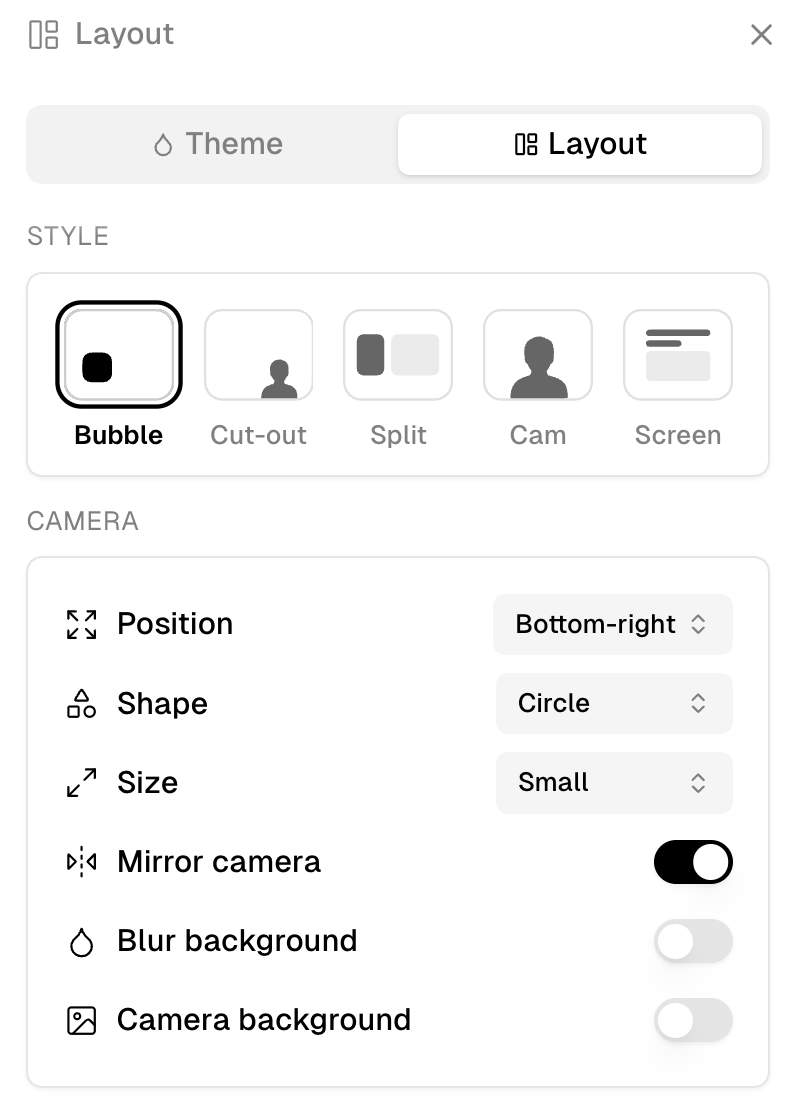
You can adjust layouts after recording (camera only, screen only, split view, etc), meaning you don't have to think too much about setup upfront. All you have to do is be camera-ready (or not, no judgment), hit record, and then decide how it should look.
Organization
OrganizationSupercut also lets you organize recordings into "stacks." We use this for things like a "writing stack", "processes stack" or "engineering stack". It's simple and it keeps things from getting messy for both your library and your teams. You choose who has access to what, and it keeps your creative teams from wondering why they have access to debugging processes.
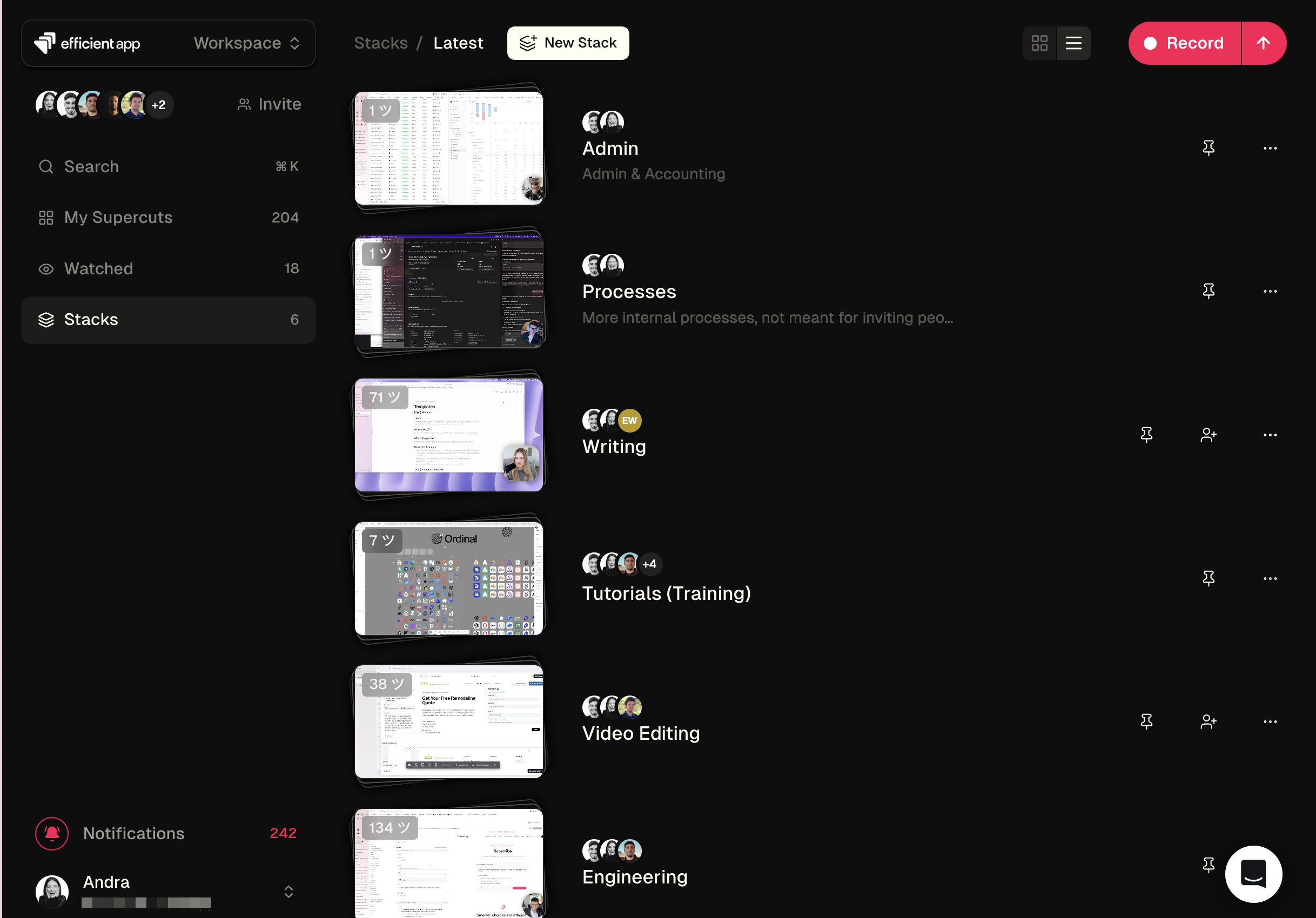
We really wish you could just have it automatically go into a particular folder somehow, and maybe some day that will happen to save an extra step!
CTAs
CTAsSpeaking of client-facing roles, especially sales teams, this feature is huge. Most of us have seen a video sales pitch, and it generally ends with "let me know what you think," but that's not a great way to keep leads interested.
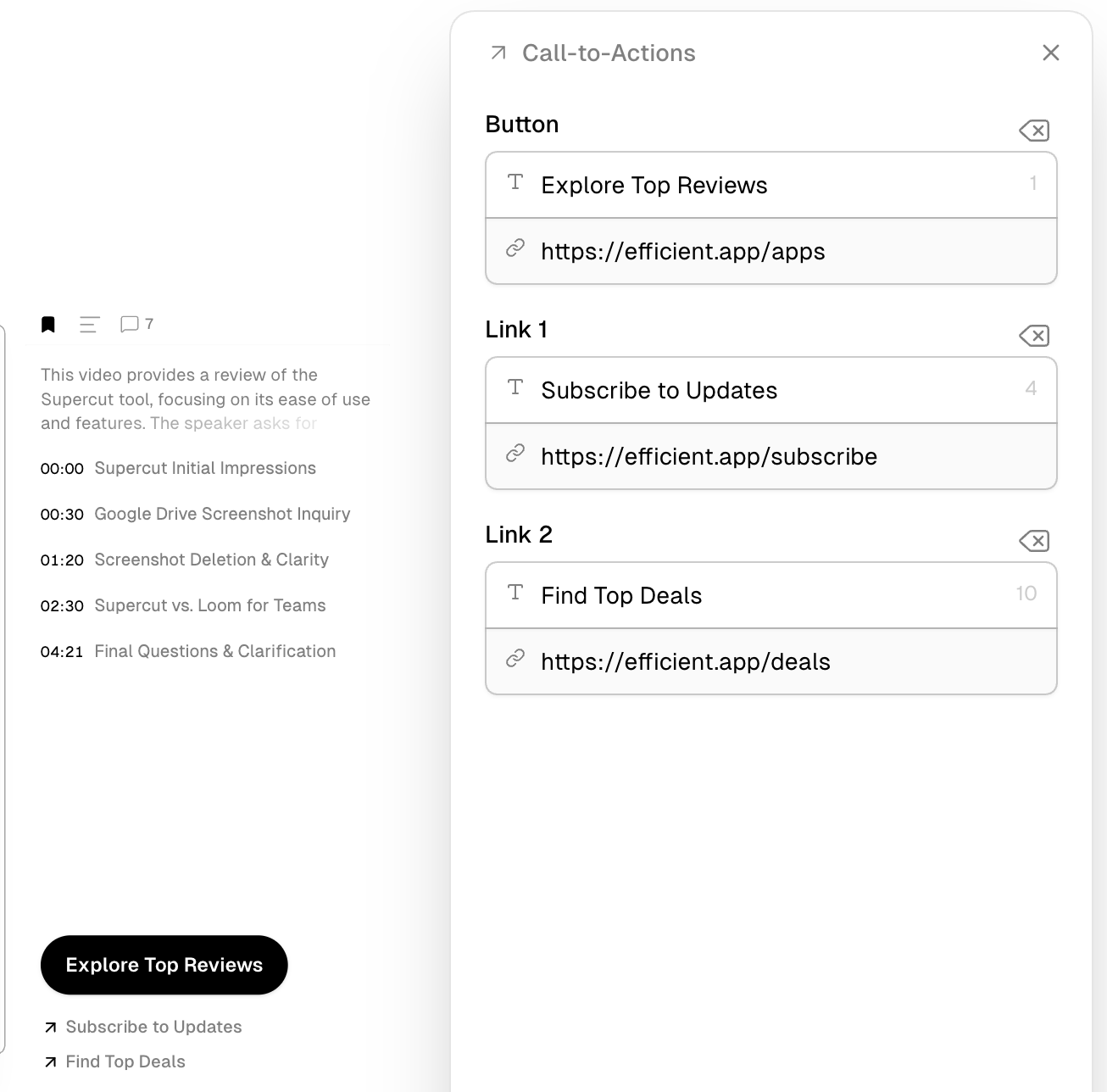
Supercut changes that by letting you add a clear next step directly at the end of the video. It's as simple as creating a CTA (available within your video) that will appear when the video is over. It could be a button to book a call or to review a proposal.
You get rid of that awkward gap between a buyer watching and then figuring out if/when/how they want to act.
Analytics
Analytics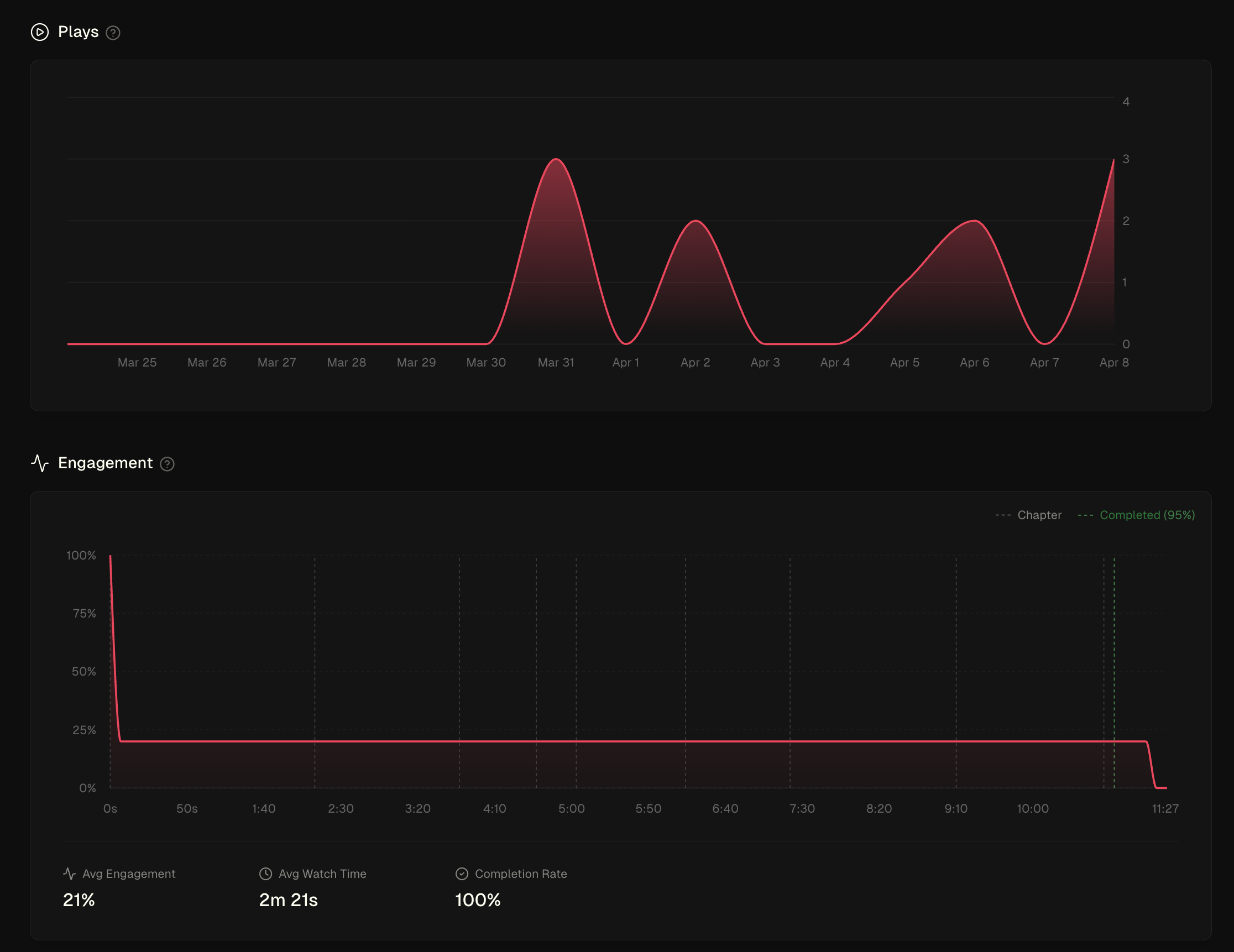
You can see who watched your video and how much they watched. Not always necessary when this is being used internally, but for our client-facing teams out there, knowing where your lead or client is getting lost or dropping off can lead to vastly different strategies, so having detailed statistics is truly table stakes.
Pricing
Pricing- Free 14-day Trial: Best for individuals testing async workflows. No credit card required.
- Pro: $15 monthly ($18/mo if paid annually). Best for professionals and teams who want full access to collaboration, branding, and AI features.
- Enterprise: Contact for pricing. Best for companies needing cross-departmental communication, advanced controls, and more security.
Don't forget your Supercut Discount if you're going to sign-up for an account!
Final Verdict
Final VerdictIs Supercut worth it? It's a tool we don't want to live without and I think that tells you more than anything.
Try it for yourself and you’ll quickly see why, when comparing Supercut vs Loom, it’s hard to imagine going back to Loom or any other screen recording tool.
Screenshots
Screenshots
Supercut
Supercut Recording Interface
Categories
CategoriesSupercut fits into multiple categories based on what it actually helps you do. Each category highlights a different strength and the efficiency points it earned, helping you compare tools not just by features, but by how well they actually perform.
Keep exploring the best software across categories, or explore Supercut alternatives