Comparison Summary
Comparison SummaryImportant: Notion Mail shut down September 22nd, 2026.
Notion Mail formerly gave you a cleaner interface, lets you use custom views, and makes it easy to reference Notion docs while Gmail feels cluttered and slow.
Only use Gmail if you just need a basic backbone for email or already have Google Workspace, but Notion Mail is the better daily experience.
 Gmail
GmailBest for your email and calendar foundation
Best for your email and calendar foundation Notion Mail
Notion Mail is shutting down on Sep 22nd
Notion Mail is shutting down on Sep 22nd
At a Glance
At a GlanceComparison Video
Comparison VideoBest Email Client: $0 vs $400 Email
Best Email Client: $0 vs $400 Email 26:19
26:19Best Email Client: $0 vs $400 Email
Best Email Client: $0 vs $400 EmailRecommended Alternatives
Recommended Alternatives Superhuman MailBest
Best overall email client
Best overall email client
Editor's Verdict
Editor's VerdictImportant: Notion Mail shut down September 22nd, 2026.
Purposeful Design
Purposeful DesignNotion Mail is noticeably less cluttered than Gmail, so you're less likely to get sidetracked by random colors, popups, or other product features intruding on your focus. Gmail's interface is busy and throws a lot at you, which can pull your attention away from triaging and even slow you down while waiting for things to load.
Notion Mail isn't perfect. Its triage flow is a bit clunky since you have to manually click into each filtered view, and there's no quick keyboard shortcut to speed things up. But even with those annoyances, you still avoid the chaos and distraction that's baked into Gmail's design.
If your goal is to triage email quickly and stay focused, Notion Mail is the better pick. It's not frictionless, but it's way less distracting than Gmail, so you'll get through your inbox with fewer detours.
Speed & Productivity
Speed & ProductivityNotion Mail has a clear edge on speed and productivity. Its shortcuts are easier to access, and snippets are available out of the box with quick access using /, plus helpful placeholders that make repetitive replies much faster. You don't have to dig through settings or memorize a bunch of commands just to use templates.
Gmail's shortcuts are scattered and unintuitive, and even basic tasks like using templates or snoozing emails are buried in menus and require too many clicks. The whole experience is stop-and-go, with lots of mouse work and friction, especially if you want to do anything beyond the basics.
Both make inline replies a hassle, and offline support is limited in different ways, but Notion Mail cuts out more of the busywork for things you'll actually do every day. If you want to move quickly and not fight the interface, Notion Mail is the obvious pick here.
AI Assistance
AI AssistanceGmail stands out for AI-driven search. You can ask Gemini specific questions about your inbox and get sourced answers, which saves time if you remember to use it, even though the access point isn't obvious. When it comes to drafting emails, Gemini's writing feels stiff and doesn't match your tone, and it can create extra cleanup work if you want revisions.
Notion Mail's initial auto-labels look good but fall apart fast, you can't refine or test them without starting over, which gets frustrating. Its AI can't summarize, search, or answer questions about your emails at all. Drafting is even less helpful than Gmail, with no ability to adapt to your voice or feedback.
Unless you're deep in the Notion ecosystem and need to pull in Notion pages, Gmail is the clear pick for AI Assistance. It actually saves you time and does more heavy lifting, even if the workflow isn't perfect. Notion Mail just doesn't deliver on its AI promise.
Follow-Up
Follow-UpBoth Gmail and Notion Mail fall short on follow-up. Gmail's read receipts require you to ask the recipient, which is clunky and basically unusable, while Notion Mail doesn't offer read receipts or any follow-up help at all.
Neither one actually helps you track or manage follow-ups, but at least with Gmail you can technically try to request a read receipt, even if it's awkward and unreliable. Notion Mail leaves you with zero options. If you're desperate for any kind of follow-up signal, Gmail is the less bad choice, but honestly, neither is good here.
Team Collaboration
Team CollaborationNeither Gmail nor Notion Mail has any team collaboration features at all, so there's no real difference between them here.
If you need to comment, assign, or share emails with your team, neither one will work. You're better off looking elsewhere.
Screenshots
Screenshots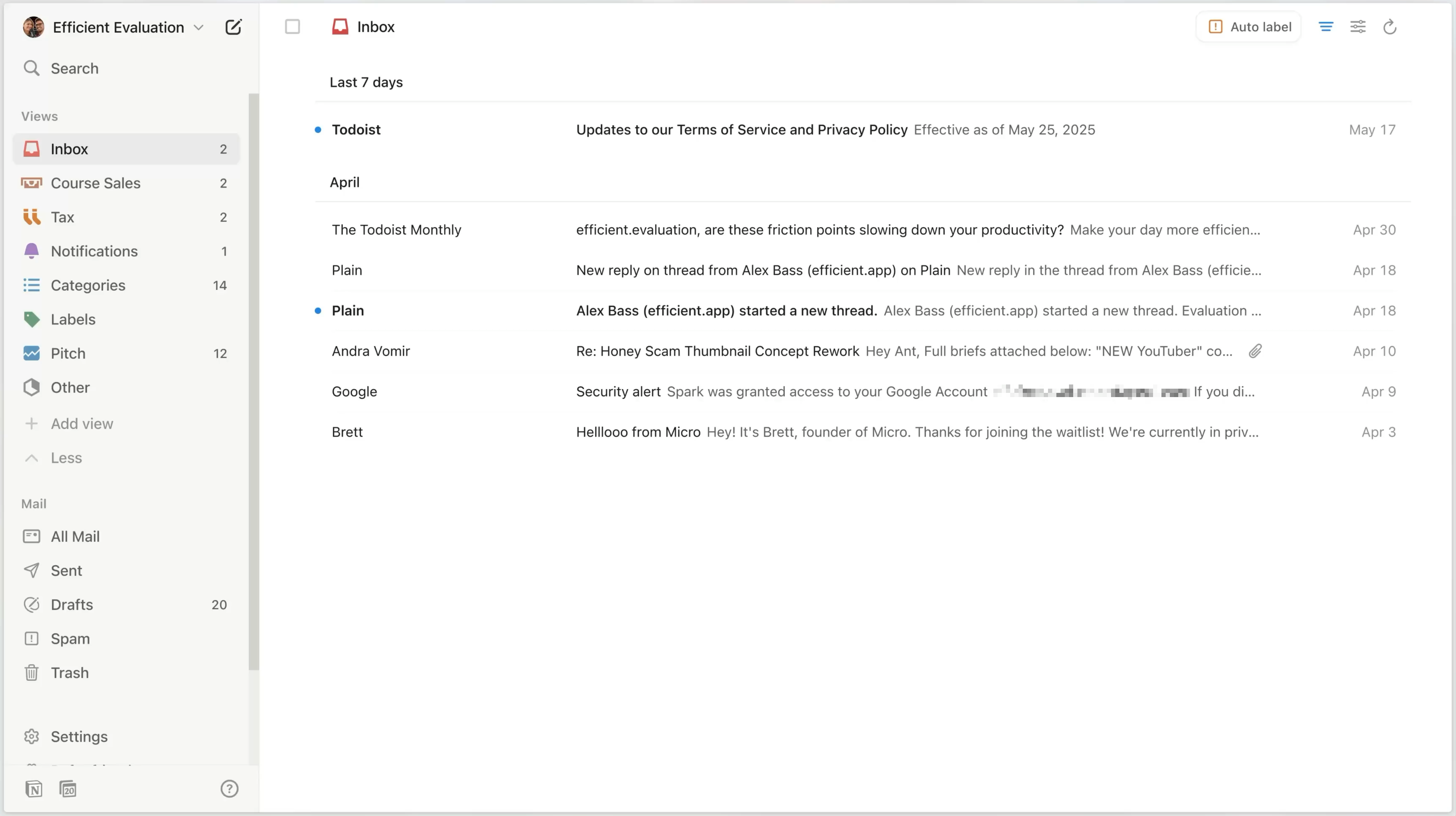
Notion Mail
Notion Mail interface





