









Select
FTC
Efficient App laurels

8 Best To-Do List Apps in 2026

Updated Mar 21, 2026

See how our top 8 picks compare across the 8 to-do list apps we evaluated.

Explore what each does best, where it falls short, and why it earned a spot on our 2026 list.

Alex Bass Headshot
Alex Bass
Andra Vomir Headshot
Andra Vomir

    Best To-Do List Apps at a Glance

    8 apps and 6 deals
  1. Superlist
    Superlist

    Best design-focused task and list app

    Best design-focused task and list app
  2. Motion
    Motion

    Best AI to-do app for organizing tasks and time

    Best AI to-do app for organizing tasks and time
  3. Todoist
    Todoist

    Best pen-and-paper alternative

    Best pen-and-paper alternative
  4. TickTick
    TickTick

    Best for basic task management

    Best for basic task management
  5. Morgen Calendar
    Morgen Calendar

    Calendar with basic task management

    Calendar with basic task management
  6. Akiflow
    Akiflow

    Best for task consolidation from third party apps

    Best for task consolidation from third party apps
  7. Sunsama
    Sunsama

    Best pen and paper alternative

    Best pen and paper alternative
  8. Linear
    Linear

    Best for engineering teams

    Best for engineering teams
    Notable Mentions
  1. Routine
    Routine
    Daily Planner

    Free daily planner

    Free daily planner
  2. Trello
    Trello
    Project Management

    Simple kanban task management

    Simple kanban task management
  3. Reclaim AI
    Reclaim AI
    Time Management

    For basic task scheduling on your calendar

    For basic task scheduling on your calendar
  4. Notion
    Notion
    Knowledge Base

    Good knowledge base, but skip for everything else

    Good knowledge base, but skip for everything else

Best To-Do List Apps Ranked & Reviewed

Watch our full breakdown of the top to-do list apps, how they performed in testing, and what makes each one worth considering

Recorded by our expert reviewers
Alex
and
Andra
Independent, hands-on testing.Learn more

How We Evaluate To-Do List Apps

We score each to-do list app across speed & productivity, ease of learning, user experience, reliability, cross-device availability, and hands-on expert evaluation

  • Speed & Productivity
    Can you quickly capture tasks with a single tap using natural language?
  • Ease of Learning
    Quick learning curve, intuitive to use.
  • User Experience
    Does checking items off feel good, and is the UI clutter-free?
  • Reliability
    Tasks never disappear, minimal bugs, tasks always sync reliably.
  • Cross-Device Availability
    Does the app allow for a seamless handoff between devices?
  • Expert Evaluation
    Curated by
    Alex
    and
    Andra
    , our rankings reflect in-depth testing, industry insights, and hands-on experience.
1
Superlist

Superlist

Best design-focused task and list app

Best design-focused task and list app

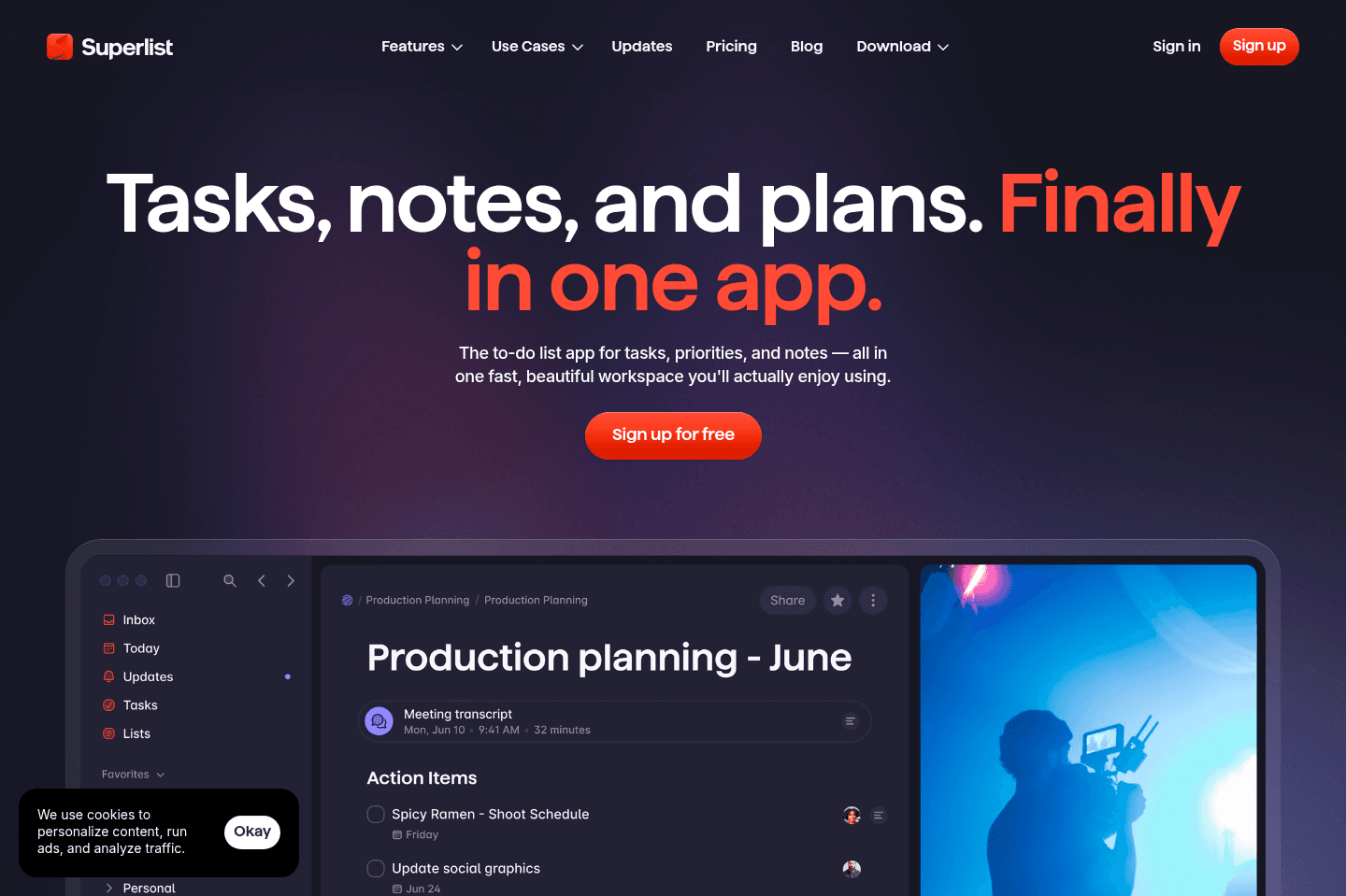
What we love about Superlist is the thoughtful design, the satisfying nosies it makes as you tick something off, and the cool little swiggly lines. We will warn you though, since its a relatively new product it is a bit buggy, we had trouble with collaborating and find we often need to refresh it to clear out some bugs.

While they do have team features, we don't think they are quite there yet as we had trouble collaborating just for personal use — that said we're hopeful that the team will figure it out and it will replace Apple Notes and Google Keep.

Superlist
Go to Superlist site

What is Superlist?

What is Superlist?

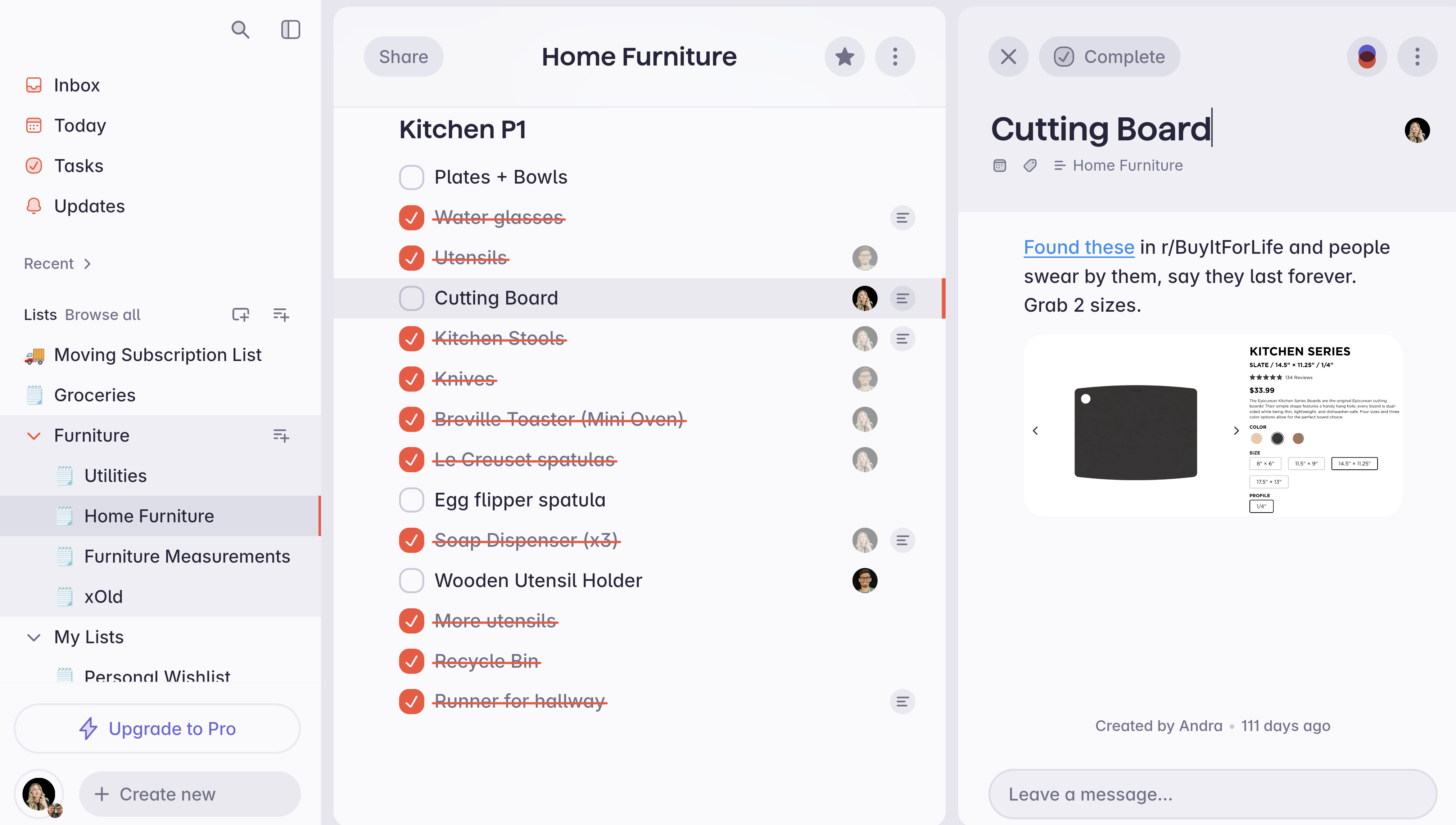
Superlist is probably one the of most thoughtful/beautiful personal task managers out there. It has amazing UI/UX interactions. Heck, even marking a task as "complete" and "incomplete" plays the most relaxing noise (and it changes each time!). I was using TickTick for years and I'm seeing Superlist as a great alternative.

I think we're seeing what happens when you get tens of millions of dollars in venture backing and some of the best designers in the world to focus in the UI/UX. I mean heck, just go visit their website, it's incredibly beautiful.

Being able to also take notes and assign tasks to different individuals is also super cool as there aren't really a ton of good personal collaboration tools out there.
Embedded Image

What's cool is that with Superlist, you can assign to-dos to one another and due dates, which let's be honest, there are endless personal tasks any married couple needs to collaborate on. 
Pricing

Pricing
  • Free Personal
  • Personal Pro: $8/month
  • Free Team
  • Pro Team: $10/month per user
Subscribe for updates

Get the latest rankings and insights on top Todo List apps—delivered to your inbox. Stay ahead with our expert picks and updates.

2
Motion

Motion

Best AI to-do app for organizing tasks and time

Best AI to-do app for organizing tasks and time

Motion is the most innovative AI-powered project management tool for individuals and teams who want to fully embrace AI to get work done.

It uses AI to take all of your team's projects, tasks, priorities, deadlines, and dependencies to build the perfect day for you and your team, time blocking tasks right on your calendar. They also have AI Docs, & an AI Note Taker, helping you get work done faster.

We've been using it for 5 years and is core to how we manage our time and projects!

Motion
Go to Motion site

What is Motion?

What is Motion?

Motion is a task list on steroids! This is why we’ve used it here at Efficient App for the past several years.

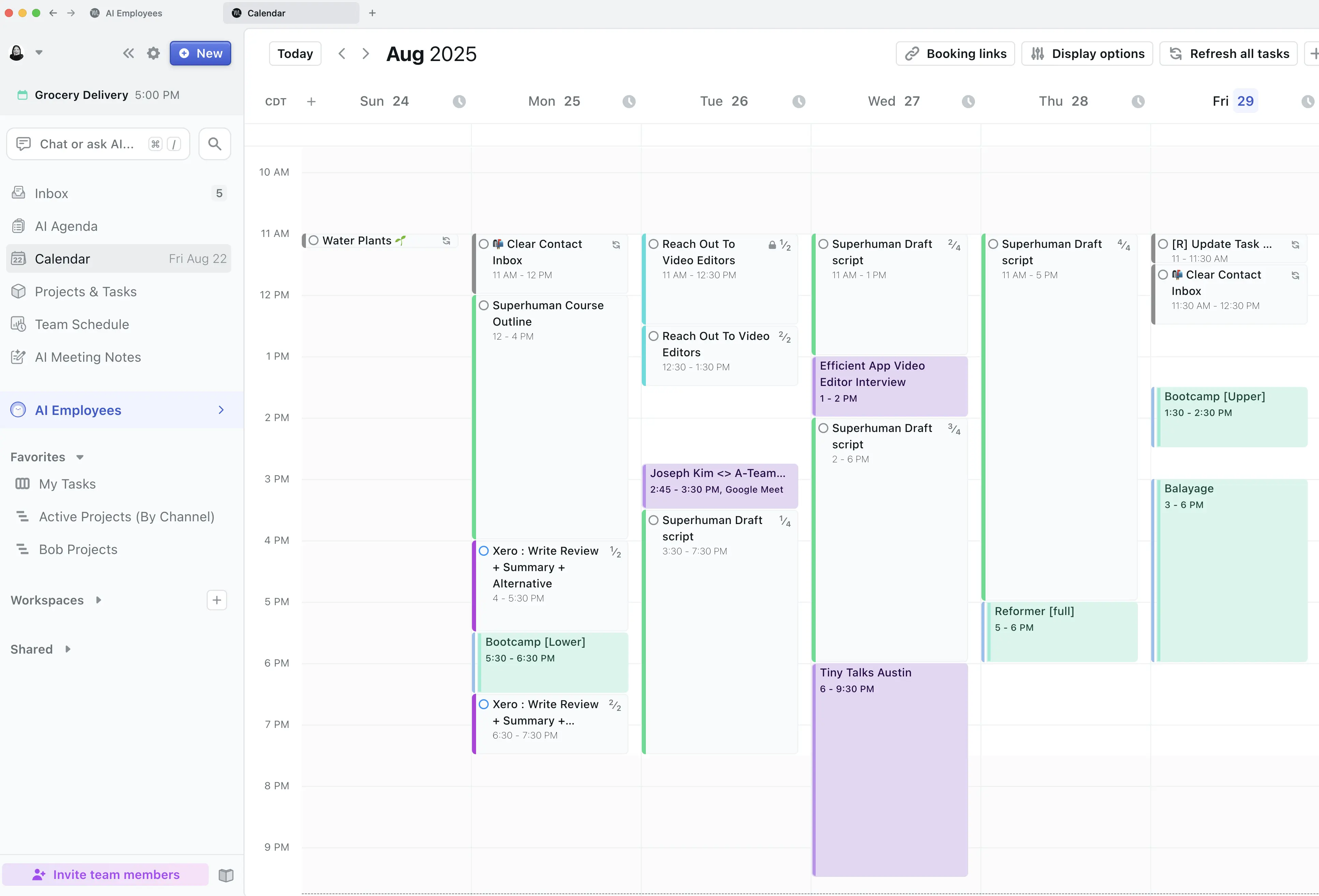
You can place tasks within Motion and it will auto-schedule them on your calendar, adjusting them as you have meetings that come up. It’s one of the only task management tools that allows you to actually see if everything you need to get done in a day is realistic (because if you have 5 hours of meetings and 6 hours of tasks, you’ll understand why you’re running around for 11 hours a day and never have time for that book in bed!).

Motion Calendar

Not only that, you can also manage entire projects as a team within Motion (how we use it), which is super handy if you’re a business.

Pros and Cons

Pros and Cons

Pros

Pros
  • More advanced functionality than traditional task management tools
  • Valuable for busy professionals and teams who need better organization
  • Team collaboration features, including task dependencies
  • Schedules tasks on your calendar for you, using AI

Cons

Cons
  • Not ideal for users seeking a free tool
  • Lacks integrations with third party tools
  • May feel over-engineered for those who only need basic task tracking

Key Features

Key Features

AI Task Management

AI Task Management

Motion combines your calendar and task and project management into one system. Instead of just listing tasks, it takes into account in your actual availability and automatically schedules your work, so you can see what is realistically achievable in a single day. You can use it on your own, or with a team.

You also get an AI Agenda with Motion. How this works is every day, you get a brand new list view of tasks in a document. You can use it to jot down any extra notes or to-dos for the day, and then the next day, you get a brand new list automatically generated for you with task items listed by the priority you previously set.

Project Management

Project Management

You can fully manage projects end-to-end within Motion. Beyond it's calendar view, it also has Kanban views and Gantt views and project workflows for repeatable projects (e.g. we use it for our content creation workflow, from scripting to filming to editing as a team).


So if you have any "projects" that you are consistently working on (whether personal or for work), Motion is a tool that can bring it all together.

Team Collaboration

Team Collaboration

Simple to-do apps are designed mainly for individuals, with any team features created as an after thought. Motion includes team functionality to help you collaborate on projects.

You can even set task dependencies, meaning one team member can indicate they are blocked until another task is completed. This adds a level of structure and clarity that a lot of traditional task managers miss.

Pricing

Pricing

Motions prices range from $19 to $34 per month (Individual to Team plans).

Superhuman Mail
Superhuman Mail
Featured

Get through your inbox 2x as fast (for teams of all sizes).

3
Todoist

Todoist

Best pen-and-paper alternative

Best pen-and-paper alternative

Todoist is a good practical task management app for managing your personal life. It does what you expect, nothing more, nothing less.

If considering Todoist for business, whether you're an individual or a team, there are better task management apps available that will give you more productivity power (e.g. other tools that will allow you to schedule meetings, time block tasks, manage projects, see your workload, and collaborate with team members), so as a heads up, make sure to consider those before diving head first into Todoist for business.

Todoist
Go to Todoist site

What is Todoist?

What is Todoist?

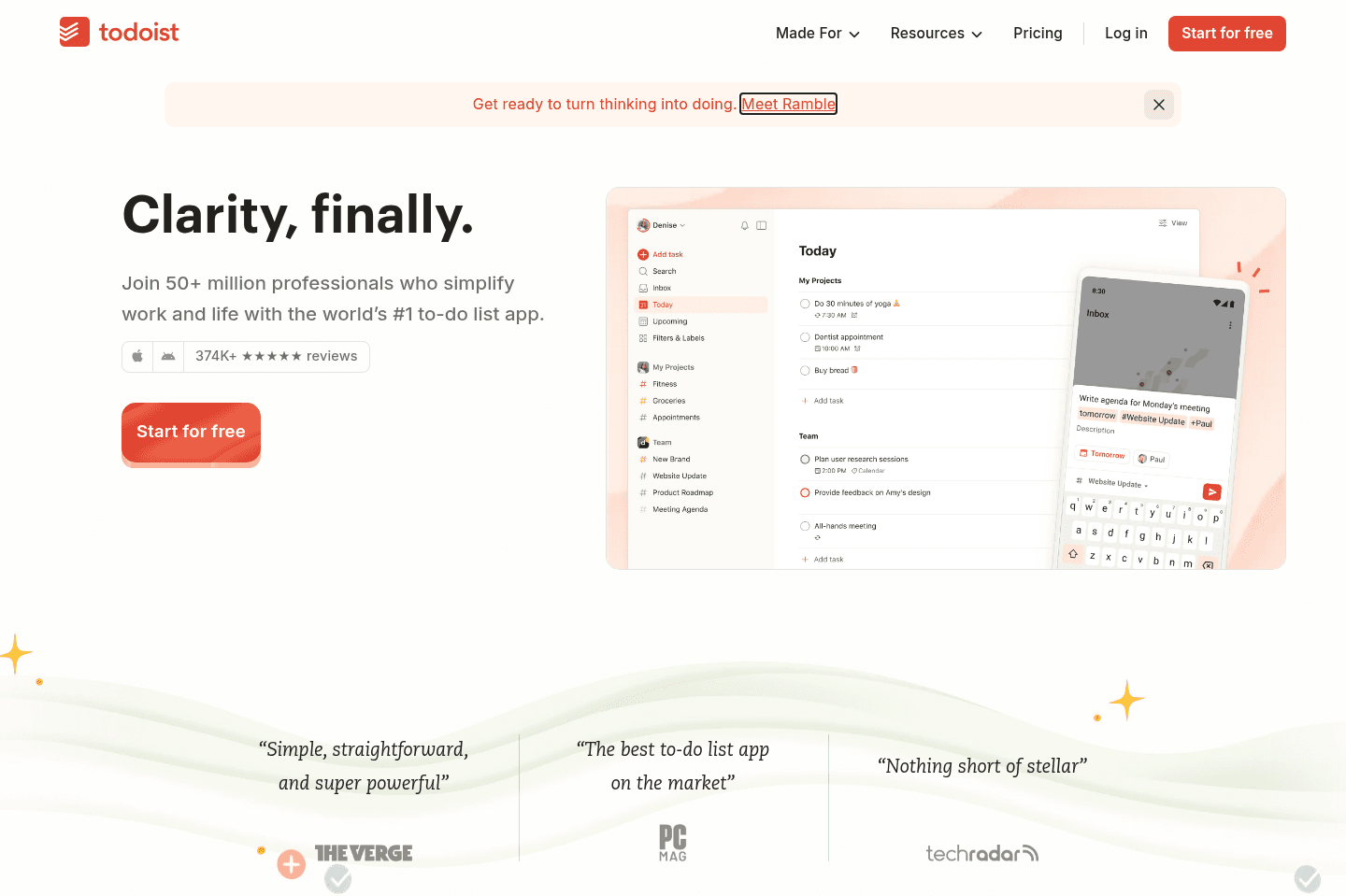
Todoist is one of the longest-standing task management apps (founded in 2007!). You get exactly what you'd expect from Todoist — the ability to create tasks, prioritize them, and organize them with labels. You can view your tasks in a list, kanban view, or calendar view (paid tier).

With the rising popularity of time blocking, Todoist has received immense pressure from it's customers to build a calendar view and allow for task time blocking. That said, time blocking is a secondary feature to Todoist and is quite barebones compared to other daily planners. Many folks integrate Todoist with Sunsama or Akiflow for the full daily planning experience.

If considering Todoist for business, whether you're an individual or a team, there are better task management apps available that will give you more productivity power (e.g. other tools that will allow you to schedule meetings, time block tasks, manage projects, see your workload, and collaborate with team members), so as a heads up, make sure to consider those before diving head first into Todoist for business.

4
TickTick

TickTick

Best for basic task management

Best for basic task management

TickTick is a barebones task management app with decent functionality. When comparing it to the more modern task management apps, it feels quite dated. But if you want something that is just functional and free, TickTick is worth giving a shot.

TickTick
Go to TickTick site

What is TickTick?

What is TickTick?

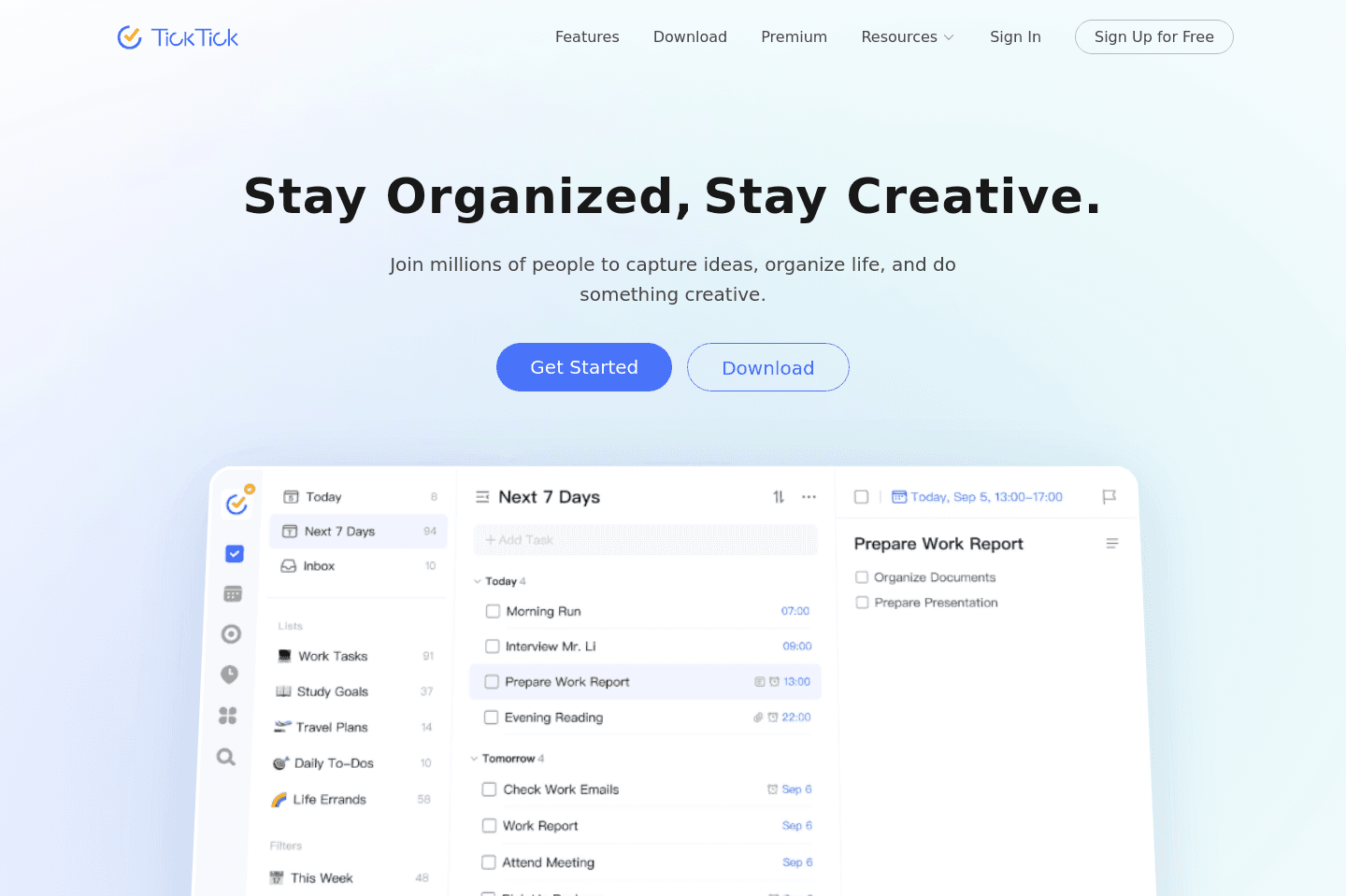
TickTick is a basic personal task management app, useful for jotting down quick household/personal tasks. You can easily add to-dos, notes, priorities, and deadlines. You can also categorize tasks via labels into categories. Think of TickTick as one level up from Apple Notes or Google Keep.

That said, not much TLC is going into TickTick these days. The user interface is quite dated and the calendar sync integration works every 15 minutes or so (while with more modern apps, it's instant).

Superhuman Mail
Superhuman Mail
Featured

Get through your inbox 2x as fast (for teams of all sizes).

5
Morgen Calendar

Morgen Calendar

Calendar with basic task management

Calendar with basic task management

With Morgen Calendar, you will get a better experience than Google Calendar/Outlook.

It feels faster and has a better design, and you also have the ability to add barebones tasks to Morgen. So if you're just starting to dip your toes into the daily planning calendar space, Morgen is worth giving a shot.

If you're more serious about daily planning, make sure to also read about the best daily planners available on the market that are more designed for true task and project management at the core.

Morgen Calendar
Go to Morgen Calendar site

What is Morgen Calendar?

What is Morgen Calendar?

Morgen Calendar falls into two categories. First and foremost, it's a calendar with a much more beautiful interface than Google Calendar, Outlook, or Apple Mail. The second category Morgen toes the line with is being a daily planning tool. But when considering it as a daily planner tool, it's quite barebones compared to other daily planners on the market.

Morgen's AI planner that help you create plans by recommending when you should work on which tasks. It checks your availability and task deadlines to structure your day, pulling in tasks from other tools to suggest time blocks inside your "Frames" (Morgen’s templated work blocks), then lets you do a once-over before approving.

A while ago, Morgen had a free tier, at at that point we thought it was a good tool to try if you're dipping your toes into the world of daily planning. But with their new pricing, it's tough to justify the cost compared to other tools (for example, Motion is the same price but gives you full project management capabilities plus their AI scheduling is a lot more advanced).

In general, we'd love to see Morgen become more differentiated with time.

Pros and Cons

Pros and Cons

Pros

Pros
  • Clean interface
  • Integrates with common project management tools
  • Drag-and-drop task scheduling directly onto your calendar

Cons

Cons
  • Less powerful than most daily planners
  • Expensive for what they offer

Key Features

Key Features

AI Planner

AI Planner

Morgen's AI Planner creates a proposed schedule for your next 1–8 days based on information you created (task priority, availability, and due dates). They also have preview mode within the planner, which is where you'll see proposed tasks "pulse," letting you clearly see what's new. You can tweak, resize, remove, or reprioritize tasks before you decide to add to your schedule.

While it sounds good in theory, this does require you to sit down and "get organized" rather than just building out your day for you. As a busy business owner, I will tell you this is a "sounds nice" feature, but in the day to day, I want to show up and get to work.

But if you want some control over how your tasks are planned, this will appeal to you more than something more automated, like Motion for example.

Frames

Frames

Frames are Morgen’s way of helping you get intentional about when you work on certain types of tasks.

Think of them like reusable time templates. For example, you might block off 9–11am for "Deep Work" and 3–4pm for "Admin." Instead of deciding every single day when to focus or when to do lighter tasks, you set those patterns once.

Then that helps Morgen's AI planner to appropriately place tasks inside those frames. So if something is high priority and tagged as deep work, it’ll try to land in your "Deep Work" frame.

While my perfectionist mind truly loves the idea of having perfectly set aside time for similar tasks, unfortunately, this isn't the reality of how I work 90%. As a business owner, I am thrown into unblocking team members, writing a script, then editing a review within a matter of an afternoon.

AI Scheduling

AI Scheduling

Once you have tasks inside the system, the AI has placed them on your calendar, and you have approved, the AI will try to make your schedule more realistic. For example, it will automatically add a little buffer to your task estimates. So, if you're the type to underestimate how long your tasks are going to take, then this is a small but helpful way to counter that.

Not different from other planners, but still a nice-to-have feature, the AI scheduler also splits up your work. Instead of dropping a giant multi-hour block onto your calendar, Morgen helps you fit them more naturally into your day by splitting them across multiple sessions.

Lastly, unlike tools like Motion that automatically shift your schedule around to adjust for overdue or missed items, Morgen will suggest a new time rather than reorganize based on your selection.

It gives you more control over your schedule, but that also means it comes with added mental load of needing another "to do" to approve the tasks.

Pricing

Pricing
  • Monthly: $30/mo per user. In our opinion, this is far too expensive compared to the other daily planners available.
  • Yearly: $15/mo per user (billed annually). This pricing is much more reasonable.
6
Akiflow

Akiflow

Best for task consolidation from third party apps

Best for task consolidation from third party apps

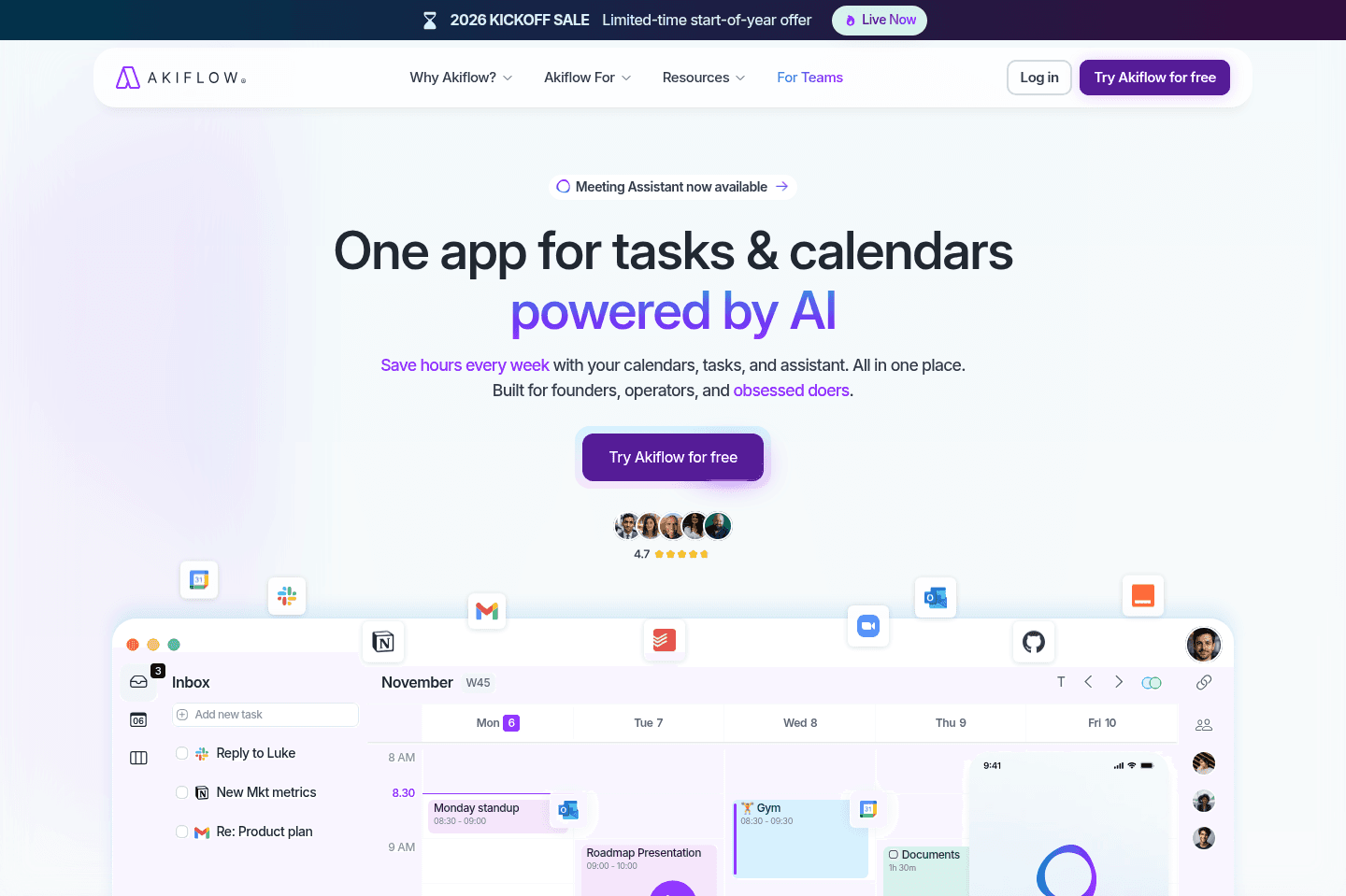
Akiflow is a daily planner for task consolidation (aka bringing tasks from many different apps into one place so you can more easily triage). It has integrations with tons of tools like ClickUp, Asana, Monday, and communication tools like Slack and even your email.

When we used it, we didn't stick to it (turns out adding all of our tasks in one place resulted in overwhelm after a few weeks).

Akiflow
Go to Akiflow site

What is Akiflow?

What is Akiflow?

Akiflow is a tool that has copied a bit from its competitors. It has a "daily shutdown" feature borrowed from Sunsama and an identical pricing structure to Motion. With that said, the pieces they've brought together are great for individuals who are drowning in tasks across too many apps (with a caveat, explained below).

If you're a busy professional whose company has tied you down to tools like Slack, Trello, Google Calendar, or Monday or other project management tools, and you want one place to centralize all your tasks in one big todo list, that's what Akiflow was created for.

Now the caveat: If you decide to dump everything into Akiflow, your inbox can become overwhelming fast. Unlike Motion, it won’t automatically prioritize and rearrange your day, so you'll still need to manually plan.

We used Akiflow when it first came out a few years ago, after about a month we found we over did it. Turns out that adding every Slack message, email, and task to one interface ends up being overwhelming, and hard to keep up with 😅 So we stopped using it.

Knowing that, don't make the same mistake we did and add everything to Akiflow. Keep just your most important stuff in there.

The task manager it's works well though. It lets you drag new or imported tasks to your calendar, then lets you decide what you want to do with them (snooze, plan, or reschedule). The UI is clean, and the keyboard shortcuts are reminiscent of Superhuman Mail, which makes for quick work once you get the hang of it.

So, overall, it comes down to what you're looking to solve. If that's centralizing tasks across your many apps, then Akiflow is going to do just that, but if your problem is more prioritization and workload management, there are other, stronger tools out there.

Pros and Cons

Pros and Cons

Pros

Pros
  • Fast keyboard shortcuts
  • Clean, focused interface
  • Consolidates tasks into one inbox
  • Strong integrations (including Zapier)
  • Built-in scheduling links for sharing availability

Cons

Cons
  • Easy to overload your inbox
  • Can feel repetitive if you fall behind on triage
  • Basic AI features (Not as robust as advertised)

Key Features

Key Features

Centralized Task Inbox

Centralized Task Inbox

Akiflow can help reduce chaos when you have tasks that live in different places. For example, when you start something in Gmail, pop over to Slack to comment, or jump into Asana to assign yourself a new task, all of that gets added to your cognitive load, and somewhere in between, half of it gets forgotten. Since Akiflow can integrate with many common tools, its centralized inbox gives you a single source of truth for "what's next."

For more technical individuals or teams, Akiflow also offers API access and Zapier integrations. Meaning you can build automations. So, if you had your CRM platform and wanted to automatically create a task when a new lead is added to your CRM or when a support ticket hits a certain status.

Task Triage

Task Triage

Akiflow lets you triage tasks (plan, snooze, or reschedule), and they've included keyboard shortcuts that help speed things up. The system is highly manual, so when you inevitably fall behind or miss a day, catching up requires some legwork on your part.

And, while they do have "Aki," their "AI Assistant like in the movies" who is supposed to be your "Executive Assistant beyond human limits," we were pretty disappointed when we tested it out.

Don't expect this AI to do much heavy lifting because it acts more as a ChatGPT wrapper than a complex assistant.

Manual Time Blocking

Manual Time Blocking

You can drag tasks directly onto your calendar right from your inbox and plan your day.

It's more of a hands-on feature that requires intentional planning, but means more control too. You get to decide when things happen and how long they take. Basically, nothing moves unless you move it.

For some, that's great, especially if you really need a place to aggregate your tasks so you can visualize them and start executing. Just know that anytime priorities shift, you will need to hop back in and rework your calendar, versus tools like Motion that utilize AI to do it for you.

App Pricing

App Pricing
  • Monthly Plan: $34/month (Quite expensive compared to other daily planners that are more powerful)
  • Yearly Plan: $19/month billed annually
Superhuman Mail
Superhuman Mail
Featured

Get through your inbox 2x as fast (for teams of all sizes).

7
Sunsama

Sunsama

Best pen and paper alternative

Best pen and paper alternative

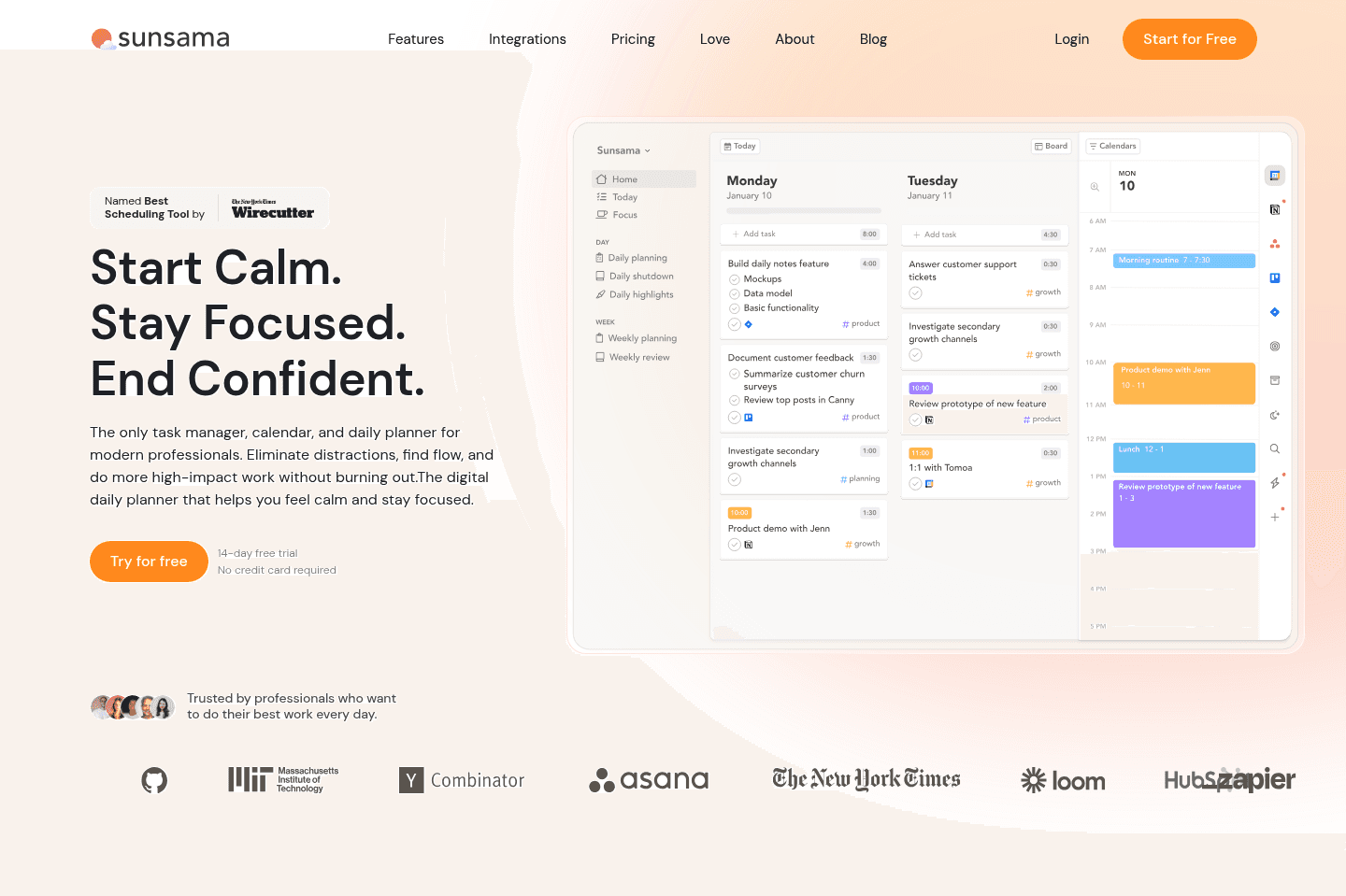
Sunsama is a beautifully designed daily planning app.

It's great for those who enjoy the ritual of planning their day, and don't want to lose the intentionality aspect of daily planning. If you love pen & paper daily planning, yet want a digital planner, but hate the idea of AI running things for you, Sunsama is for you.

Make sure to grab a Sunsama free trial for a free 30 days, if you want to try it (this is normally only 14 days if you go through their site). No credit card required so giving it a shot is easy compared to other daily planners.

Sunsama
Go to Sunsama site

What is Sunsama?

What is Sunsama?

Sunsama is a daily planner built around intentional, manual time blocking. The very first thing it asks each morning is "What do you want to get done today?"

It's intuitive and easy to navigate, giving you a full view of your tasks on one side and your calendar on the other. You have the ability to drag tasks onto your schedule and then reflect on obstacles. Then, at the end of the day, you go through a shutdown ritual and review what you completed. It’s not a tool that's trying to automate your life, but trying to help you be more mindful about it.

I always recommend Sunsama to my friends who love pen-and-paper planners but want a digital version. If you enjoy sitting down for 10–15 minutes each morning to thoughtfully plan your day, you'll probably love what Sunsama brings to the table.

If you hate the idea of AI planning your day, then Sunsama is 100% for you (it's basically the opposite of Motion). There's no AI auto-scheduling or project management tool built in.

My mind (and mental health) loves the idea of Sunsama, but in reality, as a business owner it's not a tool I can activity stay on top of and maintain with the daily rituals. There are too many changes things in my day-to-day that I need something more automated. But if you like calm, I definitely recommend giving it a shot.

Pros and Cons

Pros and Cons

Pros

Pros
  • Structured daily routines
  • Beautiful, calming, minimal design
  • Daily planning and time blocking experience
  • Strong philosophy around healthy work habits
  • Integrates with popular tools (Asana, Monday, Gmail, Slack, etc.)

Cons

Cons
  • Heavy manual daily planning
  • Limited team collaboration features
  • Can feel time-consuming for busy professionals

Key Features

Key Features

Daily Planning

Daily Planning

Sunsama creates an experience that guides you through a routine focused on what you feel, not what is fastest or what an AI automation thinks is most efficient.

There is what Sunsama calls auto-scheduling, which is different from how AI works with tools like Motion. What it means is it uses a mixture of keyboard shortcuts and your preset schedule to place tasks on your calendar, split them, or defer them; it's not actually doing anything with AI or anything that automated.

We could see this really working for someone who prefers control over AI guesswork and already likes sitting down to map out their day. This feels like the cleanest digital version of that experience. It forces you to be realistic about your time and in tune with your day.

Task Aggregation

Task Aggregation

Sunsama doesn’t try to replace your project management software, but it's aware that professionals often need to be in tools like Asana, Monday, Trello, Gmail, Slack, etc.

So it connects to those tools and allows you to pull in tasks, BUT it doesn’t automatically schedule everything. This is different from other tools that, with a click of a button, your entire schedule is ready to go; with Sunsama, you choose what makes it onto your calendar.

It acts more like a daily decision layer on top of your existing stack. Your PM tool manages the big picture, and Sunsama helps you decide what actually gets your time today.

Daily Shutdown & Reflection

Daily Shutdown & Reflection

Much like the beginning of your day, Sunsama has you do a shutdown routine at the end of the day. You review what you completed and reflect on how the day went.

This might sound redundant if you are just trying to be as efficient as possible, but if the goal is awareness and intention, it's powerful. A lot of busy founders just want to close their laptops and be done with the day, but Sunsama makes you pause and look at your progress.

It does a great job of helping you reinforce work boundaries and help you build a healthier relationship with work, because when you see all your output, it makes you realize sometimes it's okay to stop.

Pricing

Pricing
  • Free: 30-day free trial with our Sunsama discount (normally only 14 days if you go direct). No credit card required.
  • Pro: $20/mo per user (billed yearly) or $25/mo (billed monthly). Best for busy professionals who want a full daily planning system with unlimited usage, integrations, and AI features.
  • Enterprise: Unlisted. Includes SSO, SCIM, audit logs, and custom security, compliance, and billing options for larger teams.
8
Linear

Linear

Best for engineering teams

Best for engineering teams

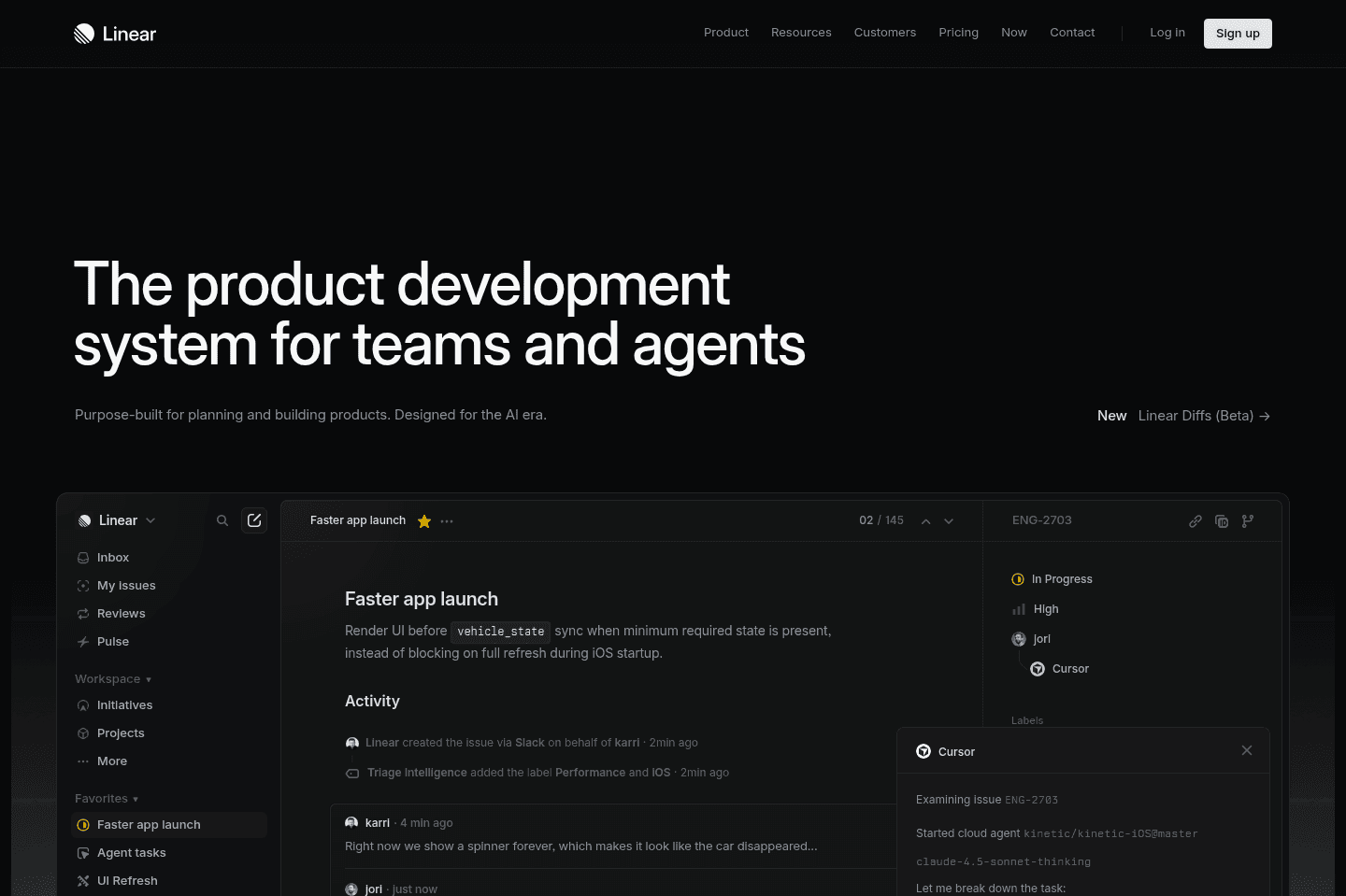
Linear is the best and most modern project management too for engineers. It's specifically designed for engineering workflows, and you won't find anything better.

Linear
Go to Linear site

What Is Linear?

What Is Linear?

Linear is in an interesting category. It's in one way a product tool (e.g. focusing on bugs, feature requests, and sprints/cycles), and another part project management (for managing the tasks around the cycles).

The thing is, Linear is very much built for your engineering and product team to tie in all of this information together. You'd be hard-pressed to use Linear as a replacement for the company's general project management tool.

If you're heavily a product-focused company, and most of your employees are engineers and product people though, you can probably get away with just using Linear as your team's project manager.

Competition

Competition

While some people may say that Asana is a main competitor, we'd probably say that your product/engineering team is trying to fit into the more general project management needs of the rest of the organization.

It's not uncommon for much larger companies to use a general project management tool like Motion or Asana, along with Linear. Heck, even the engineering/product team at Motion uses Linear internally (alongside Motion of course).

The main competitor in this area is really the Atlassian suite (mainly Jira), and, well... Linear is just better and more modern in just about every way. Teams that use Linear often greatly enjoy using it, and have an appreciation for it (hugely advocating it). Whereas teams that use Jira when asked what they think would typically respond with an "it's fine, I guess".

Key Features

Key Features

API

API

Linear also integrates quite well with modern software like Slack via Dispatch. Their API is a joy to work with, and we're actually starting to see modern teams integrate their software with Linear before even that of Jira. That said, most any enterprise tool will integrate with Jira more likely than Linear. So it really depends on the size of your team and the accompanying stack that you're using.

Superhuman Mail
Superhuman Mail
Featured

Get through your inbox 2x as fast (for teams of all sizes).

Our Final Verdict

1
Superlist

Superlist

Best design-focused task and list app

Best design-focused task and list app
2
Motion

Motion

Best AI to-do app for organizing tasks and time

Best AI to-do app for organizing tasks and time
Worth trying
Apps worth trying
These todo list-adjacent apps prioritize another category at their core, but their todo list features are strong enough that you should still consider them.
  1. Comet Browser
    Comet Browser
    Browser

    Best free agentic mode option

    Best free agentic mode option
  2. Clockwise
    Clockwise
    Time Management

    Clockwise optimizes your team’s schedules to create more time in everyone’s day.

    Clockwise optimizes your team’s schedules to create more time in everyone’s day.
  3. Raycast
    Raycast
    Productivity

    Best MacOS spotlight search replacement

    Best MacOS spotlight search replacement
  4. Dub Links
    Dub Links
    URL Shortener

    Best for modern link attribution, a true industry disrupter

    Best for modern link attribution, a true industry disrupter
  5. CleanShot X
    CleanShot X
    Screenshot

    Best for fast Mac screenshots

    Best for fast Mac screenshots
  6. tl;dv
    tl;dv
    AI Note Taker

    Best for low-friction setup that records video

    Best for low-friction setup that records video
  7. Mailman
    Mailman
    AI Email Assistant

    Best for scheduled email delivery

    Best for scheduled email delivery
  8. Dashlane
    Dashlane
    Password Manager

    Best modern password manager

    Best modern password manager
  9. Superhuman Mail
    Superhuman Mail
    Email

    Best overall email client

    Best overall email client
  10. Dia Browser
    Dia Browser
    Browser

    Best for AI power users living in the browser

    Best for AI power users living in the browser
  11. Tella
    Tella
    Screen Recording

    Best for recording + editing course content

    Best for recording + editing course content
  12. Inbox Zero
    Inbox Zero
    AI Email Assistant

    Open-source AI assistant for email

    Open-source AI assistant for email
  13. Screen Studio
    Screen Studio
    Screen Recording

    Best for polished screen recordings

    Best for polished screen recordings
  14. Arc Browser
    Arc Browser
    Browser

    For your productivity workspace

    For your productivity workspace
  15. ChatGPT
    ChatGPT
    AI Chatbot

    Best overall AI chat app

    Best overall AI chat app
  16. Perplexity
    Perplexity
    AI Chatbot

    Best for researching, whether work, student, or personal

    Best for researching, whether work, student, or personal
  17. Granola
    Granola
    AI Note Taker

    Best virtual and in-person AI note taker

    Best virtual and in-person AI note taker
  18. Zapier
    Zapier
    Automation

    Best no-code tool for building app integrations

    Best no-code tool for building app integrations
Discover More Efficient Apps Lists

Explore the best apps across different categories and find the perfect tools to stay productive.

Superhuman Mail
Missive
Notion Mail
Spark
Gmail
Tatem
Hey
Outlook
Skiff
Email

9 apps and 0 deals

Motion
Linear
Asana
Monday
ClickUp
Wrike
Trello
Jira
Shortcut
Project Management

9 apps and 0 deals

Related app comparisons
Browse Categories