 TodoistBest
Best simple to-do app
Best simple to-do app MotionBest
Best AI to-do app for organizing tasks and time
Best AI to-do app for organizing tasks and time SunsamaRecommended
Best for time blocking tasks on your calendar
Best for time blocking tasks on your calendar SuperlistRecommended
Best design-focused task app
Best design-focused task app Morgen CalendarRecommended
Calendar with basic task management
Calendar with basic task management AkiflowRecommended
Best for task consolidation from third party apps
Best for task consolidation from third party apps TickTickRecommended
For barebones task management
For barebones task management LinearRecommended
Best for engineering teams
Best for engineering teams
Best To-Do List Apps at a Glance





Watch the Full Breakdown
Best To-Do List Apps Ranked & Reviewed
Watch our full breakdown of the top to-do list apps, how they performed in testing, and what makes each one worth considering
How We Evaluate To-Do List Apps
We score each to-do list app across speed & productivity, ease of learning, user experience, reliability, cross-device availability, and hands-on expert evaluation
- Speed & ProductivityCan you quickly capture tasks with a single tap using natural language?
- Ease of LearningQuick learning curve, intuitive to use.
- User ExperienceDoes checking items off feel good, and is the UI clutter-free?
- ReliabilityTasks never disappear, minimal bugs, tasks always sync reliably.
- Cross-Device AvailabilityDoes the app allow for a seamless handoff between devices?
- Expert EvaluationCurated by, our rankings reflect in-depth testing, industry insights, and hands-on experience.AlexandAndra
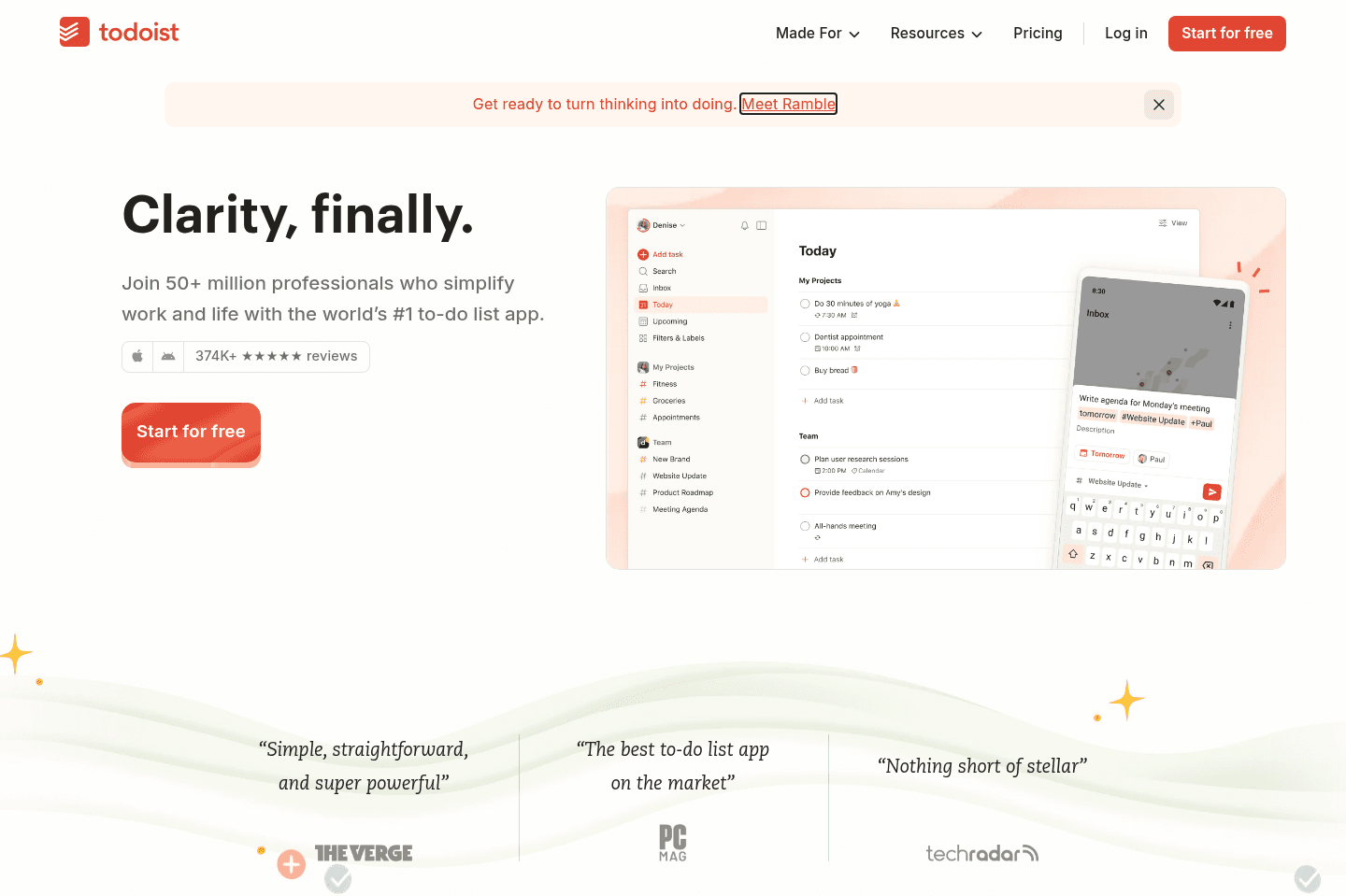
What is Todoist?
What is Todoist?Todoist has been around forever, so it's stable and does exactly what you expect a to-do list to do which is why it's our top pick.
When we tested it, the most noticeable thing was how quick it was to get things from brain to app. You type something like "submit report Friday at 5pm," hit enter, and move on. No friction, no overthinking, which is honestly what most people need. Or even better, their Ramble feature allows you to just list off everything on your mind and it uses AI to intelligently separately them into different tasks. I have Todoist on my phone and can't help but use Ramble when my brain is overloaded.
It's best for individuals managing their personal life who want a bit more structure than Apple Notes or pen and paper. Just about anyone could download Todoist and get the hang of it within 5 minutes, even your mom or grandma! But with that said, once you start expecting more, like planning your day visually or managing collaborative projects, you start to feel its limits pretty quick.
Pros and Cons
Pros and ConsPros
Pros- Easy to learn
- Reliable and stable
- Lots of integrations
- Strong organization with projects, labels, and priorities
- Extremely fast task capture with natural language input via Ramble
Cons
Cons- Basic. If you want something more proactive and handles off, it may feel too simple
- Time blocking and calendar features feel secondary
Key Features
Key FeaturesTask Management
Task ManagementYou can set due dates, reminders, and recurring tasks easily, which makes it great for routines. I’ve used it for things like weekly check-ins or simple habits, and it’s dependable.
Organization + Time Blocking
Organization + Time BlockingA big part of staying organized is having a structure that doesn't overwhelm you. Being able to organize tasks into projects, add labels, set priorities, and switch between list, board, or calendar views (on paid plans) is simple enough to keep you on track without adding to your cognitive load.
Time blocking is a feature many people who are looking for a task manager love to see, and over the years, Todoist has received some pushback from its customers to build a calendar view that allows for task time blocking.
Right now, you're only able to carve out time/tasks with time blocking through the paid plans, but even if you do that, the feature is still subpar. So if you want to enjoy increased productivity, we'd recommend looking elsewhere, and we'd point you toward newer daily planner apps that do task management and time management really well.
Ramble
RambleHonestly, I love this feature. You can add tasks quickly by just speaking out things like "buy Oatly, honey, do laundry, call mom, get dress for June wedding". It separates out each task for you.
This feature helps me most before bed when my brain is still overloaded. I turn on ramble and brain dump, and then it creates tasks for me. This is the only thing that makes my brain relax (I also do this in ChatGPT at times when I'm more so circling thoughts rather than tasks).
Pricing
Pricing- Beginner: Free. Best for individuals looking to manage and organize their personal lives.
- Pro: $7 monthly ($60 yearly). Best for project-oriented individuals trying to find their work-life balance within task management.
- Business: $10 monthly ($96 yearly). Best for small teams who need a dedicated workspace to assign projects and unify team billing.
Get the latest rankings and insights on top Todo List apps—delivered to your inbox. Stay ahead with our expert picks and updates.
Motion
Best AI to-do app for organizing tasks and time
Best AI to-do app for organizing tasks and timeMotion is the most innovative AI-powered project management tool for individuals and teams who want to fully embrace AI to get work done.
It uses AI to take all of your team's projects, tasks, priorities, deadlines, and dependencies to build the perfect day for you and your team, time blocking tasks right on your calendar. They also have AI Docs, & an AI Note Taker, helping you get work done faster.
We've been using it for 5 years and is core to how we manage our time and projects!
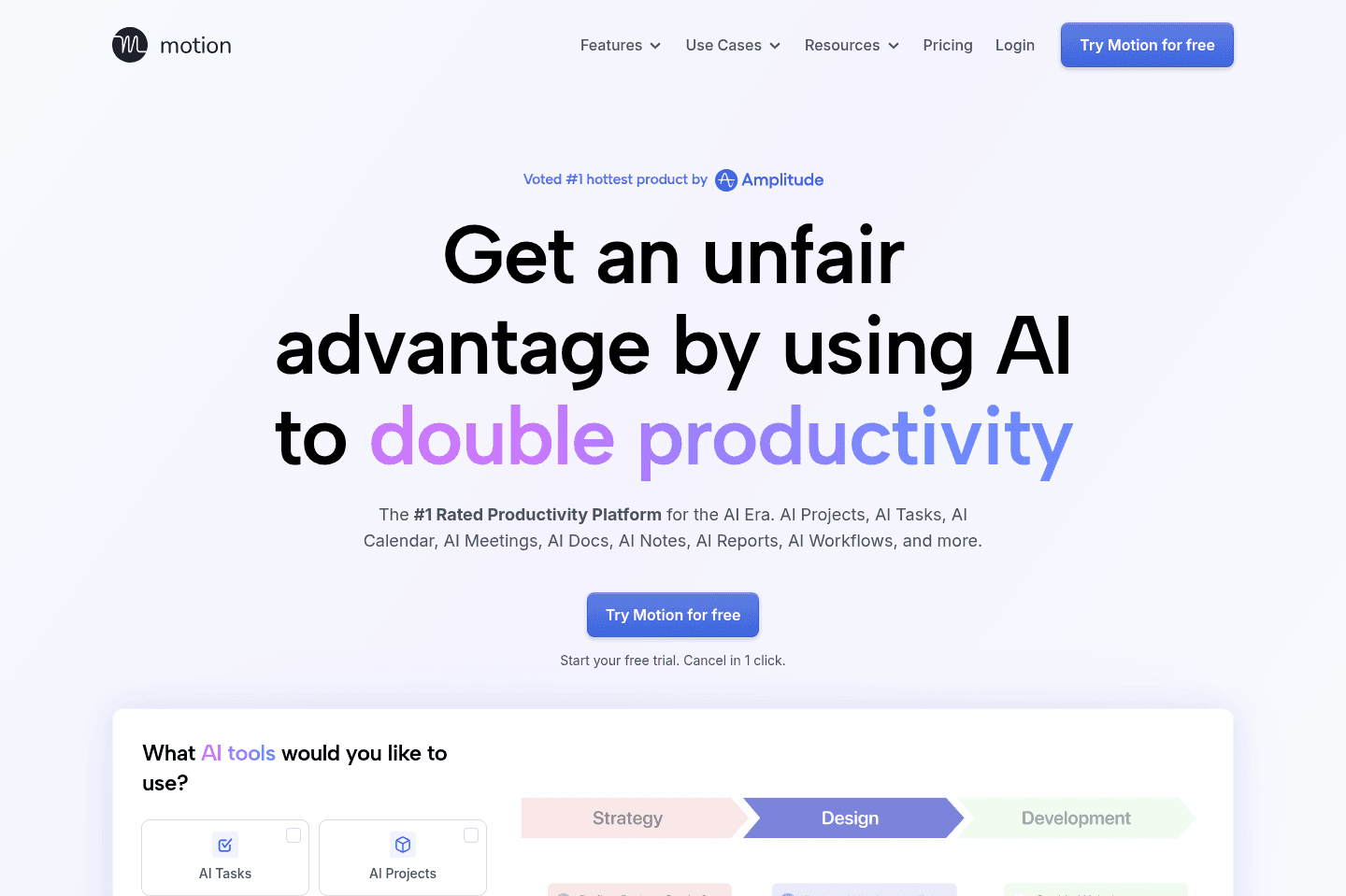
What is Motion?
What is Motion?Motion is a task list on steroids! This is why we’ve used it here at Efficient App for the past several years.
You can place tasks within Motion and it will auto-schedule them on your calendar, adjusting them as you have meetings that come up. It’s one of the only task management tools that allows you to actually see if everything you need to get done in a day is realistic (because if you have 5 hours of meetings and 6 hours of tasks, you’ll understand why you’re running around for 11 hours a day and never have time for that book in bed!).
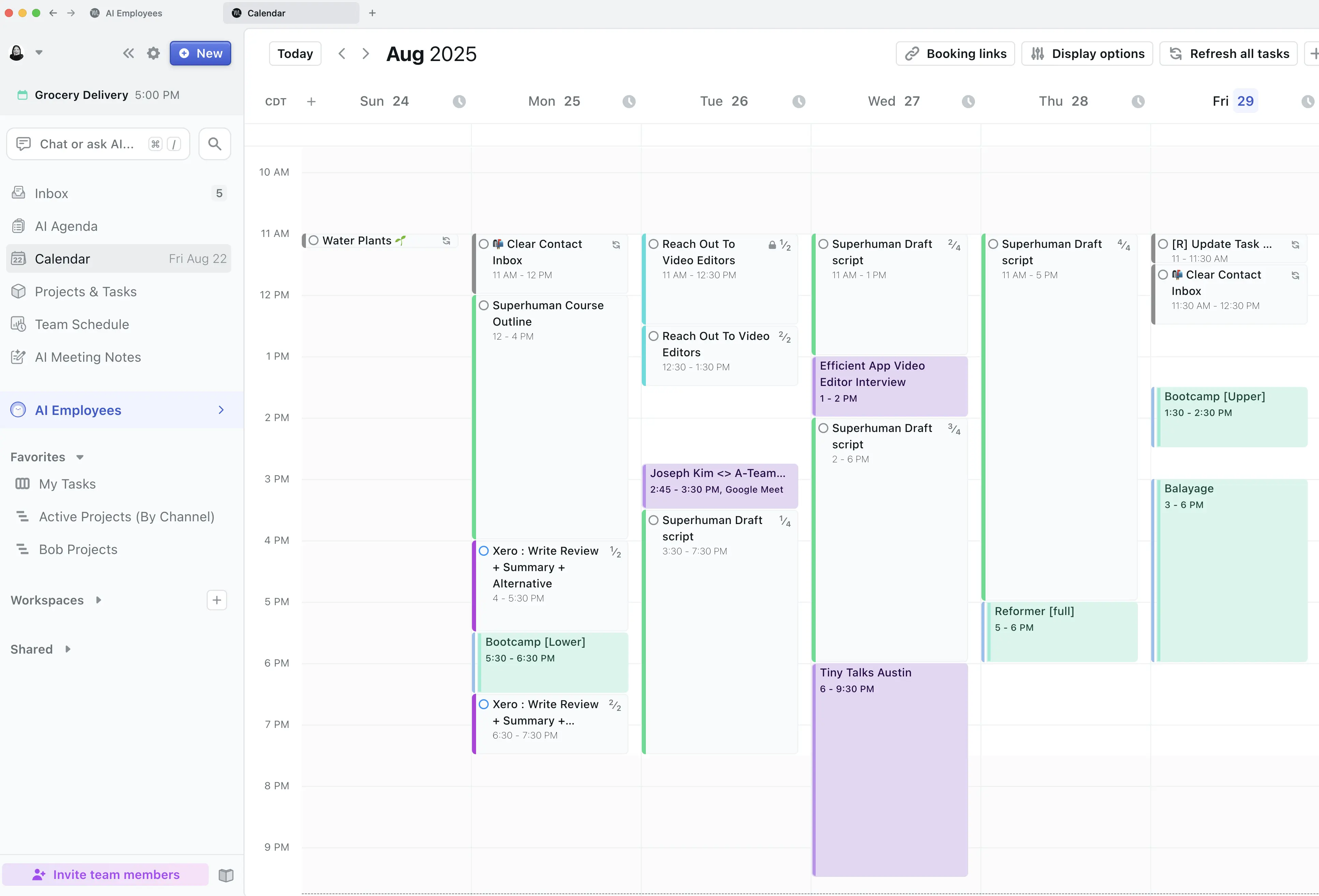
Not only that, you can also manage entire projects as a team within Motion (how we use it), which is super handy if you’re a business.
Pros and Cons
Pros and ConsPros
Pros- More advanced functionality than traditional task management tools
- Valuable for busy professionals and teams who need better organization
- Team collaboration features, including task dependencies
- Schedules tasks on your calendar for you, using AI
Cons
Cons- Not ideal for users seeking a free tool
- Lacks integrations with third party tools
- May feel over-engineered for those who only need basic task tracking
Key Features
Key FeaturesAI Task Management
AI Task ManagementMotion combines your calendar and task and project management into one system. Instead of just listing tasks, it takes into account in your actual availability and automatically schedules your work, so you can see what is realistically achievable in a single day. You can use it on your own, or with a team.
You also get an AI Agenda with Motion. How this works is every day, you get a brand new list view of tasks in a document. You can use it to jot down any extra notes or to-dos for the day, and then the next day, you get a brand new list automatically generated for you with task items listed by the priority you previously set.
Project Management
Project ManagementYou can fully manage projects end-to-end within Motion. Beyond it's calendar view, it also has Kanban views and Gantt views and project workflows for repeatable projects (e.g. we use it for our content creation workflow, from scripting to filming to editing as a team).
So if you have any "projects" that you are consistently working on (whether personal or for work), Motion is a tool that can bring it all together.
Team Collaboration
Team CollaborationSimple to-do apps are designed mainly for individuals, with any team features created as an after thought. Motion includes team functionality to help you collaborate on projects.
You can even set task dependencies, meaning one team member can indicate they are blocked until another task is completed. This adds a level of structure and clarity that a lot of traditional task managers miss.
Pricing
PricingMotions prices range from $19 to $34 per month (Individual to Team plans).

Get through your inbox 2x as fast (for teams of all sizes).
Sunsama
Best for time blocking tasks on your calendar
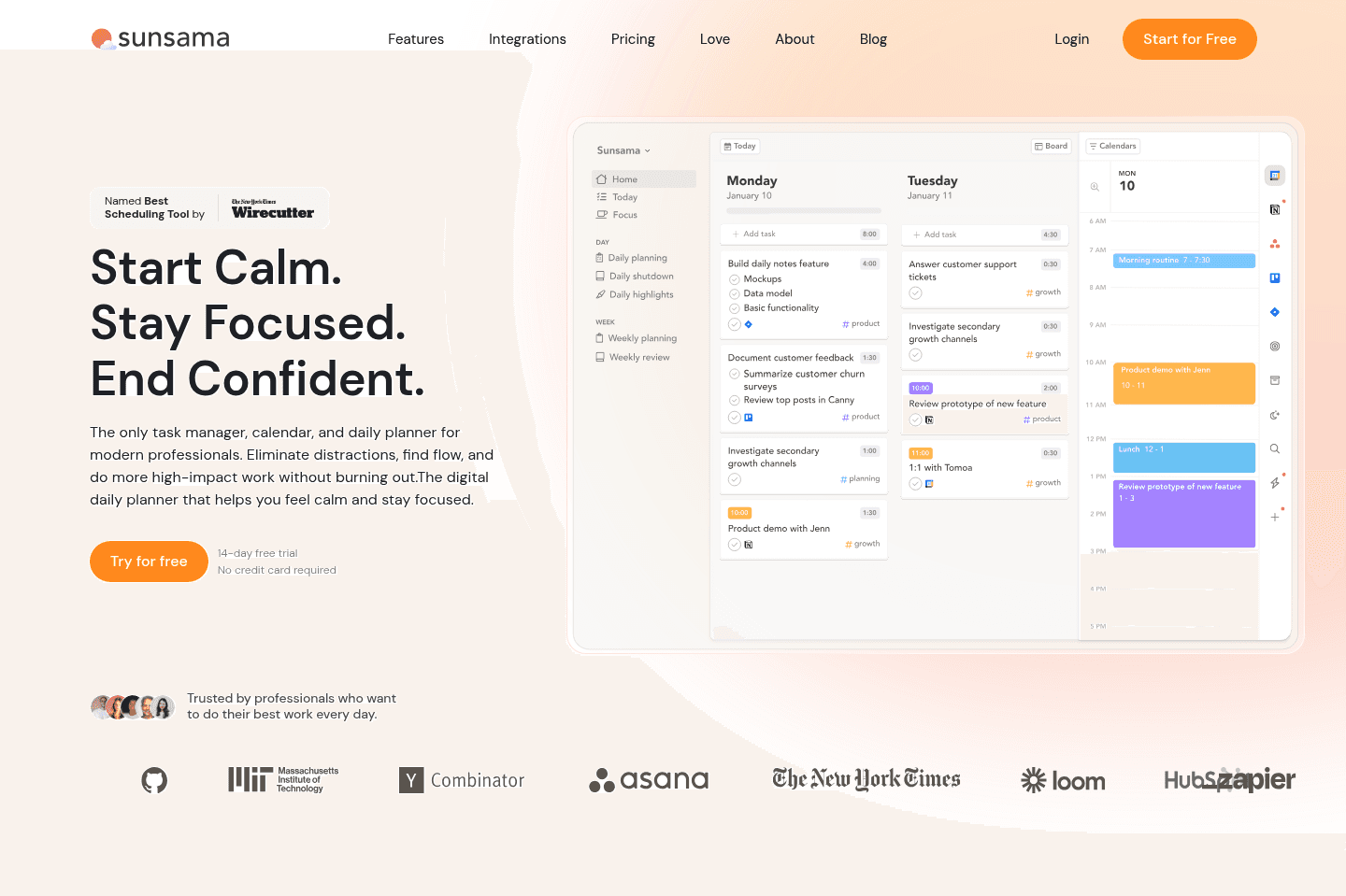
Best for time blocking tasks on your calendarIf you often feel like you are biting off more than you can chew in your day and then beating yourself up for not being productive enough, Sunsama is for you. It helps you plan your tasks on your calendar to get a more realistic view of what you can get done.
Make sure to grab a Sunsama free trial for a free 30 days, if you want to try it (this is normally only 14 days if you go through their site). No credit card required so giving it a shot is easy compared to other daily planners.
What is Sunsama?
What is Sunsama?Sunsama isn’t trying to be a traditional task manager. It's a daily planning tool that include tasks. Their whole thing is wanting you to really place attention on what actually deserves your time today, which personally, I love the idea of. If you've ever heard of "time boxing" or "time blocking" that's exactly what Sunsama is good at.
You get a calendar view, and you drop and drag the tasks you want to get done for the day on your calendar. The tool itself also has a very beautiful and calming interface.
If you're an overachiever and tend to tell yourself you'll get the world done in an afternoon, Sunsama will also help set realistic expectations.
The only thing is, you need to actually make the time to plan your day. Which means it's only as useful as the discipline and enjoyment you have from planning your day. When I time block my tasks, I always find I am more efficient and focused so it's something I deeply value.
To make it easier to use, you can pull in tasks from tools like Asana, Gmail, or Notion, then intentionally choose what makes it onto your schedule.
Pros and Cons
Pros and ConsPros
Pros- Clean, calming interface
- Works well if you like being hands-on with your schedule
- Allows you to drag tasks on your calendar
- Gives you a realistic view of what you can get done in a day
- Encourages a consistent daily routine (planning + reflection)
- Strong task aggregation from tools like Asana, Gmail, Slack, etc.
Cons
Cons- Can feel like extra work if you’re already busy
- Limited collaboration and partner/team functionality
- Not designed for projects
Key Features
Key FeaturesDaily Task Planning
Daily Task PlanningSince Sunsama forces you to slow down, that means setting aside some time daily to decide what's going to make it onto your calendar. Most task management tools have you dump tasks into a list that you can quickly sort through. But with Sunsama, it's about intentionality, so you choose tasks and schedule them thoughtfully.
I always recommend Sunsama to friends who have relied on pen and paper for task planning and want to make the jump to something digital. It captures that same satisfying feeling of planning, organizing, and structuring your day.
All in all, the daily task planning process works really well if you like structure and routine, but you're going to feel the friction if you prefer speed and efficiency.
Task Aggregation
Task AggregationSunsama wants you to bring in all your tasks from other tools so that you can effectively manage your day. They've made it easy to do so with their integrations.
Sunsama's native integrations include Asana, ClickUp, GitHub, Jira, Linear, Monday.com, Trello, Todoist, Notion, Microsoft To Do, Google Tasks, Gmail, Outlook, Slack, and Microsoft Teams. On the calendar side, it supports Google, Outlook, and Apple/iCloud.
Beyond that, they now have MCP support with Claude and ChatGPT and Zapier triggers (on the Power Pro plan), which extends connectivity significantly.
Daily Shutdown & Reflection
Daily Shutdown & ReflectionSunsama walks you through the tasks you completed and helps you reflect so you can be better prepared for the next day.
If you care about building better habits and awareness, it definitely nails that.
Pricing
Pricing- Free Trial: Use this Sunsama Discount to get an extended 30 day trial.
- Pro: $17/user/month (billed annually) or $22/user/month (billed monthly). Sunsama only offers a single paid plan. It includes unlimited usage, unlimited integrations, and access to AI, MCP, and Zapier features. This is the plan most individuals and teams will use.
- Enterprise: Custom pricing. Designed for larger organizations that need SSO/SAML, SCIM provisioning, audit logs, custom privacy requirements, security reviews, compliance support, and enterprise billing options. Contact sales for pricing.
Superlist
Best design-focused task app
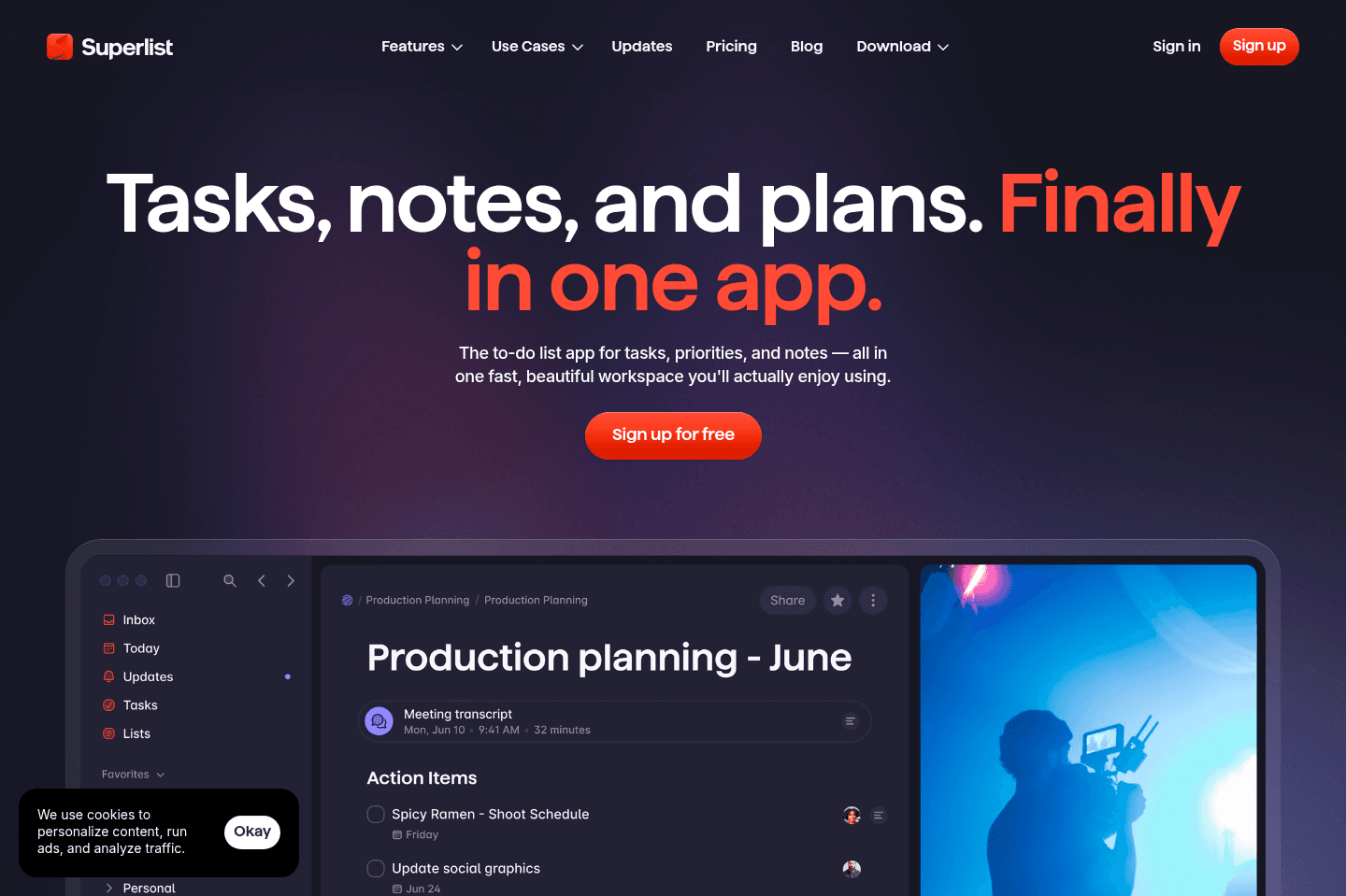
Best design-focused task appWhat we love about Superlist is the thoughtful design, the satisfying nosies it makes as you tick something off, and the cool little swiggly lines. It's a beautiful productivity app.
What is Superlist?
What is Superlist?Superlist is a beautifully designed personal task manager, and when we've tested other tools, we can't help but think of Superlist's standout user interface. Since it blends tasks with docs, it's a great alternative for those who are looking to replace their Apple Notes or native notes app.
We used Superlist while we were in the middle of a move, and it gave us the ability to not just categorize everything in one list, but since it provides an option to add images and nest lists, we were able to keep context and action in one place without bouncing between apps.
However, once you start trying to collaborate with a team of more than 3 people, we could see the organization becoming overly complex and more of a mental load than a solution. So, if you plan on using this to scale for a real business, it's going to feel too simple, and having everyone working within the infinite lists is going to get messy, but if you're an individual or a couple, it's a great way to stay organized.
A glaring issue for us was how restrictive the paid version felt. It got frustrating pretty fast, so if you were going to commit to Superlist, it would mean committing to paying for a paid version to get full use out of it, with collaboration being a big differentiator.
Pros and Cons
Pros and ConsPros
Pros- One of the best-designed to-do apps
- Flexible organization with nested tasks and lists
- Fast task capture with natural language and voice input
- Combines tasks + notes in a way that reduces app switching
- Great for couples or small teams assigning tasks to each other
Cons
Cons- Not built for real team or business workflows
- Many features (AI, voice) are paywalled
- Can get messy if you overuse nested tasks or lists
- Free version feels limited
Key Features
Key FeaturesNLP + Voice Task Creation
NLP + Voice Task CreationSuperlist does natural language processing very well.
You can quickly add tasks by typing (free version) or speaking (paid version) things like "remind me Thursday at 3pm to pick up groceries," and it automatically will plug all that in.
We love this for when you just need to think out loud and get all your tasks dumped into your inbox so you can quickly sort them later.
Tasks + Lists
Tasks + ListsWe used Superlist to help organize our move. Being able to take notes on what decor items we'd like in different areas of our condo and adding in links and pictures and have them in one place was awesome. It was like "I need to get kitchen stools, and here are all the options I'm considering". It was more powerful than a regular to-do app.
On top of that, the design of the task list is aesthetic. It almost feels like a digital notebook. And you get some nice sounds when you tick off an item too!
Collaboration
CollaborationGoing back to our moving processes, it was such a huge help to be able to assign each other tasks. It was so simple and frictionless, which makes it an awesine option for couples or very small teams. Since there's no real setup, very straightforward; you just share a list and start assigning.
Pricing
Pricing- Free: Best for individuals looking for a native notes app alternative and light personal use.
- Plus: $6/month ($59 yearly). Best for individuals or families wanting to manage and assign unlimited tasks, as well as some AI capabilities.
- Super: $25/month ($249 yearly). Best for individuals or small teams who want full access to unlimited AI and advanced features.
Get through your inbox 2x as fast (for teams of all sizes).
Morgen Calendar
Calendar with basic task management
Calendar with basic task managementWith Morgen Calendar, you will get a better experience than Google Calendar/Outlook.
It feels faster and has a better design, and you also have the ability to add barebones tasks to Morgen. So if you're just starting to dip your toes into the daily planning calendar space, Morgen is worth giving a shot.
If you're more serious about daily planning, make sure to also read about the best daily planners available on the market that are more designed for true task and project management at the core.

What is Morgen Calendar?
What is Morgen Calendar?If you think about Morgen as a to-do list, it's not going to make a whole lot of sense, but if you reframe and take it for what it is, which is a calendar with tasks built in, then it's going to click better.
Using Morgen Calendar is going to be a different experience than using a tool like Todoist or Superlist, because instead of having a dedicated space where tasks live in a list, you actually see what your full day looks like with those items on it. For us, dropping tasks directly onto the calendar and blocking time for each of them felt way more natural than keeping a separate list and hoping I'd get to it later. So it does a great job of eliminating the "out of sight, out of mind mentality.
If you're juggling a few tools like Notion, Todoist, or Linear, Morgen can help centralize those tasks and give you space to execute from one place. That's especially helpful on busy days where context switching between apps slows you down.
The user experience with Morgan was fast and intuitive. Obviously, since this is a calendar, the pure task management aspect is pretty limited. You can still create tasks, subtasks, and recurring items, but there's no real depth or structure beyond that.
Pros and Cons
Pros and ConsPros
Pros- Supports recurring tasks and basic task structure
- Helps centralize tasks from other tools into one view
- Great for time blocking tasks directly on your calendar
- Clean, fast, and easy to use with minimal learning curve
- Works well for individuals managing personal schedules
Cons
Cons- Limited as a standalone task manager
- Not built for teams or complex workflows
- AI planner requires manual input and oversight
- Integrations are useful but not as deep as competitors
- Monthly pricing feels expensive compared to alternatives
Key Features
Key FeaturesCalendar Task + Time Blocking
Calendar Task + Time BlockingYou have the ability to create tasks, but instead of them sitting there in an inbox waiting for you to check them off or assign them to the right list, you can pop them onto your calendar, add the timeframe, and now you've got a nice overview of your day.
If you've already been time blocking on your current calendar, this will feel like a natural upgrade. That also means cutting the friction of having to jump over to a separate task list; now, everything lives in one place, which makes execution much easier (and more likely to get done).
AI Planner
AI PlannerIf you've been wanting to go beyond a few checklist items, Morgen's AI will give you a starting point. It basically takes things you've created (task priority, availability, and due dates) and then suggests how to schedule your tasks based on priorities and availability. It's actually a good idea for getting a rough plan together, but you still need to review and adjust everything yourself, so because of that, we'd consider it more of a planning assistant rather than a fully automated system (which is why prefer Motion for this type of thing).
Pricing
PricingIt's worth mentioning that Morgen Calendar really only makes sense on the annual plan. The monthly price feels comparably high for what you get.
- Monthly: $30/month
- Annual: $15/month (includes Mobile app)
Akiflow
Best for task consolidation from third party apps
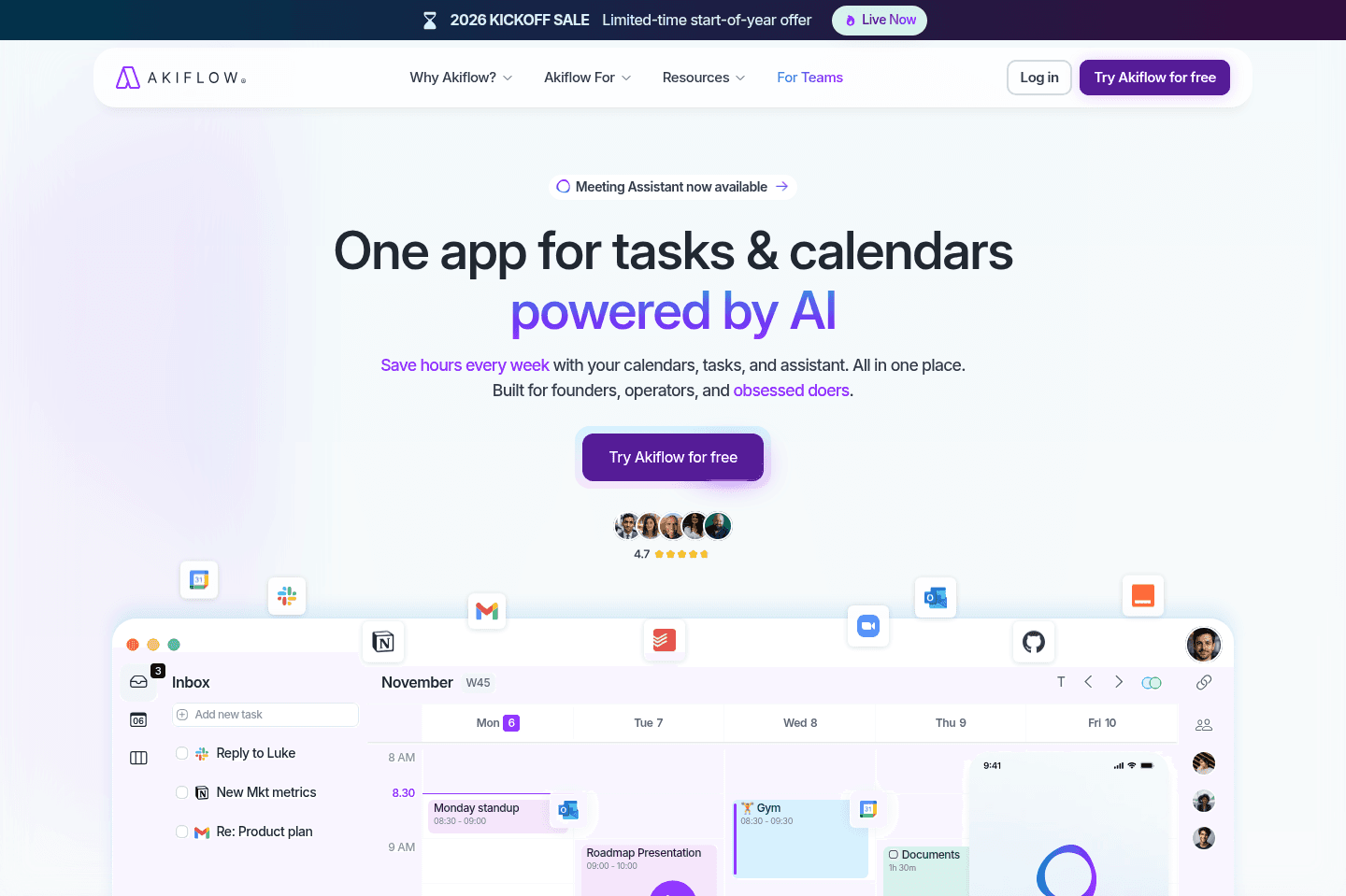
Best for task consolidation from third party appsAkiflow is a daily planner for task consolidation (aka bringing tasks from many different apps into one place so you can more easily triage). It has integrations with tons of tools like ClickUp, Asana, Monday, and communication tools like Slack and even your email.
When we used it, we didn't stick to it (turns out adding all of our tasks in one place resulted in overwhelm after a few weeks).
What is Akiflow?
What is Akiflow?While Akiflow is a central command center that pull all your tasks from Slack, email, Notion (and many other tools) into a single inbox. Of course, you can also pop your to-do list right within Akiflow too.
Something that's a bit hit or miss, depending on how much you plan to import, is task consolidation. Having all your tasks in one place has pros and cons...pro is that you get a single view of everything you need to do. Con is that your task inbox will explode. ⚠️💥 The line between "this is helpful" and "this is chaos" is VERY FINE.
We experienced this ourselves when using Akiflow. Alex used it for a while, and at first it was interesting, but then quickly became overwhelming and something he didn't want to open. Learn from us: pulling in EVERY Slack message into your to-do app is not the way to go 😅.
The people who get the most out of Akiflow are the ones who are intentional about what they bring in and focus on actual tasks, not every notification or quick reply.
Pros and Cons
Pros and ConsPros
Pros- Flexible organization with tags and basic structure
- Extremely fast task capture with keyboard shortcuts
- Strong task consolidation from Slack, email, and PM tools
- Great for power users managing tasks across multiple tools
- Centralized inbox gives you a single place to triage everything
Cons
Cons- Organizational abilities are limited
- Not beginner-friendly as a first task management tool
- Easy to fall behind on triage, which creates backlog stress
- Can become overwhelming quickly
Key Features
Key FeaturesTask Capture & Triage
Task Capture & TriageAkiflow is built for speed. It lets you quickly add tasks using keyboard shortcuts, then has you triage them by planning, snoozing, or rescheduling. It feels a lot closer to a traditional task manager, but faster.
The tradeoff is that everything is manual, so adding in all your tasks for the day does take away from your time.
Centralized Task Inbox
Centralized Task InboxAkiflow pulls tasks from Slack, Gmail, Notion, and more into one spot so you don't have to constantly switch between contexts. It does it all automatically.
Our biggest recommendation is to be selective. Don't get excited and bring in every small message, just focus on real tasks.
Calendar
CalendarSince Akiflow integrates with your calendar, you can drag all your tasks onto your calendar and plan your day from there.
That said, nothing happens automatically... It takes time to time block, so just be real with yourself if it's something you'll do.
Pricing
Pricing- Monthly Plan: $34/month (Quite expensive compared to other daily planners that are more powerful)
- Yearly Plan: $19/month billed annually
Get through your inbox 2x as fast (for teams of all sizes).
TickTick
For barebones task management
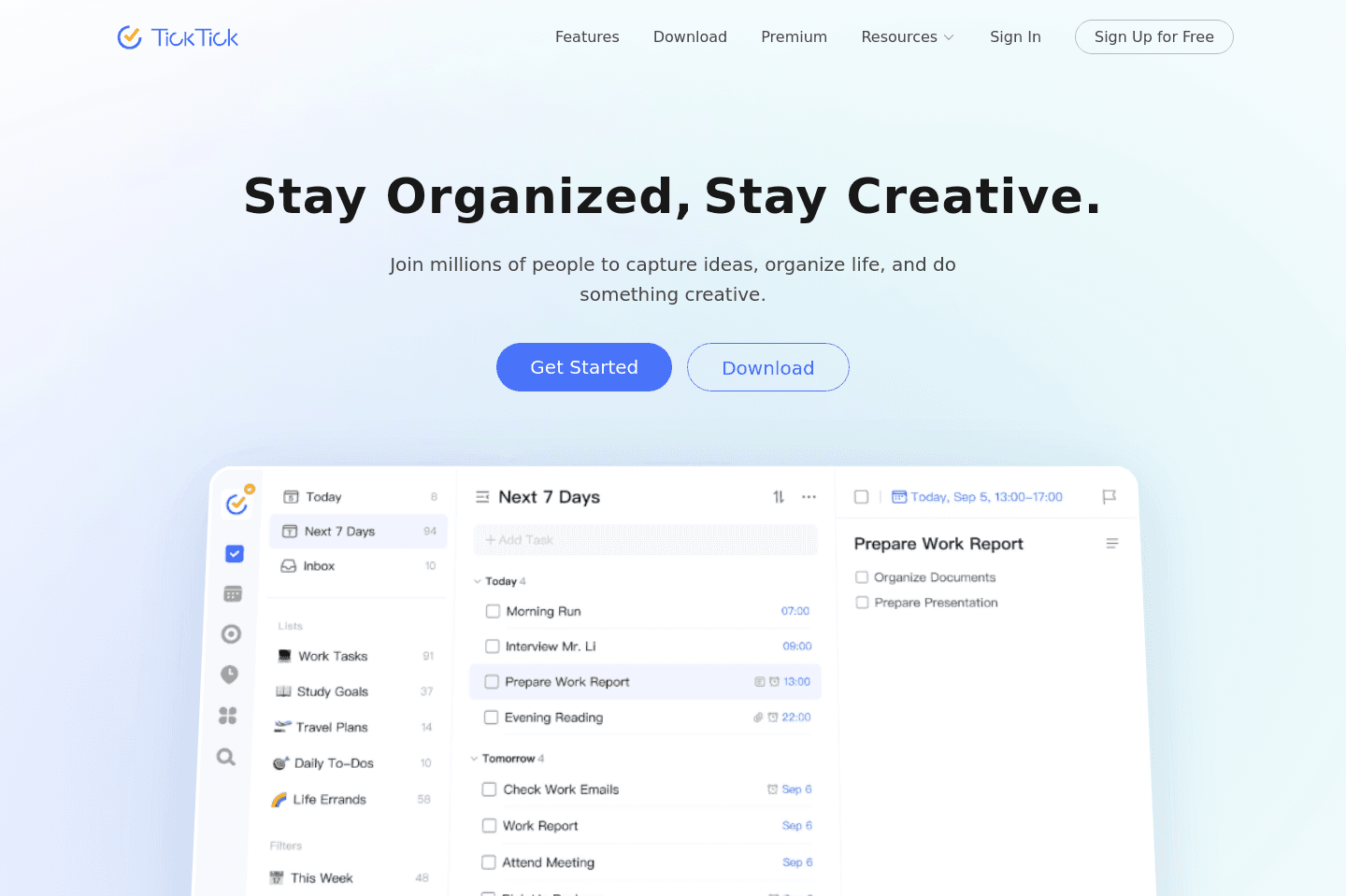
For barebones task managementTickTick is a barebones task management app with decent functionality. When comparing it to the more modern task management apps, it feels quite dated. But if you want something that is just functional and free, TickTick is worth giving a shot.
What is TickTick?
What is TickTick?With someone like MKBHD using it, you'd think it would be top-tier, but my dad also uses it, and we feel like that's a better representation of this task management tool. It's a reliable basic to-do list where you can add tasks, set deadlines, organize things with tags, and move on.
It's 100% a step up from Apple Notes or Google Keep, and great for repeatable habits. Matter of fact, Alex still gets notifications from TickTick to take his supplements daily 😄
TickTick works best when you don't want to think about your system too much. They did a great job of leveraging NLP to help you capture tasks fast, but beyond that, it doesn't really evolve with you. The interface feels dated and has a cluttered feel. Plus, their calendar sync only works every 15 minutes.
The upside is that it’s free and dependable. If you compare it to Todoist, Todoist feels more polished and intentional. When you put it next to Superlist, TickTick is far less enjoyable to use but more practical if you want a useable free option. Overall it's a good reliable option, but not something we'd go out of our way to recommend first.
Pros and Cons
Pros and ConsPros
Pros- Fast and frictionless task capture
- Easy to organize with tags and lists
- Simple and reliable for everyday personal tasks
- Very generous free tier (you can use it long-term without paying)
Cons
Cons- Collaboration features are weak
- Calendar sync is slow and can lag
- Interface feels dated compared to newer tools
- Doesn’t scale beyond basic personal task management
- Lacks depth for planning, workflows, or meaningful organization
Key Features
Key FeaturesNatural Language Processing
Natural Language ProcessingWhile it is table stakes at this point, TickTick did nail NLP. It's always nice to have the ability to type in a quick, "schedule grocery delivery for 5pm" and go on about your day knowing it's automatically been tracked. It makes task management frictionless, which makes it easier to stick with.
Recurring Tasks & Reminders
Recurring Tasks & RemindersIt's straightforward, and it works. There's not really any level of intelligence or optimization here, just reliable repetition. It is nice to have the ability to create tasks on quick reminder.
Pricing
Pricing- Free: Best for individuals who want a reliable, no-cost task manager for personal use.
- Premium: ~$3/month ($35.99 yearly). Best for individuals who want to prioritize their day and enjoy advanced features like added integrations or multiple calendar syncing.
What is Linear?
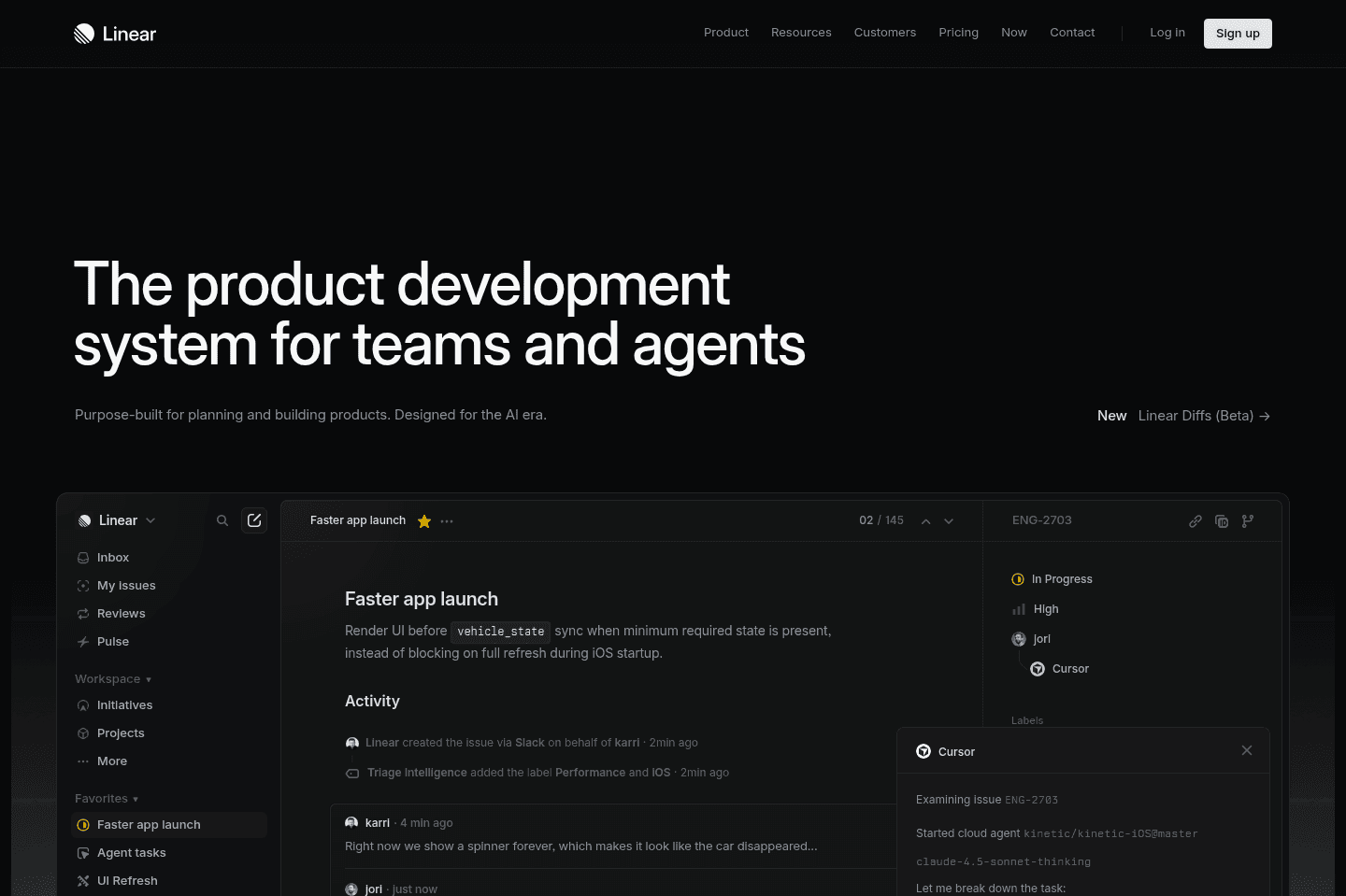
What is Linear?Linear is in an interesting category. It's in one way a product tool (e.g. focusing on bugs, feature requests, and sprints/cycles), and another part project management (for managing the tasks around the cycles).
The thing is, Linear is very much built for your engineering and product team to tie in all of this information together. You'd be hard-pressed to use Linear as a replacement for the company's general project management tool.
If you're heavily a product-focused company, and most of your employees are engineers and product people though, you can probably get away with just using Linear as your team's project manager.
Pros and Cons
Pros and ConsPros
Pros- Our engineers adopted it with zero training, zero hand-holding, and loved it from day one
- Engineers can work straight from the terminal without ever opening the app
- Integrates with GitHub, Slack, Claude, Cursor, Codex
- Built for engineering teams with cycle planning
- Useful project progress views
Cons
Cons- Not built for non-technical teams, marketing and ops will feel boxed in
- Standalone AI features are fine, nothing mind-blowing
- Not the tool you'd roll out company-wide
Key Features
Key FeaturesIssue Tracking
Issue TrackingYou can track bugs, features, fixes, and internal tasks, but the important part is that it doesn't feel like a giant admin exercise for our team. Linear doesn't make engineers feel like they are updating a dashboard just so someone else can make a prettier status report. Instead, it gives them a clean list of what needs to be done next, which sounds boring until you've used tools that make that weirdly difficult.
Bob, our Head Engineer, said, "Right now, I have a list of all the tasks that I need to do, and it's nice and simple. That's what I like about it." Which pretty much sums up the whole argument for why to use Linear. Managers still get visibility, but the engineer doesn't have to lose their day to the tool.
Cycles & Milestones
Cycles & MilestonesIt's easy to keep our team focused on top priorities with Linear. The main reason we implemented it was because it became clear our engineers were getting swallowed by Slack messages and Vercel comments, and there was no prioritization. Once we implemented Linear, we were able to ship much more cohesively. In other words, we started all rowing in the same direction.
Linear is set up for how engineers work. For example, cycles are a core part of the product (you don't get that in any of the other project management tools on this list).
You also get decent project views that tell you how close you are to completing a project. It was humbling seeing our website launch sitting at 75% complete when I was convinced we were further along. But it gave me a reality check, and the ability to go through each ticket to determine what was actually required pre-launch to move things along more quickly.
Developer Workflow Integrations
Developer Workflow IntegrationsThis is the part that makes the biggest difference for our team. Linear connects into the tools engineers already use (GitHub, Slack, Claude, Cursor, Codex, and terminal-based workflows).
Our head engineer's favorite thing about Linear was that he could stay in his terminal and never have to jump back into the app to stay on top of things.
He asks it what changed since he last checked, which tickets were urgent, or even what someone on the team seems worried about (appreciate you Bob!).
The Slack integration is awesome too. A bug gets mentioned in a channel, someone pastes in a screenshot, and you just @Linear to ask it to create an issue.
Pricing
Pricing- Free: Best for individual developers or small teams who want a clean task list without needing advanced workflows.
- Basic: $12/user per month ($120/yr). Best for small engineering teams that want fast, streamlined task and cycle management.
- Business: $18/user per month ($192/yr). Best for growing teams that need more integrations, visibility, and control across multiple projects. This is where most scaling startups will land.
- Enterprise: Custom pricing. Best for larger organizations that need advanced security, permissions, and deeper customization across engineering teams.
Get through your inbox 2x as fast (for teams of all sizes).