Summary
Summary Notion CalendarBest
A beautiful, minimal free calendar built on Google Calendar
A beautiful, minimal free calendar built on Google Calendar MotionRecommended
Best AI calendar that schedules tasks around meetings
Best AI calendar that schedules tasks around meetings Superhuman MailRecommended
Best calendar for those already using Superhuman Mail
Best calendar for those already using Superhuman Mail Morgen CalendarRecommended
Best calendar with basic AI task management
Best calendar with basic AI task management VimcalRecommended
Built for Executive Assistants
Built for Executive Assistants Fantastical
For MacOS + iOS only
For MacOS + iOS only
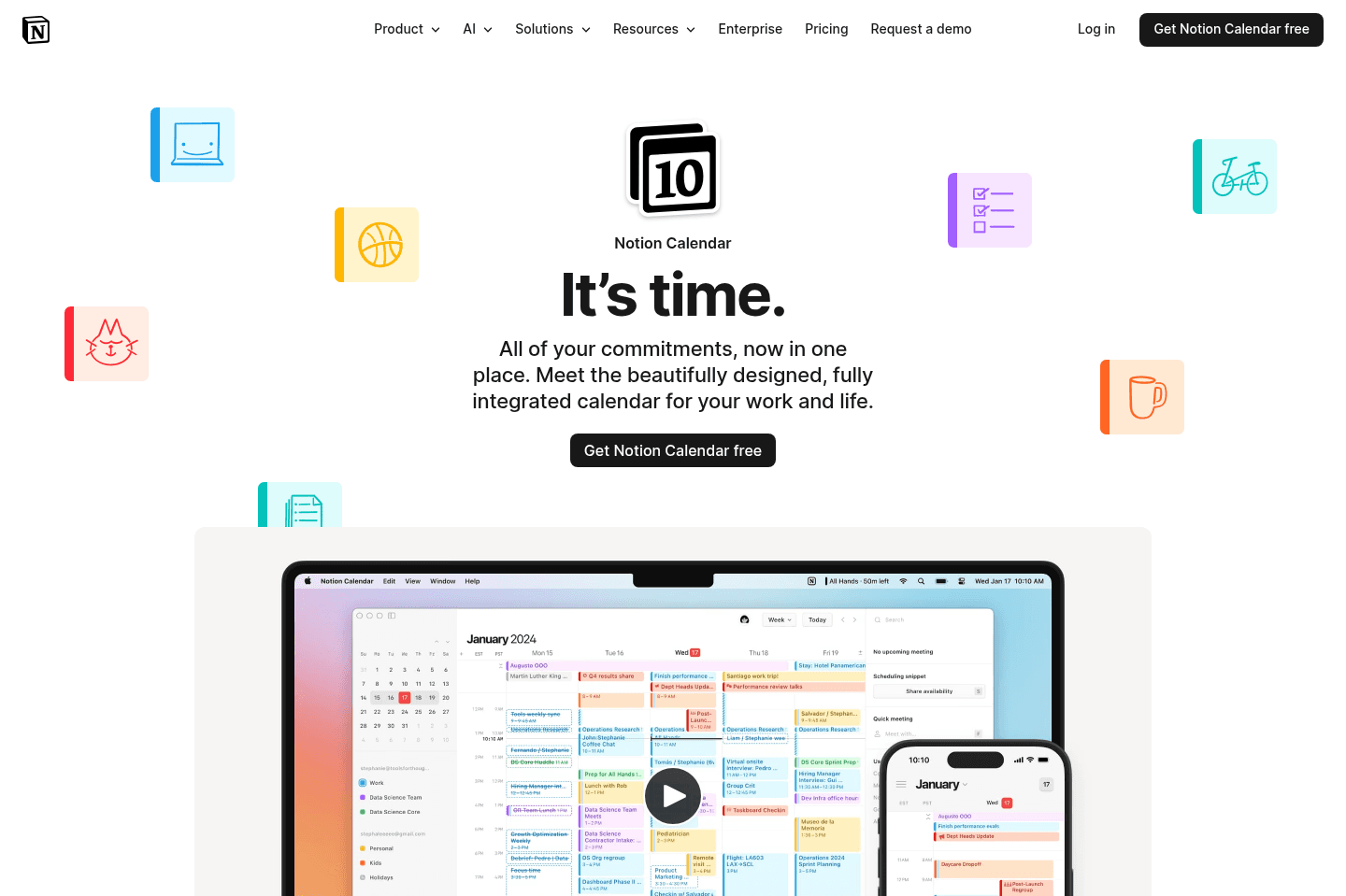
Notion Calendar
Notion CalendarBest alternative for those wanting a design-focused Google calendar replacement.
Notion Calendar is a great alternative for those who want a fast, visually polished calendar experience that feels intentionally crafted. If you care about thoughtful design details, smooth multi-day views, and keyboard shortcuts that speed up everyday scheduling, this app stands out.
It's especially worth considering if you want a free tool to replace your current calendar, or if you're a Notion user looking to see your Notion database items alongside your events. The interface prioritizes usability and aesthetics, making it a favorite among design enthusiasts and those who appreciate a minimal, responsive workflow.
If you rely on deep calendar integrations within Notion or want full feature parity on mobile devices, you may find the integrations basic and the mobile experience more limited.
Motion
MotionBest alternative for calendar-driven AI project management.
Motion is a great alternative for those who want their project management tool to take the hassle out of scheduling and prioritization. If you're tired of constantly updating deadlines or figuring out what to focus on next, Motion stands out by automatically organizing your team's tasks directly onto your calendar, adjusting as meetings and priorities shift. It's actually one of the first AI tools our team adopted.
This approach is especially useful for small to mid-sized teams, busy professionals, or freelancers who want to spend more time working and less time managing their workflow. Motion also brings meeting notes, documentation, and workload tracking into one place, making it easier to keep everything connected without jumping between tools.
If you prefer to control every detail of your schedule yourself or need advanced reporting and dashboards, Motion may not be the best fit. It's also not designed for large enterprise environments.
Superhuman Mail
Superhuman MailBest alternative for fast focused email.
Superhuman Mail is the best alternative for those who spend a significant part of their day in email and want to move through their inbox at maximum speed without distractions. If you check email multiple times per day, rely on keyboard shortcuts, or feel bogged down by slow load times and clutter, this tool is built to keep you in flow. Its minimal design and instant performance make it easy to process messages quickly, batch similar emails, and stay focused even when inboxes get overwhelming.
If you handle sales, manage a team, or need to collaborate on email threads, Superhuman Mail's workflow features and AI tools can help you draft replies in your own voice, track follow-ups, and share threads for input without leaving your inbox. The mobile app is designed for fast triage on the go, so you can stay on top of things wherever you are.
If you rarely use email or don't feel slowed down by your current client, Superhuman Mail may feel unnecessary. But for anyone who lives in their inbox and wants the fastest, most focused email experience, it's a clear top choice.
Morgen Calendar
Morgen CalendarBest alternative for simple daily planning.
Morgen Calendar is a great alternative for those who want an attractive, easy-to-use calendar that also lets you add a few basic tasks to your day. If your workflow is mostly personal or you just want to try daily planning without committing to a more complex system, Morgen makes it easy to get started. The interface is polished, the desktop app is intuitive, and you can quickly drag simple tasks onto your calendar.
If you're looking for a daily planner to handle a high volume of tasks or complex projects, Morgen's manual approach and limited features will likely feel too basic. Power users and teams needing more robust automation, integrations, or advanced scheduling will probably outgrow it fast.
Vimcal
VimcalBest alternative for high-volume meeting schedulers.
Vimcal is an alternative for those who manage a packed calendar and need to coordinate meetings across multiple time zones and participants. If you're an executive assistant, founder, or part of a sales or remote team with a steady flow of meetings, Vimcal's scheduling tools can help you find availability quickly and cut down on back-and-forth.
The app stands out when you're dealing with complex scheduling logistics, especially if you regularly work with people in different regions. Its natural language event creation and time zone features are built for users who value speed in setting up meetings.
If you only need a basic calendar or rarely schedule group meetings across time zones, Vimcal's interface may feel more complicated than necessary, and its iOS-only free tier is limiting for Android or desktop-first users.

Fantastical
FantasticalBest alternative for Apple-focused personal calendars.
Fantastical is an alternative for those who want a calendar app that makes day-to-day scheduling on Mac or iOS a bit smoother than the native Apple built-in options. If you're managing multiple personal calendars, like family, school, or household events, and want something familiar but slightly more capable than Apple Calendar, Fantastical fits that workflow. Natural language event entry and the ability to group calendars help keep things organized for busy personal lives.
If you're looking for a calendar for professional use, team management, or advanced task scheduling, Fantastical will feel limited. Its task features are basic unless you rely on third-party integrations, and the overall experience feels dated compared to newer options.

Reclaim AI
Reclaim AIBest alternative for defending focus time.
Reclaim AI is an alternative for those who work in larger teams, constantly face packed calendars, and need help protecting time for habits and focused work. If your days are eaten up by internal meetings and you find yourself missing lunch or unable to carve out time for deep work, Reclaim can automatically block off these windows based on your rules, keeping your calendar from getting overrun.
The tool is most helpful if you already use Google Calendar and have a separate system for managing tasks or projects, since Reclaim is designed to work alongside, not replace, those tools. It shines when you want to automate scheduling of habits, focus blocks, and internal meetings, making sure your priorities actually get space on your calendar.
If you need robust task management, external meeting scheduling, or want a full daily planner, Reclaim will feel limited. Its task features are basic, and meeting scheduling is best suited for internal use only.

Outlook
OutlookBest alternative for Microsoft-based enterprise email.
Outlook is an alternative for those who work in larger organizations that are already committed to the Microsoft 365 ecosystem. If your team relies on Microsoft tools like Word, Excel, Teams, or SharePoint, Outlook keeps your email and calendar in one place and connects smoothly with the rest of your workflow.
It's especially suited for environments where enterprise security, compliance, and centralized administration are a priority. You'll find the interface familiar if you've used Microsoft products before, and it's dependable across desktop, web, and mobile.
If you want a modern or lightweight email experience, or your team depends on lots of integrations with newer SaaS tools, Outlook can feel a bit clunky and limited. Smaller or fast-moving teams may find it more complex than necessary.

Routine
RoutineBest free daily planner alternative.
Routine is an alternative for those who want a free, simple, visually appealing way to build daily habits, plan routines, and manage personal tasks. If you're looking for a daily planner that helps you time block static activities like exercise, meditation, or meal prep, and you don't need to constantly shuffle your schedule, Routine fits well.
You'll appreciate Routine most if you prefer to keep things light and personal rather than manage complex or shifting professional workloads. The interface stands out for its clean, minimal design, making it pleasant to use for tracking habits and planning your day.
Routine isn't suited for professional use or team collaboration. If you rely on advanced integrations, need to coordinate many moving parts, or want your schedule to adapt automatically as priorities change, this app will feel limited.

Akiflow
AkiflowBest alternative for task consolidation from multiple apps.
Akiflow is a great alternative for those who rely on several different tools for work, like Slack, Trello, Notion, and Google Calendar, and need a single place to gather all their tasks. If your main headache is chasing to-dos across scattered apps, Akiflow pulls everything into one central inbox so you don't lose track. The workflow suits people who like managing their day with time blocking and want to plan or snooze tasks quickly, especially if you value using keyboard shortcuts and want to work from your desktop.
If you're comfortable spending 10-20 minutes a day organizing and manually scheduling your tasks, Akiflow fits right in. Power users who enjoy hands-on daily planning and don't mind some extra setup will get the most value.
If you tend to add every little item or don't keep up with regular triage, the inbox can get overwhelming fast. Akiflow won't automate your planning, so it works best if you prefer manual control and are selective about what you add.

Sunsama
SunsamaBest alternative for mindful daily planning.
Sunsama is a great alternative for those who want a digital planner that encourages intentional, hands-on scheduling each day. If you prefer to manually plan your tasks, reflect on your workload, and value a calming, minimal interface, Sunsama fits well, especially if you're coming from a pen-and-paper habit and want a similar, focused experience online.
It's especially useful if you already use project management tools to track bigger projects and just need something dedicated to structuring your daily work. The app prompts you each morning to decide what you want to accomplish, lets you drag tasks onto your calendar for time blocking, and includes a daily shutdown routine to help you review your progress.
Sunsama is not the right pick if you need automatic scheduling, want to manage projects with a team, or prefer to plan far in advance. You'll need to be consistent with manual planning, as the app won't automate your day or handle larger project management needs.
Videos
VideosNotion Failed You
Notion Failed You 16:24
16:24Notion Failed You
Notion Failed You 18:11
18:11Best Calendar Apps
Best Calendar Apps