




Select
FTC
Efficient App laurels

9 Best CRM Software in 2026

Updated Mar 27, 2026

See how our top 4 picks compare across the 9 CRM software we evaluated.

Explore what each does best, where it falls short, and why it earned a spot on our 2026 list.

Alex Bass Headshot
Alex Bass
Andra Vomir Headshot
Andra Vomir

    Best CRM Software at a Glance

    9 apps and 5 deals
  1. Copper
    Copper
    4

    Best CRM for Google Workspace

    Best CRM for Google Workspace
  2. folk
    folk
    4

    Best for solopreneurs and small teams

    Best for solopreneurs and small teams
  3. Pipedrive
    Pipedrive
    1

    Best for Microsoft 365 teams

    Best for Microsoft 365 teams
  4. Attio
    Attio

    For teams who want a CRM that feels like Airtable

    For teams who want a CRM that feels like Airtable
  5. HubSpot
    HubSpot
    1

    For enterprise teams needing marketing automation

    For enterprise teams needing marketing automation
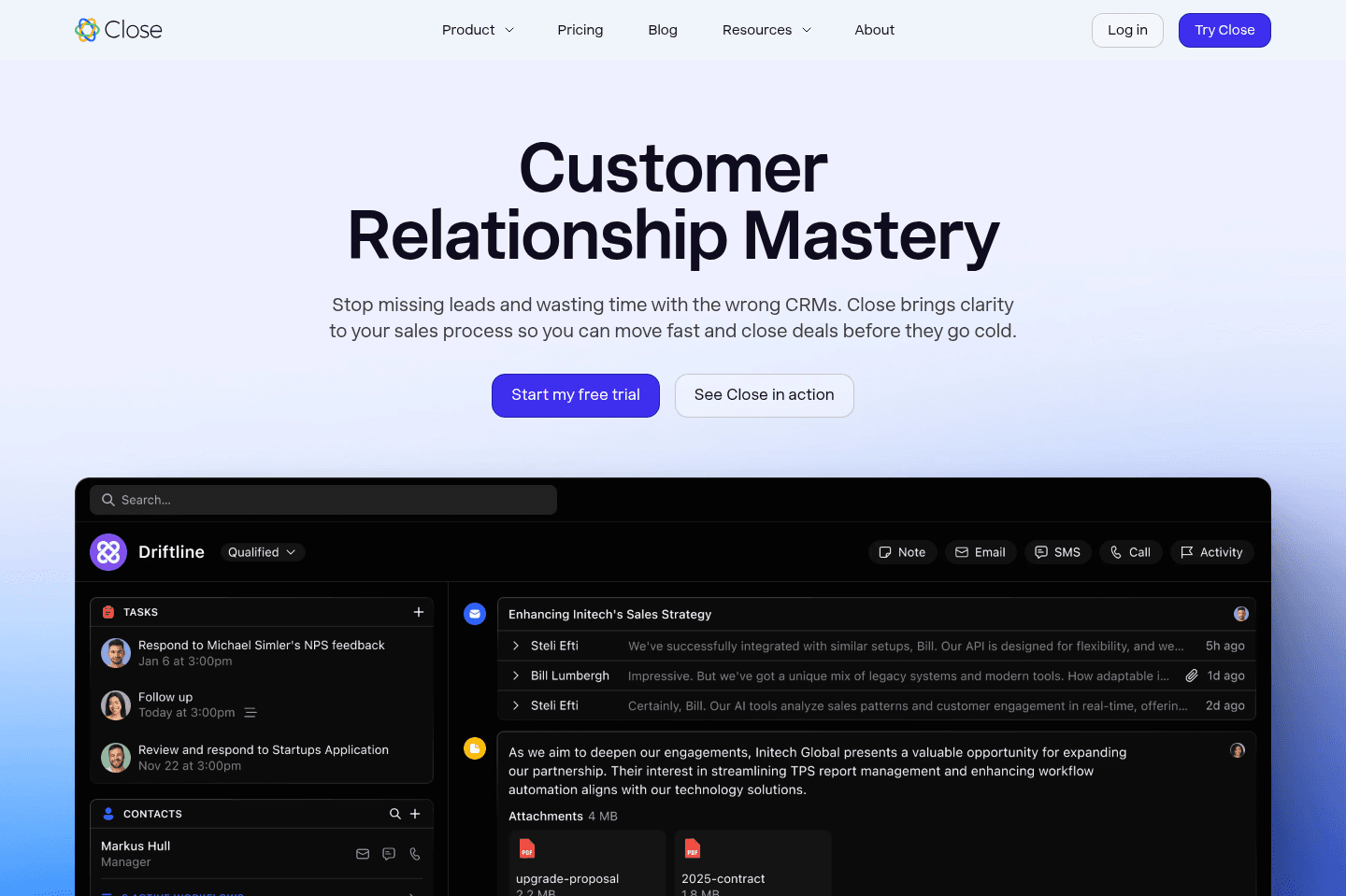
  6. Close
    Close

    For sales-focused cold outreach via VoIP

    For sales-focused cold outreach via VoIP
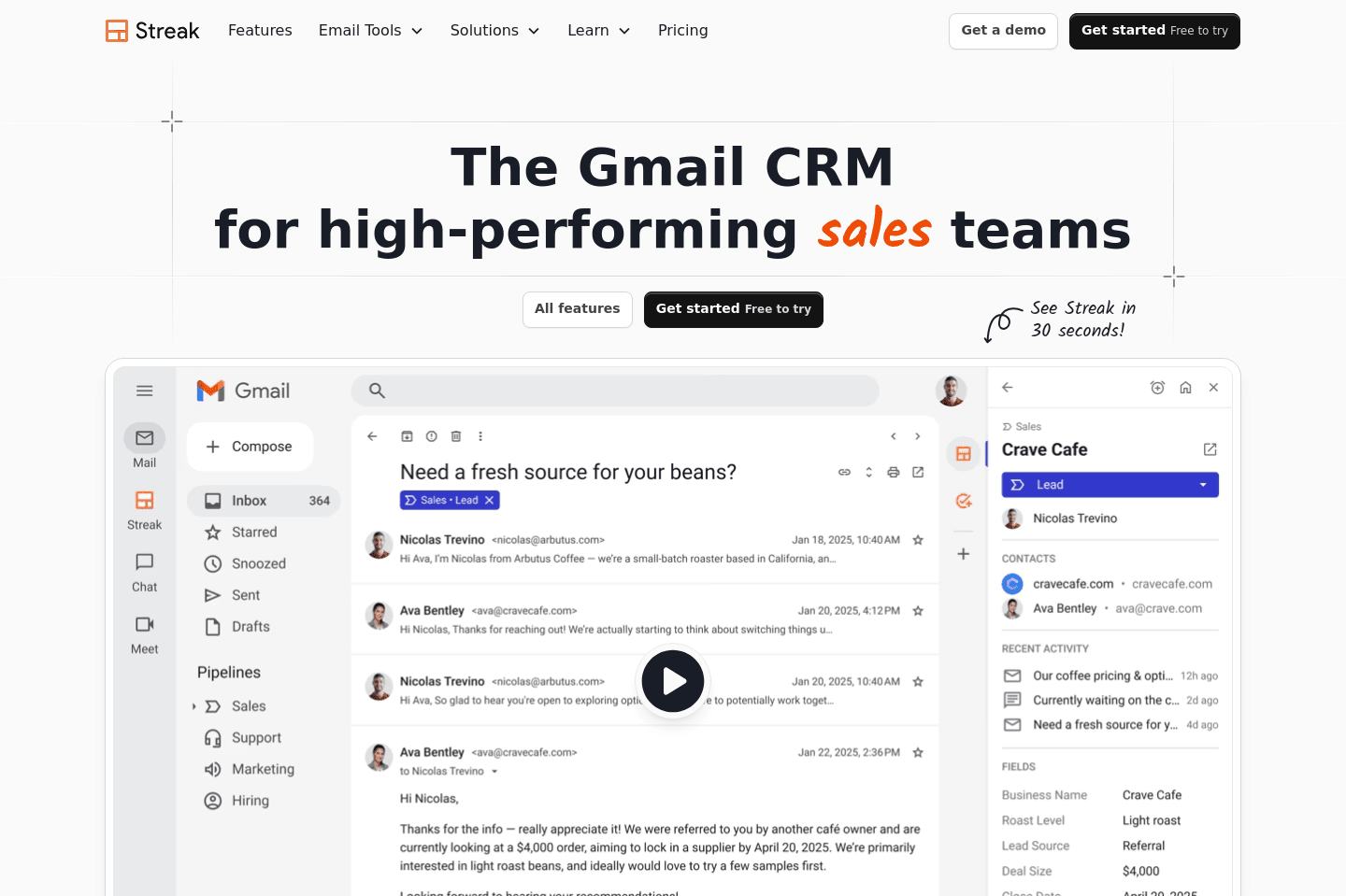
  7. Streak
    Streak

    For individuals looking for Google Sheets but CRM

    For individuals looking for Google Sheets but CRM
  8. Salesforce
    Salesforce
    1

    For enterprise teams only (1,000+ employees)

    For enterprise teams only (1,000+ employees)
  9. GoHighLevel
    GoHighLevel
    0

    Not recommended (more of a warning)

    Not recommended (more of a warning)
    Notable Mentions
  1. Monday
    Monday
    Project Management

    Highly customizable, for complex projects and large teams

    Highly customizable, for complex projects and large teams

How to Choose the Right CRM Software

The Biggest CRM Mistake Most Businesses Make

The Biggest CRM Mistake Most Businesses Make

Let's address the elephant in the room: everyone thinks they should build their own CRM at some point 😅

Right now it's "vibe coding." Before that, it was Notion. Before that, it was Airtable. The tools change, but the idea stays the same: "we can just build this ourselves."

And on the surface, it makes sense. A CRM is just a database... right? Not really.

Every product person eventually feels the urge to build a CRM because it seems like something that hasn't been fully solved. But what most people underestimate is that the hard part of a CRM is not the database. It is everything around it.

Getting data in from email, calendar, and your entire sales stack is what will make your CRM work. Keeping the data clean, making sure its user-friendly for your team, and handling edge cases you did not even know existed is 90% of what makes a CRM usable long-term at any company.

But that's where most DIY CRM attempts fall apart. You can absolutely build something that looks like a CRM on day 1. But building something that you and your team won't abandon within the first month is an entirely different task.

So before you go down the path of building your own, or forcing a tool like Notion or Airtable into being one, we urge you to pause and consider: do you really want to waste a month of your own time, let alone your teams time, just to end up with the same conclusion we're talking about here?

Choose a CRM below and you'll be much further ahead than most.
Best CRM Software Ranked & Reviewed

Watch our full breakdown of the top CRM software, how they performed in testing, and what makes each one worth considering

Recorded by our expert reviewers
Alex
and
Andra
Independent, hands-on testing.Learn more

How We Evaluate CRM Software

We score each CRM software across ease of learning, workflow presence, team adoption, AI assistance, integrations, and hands-on expert evaluation

  • Ease of Learning
    Allows teams to get up and running in less than a day.
  • Workflow Presence
    Shows up where your team already works, reducing context switching and admin.
  • Team Adoption
    How likely is your team to actually use it, and keep using it?
  • AI Assistance
    Has genuinely useful AI features that help save time, not just that they exist.
  • Integrations
    High-quality integrations that work seamlessly and add value, not just surface-level connections.
  • Expert Evaluation
    Curated by
    Alex
    and
    Andra
    , our rankings reflect in-depth testing, industry insights, and hands-on experience.
1
Copper

Copper

4

Best CRM for Google Workspace

Best CRM for Google Workspace

If you're using Google Workspace, there's no better CRM on the market than Copper. They've invested immense resources into building the deepest integrations with your Email, Calendar, Files (Drive).

While other CRM's that we love like Folk do integrate with Google Workspace, the degree in which emails are ingested into Copper is at a whole different level. You can technically fully manage your Gmail inbox from right within Copper.

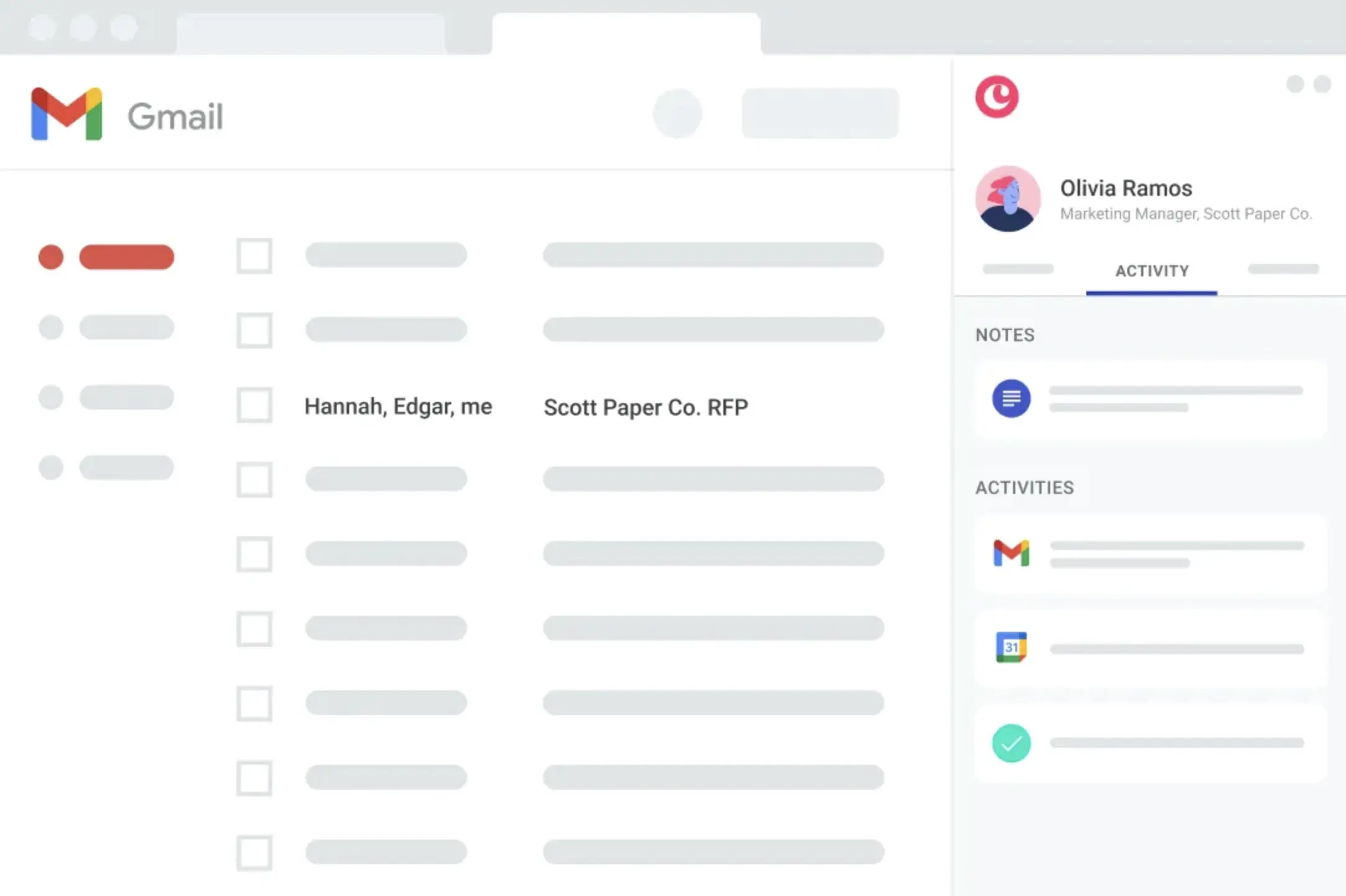
Copper also has a Chrome Extension that lives in Gmail & Calendar, so you can fully live in Gmail and access Copper without even leaving Gmail if you prefer. It's incredibly powerful.

Copper
Go to Copper site

What is Copper?

What is Copper?

If your team is using Google Workspace and you haven't yet considered Copper, take a minute right now to do just that.

Copper spends an absurd amount per-month in server costs alone, just to give you the deepest Google Workspace integration of any CRM out there.

As compared to all of the CRMs on the market, Copper has one of the most user-friendly experiences (which helps with team adoption), as well as a fully baked Chrome extension that allows you to use Copper (view tasks, past activity, and easily add new contacts to the CRM), without ever needing to even leave Gmail or Google Calendar.

Embedded Image

Copper Chrome Extension on the side of Gmail

Key Features

Key Features

It allows for powerful functionality like form integration and email automation functionality. For more details on this, check out the full Copper Review.

API

API

We've excessively used the API of all the major CRMs on the market and I'm here to tell you that Copper's API is fantastic. Their API is one of the most powerful and user-friendly to build on, especially as compared to that of HubSpot for which has some incredibly odd API design decisions.

While this might not sound like a big deal, if you ever plan on integrating your CRM (or hiring a company like ours to do it), I'm here to tell you that building the same integration in HubSpot takes 2–3x as long and is more of a pain to maintain. All factors that affect the integration cost at the end of the day, so API design matters and affects you even if you don't think it does.

If you're more technical, they also have a fantastic native Zapier and Make connector which allows you to build custom integrations with other popular tools like PandaDoc and Dialpad.

Final Verdict

Final Verdict

If you're using Google Workspace at your company and you want a modern CRM for your team, look no further than Copper. Not using Google Workspace? We recommend checking out Pipedrive or HubSpot instead. Just an individual and stumble upon Copper because you were considering either Airtable or Notion as your CRM? Copper would definitely work, but also consider folk.

Subscribe for updates

Get the latest rankings and insights on top CRM apps—delivered to your inbox. Stay ahead with our expert picks and updates.

2
folk

folk

4

Best for solopreneurs and small teams

Best for solopreneurs and small teams

folk is one of the best CRMs on the market you are an individual or small team who is heavily focused on relationships and contact management. If you have never used a CRM before or you've used Notion, Airtable, or Google Sheets in the past, folk is a perfect introduction into using a specialized CRM too.

It will feel familiar to how you might use a spreadsheet to manage your contacts and information. For example, you can edit data in-line and even bulk update fields like you would in a spreadsheet. ‍

folk
Go to folk site

What is folk?

What is folk?

folk is a lightweight CRM that helps you manage relationships without the complexity of a traditional CRM. If you're a founder that is currently managing relationships across LinkedIn DMs, your inbox, maybe a Notion doc that is half abandoned, and you're desperately craving one place where you can see everyone you've reached out to and who you need to follow-up with, then folk is likely the right CRM for you. You can use it for something as basic as contact management or set up a deal pipeline like with any CRM.

Unlike most CRMs on this list, like Copper, or Pipedrive, or HubSpot, folk is the CRM you want to start with, especially if you have little CRM experience. If you're someone who is coming from using HubSpot or Salesforce at a previous company and are looking for your CRM that you'll use for the next 10 years, folk is probably not it. It's a beginner CRM.

It feels a lot like Notion in terms of how easy it is to get started, but with actual CRM features baked in rather than having to build everything yourself. You're not staring at a blank canvas figuring out how to structure your pipeline. The scaffolding is already there.

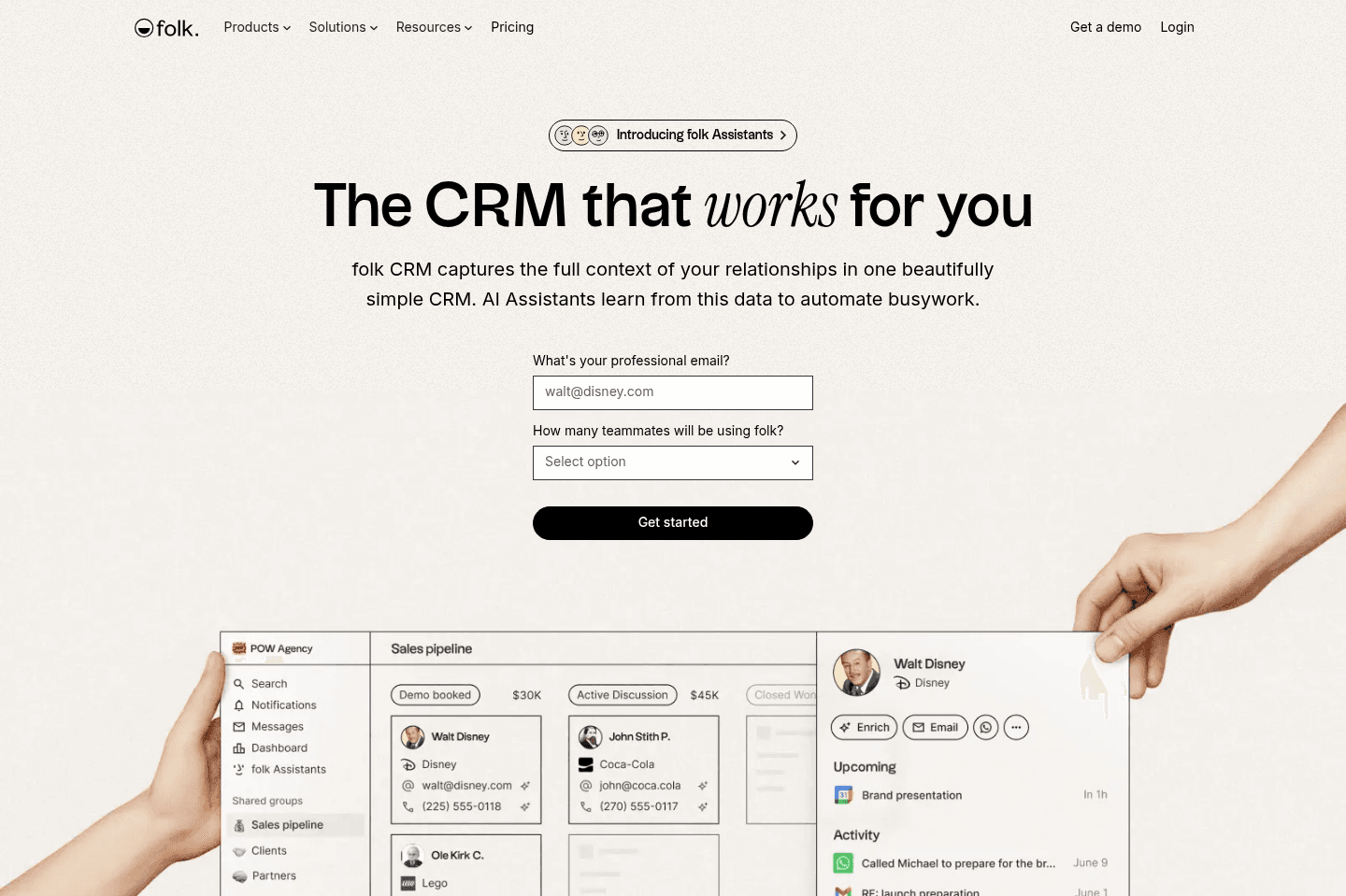
The Chrome extension is probably the most immediately useful part. You can pull a LinkedIn contact into folk in one click, and it auto-fills their details. If you've ever spent time manually copying someone's job title and email from LinkedIn into a spreadsheet, you'll feel that friction disappear pretty fast.

Because of that simplicity, folk is especially helpful for solopreneurs, freelancers, founders, recruiters, or small sales teams that just need a better way to stay on top of conversations and follow-ups. It gives you flexibility but adds CRM-specific features and reminders so your relationships don’t fall through the cracks.

The tradeoff with it being intentionally lightweight is that when teams are ready for deeper automation or complex integrations it's not a great tool to scale with (it has a limited API compared to other CRMs). So choose folk if you're happy with a standalone CRM and aren't trying to integrate it into every part of your process just yet.

Pros and Cons

Pros and Cons

Pros

Pros
  • Extremely easy to learn and set up
  • Familiar spreadsheet-style interface
  • Chrome extension makes adding contacts very easy
  • Great for relationship tracking and contact organization
  • Simple tools for sending emails and managing follow-ups

Cons

Cons
  • API and integrations are still fairly basic
  • Limited automation and advanced CRM features
  • Not ideal for larger sales teams or complex pipelines
  • May feel too lightweight for companies planning to scale quickly

Key Features

Key Features

Magic Fields (AI)

Magic Fields (AI)

The idea with Magic Fields is that you create an AI column in your contact database, write a prompt using your contact's data as variables, and it generates a value for every record. The most popular example is an icebreaker, you ask folk to write a personalized one-liner for each lead based on their name, company, and role, and then you drop that into your outreach emails.

But honestly, I'd be careful here! Since AI became mainstream, I've been on the receiving end of so many cold emails that say something like "I really loved your recent video" or "great review on X" and you can immediately tell it was AI generated.

That said, where I believe magic fields are the most useful are for things like cleaning up messy data across contacts, auto-categorizing leads by industry, or flagging deals that have gone quiet. Those use cases make a lot more sense than leaning on it for outreach personalization. With that, folk is one of the more AI-forward CRMs on this list, as many are still adapting in a meaningful way.

Contact Management & Email Outreach

Contact Management & Email Outreach

folk makes it very easy to add and manage contacts. You can import contacts, add them through the Chrome extension from Gmail or LinkedIn, and enrich your records with additional information. Once contacts are inside the CRM, you can decide what next steps you want to take.

Pipeline Templates

Pipeline Templates

folk offers a lot of pre-built pipeline templates which will help guide you on how to best use it as a CRM. You can choose a template that reflects common workflows that other businesses are already using. Which makes it way easier for new CRM users to get organized without having to design their own system.

Pricing

Pricing
  • Standard: $30/mo per member ($24/mo billed yearly). Best for small teams that want a simple CRM to manage contacts and run basic outreach.
  • Premium: $60/mo per member ($48/mo billed yearly). Best for growing teams that need stronger collaboration and automation tools.
  • Custom: From $100/mo per member ($80/mo billed yearly). Best for larger businesses that need deeper control and scalability.
Superhuman Mail
Superhuman Mail
Featured

Get through your inbox 2x as fast (for teams of all sizes).

3
Pipedrive

Pipedrive

1

Best for Microsoft 365 teams

Best for Microsoft 365 teams

Pipedrive is more of a "sales-focused" CRM for small + medium teams (meaning 100 seats or less), and it's pretty good at just that. It's what we recommend as a CRM if you're using Microsoft 365.

Pipedrive
Go to Pipedrive site

What is Pipedrive?

What is Pipedrive?

Pipedrive is our recommendation for teams using Microsoft 365 that want a traditional sales CRM, but if your company runs on Google Workspace, you're much better off with Copper CRM.

Pipedrive is a sales-focused CRM designed primarily for small to medium-sized businesses that are locked into Microsoft 365 and don't plan on switching. If you're looking for a simple way to organize and manage your team's sales pipeline, Pipedrive will give you a visual pipeline where deals move from stage to stage as conversations progress.

What we've always appreciated about Pipedrive is how easy it is to understand. Within a few minutes, most teams can grasp how to use it. Reps can track interactions directly within each deal record, which creates a clear timeline of the relationship.

But heads up you might experience some "bloatware" in the interface, with frequent prompts pushing upgrades or additional features. The reporting and AI tools also feel a bit basic compared to industry standards.

Pros and Cons

Pros and Cons

Pros

Pros
  • Simple deal and activity tracking
  • Easy-to-understand visual sales pipeline
  • Great for providing structure and organization
  • Solid mobile app for logging activity on the go

Cons

Cons
  • Email syncing only tracks conversations going forward
  • AI features are still developing and not very powerful yet
  • Interface can feel cluttered with upgrade prompts and add-ons

Key Features

Key Features

Visual Deal Pipeline

Visual Deal Pipeline

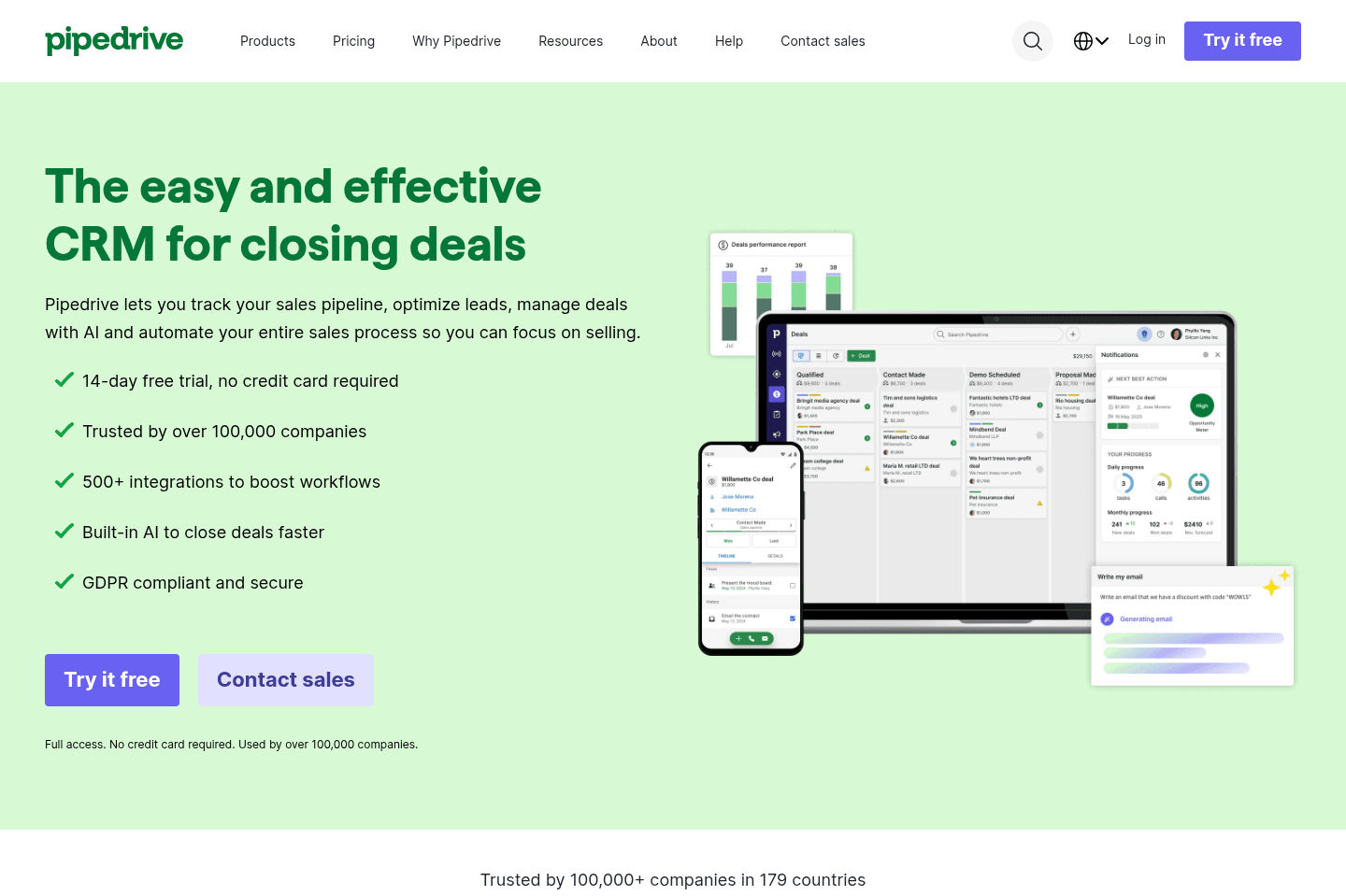
Anyone who's ever spent any amount of time in sales knows how important it is to have a good visual of your pipeline. With Pipedrive, your deals appear as cards in a Kanban-style board, and reps can drag them from stage to stage as conversations progress.

This is helpful for teams that might want to use this in weekly sales meetings where they pull up the board and walk through deals together to get everyone on the same page easily.

Lead & Activity Tracking

Lead & Activity Tracking

Every call, email, meeting, or note can be logged directly on the deal record. Over time, this builds a full timeline of the relationship so anyone on the team can see exactly what's happened with a prospect and what the next step should be.

This becomes really helpful when deals get passed between team members. So in situations where one rep leaves the company or goes on vacation, and another rep has to step in and immediately understand the full history of the relationship, they can, just from reading the activity log.

AI Features

AI Features

Recently, Pipedrive has started introducing AI features with the goal of helping reps prioritize deals and move faster through their pipeline.

But the feedback we've seen from users has been pretty mixed. One user even said the "AI features will be the death of Pipedrive," which is obviously a dramatic take, but it reflects a broader sentiment that the AI additions feel a bit rushed and not always useful.

From our side, the AI features aren't terrible, but they also aren't game-changing. They can occasionally surface helpful suggestions, but they don't really function like a true AI assistant that can help run your CRM. For now, most teams are using the AI to help them gather information in email threads and make suggestions on deals, so overall, basic, light tasks.

Pricing

Pricing
  • Lite: $24 per user/month. Best for small teams that want basic deal management and pipeline visibility.
  • Growth: $49 per user/month. Best for teams that want workflow automation and email syncing.
  • Premium: $79 per user/month. Best for teams needing more customization and collaboration tools.
  • Ultimate: $99 per user/month. Best for organizations needing advanced security, permissions, and support.
4
Attio

Attio

For teams who want a CRM that feels like Airtable

For teams who want a CRM that feels like Airtable

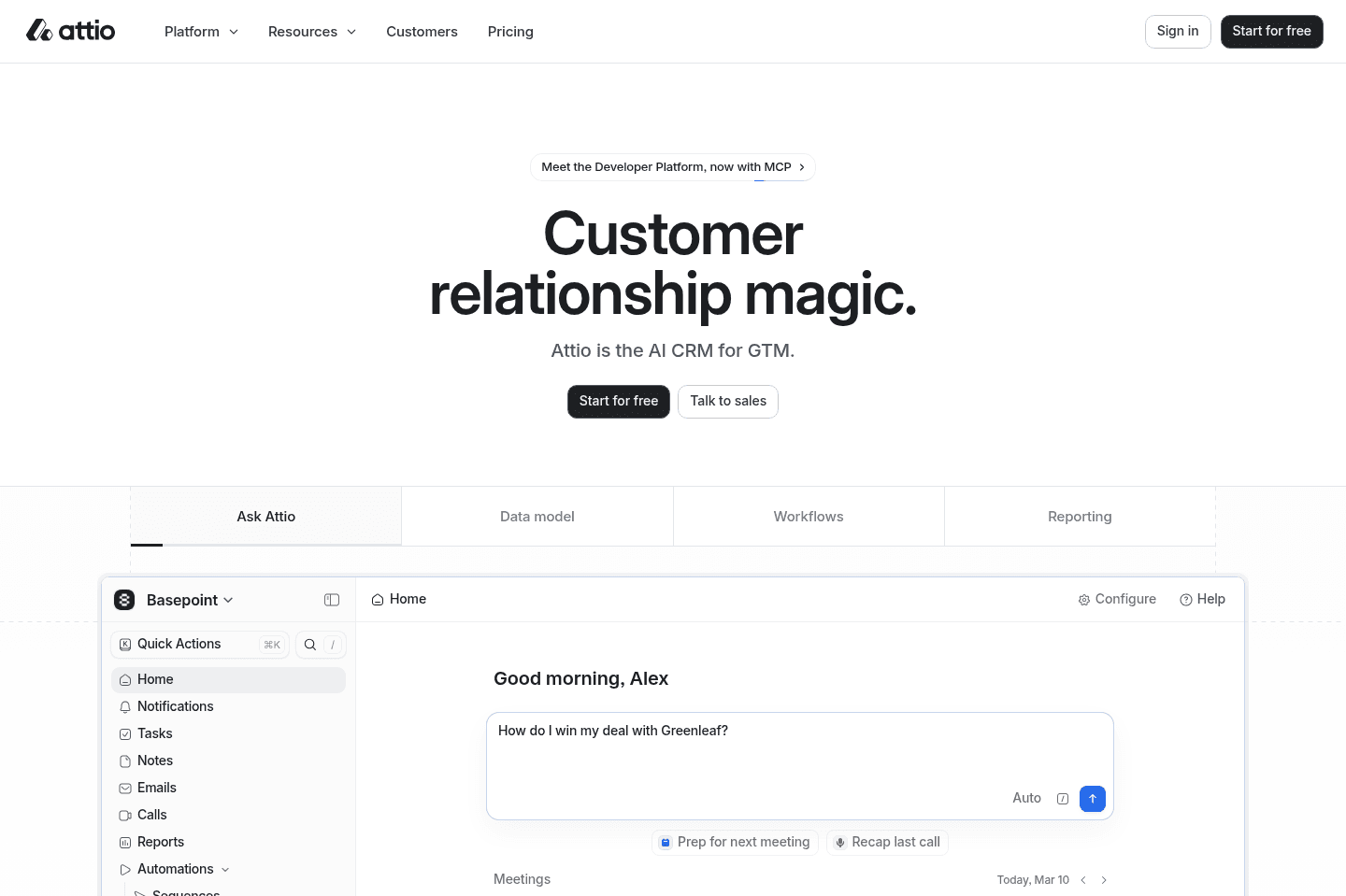
Attio is like Airtable, Notion, and a CRM had a baby. They allow for a lot of flexibility, but it does require a bit to get up and running and maintain. That said, it's one of the more modern CRMs on the market.

Attio
Go to Attio site

Attio Summary

Attio Summary

Superhuman Mail
Superhuman Mail
Featured

Get through your inbox 2x as fast (for teams of all sizes).

5
HubSpot

HubSpot

1

For enterprise teams needing marketing automation

For enterprise teams needing marketing automation

Several of our past consulting clients used HubSpot, so we got a pretty good look at how different businesses were actually using it. It's powerful in some ways (marketing automation is the main reason most teams use it), but as a standalone CRM, it's not the best. Think of their CRM as a "lead magnet".

They offer it for free (or heavily discounted in the first year) to get you into their ecosystem and expose you to the rest of their features, but gets to $15–30K per year quite quickly. If you have a small team and are genuinely looking for a dedicated CRM only, there are better, more user friendly options available.

HubSpot
Go to HubSpot site

What is HubSpot?

What is HubSpot?

If you are considering HubSpot because of price (after hearing things like 50–90% off the first year), let me stop you right now, you're playing directly into their marketing shtick (you'll see the #1 concern with HubSpot is actually price).

HubSpot was not initially built as a CRM, it was a marketing email automation platform. A powerful (and expensive) one at that, but credit where credit is due. It's just, most companies often need to start with just a CRM to streamline their business operations.

It wasn't until HubSpot realized that acquiring customers for their $20–60k+/yr marketing automation suite was a difficult sell out of the gate, that they decided to built a "free CRM" as a lead magnet (and gateway) to their expensive core product.

So if you're a startup or a team of 20 or less (that will actually be using the CRM day-to-day), we highly recommend looking at a different CRM (we've done a deep-dive on that here). Because after the first year, you will be paying 2-4x more for HubSpot than the competing solutions (even at their proposed "Year 2+ discounts").

Now if your team is quite large and considering Salesforce, we actually do recommend Hubspot in most cases. HubSpot is more user-friendly than Salesforce, and you aren't going to be totally stuck in the expensive enterprise software stack that a tool like Salesforce often requires.

We will also add that we work with HubSpot often, and Copper + Pipedrive have far superior API's to HubSpot (in that we can build the same integration in 1/2 the time), so there is a second-order unseen cost associated to HubSpot.

Key Features

Key Features

Important Email Logging Notes

Important Email Logging Notes

And finally, there's quite a bit that needs to "go right" in order for emails to automatically log from your team's inbox into HubSpot.

Replies to emails will be logged automatically on the contact's timeline if you have connected your personal email and the following is true:

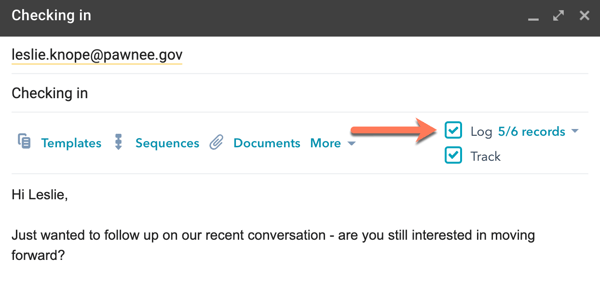
1. The original email was sent through the CRM or sent from your connected email client with the sales email extension or add-in installed and the Log checkbox selected.

Embedded Image

Example of what this looks like in Gmail

2. The original email was not sent to an email address or domain listed in your Never Log list.

3. The email address is still connected when the reply is received.

4. The reply is sent to an individual's email connected by the user who originally started the thread.

5. The sender of the reply is an existing contact in HubSpot.

(Something that most take for granted when working with a CRM like Copper, where everything just logs automatically with no prerequisites, even if the contact doesn't yet exist in the CRM, it'll go back 1 year through your team's email history and retroactively add those emails)

6
Close

Close

For sales-focused cold outreach via VoIP

For sales-focused cold outreach via VoIP

Close locks you into its built-in VoIP and autodialer, so unless your sales team lives and breathes high-volume phone outreach and is willing to pay a steep premium for that one feature, it's not worth it.

For anyone else, especially small teams or those needing flexibility, better integration, or more than basic CRM features, you'll hit frustrating limits fast, skip it unless you're chasing that autodialer above all else.

Close
Go to Close site

What is Close?

What is Close?

Close is a CRM built primarily for sales teams that rely heavily on phone calls and SMS messaging to move deals forward. It's different from other CRMs that focus more on contact management and pipeline tracking. Close essentially tries to bring communication directly into the platform by bundling a built-in VoIP system with SMS messaging and email syncing.

Compared to tools we usually recommend for small businesses, like Copper (Google Workspace) or Pipedrive (Microsoft 365), Close feels hyper-specialized and a bit rigid. If your team spends all day making calls, Close might make sense. But for most SMBs looking for a flexible CRM to manage relationships and sales pipelines, there are better options.

Pros and Cons

Pros and Cons

Pros

  • Native calling and SMS functionality inside the CRM
  • Sales sequences combine email, SMS, and call reminders
  • Built-in autodialer designed for high-volume outbound sales
  • Good option for teams running aggressive outbound sales motions

Cons

  • Limited pipeline flexibility on lower tiers
  • Mobile app support has lagged behind competitors
  • Email experience is weaker than modern inbox tools like Gmail
  • Expensive pricing with a 3-seat minimum even at the lowest tier
  • Some features feel like early versions rather than polished solutions
  • Forces you into using their built-in VoIP instead of integrating external tools

Key Features

Key Features

Auto-Dialer & Built-In Calling

Auto-Dialer & Built-In Calling

Close is best known for its built-in power dialer. Sales reps are able to load a list of leads and automatically call through them one by one. The system connects the rep when someone finally answers, pauses between calls for note-taking, and then continues dialing.

So for teams doing a lot of outbound calling, this can actually speed up their workflow.

Native Communication Workflows

Native Communication Workflows

Because Close has its own VoIP and SMS tools built directly into the platform, it can create automated outreach sequences that combine multiple channels. For example, you can send an email, follow up with an SMS a few days later, and then create a task reminding a sales rep to make a call. This type of multichannel outreach is really powerful for sales teams that are mainly focused on prospecting.

Email Syncing and Activity Tracking

Email Syncing and Activity Tracking

Close does a good job syncing email conversations into the CRM. When you connect your Google Workspace or Microsoft 365 account, it can retroactively pull past emails into the system so you have a full history of conversations with contacts. While it's not quite as advanced as some CRM integrations we've seen, it's still better than what many competitors provide.

App Pricing

App Pricing
  • Essentials: $49/mo per user. Best for small sales teams that want a CRM with additional communication capabilities.
  • Growth: $109/mo per user. Best for teams that want to automate parts of their sales workflow.
  • Scale: $149/mo per user. Best for larger teams that need more advanced control and dialing capabilities.
  • Enterprise: Custom pricing. Designed for large organizations with complex CRM needs.
Superhuman Mail
Superhuman Mail
Featured

Get through your inbox 2x as fast (for teams of all sizes).

7
Streak

Streak

For individuals looking for Google Sheets but CRM

For individuals looking for Google Sheets but CRM

Streak acts like a CRM inside your Gmail but quickly bogs everything down and turns messy if you have any real volume, basically feeling like a clunky spreadsheet bolted onto your inbox. Unless you are dead set on running your CRM out of Google Sheets and refuse to use anything else, you should avoid Streak.

Streak
Go to Streak site

What is Streak?

What is Streak?

Streak CRM is trying to be a CRM accessible from the convenience of your Gmail inbox. Although what we find is that it heavily slows down Gmail with any level of scale.

Streak tries to meet the Google Sheets users in the CRM world, by using a non-standard implementation of a CRM (which feels more like a spreadsheet).

Read our more in-depth article about why we recommend staying away from Streak in most cases.

8
Salesforce

Salesforce

1

For enterprise teams only (1,000+ employees)

For enterprise teams only (1,000+ employees)

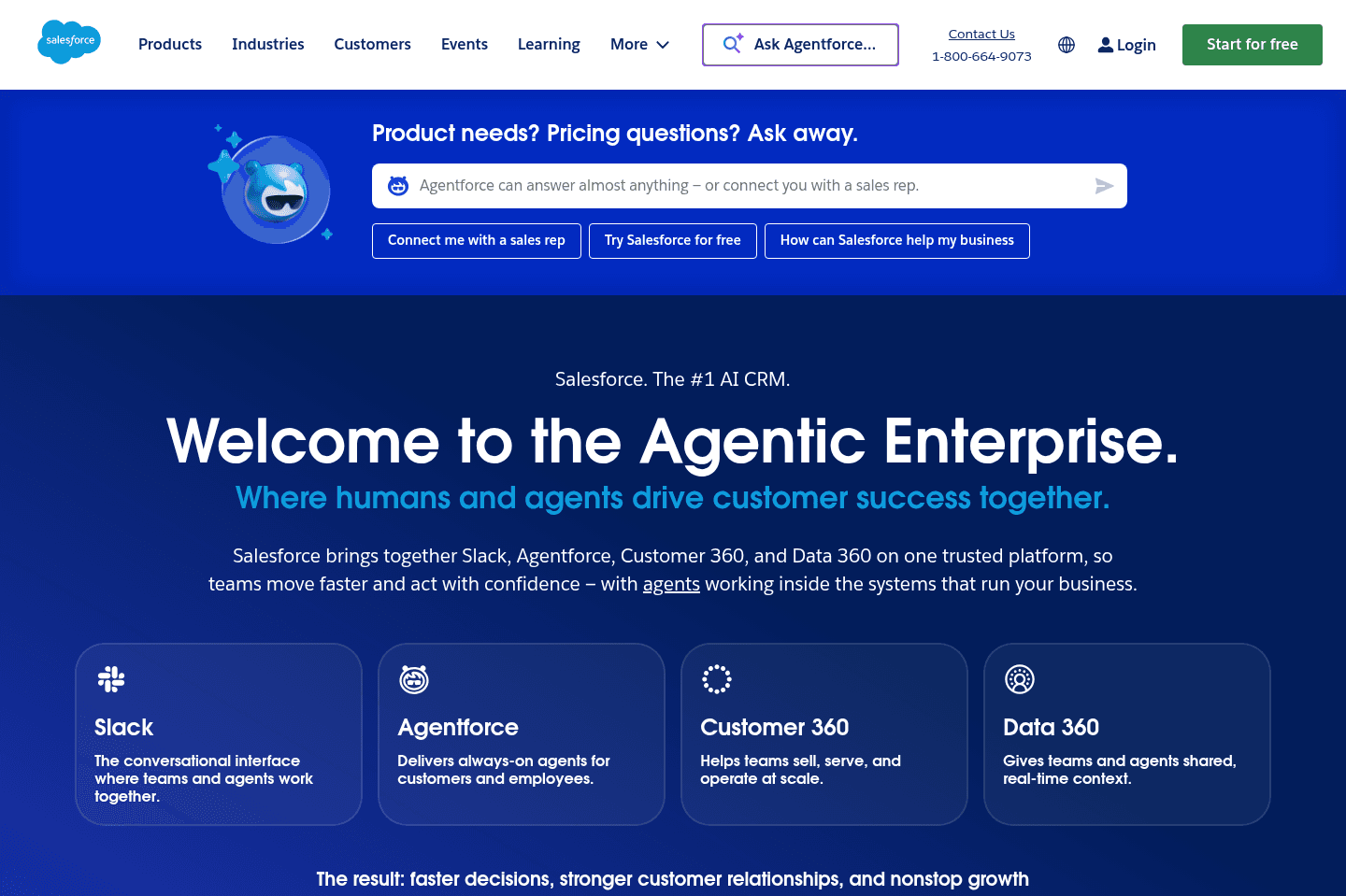
Salesforce is for enterprise teams. If you don't have at least 1000 employees, this isn't the tool for you (and for the better as there are much more exciting, user friendly CRMs for small to mid-market businesses).

Salesforce
Go to Salesforce site

What is Salesforce?

What is Salesforce?

Salesforce is the 800lb gorilla—and if you're considering using it, we're hoping you have a myriad of reasons for it.

If you're a startup—you should not be using it.

If you're trying to stay lean and don't already know your business processes inside-and-out—you should not be using it.

If you're being pressured by your investors or others to get on Salesforce "because that's what successful businesses do"—you still, most likely should not be using it.

You should be using it if... you have highly complex business processes and have set aside a couple hundred thousand dollars to invest in a proper Salesforce consultant to help map these processes to it.

Most teams can actually just get away with HubSpot (when they are considering Salesforce).

And of those same teams, most can actually scale Copper + Pipedrive to be just as powerful, with a better UI/UX (that your team prefers), and all at a lower cost.

Superhuman Mail
Superhuman Mail
Featured

Get through your inbox 2x as fast (for teams of all sizes).

9
GoHighLevel

GoHighLevel

0

Not recommended (more of a warning)

Not recommended (more of a warning)

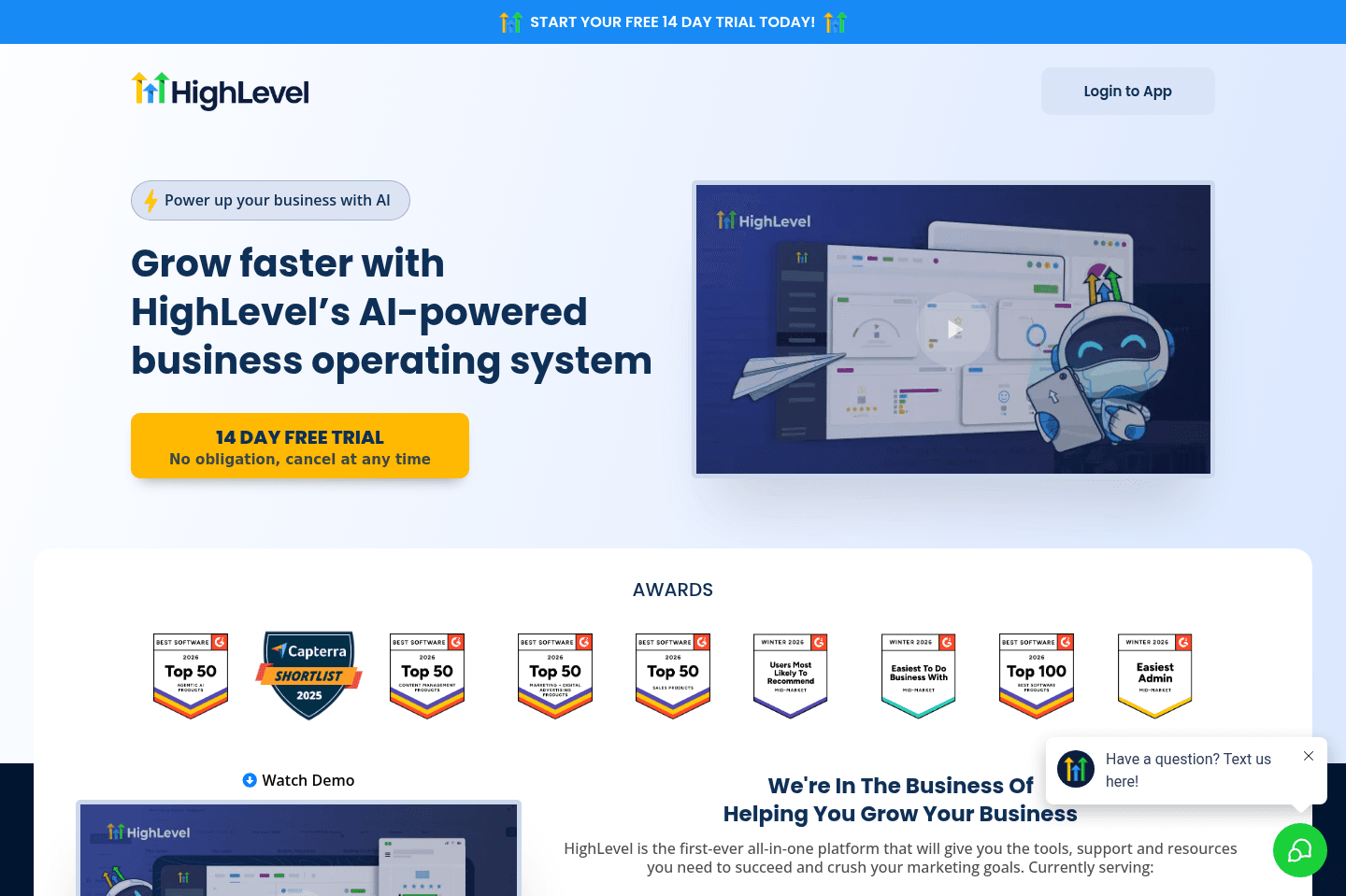
We strongly recommend that you stay away from GoHighLevel and anyone who is trying to get you to purchase a license through them.

What GoHighLevel is actually trying to build (instead of, you know, good software), is a MLM scheme where someone who knows little about actually creating software can re-sell and mark up software subscriptions to their audience. Avoid 🚩

GoHighLevel
Go to GoHighLevel site

What is GoHighLevel?

What is GoHighLevel?

We'll get right to it: Avoid GoHighLevel at all costs.

GoHighLevel is essentially a software MLM. You have people that are trying to start businesses or agencies looking for an additional revenue stream, so they purchase GoHighLevel and re-sell it to their customers. So you have these layers on top of layers on top of layers that are selling GoHighLevel.

This is further messed up because you are purchasing a sub license to someone else's GoHighLevel account. Which means you're forever tied to the person who sold it to you, that is also charging you a premium for it. What if they decide to cancel their main GoHighLevel subscription? Or their payment lapses? Well that impacts you, since you sit under them in the purchasing pyramid.
Oh, not to mention you don't own any of your data either. If you want to truly run a business who a good software foundation, do not sign up for GoHighLevel.

Our Final Verdict

1
Copper

Copper

4

Best CRM for Google Workspace

Best CRM for Google Workspace

Best CRM, who wins?

Best CRM, who wins?

Go with folk if you're a solopreneur or you have small team that hasn't used a CRM before. It's the most simple and basic to get up and running.

Go with Copper CRM if you're using Google Workspace or Pipedrive if you're using Microsoft 365 and you plan on scaling, and want a CRM well integrated with your stack.

What should a CRM do?

What should a CRM do?

Tracking emails being sent/received across team members and a deep calendar integration for when your team has external meetings. You should also have robust activity logging functionality, so you can integrate your VoIP software, bulk email sending software, and more to the CRM to add full contextual awareness around the relationships and deals you're working on.

All these things allow for your company to scale by leveraging a shared brain—the CRM.

Now when looking at a tool like Notion as a CRM or Airtable as a CRM, that's exactly where we start getting frustrated. Neither do the most basic email and calendar tracking that a CRM should have as absolute table-stakes, and yet they will run around claiming they are a CRM.

API & Integration

API & Integration

The best CRM's on the market will also have a robust API and have many great companies building integrations with them. For example, a Zapier connector is table-stakes with a CRM (it should have many triggers and actions available).

In addition, you'll also see some of the best help desks on the market natively integrating with them—although the tough part here is because Salesforce and HubSpot own 80%+ of the CRM market, you do find many tools just integrating with them, even though both those CRMs are mainly meant for large business and enterprise usage.

Worth trying
Apps worth trying
These CRM-adjacent apps prioritize another category at their core, but their CRM features are strong enough that you should still consider them.
  1. Gong
    Gong
    AI Note Taker

    Best for enterprises who need to analyze sales calls

    Best for enterprises who need to analyze sales calls
  2. Reply
    Reply
    Sales

    For simple outbound email sequences

    For simple outbound email sequences
  3. DocuSign
    DocuSign
    Proposal & eSignature

    For enterprises

    For enterprises
  4. Ironclad
    Ironclad
    Proposal & eSignature

    Most secure eSignature platform

    Most secure eSignature platform
  5. PandaDoc
    PandaDoc
    Proposal & eSignature

    Best eSignature platform for small-to-mid sized businesses

    Best eSignature platform for small-to-mid sized businesses
  6. Help Scout
    Help Scout
    Help Desk

    Best help desk for customer centric teams

    Best help desk for customer centric teams
  7. Cal.com
    Cal.com
    Scheduler

    Best overall scheduler

    Best overall scheduler

CRM Software FAQs

Get quick answers about how we curate our lists, update recommendations, and help you choose the right calendar app for your needs.

Should I use multiple CRMs for different business divisions?

Should I use multiple CRMs for different business divisions?

You should only use a single CRM for your entire business, even if you have a lot of complexity. The point of a CRM is to be a single-source-of-truth for your business, so multiple instances will directly result in having more disconnected data and problems.

It's best to just make a single CRM work for your team, by using visibility permissions and a structure that scales across the various departments.Learn more

Still have questions?

Read more FAQs
Discover More Efficient Apps Lists

Explore the best apps across different categories and find the perfect tools to stay productive.

Superhuman Mail
Missive
Notion Mail
Spark
Gmail
Tatem
Hey
Outlook
Skiff
Email

9 apps and 0 deals

Motion
Linear
Asana
Monday
ClickUp
Wrike
Trello
Jira
Shortcut
Project Management

9 apps and 0 deals

Browse Categories