What is Grok Bot?
Grok Bot is an AI agent that can complete tasks for you. ChatGPT/Claude are for when you want help thinking through something or getting some professional work done. Grok Bot is more for when you want to hand off a task or errand.
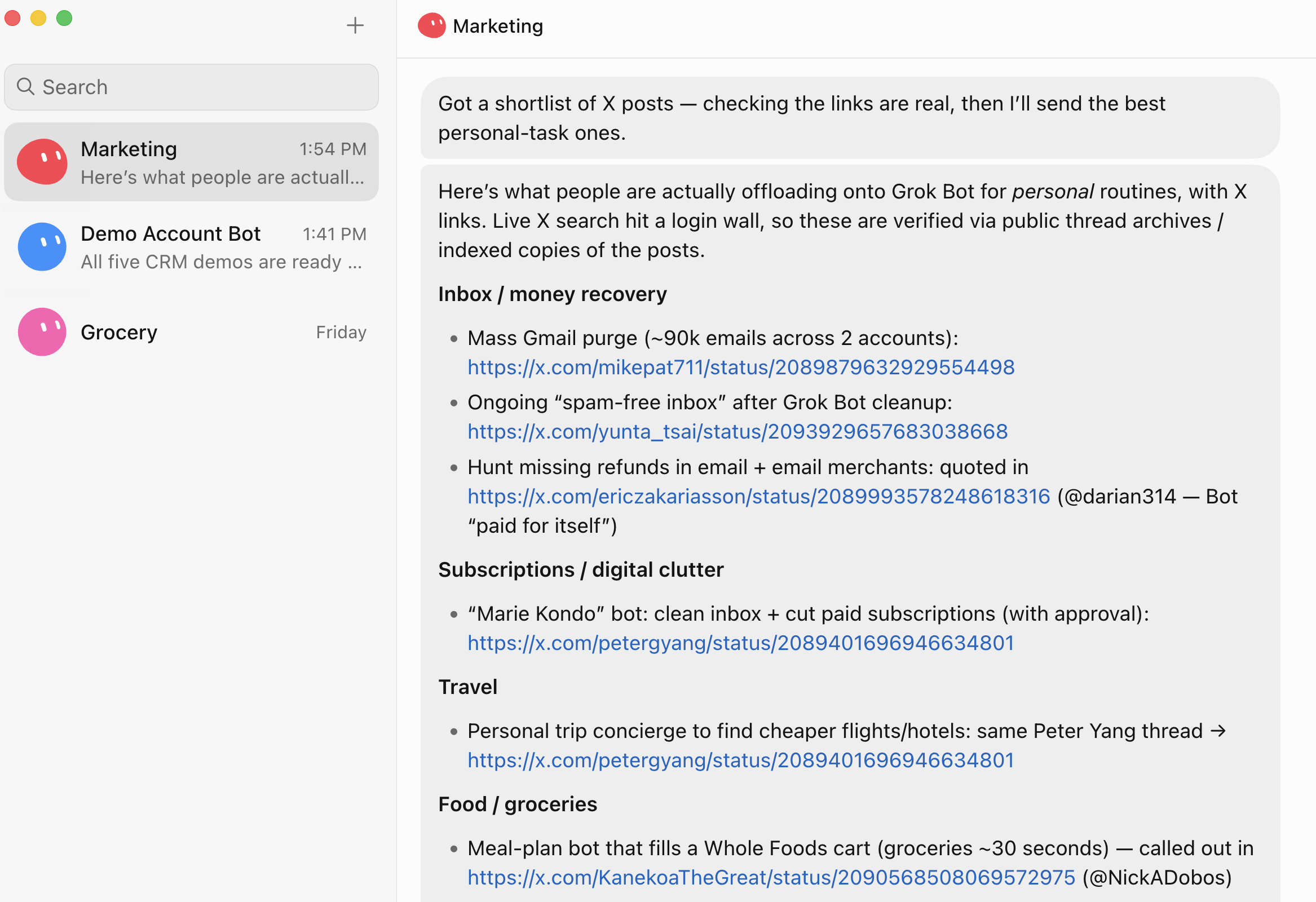
We cover a ton of examples of how our team has been using it in our Grok Bot review, but to name a few: grocery shopping, monitoring Facebook marketplace for deals, researching X, and helping with grunt work repetitive tasks.
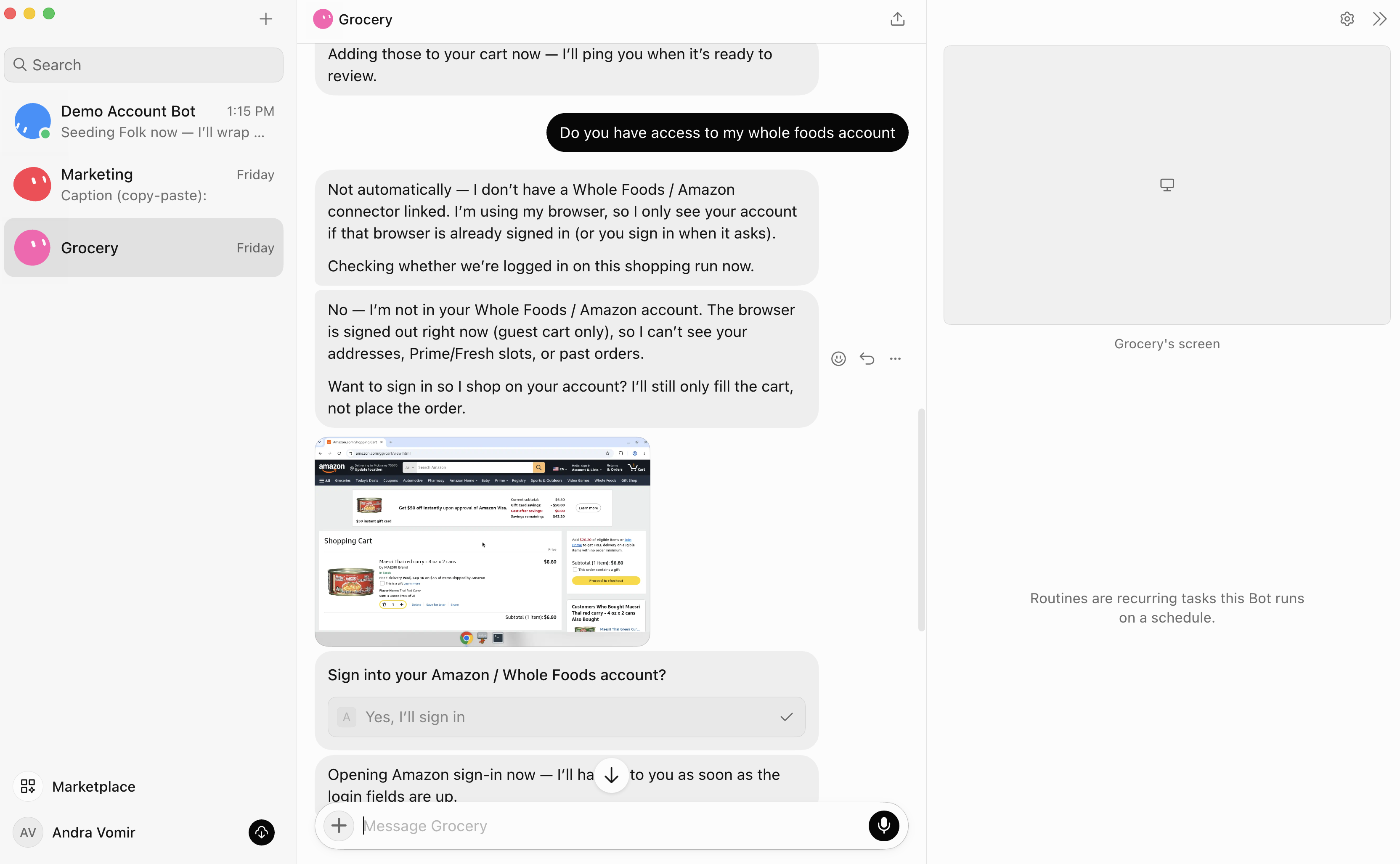
For example, instead of asking AI to help you make a grocery list, you can literally tell Grok Bot to go grocery shopping for you. It'll open Whole Foods, ask you to log in, add everything to your cart, and can even check out if you give it permission.
You can also create different Bots for different jobs. One could be your personal assistant, another could be a researcher, shopper, copywriter, whatever. If you were the type of person who loved Zapier, n8n, or even IFTTT back in the day, I think you're going to have a lot of fun with this.
Pros and Cons
Pros
- Has own cloud computer, so you can close your laptop and it just keeps working
- Actually does things inside websites
- You don't need to be technical at all to set it up and use it
- Can run recurring tasks without you remembering to ask again
- Works across desktop and mobile
- Has way more guardrails than something like OpenClaw
Cons
- Logging your real accounts into an AI's computer feels WEIRD at first
- Better for personal automation than serious business workflows
- Coding is not as advanced as Codex or Claude Code
Key Features
Cloud Computer
Every Bot gets its own computer in the cloud, so you can give it something to do, close your laptop, walk away, and it'll just keep working.
We've all had that annoying moment where ChatGPT or Claude is halfway through something, you close your laptop, and then come back later and realize that it stopped working. Or realizing I'm working on something with Claude Cowork, and realizing I can't keep prompting it from my phone because it's running locally on my computer.
Grok Bot works across both mobile and desktop so you can keep checking in.
Scheduled Tasks
You can tell Grok Bot to do something every day or every week and then... you don't need to remember to ask it again!
For example, our Head of Engineering, Bob, asked Grok Bot to monitor Facebook Marketplace for a guitar and let him know when one in his budget was available.
I'm most excited to figure out more use cases I can hand off.
Account Access and Guardrails
This part was the biggest mental hurdle for me at first.
The first time Grok Bot asked me to log into Whole Foods on its cloud computer, I was immediately like... "wait, what? Is this ok?"
Because yes, you're entering your login into a computer being controlled by an AI agent.
The reason I eventually felt okay trying it is that Grok Bot has a lot more permission controls than something like OpenClaw. You can give it rules in plain English, and it'll stop to ask before doing things like making purchases, sending something, deleting things, or taking another sensitive action.
Our Head of Engineering has logged his Bot into Facebook, email, Amazon, X, and Ramp.
Would I give it access to my bank account? Absolutely not lol. Maybe one day. We are not there yet.
Pricing
If you're already paying for Grok or Cursor, trying Grok Bot feels like kind of a no-brainer.
- Cursor Pro: $20/month and includes Grok Bot
- SuperGrok: $30/month and includes Grok Bot alongside Grok
- SuperGrok Plus: $100/month with higher usage limits and priority access
- Teams and Enterprise: Available through eligible team plans, with pricing depending on the account
 ClaudeBest
 Grok BotRecommended
 ViktorBest
 Granola
 LittlebirdRecommended