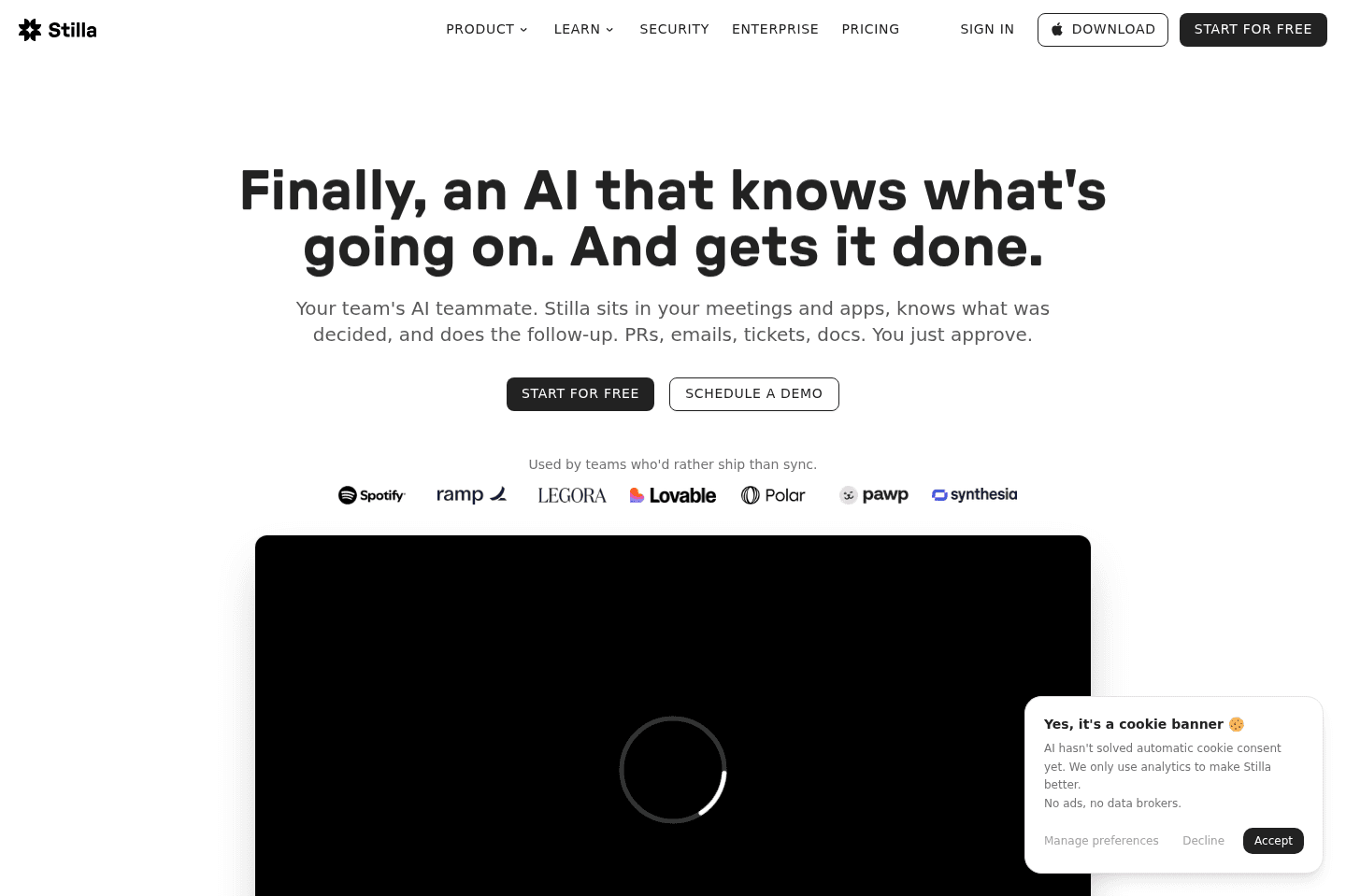
Review Summary
Review SummaryStilla seemed like a promising AI agent, but as of September 2026 they were acquired by Meta. With that, it's uncertain how long they'll be around for as the main focus of the acquisition is to strengthen Meta's AI products for business.
Stilla Alternatives
Stilla AlternativesNot sure if Stilla is the right fit for you? Check out these alternatives:
 ViktorBest
Best overall AI agent
Best overall AI agent
What is Stilla?
What is Stilla?Stilla is an AI teammate that sits across the tools you already use, like Slack, Linear, GitHub, Notion, Google Drive, CRM, and meetings. It then uses that context to help move work forward.
Most AI tools stop at "here's what happened," but Stilla is trying to answer the more annoying question: "Okay, what needs to happen next, and where does it need to happen?" That can mean updating Linear tickets after a call, sending someone a Slack recap, proposing CRM updates, or setting up a recurring agent that checks your tools every morning.
In September 2026, Stilla announced they were acquired by Meta. While they claim the product will still continue to serve it's users, the main focus will be to strengthen Meta's AI products for business.
Our Experience with Stilla
Our Experience with StillaI first came across Stilla the way we find a lot of tools now, so, random mentions, clips, and inklings on X. I'd noticed the founder is Birk's (CEO of Polar) old co-founder. That made me curious about the product, so I started testing and then talking with the founders. At first, we thought it was trying to be a nicer meeting notes app, but the AI teammate idea started to shine through as we used it.
I tested it on Slack. After a call, I can say something like, "@Stilla, tell Steven how the call went," and it'll pull the notes, format the update, and send it. No hunting through meeting notes, no copying anything.
Even though Stilla does have meeting notes, it's no Littlebird or Granola. It's closer to Zapier or Make, except you don't need to build every trigger and action upfront. You describe the outcome you want, and Stilla uses your company context to figure out more of the path.
Who is Stilla For?
Who is Stilla For?Stilla is best for more technical teams. Andra's first reaction when she saw it was "the interface feels slightly overwhelming." Same. I felt that immediately. The interface is busy, but the tradeoff can be worth it because of how much it can do.
It is also not the first tool I would give to a non-technical local business or a team that barely uses Slack. But if your work sits between ops, product, engineering, and customer conversations, you'll get value. But to be honest, I'd use Viktor first.
Key Features
Key FeaturesNatural Language Agents
Natural Language AgentsIf you've ever used traditional tools like Zapier or Make, then you know how rigid they can be. You have to know the trigger, the action, the fields, and the exact structure up front. Stilla stands out because you can use NLP to describe what you want the agent to do, set up which apps it can access, then decide whether access is read-only or read-write. After that, it handles the rest; you just describe the outcome you want and let it build more of the workflow from live context.
For our salespeople making CRM updates post-call, that means Stilla can propose updates based on what was discussed, compare that against what is already in the CRM, and then flag issues like the wrong contact name being attached. And that matters because it's a detail that other tools will usually miss.
Now, setting it up is a different beast entirely. This feature is easy to describe, but the interface isn't as simple. If you don't have a clear picture of what you want the agent to actually do, you'll spend a while trying to get something useful out of it.
Meetings
MeetingsA big reason why we'd initially compared Stilla to tools like Granola or Littlebird was because of its meeting capabilities. Obviously, we know now that it's so much more robust than that, but the fact still remains that it does have a great no-bot-required transcription and summary meeting feature.
Notes → Live Tickets
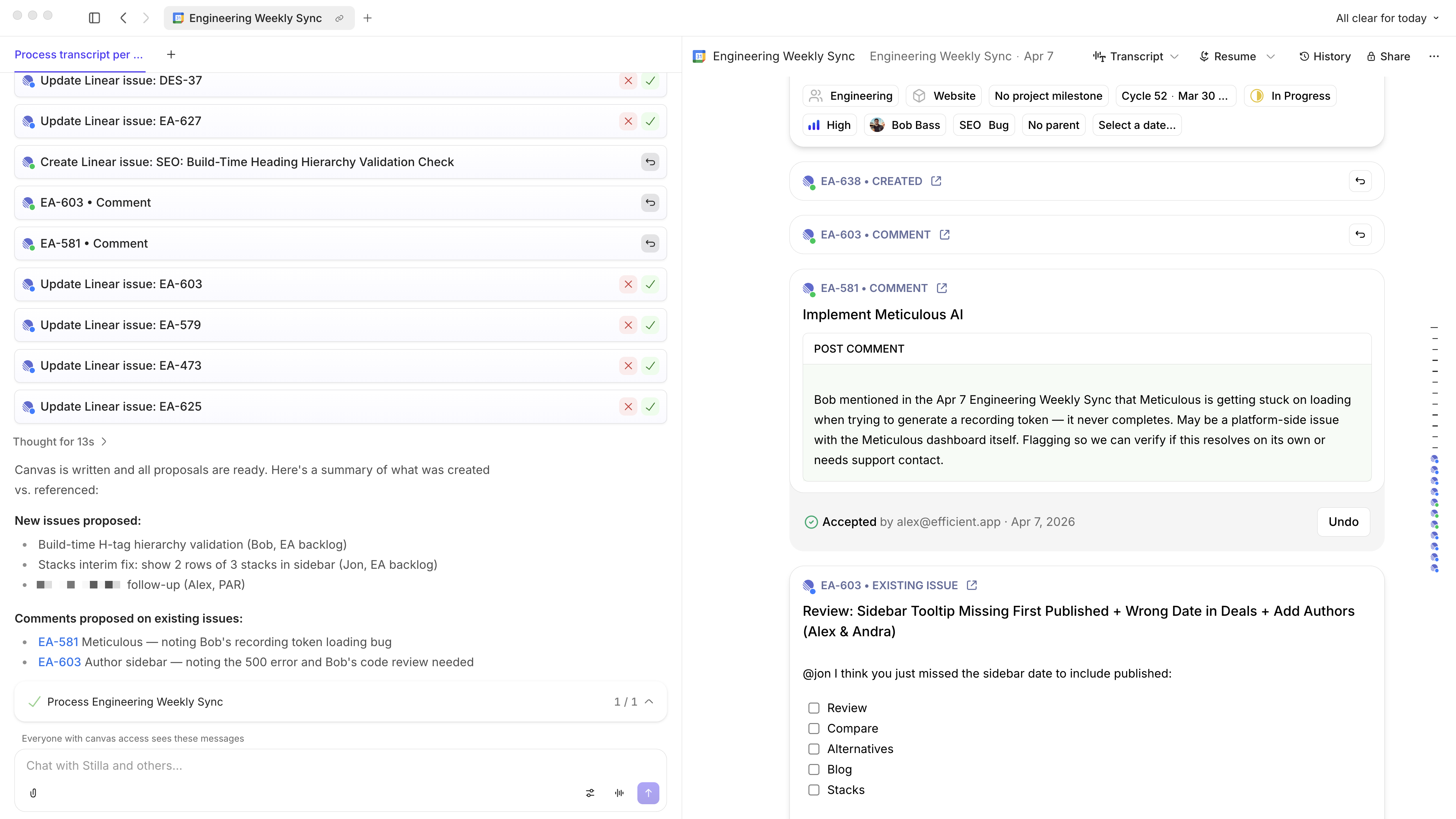
Instead of just giving you a summary after a call, Stilla connects what was said to the actual work in your tools. It will surface relevant linear tickets, bump priority, or reassign owners, all based on the conversation.
That being said, after having this turned on for a while I realized I was blowing through thousands of credits which got super expensive fast. While some stuff was helpful, other stuff was low value. That's the tough thing, AI can be so impressive if it does everything, but if you need to pay for each automated action you start wanting to have some control over where you get the most value.
Granular Permissions
Granular PermissionsWith any new tool I'm testing, I don't always feel comfortable giving complete access to, say, my GitHub repo, for example. With Stilla, you can get specific. Read all of Slack but only write in one channel. Read-only access to some apps, read-write somewhere else. Disable GitHub entirely so no one on the team can even connect to it. That's the kind of thing that everyone's been waiting for!
I even had it suggest a code change, but didn't give it actual repo access, so it went in the totally wrong direction. And I can't fully blame it for that. That's on me not wanting to hand over the keys. It's really a catch-22 where, without access, it can't do a good job, but without trust, you won't give it access.
My suggestion is to start with lower-risk stuff and just be extra mindful when you're setting up Stilla's access. The more you have to lose, the more careful you need to be.
Internal Knowledge Automation
Internal Knowledge AutomationOne of the strongest use cases from the founder was an internal support bot. A company created a Slack channel where employees could ask questions, and Stilla would search Notion docs and Drive policies for the answer. If it found conflicting information, it could ping the right stakeholder and help clean up the outdated doc.
CRM Auto-Updates
CRM Auto-UpdatesThe CRM workflow is probably one of the most practical use cases. After a sales or customer call, Stilla can propose CRM updates based on what was discussed and leave it to the human to approve. That is the right balance: let AI do the legwork, but keep a person in the loop.
I would trust this workflow earlier than code generation. Updating a CRM draft or flagging a correction feels like the right place to build confidence. It is practical, recurring, and easy to review.
That being said, we've recently switched to an AI CRM called Lightfield that automatically does all this.
Weekly PR Changelog Agent
Weekly PR Changelog AgentThe weekly PR changelog agent is a more technical example, but it shows what Stilla can do when it has enough access. It can scan merged PRs, separate customer-facing changes from internal infrastructure work, post a Slack summary, and help update the "What's New" section. That is exactly the kind of recurring task that sounds important and then quietly dies because no one owns it.
Additional Features
Additional FeaturesConnections
ConnectionsIntentionality is the key here. There are a ton of integrations and controls to set up. Slack, Linear, GitHub, Notion, email... You can connect pretty much anything, which is exactly why you shouldn't. If you start plugging things in just because they're there, it'll get noisy. The value comes from deciding what you actually want Stilla to touch.
A great way to test and "dip your toes in the water". Test Stilla on something simple, like scheduling a meeting, it can cross-check calendars, adjust time, and draft invites.
No matter where you start, it's your upfront intentionality that determines if everything else you layer on will work. The more you set clear boundaries, the more reliable it is, and the more workflows you can layer in.
Workflow Setup
That's the hard part with a tool like this. You don't always know what to automate. And even when you do, you have to build the habit of actually asking Stilla to do it, which sounds easy until you're two weeks in and realizing you keep doing the same manual thing every Monday.
After about 28 days, the workflows that stuck for me were pretty obvious: morning email brief, call notes, Linear updates after engineering syncs. The deeper stuff didn't happen because I had to think of it. If I'm giving Stilla one piece of direct feedback, it's that the product should surface patterns proactively. Something like, "Hey, I noticed you do this every week. Want me to build an agent for it?" That nudge would change the adoption curve a ton.
This is what our team liked better about Viktor. Within an hour of being in our Slack channel, Viktor was suggesting work he can take off of our plates.
Admin Controls
The downside to giving Stilla so much control is the risks and dangers. Stilla gives you a way to decide which tools your team is even allowed to connect to. If you don't want anyone touching GitHub through Stilla, you can just turn it off, and that's it.
When you're dealing with a tool that has the ability to write code or post in Slack, then having control over that shouldn't be optional. It's a useful tool, but it's also risky, so it's nice that they give you the lock and key.
Connector Management
Going a layer deeper is the ability to decide what can be connected at all. So if you're the one responsible for your company's system, then you're also the one to shape the boundaries before anyone ever uses it.
So, whoever is the designated gatekeeper (me usually) needs to take setting it up seriously, because if you just enable everything and move on, you've basically removed all the guardrails and you're back to just trusting AI blindly.
Inline AI Suggestions
Inline AI SuggestionsSomething small but honestly impressive is what happens as you're typing. While you're in your notes or in a chat, Stilla starts surfacing suggestions on the right-hand side in real time. It's more of a collaborative thing versus it being some sort of autocorrect that finishes your sentences like Gmail does.
As you're typing, you'll see it just starts recommending things to you, so it's almost like you have this little AI agent that will also do kind of an autocorrect suggestion to the right-hand side.
The suggestions feel more contextual than they do mechanical, and because it's happening inline while you're already in the flow of work, it doesn't break anything.
Stilla Pricing
Stilla Pricing- 14-day Free Trial: $100 in credits (no credit card required). Best for testing how Stilla actually works and how far the "agent" workflows can go.
- Team: $50/mo ($40/mo annual). Best for technical teams looking to automate workflows and take action across their systems.
- Enterprise: Custom. Best for larger organizations that need unlimited members, advanced security, and tighter control.
Final Verdict
Final VerdictShould you use Stilla? Right now, since they just got acquired by Meta I would hold off until there is more clarity on what the product continues to be and how it will evolve. Personally, I'd check out Viktor first, especially if you don't have a team of only engineers. If your team consists of sales people, marketers, creatives, they'll likely prefer Viktor.
Screenshots
Screenshots
Stilla
Stilla AI note taker notes and action items
Categories
CategoriesStilla fits into multiple categories based on what it actually helps you do. Each category highlights a different strength and the efficiency points it earned, helping you compare tools not just by features, but by how well they actually perform.
Keep exploring the best software across categories, or explore Stilla alternatives