
Summary
Summary Wispr FlowBest
Best for faster writing
Best for faster writing RaycastRecommended
Best MacOS spotlight search replacement
Best MacOS spotlight search replacement CleanShot XRecommended
Best for fast Mac screenshots
Best for fast Mac screenshots MuseRecommended
Best free personal AI assistant
Best free personal AI assistant Superhuman MailRecommended
Best productivity email client
Best productivity email client Superhuman DocsRecommended
Best for collaborative docs + no-code workspace
Best for collaborative docs + no-code workspace MotionRecommended
Best for those who want an AI personal assistant
Best for those who want an AI personal assistant Dia BrowserRecommended
Best for AI power users living in the browser
Best for AI power users living in the browser SunsamaRecommended
Best for mindful planning
Best for mindful planning DashlaneRecommended
Best modern password manager
Best modern password manager Inbox ZeroRecommended
Open-source AI assistant for email
Open-source AI assistant for email
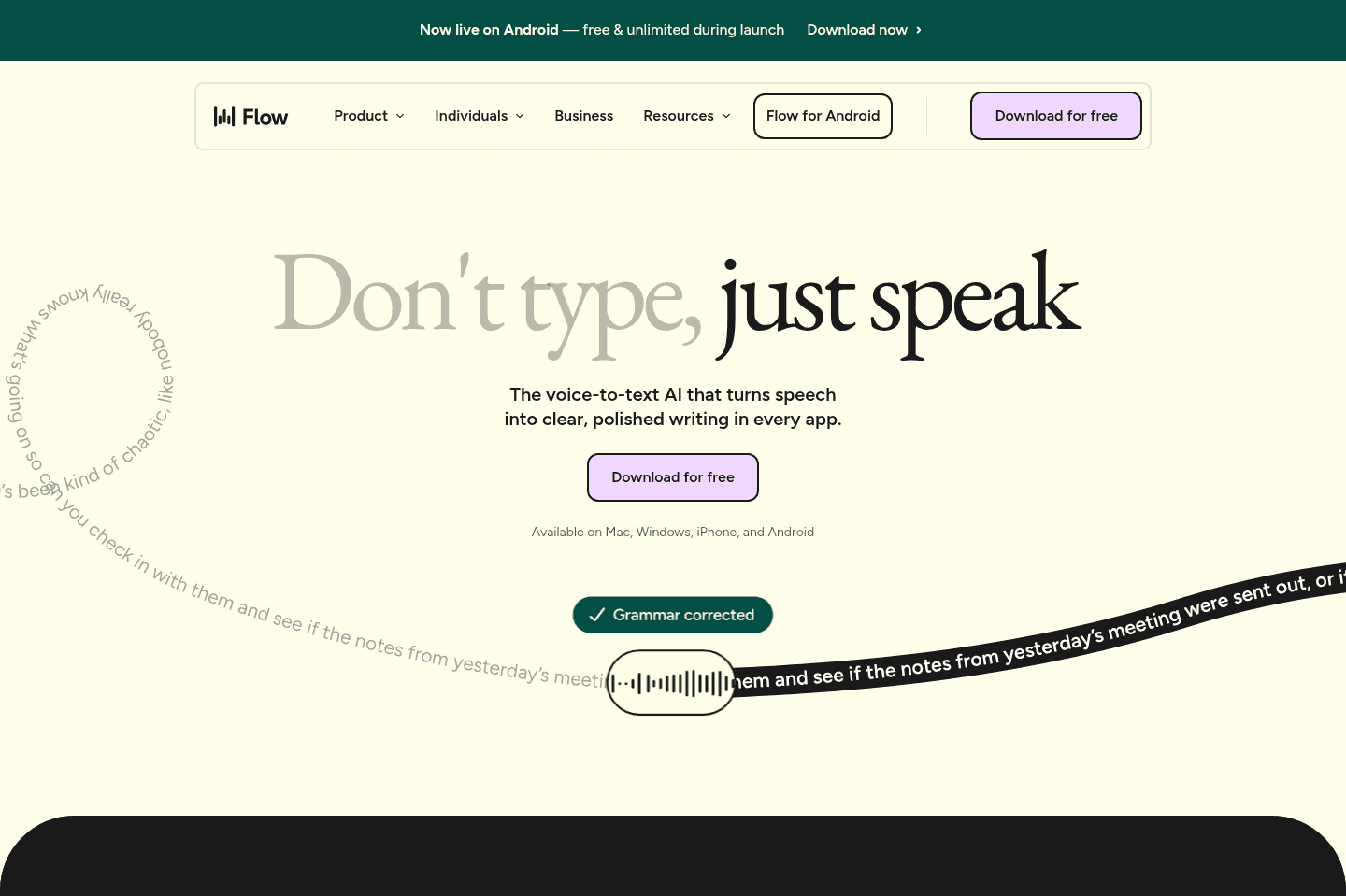
Wispr Flow
Wispr FlowBest alternative for fast reliable AI dictation.
Wispr Flow is a great alternative for those who want to move quickly between apps and get their thoughts out without stopping to edit or repeat themselves. If you find traditional dictation tools unreliable or distracting, this is for you. It works anywhere you can type, Slack, email, social, content drafts, and consistently turns your spoken words into clean text, so you can keep up your momentum even when juggling different tasks or switching contexts all day.
If you're a business owner, professional, or knowledge worker who has ideas piling up faster than you can type, Wispr Flow helps you capture and share them before they slip away. It's especially valuable if you often answer client questions, collaborate with team members, or want to turn quick thoughts into publishable content. It also stands out for people who work across multiple languages or prefer to dictate on both desktop and phone.
Raycast
RaycastBest alternative for supercharged Mac search.
Raycast is a great alternative for those who want to turn their Mac search bar into a command center that handles way more than just finding files. If you rely on quick keyboard shortcuts to jump between tasks, open calculators, manage windows, or even convert images, Raycast pulls all of that into one place.
If you're a technical user or someone who likes to customize your workflow, the deep integrations and plugin community give you tools to handle just about anything without leaving your search box.
If you're already satisfied with the default Mac search and don't need more, you might not see a reason to switch. But if you want your search bar to do more, Raycast is worth a try.
CleanShot X
CleanShot XBest alternative for fast screenshot workflows.
CleanShot X is an awesome alternative for those who take frequent screenshots and want to move faster without the usual extra steps. If you're tired of saving images to your desktop and dragging them into emails or documents, this tool lets you copy screenshots instantly and paste them right where you need them.
It also makes it simple to handle multiple screenshots at once, letting you pick from a sidebar instead of digging through files. If you need to mark up images or blur out details before sharing, annotation tools are built in and easy to use.
If you rarely take screenshots or don't mind extra manual steps, the benefits here may not feel as strong.
Muse
MuseBest alternative for an AI personal assistant.
Muse is a great alternative for those who want an assistant that completes annoying personal tasks without requiring workflow builders or step-by-step guidance. You describe the outcome, and Muse uses its own browser to work through the task and continue after you close the app.
It also suits recurring personal admin, such as checking for appointments or price changes without restarting the request each time. Before sending messages or making purchases, it asks for approval so consequential actions stay under your control.
The main limitation is how much personal context you may need to share with Meta. Muse becomes more useful as it learns your accounts, schedule, and preferences, creating a real tradeoff if you are cautious about Meta's ad business or future terms.
Superhuman Mail
Superhuman MailBest alternative for fast focused email.
Superhuman Mail is the best alternative for those who spend a significant part of their day in email and want to move through their inbox at maximum speed without distractions. If you check email multiple times per day, rely on keyboard shortcuts, or feel bogged down by slow load times and clutter, this tool is built to keep you in flow. Its minimal design and instant performance make it easy to process messages quickly, batch similar emails, and stay focused even when inboxes get overwhelming.
If you handle sales, manage a team, or need to collaborate on email threads, Superhuman Mail's workflow features and AI tools can help you draft replies in your own voice, track follow-ups, and share threads for input without leaving your inbox. The mobile app is designed for fast triage on the go, so you can stay on top of things wherever you are.
If you rarely use email or don't feel slowed down by your current client, Superhuman Mail may feel unnecessary. But for anyone who lives in their inbox and wants the fastest, most focused email experience, it's a clear top choice.
Superhuman Docs
Superhuman DocsBest alternative for no-code custom internal workflows.
Coda is a great alternative for those who want a flexible workspace to experiment with unique processes or build out internal tools that don't fit into standard templates. If you like working with formulas in spreadsheets and want to dip into no-code building, Coda offers a playground to create concept apps and document collaboration, especially for teams starting new projects or managing knowledge bases.
If your workflow is non-standard and you want to try solutions that structured tools can't handle, Coda makes it easy to get started and learn by doing. It's especially appealing if you want to combine documentation and lightweight project management in one place.
However, if you find yourself trying to rebuild complex systems like a CRM or large-scale project manager within Coda, it's worth pausing. The tool isn't suited for replacing dedicated solutions at scale, and teams often run into problems when pushing it too far beyond its strengths.
Motion
MotionBest alternative for calendar-driven AI project management.
Motion is a great alternative for those who want their project management tool to take the hassle out of scheduling and prioritization. If you're tired of constantly updating deadlines or figuring out what to focus on next, Motion stands out by automatically organizing your team's tasks directly onto your calendar, adjusting as meetings and priorities shift. It's actually one of the first AI tools our team adopted.
This approach is especially useful for small to mid-sized teams, busy professionals, or freelancers who want to spend more time working and less time managing their workflow. Motion also brings meeting notes, documentation, and workload tracking into one place, making it easier to keep everything connected without jumping between tools.
If you prefer to control every detail of your schedule yourself or need advanced reporting and dashboards, Motion may not be the best fit. It's also not designed for large enterprise environments.
Dia Browser
Dia BrowserBest alternative for simple browsing with built-in AI.
Dia Browser is a great alternative for those who want a straightforward, Chrome-like browser experience with helpful AI features always within reach. If you're looking for a minimal interface that doesn't overwhelm you with customization or complex layouts, and you like the idea of a browser that can summarize articles, answer questions, or help with research directly in a chat sidebar, Dia will feel right at home.
It's especially well-suited if you're newer to AI tools, or just want pre-built prompts to interact with content on the page without needing to set up workflows or extensions. The design leans toward being approachable for everyday browsing rather than productivity-heavy tasks.
If you need deep customization, advanced features, or rely on your browser for power-user workflows, Dia's early-stage simplicity and current feature limitations will likely feel restrictive. For now, it's best for those who want a clean, AI-supported browsing experience without the need for advanced controls.
Sunsama
SunsamaBest alternative for mindful daily planning.
Sunsama is a great alternative for those who want a digital planner that encourages intentional, hands-on scheduling each day. If you prefer to manually plan your tasks, reflect on your workload, and value a calming, minimal interface, Sunsama fits well, especially if you're coming from a pen-and-paper habit and want a similar, focused experience online.
It's especially useful if you already use project management tools to track bigger projects and just need something dedicated to structuring your daily work. The app prompts you each morning to decide what you want to accomplish, lets you drag tasks onto your calendar for time blocking, and includes a daily shutdown routine to help you review your progress.
Sunsama is not the right pick if you need automatic scheduling, want to manage projects with a team, or prefer to plan far in advance. You'll need to be consistent with manual planning, as the app won't automate your day or handle larger project management needs.
Dashlane
DashlaneBest alternative for modern user experience.
Dashlane is a great alternative for those who want a password manager that puts everyday usability first, whether for personal use or managing a team. If you care about having an interface that feels modern and visually appealing, especially on mobile, Dashlane stands out for its focus on end-user experience and design.
It's especially well suited if user adoption is a concern, Dashlane's roots in consumer-focused design make it easier for people to actually use the tool in real life, not just in theory. The ability to set up 2-Factor Authentication directly within your saved passwords adds another layer of security without making things harder to use.
If your workflow depends on advanced API integrations with other tools, Dashlane's API options are still limited compared to others in the space. This is the main tradeoff to consider.
Inbox Zero
Inbox ZeroBest alternative for automating inbox cleanup.
Inbox Zero is an alternative for those who want to cut down on email clutter and automate tedious inbox tasks in Gmail. If your inbox is overflowing with newsletters you never read, this tool makes it easy to unsubscribe in bulk and set up AI-powered rules for sorting or forwarding emails without much manual work.
It works as a layer on top of your existing email, not a full replacement, so you keep using your main email client for most things. The built-in email client is still in beta and feels basic, so if you need a robust replacement for Gmail, you might notice some gaps.
If your main goal is to clean up and organize your inbox without switching email platforms, Inbox Zero fits the job. Just know that its own email client is still underdeveloped and may not cover all your daily needs.

Mailman
MailmanBest alternative for scheduled email delivery.
Mailman is a great alternative for those who want to set strict boundaries around when emails arrive, so you can stay focused without constant inbox interruptions. If you prefer processing email in batches, like getting your messages just once a day, but still need urgent emails to break through, Mailman fits that workflow well.
If your email runs on Gmail and you're looking for more control over when and how messages show up, this tool is a practical pick.
Mailman is only suitable if you use Gmail, so it won't work for other email providers.
Video
VideoBest Email Client: $0 vs $400 Email
Best Email Client: $0 vs $400 Email 26:19
26:19Best Email Client: $0 vs $400 Email
Best Email Client: $0 vs $400 Email