What is Linear?
Linear is in an interesting category. It's in one way a product tool (e.g. focusing on bugs, feature requests, and sprints/cycles), and another part project management (for managing the tasks around the cycles).
The thing is, Linear is very much built for your engineering and product team to tie in all of this information together. You'd be hard-pressed to use Linear as a replacement for the company's general project management tool.
If you're heavily a product-focused company, and most of your employees are engineers and product people though, you can probably get away with just using Linear as your team's project manager.
Pros and Cons
Pros
- Our engineers adopted it with zero training, zero hand-holding, and loved it from day one
- Engineers can work straight from the terminal without ever opening the app
- Integrates with GitHub, Slack, Claude, Cursor, Codex
- Built for engineering teams with cycle planning
- Useful project progress views
Cons
- Not built for non-technical teams, marketing and ops will feel boxed in
- Standalone AI features are fine, nothing mind-blowing
- Not the tool you'd roll out company-wide
Key Features
Issue Tracking
You can track bugs, features, fixes, and internal tasks, but the important part is that it doesn't feel like a giant admin exercise for our team. Linear doesn't make engineers feel like they are updating a dashboard just so someone else can make a prettier status report. Instead, it gives them a clean list of what needs to be done next, which sounds boring until you've used tools that make that weirdly difficult.
Bob, our Head Engineer, said, "Right now, I have a list of all the tasks that I need to do, and it's nice and simple. That's what I like about it." Which pretty much sums up the whole argument for why to use Linear. Managers still get visibility, but the engineer doesn't have to lose their day to the tool.
Cycles & Milestones
It's easy to keep our team focused on top priorities with Linear. The main reason we implemented it was because it became clear our engineers were getting swallowed by Slack messages and Vercel comments, and there was no prioritization. Once we implemented Linear, we were able to ship much more cohesively. In other words, we started all rowing in the same direction.
Linear is set up for how engineers work. For example, cycles are a core part of the product (you don't get that in any of the other project management tools on this list).
You also get decent project views that tell you how close you are to completing a project. It was humbling seeing our website launch sitting at 75% complete when I was convinced we were further along. But it gave me a reality check, and the ability to go through each ticket to determine what was actually required pre-launch to move things along more quickly.
Developer Workflow Integrations
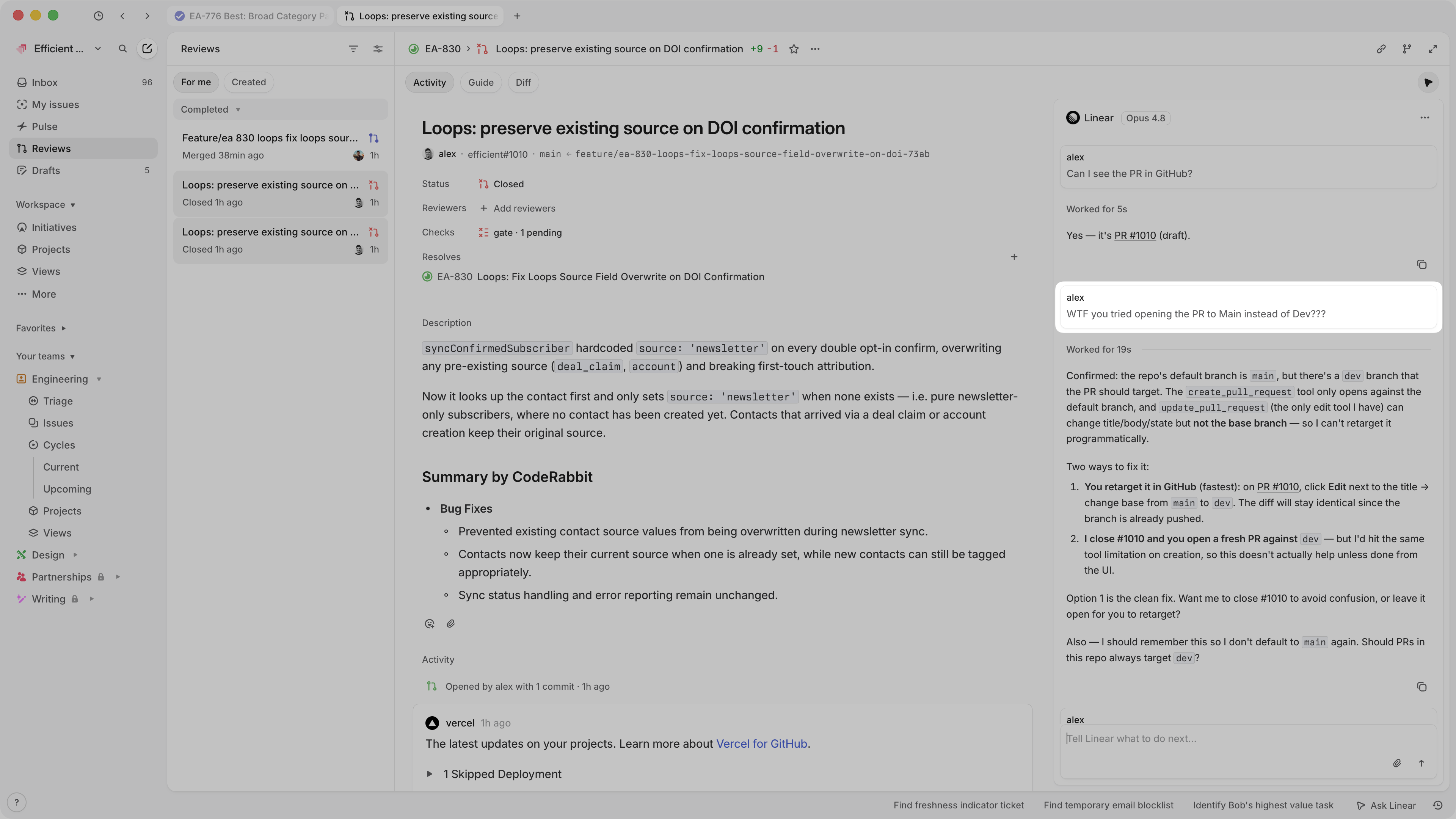
This is the part that makes the biggest difference for our team. Linear connects into the tools engineers already use (GitHub, Slack, Claude, Cursor, Codex, and terminal-based workflows).
Our head engineer's favorite thing about Linear was that he could stay in his terminal and never have to jump back into the app to stay on top of things.
He asks it what changed since he last checked, which tickets were urgent, or even what someone on the team seems worried about (appreciate you Bob!).
The Slack integration is awesome too. A bug gets mentioned in a channel, someone pastes in a screenshot, and you just @Linear to ask it to create an issue.
Pricing
- Free: Best for individual developers or small teams who want a clean task list without needing advanced workflows.
- Basic: $12/user per month ($120/yr). Best for small engineering teams that want fast, streamlined task and cycle management.
- Business: $18/user per month ($192/yr). Best for growing teams that need more integrations, visibility, and control across multiple projects. This is where most scaling startups will land.
- Enterprise: Custom pricing. Best for larger organizations that need advanced security, permissions, and deeper customization across engineering teams.
 TodoistBest
 LinearRecommended
 MotionBest
 SunsamaRecommended